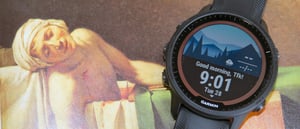
Garmin Morning Report I love the Garmin Morning Report Feature even though it is only a little more exciting than a walkthrough of your selection of widget glances. This article covers how you create, change and customise the morning report as well as a deeper dive into some of the newer widget glances of the more interesting sports physiology metrics. Overview - What You See When you wake up, perhaps the first thing you will see will be a prompt from your Forerunner asking if you want to check your morning report. You can then scroll through your report and drill down into the details of any of the charts that might seem concerning. As well as physiology and activity information there is information available on things like the weather and your planned training. Basically, the things that might impact your day. The report remains visible on the watch until you dismiss it and, as far as I know, once you've dismissed it there is no way of seeing it again although all the information is available in your regular widgets. How it works The morning report seems to be triggered when the watch thinks you are awake and that is probably linked to a combination of a wrist gesture and the normal wake time you have set in Garmin Connect. Customising Your Morning Report - What Can You Add? The Morning Report can be customised on either the Garmin Connect app or the watch. (At: Appearance> Morning Report) You can choose to show any of the following widgets Training Readiness, HRV Status, Workouts, Sleep, Weather, Calendar, Body Battery, Intensity Minutes or Step and it doesn't matter if those are hidden from your normal list of widget glances as they are still available for selection. It's easy to drag and change the order in which the glances appear in the Report and you can also change how your name appears in the initial "Good Morning XXXXX" greeting. Training Readiness Garmin has a proprietary computation of training readiness. As far as I know, readiness is not based on any published science. Like most of its competitors, Garmin has gravitated toward providing a single headline number. It's just easier to interpret and understand. In the images below, I have 82% readiness. [gallery size="medium" columns="5" ids="73929,73930,73931,73932,73928"] Interestingly, Garmin has included causative and response metrics in its calculations. ie ACUTE LOAD is the work you have undertaken over 10 days of training, whereas HRV Status is an indication of how you handle accumulated training over 7 days. I have absolutely no idea how those two things can be added together. But. There you go. Garmin adds them together in some mysterious way. Note: The use of the 10 days and 7 days is correct HRV Status When you first wear your new Garmin watch, there will be no HRV Status information. Some will appear after a week, and your full baseline will be shown if you wear it at night for 3 weeks. That's not long enough, but Garmin keeps extending the period it compares to up to about 90 days. Once you hit 60 days of data, it should start to be 'correct'. In the images below, you can see that my 7-day average HRV is low, unbalanced, and below my baseline range; it's the one factor that seems to be holding back my readiness - albeit an important one. This could mean several things, including that I am not responding well to increased training. "What's the point of training hard if you are not responding well to it?" you might well ask. An answer would be to reconsider your training regime. Perhaps the averages were affected by a particularly bad night's sleep? The third of the following images shows an HRV track throughout the night, with readings taken every 5 minutes or so. It's a relatively flat line, and you might expect more variation in your night's HRV than shown in my chart. It's generally better if your HRV is higher than the values shown here. The higher the better...usually. [gallery size="medium" columns="4" ids="73918,73917,73919,73933"] Now we come to a few problems. It's clear that Garmin uses averages of nightly HRV measurements. This type of measurement (broadly shared by Oura and WHOOP) is more affected by lifestyle constraints, whereas the morning measurement is a more focused training metric (not proven). I would add an anecdotal point that more serious sports science studies by sports professionals use single morning readings. 8 out of 8 studies on HRV-guided training showing small improvements in performance or submaximal parameters (wrt regular periodisation) used measurements taken in the morning @Marco Altini Maybe that's because single-morning readings are more accurate, or maybe it's just an easier or more reliable method for the study subjects. My own data on HRV recovery shows that Garmin's baseline HRV (0.25) does not correlate with the Polar H10 or HRV4Training, although the day-to-day correlation (0.58) is much better. [caption id="attachment_73921" align="aligncenter" width="1024"] Correlation of HRV Readings to Polar H10/HRV4Training (Not Readiness Score) - day-to-day (1) and baseline (2) correlations[/caption] Surprise, surprise. WHOOP does have a reasonably good baseline correlation (0.73) of the raw HRV numbers, even when worn on the wrist. Now, who would have thought that, based on what you hear about WHOOP's supposed inaccuracy? HRV accuracy requires algorithms that remove noise from recordings, and WHOOP appears to perform this well. Sleep Sleep must be an important determinant of recovery/readiness, particularly during the deep sleep stage, when most of our muscle adaptation to workouts is supposed to occur. Some nice stats to show our nightly sleep stages and trends over time. Once again, an overall sleep quality score is produced, and, in this case, I scored 95%. That score will be based on many factors, including the number of hours of sleep, the composition of sleep stages, and the speed at which I fell asleep (latency). [gallery columns="4" size="medium" ids="73935,73934,73936,73937"] Yet no wearable is scientifically accurate at determining sleep stages compared to the gold standard polysomnography, although Oura claims to be the best (79%) with published science to support the claim, although I believe they have not yet implemented that sleep stage algorithm publicly. Garmin includes its determination of your sleep stages in the sleep score and includes the sleep score in the training readiness assessment. Does that sound correct? I don't think so. It's compounding error upon error. Calendar, Weather, Workouts Your workouts for today are shown, and you can easily check the best time to do them based on your weather and other calendar commitments Body Battery, Intensity Minutes, Steps I'm not quite sure why these are included when you haven't yet got out of bed. Morning Report - Signing Off Your Morning Report signs off with a bang. It really is going to be a great day. Make it so! Take Out Despite my scepticism about the data it contains, I do like Garmin's Morning Report. It has brought together several components of Garmin's platform and presented them efficiently and accessibly at the right time of day. Putting my consumer hat on, I also like the readiness and sleep metrics with the ability to easily see the details that underpin the scores. But...are the details correct? Is the addition of the sub-scores correct? If you are training seriously, make sure you base your decisions on accurate data. Most of us probably aren't training at a professional level, and maybe this level of training recommendation is indicative or just gives us pause to consider other measures of readiness before we train.