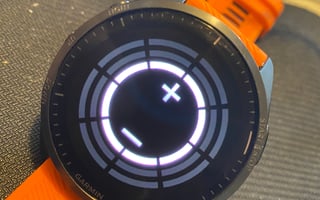
Garmin Forerunner 965 - Tips, Tricks and Tidbits - Applies to Fenix and other Forerunners too More: Garmin Forerunner 965 Detailed Review You've already bought the Garmin Forerunner 965 and you are happy with what you've found so far. If you are new to Garmin's triathlon watches then there will be many goodies squirrelled away in the menus for you to find at a later date but this post looks at unusual nuggets that everyone will find something interesting and new from. Tip Level: Above newbie but not advanced. 1. How to Record HRV on your Forerunner 965 ...and why do it. Watch> System> Data Recording>Log HRV> On (while there, also enable Frequency: Every Second) Tip: Use a decent HR strap. Ideally, a Polar H10 connected over Bluetooth although a Garmin HRM-PRO-PLUS over ANT+ will be fine. Why: Bluetooth has less chance of data loss and Polar's strap is better and doesn't slip leading to more accurate results There are some very interesting insights you can glean about yourself from HRV data during exercise. Quickly here's a recap on HRV RR Beats: An RR beat is the time of an individual heartbeat and an HRV calculation assesses their variability using formulae like rMSSD or SDNN. The variability happens as your body's nervous systems interact. Low variability indicated high stress. HRV cannot determine the cause of stress either from exercise, illness or simply life stress. Logging HRV records the RR beats. So if you work out at 180bpm then approximately 3 of these will be logged per second, with logging HRV disabled then there will simply be one marker for each second saying that there were 3 beats in that second. No Garmin/Firstbeat-Physiology feature needs this HRV log to be enabled. So all your recovery stats, performance conditions, VO2max readings and all things Firstbeat should be working regardless of this setting. So the real value of enabling HRV is enabling you to use the data somewhere else outside of the Garmin platform! either from live software like HRV4Training to Kubios for analysis. What can HRV tell me?: Two of the most useful uses of HRV are to a) help determine your readiness to train and b) silently calculate and update your HR Zones. (they don't need logging enabled) a) Garmin Stress and Body battery already tell you your readiness to train to a degree. However, the best external (super-cheap) resource is HRV4Training. If you consider yourself a committed athlete then you should be using something like that. b) In 2020, a new mathematical technique for HRV analysis was publicised called DFA a1. This has one MASSIVE benefit for endurance athletes in that it can relatively easily determine lower aerobic threshold from gentle ramp efforts. Furthermore, it can be used to determine your upper threshold too you can already do that with FTP tests and the like. The massive benefit of correct zones is to ensure that you really are training below AeT/LT1 when you do 80% of your low-intensity training. The best resource I know of here is AI Endurance, just use it for the trial period after you've already built up some HRV workout history. AI endurance also uses proper AI to determine which of your workouts elicits the best responses from your history and it also shows you the performance of its predictive model over time against the reality of your endeavours. (The guy running it is doing AI/ML and not someone just using it as a marketing buzzword) More on AI Endurance 2. Face Palm 🤦 Everyone loves a good 'doh' moment. Just like Homer Simpson, even the Garmin Forerunner 965 loves the facepalm. Simply cover the screen with your palm to revert to the 'home' screen. At night it does the same thing and also turns the backlight off. 3. Manually Calibrate Your Elevation (bear with me on this one) If you don't know your elevation right now then visit whatismyelevation.com. You are a clever bunch and can guess exactly what that site will do! Next, go outside and get a really good GPS fix Watch>Sensors & Accessories>Altimeter>Calibrate>Enter Manually> Enter your elevation Then check this setting is enabled Watch>Sensors & Accessories>Altimeter>Calibrate>Auto Cal.>On You've now sorted out the elevation on your watch forevermore for all your workouts starting from home. Do the same thing at multiple other places where you might start workouts or at points en route you always pass through. All will be saved. We know that the DEM model on the forerunner 965 should often be correct but it doesn't always start elevation tracks correctly. This tweak just gives the DEM the bump it needs to be awesome. Rationale: Garmin has a relatively complex hierarchy of readings to use for elevation and manual calibrations are right at the top. 4. Give your map some love If you want some awesomely detailed OSM or TT HD TOPO maps specifically for Garmin devices then TALKYTOASTER is the place to get them. (I've zero connection with that site) The Hiking Guy also gives some detailed instructions on how to update maps to non-Garmin maps 5. CIQ Data Field Limitation I was VERY surprised that Garmin still limits the FR965 to two active CIQ Data Fields per workout. Garmin supposedly now has spare performance on the 965 so I've no idea why this 2 Data Field restriction still exists (On Edge devices I think it's 6 or 8 DFs) Apologies for confirming this ridiculous limitation to you :-(. Tip: The limit is more subtle. You can re-display either of your two data fields multiple times in the same profile ie you could have one specific data field shown 4 times and the other data field shown twice. There are only limited workarounds and these depend on your precise requirements as to whether or not they are possible. The general type of workaround is to use a CIQ data field that pulls together multiple types of data and displays them for you as a single full-screen data field. One such example is Run Power by FLOWSTATE. But obviously, you are limited by what bits of data these special data fields can connect to. The Stryd data field is a pretty good one for running power and is regularly maintained and frequently updated. I use it as my main running screen 6. Where's my watch face/app/data field gone? You've just upgraded from your Forerunner 945. Awesome. However, the CIQ store shows that not all of the watch faces/customisation/apps and the like are available for your watch. Grrr. Why? A: Garmin apps/data fields/watch faces have to be authorised/tweaked by the developer for every new watch. Eesh. Developers tend to be people doing the work for fun and so don't always update new watches immediately. Or EVER, in some cases. Maybe you might consider copying your old apps/data fields to your new watch? Here's how. Warning: The following actions can break things...beware. I nearly always do this when testing new watches at launch. Firstly, locate a .PRG file on your old watch. It's likely to be in a location like This PC> Forerunner 935> Primary> GARMIN Apps>, you might find subtle differences as these images show. [gallery type="rectangular" columns="2" size="medium" ids="69674,87019"] For the sake of brevity just copy all the PRG files into the corresponding GarminApps folder on your Forerunner 965. Copying them one-by-one is a way to determine which PRG file corresponds to which app. It seems that in 2022/2023, Garmin changed how this works. so once you put your old PRG files onto your new watch, the new watch will combine and hide them. Thus in the future this hack won't work as you wont' be able to copy your PRG files from the FR965. Problems: You might break your sports profile by using one of the old apps (I did). Solution: completely re-create the profile from scratch. An old data field might not be designed for the screen you use and hence might not display correctly. The acceptability can range from 'looks alright to me' to 'I can't read a thing' If your watch face or data field had settings you might not be able to enter or change these settings on the later watches either with the Connect CIQ app or Garmin Express. As the following image shows there are no '...' settings for the M515Cyc app, that app is also shown as DEVELOPMENT as it is not tested/supported for this watch. Beware! 7. Cable Upload Problems At some point in the next few days, you will charge your FR965. I charge more regularly than that as I typically do all my updates through Garmin Express on my PC using a cable. One of the problems with my method is immediately after a workout the bloomin' cable just doesn't work, and you have to turn in round insert it and re-insert it, and so on. It doesn't have to be that way. Top tip: blow really hard into the charging port before sticking the cable in - this gets the sweat out. That seems to make the data transfer connection work better, although the charging side of things is usually fine. This has been a problem for me for years on multiple models and I suspect I'm not alone. Top Tip 2: Get a charging puck. I have this one which is only a couple of dollars. https://the5krunner.com/2023/10/30/the-best-garmin-charger-dock-station-charging-puck/ 8. Mid-workout crash...aaaaaaaah If you don't have a recording of a workout then you didn't do it :-) Losing data is potentially catastrophic to life, your family's well-being and the general economic state of the world. And it won't even be on Strava either. Jeez. To make matters worse, a new Garmin watch can be prone to an odd crash or two. I do think Garmin are now MUCH better at properly testing the software before releasing it to us, the unsuspecting public. However, it's software, and these things are never perfect. The good news: Once your watch restarts it should pick up where it left off. Wahoo does that, Garmin usually does that and even Apple occasionally does that. The bad news. Sometimes it doesn't and you are probably stuffed. If you really, really, really need the workout then IMMEDIATELY STOP and don't do anything else. Get any old piece of recovery software, RECUVA should be fine. It's then a long and torrid tale but you may be able to find and recover the 'invisible', unsaved workout file in the Garmin/Activity folder but it will be corrupted to some degree. Next, use Fit File Repair Tool to fix it, you'll probably waste 2 hours and not get a full workout recovery ...but you might be lucky. More details. 9. FIT files - Fix, Find or Fake I just mentioned Fit File Repair Tool. It's great for fixing your Fit file problems and doing lots of manipulations. For example, if you are so inclined you could apply a scale factor to your power readings to impress your friends or change the date of a workout for some nefarious purpose. You could download one of DCRainmaker's FIT files to see if he has inadvertently included an as-yet-unreleased device, the FIT file will give the device's name...sadly in the latter case, you will be wasting your time as Ray knows what you might be up to and probably Garmin does too these days! You could also use it to identify and eliminate bad GPS records, correct the crank length that gave you the wrong power readings or apply a privacy zone near the start point as Strava does. Those are all more positive and nice uses of FFRT. There are MANY more waiting to be discovered. 10. Don't waste time trying to get super accuracy...it's too elusive Just give up on trying to get accurate HR and pace from your watch. Get a decent chest strap like the HRM-PRO-PLUS and a footpod (Garmin or Stryd). The HRM-PRO-PLUS and some earlier models, will cache HR while you swim and be able to give you HRV data. Stryd can give you an always-accurate pace and running power too. Then just turn your GNSS setting to GPS-only, and forget the multi-band/dual-frequency all-satellites thing. Those latter settings are more accurate but only very slightly so. I use the following, more accurate setting, but only because I use the FR965 in product comparisons for this site. If I didn't run this site I'd do GPS-only. Watch> System> Satellites> Auto Select The optical HR is fine for overnight and resting HR so use it for that but disable SpO2 unless you're really, really ill. Oh, in that scenario please go to the doctor. 11. Speedy Wifi and unbreakable glass? Nope and Kinda FR965 supports 'only' 2.4GHz WiFi connections (802.11 ac,b,g,n) and not the 5gig ones. That's fast tho. FR965 now has prior-Gen 4 Elevate optical HR sensor, covered in a more durable, protective glass..rather than the plastic that used to always break like on my 935! The display's lens IS breakable and made from Corning Gorilla Glass DX. This is glass from 2018. Later generations of Corning Gorilla glass are better. The options for other Garmin watches include Sapphire lenses which are more durable. Sapphire lenses, I believe, can be solid Sapphire (the best, eg Suunto) or have a Sapphire coating. 12. Save Some Space You shouldn't ever have problems with space but some of you will. You can make your FIT file smaller by disabling HRV and using smart recording (see earlier tips) and if you do not use apps or data fields that create developer data then the file will be smaller still. But I'm not sure any of that makes too much difference, if your Forerunner can't find enough space to save the current workout it just deletes the oldest one. You'll be fine. 13. There are possible space savings to be made with maps. Use Garmin Express (or map manager) to just choose the minimal number of maps to meet your needs. There are several extra maps (map layers) like GOLF that you might not need. I don't think you can delete those but the space saving from doing so would be minimal. Some of the map features affect elevation, route and ClimbPro functionality so only delete things here if you are desperate. [gallery size="medium" ids="87022,87023,87024"] 14. Hotkeys Select System > Hot Keys You can assign existing Garmin shortcuts to some button combinations. For example, you can set the "PRESS START AND HOLD" to take a screenshot. Other lesser-known shortcuts include: Press and hold the bottom right (lap) button DURING A WORKOUT then you bring up the widget glance menu. Press it again to return to your workout. 15. Flashlight Replaces the Secret debug Menu There used to be a secret menu hidden away in the depths of the menu systems of all top-end Garmins. It's been around for years. It probably isn't that secret either but, hey, not a lot of people know about it. That used to be accessed in the System>About menu. Pressing the top left Light button over 8 times entered the murky world of the debug menu. However, now the top left button brings up the "flashlight" (of sorts). Below is a video of how this used to work on the Fenix 6/7, if you know how to disable the flashlight please let me know. 15. Much more basic newbie Tips for your new Forerunner 965 Here are some more newbie-level tips and tricks for setting up your new Garmin https://the5krunner.com/2024/12/25/how-to-setup-your-new-garmin-top-tips-hacks-tricks-for-new-garmin-gps-owners-3/ 16. No idea what Stamina is? The new Stamina metric is cleverer than I initially expected it would be as it combines the decline in your anaerobic work capacity with the decline in your aerobic endurance ability. Sounds interesting? Read more here... https://the5krunner.com/2022/02/16/garmin-stamina-explainer/ Your aerobic ability progressively declines through a workout and never really recovers. On the other hand, your anaerobic (hard) efforts cause a potentially quick decline in your overall Stamina. While the anaerobic component of stamina can recover it typically doesn't quite recover to the point you were at before the interval. You can use the Stamina display to see How many miles or minutes you might have left in you What your stamina might recover to if you eased off You can try to use stamina to pace variable intervals to 'exhaustion'. Run/Cycle hard until your stamina drops to a pre-determined level (say 5% or zero) and then let it recover either to its maximum recovery level or somewhere close to it and then repeat. this gives you flexibility in how you execute the effort outdoors and you should also change in how you recover as you tire over progressive intervals. Or you could buy a Muscle Oxygen sensor like Train.Red and do it properly ;-) https://the5krunner.com/2024/01/10/nnoxx-one-review-discount/ 16. Stamina! What about the tenquillion other Firstbeat features? What do they mean? I wrote the following insightful guide on Firstbeat features a while ago. If you add the Stamina piece to it then it pretty much explains all of the physiology features on the FR965! https://the5krunner.com/2019/09/09/garmin-fenix-6-firstbeat-insights/ 17. Other Tidbits Your Forerunner 965 has a touchscreen. you will find that some of the cleverer watch faces let you tap screen elements to bring up more detail. For example, your watch face might let you tap SUNSET TIME to show the SUNRISE/SUNSET display. It's also worth checking out the inbuilt DATAFIELDS to see how to enrich your workout experiences with new bits of data. eg time to next sunset could be interesting to cyclists and hikers alike. For more advanced bits of data like a live wind speed then you will need a CIQ data field and a live link to the internet, probably via your smartphone. 18 The Garmin Forerunner 965 Manual The Garmin Forerunner 965 Manual in PDF format has over 130 pages of turgidity and geeky excitement in equal measure. It's about 8 MB in size, so here are 5 images of the tables of content that you might want to glance at before downloading. I've highlighted the things that interest me... maybe you might find them useful. [gallery columns="5" ids="87032,87031,87030,87029,87028"] 19 Garmin Straps Garmin straps are VERY expensive. I find the nylon ones to be too rigid for my liking, so the default silicone ones are perfect for me for sport. I recently found these straps on Amazon from OVERSTEP. They appear identical to my other Garmin straps of the same style right down to the Garmin TRIANGLE logo on the buckle. At $12/£12/Eu12 a pop they are much, much better value than those from Garmin and warrant grabbing a few. Like the default straps on the FR965, they are not QuickFit and do not come with a pin but they do come with the tool to remove your existing pin. don't lose it! Take Out Hopefully, some of the tips here have entertained or enlightened readers of all levels of experience. Whilst I've more than scratched the surface there are still many more things you will learn from your Garmin watch as the months progress. Happy training! Related reading: Suunto gets Muscle Oxygen with Train. Red Support.