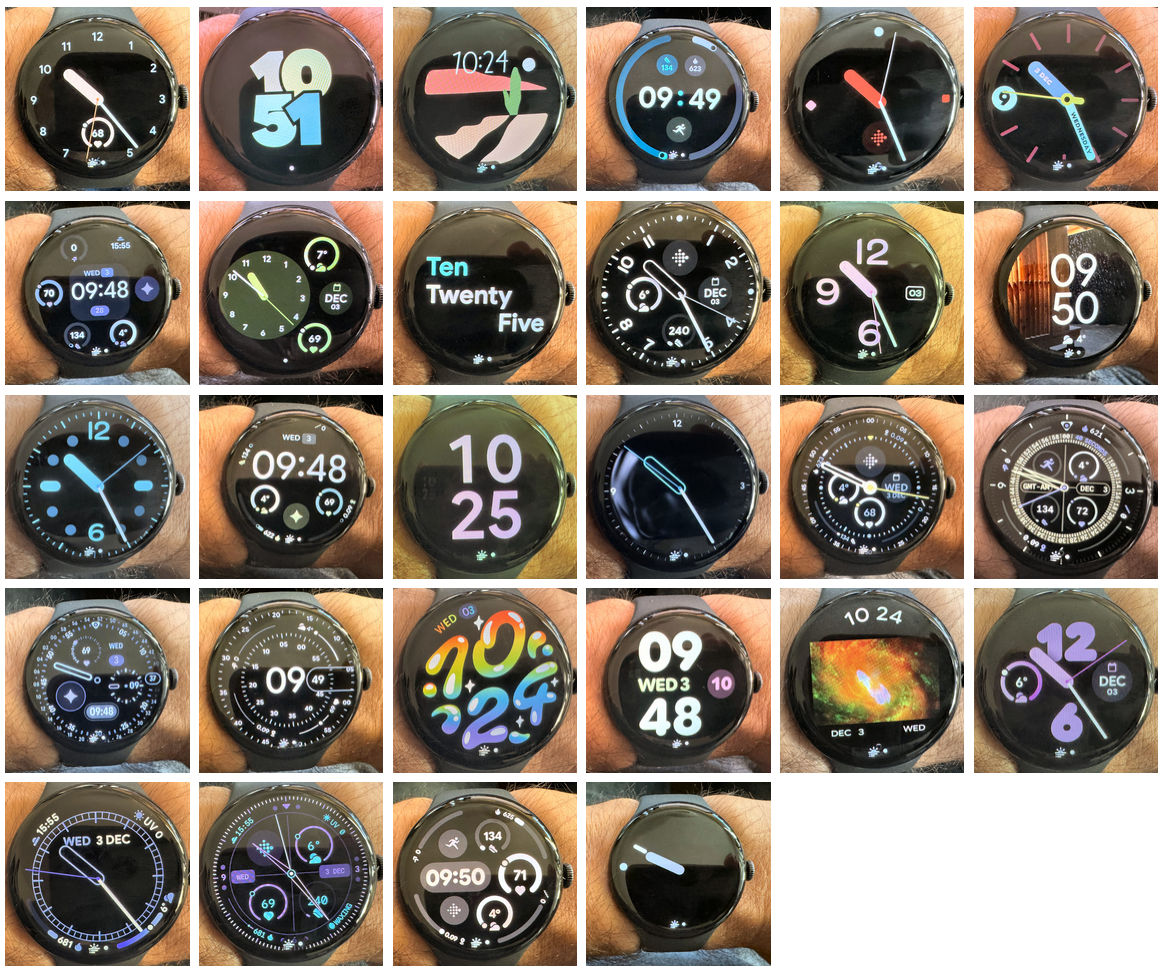
All the Watchfaces and Customisation Options for Every Google Pixel Watch
More: Google Pixel Watch 4 – In Depth Review
The Google Pixel Watch 4 runs the latest Wear OS 6.0, introducing key hardware and software upgrades such as a brighter, larger display, Satellite SOS capability, and Gemini AI integration. For those of you already owning one and considering customisation, it also adds seven new watch faces and a significant update to an older favourite.
The new faces are: Arts & Culture, Bold, Expedition, Modular, Pride (Colourform), Reveal, and Rushhour. Concentric also receives a major update.
Google’s default Pixel watch face selection offers an excellent balance of aesthetics and versatility, surpassing the native options from Apple Watch and most dedicated sports brands. While Apple has more pre-installed templates, the strength of Wear OS is its app and watchface ecosystem, allowing third-party designers to offer thousands of additional faces via the Play Store, much like Garmin’s Connect IQ store.
This comprehensive guide shows an image of each default face on my PW4, the introduction date, and full customisation options (styles, colours, and complications) for every official Pixel Watch face so far. Let’s begin with the newest PW4-exclusive additions.
Google Pixel Watch 4 Exclusive Watchfaces
Arts and Culture Watch Face
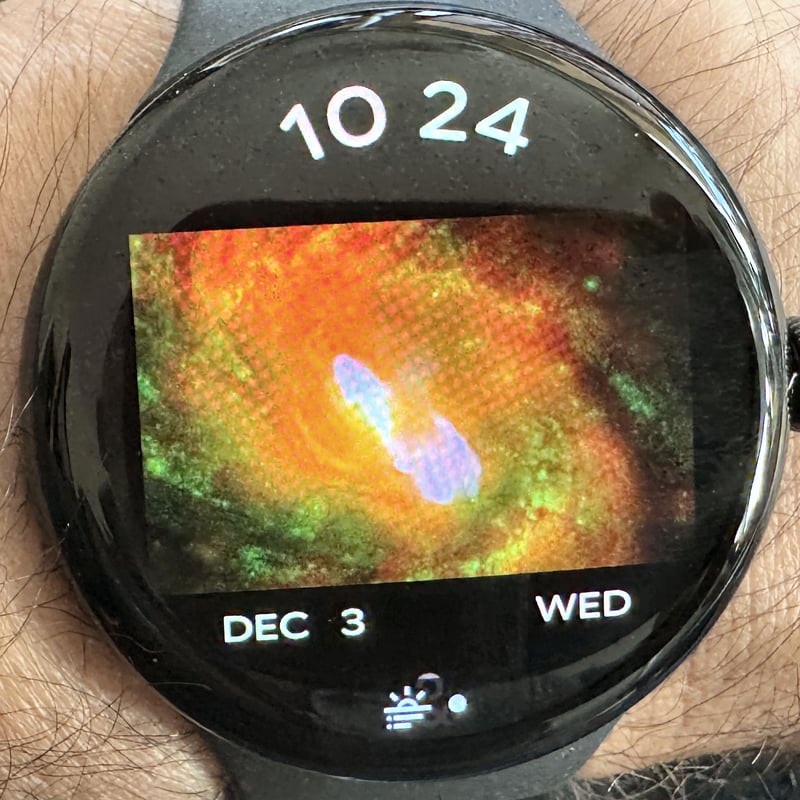
Introduced in Pixel Watch 4, the Arts and Culture watch face includes options for Background artwork selection (rotating images from collections), Colour scheme, and Complications (3 to 4 typically circular)
Bold Watch Face
Introduced in Pixel Watch 4, the Bold watch face includes options for Typography Style, Colour scheme (high-contrast focus), and Complications (3 to 4 high-visibility/circular)
Colourform Watch Face
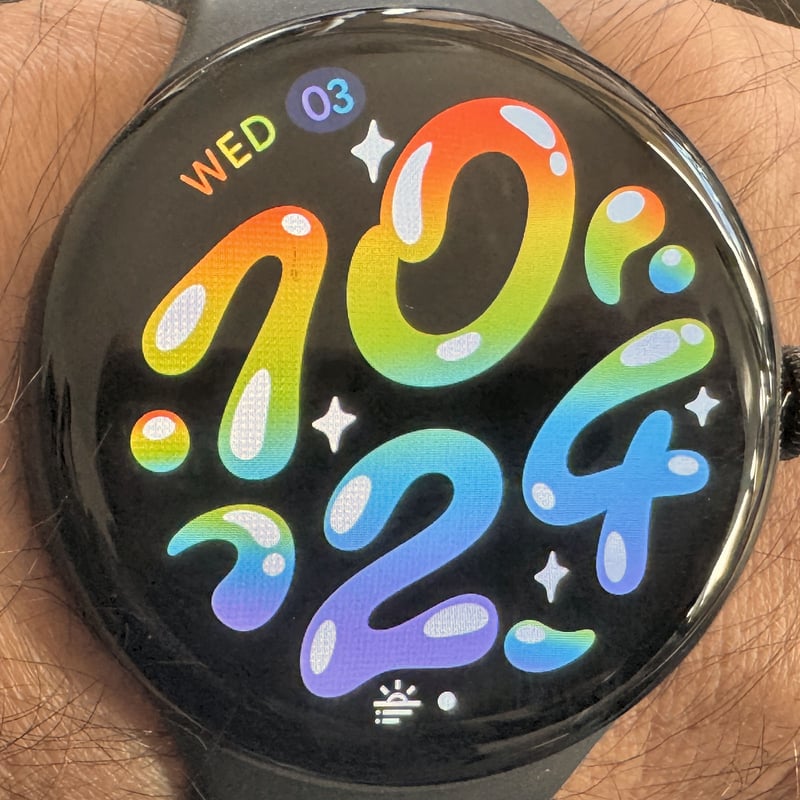
Introduced in Pixel Watch 4, the Colourform watch face includes options for Colour pattern/Gradient, and Complications (4 to 6 circular)
Expedition Watch Face
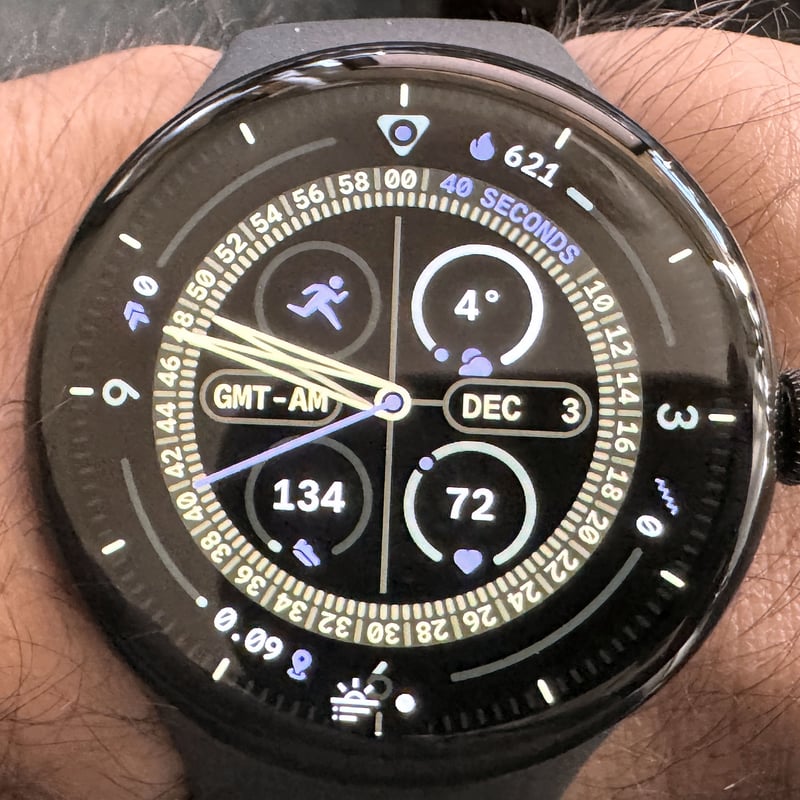
Introduced in Pixel Watch 4, the Expedition watch face includes options for Background Graphics/Texture, Colour, and Complications (4 to 6 circular/high-visibility)
Modular Watch Face
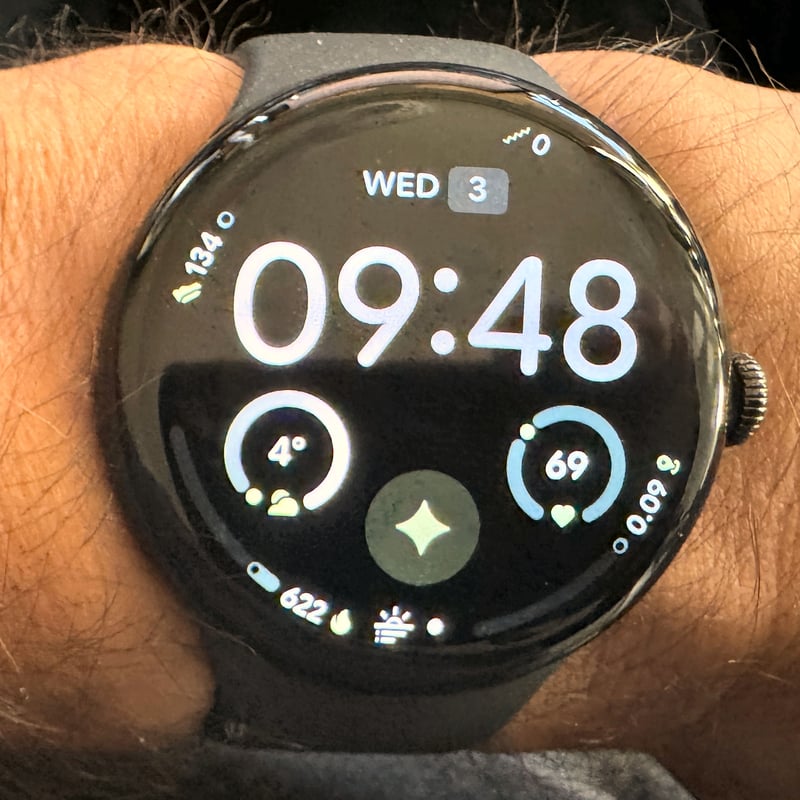
Introduced in Pixel Watch 4, the Modular watch face includes options for Grid Layout (dense data arrangement), Colour, and Complications (Up to 10 varies by grid)
Reveal Watch Face
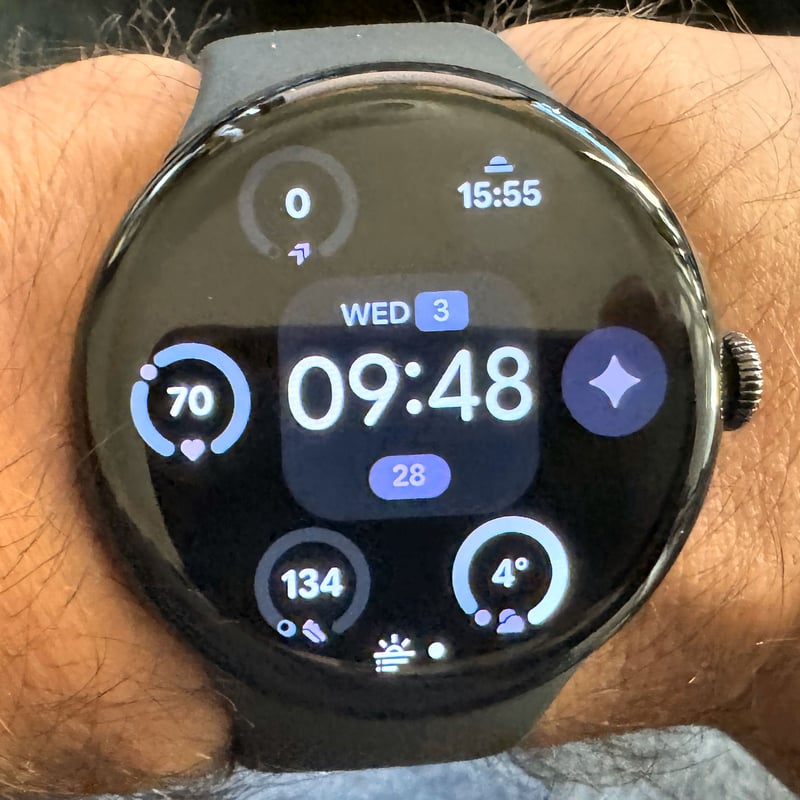
Introduced in Pixel Watch 4, the Reveal watch face includes options for Animation/Transition Style (elements revealed with motion), Colour, and Complications (3 to 4)
Rushhour Watch Face
(Not available on my watch)
Introduced in Pixel Watch 4, the Rushhour watch face includes options for Layout (focus on large time/data), Accent Colour, and Complications (3 to 4 high-visibility/circular)
Google Pixel Watch 3 Watchfaces
Active Watch Face
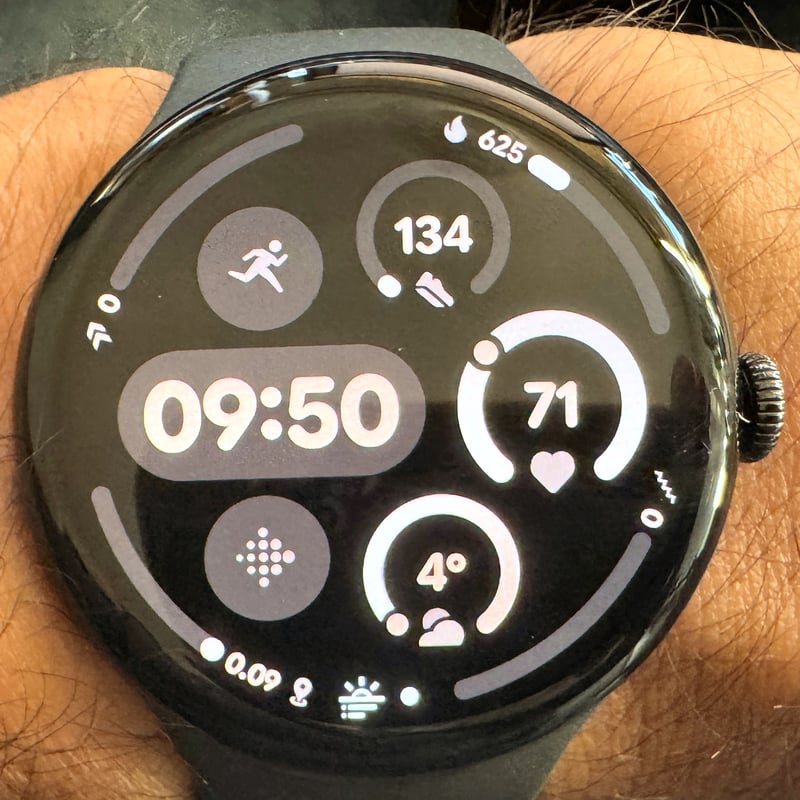
Introduced in Pixel Watch 3, the Active watch face includes options for Layout (e.g., Simple, Plus), Colour, Indicator Style, and Complications (Up to 9 varies by layout)
Adventure Watch Face
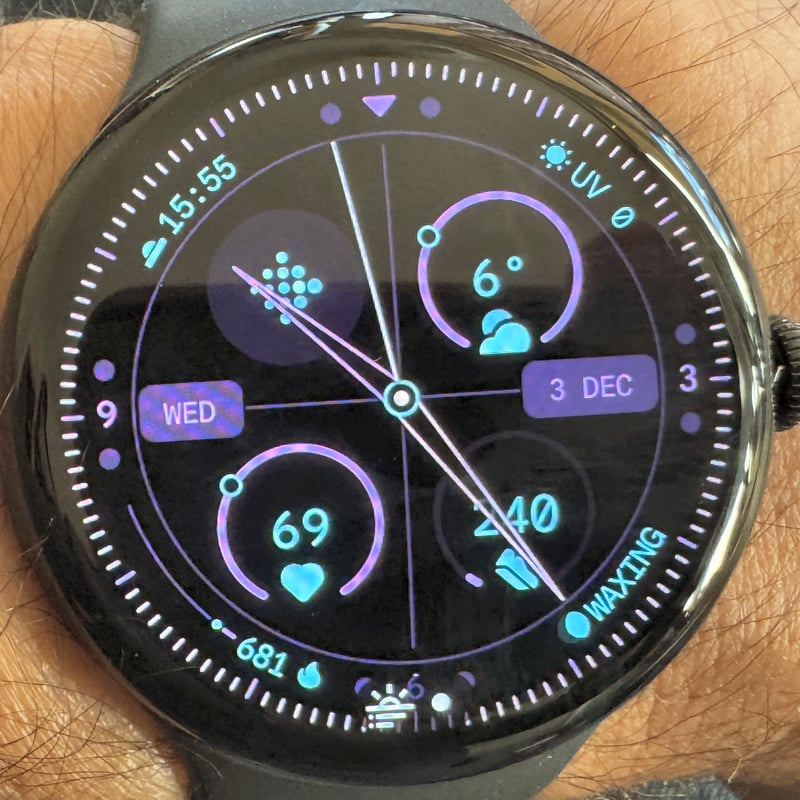
Introduced in Pixel Watch 3, the Adventure watch face includes options for Colour, Ticks, and Complications (4 to 6)
Analogue Arcs Watch Face
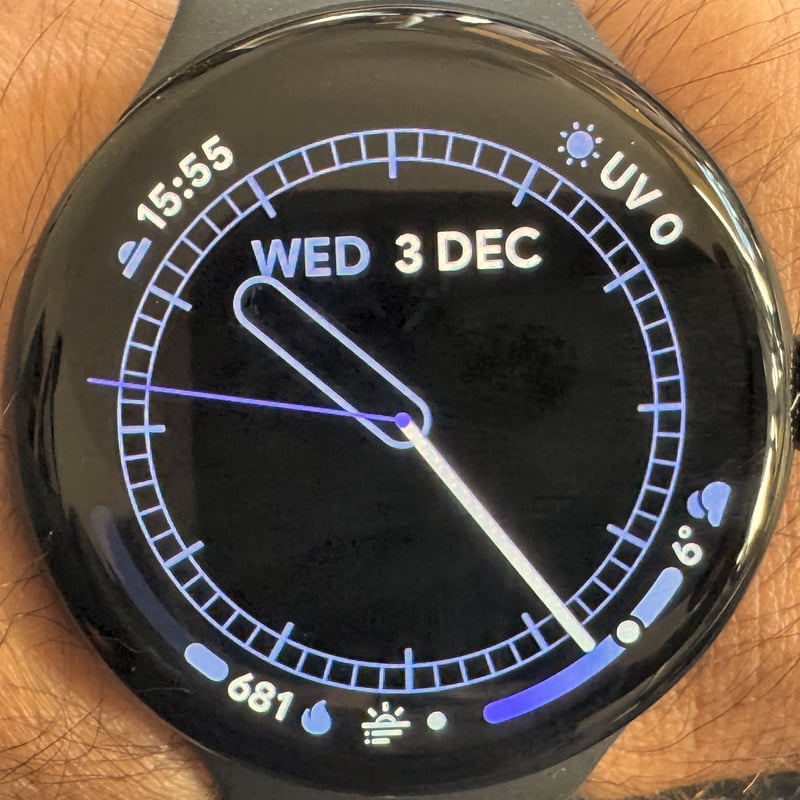
Introduced in Pixel Watch 3, the Analogue Arcs watch face includes options for Colour, Ticks, Inner Arc Complication Type, Outer Arc Complication Type, and Complications (Up to 8: 4 circular, 4 arc)
Analogue Bold Watch Face
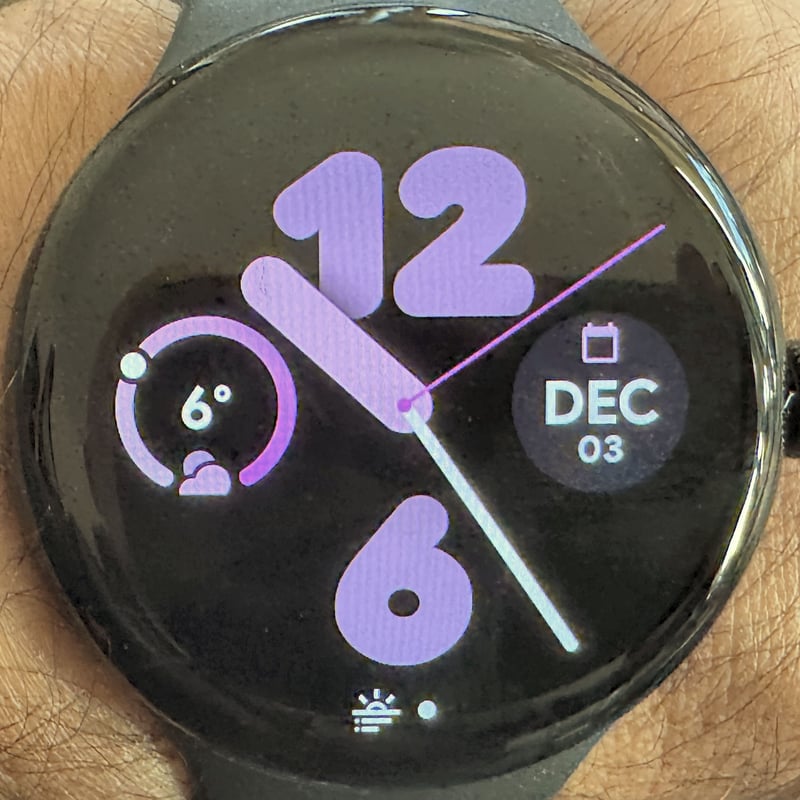
Introduced in Pixel Watch 3, the Analogue Bold watch face includes options for Hand Style, Ticks, Colour, and Complications (2 to 4)
Bold Utility Watch Face
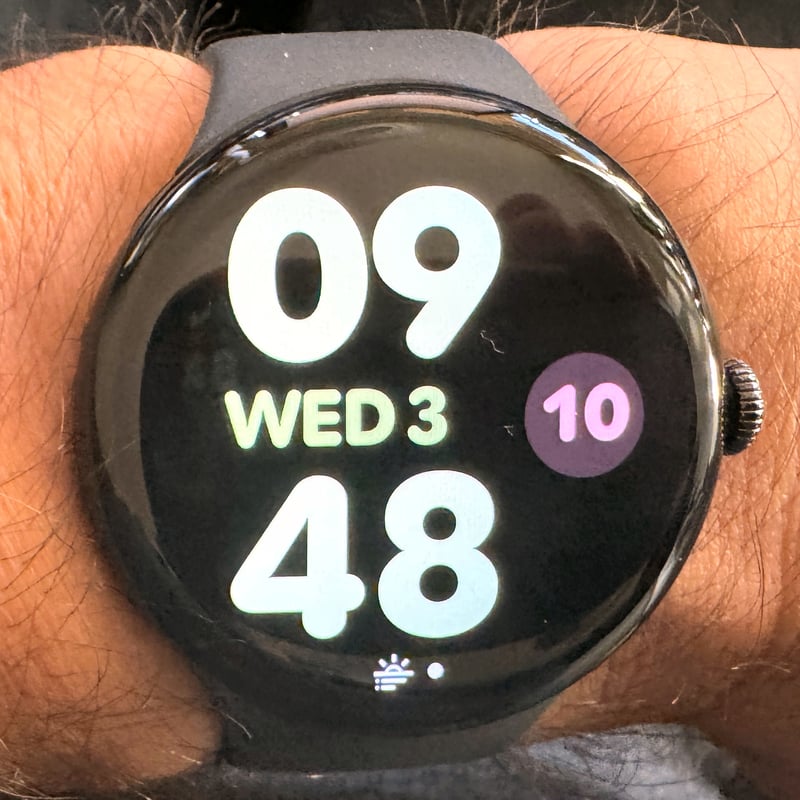
Introduced in Pixel Watch 3, the Bold Utility watch face includes options for Layout, Colour, and Complications (4 to 6)
Corsa/Corza Watch Face
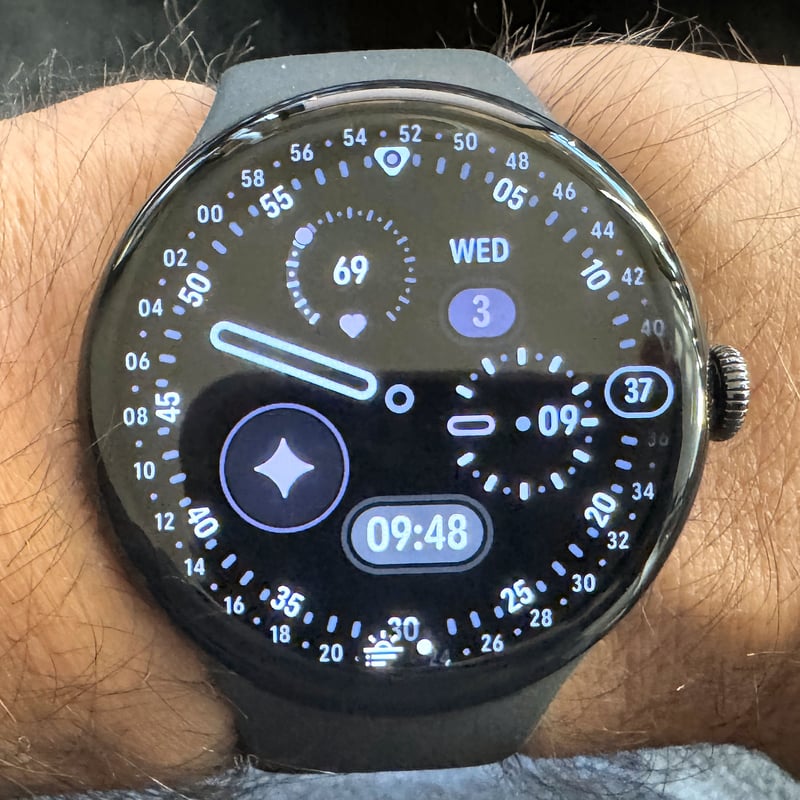
Introduced in Pixel Watch 3, the Corsa watch face includes options for Colour, Style, and Complications (4 to 6)
Digital Bold Watch Face
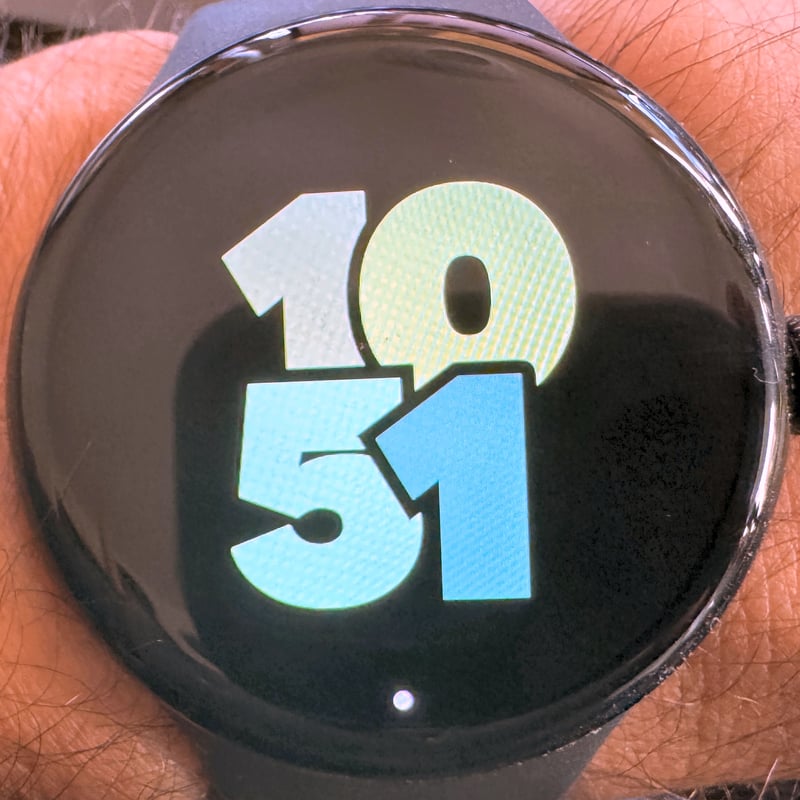
Introduced in Pixel Watch 3, the Digital Bold watch face includes options for Colour, Time Position, and Complications (4 to 6)
Field Watch Face
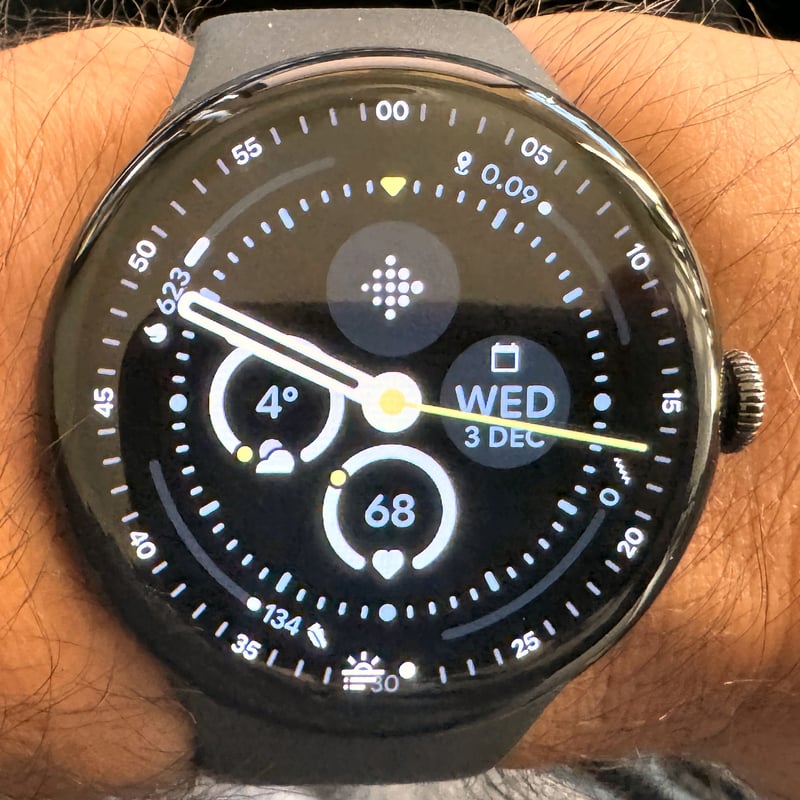
Introduced in Pixel Watch 3, the Field watch face includes options for Colour, Hand Style, and Complications (4 to 6)
Large Scale Watch Face
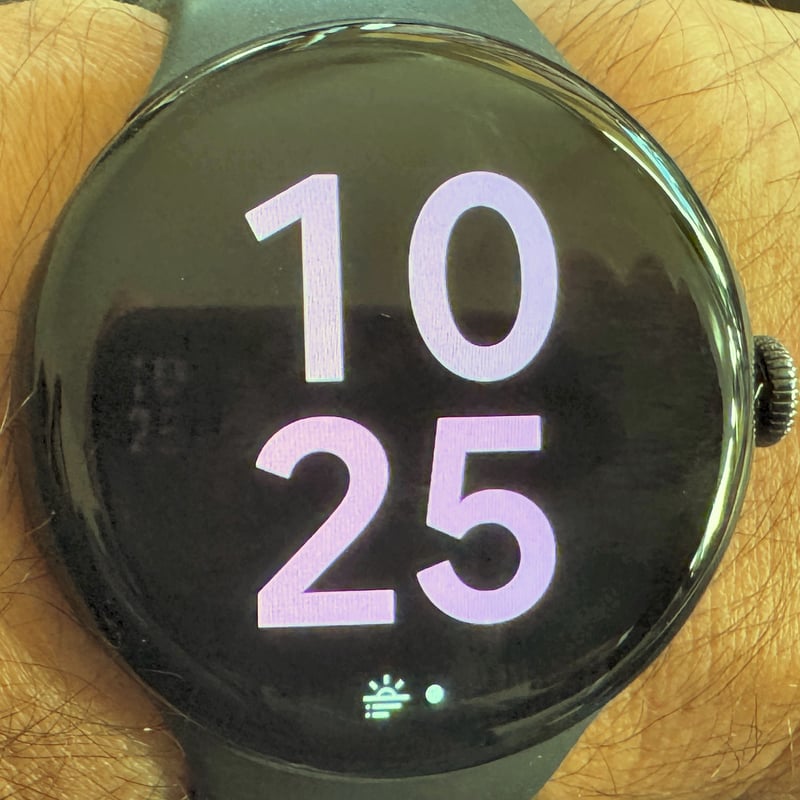
Introduced in Pixel Watch 3, the Large Scale watch face includes options for Colour, Font, and Complications (4 to 6)
Revolve Watch Face
(Not available on my watch)
Introduced in Pixel Watch 3, the Revolve watch face includes options for Colour, Style, and Complications (4 to 6)
Rotation Watch Face
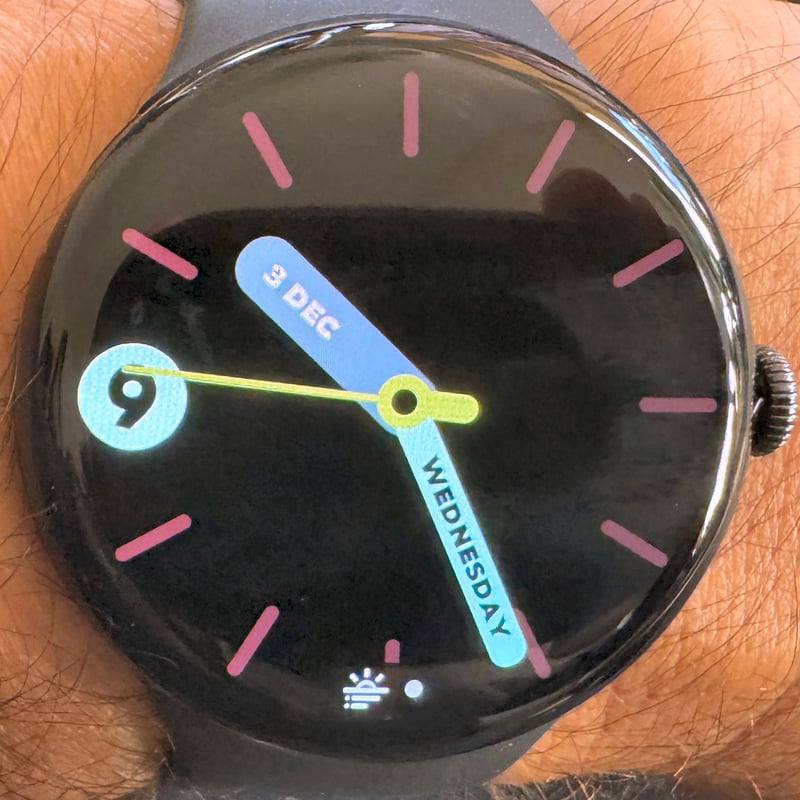
Introduced in Pixel Watch 3, the Rotation watch face includes options for Colour, Style, and Complications (4 to 6)
Google Pixel Watch 1 Watchfaces
Abstract Watch Face
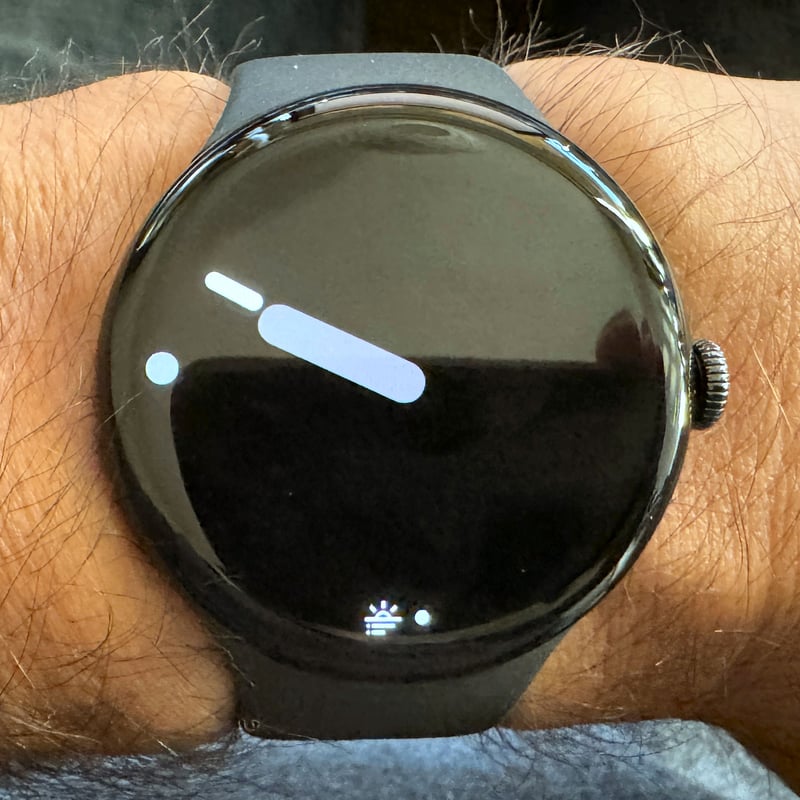
Introduced in Pixel Watch 1, the Abstract watch face includes options for Style (colour patterns, visual design), Colour/Hue, and Complications (4 circular)
Analogue Watch Face
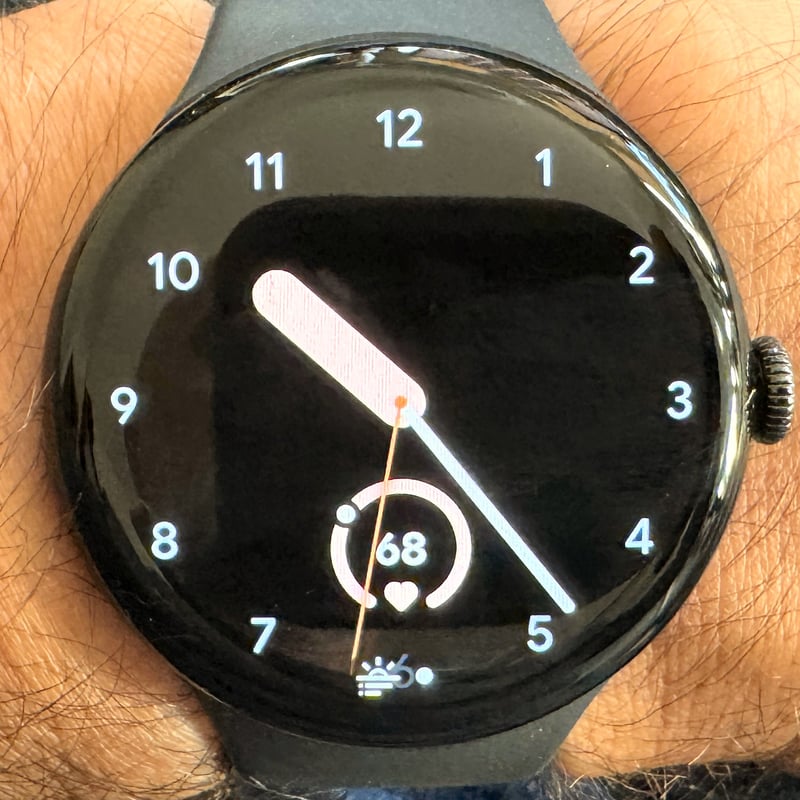
Introduced in Pixel Watch 1, the Analogue watch face includes options for Hand Style, Ticks, Colour, and Complications (2 to 4 circular)
Big Time Watch Face
(Not available on my watch)
Introduced in Pixel Watch 1, the Big Time watch face includes options for Time Font/Style, Colour (for time and complications), Dual-colour option, and Complications (4 to 6 varies by layout)
Classic Watch Face
(Not available on my watch)
Introduced in Pixel Watch 1, the Classic watch face includes options for Hand Style, Hour/Minute Ticks, Colour, and Complications (2 to 4 circular)
Concentric Watch Face
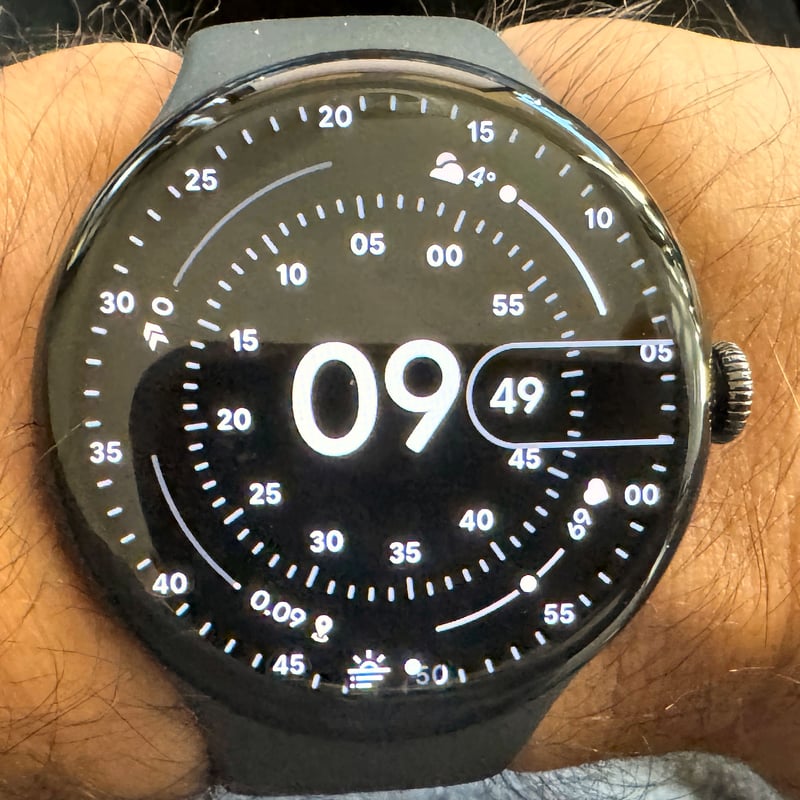
Introduced in Pixel Watch 1, the Concentric watch face includes options for Colour, Hand Style, Complication Layout (inner or outer ring), and Complications (Up to 4 ring/arc)
Dial Watch Face
(Not available on my watch)
Introduced in Pixel Watch 1, the Dial watch face includes options for Colour, Indicator/Dial Style, and Complications (2 to 4 circular)
Everyday Watch Face
(Not available on my watch)
Introduced in Pixel Watch 1, the Everyday watch face includes options for Layout (Minimal, Big), Colour, and Complications (4 to 6 varies by layout)
Index Watch Face
(Not available on my watch)
Introduced in Pixel Watch 1, the Index watch face includes options for Index/Tick Style, Colour, and Complications (Up to 6 circular)
Ink Watch Face
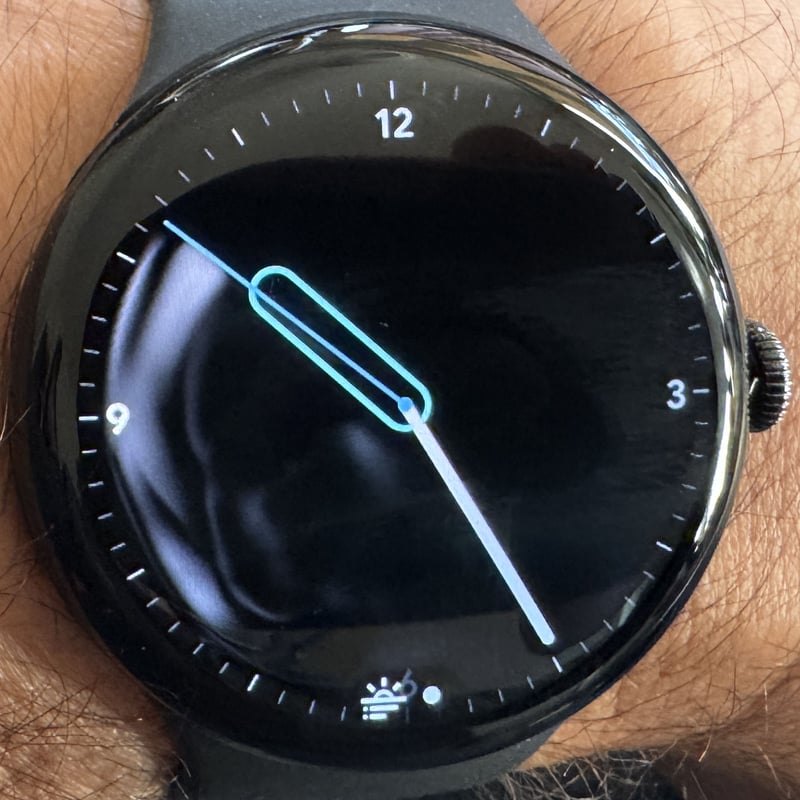
Introduced in Pixel Watch 1, the Ink watch face includes options for Colour, Style (often monochrome options), and Complications (2 to 4)
Pacific Watch Face
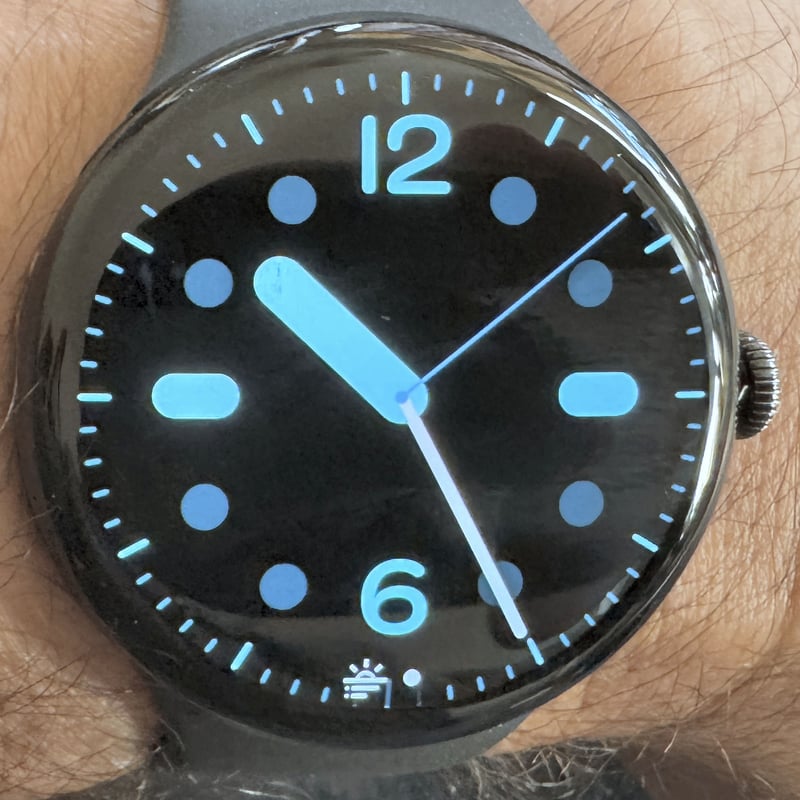
Introduced in Pixel Watch 1, the Pacific watch face includes options for Hand Style, Ticks, Colour, and Complications (2 to 4)
Photos Watch Face
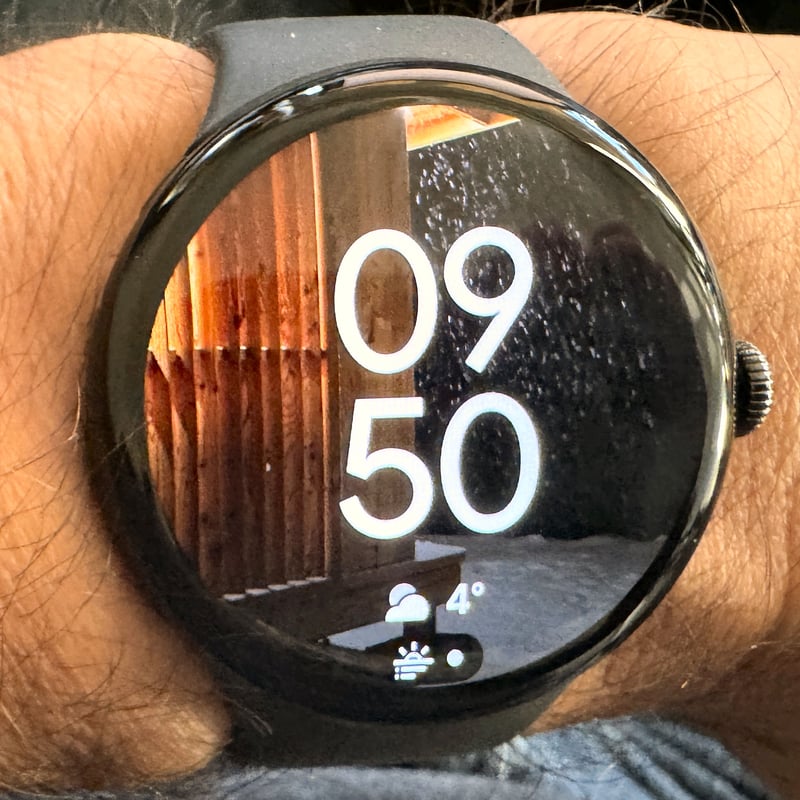
Introduced in Pixel Watch 1, the Photos watch face includes options for Photo Selection (up to 30 photos), Time Position, and Complications (1 often bottom-centre)
Pilot Watch Face
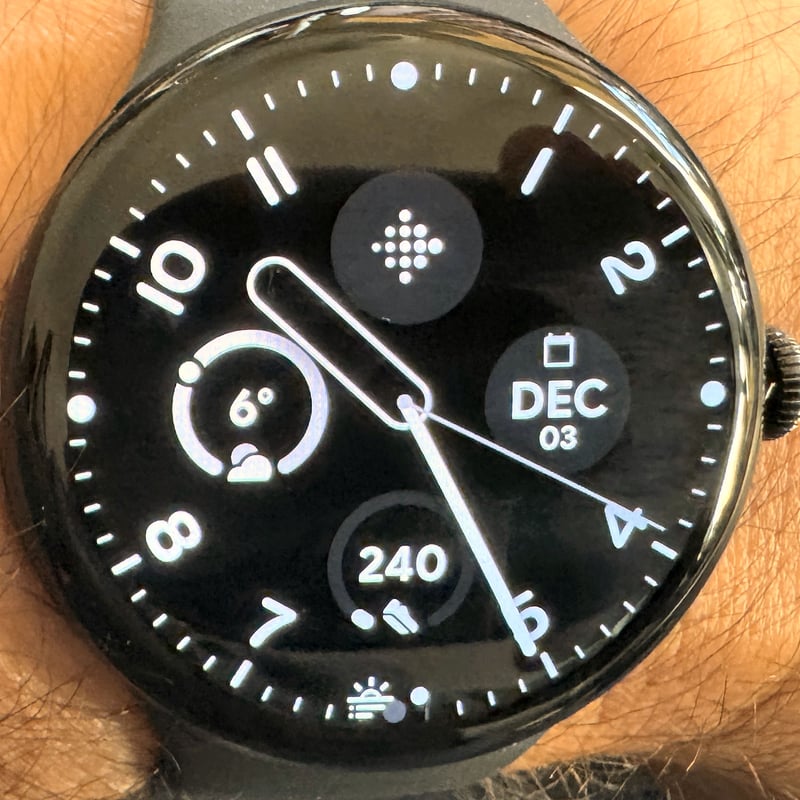
Introduced in Pixel Watch 1, the Pilot watch face includes options for Hand Style, Ticks, Colour, and Complications (2 to 4)
Pilot Bold Watch Face
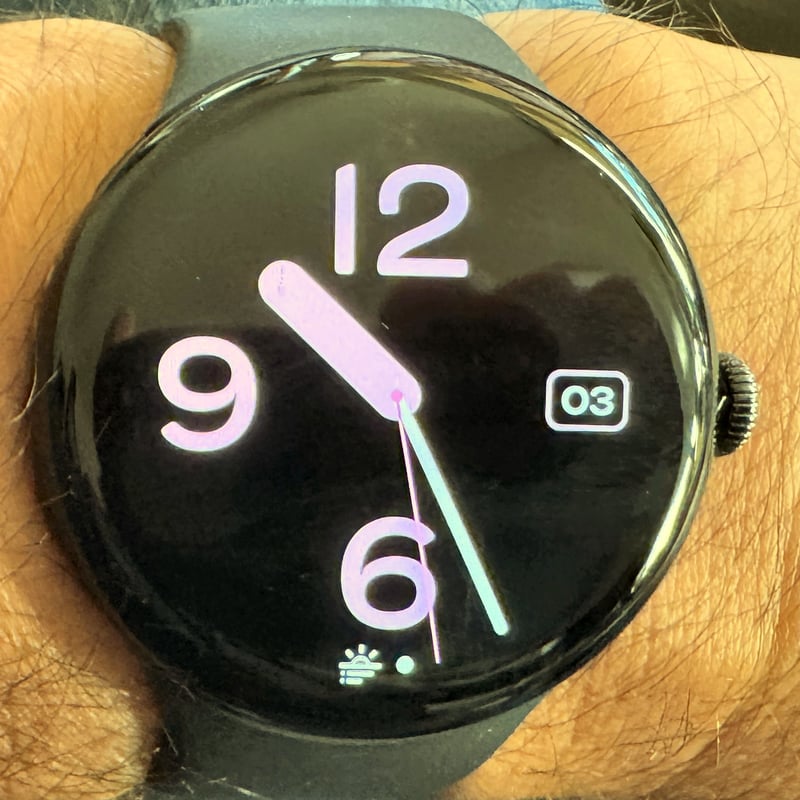
Introduced in Pixel Watch 1, the Pilot Bold watch face includes options for Hand Style, Ticks, Colour, and Complications (2 to 4)
Prime Watch Face
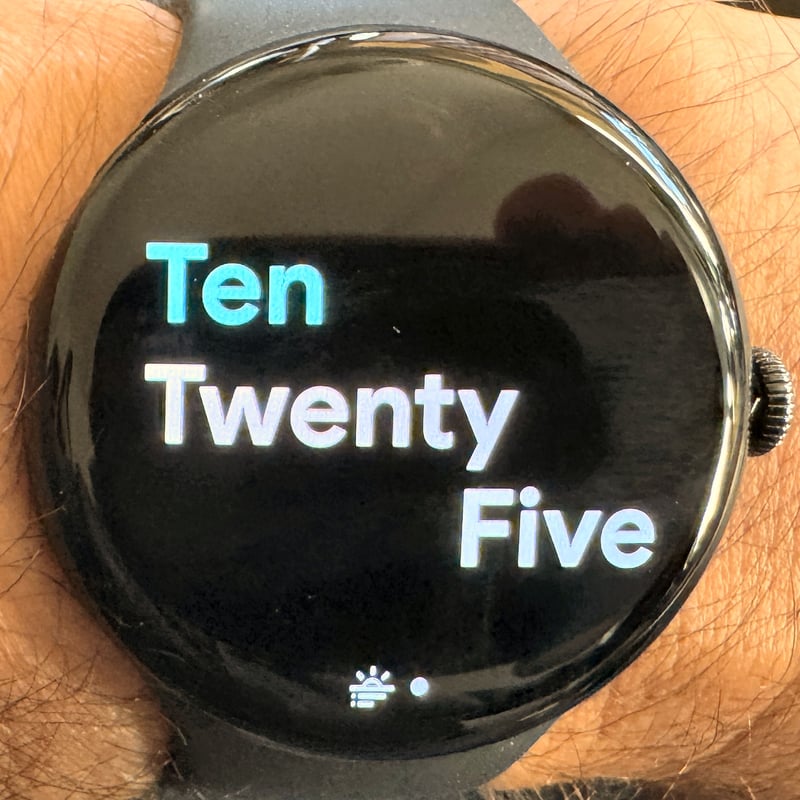
Introduced in Pixel Watch 1, the Prime watch face includes options for Hand Style, Ticks, Colour, and Complications (2 to 4)
Radial Watch Face
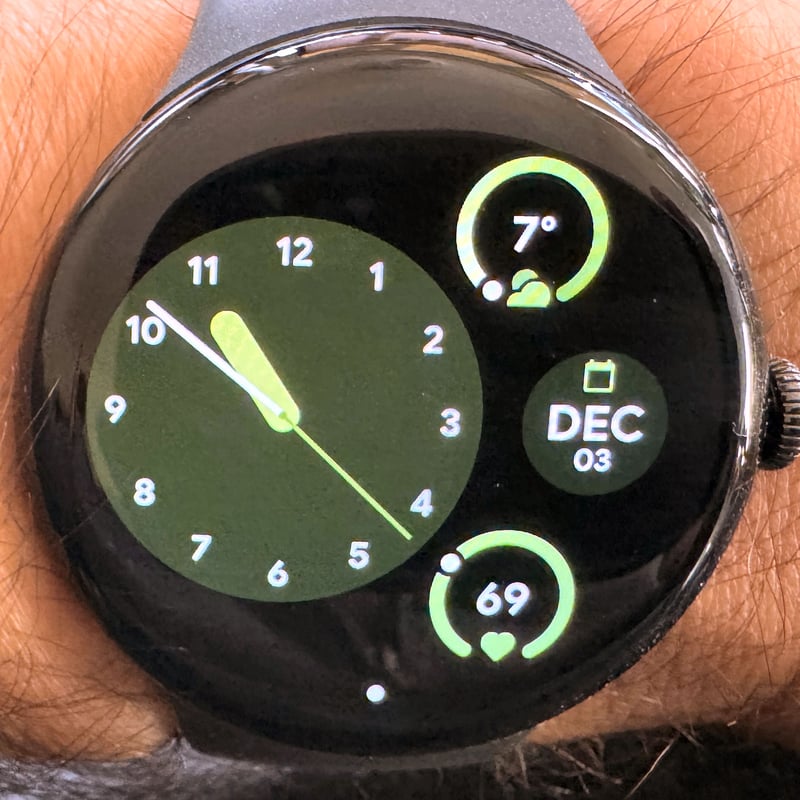
Introduced in Pixel Watch 1, the Radial watch face includes options for Hand Style, Ticks, Colour, and Complications (2 to 4)
Shapes Watch Face
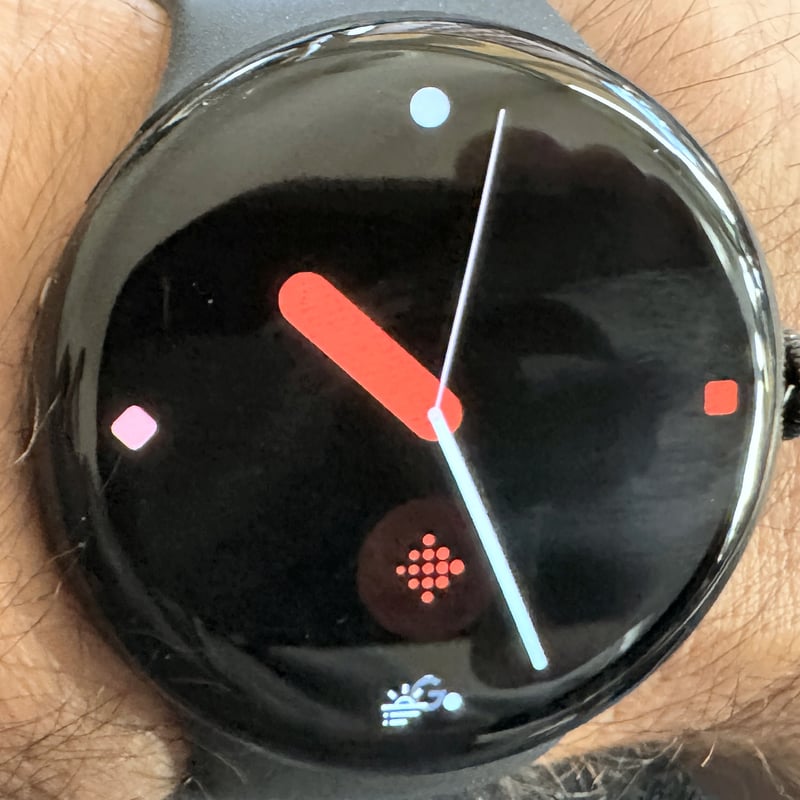
Introduced in Pixel Watch 1, the Shapes watch face includes options for Shape/Pattern Style, Colour, and Complications (2 to 4)
Utility Watch Face
(Not available on my watch)
Introduced in Pixel Watch 1, the Utility watch face includes options for Layout (Minimal, Plus), Colour, and Complications (4 to 6 varies by layout)
Vista Watch Face
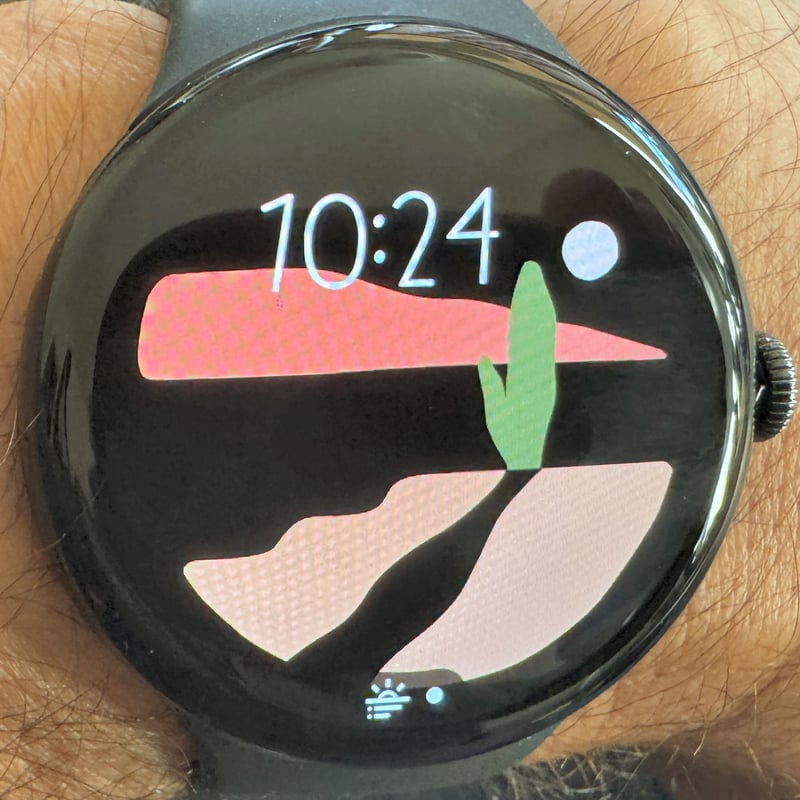
Introduced in Pixel Watch 1, the Vista watch face includes options for Stylised Background/Landscape, Colour, and Complications (2 to 4)
Take Out and Opinion
Google offers an excellent set of watchfaces out of the box. Many of the options look great, and even those that might not quite suit your taste in the images above can often be tailored, and their visuals significantly improved.
Apple, Samsung and Google all realise the importance of watchfaces. They fully understand that the faces are not leading tech features; they are the core visuals on our wrists nearly every hour of the day.
Sports watch vendors who are aiming for the middle ground of people who want sports watches with significant smart features need to realise the importance of watchfaces. Several (most/all!) sports watch companies fail to address this. Garmin is pretty bad with its out-of-the-box watchfaces, but does at least offer many 3rd party options – usually for a price. I would expect that those of you who spend hundreds of dollars on a Garmin sports watch expect at least one visually decent watchface for free. I do.
Last Updated on 30 January 2026 by the5krunner
Reader-Powered Content

This content is not sponsored. It’s mostly me behind the labour of love, which is this site, and I appreciate everyone who supports it.
Support the site: Follow (free, fewer ads) · Subscribe (paid, ad-free) · Buy Me A Coffee ❤️
All articles are written by real people, fact-checked, and verified for originality. See the Editorial Policy. FTC: Affiliate Disclosure — some links pay commission. As an Amazon Associate, I earn from qualifying purchases.

tfk is the founder and author of the5krunner, an independent endurance sports technology publication. With 20 years of hands-on testing of GPS watches and wearables, and competing in triathlons at an international age-group level, tfk provides in-depth expert analysis of fitness technology for serious athletes and endurance sport competitors.
