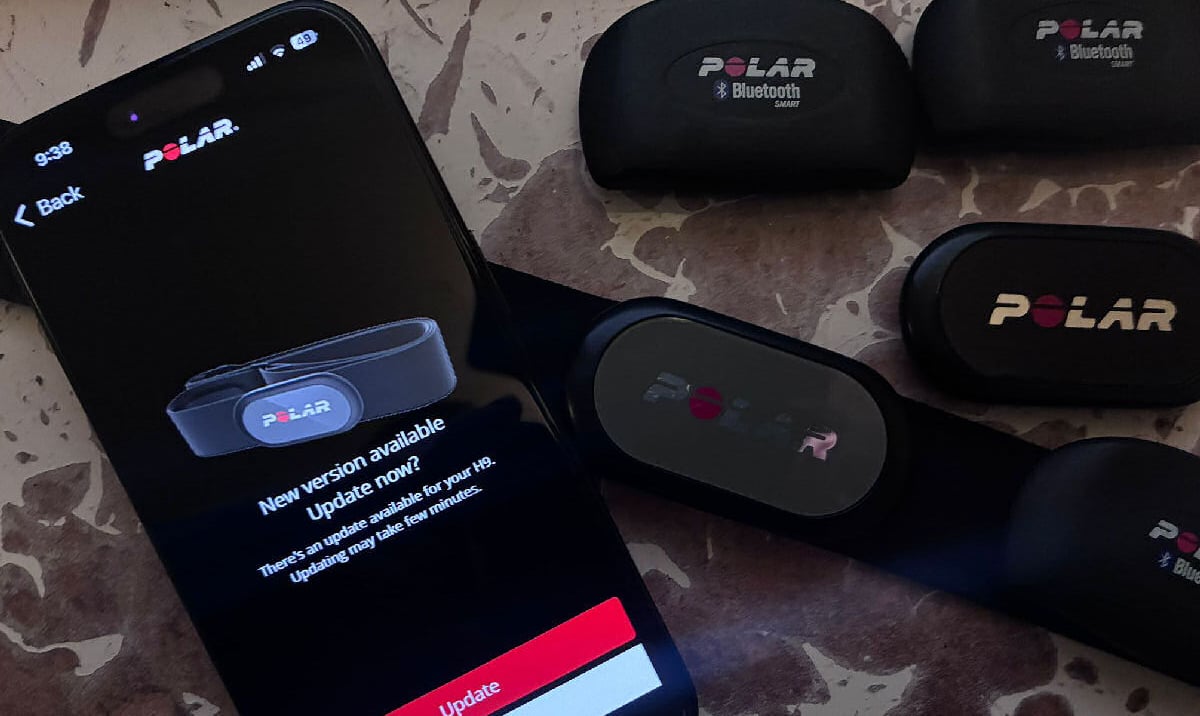
Polar Owners: Your H10 and H9 Just Got Better – A Bit Better
Polar has just released new software updates for the Polar H10 and Polar H9 heart rate sensors. These updates are all about making your experience better: think longer battery life and more reliable connections.
The updates are now available globally (rollout started 4th December 2025) and are named version 4.1.10 for the H10 and 2.1.10 for the H9. To get these benefits, simply update your sensor using the Polar Flow or Polar Beat app on your phone. You will probably find Polar Beat to be the hassle-free and reliable option.
Battery Life – A Mini Boost
This is the biggest improvement you’ll notice. Polar has made a clever change to how the sensors manage power when you’re not actually training.
-
Longer Battery Life: The sensor now uses much less power when it’s searching for a connection. This means your battery will last significantly longer between replacements.
I first read this and assumed the time required to re-establish the pairing would be reduced, but an alternative interpretation is that battery life is saved when not in use. H10 and H9 definitely seem to have shorter battery lives than claimed.
For those of you who know the drill of always needing to disconnect the sensor from the strap to save power, this software change automatically handles some of that power-saving, giving you more use out of every battery.
Better Connections for Android Users
If you use an Android phone or tablet, this update improves your connection reliability, especially if you have the latest operating system.
-
Smoother Android Performance: The update includes improved connectivity for devices running Android 15.
This ensures your H10 or H9 stays reliably paired with your latest device, reducing a known issue with signal dropouts.
General Tune-Ups and How to Update
In addition to the stated improvements, Polar has also included minor performance improvements.
-
Reliable Performance: A set of general bug fixes and quality enhancements for better overall performance.
How to Get the Update
It is easy to update your sensor using the Polar Flow or Polar Beat app.
A Quick Note on Updating:
If you haven’t updated your sensor in a while, the app will perform the update in two quick steps. It needs to install an older version first (4.0.4 for H10 or 2.0.4 for H9) before it can install the newest version. The app handles this automatically.
Tip: The best way to ensure the update goes smoothly is to wear the sensor during the update.
Last Updated on 30 January 2026 by the5krunner
Reader-Powered Content

This content is not sponsored. It’s mostly me behind the labour of love, which is this site, and I appreciate everyone who supports it.
Support the site: Follow (free, fewer ads) · Subscribe (paid, ad-free) · Buy Me A Coffee ❤️
All articles are written by real people, fact-checked, and verified for originality. See the Editorial Policy. FTC: Affiliate Disclosure — some links pay commission. As an Amazon Associate, I earn from qualifying purchases.

tfk is the founder and author of the5krunner, an independent endurance sports technology publication. With 20 years of hands-on testing of GPS watches and wearables, and competing in triathlons at an international age-group level, tfk provides in-depth expert analysis of fitness technology for serious athletes and endurance sport competitors.

Wow, I didn’t realize the firmware update could actually save battery when the sensor isn’t in use. I’ve had the H10 for a while, and this might finallWow, I didn’t realize the firmware update could actually save battery when the sensor isn’t in use. I’ve had the H10 for a while, and this might finally fix my battery issues. Has anyone tried it yet?y fix my battery issues. Has anyone tried it yet?
That’s because the H10 (never had an H9) is – or was, hopefully, extremely “good” at wasting battery while not in use. A problem solved by others in the market since before there was digital transmission.
Thanks for the heads up, installed it yesterday. But not expecting much difference, most of the time I uncouple the sensor from the band after use.
i think if you uncouple then there will be little difference from the firmware. i used to do that but in the end cound’t be botheered to kepe doing it.
i also use an oversid cr2032 (nor cr2025) in my h9 for mornign hrv readings…definitely dont do that ffor sports use.
For Sport use it’s not recommended because it might not close perfectly? It’s funny because I also only use it for morning readings with HRV4training, got tired of putting a cold and smelly band in the morning, so bought a H9 just for this. First world problems I guess. 😃
cr2025 cr2032 … the 25 i think is 2.5mm and the 32 is 3.2mm ie the battery thickness. a thicker battery wont fit in a thinner hole. sweat will get in
same as me…h9 only for morning use 🙂
great minds think alike. There are only two of us tho
There’s plenty of wasted space inside the battery cap that’s merely taken up by tiny plastic structures. Super easy to grind off the 0.7mm missing and then the 2032 will fit just as nicely as the 2025 did before.
Now that bikes need 2032 for shifting (unless you insist on Shimano with their odd 1632), I’d want to avoid 2025 even if just to have another emergency spare around.
agreed on the universality of cr2032, also for non bike stuff
that said i just bought a job lot of cr2025, so i dont really mind either way 😉
Hello, first time i hear there is a firmware update for the Polar H10 as i was never invited for it when i am using the Polar Beat application on IOS.
I am still on version 3.1.1 and i don’t really know how to upload the latest firmware.
I tried the Polar Flow and same result, no firmware update invitation.
I am only using the Polar application to enable the double Bluetooth connection as it is disabled by default (ie after a battery replacement).
Regards, Pascal
Weird! Are you wearing your chest strap while checking for updates?
I got the same for H10. No prompt about new version…
Ditto – no prompt for my H9.
if it’s any consolation some wierdness with my h9 in pariring to hrv4t app since the update that i did (that you seem not to be able to do). so it may have had a bug?? idk
Well great, I jumped through a few hoops and managed to get the update to install. Hopefully I don’t get any issues!