Garmin 2026 Q1 Update: Massive Feature Overhaul for Fenix, Forerunner & Venu
The first major software update of 2026 has dropped, aligning the features on Garmin’s high-end watches. This beta update brings a unified feature set to the Fenix 8 Pro (including the 47mm, 51mm, and Micro LED variants), the Fenix 8 AMOLED and Solar series, Enduro 3, Fenix E, and the Tactix 8 range.
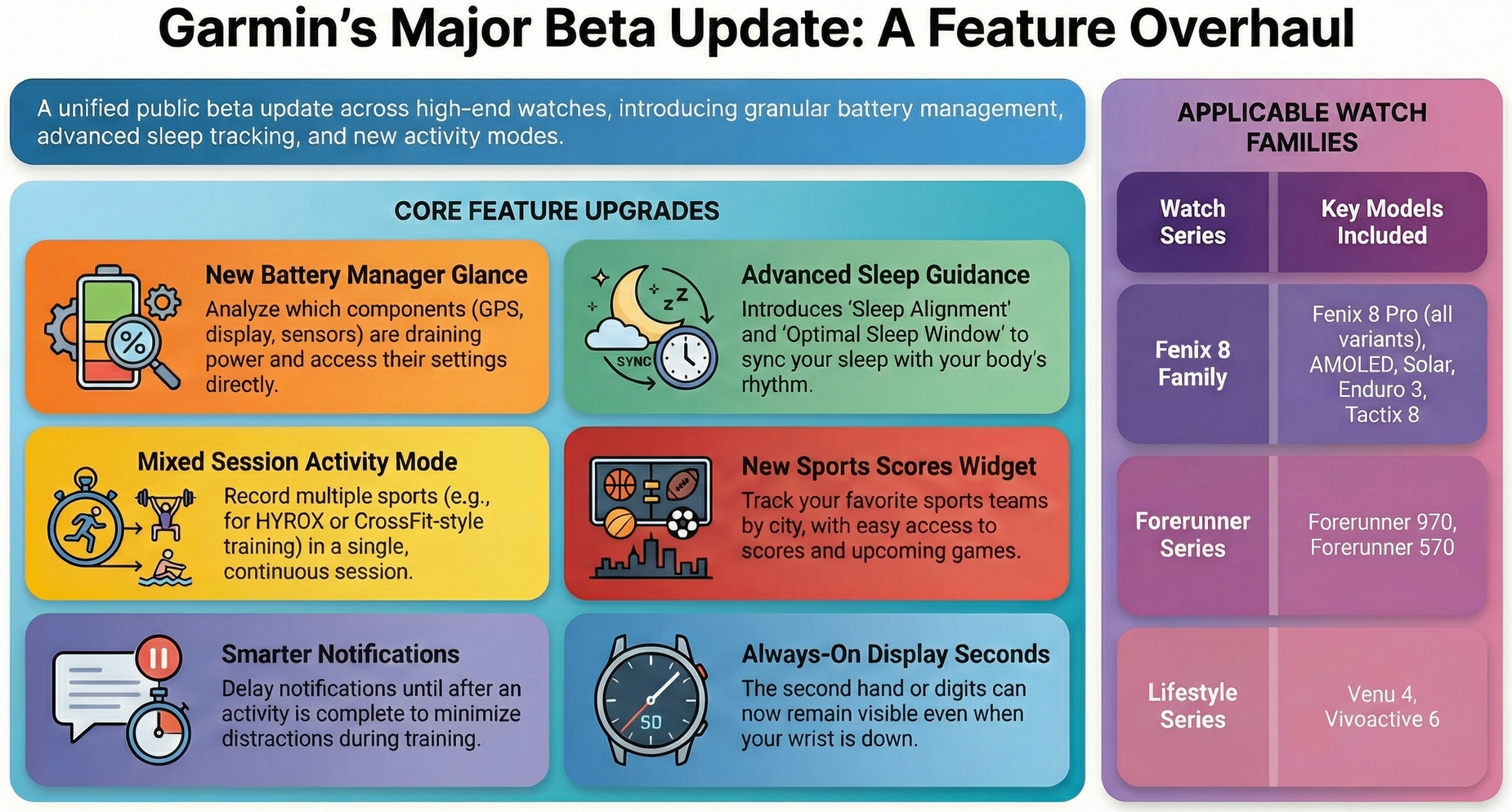
Importantly, the update also lands on the newest additions to the Forerunner and lifestyle lines, including the Forerunner 970, Forerunner 570, Venu 4, and Vivoactive 6. The scope of this update is impressive, covering battery management, sleep, health, and more flexible training modes.
It’s a biggie.
Battery and Power Management
The biggest news here is a powerful new battery widget that lets you drill down to the exact times when a given feature is shown to increase battery drain. Then it provides the athlete with the chance to tweak its performance (e.g., changing the satellite reception mode to add SatIQ).
- Battery Manager Glance: This new widget provides a deep dive into power consumption, displaying remaining hours and a history of usage over the last 14 days. It allows the watch owner to see exactly which components—such as GPS, LTE, heart rate sensors, or the display—are draining the battery.
- Integrated Settings Access: A unique aspect of the Battery Manager is the ability to select a specific battery-draining component and jump directly to its settings menu to disable or adjust it.
- Always-on Display (AOD) Seconds: Athletes can now choose to show the second hand or digits on the watch face even when the wrist is down in AOD mode.
Sleep and Health Tracking
Sleep tracking seems to be moving toward providing a higher level of understanding (e.g., suggesting your optimal sleep window).
- Sleep Alignment: This feature compares actual sleep timing against the body’s inferred circadian rhythm.
- Optimal Sleep Window: The watch now provides a suggested baseline window for bedtime and wake times based on approximately three weeks of data.
- Weight Tracking Glance: A new glance to display weight.
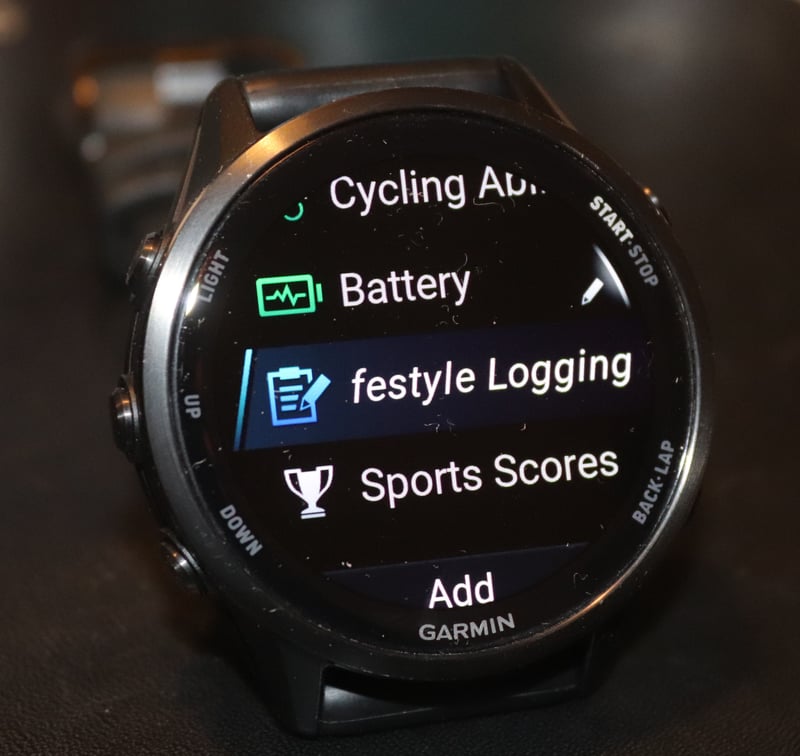
- Lifestyle Logging: This glance supports journaling, allowing tracking of how daily behaviours affect overall health metrics.
- Evening Report Enhancements: The evening report now includes a card for floors climbed, and the suggested bedtimes also added.
Training and Activities
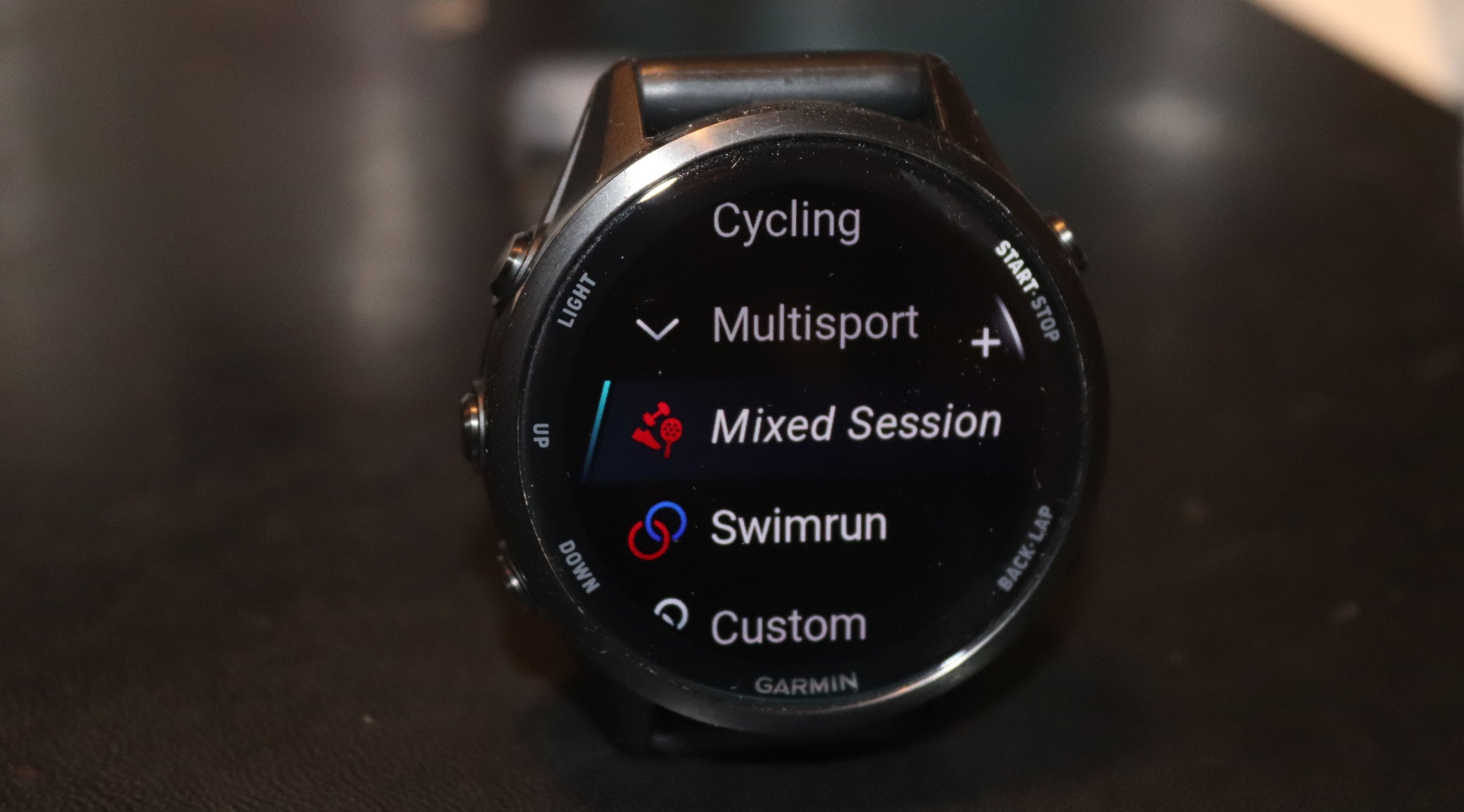
- Mixed Session Activity: A new multisport activity type supports recording multiple sports in a single, continuous session. This appears to be a step closer to Garmin support for HYROX and CrossFit-like competitions. After a quick test, the way it works is way too clunky for a race, but just about OK for a slow-paced simulation session.
- Garmin Fitness Coach: This feature, which originally launched with the Venu 4, has been expanded to include adaptive training plans for timed, cardio, and optional strength workouts. (This is a relatively new type of coach, added to the existing cycling, running, triathlon and strength coaches).
- Course Planner Enhancements: Course planning can now cater for aid stations and cut-off times. Also improved are quicker loading speeds for longer courses.
- Post-Dive Guidance: For compatible watches like the Fenix 8, training guidance now considers recent dives when suggesting recovery and activity levels.
- Strength PRs: Now supports additional personal records (PRs) for strength training.
Communication and Connectivity
WhatsApp integration is given a boost, as it has been on other platforms such as Apple’s WatchOS. I like the notification delays, which is a neat idea.
- Garmin Messenger Improvements: New updates include font scaling for better readability and a prompt to check missed notifications after finishing an activity.
- WhatsApp Integration: There’s a new dedicated watch app to view recent WhatsApp messages o Forerunner 970/570.
- Smart Notification Delay: Notifications can be set to “Stage,” which delays them until an activity is completed to avoid distractions during training.
Interface and Accessibility
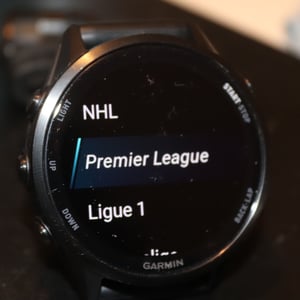
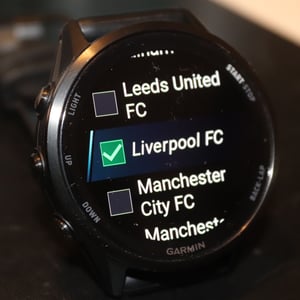
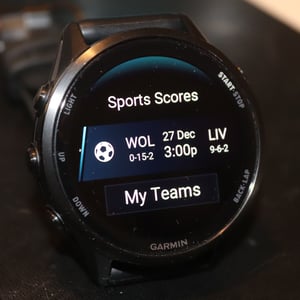
- Sports Scores Widget: This widget allows athletes to track their favourite teams by searching for their city. It provides scores and schedules for various leagues, including American football and other major sports.
- Accessibility Menu: Garmin has consolidated accessibility features, such as colour blindness modes and font settings, into a single, dedicated menu.
- Voice Command Improvements: You can now launch the Health Status app via voice command and access a centralised menu for all voice-related settings.
- Display Colour Modes: Beyond the traditional “Red Shift,” the new colour filter options have been added for nighttime viewing.
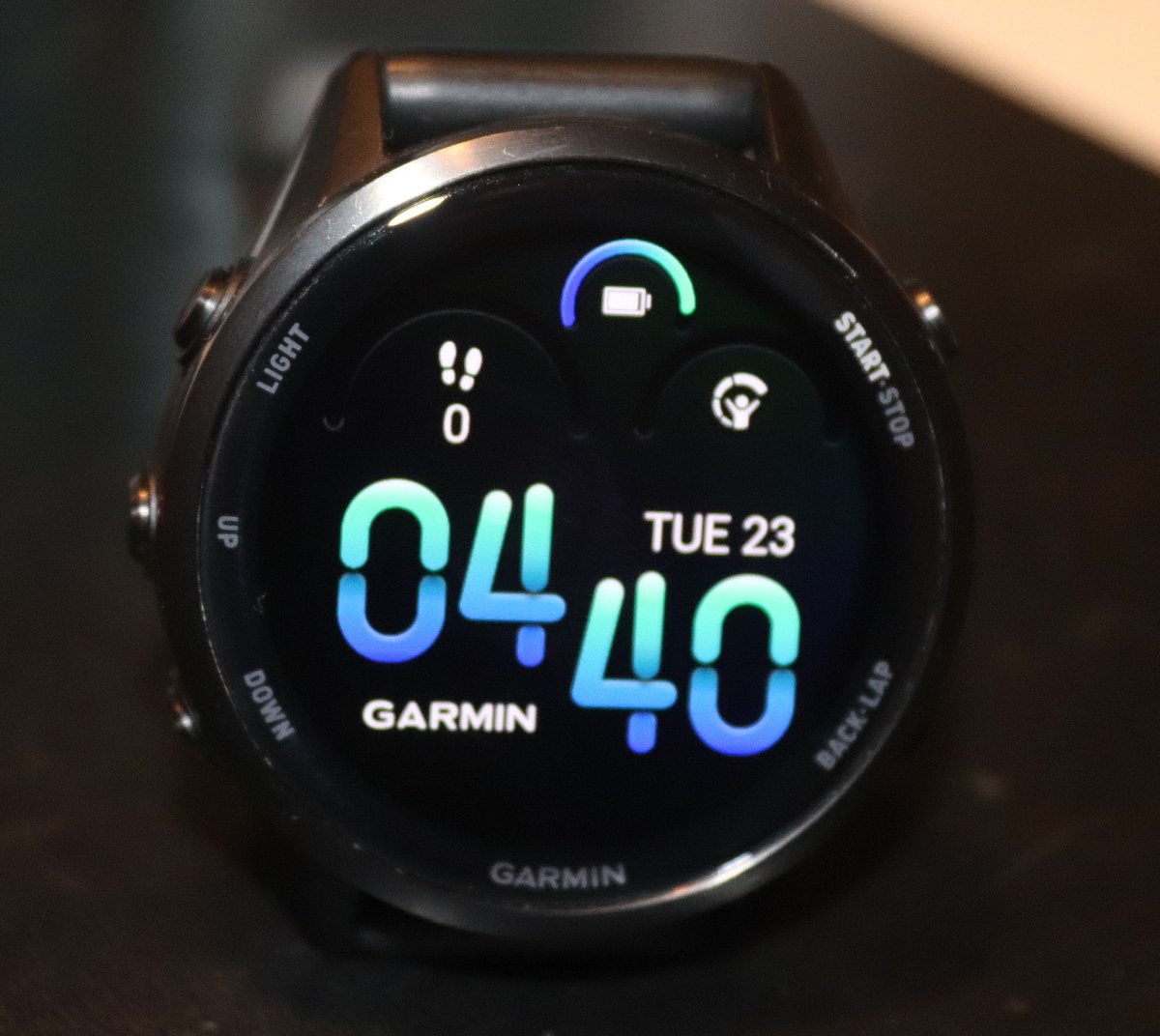
- New “Ripples” Watch Face: Forerunner addition – yet another childlike Forerunner watchface for adults.
Safety and System Sounds
- Voice Safety Alerts: New voice prompts are available for cycling safety and for use with compatible radar devices, replacing or augmenting traditional “beeps” with spoken alerts.
- Expanded Alarms: The update includes additional alarm sound options for more customisation.
Take Out
There is something for every Garmin owner here, with features that cover many aspects of the ecosystem.
I’m particularly liking the direction of travel with the sports-related features. You can see that Garmin is definitely moving towards an all-encompassing coaching infrastructure (it already has a lot in place, of course), plus a more holistic integration of gym-related activities into both the training and competing side of things.
The granular battery usage details are techy but practical. Perhaps in reality, it amounts to little more than troubleshooting which features are decimating battery life.
The latest Ripples watchface is a bit pathetic. Garmin clearly continues to fail to understand what an elegant watchface looks like.
Last Updated on 17 March 2026 by the5krunner
Reader-Powered Content

This content is not sponsored. It’s mostly me behind the labour of love, which is this site, and I appreciate everyone who supports it.
Support the site: Follow (free, fewer ads) · Subscribe (paid, ad-free) · Buy Me A Coffee ❤️
All articles are written by real people, fact-checked, and verified for originality. See the Editorial Policy. FTC: Affiliate Disclosure — some links pay commission. As an Amazon Associate, I earn from qualifying purchases.

tfk is the founder and author of the5krunner, an independent endurance sports technology publication. With 20 years of hands-on testing of GPS watches and wearables, and competing in triathlons at an international age-group level, tfk provides in-depth expert analysis of fitness technology for serious athletes and endurance sport competitors.

Hi, do you find the WhatsApp app ?
Beta tester not – https://forums.garmin.com/beta-program/fenix-8-series/f/community-discussion/428213/21-12-mentions-a-whatsapp-app-to-download-anyone-got-it/1998403
Hi there! I stumbled upon this post while looking up the new beta release and I gotta say this was probably the best breakdown I’ve seen! Thank you for including so many images!
thank you
I think most of the other sites do a cut and paste job and announce every single bug fix as it drives lots of traffic (ad revenue). I’ve been guilty of that as well in the past but now think it’s better, more useful and more rewarding to produce something like this with a few personal touches
Hi,
Does anyone know how to access the ‘stage’ notifications feature…
I can’t find it on my fr970?