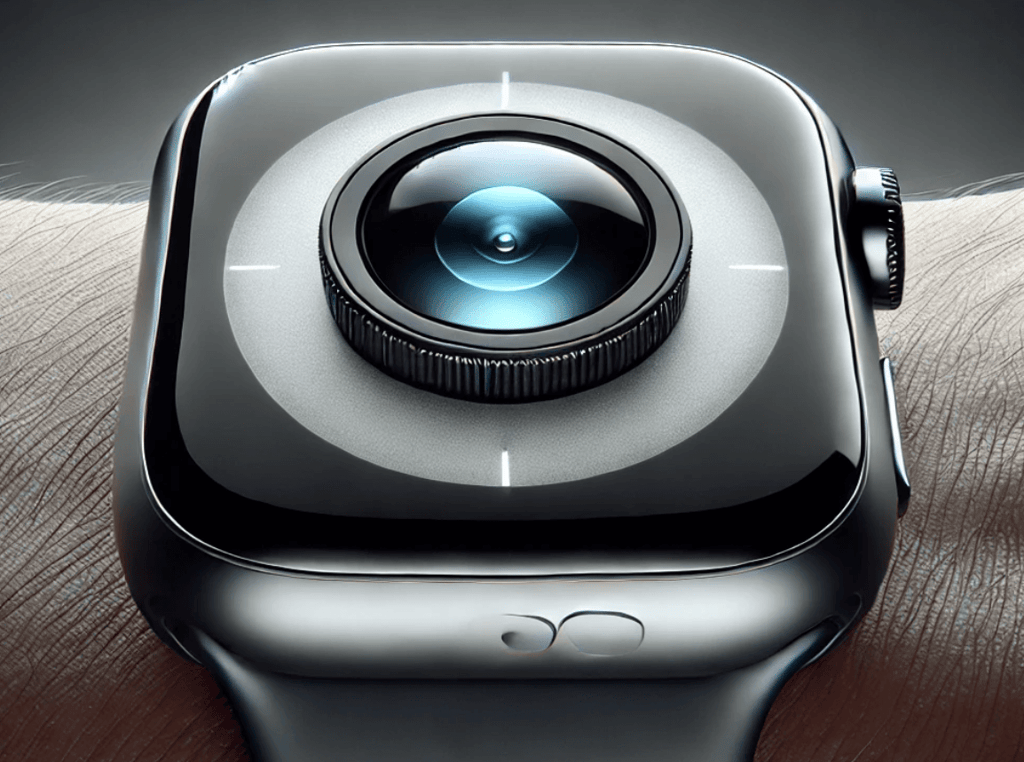
Bloomberg’s Gurman usually gets decent, leaked information; the latest is that Apple plans to integrate a camera into the Apple Watch. There’s a good chance this will eventually happen, but what’s the point, and what value could it add? Let’s see…
When?
Apple Watch 10 recently included a remodelled screen. The Watch 10 screen will likely remain unchanged for two more iterations as that’s how component cycles typically work, meaning it won’t be until 2027 that a camera would appear integrated with a new display on Watch 13, if at all. Handily for Gurman, this date ties in with his prediction.
What Will It Do?
Gurman suggests the Apple Watch camera will not be used for FaceTime (video calls). Instead, it will enhance Apple Intelligence features, likely augmenting new functions currently absent from the Watch. The Apple Watch 10, for instance, currently only supports Connected AI, meaning it displays notifications from an iPhone rather than performing standalone AI tasks.
Challenges of a Wrist-Based Camera
A passive wrist-worn camera would be largely impractical. The natural motion of the wrist means the camera would rarely point steadily in a useful direction. There could be niche applications, like combining camera input with accelerometer data for motion tracking (e.g., analyzing a golf swing). Still, Apple is unlikely to focus on such specialized use cases as the reason for introducing a significant new hardware component.
Battery life is another concern—an always-on camera would be a constant drain, something Apple would want to avoid. Therefore, the camera is likelier to be an active feature that the user deliberately engages.
Potential Uses of an Apple Watch Camera
Here are some thoughts on how Artificial Intelligence could augment imagery in a watch format.
-
Visual Intelligence
- Scan and interpret objects, places, and QR codes—akin to a supercharged version of Google Lens.
- Provide AI-driven contextual information, e.g. identifying a restaurant presenting a menu or a landmark and suggesting a trail.
-
Augmented Reality (AR) Overlays
-
Display navigation cues, translations, or points of interest overlaid on the image presented on the watch screen.
-
Use pattern recognition to determine surroundings at a richer level than available on a digital map, e.g. a series of individual shops in a mall or types of trees in a forest.
-
-
Situational Awareness & Smart Triggers
-
Detect environmental cues to trigger a smart stack widget or app function.
-
Adjust display settings or suggest actions based on location. e.g., automatically detecting a theatre or cinema to engage the appropriate mode.
-
-
Fitness & Health Context
-
Combine camera input with motion sensors for enhanced tracking and analysis.
-
How Would It Be Integrated?
Integrating a camera into the Apple Watch display would be challenging.
Ignoring the size constraints, Apple might introduce a Dynamic Island-style cutout, but that would require most watch faces to be redesigned. Alternatively, the camera could be built into the case on a thicker Apple Watch Ultra model, possibly on the right side, as Gurman suggests. But then what if the Watch is worn on the other wrist? A: The camera points the wrong way.
Takeaway
At present, the Apple Watch has no AI and no camera. If those features are almost three years away, Apple must have earlier plans to add an AI co-processor to its existing S10 processor. It’s improbable both would be introduced simultaneously.
FaceTime is the most apparent use of a wrist camera, but Apple seems to be avoiding that route.
Instead, a Google Lens-style feature or an AI-enhanced overlay system (similar to Apple Vision Pro) seems more plausible. While many practical limitations exist, the potential for AI-powered object recognition and environmental awareness, deliberately triggered by the Watch owner, could make the Apple Watch camera an interesting addition.
Last Updated on 3 October 2026 by the5krunner
2026 Seasonal Gifts
- Garmin CIRQA: Garmin’s screenless band, which uses your phone as the display. I tested it and sometimes use it as a backup on the site.
- HoloSwim 3 Pro: Swim goggles with GPS and your pace in the lens, so you can swim without a watch. Code THE5KRUNNER takes 10% off. I tested them.
- Kineon MOVE+: Red and infrared light for sore knees, Achilles and other joints after hard training. I use it.
- Fitbit Air: A screenless band for steps, sleep and heart rate, with no subscription needed. It was closest to a manual 9,000-step test. I use it as a backup sometimes.
Small things I always use
- Garmin 90-degree charging adapter: Charges your Garmin with any USB-C cable. Essential when travelling. I use one.
- Body Glide: The blue anti-chafing stick swimmers and runners carry. I use it.
- Speedo earplugs: Fewer ear infections and no cold-water dizziness. I use them.
- Dryrobe Advance: My winter changing robe for open-water swims. I use one. A cheaper option is the AONYIYI changing robe.
- Maurten: Race fuel that stays easy on the stomach. I use them.
- Beet It Sport nitrate shots: Beetroot shots I take in the days before a race. I use them.
- Garmin charging puck: The quickest way to top up before a session. I use one.
- Injinji: Toe socks that stop rubbing, so you run more. I use them.
- Ultimate toe protectors: Stop black toenails on long runs. They work. I use them.
- Compressport R2 v2 calf sleeves: My calf sleeves of choice. I use them.
- Cellucor C4: My pre-workout before hard sessions.
- TPU tubes: Schwalbe Aerothan, Tubolito and Pirelli SmarTube. Light, tiny spares. I use all three.
- G8 insoles: Adjustable arches, perfect position. I use them.
- Cycplus Cube: A 97g electric pump that gets a road tyre rideable in two minutes. I carry one. 5% off with code THE5KRUNNER.
Health, recovery and sleep
- FreeStyle Libre 3 Plus: Shows how my blood sugar responds to diet. Occasional use.
- hDrop: Measures my sweat loss in summer and indoors. I use it.
- Fourth Frontier Zone: Checks my heart under load in hard sessions.
- Oura Ring 5: My partner’s recovery tracker of choice.
- Eight Sleep: A cooling mattress cover my partner and I use nightly (see next).
- Chilipad 2.0: Cools or heats your side of the bed on a schedule, with no subscription. US only. I am testing it; it seems pretty good.
Watches and sensors
- Polar H10: My daily driver for waking HRV.
- Polar Verity Sense: My backup arm-worn HR sensor.
- Nomad bedside charger: Charges my iPhone and Apple Watch overnight. I use it, and many of their bands.
- Train.Red: The best muscle oxygen sensor I’ve used. Occasional use.
- Tymewear: Accurate heart rate and reliable ventilatory zones. I use it to pace endurance rides over an hour.
- Garmin Forerunner 970: A pro-grade triathlon watch. I use this.
- Apple Watch Ultra 4: My daily smartwatch. No phone needed on rides.
On the bike
- Continental GP5000 for everyday riding, and Aero 111 on the front for special occasions. I use both.
- Helmets: Specialized S-Works Evade 3 for road riding, and Rudy Project Wing for TT-style races. I use both.
- Ravemen FR300: A front light that mounts under your Garmin or Wahoo. I use one.
- Ravemen FR1000: The light and the computer mount in one unit, so nothing else goes on the bars. Better than mine.
- Ravemen FR1500SE: 1,500 lumens hanging under your Garmin, for proper night rides.
- Ravemen FR1100SE: 1,100 lumens under your Garmin, and up to 46 hours on slow flash.
- Ravemen FR500: A brighter FR300 with the same mount.
- Wahoo TRACKR Radar: I use it on one bike and Varia on the other. They perform the same.
- Garmin Varia RTL515: Radar that warns you of cars from behind. I use this model.
- Wahoo ELEMNT Roam 3: The bike computer that’s easy to use. I use mine on most rides.
- Favero Assioma Pro RS2: Accurate power pedals that swap easily between bikes. I use this model.
Home and indoor training
- NPE Runn: Makes my basic treadmill smart, sending more accurate speed and distance to my watch and Zwift. I use it.
- Google Wifi: Keeps Zwift connected in my pain cave. I use it.
- Apple TV 4K (4th generation): Zwift on the big screen. I use two.
- Google Nest Doorbell (wired, 2nd gen): My video doorbell, running in both Google Home and Apple Home via Starling. I use it.
Reader-Powered Content

This content is not sponsored. It’s mostly me behind the labour of love, which is this site, and I appreciate everyone who supports it.
Support the site: Follow (free, fewer ads) · Subscribe (paid, ad-free) · Buy Me A Coffee
Written by real people, with AI assistance. Fact-checked and verified for originality. See the Editorial Policy. FTC: Affiliate Disclosure — some links pay commission. As an Amazon Associate, I earn from qualifying purchases.
tfk is the founder and author of the5krunner, an independent endurance sports technology publication. With 20 years of hands-on testing of GPS watches and wearables, and competing in triathlons at an international age-group level, tfk provides in-depth expert analysis of fitness technology for serious athletes and endurance sport competitors. See the gear tfk uses. ID
