Garmin 2026.10 Map Update Available. STOP! It Bricks Edge and Forerunner Units
Garmin’s TopoActive 2026.10 map pack, bundled with Garmin ClimbPro 2026.10 data, is now available in Garmin Express. The update delivers the usual half-yearly benefits, but it is also bricking Edge and Forerunner devices. Affected units enter an unrecoverable boot loop, typically mid-ride. The advice below is straightforward: understand what the update offers, then skip it until Garmin issues a fix.
2026.10 TopoActive Maps – Key Reasons To Update
The 2026.10 release brings three benefits worth noting:
- Refreshed road data, so roads added or altered since the last release should now appear correctly. This improves navigation reliability for riders whose local network has changed.
- Refreshed ClimbPro data, which the device draws on to flag climbs ahead during free rides. On planned routes, ClimbPro data is baked into the course, so the on-device data matters most for unstructured riding.
- Routing and rendering fixes, which are how prior bugs such as the Edge x30 rerouting issue were resolved in the previous 2025.10 release.
Garmin has not yet published a public changelog for 2026.10. One caveat is worth flagging. A forum contributor analysing the Forerunner 970 Central Europe map reports that the underlying OpenStreetMap data was pulled between 1 and 21 August 2025, so the new map contains data roughly six months old at the time of release.
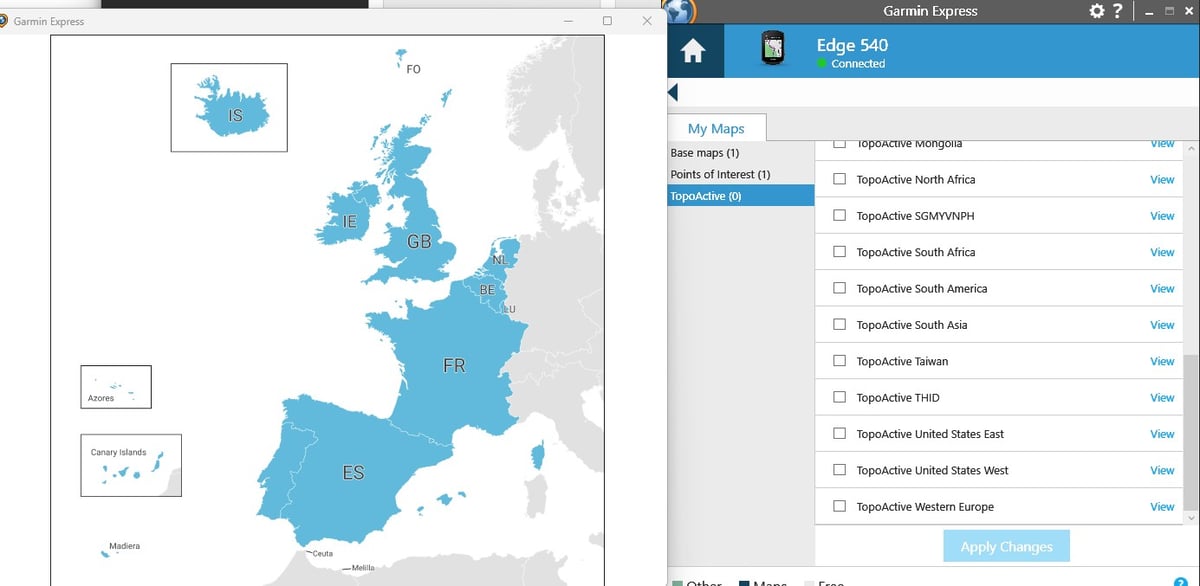
Do Not Install It Yet
The 2026.10 release is causing devices to enter an unrecoverable boot loop. Until Garmin publishes a fix or a corrected map pack, the safest course of action is to skip the update and keep the existing maps.
What Is Going Wrong
Affected devices install the map pack normally through Garmin Express. The crash typically arrives later, mid-ride, when the device is loading a route or rerouting. After the crash, the unit enters a roughly two-second boot loop that displays “Saving diagnostics” or “Collecting diagnostics” and offers no way to break out. Holding the power button switches the device off, but powering it back on returns to the loop. Most affected owners report that the device cannot then be connected to Garmin Express, and that USB MTP mode either fails to engage or is not recognised by Windows or macOS.
Devices Affected
The following models have been confirmed to be affected on Garmin’s own forum thread:
The list is likely incomplete. Any device with TopoActive 2026.10 installed should be considered at risk until Garmin clarifies the scope.
Garmin’s Response
Garmin has acknowledged the issue. A staff response on the forum thread states that the company is gathering information from affected owners and asks them to bookmark the thread for updates. No fix, workaround, or recall of the map pack has been published.
What to Do If You Have Already Updated
If a device is already in the boot loop, contact Garmin support directly before attempting recovery. Several routes suggested by other owners have been reported on the forum, with mixed success:
- Allow the battery to drain fully, then attempt a USB connection while holding the lap button to enter loader mode.
- If a connection is established, delete files from the Newfiles and RemoteSW folders before powering the device back on.
- A small number of owners report that leaving the device alone overnight ended the loop on its own.
None of these routes is guaranteed. Several owners report that no recovery method worked and that Garmin offered a refurbished replacement.
How to Update Safely Once Garmin Issues a Fix
When a corrected map pack is available, the update procedure that produces the most reliable results is straightforward:
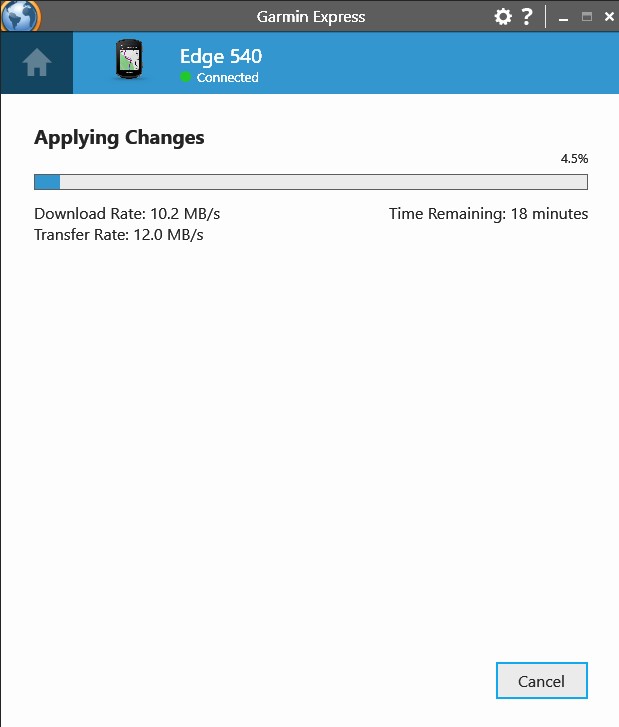
- Use Garmin Express on a desktop computer with a USB cable. Avoid the on-device Map Manager and Wi-Fi route, which are materially slower and prone to interruptions due to device sleep.
- Update time should be less than 20 minutes via a computer
Is My Garmin Affected By The 2026.10 Map Update Bug?
Confirmed reports cover the Edge 540, Edge 840, Edge 1040, Edge 1040 Solar, and Forerunner 970. The list is likely incomplete. Any device with TopoActive 2026.10 installed should be considered at risk until Garmin clarifies the scope.
Can A Bricked Garmin Edge Be Recovered After The 2026.10 Update?
Recovery is not guaranteed. Some owners report success after fully draining the battery, then reconnecting via USB while holding the lap button to enter loader mode. Others report that no recovery method has worked and have been offered a refurbished replacement by Garmin support.
Further Reading
For a video walkthrough of the update and the bricking issue, see GP Lama’s coverage on YouTube. For the live discussion, symptom reports, and Garmin’s ongoing response, see the official Garmin forum thread.
Quick answers
Is my Garmin affected by the 2026.10 map update bug?
Confirmed reports cover the Edge 540, Edge 840, Edge 1040, Edge 1040 Solar, and Forerunner 970. The list is likely incomplete. Any device with TopoActive 2026.10 installed should be considered at risk until Garmin clarifies the scope.
Can a bricked Garmin Edge be recovered after the 2026.10 update?
Recovery is not guaranteed. Some owners report success after fully draining the battery, then reconnecting via USB while holding the lap button to enter loader mode. Others report that no recovery method has worked and have been offered a refurbished replacement by Garmin support.
For a full guide to the Garmin Edge range — current models, the MIP-solar versus bright-screen fork, and recommendations by riding type — see the Garmin Edge Series hub.
Last Updated on 29 June 2026 by the5krunner
My favourite kit and nutrition
- Garmin Fenix 9 Pro — I’ve just bought one.
- Injinji – Runners protect your toes. Avoid discomfort and minor injury. Run more. Run faster. I use them.
- Garmin 90-degree charging adapter — A small keyring adapter you can use anywhere. Essential when away. I use one.
- Garmin charging puck — the fastest and most reliable way to top up your Garmin before a session. I use one.
- Ravemen FR300 — Front light that mounts directly under your Garmin or Wahoo head unit. Keeps your bars clean and your beam pointed where it matters. I use one.
- Body Glide – The blue anti-chafe stick that all swimmers and many runners use. I use it.
- Maurten — The race nutrition trusted by elite athletes. Gels and drink mixes engineered to be easy on the stomach. I use them.
- Garmin Varia RTL515 — A radar rear light that alerts you to vehicles approaching from behind. Pairs with your Edge or Wahoo. I use this model.
- Favero Assioma Pro RS2 — The power-meter pedals most serious cyclists choose. Accurate, easy to move between bikes. I use this model.
- Garmin Forerunner 970 — A serious choice for a pro-grade triathlon watch. I use this.
- Polar H10 — My daily driver for accurate, waking HRV readings.
- Wahoo ELEMNT Roam 3 — The bike computer that has the feature Garmin lacks: usability. I use mine on most rides.
Reader-Powered Content

This content is not sponsored. It’s mostly me behind the labour of love, which is this site, and I appreciate everyone who supports it.
Support the site: Follow (free, fewer ads) · Subscribe (paid, ad-free) · Buy Me A Coffee ❤️
All articles are written by real people, fact-checked, and verified for originality. See the Editorial Policy. FTC: Affiliate Disclosure — some links pay commission. As an Amazon Associate, I earn from qualifying purchases.

tfk is the founder and author of the5krunner, an independent endurance sports technology publication. With 20 years of hands-on testing of GPS watches and wearables, and competing in triathlons at an international age-group level, tfk provides in-depth expert analysis of fitness technology for serious athletes and endurance sport competitors. ID

Seems like this is why my enduro 3 has bricked this week.
Thanks for the advice
Others are reporting the Edge Explore 2 is also impacted.
Any news about fenix 8 or is it safe?
Well, well, well. I never saw 26.10 for my Enduro 2 as a downloadable map, but today I spotted 26.11. I guess it is the fix thus the new version number.
But its size is 17.92GB , almost double of the size of 25.10 which is 9.35GB including the DEM file.
Does anyone know why this strange size increase happened?
Fyki https://forums.garmin.com/outdoor-recreation/outdoor-recreation/f/fenix-7-series/397980/trying-to-download-topoactive-europe-it-starts-downloading-mainland-china-instead/2051913
So both Edge 530 and Fenix 5+ see it as 11.63 GB and not almost 18 GB