Amazfit Workout Notes: Tested
Amazfit has just added a much-requested feature – voice memo recording. It goes to the T-Rex 3, T-Rex 3 Pro, and Active 2, maybe some others too. I’ve spent a little while testing it (it’s a straightforward feature) – here’s what it does, how accurate it is, and where it falls short.
How It Works
During any workout, press and hold the bottom left button to record a voice note. The watch captures your audio without pausing the workout or changing any settings. Multiple notes can be recorded per session, each timestamped to the moment you created it. As you record, there is no live transcription, just a stopwatch to indicate how long your note is.
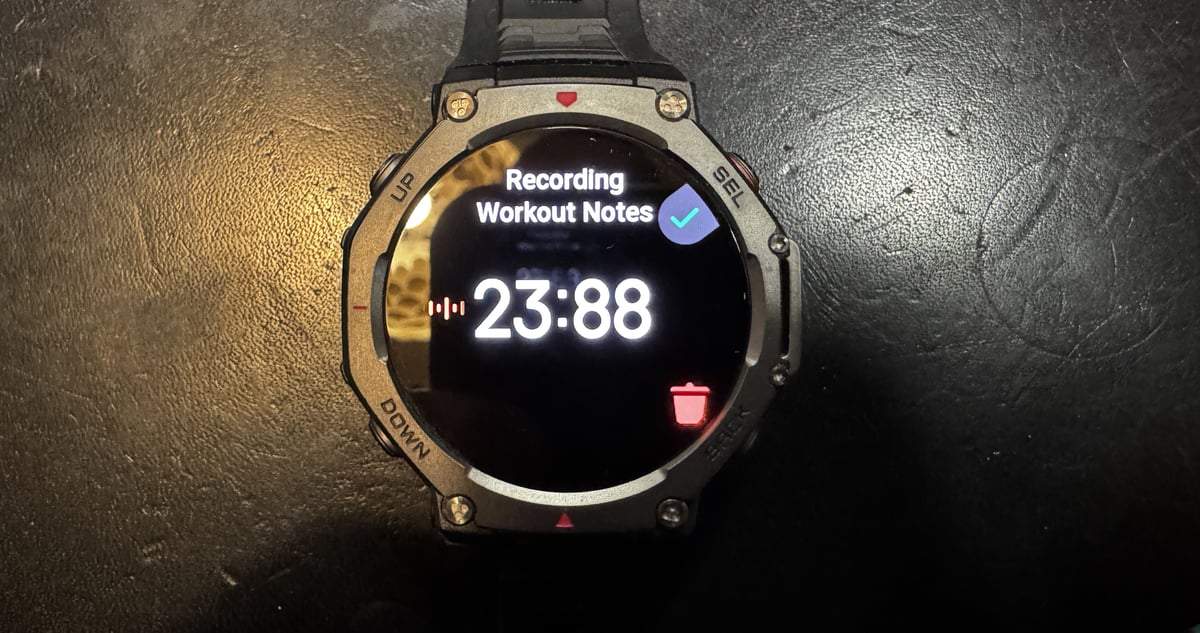
This is a recording tool only. You cannot control the watch, adjust settings, or issue commands with this specific tool, although Amazfit does have an AI assistant feature, which I’ll skip for now. The feature records only what you say.
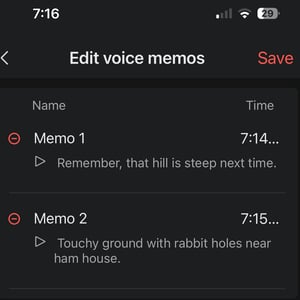
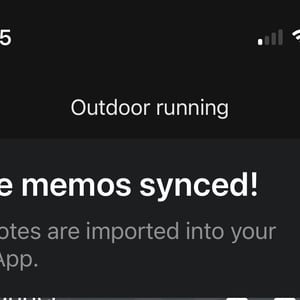
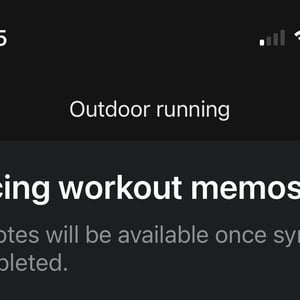
After the workout syncs to the Zepp app, voice notes sync shortly after and appear alongside your workout data summary. Here’s where the magic starts. The app transcribes each recording to text with I’d estimate 98% accuracy – i.e., very good. Even during heavy breathing after interval sets, transcription quality remained high.
Example of where transcription failed. I said, “Dodgy ground with rabbit holes near Ham House.” It wrote, “Touchy ground with rabbit holes near ham house.”
The Editing Problem
Neither Voice notes nor their transcriptions can be edited. Once recorded and transcribed, that’s it. If the transcription makes an error or you misspoke, there’s no way to correct it. However, you can add workout notes to the app either by voice or by typing.
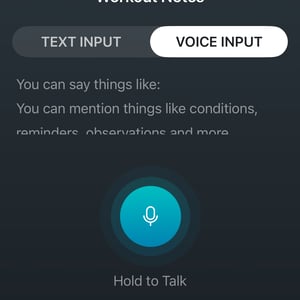
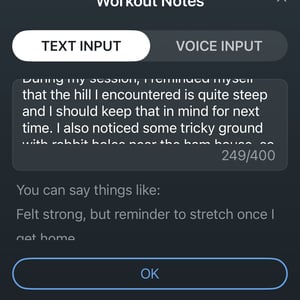
What It’s Actually Useful For
Voice notes excel at capturing context that metrics cannot convey. During a run, you might note “headwind on the back half” or “legs felt dead from yesterday’s session.” For cycling, “mechanical issue at 40km” or “nutrition timing felt off.” In strength training, “form breaking down on final set” or “shoulder discomfort on overhead press.” Or you could add a comment about something or someone at a specific point of the route – unlike some competitor features, Amazfit doens’t stamp your note with the GPS point. It’s just a timestamp. You could work out where you were from the timestamp if sufficiently motivated.
I’m unsure how widely workout-specific notes will be used to log sport-related comments. At least for me, I would use this feature to remember my latest pondering or great idea before it slips into the obscurity of my mind. Is there really much value in saying how you felt at a particular point in the workout? Perhaps that might help with the immediate analysis of your stats once finished, but such notes would become meaningless and lose context after a few days. A good example is during a strength session, when you incorrectly record a weight or number of reps and can’t change it. You’d manually add a second note to tweak the workout parameters on your computer at home.
Cross-Sport Consistency
Testing across running, cycling, and strength training revealed identical functionality. There’s no sport-specific implementation, no running-tailored features, no mode-dependent behaviour. The feature works the same way across all activity types.
The feature notes indicated that it didn’t work for the fishing sport profile.
The Bottom Line
- Use it for: Recording ideas or things to do. Making notes of workout parameters to change later.
- You can’t use it for: dynamically altering the workout as you execute it.
Amazfit’s workout notes feature is a straightforward recording tool with high transcription accuracy but inflexible editing. It’s great at capturing everything from contextual observations during training to your latest brainwave without interrupting flow. The inability to edit transcriptions is a minor limitation; simply add another note.
The feature costs nothing beyond the watch itself, requires no subscription, and works across almost all workout modes.
Last Updated on 9 February 2026 by the5krunner
Reader-Powered Content

This content is not sponsored. It’s mostly me behind the labour of love, which is this site, and I appreciate everyone who supports it.
Support the site: Follow (free, fewer ads) · Subscribe (paid, ad-free) · Buy Me A Coffee ❤️
All articles are written by real people, fact-checked, and verified for originality. See the Editorial Policy. FTC: Affiliate Disclosure — some links pay commission. As an Amazon Associate, I earn from qualifying purchases.

tfk is the founder and author of the5krunner, an independent endurance sports technology publication. With 20 years of hands-on testing of GPS watches and wearables, and competing in triathlons at an international age-group level, tfk provides in-depth expert analysis of fitness technology for serious athletes and endurance sport competitors.
