QZ qdomyos-zwift: the app that outgrew its original idea
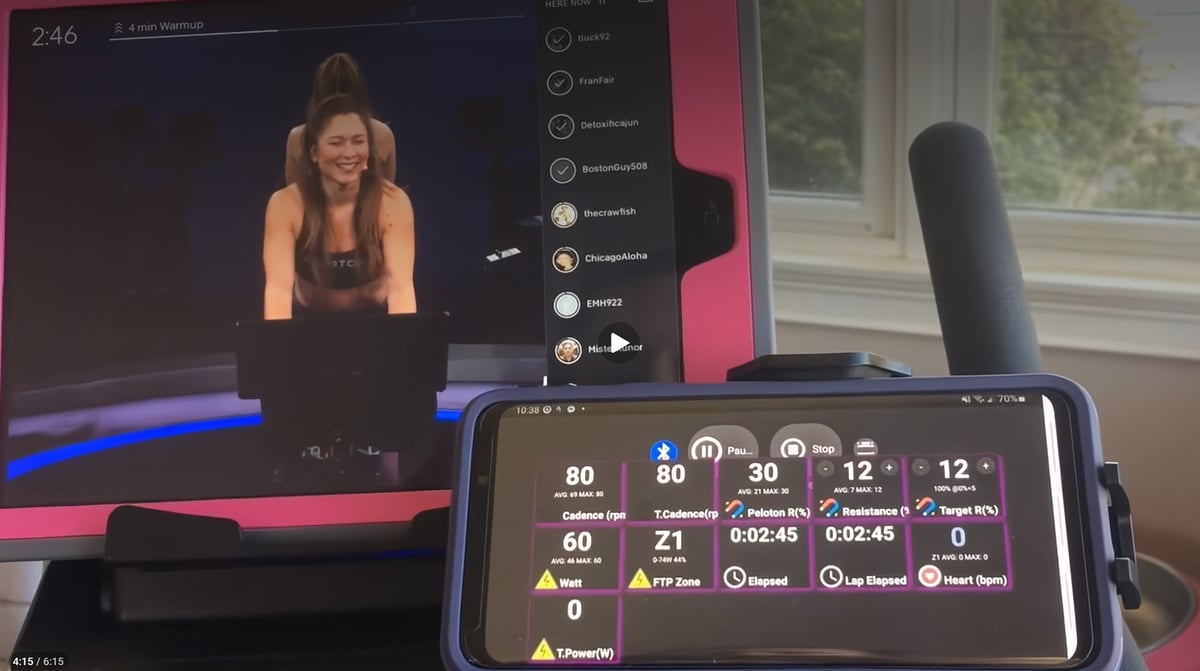
Most fitness apps are built around a product. QZ — formally QDomyos-Zwift, developed by Roberto Viola — was built around a problem: a Domyos exercise bike that would not talk to Zwift. That initial fix became something considerably more ambitious.
QZ is now a cross-platform indoor training middleware layer available on iOS, Android, macOS, Windows, and Raspberry Pi. Its codebase supports bikes, treadmills, ellipticals, and rowers. Its integrations span Zwift, Rouvy, Peloton, Strava, Garmin Connect, Intervals.icu, and more. Its feature set includes structured workout files, GPX route following, heart rate zone auto-control, MQTT endpoints, and a WebSocket API for DIY pain cave automation. It is free to download, with the developer supported by Patreon and Buy Me a Coffee subscriptions.
What makes it worth understanding in detail is not any single feature. It is the philosophy behind the codebase: your hardware does not need to be smart if the software layer above it is smart enough.
The compatibility problem QZ solves
Most indoor fitness machines speak one of two languages: proprietary Bluetooth locked to a vendor app, or the open FTMS standard. Many older machines speak neither cleanly. QZ works around this by connecting directly to the physical device, interpreting the raw data stream, and then presenting a virtual FTMS device to whatever training platform sits above it. Zwift, Rouvy, and Peloton see a standard, well-behaved machine. What actually sits underneath can be almost anything.
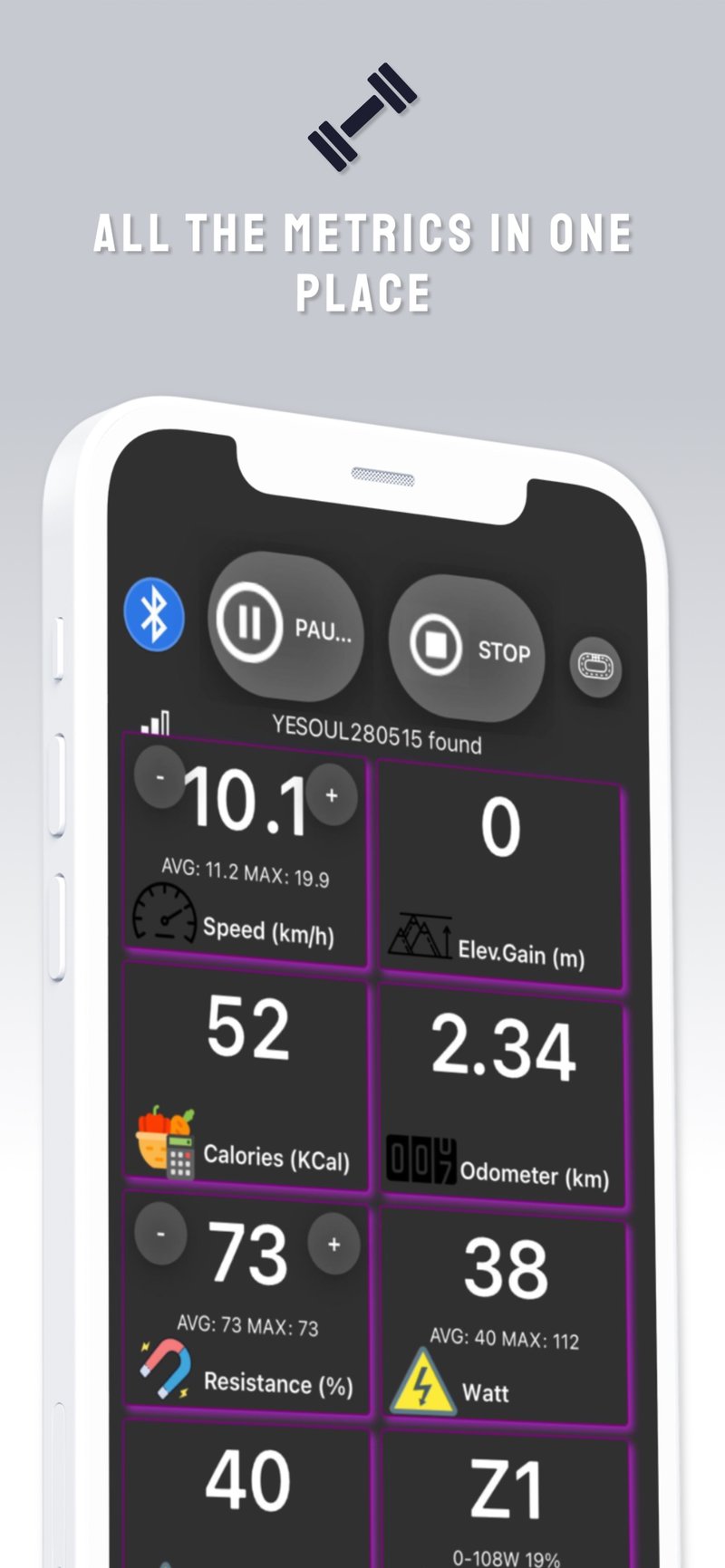
The supported equipment list is extensive: Echelon, Domyos, Proform, Schwinn IC4, Bowflex C6, Keiser M3i, Toorx, Sportstech, and many others. The full compatibility table is maintained on the official QZ guide. For machines with electronically controllable resistance or incline, QZ can also push commands back down: auto-resistance during Zwift segments, auto-incline to match GPX gradients, speed following during Peloton treadmill classes.
This two-way communication is the practical difference between a bridge app and a control layer. Most platforms that claim FTMS support use only the broadcast side. QZ uses both.
Peloton integration
QZ’s Peloton support is its most distinctive feature set, and considerably deeper than most people realise. It goes well beyond metric forwarding.
With Peloton credentials entered, QZ reads the active class in real time, translates the instructor’s resistance and cadence callouts into target values scaled to your bike’s own resistance range, and optionally pushes resistance changes to equipment that supports electronic control. A Difficulty setting allows the owner to follow the lower, upper, or average of the instructor’s target range. There is also offset control for syncing QZ’s timing to Peloton’s class countdown, remaining time display, cadence target colouring on the dashboard tile, and support for Power Zone classes, including FTP-referenced zone targets.
For treadmill owners, Treadmill Speed Forcing applies the same logic to speed and incline: QZ reads the Peloton coach’s speed callouts and adjusts the belt accordingly if the hardware permits.
href=”https://youtu.be/4UzZeb4Du2w?si=ctir3NGejhj1RB7F
Training and structured workouts
QZ loads ZWO files — the standard Zwift workout format — and XML files for fully custom interval structures. A built-in Workout Editor lets you construct intervals visually, copy them, and save them back to the training library without leaving the app. Random workout generation is available for unstructured variety within defined speed, incline, and resistance limits.
Heart rate zone training is supported across bikes and treadmills via a PID controller. The owner selects a target zone, and QZ adjusts resistance or speed in small increments every 40 seconds to reach and hold it. GPX file support extends this further: a loaded route controls incline in real time against the file’s gradient data, with a live map view showing position either at ground level or from above.
Heart rate
QZ accepts heart rate from Bluetooth monitors, ANT+ accessories on compatible Android devices, and Apple Watch via the companion watchOS app. Start the Apple Watch app before opening QZ on the phone. For platforms that do not read FTMS heart rate data correctly — a common issue with Peloton on certain configurations — QZ can broadcast heart rate as a separate virtual Bluetooth service to improve compatibility.
Logging and cloud sync
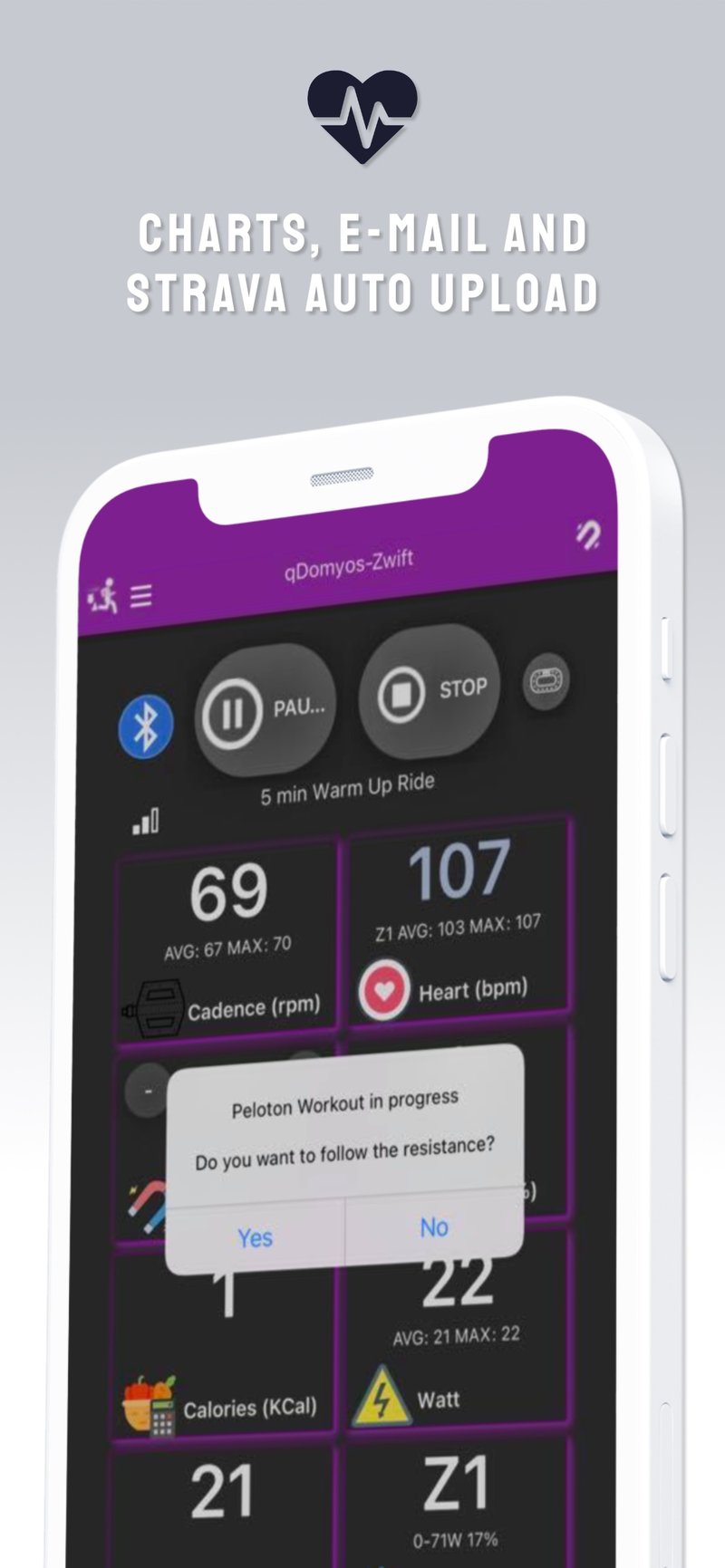
QZ maintains a session history, generates FIT files at the end of each workout, and emails a stats and chart summary if an address is entered in settings. Automatic uploads to Strava and Garmin Connect are supported, along with a manual upload option to Intervals.icu for historical sessions.
The Garmin Connect integration is notably deep. QZ can authenticate against a Garmin account, upload FIT files, and download scheduled Garmin workouts, converting them into QZ-compatible training programs. This positions QZ not merely as a data exporter but as an active participant in a training workflow that spans planning, execution, and post-session analysis.
For power users and developers
QZ includes MQTT integration, Open Sound Control support, and a WebSocket API that streams live workout state and accepts external commands. In practice, this means QZ can participate in a broader smart-home or automation setup: fan control keyed to heart rate, external displays, scripted interval triggers, or integration with home assistant platforms. Headless and no-GUI operating modes are available for Raspberry Pi deployments where a screen is absent or unnecessary.
A Fake Device mode simulates a connected bike when no hardware is present, useful for arranging dashboard tiles, testing automations, or logging Apple Watch workouts without a paired machine.
Competitors and alternatives
The competitive landscape for QZ can be divided into two distinct categories that are worth keeping separate.
Hardware bridges — primarily NPE’s CABLE and its successors WYUR and CORD — solve a narrower version of the same problem. They convert ANT+ sensor signals into Bluetooth Low Energy so that older accessories can connect to modern apps. They are small physical dongles rather than software platforms, and they do not perform resistance control, workout management, or cloud sync. The overlap with QZ is real but limited: both address protocol incompatibility, but NPE’s products operate at the sensor level while QZ operates at the machine level.
Software alternatives are harder to identify because QZ occupies an unusual position. TrainerDay is the closest in some respects — it supports ERG mode, loads structured workouts, and connects to smart trainers — but it targets newer, fully FTMS-compliant equipment. It does not attempt to give life to machines with partial or proprietary Bluetooth implementations. It is a training app that assumes connectivity works. QZ is a training app designed specifically for when connectivity is unavailable.
Zwift handles its own FTMS communication, but within a closed ecosystem. It does not solve the compatibility problem for machines outside its supported list, nor does it expose a developer-accessible API surface. For the specific problem QZ was built to solve — giving genuine training utility to machines that would otherwise be stranded — there is no direct like-for-like alternative. That is both its strength and the explanation for its loyal, technically engaged following.
Quick answers
What equipment does QZ support?
QZ supports a wide range of Bluetooth-enabled indoor fitness machines, including all Echelon bikes, Domyos bikes and treadmills, Proform bikes and treadmills, Schwinn IC4, Bowflex C6, Keiser M3i, Toorx, and Sportstech, among many others. The full compatibility list is maintained on the QZ guide. FTMS-compatible machines will generally connect without device-specific configuration. For machines with proprietary Bluetooth, the app includes brand and model-specific settings.
Does QZ work with Zwift?
Yes. QZ presents itself to Zwift as a standard FTMS device, typically appearing as a Wahoo KICKR in Zwift’s device list. Resistance control, ERG mode, and incline all work on compatible machines. The Zwift ERG Mode setting in QZ must be enabled when using Zwift’s workout mode to ensure power target communication works correctly.
Can QZ automatically control my treadmill's speed and incline?
Yes, on treadmills that support electronic speed and incline control over Bluetooth. QZ can follow Zwift gradient changes in real time, apply Peloton instructor speed callouts via Treadmill Speed Forcing, and follow GPX route gradients through the Open GPX feature. Not all treadmills expose this control capability over Bluetooth: check the QZ equipment compatibility list before assuming it will work with a specific model.
Can I use QZ with Peloton classes if I do not own a Peloton bike?
Yes. This is one of QZ’s primary use cases. QZ connects a non-Peloton bike to the Peloton app, reads the active class in real time, and translates the instructor’s resistance and cadence targets into the machine’s own resistance scale. If the bike supports electronic resistance control, QZ can also automatically adjust resistance in response to instructor callouts.
How does heart rate work in QZ?
QZ accepts heart rate from Bluetooth chest straps and optical monitors, ANT+ accessories on Android, and Apple Watch via the QZ watchOS companion app. Start the Apple Watch app before opening QZ on the phone. On platforms such as Peloton that occasionally fail to read FTMS heart rate data, QZ can broadcast heart rate as a separate virtual Bluetooth service to improve compatibility.
Does QZ upload workouts to Strava and Garmin Connect?
Yes. Strava connection is available through the main menu and uploads automatically after each session. Garmin Connect upload is also supported and includes two-way functionality: QZ can download scheduled Garmin workouts and convert them into QZ training programs, in addition to uploading completed sessions.
Can QZ run on a Raspberry Pi?
Yes. QZ supports headless and no-GUI operating modes suited to Raspberry Pi deployment. This is documented in the project’s GitHub repository and is primarily used for permanent pain cave installations where a dedicated display device is absent.
Does QZ cost money?
QZ is free to download on iOS and Android. The developer accepts voluntary support via Patreon and Buy Me a Coffee. A Swag Bag subscription is available within the app. Beta programme access, which provides early entry to new features before they reach the stable app store build, is available through Patreon membership.
Is QZ open source?
Yes. QZ is released under the GPL licence. The source code is maintained at github.com/cagnulein/qdomyos-zwift. Bug reports and feature requests are handled through GitHub issues.
What file formats does QZ support for structured workouts?
QZ loads ZWO files (the Zwift workout standard) and XML files for custom interval structures. GPX files are supported for route-based gradient control. FIT files are generated at the end of each session for export to training platforms and for local storage for manual upload.
Download QZ: App Store (iOS) | Google Play (Android)
Author: RobertoV,
Edited by: the5krunner
Last Updated on 29 June 2026 by the5krunner
My favourite kit and nutrition
- Garmin Fenix 9 Pro — I’ve just bought one.
- Injinji – Runners protect your toes. Avoid discomfort and minor injury. Run more. Run faster. I use them.
- Garmin 90-degree charging adapter — A small keyring adapter you can use anywhere. Essential when away. I use one.
- Garmin charging puck — the fastest and most reliable way to top up your Garmin before a session. I use one.
- Ravemen FR300 — Front light that mounts directly under your Garmin or Wahoo head unit. Keeps your bars clean and your beam pointed where it matters. I use one.
- Body Glide – The blue anti-chafe stick that all swimmers and many runners use. I use it.
- Maurten — The race nutrition trusted by elite athletes. Gels and drink mixes engineered to be easy on the stomach. I use them.
- Garmin Varia RTL515 — A radar rear light that alerts you to vehicles approaching from behind. Pairs with your Edge or Wahoo. I use this model.
- Favero Assioma Pro RS2 — The power-meter pedals most serious cyclists choose. Accurate, easy to move between bikes. I use this model.
- Garmin Forerunner 970 — A serious choice for a pro-grade triathlon watch. I use this.
- Polar H10 — My daily driver for accurate, waking HRV readings.
- Wahoo ELEMNT Roam 3 — The bike computer that has the feature Garmin lacks: usability. I use mine on most rides.
Reader-Powered Content

This content is not sponsored. It’s mostly me behind the labour of love, which is this site, and I appreciate everyone who supports it.
Support the site: Follow (free, fewer ads) · Subscribe (paid, ad-free) · Buy Me A Coffee ❤️
All articles are written by real people, fact-checked, and verified for originality. See the Editorial Policy. FTC: Affiliate Disclosure — some links pay commission. As an Amazon Associate, I earn from qualifying purchases.

tfk is the founder and author of the5krunner, an independent endurance sports technology publication. With 20 years of hands-on testing of GPS watches and wearables, and competing in triathlons at an international age-group level, tfk provides in-depth expert analysis of fitness technology for serious athletes and endurance sport competitors. ID

tfk – Your link to a bike/treadmill compatibility list just goes to the Zwift how-to guide. Is the compatibility list buried there somewhere?
https://github.com/cagnulein/qdomyos-zwift/wiki/Equipment-Compatibility