How to get the Google Health app before 19 May
The Fitbit app will become the Google Health app on 19 May 2026, with the rollout completing on 26 May. For most owners, the switch will happen automatically inside that window with no action required. For owners who want the new four-tab layout and the Google Health Coach now, the same app is already available NOW through the Fitbit Public Preview on both iOS and Android. The special update process takes under a minute, the data carries over cleanly, and the change is reversible.
Here’s how to do it – it’s very easy.
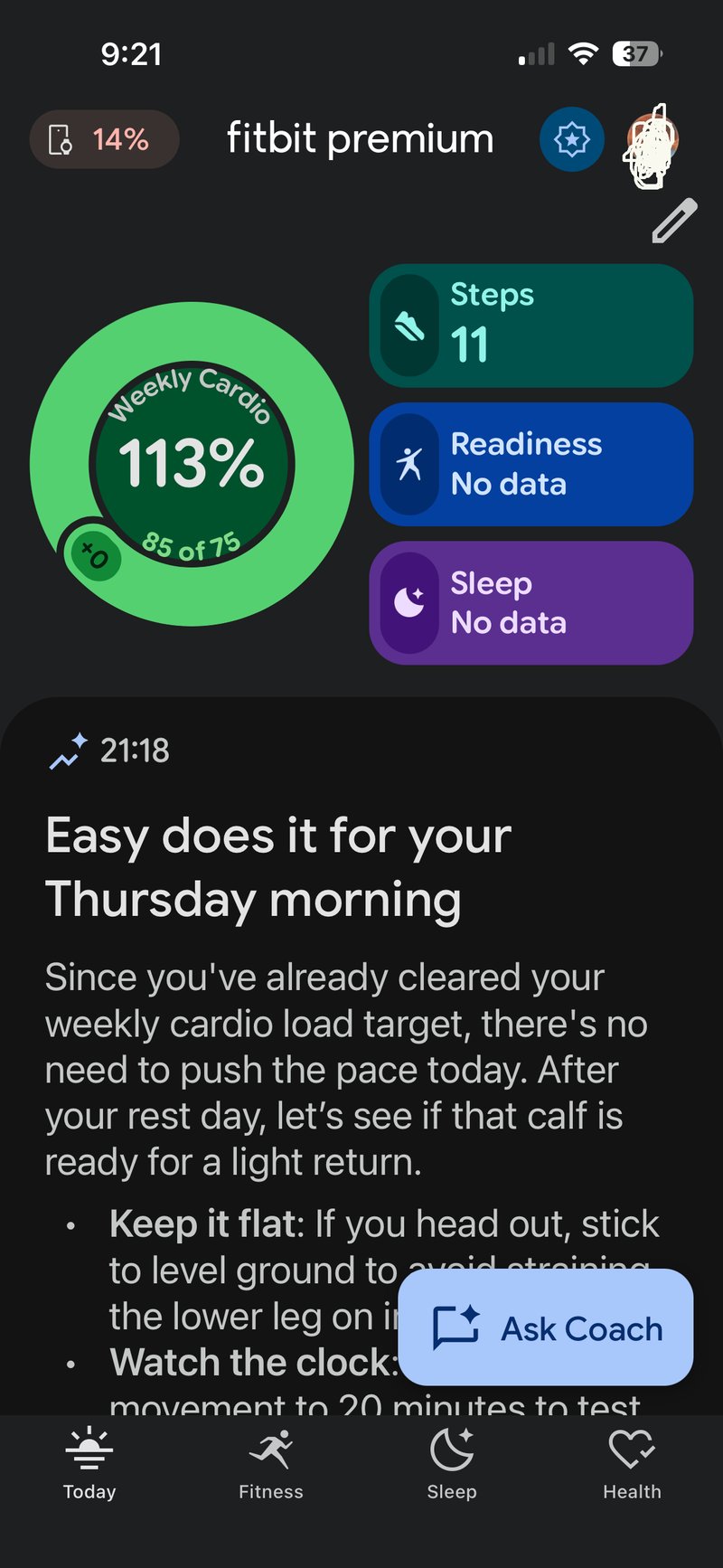
What the preview gives you
The preview is functionally the same as the Google Health app that ships on 19 May. Google has confirmed it has been running in Public Preview since October 2025. Once you join, the Fitbit interface is replaced by the four-tab Google Health layout: Today, Fitness, Sleep and Health. The Gemini-powered Google Health Coach, paywalled behind a Premium subscription, becomes available to test, along with the redesigned dashboard, the new weekly cardio target and the renamed VO2 max metric that replaces Cardio Fitness Score.
Eligibility
- An active Fitbit Premium subscription, which is being renamed Google Health Premium on 19 May. A free three-month trial usually applies with a new Fitbit or Pixel Watch purchase.
- The preview is currently and officially US-only. Yet I’m in the UK, and it works for me as the images show!!
- Spots are capacity-limited. If the Join Public Preview option does not appear in your profile menu, capacity is full, and the only route is to wait for the automatic rollout.
How to join the Public Preview
The steps are the same on iOS and Android. The screenshots below were captured on iOS, starting with the Fitbit Premium app.
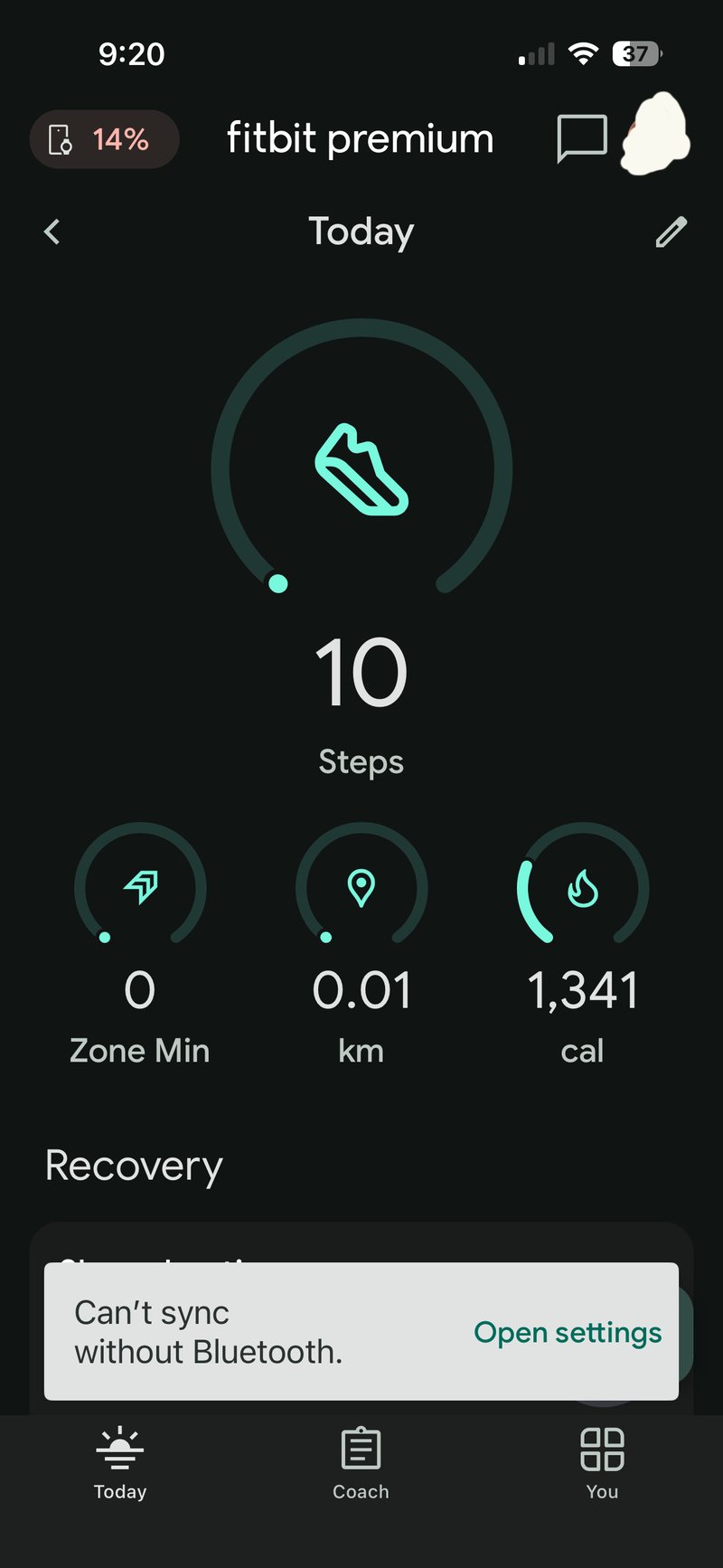
Step 1. Open the existing Fitbit app on your phone. There is no separate Google Health app to install at this stage. The Fitbit app converts itself once you opt in.
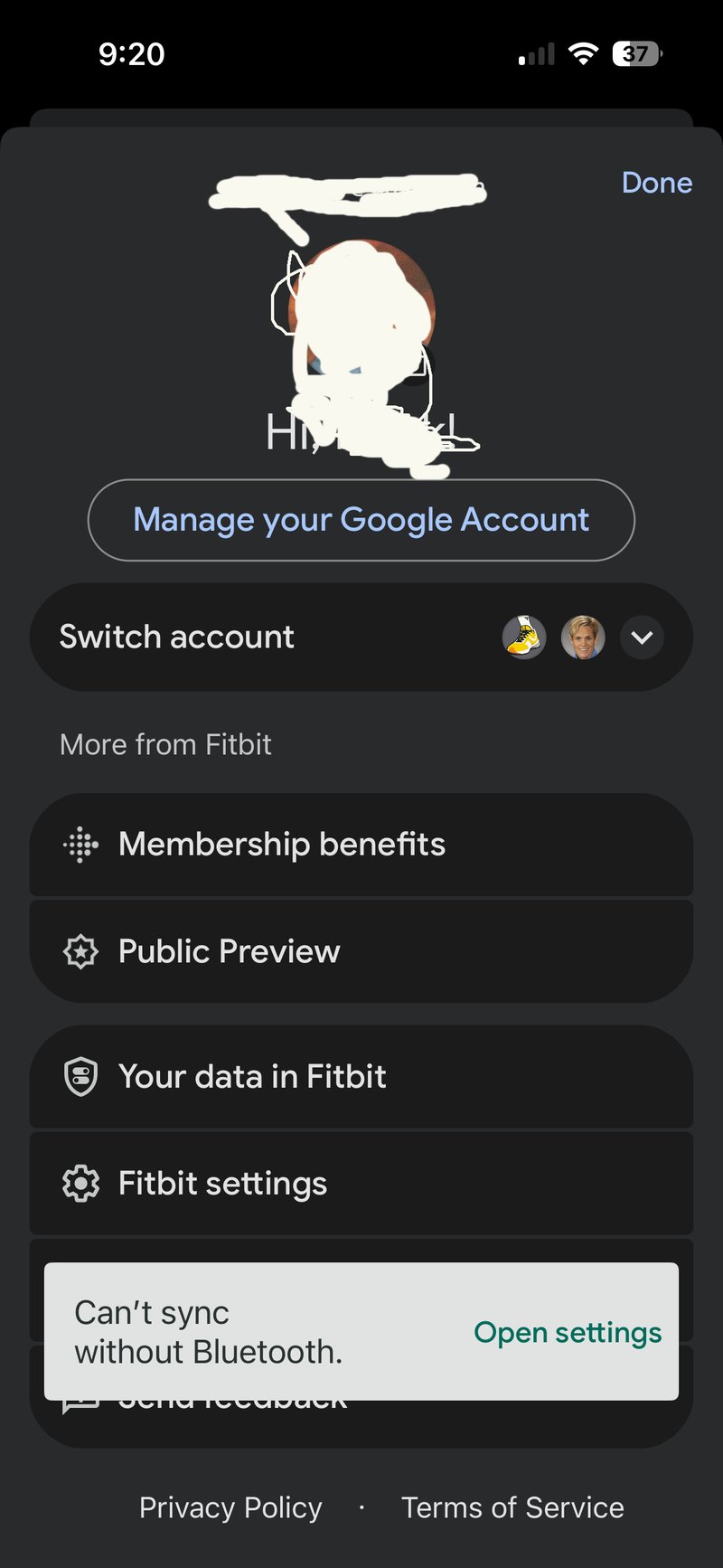
Step 2. Tap your profile picture in the top right corner, then tap Public Preview.
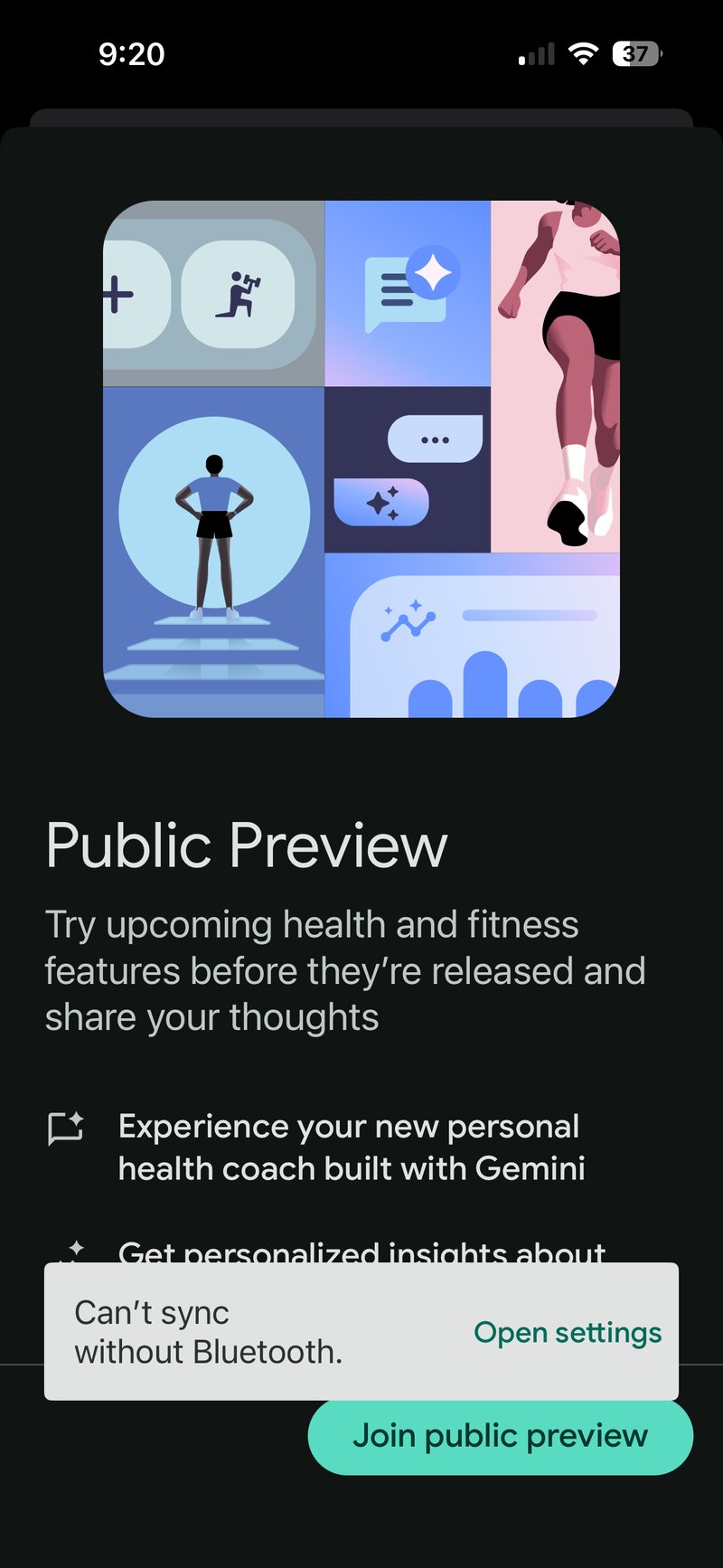
Step 3. Read the Public Preview information panel. Tap Join Public Preview, then review the consent for advanced AI features. This permits Google’s AI to use your health and wellness data to generate personalised insights. Tap Agree and continue, then Save and continue.
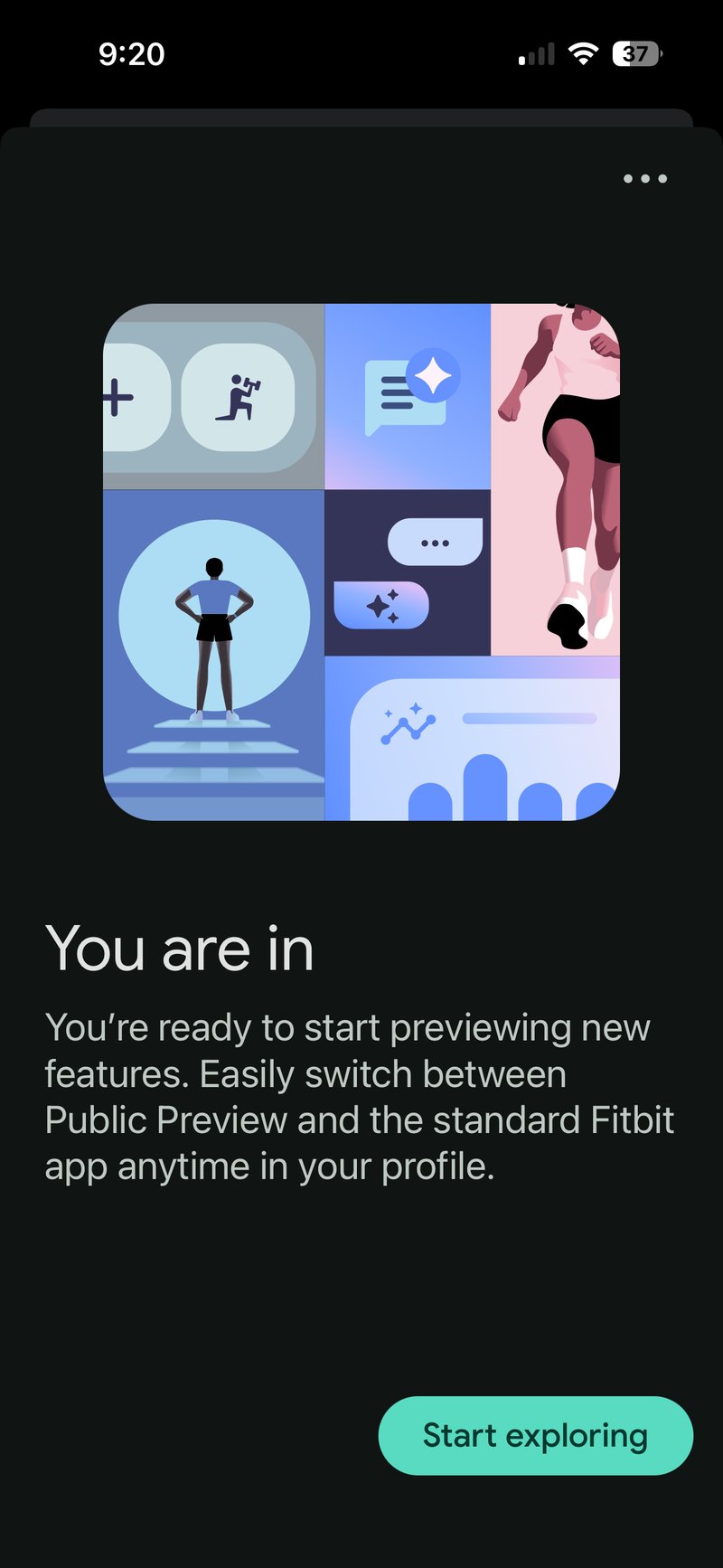
Step 4. Tap Start exploring. The app immediately switches to the new Google Health layout. Google’s official Public Preview help page covers any edge cases for individual accounts.
Device support, including a Pixel Watch 4 caveat on iOS
The Google Health app accepts data from a wide range of devices. The new Google Fitbit Air, the full Pixel Watch and Fitbit ranges, and third-party hardware routed through Health Connect on Android or Apple Health on iOS are all supported. Peloton, MyFitnessPal, Strava, Withings and similar services connect through the Connected Apps section, though some links must be reauthorised after the transition.
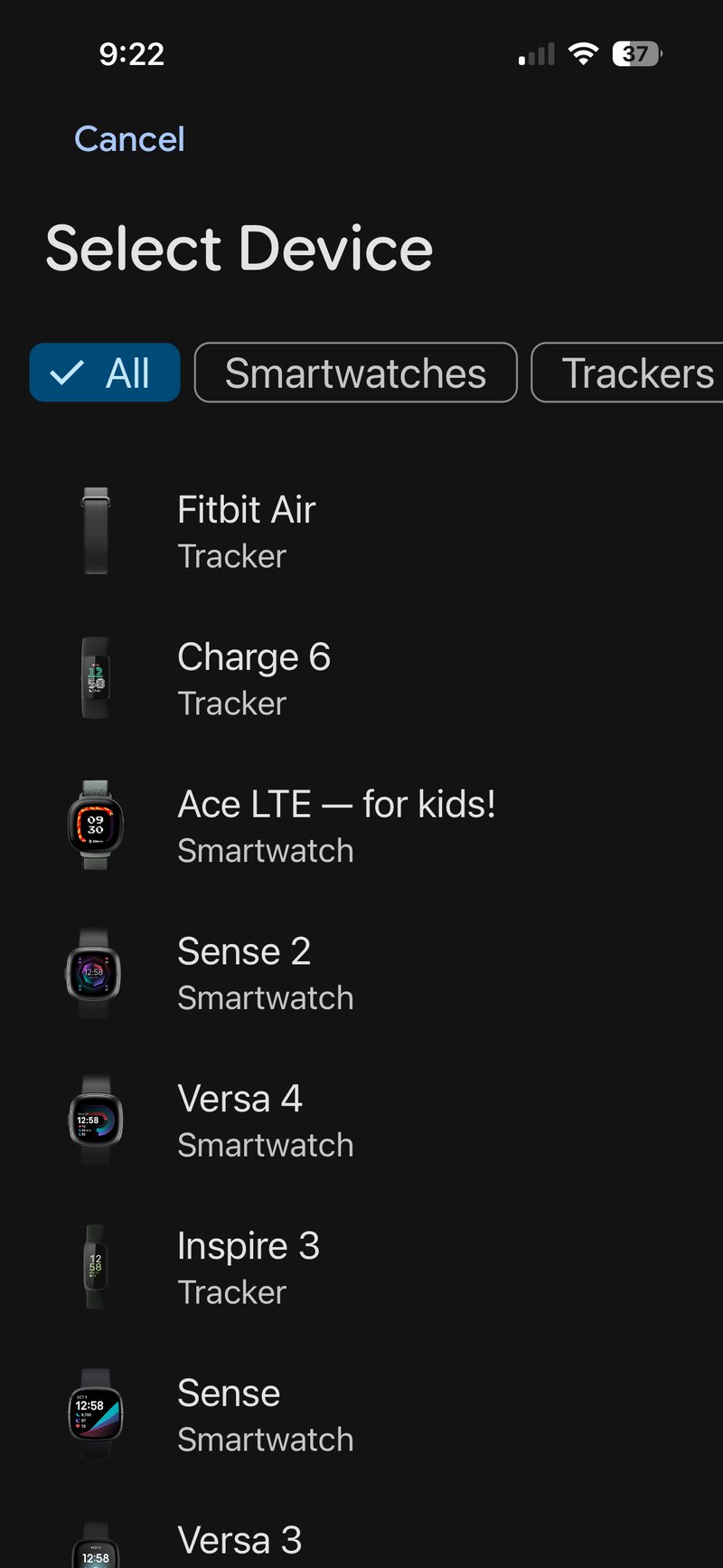
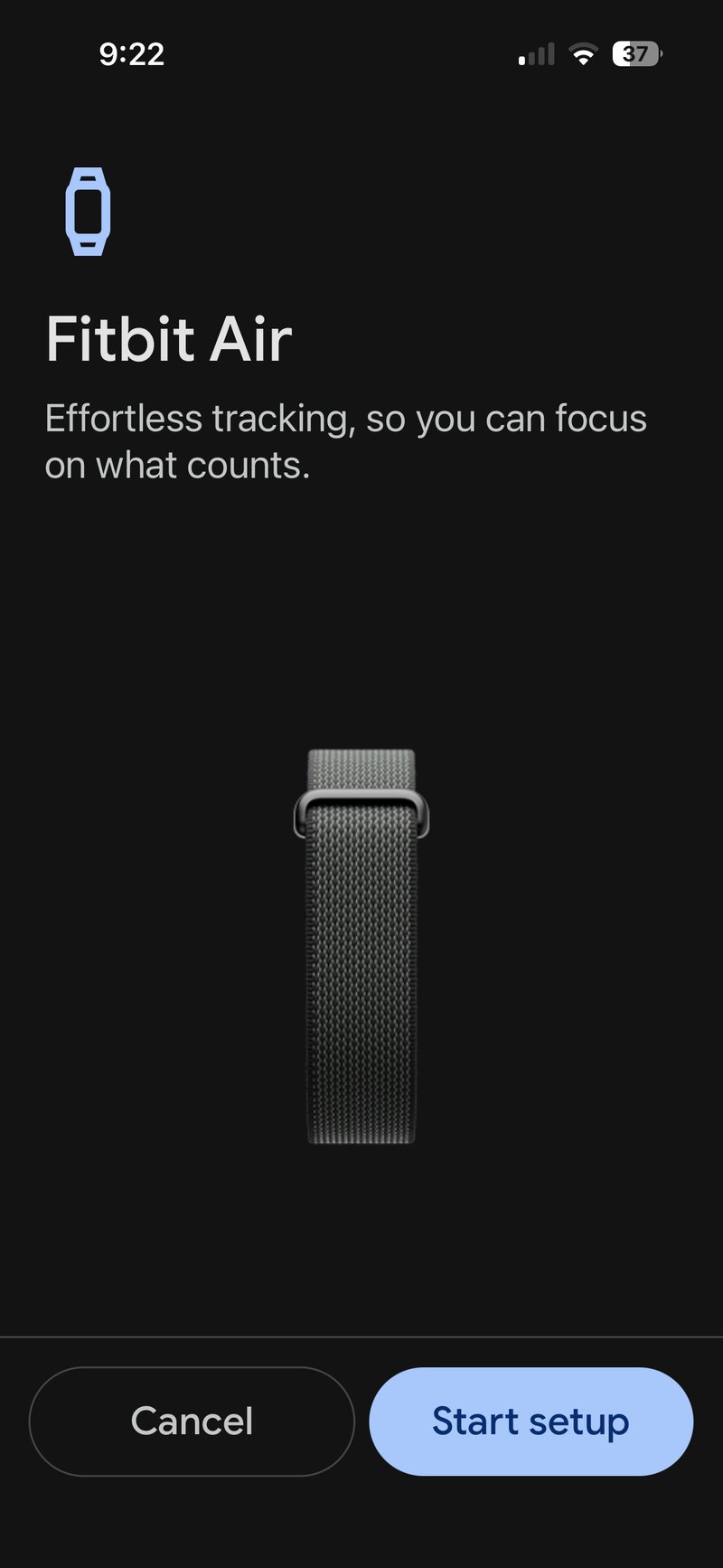
One important exception applies to iOS. The Pixel Watch line, including the Pixel Watch 4, does not pair with an iPhone. This is a hardware-level restriction set by Google in the Pixel Watch companion app, confirmed on Google’s own compatibility page, and the Google Health app inherits the limitation. An iPhone running Google Health can see and use a Fitbit Air, a Fitbit Charge or Sense, and data routed through Apple Health, but a Pixel Watch 4 will not appear in the device pairing list.
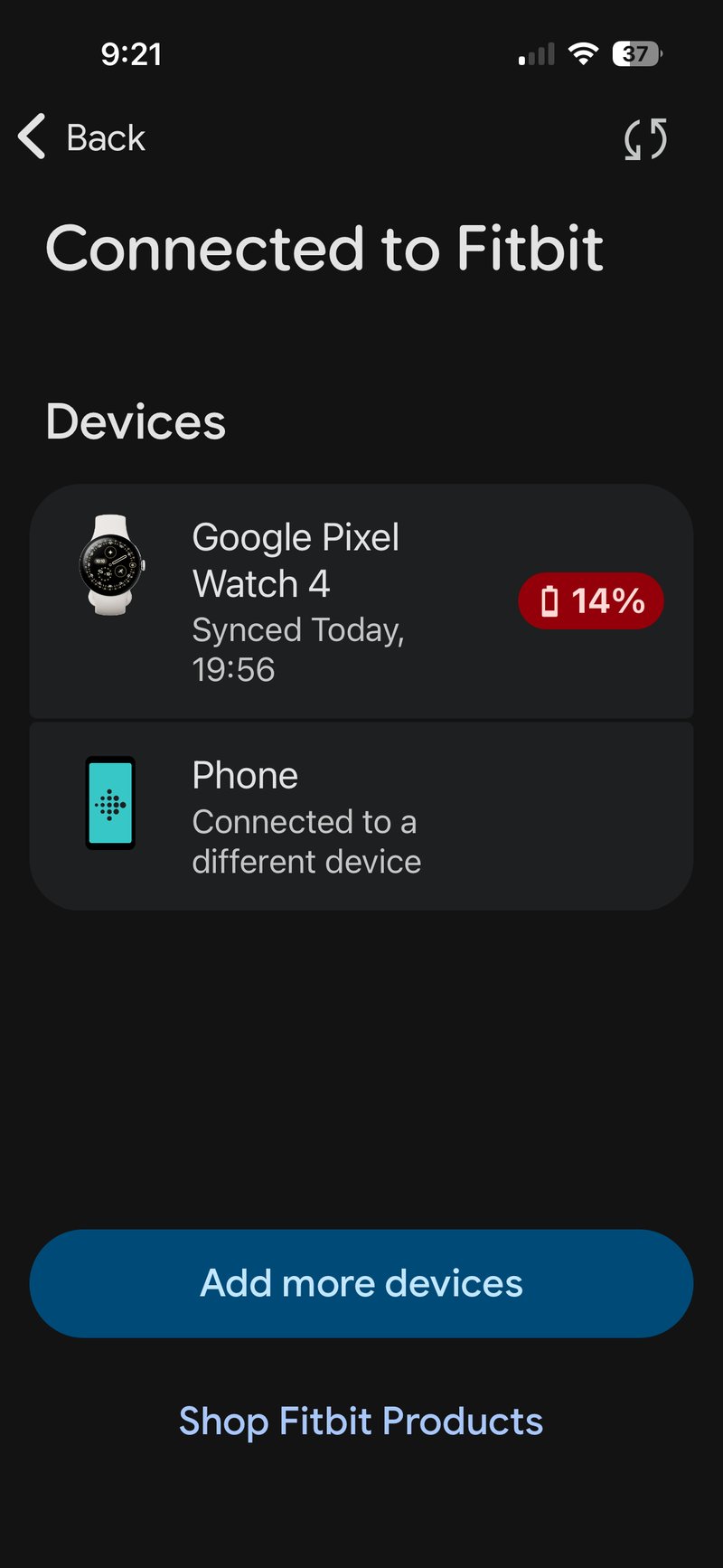
Pixel Watch 4 data can still appear inside Google Health on an iPhone, but only indirectly. The screenshot above shows watch metrics syncing to the Google Health app on iOS because the same Google account is signed in on a paired Pixel phone, with the watch connected to that phone. The iPhone reads the data; it does not control the watch. Owners who want a Pixel Watch to communicate directly with an iPhone need a third-party bridge such as Merge, and the integration remains partial. For a full breakdown of what the watch does and where it sits in the market, see the Pixel Watch 4 in-depth review. For the full picture of the Google Fitbit ecosystem: Google Fitbit and Wear OS hub.
Switching back
The preview is reversible. Open the same Public Preview menu in your profile, then tap Switch app version to return to the standard Fitbit app. Data persists across the switch. Leaving the preview entirely is also possible from the same menu. If you do leave, Google retains data generated during the preview for 30 days before removing it.
What to do if the preview is full
If capacity is full, no further action is available. The automatic rollout begins on 19 May and completes by 26 May, by which point every Fitbit and Pixel Watch owner with the current Fitbit app installed will receive the Google Health update from the App Store or Play Store. Subscribing to automatic app updates ensures you receive updates as early as possible for your account.
A practical note on social features
Social features in the standard Fitbit app are paused from 12 May. Friend lists and leaderboards will not update until you move to the Google Health app, either through the preview or the automatic rollout. Cardio Load joins steps as a leaderboard metric in the new app, alongside the renamed Resilience score that replaces the numerical Stress score in the Mental Wellbeing section.
Quick answers
Can I get the Google Health app on iPhone before 19 May?
Yes. The Fitbit Public Preview is available on iOS in the United States and immediately converts your existing Fitbit app to the Google Health layout. Open the Fitbit app, tap your profile, tap Public Preview, then Join Public Preview. A Fitbit Premium subscription is required, and capacity is limited.
Does the Pixel Watch 4 work with an iPhone through the Google Health app?
No. The Pixel Watch 4 does not pair with an iPhone under any circumstances. The restriction sits in the Pixel Watch companion app, which is Android-only, and the Google Health app on iOS inherits it. Pixel Watch 4 data can appear in Google Health on an iPhone only if the watch is paired to a separate Android phone signed in to the same Google account.
Will I lose my Fitbit data when the Google Health app rolls out?
No. Existing Fitbit and Pixel Watch data transfers automatically when the app updates between 19 and 26 May. The transition runs as an in-place app update, not a fresh install, so history, devices and settings carry across. Some third-party connections, including Strava and Withings, require a one-off reauthorisation after the update.
Is the Google Health Public Preview available outside the United States?
Not yet. Google has confirmed the preview is currently US-only and has indicated that international expansion may follow, but no date has been published. International owners receive the Google Health app automatically through the general rollout between 19 and 26 May.
How much does Google Health Premium cost, and what does it include?
Google Health Premium costs $9.99 per month or $99.99 per year and goes live on 19 May. It unlocks the Google Health Coach, adaptive fitness plans, detailed health insights, medical record summaries, and access to the workout and mindfulness library. Existing Fitbit Premium subscriptions convert to Google Health Premium automatically. Subscribers to Google AI Pro and Google AI Ultra receive Google Health Premium at no extra charge.
How do I leave the Public Preview if I prefer the original Fitbit app?
Open the Fitbit app, tap your profile in the top right, tap Public Preview, then tap Switch app version to return to the standard Fitbit experience without losing your data. To leave the preview entirely, tap More, then Leave Public Preview from the same menu. Data generated during the preview is retained for 30 days after departure, then removed.
When does the Fitbit app become Google Health?
On 19 May 2026, the rollout will be completed on 26 May. For existing Fitbit users, the app updates automatically through the Google Play Store or App Store in that window. No reinstall is required, and data, devices, and settings are transferred in place.
Can I use Google Health on a PC or Mac?
Google Health is a mobile-first app, available on Android and iOS. There is no dedicated desktop or web version. Some account management is possible through Google’s standard account settings in a browser, but viewing your data, using the Google Health Coach, and managing your Fitbit device require the phone app.
Where can I find more information about Google Health?
Google’s launch announcement on the Google blog covers the redesign in detail. The official transition guide and setup requirements are on Google’s support pages.
Last Updated on 29 June 2026 by the5krunner
My favourite kit and nutrition
- Garmin Fenix 9 Pro — I’ve just bought one.
- Injinji – Runners protect your toes. Avoid discomfort and minor injury. Run more. Run faster. I use them.
- Garmin 90-degree charging adapter — A small keyring adapter you can use anywhere. Essential when away. I use one.
- Garmin charging puck — the fastest and most reliable way to top up your Garmin before a session. I use one.
- Ravemen FR300 — Front light that mounts directly under your Garmin or Wahoo head unit. Keeps your bars clean and your beam pointed where it matters. I use one.
- Body Glide – The blue anti-chafe stick that all swimmers and many runners use. I use it.
- Maurten — The race nutrition trusted by elite athletes. Gels and drink mixes engineered to be easy on the stomach. I use them.
- Garmin Varia RTL515 — A radar rear light that alerts you to vehicles approaching from behind. Pairs with your Edge or Wahoo. I use this model.
- Favero Assioma Pro RS2 — The power-meter pedals most serious cyclists choose. Accurate, easy to move between bikes. I use this model.
- Garmin Forerunner 970 — A serious choice for a pro-grade triathlon watch. I use this.
- Polar H10 — My daily driver for accurate, waking HRV readings.
- Wahoo ELEMNT Roam 3 — The bike computer that has the feature Garmin lacks: usability. I use mine on most rides.
Reader-Powered Content

This content is not sponsored. It’s mostly me behind the labour of love, which is this site, and I appreciate everyone who supports it.
Support the site: Follow (free, fewer ads) · Subscribe (paid, ad-free) · Buy Me A Coffee ❤️
All articles are written by real people, fact-checked, and verified for originality. See the Editorial Policy. FTC: Affiliate Disclosure — some links pay commission. As an Amazon Associate, I earn from qualifying purchases.

tfk is the founder and author of the5krunner, an independent endurance sports technology publication. With 20 years of hands-on testing of GPS watches and wearables, and competing in triathlons at an international age-group level, tfk provides in-depth expert analysis of fitness technology for serious athletes and endurance sport competitors. ID
