KICKR Core 2 is the go-to option for buying your first indoor trainer if you plan to use Zwift, which most of us do.
In this review, we discuss what must appear to the average buyer as “confusingly named products”, and we’ll do that in detail, but your takeaway should be that you want to buy a smart trainer labelled as “Zwift Ready”. That’s the bottom line.
You can easily spend $1,000 on a smart trainer, worrying about compromising. But KICKR Core 2 with Zwift Cog and Click is Wahoo’s cheapest Zwift Ready setup, and includes everything even highly competent cyclists need. You need these 4 things
- Kickr Core 2 (2025) smart trainer
- Zwift Cog (2nd Gen, 2025) – a universal rear cassette with a single cog (replaces Zwift Hub and Gen 1 predecessor)
- Zwift Click (2nd Gen, 2025) – add-on handlebar controllers that change virtual gears, navigate and steer.
- Zwift Trial – free to new customers only.
Alternative
If you plan to use an alternative indoor training platform, you’d get the KICKR Core 2 (2025) with an 11spd cassette. Same price. Same Wahoo KICKR 2.
Indoor Training: Best Entry Level Option
Great solution - practical and versatile. But you are effectively locked into only using Zwift.
Indoor riding can be a faff at best or a worry at worst. Gears. Noise. Compatibility. Cassettes. Ease of use. Yikes. A Zwift-ready trainer solves all of that.
If you are not mechanically minded or new to cycling, you probably want decent cycling gear and an easy life. Get a Zwift-ready trainer. KICKR Core 2 is Wahoo’s most compelling option and is highly capable.
Pros
- All you need
- Easiest setup and compatibility – by far.
- Easiest to swap bikes over
- Responsive gear changes
- Low noise
Cons
- Accuracy could be better for me (+/- 2%)
- (other reviewers find +/-1 %accuracy)
- You are tied to Zwift unless you have a spare cassette.
- Ergonomics of Click are OK, but could be better
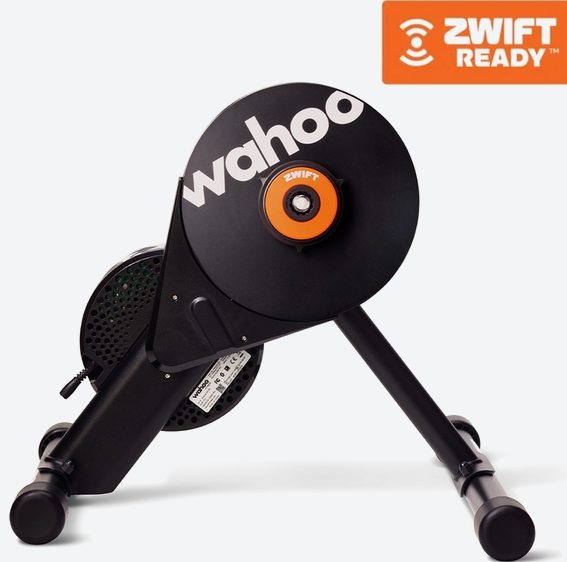
Wahoo KICKR CORE 2
With Zwift Cog and Click, best entry-level trainer
 Direct + other retailers
What’s New with KICKR Core 2?
There are only minor physical changes between the original Core and Core 2, as shown below. Scroll down for more product details and the complicated timeline of events leading to this product. Here are the key changes
- WiFi Connectivity & Updated LED System
- Includes Zwift Cog & Click or 11 Speed Cassette
- New Leg Design with 4-Bolt Assembly
- New KICKR Race Mode (more frequent data)
- New HR Sensor Bridge (reduces required connection channels – helps with Apple TV 4K)
Why Buy The Wahoo Kickr Core 2 Review, Zwift Cog, Zwift Click (2nd Gen)
There are several technical and practical reasons to go for a Zwift-Ready option. I’ve reviewed many smart trainers, but this was my first time using Zwift components, so here are several points that stood out to me
Kickr Core 2 is a great smart trainer from the leading indoor training company. It’s relatively cheap yet remains highly featured. One option is buying it without Zwift components, so you just get ‘standard’ rear cassette compatibility. But what exactly is standard? That’s where the problems start, and here’s how Zwift cog solves them.
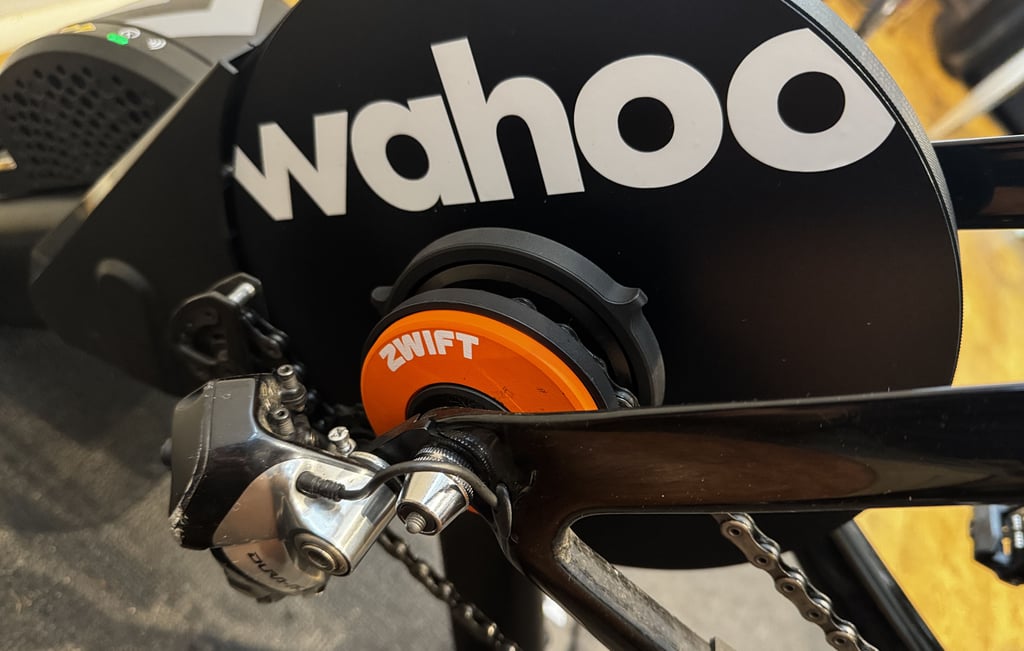
Zwift Cog – It’s one cog, so it fits every ‘normal’, geared road bike. That means YOUR bike. You might have 11-speed bikes, disk brake bikes, rim brakes, whatever, even a mountain bike. It doesn’t matter; they all fit on this cog. That saves you the significant hassle of changing rear cassettes and the annoyance of reindexing your gears to avoid the noises and chain clunks; because for reasons you never quite know, the smart trainer is a subtly different width from your bike, and the gears don’t work as they should the first time.
But then, talking of gears, you’ve now only got one, well, two if you count the front derailleur. That problem is solved by Zwift Click 2.
Zwift click 2 lets you change gears virtually, and you get all the gears you need, potentially more than on your real bike! Of course, there are no physical gears to change, so the whole setup changes the resistance, but that’s Ok.
Now, there’s another annoying problem when working out with Zwift: reaching for various in-game settings on your computer or notepad is a real faff. You guessed it, Zwift Click 2 also solves that problem by incorporating all the controls you need to move your avatar, open menus, and do various in-game actions from your handlebars.
You’ve got the free initial subscription to Zwift. That’s it. Ride on.
You can stop now and buy one, as you know it will almost certainly work for you. Or read on for details and some minor annoyances. Let’s start with those.
Wahoo KICKR CORE 2
With Zwift Cog and Click, best entry-level trainer
Direct + other retailersHow you might be annoyed by The Wahoo Kickr Core 2 Review, Zwift Cog, Zwift Click (2nd Gen)
Core 2 is a great product. It’s pretty hard to criticise.
I did many trainer-based rides 10-15 years ago before discovering roads! On returning to indoor training in recent years, I experienced quite a bit of pain if I rode for more than an hour. I solved that problem last year with Wahoo’s top smart trainer model – KICKR MOVE. This allows fore/aft and lateral body movement, and my aches and pains mostly vanished. The point is that if you buy Core 2, you won’t be free to move as much and might get discomfort on longer rides.
Next problem. And this one might affect quite a few of you.
Core 2 has no LAN connection, and you might experience conflicting ANT+/BLE/Wifi signals in your house that can cause dropouts. (See this guide). To be fair that risk exists for most of the cheaper options from every brand.
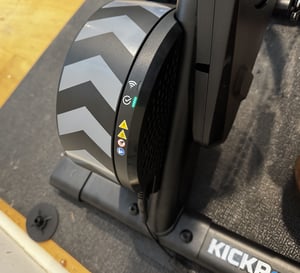
Zwift Cog is brilliant but…
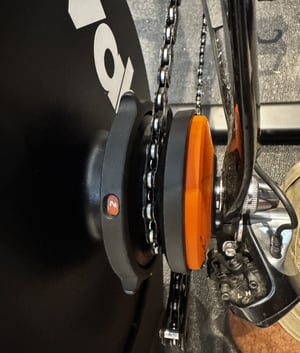
Zwift Cog was an obvious idea waiting to happen. It elegantly solves most compatibility issues and gives a significantly higher chance of a quiet ride. I only have two problems with it. Firstly, those with electronic gears (Di2) will forget they have a Zwift cog and try to change gears with the normal shifters…don’t do that! Secondly, the ‘indexing’ might not be quite right for every bike you will use for the Cog. KICKR CORE has a ring you can twist and fine-tune a click into 10 positions. This moves the cog in or out to line it exactly with your chosen gear – when it’s aligned, it’s quiet and you will also save a few watts of power (drivetrain loss).
The new controllers for your handlebars
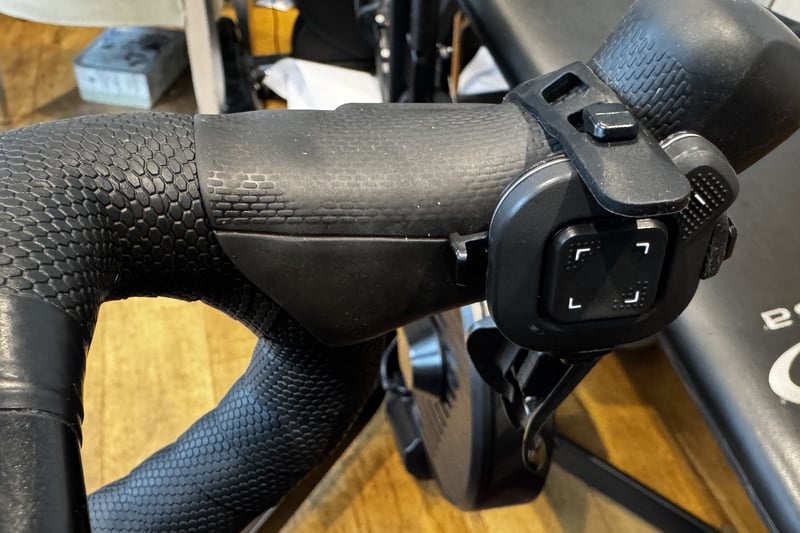
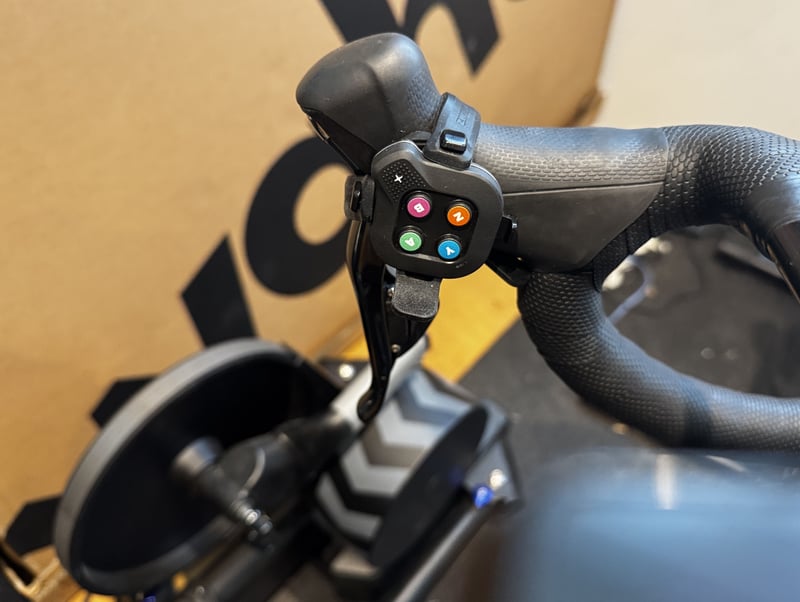
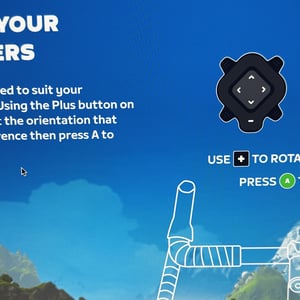
Zwift Click 2 offers more to complain about. It’s somewhat messily strapped to any part of your handlebars or, my preference, the insides of my shifters. It doesn’t look great. The excess length of the adjustable tie sticks out, and it’s impossible to use both ties for each controller in some positions. It seems stable enough, though. The gear changing is excellent, but the game controller might be oriented in some odd manner. Zwift lets you rotate the controller in the game to a desired position. After about 10 hours of use, I didn’t find it second nature, but I guess you eventually will. I’m not a gamer; the controls look similar to game controllers I’ve seen.
Despite the looks, this is the best solution mankind has come up with so far. It works.
Your wallet
When you buy a Zwift-ready solution, you lock yourself financially into training on Zwift. The Cog and Click 2 cannot be used on other platforms like MyWhoosh at all. Whereas the regular (non-Zwift Ready) Kickr Core 2 can be used on other platforms with a cassette ($30-$100).
Zwift itself does its best to keep you permanently subscribed, although you can save money in the summer and pause your membership. Despite being the market leader, the in-game graphics, whilst very good, are not quite as good as Mywhoosh, which can take advantage of the capabilities of very high spec gaming computers with high resolutions, amazing screen details and high screen refresh rates. Most of you will never notice the difference that this high-end kit can deliver.
my Zwift PERFECT Setup 💯 and how I failed to achieve it. MyWhoosh Compared
Zwift is also a victim of its own success; a lot of people use it. On lower-powered hardware, when cycling in groups, your computer hardware might be unable to keep up with all the other riders’ positions. I’m also not convinced about the whole in-game steering experience. I can’t see the point of it – when racing, you can choose a faster line, and there are various games where you can steer to pick up multiple goodies. I guess I’m just saying that I’m not interested in any of that side of things, but you might be looking for the gamified experience. If you are…go for it.
Against those and other negatives, Zwift remains the market leader for a couple of reasons – it’s simply the most social platform, and its experience is well thought through with many nuances to keep you intrigued, motivated, and trained. You might like leaderboards, segment challenges, structured workouts, customizable heads-up-displays, many worlds and routes or whatever…there’s lots to discover.
Wahoo Kickr Core 2 Accuracy Test Results
I used a variety of equipment to check the accuracy of CORE 2.
Tests & Equipment Used
My results over these 4 tests and others show that Core 2 consistently underreports watts by about 4% compared to four other power meters – Assioma RS2 (gold standard for many reviewers), Magene P715 pedals, 4iiii Precision Pro 3+ (matches Assioma usually), Magene P505. I covered a range of powers up to 800W with extended 5-10 minute periods at steady power levels.
The tests used two bikes, and the Magene pedals were swapped between bikes for the third test chart, shown below.
On the third of these tests, I made a super-special effort to counter any drive train power loss issue, typically between 1 and 3%. If that level of standard error is factored in with the 1-2% natural error of the other power meters, then the difference is ‘explained’. I thoroughly cleaned and oiled my chain to help Zwift cog minimise chain noise and hence energy loss. One of my bikes has a slightly bent derailleur, which could account for some power loss, but the other bike’s Dura-Ace derailleur was perfect.
Test Results
Here are 4 charts covering selections from 4 tests, 45-120 minutes per test.
There is a pattern of APPARENT under-reporting in that data. Wahoo support advised that I use the PRO Spindown tool, which I did
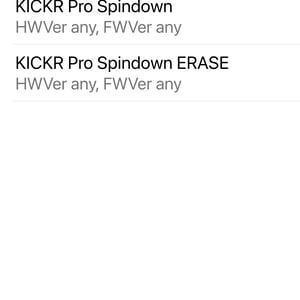
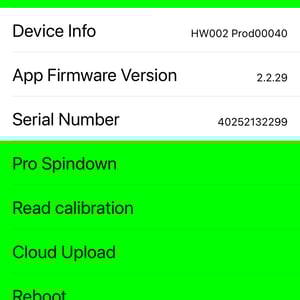
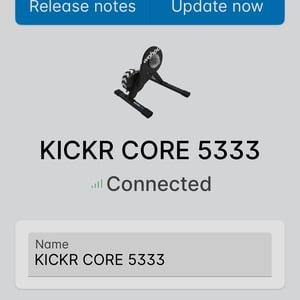
and then I updated the firmware via the Wahoo app and did another test
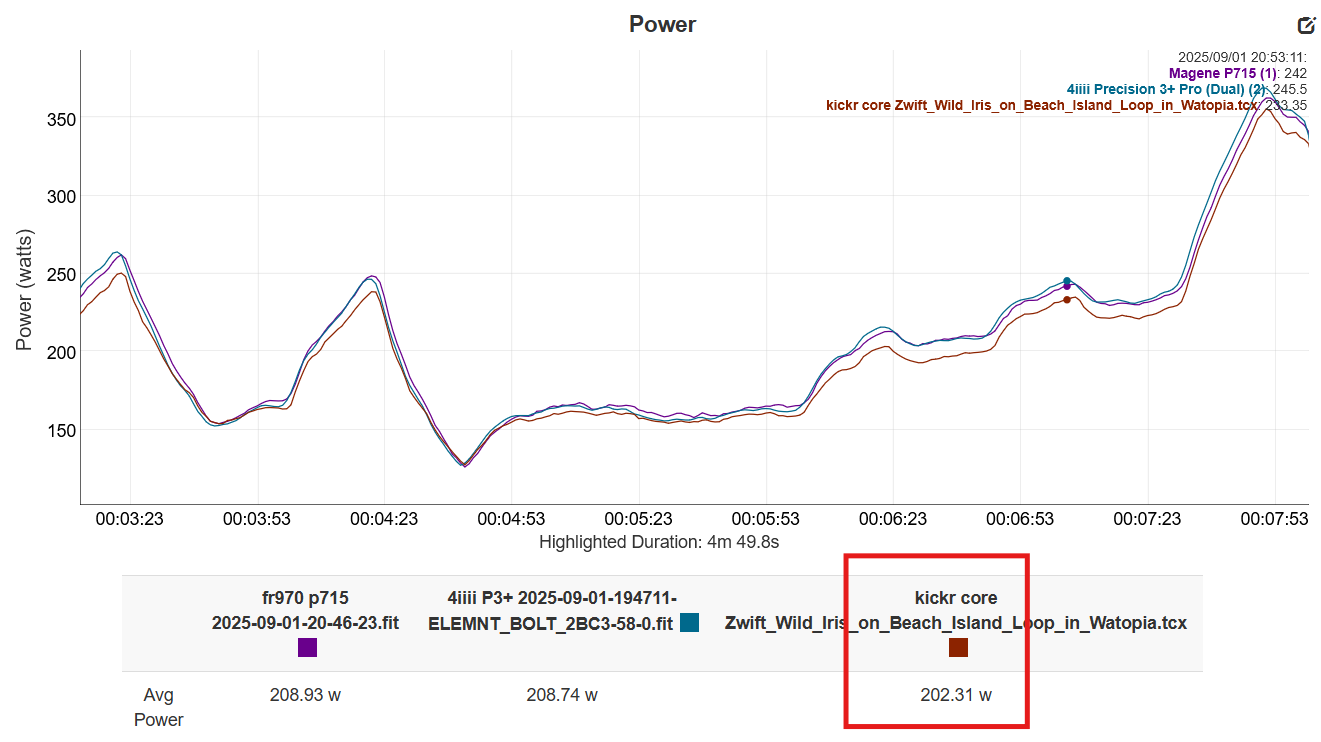
Result: My tests appear to show under-reporting, but don’t PROVE that.
When there are 1 or 2% errors in power meters or lost through the drivechain, I doubt anyone can spot it. However, I can feel the 4% difference when free-riding or following a structured workout.
If you only have one power source for your indoor rides, it doesn’t matter, as the Wahoo appears consistent over time. However, 4% underreporting compared to your road bike will make a notable difference if you try to execute a hard indoor workout using your FTP from outdoors.
Natural Errors Compound
The divergence I’m seeing here can be explained by adding the natural error of each power meter plus the drive chain loss. That said, I’d like them to be closer.
Potential natural error = +/-2% from KICKR Core 2, +/- 1% for each other power source, and 1-3% drive train loss = 1% over-reporting to -6% underreporting (??). That’s a natural range where everything performs to claimed accuracy levels, although I don’t know with certainty the correct level.
Long story short. Wahoo is sending me another unit, and I’ll update some results here in October.
In the meantime, check out Shane’s extensive accuracy testing, which is the most thorough of any reviewer. He finds that accuracy is better than the claimed +/-2%.
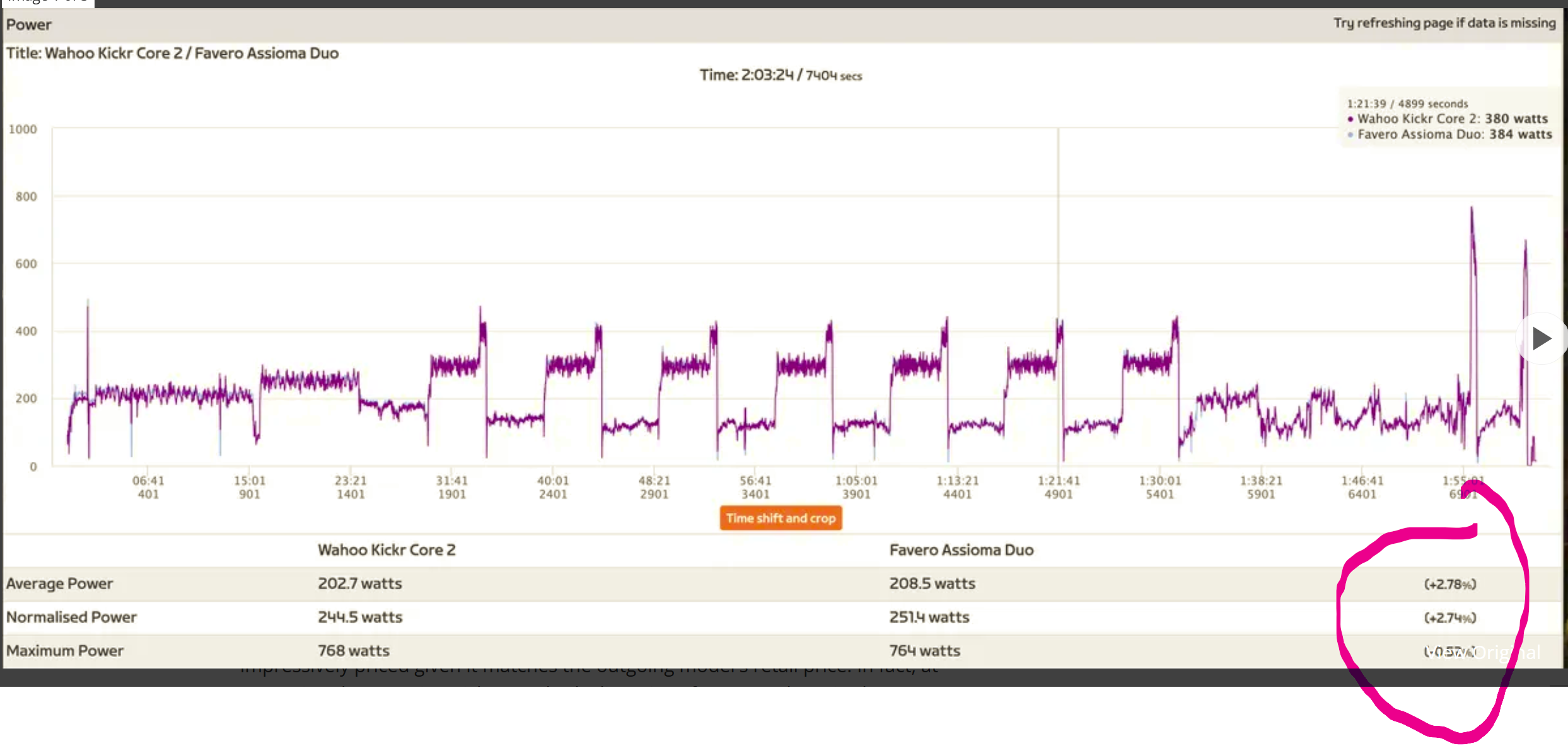
Cycling News also have better luck than me with Core 2 underperforming Assioma duo by 2.78% – remember that would include the drive train loss, so it’s a very good result.
Setup
Setup should take less than 30 minutes.
Assembly
When assembling the KICKR, you must bolt the legs to the feet as it comes flat-packed. It’s a little tricky to line the holes up due to the trainer’s weight. Be patient and don’t try to force the bolt into the hole, or you could strip the threads.
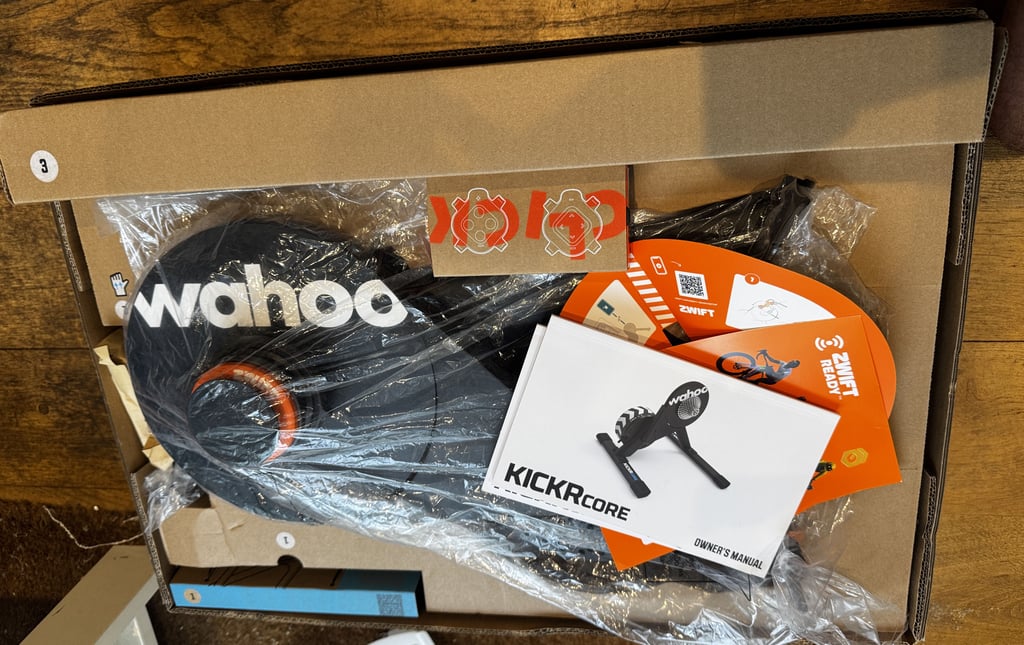
The Zwift Cog comes pre-installed, so there’s not much to do there; however, you do have to pick the correct adapter to match your axle. Follow the instructions. Two adapter width options are similar; get the right one for your bike.
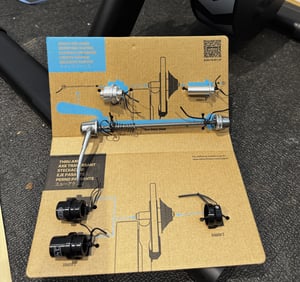
You do not need any tools other than a smartphone and those provided. Follow the official instructions; it’s relatively straightforward. Here are some things to watch out for.

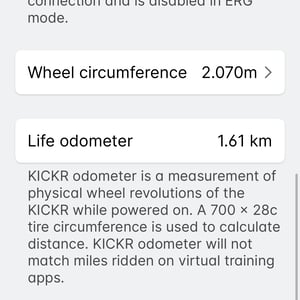
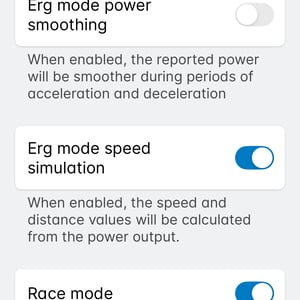
Putting the bike on the trainer: Before physically removing/returning your rear wheel, you might want to temporarily shift to the third smallest rear cog (trust me!). With the wheel removed and the bike held by your hand, change to the middle rear cog (up two or three more clicks), then put your bike on the CORE 2. You should be good to go. You might have to manually shift your bike into a different gear and then use the dial at the rear to fine-tune the position to minimise any chain noise. That’s it. You’re done forever, provided that you use the same gear and don’t change the indexing on your bike.
When riding, you’ll want to be in the SMALLEST front chain ring and perhaps the rear cassette’s middle cog, or whichever gives a straight chainline. Always use the same cog for every future use of the trainer.
Fastening the Zwift Click (2) controllers to my handlebars wasn’t so easy. I have flat bars. The rubber spacer between the bars and the controller is designed for round bars. It’s ok though. It works. Putting them on the inside of the front shifters was less easy, but I persevered as this became my favoured ergonomic position. I could only fit one of the provided bands per controller. My tip here would be to think about how you want to change gear and rotate the controllers so that the ‘+’ and ‘-‘ buttons are in the physically right place for you. One more step.
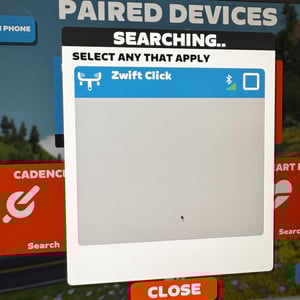
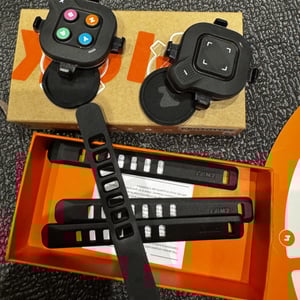
Pair the CORE 2 to the Wahoo smartphone app, which will let you permanently connect it to your WiFi network, where it can refresh firmware in the background as needed. The app also takes you through the setup with a video.
Factory Spindown/Calibration – you shouldn’t need to do this, but you might as well. A one-off calibration will put your mind at ease that your data is good. With the Core paired in the Wahoo smartphone app, repeatedly tap the Core image in the sensors section (about 10 times). You will be prompted to perform a spindown with instructions.
Pairing & Software
Start up Zwift and pair your bike sensors. I used a MAC, and as a LAN connection isn’t an option, chose Wifi pairing. Apple TV 4K is another excellent option, as are tablets, smartphones and PCs. Zwift pretty much works everywhere.
- Power Meter – from Core 2
- Cadence Sensor – from Core 2
- Speed Sensor – from Core 2
- Heart Rate – from a heart rate strap or broadcast from a watch/Whoop.
You must tap the Zwift Click controller buttons to wake them up for pairing. Take a little time to review the tutorial explaining how the controllers work and, importantly, how you can digitally rotate the button actions. You can do it later, but do it now, and you’ll be good forever. The buttons you will use the most are the up and down arrows to change gears, so make sure they are in the best position for you.
Q: Using Apple TV?
A: Apple TV only allows 2 Bluetooth connections. Free up one of those connections with the new HR bridging feature in KICKR Core 2, which combines your HR with the KICKR’s connection.
Your paired sensors should be remembered in your subsequent sessions.
In-Game Experience
There’s a heck of a lot you can tweak. Here are my favourite ones
- I prefer to set the KICKR CORE 2 to ERG=OFF and SPRINT=ON. That’s a responsive setup, but it may be too responsive for some people. For example, when following a structured power workout, you might want to reverse those two settings. SPRINT mode makes your avatar more responsive to sudden power changes and is handy in some racing scenarios, or you might simply prefer it that way, like me.
- Zwift HUD – you can now configure the Zwift HUD to show some of your favourite metrics. The choice is nowhere near as good as on your bike computer, but power, heart rate and Core temperature are three of my must-haves.
- Gear changing – this is surprisingly responsive, and I quite liked it. Gear (resistance) changes in a fraction of a second. Faster, if anything, than my gears on the road!
- Steering – The wrong person was testing this. I don’t get the point. I went through the usual unctuous efforts to ride on the wrong side of the road and off the road, but the game wouldn’t let me. It was perhaps not quite responsive enough in some ways to move left/right during a game. I expected it to be faster, but if it were faster, that would be faster than a real-world movement, so maybe it’s OK. You can do a racing line and cut corners, but I don’t think the in-game physics help you with the speed of such a line; you’re just trying to get the shortest rather than the fastest real-world line. It’s pretty hard (for me) to precisely steer to a position in the road. There are a few ‘games’ where you can practice to do that and collect various power-ups that intermittently appear – I was pretty rubbish at this.
- Steering – I’ve also used an uber-expensive KICKR BIKE PRO, which has the game controls built into the levers. Specifically, there are inbuilt buttons on the inside of the hoods, that seem to work a bit better than those on the Zwift controller. I don’t think the ergonomics and exact position made much difference; instead, the BIKE PRO had been tweaked slightly better in its steering responsiveness and button feel.
- Ride-On shortcut – Press and hold the Orange ‘Z’ button to show your Zwift love to fellow riders.
- PowerUps – trigger by pressing and holding the blue ‘Y’ button
- Teleport – to meet your mates somewhere else. Push up on the arrow keys to get the action bar menu up. There’s more here, but teleport allows you to jump between RoboPacer rides (24/7 auto-paced group rides), which is great for cool-downs and warm-ups.
Alternatives
There are several online gaming and training platforms. The most similar to Zwift is MyWhoosh – free, but nowhere near as popular. You’ll need a rear cassette on your trainer for manual shifting on those platforms.
Other Zwift-ready trainers are available, some a bit cheaper starting from $300 and others a bit more expensive. Garmin-Tacx and Wahoo are probably the two companies most likely to remain financially stable and offer long-term fixes and support.
Alternative brands:
- TACX
- Elite
- JetBlack
- Van Rysel
Kickr Core and Zwift Timeline
Perhaps more interesting is the timeline showing a product improved by firmware and its ability to interface better with Zwift. A whole legal saga is entwined with the developments and the release of several related variants to suit different needs. Ignore these variants if you want to use your current bike frame.
- July 2018: KICKR CORE launched ($899, no cassette, Zwift-compatible). Check that price again…expensive, right? It’s now better and cheaper.
- Summer 2019: Firmware adds cadence detection.
- October 2020: Firmware enhances power accuracy.
- 2021-2022: Price drops to $599-$699, Zwift bundles introduced.
- January 2024: Firmware adds support for Play controllers and Zwift virtual shifting.
- February 7, 2024: KICKR CORE Zwift One ($599, includes Zwift Cog, Click controller, 1-year Zwift membership).
- June 2024: Zwift Ride with KICKR CORE ($999, smart bike bundle with Ride frame).
- September 2024: KICKR CORE reduced to $499/$449 (Zwift One)
- September 2025: 2nd Gen CORE
You’ll be forgiven if you don’t understand all the confusingly-named Zwift product options.
- September 2020: Zwift Hub launched ($599, direct-drive trainer sparked a legal battle with Wahoo).
- September 2022: Zwift Cog launched ($149, single-speed cog for virtual shifting compatibility on any trainer/bike w/24 virtual gears).
- October 2022: Zwift Play controllers launched ($129 for a pair, handlebar-mounted buttons for virtual shifting/steering in Zwift).
- September 2023: Wahoo and Zwift became besties. Zwift stopped selling a bike-on trainer to compete with Core and instead sold a complete indoor bike as an alternative that worked with Core.
- February 2024: Zwift Click controller launched. Hub replaced with Cog and bundled with KICKR CORE Zwift One.
- September 2025: 2nd Gen Click and Cog
Wahoo KICKR CORE 2
With Zwift Cog and Click, best entry-level trainer
Direct + other retailersWahoo KICKR Core 2 price: where to buy
- Available via Wahoofitness.com in the US $549.99, UK£499.99 & EU €549.99
- Core 2 is available without Zwift Click from Wahoo Fitness in the US $549.99, UK£499.99 & EU €549.99
- Zwift Cog and Click V2 via Zwift.com: US $49.99, UK£49.99 & EU €49.99
Take Out
Indoor riding can be a faff. Gears. Noise. Compatability. Cassettes. Ease of use. Yikes. A Zwift-ready trainer solves all of that hassle.
If you are not mechanically minded or new to cycling, you probably want decent cycling gear and an easy life. Get a Zwift-ready trainer. KICKR Core 2 is a good entry-level option and is highly capable.
Bottom Line: This is a great solution, both practical and versatile. But you are effectively locked into only using Zwift. Put another way, if you plan to use anything else other than Zwift, avoid the Zwift-Ready options. you can still get a Kickr Core 2 in a non-Zwift version. This review applies equally to that.
Sources and Resources
Sources and Resources
- Wahoo Kickr Core 2 Manual
- Wahoo Fitness – official product page
- Full specifications: Wahoo KICKR CORE 2 specifications
Alternative Places to Buy
- Direct From Wahoo
- Sigma Sports – online and my local bike store in SW London
- Amazon
Recommended Accessories
- Floor Protection – Wahoo KICKR Mat
- Smart cooling fans – Wahoo KICKR Headwind
- Accessory – Wahoo Desk
- Heart Rate Monitor – Wahoo Trackr (2024) HR
Wahoo KICKR CORE 2
With Zwift Cog and Click, best entry-level trainer
Direct + other retailersFor the full picture of Wahoo across bike computers, trainers, and software, see the Wahoo hub.
Last Updated on 3 October 2026 by tfk the5krunner
Small things I always use
- Garmin 90-degree charging adapter: Charges your Garmin from any USB-C cable. Essential when travelling. I use one.
- Body Glide: The blue anti-chafe stick swimmers and runners carry. I use it.
- Speedo earplugs: Fewer ear infections and no cold-water dizziness. I use them.
- Dryrobe Advance: My winter changing robe for open-water swims. I use one. A cheaper option is the AONYIYI changing robe.
- Maurten: Race fuel that stays easy on the stomach. I use them.
- Garmin charging puck: The quickest way to top up before a session. I use one.
- Injinji: Toe socks that stop rubbing, so you run more. I use them.
- Ultimate toe protectors: Stop black toenails on long runs. They work. I use them.
- Compressport R2 v2 calf sleeves: My calf sleeves of choice. I use them.
- Cellucor C4: My pre-workout before hard sessions.
- TPU tubes: Schwalbe Aerothan, Tubolito and Pirelli SmarTube. Light, tiny spares. I use all three.
- G8 insoles: Adjustable insoles that are good. I use them.
- Cycplus Cube: A 97g electric pump that gets a road tyre rideable in two minutes. I carry one. 5% off with code THE5KRUNNER.
Watches and sensors
- Polar H10: My daily driver for waking HRV.
- Polar Verity Sense: My backup arm-worn HR sensor.
- Nomad bedside charger: Charges my iPhone and Apple Watch overnight. I use it, and many of their bands.
- Train.Red: The best muscle oxygen sensor I’ve used.
- Tymewear: Accurate heart rate and reliable ventilatory zones. I use it to pace endurance rides over an hour.
- Garmin Forerunner 970: A pro-grade triathlon watch. I use this.
- Apple Watch Ultra 4: My daily smartwatch. No phone needed on rides.
- Garmin Fenix 9 Pro: I’ve just bought one.
On the bike
- Continental GP5000 for everyday riding, and Aero 111 on the front for special occasions.
- Helmets: Specialized S-Works Evade 3 for road riding, and Rudy Project Wing for TT-style races. I use both.
- Ravemen FR300: A front light that mounts under your Garmin or Wahoo. I use one.
- Wahoo TRACKR Radar: I use it on one bike and Varia on the other. They perform the same.
- Garmin Varia RTL515: Radar that warns you of cars from behind. I use this model.
- Wahoo ELEMNT Roam 3: The bike computer that’s easy to use. I use mine on most rides.
- Favero Assioma Pro RS2: Accurate power pedals that swap easily between bikes. I use this model.
Home and indoor training
- NPE Runn: Makes my basic treadmill smart, sending more accurate speed and distance to my watch and Zwift. I use it.
- Google Wifi: Keeps Zwift connected in my pain cave. I use it.
- Apple TV 4K: Zwift on the big screen. I use two.
- Google Nest Doorbell (wired, 2nd gen): My video doorbell, running in both Google Home and Apple Home. I use it.
Health, recovery and sleep
- FreeStyle Libre 3 Plus: Shows how my blood sugar responds to diet.
- hDrop: Measures my sweat loss in summer and indoors.
- Fourth Frontier Zone: Checks my heart under load in hard sessions.
- Oura Ring 5: My partner’s recovery tracker of choice.
- Kineon MOVE+: Red light therapy for niggles. It works.
- Eight Sleep: A cooling mattress cover my partner and I use nightly.
Reader-Powered Content

This content is not sponsored. It’s mostly me behind the labour of love, which is this site, and I appreciate everyone who supports it.
Support the site: Follow (free, fewer ads) · Subscribe (paid, ad-free) · Buy Me A Coffee ❤️
Written by real people, with AI assistance. Fact-checked and verified for originality. See the Editorial Policy. FTC: Affiliate Disclosure — some links pay commission. As an Amazon Associate, I earn from qualifying purchases.

tfk is the founder and author of the5krunner, an independent endurance sports technology publication. With 20 years of hands-on testing of GPS watches and wearables, and competing in triathlons at an international age-group level, tfk provides in-depth expert analysis of fitness technology for serious athletes and endurance sport competitors. ID
