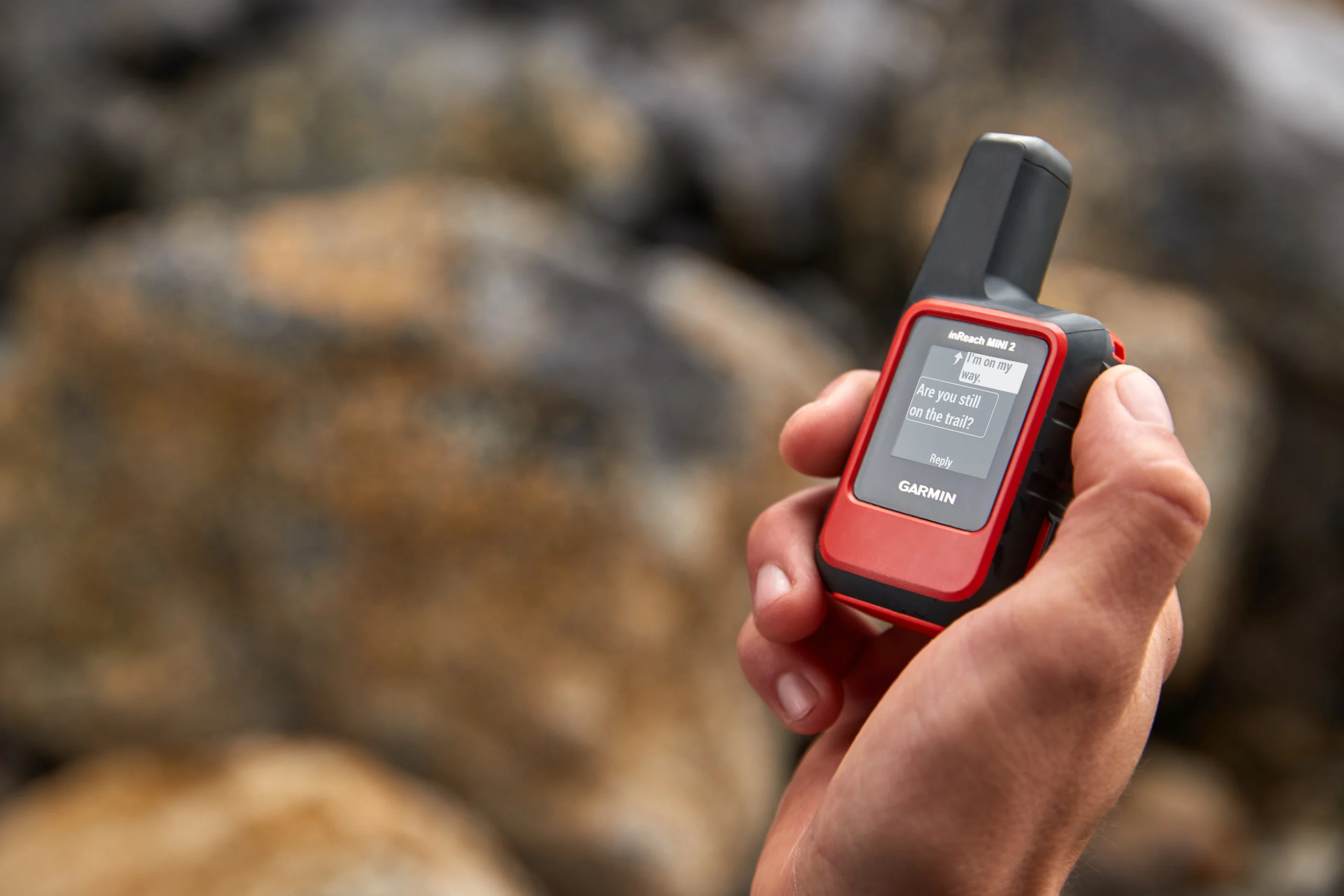
Garmin inReach SOS: The Complete Guide to Activation, Rescue Coordination, and Costs
The Instant Response: What Happens When You Press SOS
You’ve seen the SOS button. Hopefully, you’ve never had to press it. What happens if you do? This article explores everything that happens behind the scenes during an emergency response, providing reassurance that help will be on the way when you need it.
Pressing the SOS button starts a critical sequence of events, assuming you have an active inReach satellite subscription plan.
Before the signal is sent via the Iridium satellite network (Skylo on Fenix 8 Pro), the device alerts you with a loud beeping and a 20-second countdown.
The SOS command immediately starts automated tracking. For the first 10 minutes, your GPS location is transmitted every 60 seconds. To conserve battery life during the incident, tracking shifts to 10-minute intervals.
Garmin Response: The 24/7 Coordination Centre
Your distress signal is routed to the Garmin Response Centre, a 24/7 coordination centre located in Montgomery, TX (formerly known as GEOS). The centre receives your GPS location, your profile details, your battery life, and recent location data. Based on this information, a coordinator immediately texts your device to determine the nature of the emergency.
Garmin Response uses your exact location and its database of providers in over 200 countries to contact local emergency services or Search and Rescue (SAR) teams.
Garmin now has access to your emergency contacts and related info, which will include the following:
- Itinerary Information: Rescuers need to know the planned route or destination to confirm the general area of travel and potential risks.
- Party Size: This may affect the resources needed for the rescue.
- Medical Conditions: Known medical conditions and allergies.
- Vehicle Descriptions: Vehicle descriptions.
Two-Way Communication During Rescue
The inReach acts as a two-way communicator and reassurance tool. Garmin Response maintains constant communication with you and keeps your emergency contacts updated until the incident is formally resolved.
You can send detailed explanations of your situation, answer questions, and receive direct advice from the Response coordinators. Any messages you send are relayed to the responding agency, and in certain situations, the SAR team may even communicate with you directly.
Notes:
- Once SOS is initiated, you cannot turn off the device or disable the automatic tracking.
- Communication is satellite-based and not always instantaneous. You can cancel outgoing messages to prioritise critical updates.
Determining When to Activate SOS
Use your best judgment when deciding whether to activate the SOS function.
A general rule: Press the button when you feel uncertain about a safe outcome or if self-evacuation is clearly impossible.
Situations Requiring SOS
SOS activation is appropriate for severe medical incidents, including serious lacerations, concussions, or major heat and cold exposure. Other situations include being lost, without water, and unable to sustain yourself overnight, or if environmental hazards like flooding, wildfire, or rockfall cut off your escape route. Similarly, it applies to motor vehicle accidents in remote, unassisted areas.
You may trigger an SOS for yourself, your group, or an injured third-party individual you encounter. If you are activating for someone else, make this clear to the Response Centre.
Non-Emergency Situations to Avoid
The SOS function must never be used for non-life-threatening inconveniences. If you are merely tired, sore, and blistered, and want to avoid an uncomfortable night, this probably isn’t the time to press the button. You knew that.
Your Role While Waiting for Help
After you have triggered the SOS, get to a safe location and make yourself visible.
Rescuers are targeting your last known GPS location, so stay put. Only move if necessary for safety, such as avoiding a flash flood. If you do, inform Garmin Response of your new location (location should be automatically updated every 10 minutes). Additionally, send a quick message if your condition changes.
Make it easy for SAR teams to locate you. You may want to use a headlamp or whistle. Bright clothing makes you more visible – specifically, neon orange clothing is highly visible in mountainous terrain.
You’ve seen people write a SOS in stones on the ground in films – that’s a good idea too, though a large X is quicker!. Then hang a bright piece of clothing on a pole to act as a wind indicator.
Ground teams often handle rescues, so do not automatically assume a helicopter is on the way. You could be in for a long wait of several hours or longer if there’s poor weather or resource limitations.
Understanding Financial Liability and SAR Costs
Search and Rescue (SAR) services are typically provided free of charge in most regions, as they are often performed by public agencies or volunteer staff. However, financial liabilities can arise. For example, you may be held financially responsible if you are found to be negligent, unprepared, or ignoring clearly posted rules.
Furthermore, even if the SAR operation is free, you could be billed for the medical transport component if a private provider is used. The costs of a private air ambulance (medevac) can be very high, ranging from £4,000 to over £50,000. Ultimately, any fees incurred for aid or rescue are charged to the individual whose SOS triggered the call.
Getting insurance against this kind of eventuality is important. One option is Garmin’s Search & Rescue insurance (SAR), which reimburses up to $100,000 in rescue costs.
Post-Incident: Cancellation and Preparation
You can cancel the SOS once the emergency is fully resolved and you are communicating with Garmin Response. However, cancelling the SOS means Garmin Response loses the ability to message or track your device. Furthermore, your position will not reappear on MapShare until the incident is formally closed by Garmin.
To ensure a smooth emergency process, proactive preparation is vital. Before any trip, confirm your inReach subscription is active and thoroughly update your emergency plan on Garmin’s online portal. You must explicitly list emergency contacts for Garmin to share the owner’s information with them during an incident.
FAQs
Q: I have an inReach subscription and device. Should it be my primary tool for emergencies?
A: No. Where possible, use local 911/999 services.
Q: How does a helicopter interpret someone waving?
A: Strictly speaking, waving (one arm) means you do not need help. Make a “V” or wave both arms vigorously.
Q: Are messages received immediately?
A: No, there are preset intervals when the device checks for updates. You can manually trigger this, which will use more battery.
Q: InReach uses the Iridium satellite network. Is this the best?
A: Garmin has started to use Skylo with its Fenix 8 Pro watches, and other satellite communicators (like Spot Gen 4 and the iPhone 14) use the Globalstar network. The networks have strengths and weaknesses that vary by geographic region. Further, Skylo uses geostationary satellites, which means that you might have to move to get a signal; with Iridium, the satellites constantly move.
Q: Can I use InReach Globally?
A: There are certain countries where satellite communicators are illegal or restricted (e.g. China, Russia).
Q: What insurance alternatives to SAR (Garmin Search and Rescue Insurance) are there?
A: Many alternatives exist (e.g. Overwatch & Rescue). There are 3 Garmin SAR policies (100, High Risk-HR and High Altitude-HA)
Q: Does SAR cover emergencies not organised through InReach?
A: This article is not intended to discuss the details of Garmin’s SAR Insurance, which may change. I believe the answer is NO.
Q: What other non-emergency services does InReach offer?
A: Non-emergency and check features include preset messages and quick text messages.
Q: Can I trigger a test message?
A: Yes, there is a test feature.
Q: Can I message during an SOS?
A: Yes.
Q: What information can Garmin see during an SOS?
A: Your location plus emergency contact information, emergency notes, and battery life.
Q: Who can I trigger an SOS for?
A: You, your party or someone you come across.
Q: Who responds to an SOS?
A: The best placed local service(s), as determined by Garmin.
Q: How much does a rescue cost?
A: It depends on the nature of the response required. Medical evacuation via a helicopter is expensive; other responders could be volunteers and free.
Q: What costs are excluded?
A: Possible costs of the rescue and fees for communicating with rescue personnel or others involved.
Sources
- Hiking Guy (recommended YouTube)
- Dan Becker
- Garmin forums
- Garmin blog
- Garmin support
- Avoiding Chores
Last Updated on 30 January 2026 by the5krunner
Reader-Powered Content

This content is not sponsored. It’s mostly me behind the labour of love, which is this site, and I appreciate everyone who supports it.
Support the site: Follow (free, fewer ads) · Subscribe (paid, ad-free) · Buy Me A Coffee ❤️
All articles are written by real people, fact-checked, and verified for originality. See the Editorial Policy. FTC: Affiliate Disclosure — some links pay commission. As an Amazon Associate, I earn from qualifying purchases.

tfk is the founder and author of the5krunner, an independent endurance sports technology publication. With 20 years of hands-on testing of GPS watches and wearables, and competing in triathlons at an international age-group level, tfk provides in-depth expert analysis of fitness technology for serious athletes and endurance sport competitors.

Are satellite communication legal in India? I’ve read stories about inreach devices being confiscated at the boarder.