What Is LiftTrack?
Liftrack is an app launched in January 2025 and is available for IOS and Android devices; it’s designed to integrate with Garmin and give lifters access to advanced features such as:
- Custom Exercises – Track specialised movements in addition to Garmin Connect’s extensive library of options. Supersets are also supported and sync to the watch.
- AI Builder – The AI builder considers movement patterns, muscle group balance, available equipment, and exercise variety to generate a feasible workout that can be edited.
- SetSync – SetSync eliminates manual entry by reading activity data from Garmin Connect and automatically updating workout templates in LiftTrack. Then, the next session will be prepared with updated weights and reps.
Sounds cool? Here’s how you use it
How to Set Up a Workout in LiftTrack
The following example walks you through creating a workout in the LiftTrack app so you can track it on your Garmin watch.
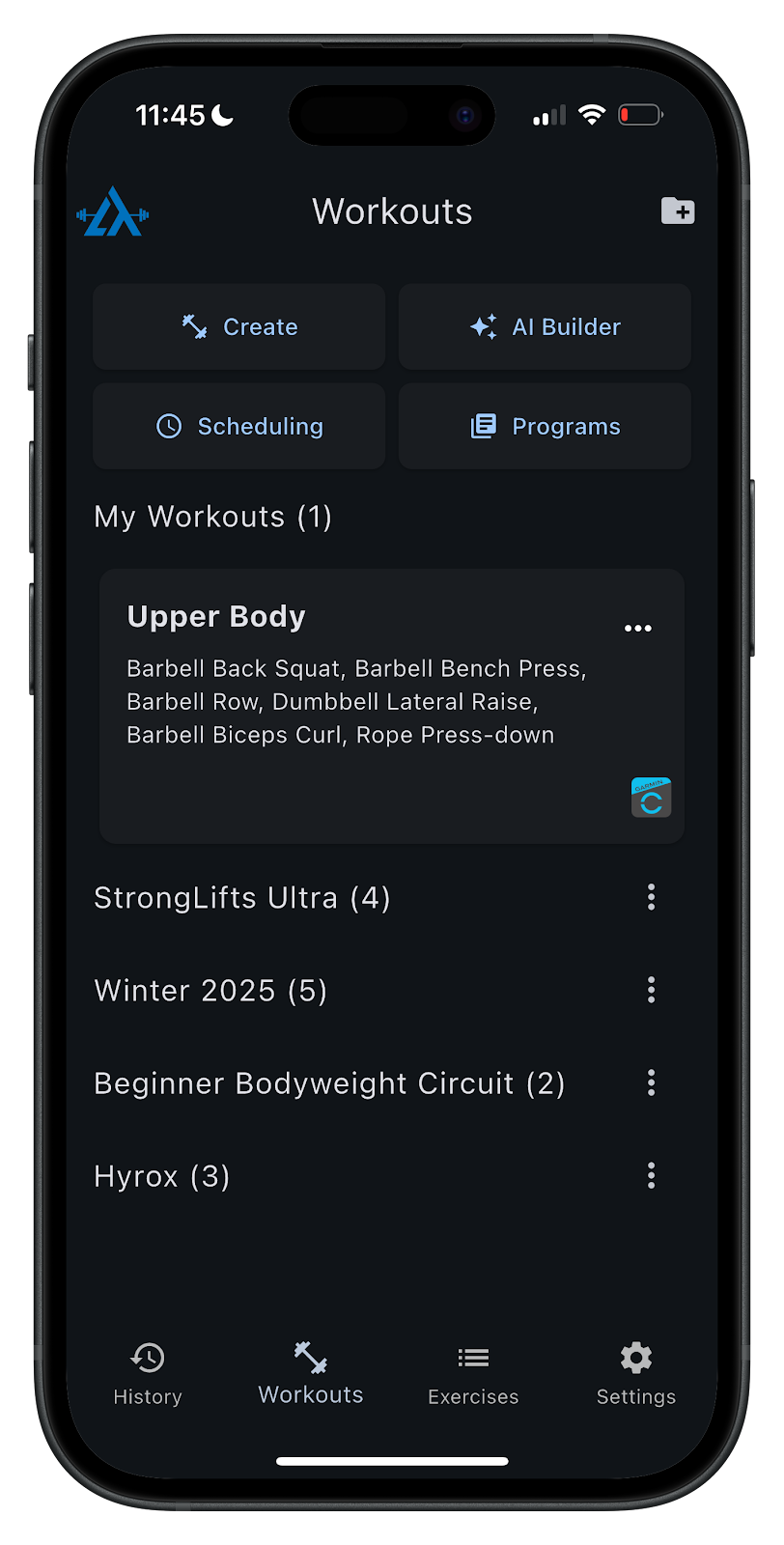
1. Select “Create” from the workouts tab to begin building your workout.
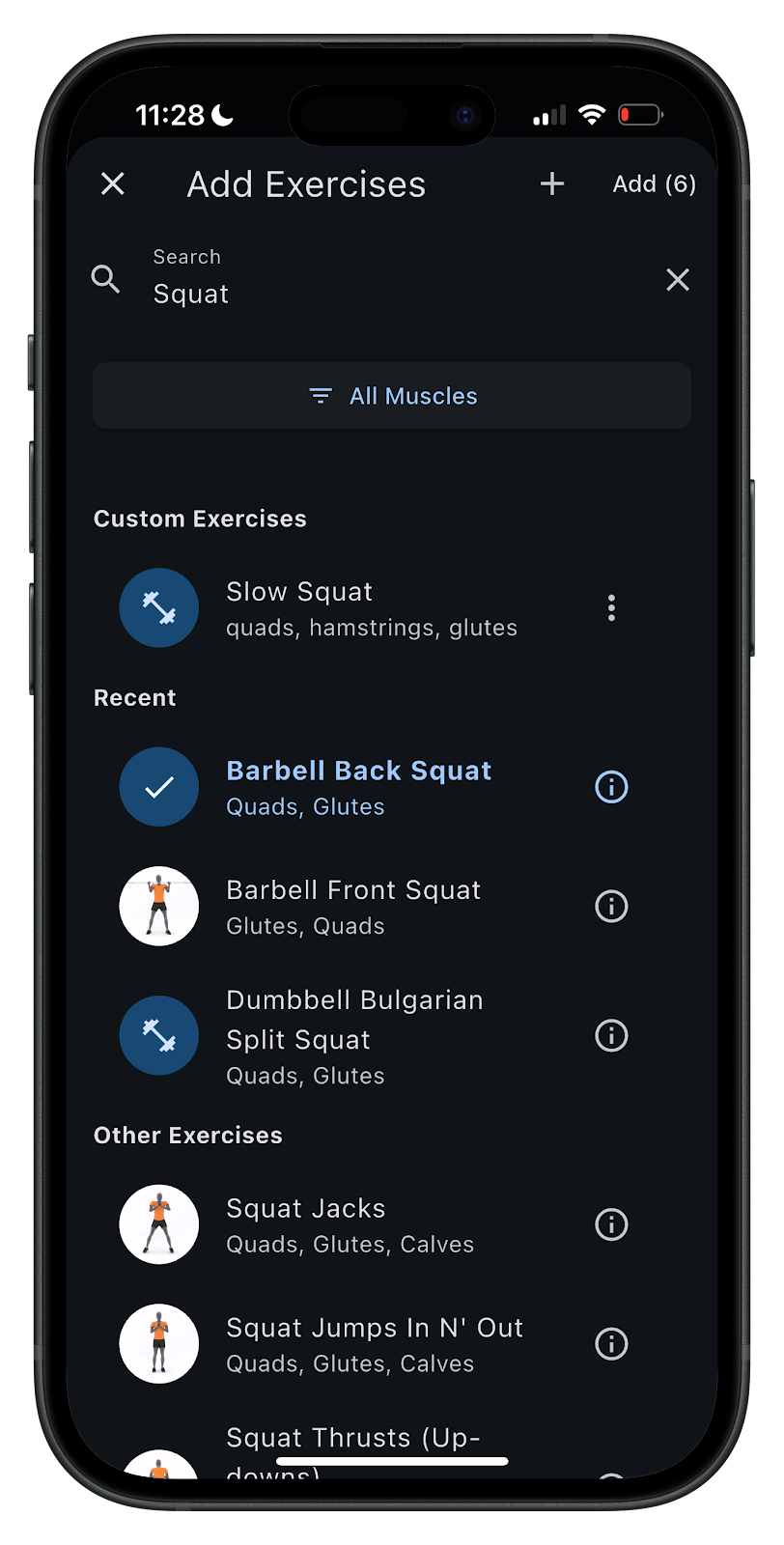
2. Next, select all exercises that you want to include in your routine.
3. For each exercise, add your sets, number of reps, rest timer, and target weight.
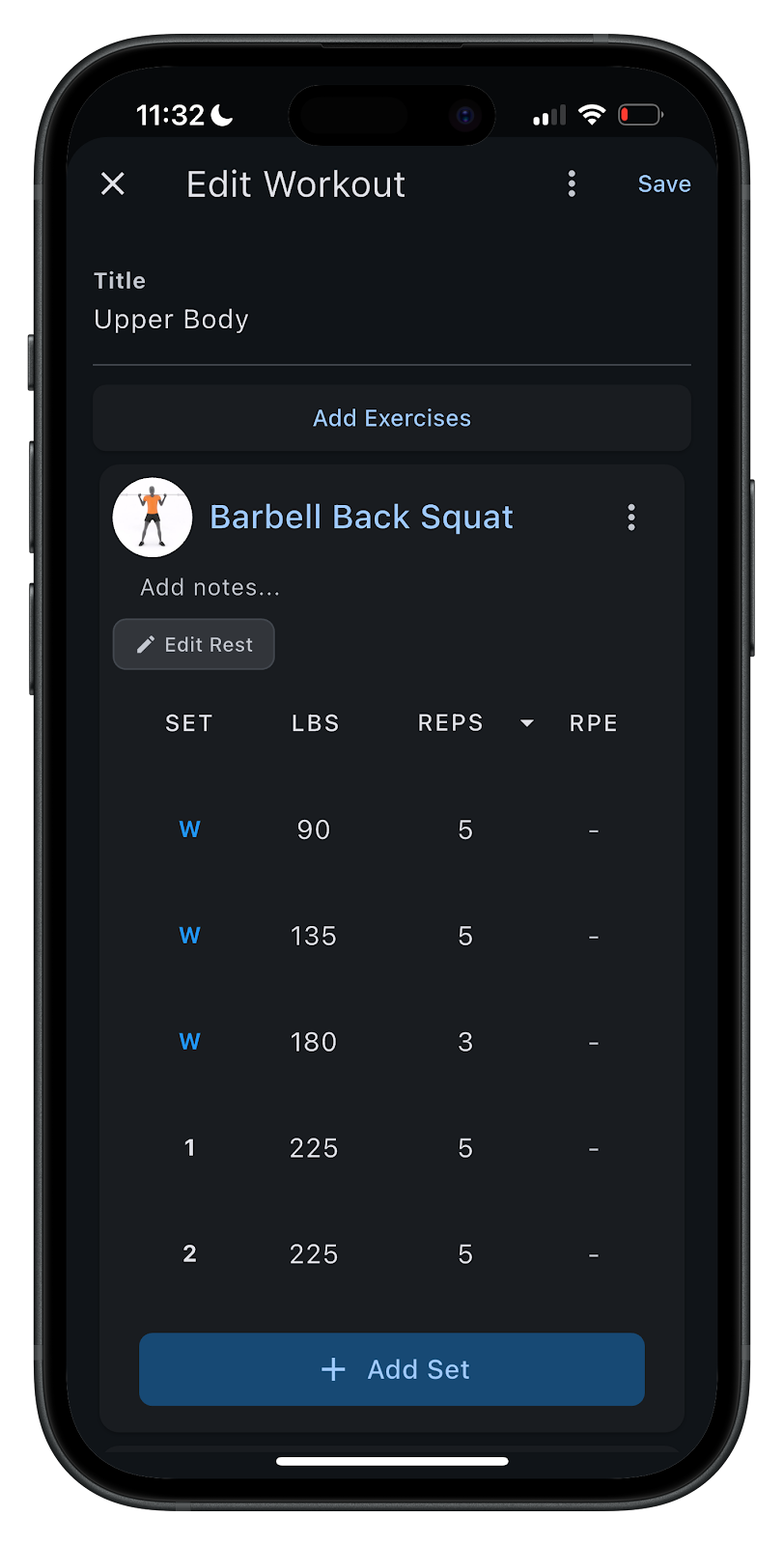
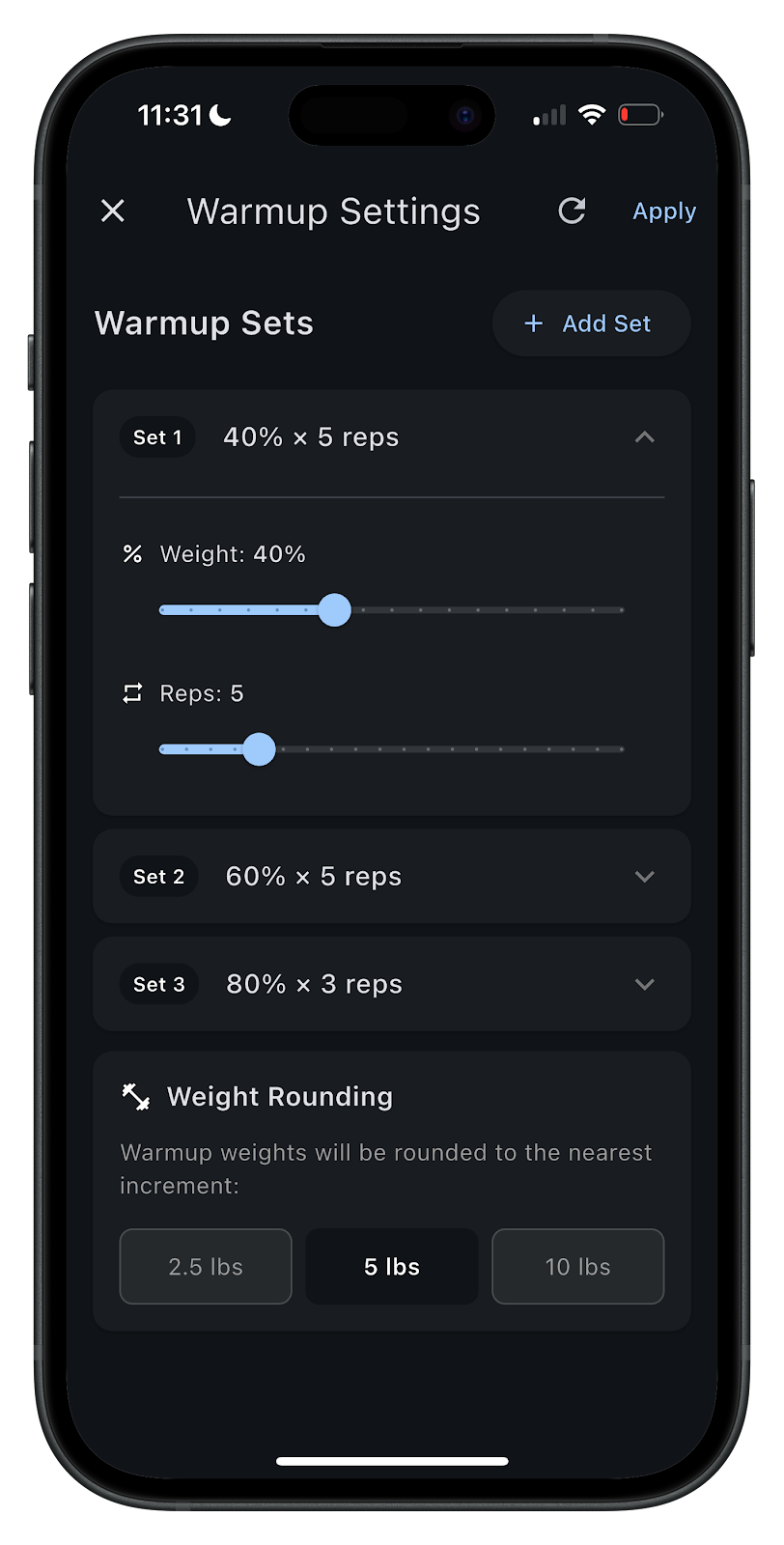
4. Be sure to add warm-up sets for your compound exercises.
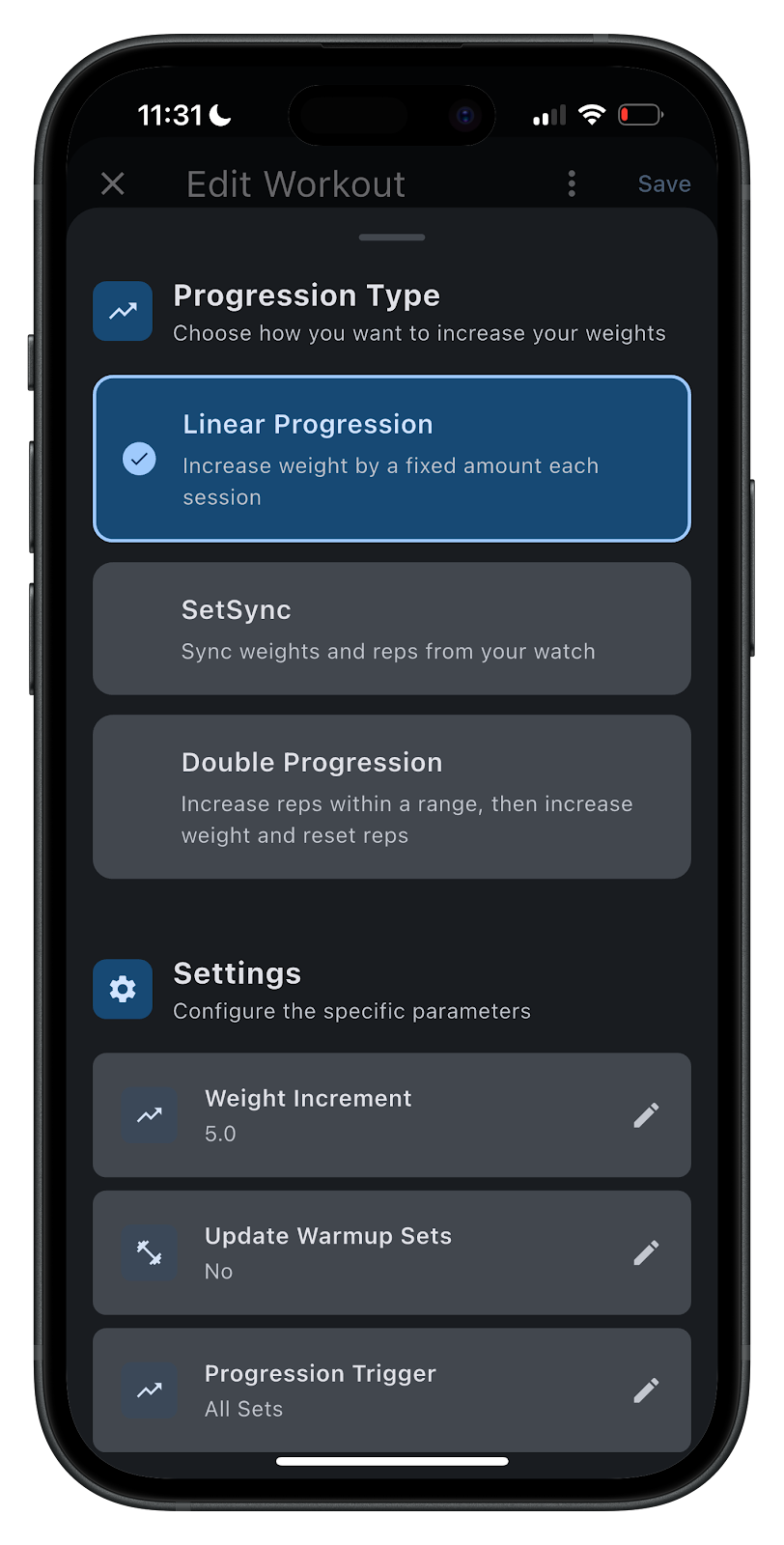
5. Then, define how you will progress each exercise over time to continue improving.
What to Expect on Your Garmin
Each LiftTrack workout maps directly to a Garmin Connect strength workout. These workouts can be sent to the watch and tracked with the native Garmin Strength app, just like you would track a running or cycling workout.
Once you complete the workout on the watch, the completed activity will sync back to Garmin Connect and then to LiftTrack.
Go to https://lifttrackapp.com/ to download.
Author: LiftTrack
Last Updated on 24 March 2026 by the5krunner
My favourite kit and nutrition
- Garmin Fenix 9 Pro — I’ve just bought one.
- Injinji – Runners protect your toes. Avoid discomfort and minor injury. Run more. Run faster. I use them.
- Garmin 90-degree charging adapter — A small keyring adapter you can use anywhere. Essential when away. I use one.
- Garmin charging puck — the fastest and most reliable way to top up your Garmin before a session. I use one.
- Ravemen FR300 — Front light that mounts directly under your Garmin or Wahoo head unit. Keeps your bars clean and your beam pointed where it matters. I use one.
- Body Glide – The blue anti-chafe stick that all swimmers and many runners use. I use it.
- Maurten — The race nutrition trusted by elite athletes. Gels and drink mixes engineered to be easy on the stomach. I use them.
- Garmin Varia RTL515 — A radar rear light that alerts you to vehicles approaching from behind. Pairs with your Edge or Wahoo. I use this model.
- Favero Assioma Pro RS2 — The power-meter pedals most serious cyclists choose. Accurate, easy to move between bikes. I use this model.
- Garmin Forerunner 970 — A serious choice for a pro-grade triathlon watch. I use this.
- Polar H10 — My daily driver for accurate, waking HRV readings.
- Wahoo ELEMNT Roam 3 — The bike computer that has the feature Garmin lacks: usability. I use mine on most rides.
Reader-Powered Content

This content is not sponsored. It’s mostly me behind the labour of love, which is this site, and I appreciate everyone who supports it.
Support the site: Follow (free, fewer ads) · Subscribe (paid, ad-free) · Buy Me A Coffee ❤️
All articles are written by real people, fact-checked, and verified for originality. See the Editorial Policy. FTC: Affiliate Disclosure — some links pay commission. As an Amazon Associate, I earn from qualifying purchases.

tfk is the founder and author of the5krunner, an independent endurance sports technology publication. With 20 years of hands-on testing of GPS watches and wearables, and competing in triathlons at an international age-group level, tfk provides in-depth expert analysis of fitness technology for serious athletes and endurance sport competitors. ID
