Google Pixel Watch 4 Review: Wear OS 6.1 Tested
This detailed Google Pixel Watch 4 review covers everything from the new 40-hour battery life to the dual-frequency GPS and the Gemini AI integration – all tested. It’s clearly the best Android smartwatch ever.
The new Pixel feels great on the wrist. It’s polished. Easy-to-use. Finished. It’s a complete smartwatch experience that has put to bed almost all the niggles of the last five years or so.
Best Smartwatch | Best AI | Solid Fitness | Elegant Design - choose your favourite description.
I'd take all 4, the fitness features are more than good enough for most of us.
Apple won’t be worried by the excellent Pixel Watch 4, and neither will Garmin… at least not yet.
Google Pixel Watch 4 covers all the bases you need: sleep, running GPS (sharper post-Wear OS 6.1), general fitness, Gemini assistant, 30hr+ battery, NFC payments, Home integration. LTE model’s satellite SOS has you covered off-grid. Eco-friendly too—swappable battery!
But you’re not covered for uber-rugged use or competitive triathlons. You knew that already!
No, this is the tech platform Google will build on for its next Pixel and Fitbit watches, with a vision to become a far more significant player than it is right now.
Pros
- Highly impressive aesthetics with a bright, domed 3,000-nit display.
- Gemini integration beats all-comers
- 40-Hour Battery Life + fast charging (50% in 15 minutes).
- Decent Dual-Frequency GPS & HR accuracy for runners.
- DIY swappable battery and display.
Cons
- GPS accuracy needs tweaking
- HR accuracy needs tweaking
- Gemini needs further integration
- Fitbit subscription for full coaching and AI-driven features.
- Awkward band mechanism
- ‘Meh quality’ default band
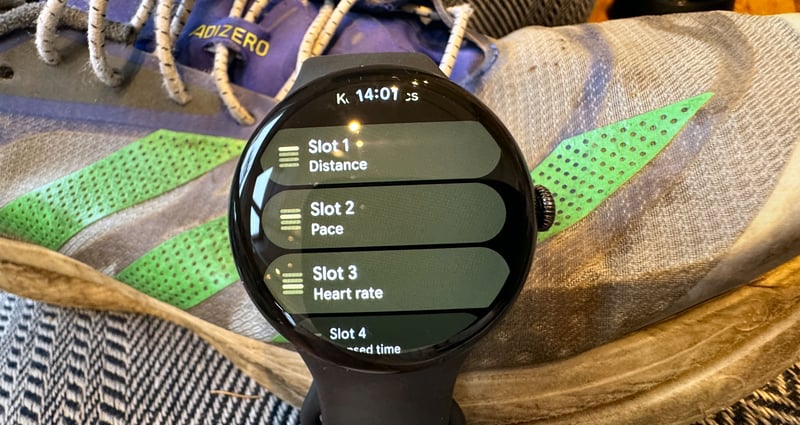
- Limited customisation of sports data fields.
- Android-only.
- Passably rugged design (no sapphire glass).
This product has been awarded the the5krunner Editor's Choice 2026. The award is given to products that achieve an exceptional standard in independent testing.See all Editor's Choice awards.

Wear OS 6.1 Update: Double-Pinch & Wrist Gestures Tested
Wear OS 6.1, now on Pixel Watch 4, adds double-pinch and wrist-turn gestures:
- Double Pinch (Pixel Watch 4 exclusive): Pinch index finger + thumb twice to scroll notifications, send Smart Reply, manage timer/stopwatch, snooze alarms, play/pause music. Answer/end calls coming soon.
- Wrist Turn: Flick your wrist away/back to instantly dismiss calls/notifications.
- 2x Faster Smart Replies: On-device AI cuts messaging lag—noticeable improvement (not Pixel Watch 2).
- Always-On Extras: Media Controls, Now Playing, Stopwatch/Timer stay visible. Screenshots now save to the companion app.
Pixel Watch March 2026 update – adds these:
- Satellite SOS: now in Canada, Europe, Alaska, Hawaii
- Standalone earthquake alerts (PW2+)
- Express Pay (tap without opening Wallet, PW2+)
- One-handed gestures now on PW3
- Phone-left-behind alerts + auto-lock on BT disconnect
- Faster biometrics with Pixel 8 Pro+ phone
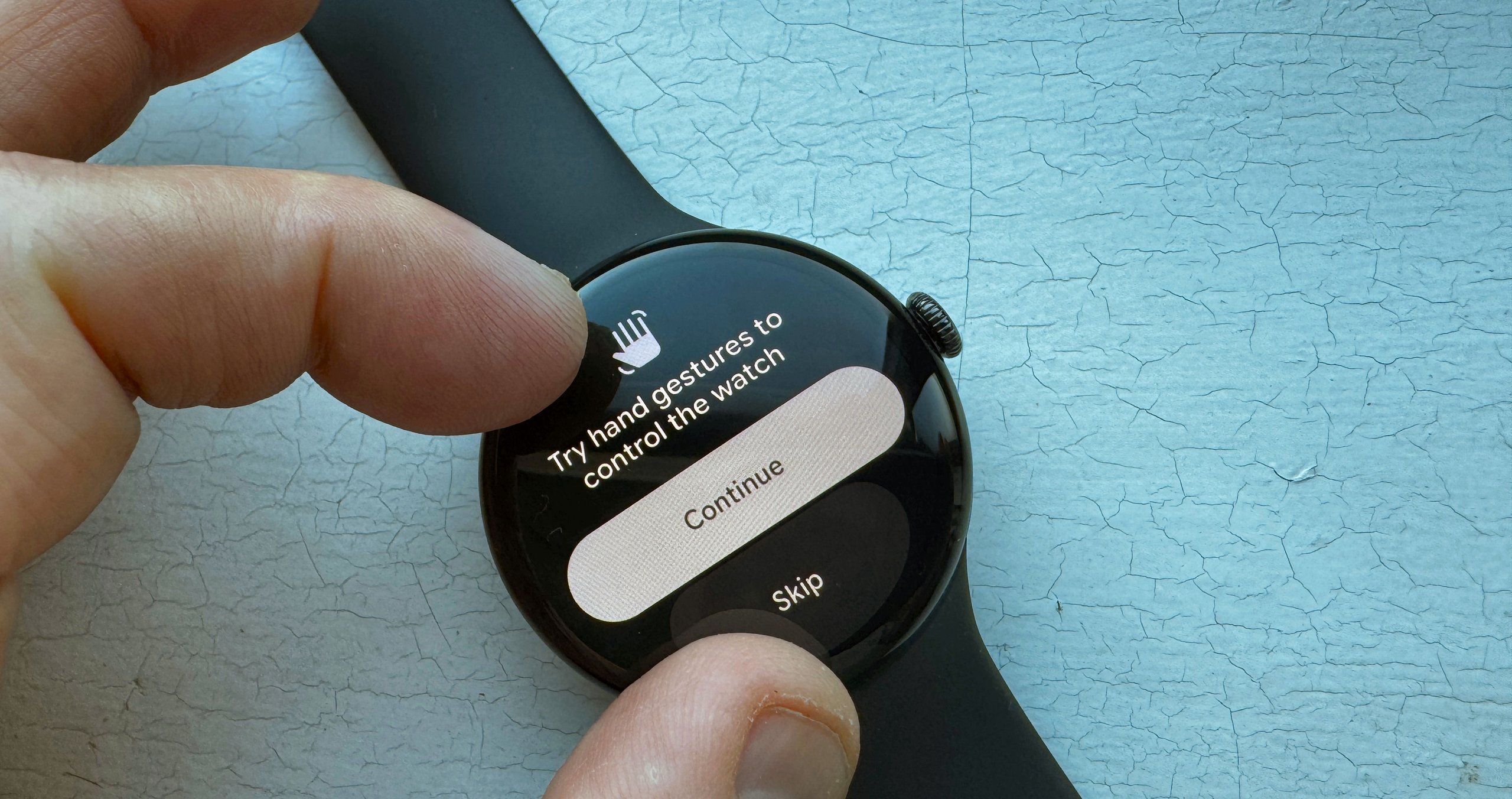
Jan 2026 retest: Smart replies 2x faster. Double-pinch solid daily but flaky with gloves mid-run. Still a clear step forward.
Pixel Watch 4 Stand-Out Features – Battery, Design & Performance
I can’t fault the hardware. I tried. The physical watch looks great with its domed display. Many of its watchfaces and on-screen interactions look great and work well.
The latest generation of processor might have an odd name – Snapdragon W5 Gen 2 – what that means to you is smooth, zippy and efficient performance everywhere. The heart rate sensor delivers similar levels of accuracy to the Apple Watch at night, during the day and during sports. The GPS (GNSS) accuracy is also very good due to the newly added dual-frequency precision.
That’s now up to 40 hours, which is better than the Apple Watch and on par with the bulky Apple Watch Ultra 3.
“Garmin is better!” you shout. Garmin makes sports watches and has to make some significant compromises on smart features, whilst excelling in sports features and uber-long battery life. Google answers this with the supreme practicality of incredibly good, fast charging, getting a 50% charge in 15 minutes.
Every smartwatch has built-in obsolescence of various sorts. Usually, it’s the battery which effectively degrades to the point of annoyance within 3-5 years. Google is the first modern smartwatch to let you change the battery. Wow.
Who Should Buy the Pixel Watch 4 (and Who Should Skip)
Pixel Watch Suits
- Android phone owners looking for their first proper smartwatch experience
- Earlier Pixel Watch or Fitbit owners are seeking a mature alternative.
- Anyone fed up with poor Google Assistant performance – Market-leading Gemini AI is baked in.
Skip Pixel Watch if
- You own an iPhone or a Samsung Galaxy. Galaxy Watch is worth a look for the latter.
- You are a committed athlete looking to pair sports sensors (e.g., heart rate straps, power meters) and grab support for Triathlons, Hyrox or CrossFit.
- You need multi-day endurance-grade battery life. Buy a sports watch.
Pixel Watch 4 – Everyday Use & Interface
The Pixel Watch runs Wear OS 6, which is super easy to get to grips with.
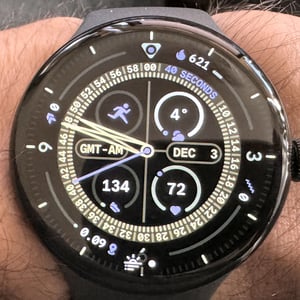
For your main watchface, you can choose from a large selection of often good-looking Pixel faces. Certain parts of the face are called ‘complications’ that might reveal nuggets of information, like the temperature, and, when tapped, lead to more detailed insights, such as today’s weather. Here are some of my favourites.
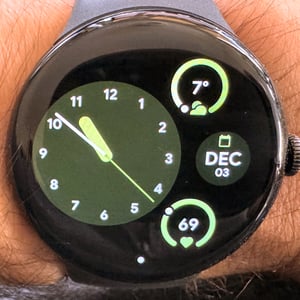
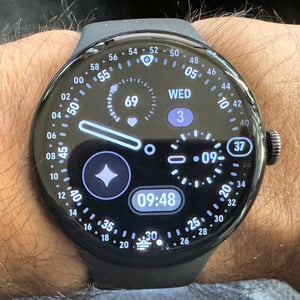
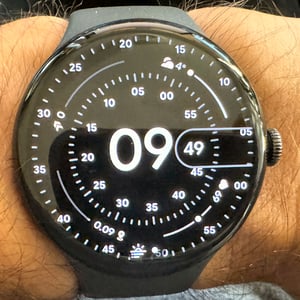
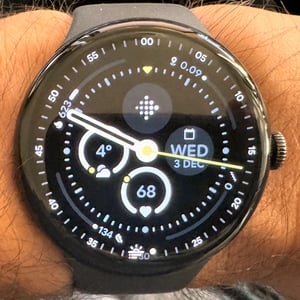
Swiping left or right takes you through your ten favourite tiles. These are rich screens dedicated to a particular feature. Like complications, these can show you information from the associated app without opening the app. Including 3rd-party tiles, there are about 50 choices.
- Core/System: Gemini, Next Event, Tasks, Google Wallet, Weather, Media, Google Maps, Home Favourites, Alarms, Timer, Stopwatch, Contacts
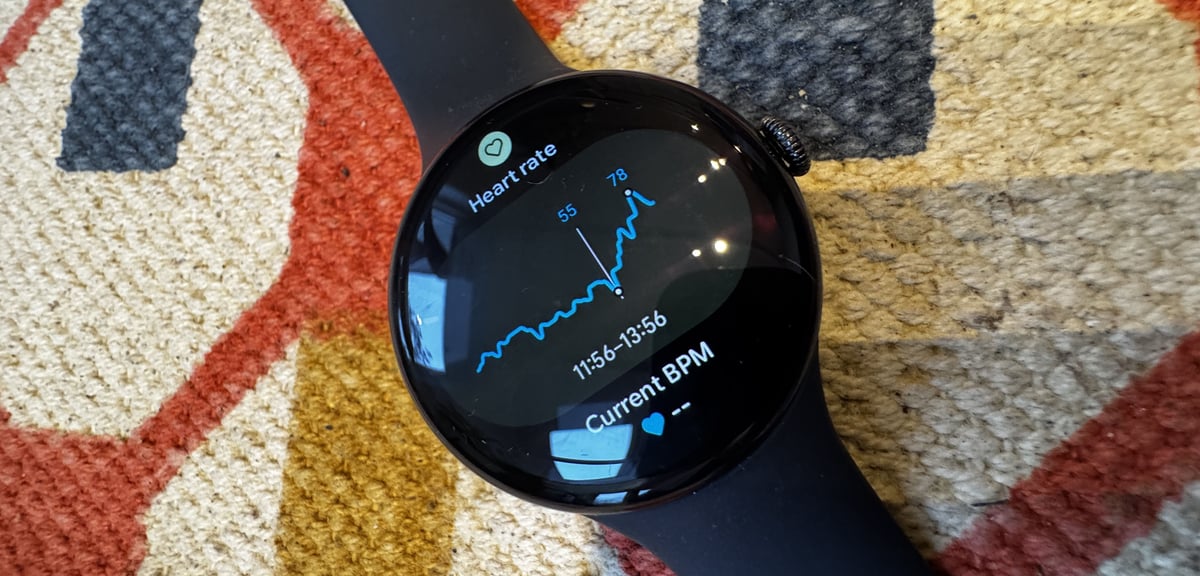
- Fitbit: Fitbit Today, Exercise, Heart Rate, Cardio Load, Sleep, Stress, Safety Check, ECG, Blood Oxygen (SpO2)
- Selected 3rd Party tiles: Spotify, Strava, Authenticator, AllTrails, Home Assistant
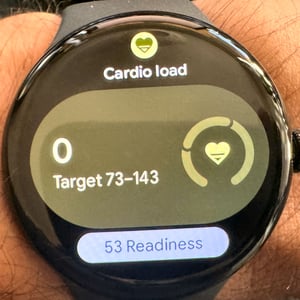
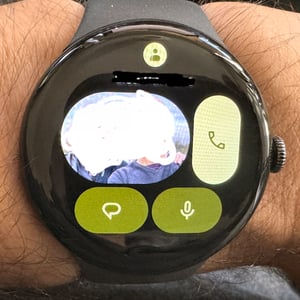
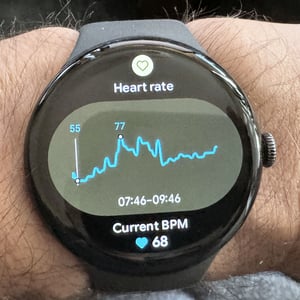
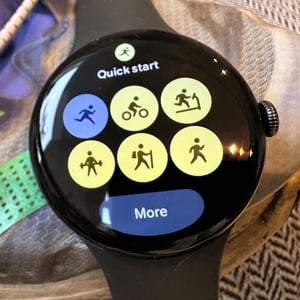
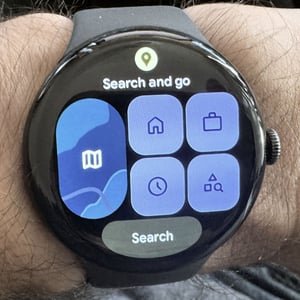
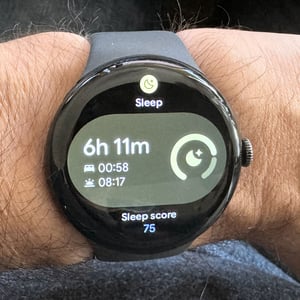
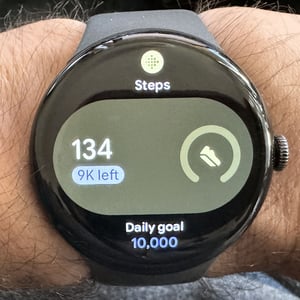
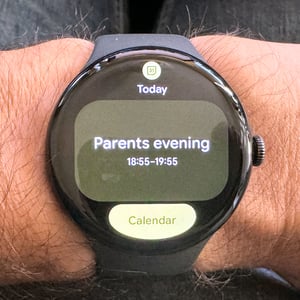
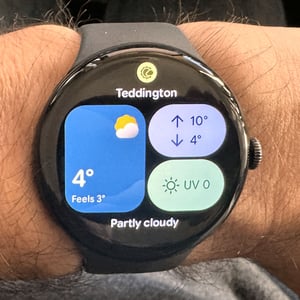
Swiping up shows your notifications. My favourite notification is a video clip from my Nest doorbell camera. Swiping down reveals settings and the control centre.
The rotating crown to the right is pressed to bring up a scrollable list of apps, whereas the smaller, flush presser above it brings up Gemini or recent apps.
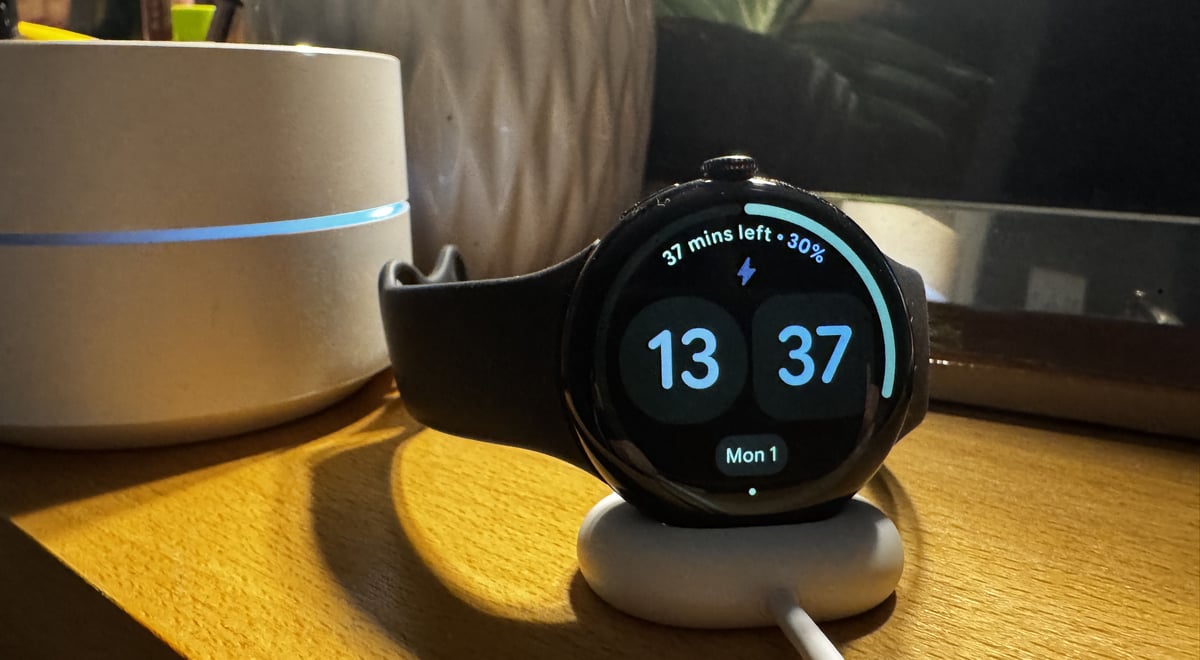
Tip: Place the watch on charge on its side, and it becomes a pretty little bedside digital clock.
Pixel Watch 4 – Sports Use & Interface
I usually start a workout either from a complication on my main watchface or from the quickstart tile. If I wanted to do something unusual for me, like Yoga, I’d choose that from the full list of sports. Typically, I did an open run or ride with no goals, but I always used the 1km splits when running and sometimes the HR alerts.
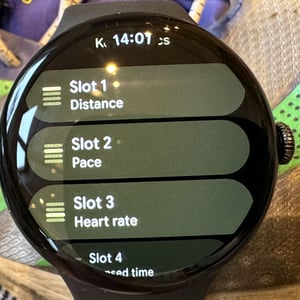
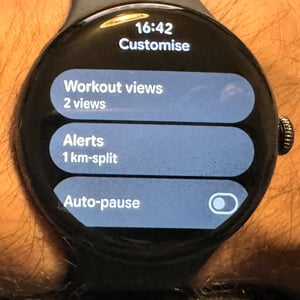
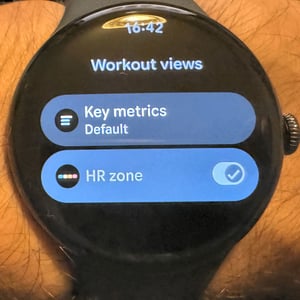
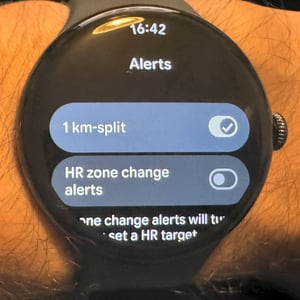
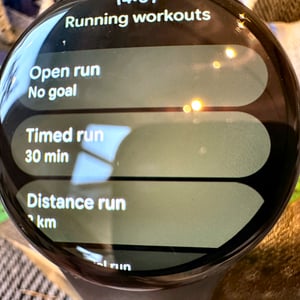
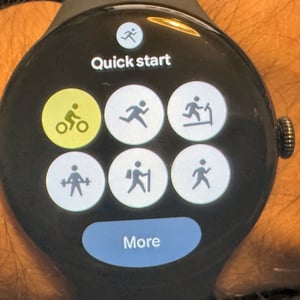
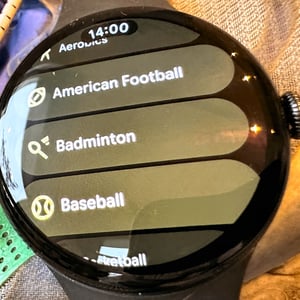
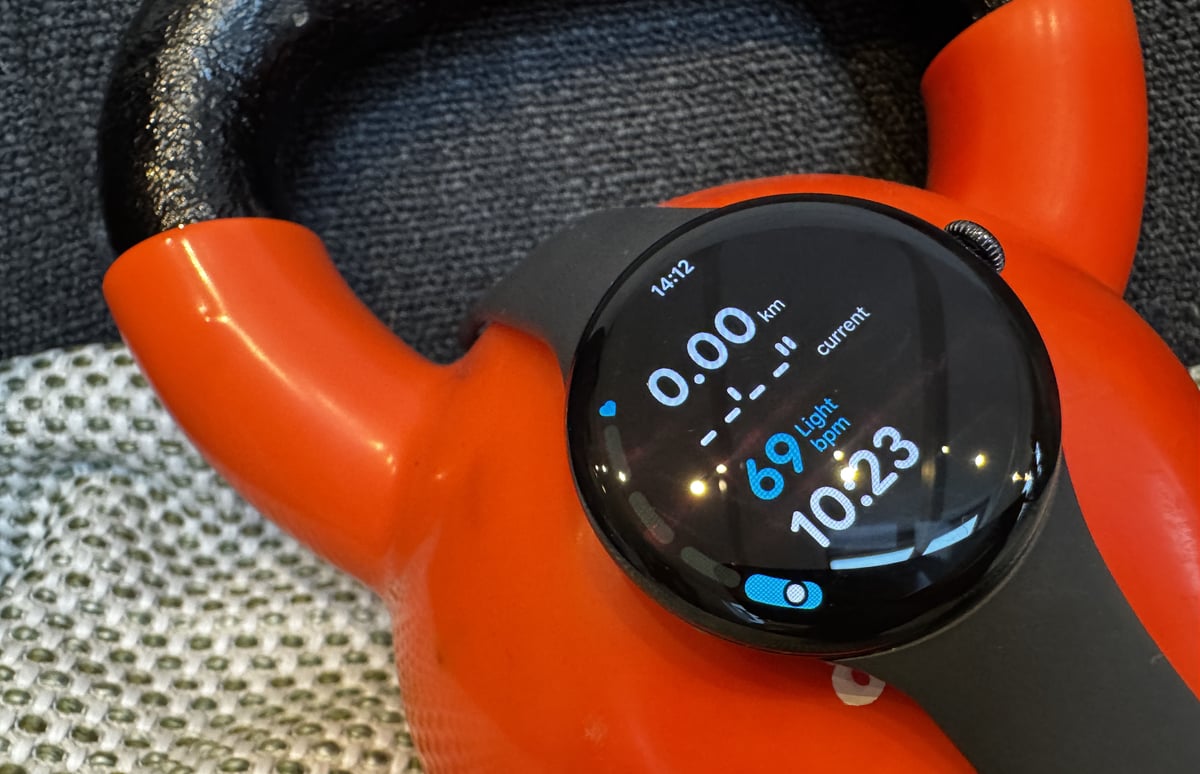
When in the workout itself, it’s easy enough to use the crown to scroll between pages. There’s no easy manual lap option, though, which is a pain (tap to lap would be a welcome addition), but the autolap was good enough for me most of the time. It is a little awkward to swipe the END WORKOUT tile from the left, but that awkwardness prevents you from accidentally stopping your workout.
Whilst the Watch felt mostly bug-free in sports usage, there were a few oddities on the Fitbit smartphone app where workouts sometimes appeared on the wrong day (with the correct date shown), heart rate was sometimes exported but not shown in the destination software platform, and sometimes workouts without ‘enough’ GPS/HR never synchronised to Strava.
Bugs aside, the Fitbit (premium) app itself is more than capable for recreational use and syncing to other sports platforms for a deeper dive or social sharing (e.g. Strava). I can’t see how it adds enough value to justify a subscription – the addition of AI might change that. Still, everything I need see in the subscription version is pretty much available for free in the non-subscription parts of other platforms (e.g. Garmin Connect).
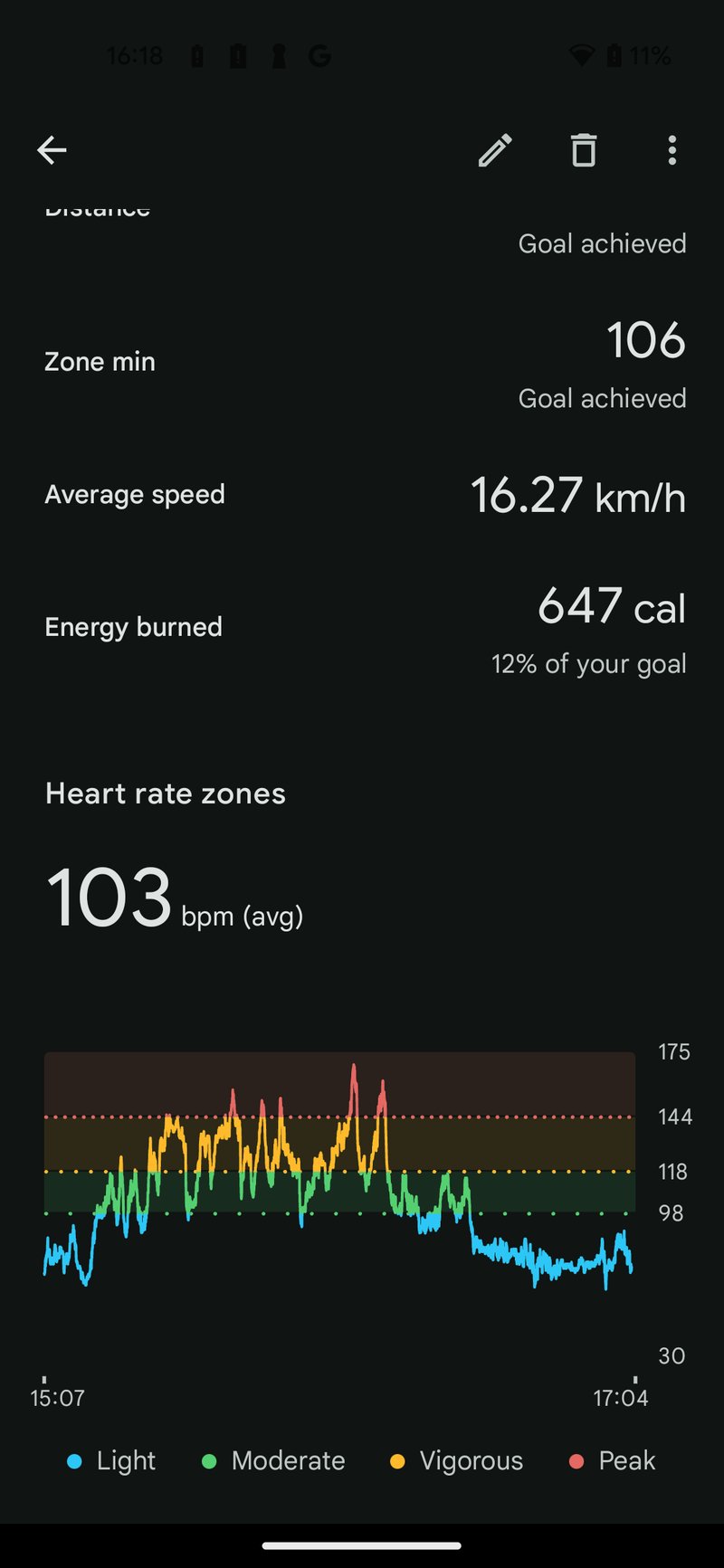
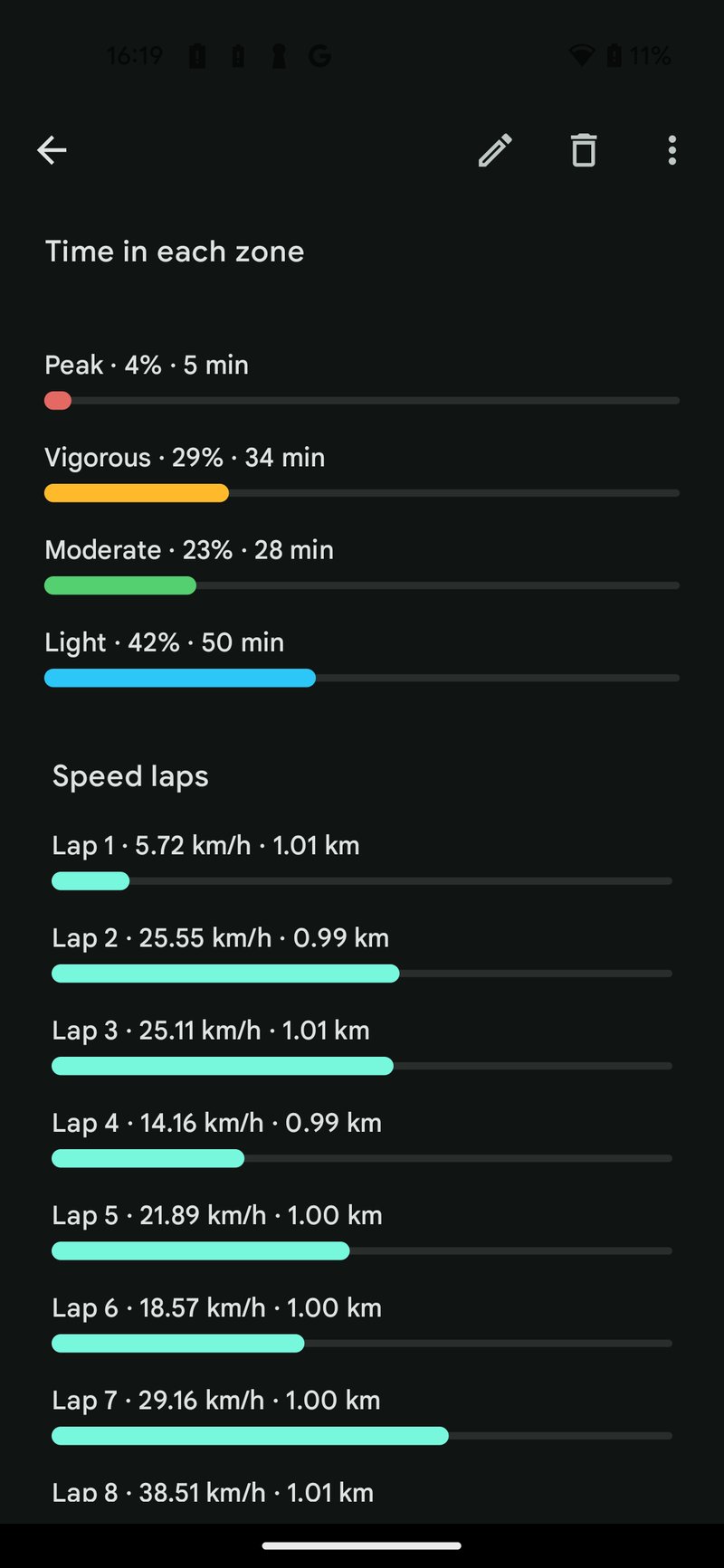
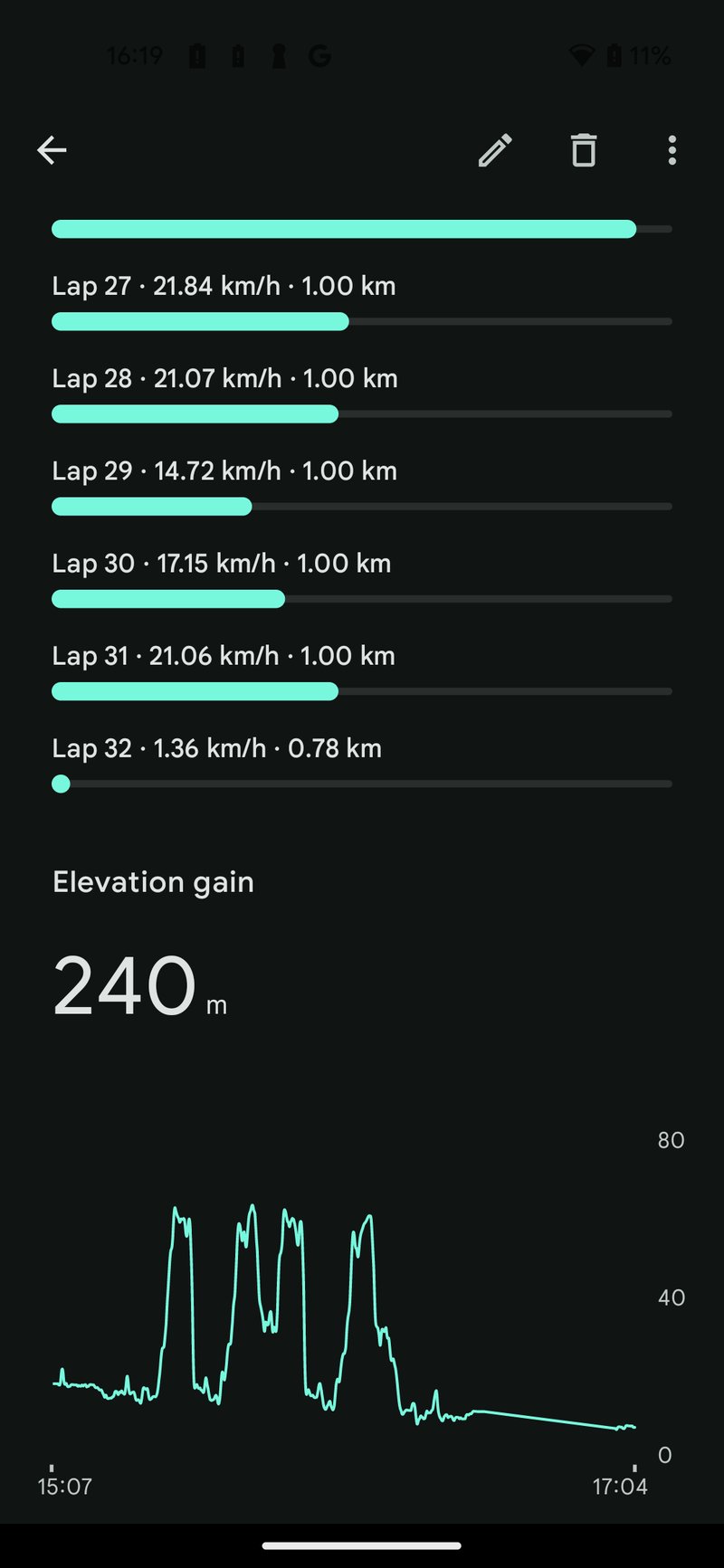
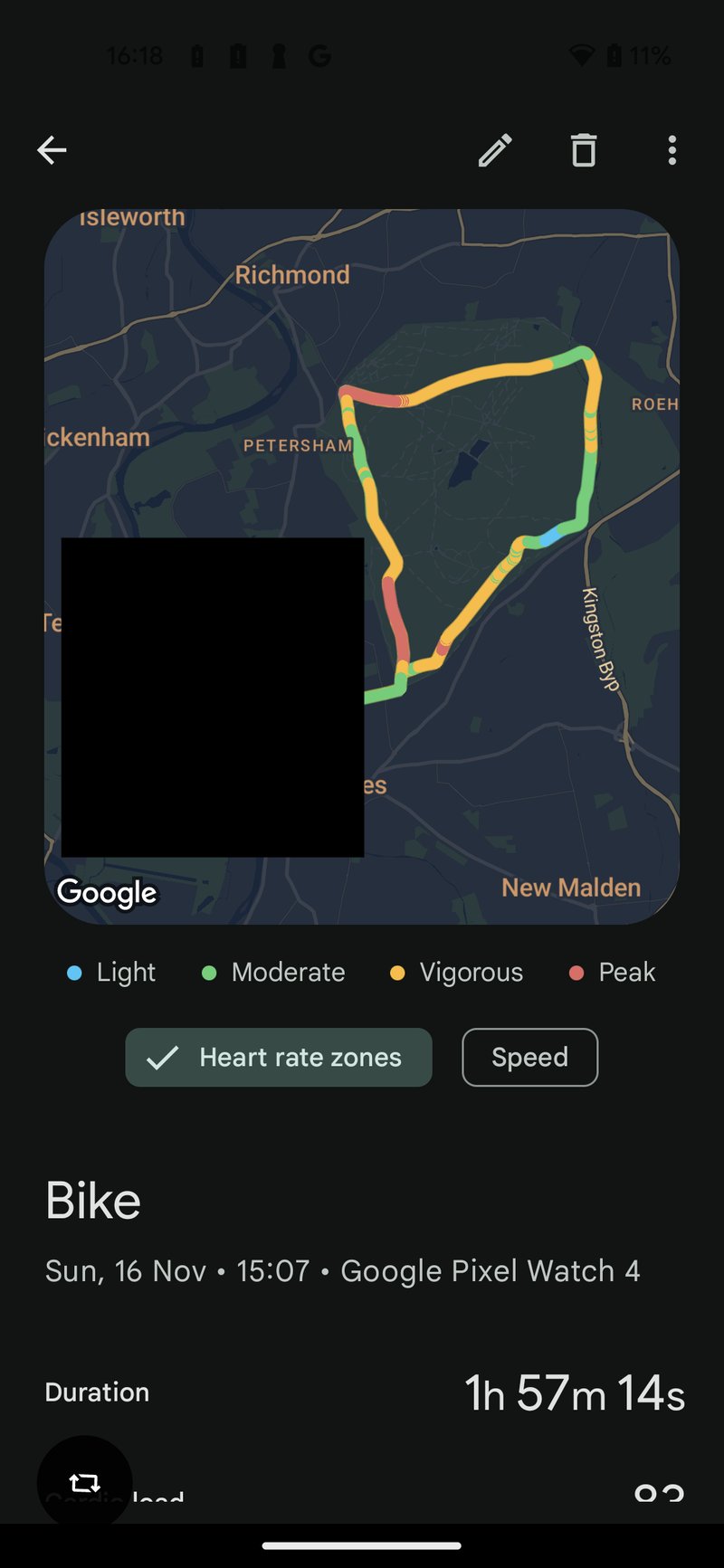
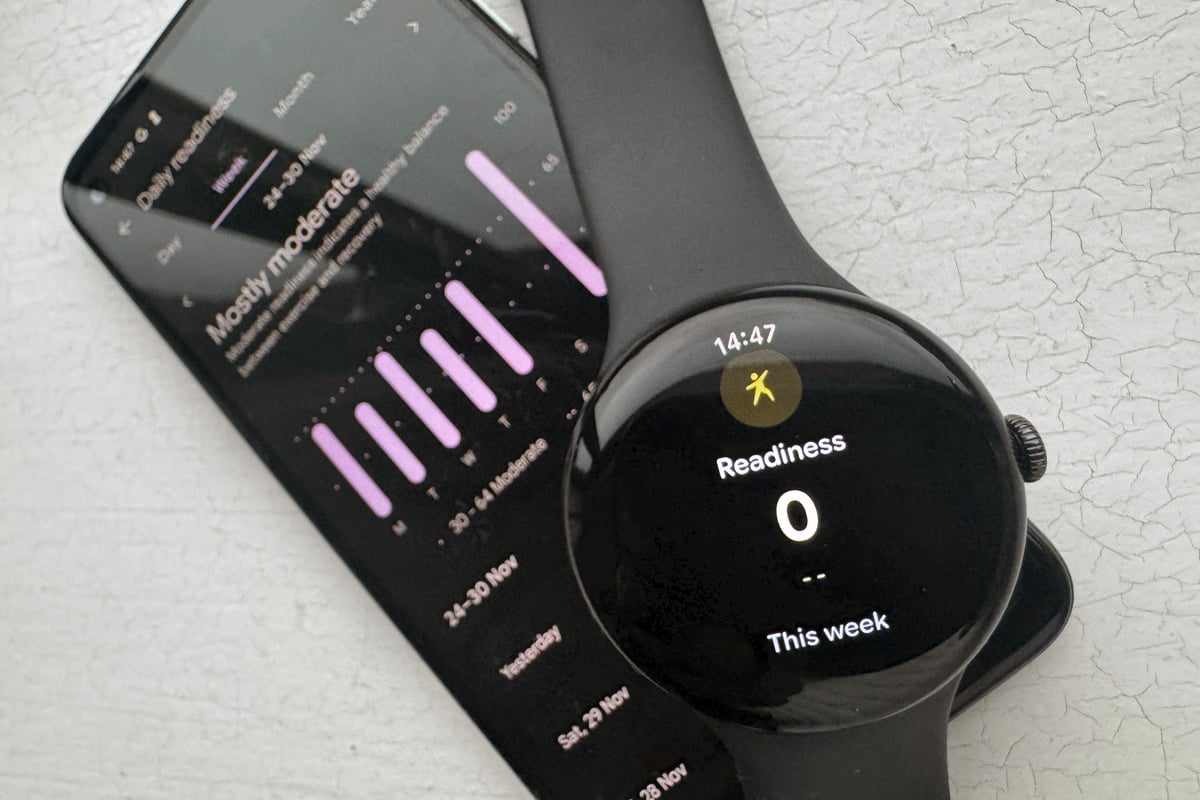
If you have the premium (subscription) version of the Fitbit app, you’ll see additional insights, such as Daily Readiness. Oddly, mine appeared on the app but not the watch.
Advanced Running Metrics
Pixel Watch 4 also bags advanced running metrics, similar to those on many other smart and sport watches. However, advanced runners realise that it is difficult to change these through drills. Advice: Don’t worry about these.
- Cadence (Steps Per Minute)
- Ground Contact Time (GCT) – your ‘foot on the ground’ factor
- Vertical Oscillation (VO) – your bounce factor
- Vertical Ratio % (VR)
- Stride Length
Cadence is the exception. Typically, you would aim for 170-180spm to reduce the risk of injury and probably run faster. You will also find that when you run faster, all the other advanced metrics improve.
I was unable to compare and test their accuracy because the data was not exported from the Fitbit app.
One noteworthy point is that many recent additions to the Fitbit subscription app do not require a wrist device with a screen, tentatively suggesting that these are in place for the arrival of a screenless Fitbit band to rival Whoop- Fitbit Air, announced 7 May 2026.
Pixel Watch 4 Gemini AI – The Smarter Assistant – Tested
Google adds Gemini as the replacement for Google Assistant. It’s a core feature of the Pixel Watch 4, intended to be more conversational and practical than before. It’s free, but the link between AI and the health/sports-coaching side of things requires a subscription (fair enough).
How Gemini Works – On test
- Instant Access: Gemini is accessed via the flush-mounted button on the side of the watch.
- Conversational Flow: It performs simple commands or handles complex, multi-step queries (planning a trip, getting detailed recipe steps).
- Contextual Awareness: It uses the watch’s data to provide smarter answers, such as showing your step count from Fitbit.
The table below compares Gemini’s real-world performance with Apple’s Siri. Overall, Gemini wins.
| Question | Gemini Answer | Siri Answer |
| Start my run | opens the Fitbit app | opens the Workout app |
| What’s my heart rate? | 59bpm | 59bpm |
| What’s my step count today? | 690 | 850 |
| Compare the weather for a weekend barbecue | highly detailed, with formatting errors | Simple but Ok |
| Add recipe ingredients to my shopping list | Google Workspace nonsense, then asked which ingredients | Created a list, then added “recipe ingredients” as an item |
| Turn off the lights, and turn off the heater | lights off, and it correctly asked which heater | You got it |
| Remind me to grocery shop after work | Verbose but correct answer | “Done” (It didn’t remind me, though!) |
| How does Gemini work in Google Maps? | Detailed answer | “Here’s what I found”…useless link (typical of other similar linked responses) |
| What is quantum computing? | Correct, spoken | wiki answer, written |
| Set a timer for 10 minutes | Good, flicked through the steps | Good, just did it |
| What’s the weather today? | light rain and temperature given | rain |
| Play my workout playlist | played on the phone | option to play on watch |
| Find directions to the nearest coffee shop | Did it, but I didn’t know which shop I was directed to until I went to the map screen. | Replied: Which one? |
| How do I make a Caesar salad | Good, asked if I wanted the ingredient list | Gave a link to BBC Food, not useful on Watch |
| Translate this live conversation with my Spanish taxi driver right now | I need the conversation text | Which language!! |
| What’s the cheapest way to get from here to Paris tomorrow morning before 10 AM? | …like a last-minute flight, gave details | Gave driving directions starting now on Apple Maps. |
| Plan a 3-day trip to Tokyo next April for 2 adults and 1 child, under £3,000 total, including flights from London. | Detailed answer, feedback on low budget and high season | “I found this on the web” (holidays from £699). Mostly useless. |
Pixel Watch 4 Accuracy – GPS & Heart Rate Real-World Tests
I performed highly detailed testing on various aspects of the sporty side of the watch. Typically, I compared two of the very best and most accurate watches on the market – Apple Watch Ultra 3 and Garmin Forerunner 970, but I use other devices too, like Whoop MG and Polar SENSE. Let’s start with some of the easier test results.
ECG Test
Apple Watch Ultra 3, Garmin Forerunner 970 and Pixel Watch 4 each performed two 30-second ECG tests. All detected a normal sinus rhythm. This is the expected result. A few years ago, I had a proper 5-Lead hospital ECG, which confirmed the same.
Note: I used the Pixel Watch’s on-demand ECG during a 30-second manual test. This limits its usefulness. However, after publication, I was made aware that Pixel supports background detection of irregular rhythms (not tested).
Steps Test
I went for a ‘normal’ walk. At least it was normal if wearing three watches and taking a dog (mostly off-lead) counts as normal. There’s considerable variation in the number of steps recorded here.
- Pixel Watch 4 – 6231
- Garmin Forerunner 970 – 6146
- Apple Watch Ultra 3 – 5654
The devices showed a step count variation of 577 steps (9.2% spread), with Pixel Watch 4 the highest (+577 vs lowest)
Scored Running GNSS/GPS Test
For the last decade, I’ve run with most sports watches over my standard 10-mile course following a proven methodology. It presents difficult-to-impossible GPS challenges in places. The biggest longitudinal takeaway for me is that the latest dual-frequency chpsets are noticeably more accurate than previous generations. Accuracy has generally improved, but we are now at a point where further improvements will be hard to achieve.
Another takeaway for me is that two tiers of dual-frequency accuracy have emerged over the last couple of years. Pixel Watch 4 definitely falls into the accurate-but-less-so camp along with the likes of Suunto, Amazfit and Garmin’s prior gen. The latest generation of dual-frequency from Coros, Garmin, and Apple is very slightly better. It makes little difference to you.
Watch 4 scored 83% in the test (full methodology, detailed scores and links to source files), which is very good. It did very well on the test’s sections with low difficulty and performed well on those with medium or hard difficulty.
| Watch | Score |
| Coros Pace 3 | 92% |
| Garmin Forerunner 970 | 92% |
| Apple Watch Ultra 3 | 90% |
| Garmin Fenix 8 | 88% |
| Apple Watch SE | 87% |
| Pixel Watch 4 | 83% |
More GPS Tests
Comparators in the following tests are the excellent Forerunner 970 and Apple Watch Ultra 3.
Easy Run GPS Test
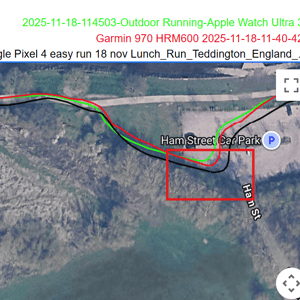
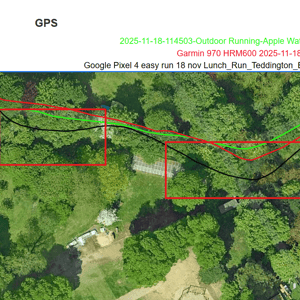
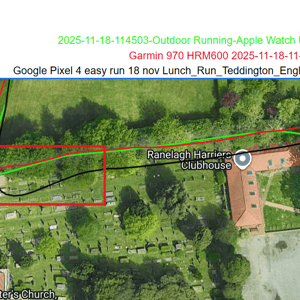
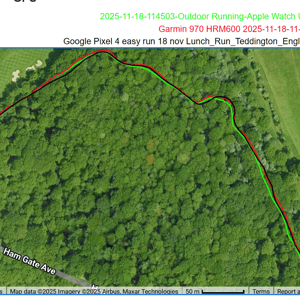
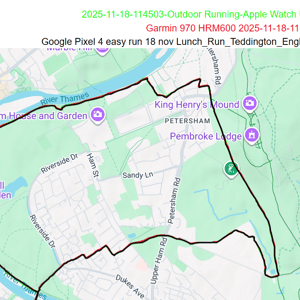
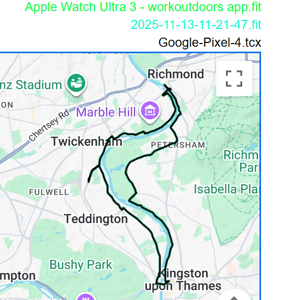
From the overview, Pixel (black) is the top route trace and where there is a difference, the red/green from the other watches clearly shows through. From a high level (the one reviewers normally would show you), everything looks perfect.
I’m comparing two of the best-ever GPS watches, and there are differences when zoomed in. Google and Apple both have similar algorithms that smooth the corners. Still, there is some unnecessary deviation from the Pixel, especially near the Ranelagh Harriers club, and the brand needs to address situations like that under tree cover.
Easy bike Test
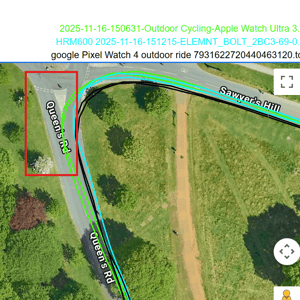
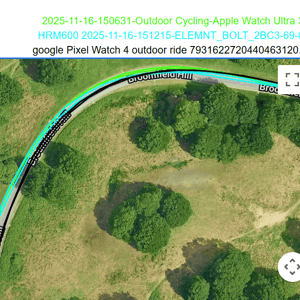
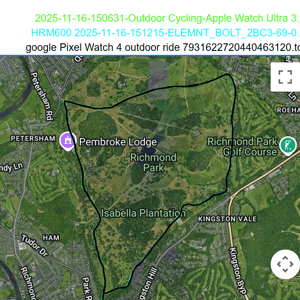
Repeated 11km laps of my local park make error patterns easy to spot. You can see here that Apple is the one struggling this time, being about 3m from where it should be.
GPS tracks on regular road cycling are nearly always as good as this; you rarely get close to buildings to affect the GPS signal.
Pixel Watch 4’s Hard GPS Run Test –
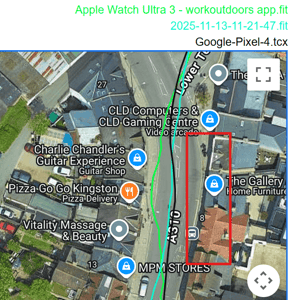
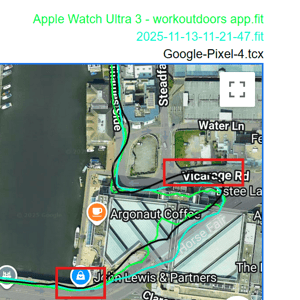
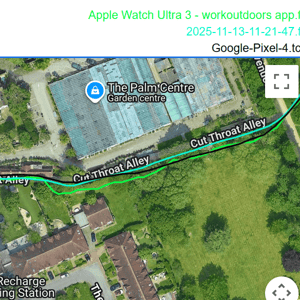
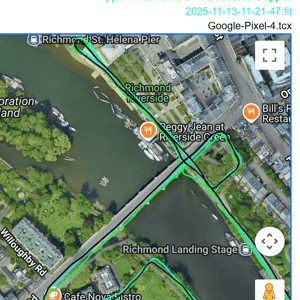
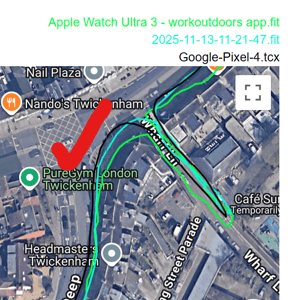
Here is an overview of a hard GPS run test, followed by five images showing performance through challenging sections. Pixel watch appears to perform broadly similarly to FR970 and AWU3. Indeed, at least in these examples, it performs slightly better, being closer to the real track when buildings are present and recovering well after a long tunnel.
The dual-frequency conundrum – a definitive explanation
In all GPS watches, dual-frequency performance is not as good as the literature implies. Tracks still deviate near large buildings because the watch accepts reflected (multipath) signals from them. The primary purpose of dual-frequency is ionospheric correction, not multipath rejection. While the two frequencies experience slightly different multipath delays, reliable multipath mitigation only works when the additional path length is at least 20–30 m. A fellow sports-GNSS expert (MIKEG, speed sailor) correctly pointed out that shorter reflections cannot be separated — hence the remaining errors in urban environments, as I found! Now you know.
Optical HR Accuracy Tests
The wrist is the worst place to take optical HR readings, so a watch is fighting an uphill battle to be accurate given the moving, flexing wrist. Exaggerated movements during some sports compound the difficulty. To be blunt, you simply can’t expect a watch to be accurate for HR during sport.
I compare to a Garmin ECG chest strap and to biceps-based PPG (optical) sensors, all of which are generally accurate.
My testing was in November. It’s colder outside, which can affect blood flow near the skin’s surface, making it even harder for watches to record accurate HR.
Hopefully, that’s set your expectations sufficiently low!
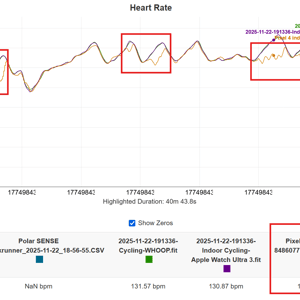
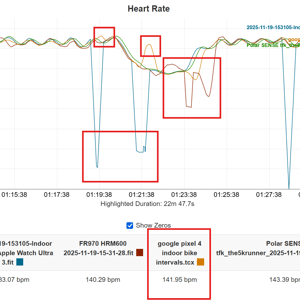
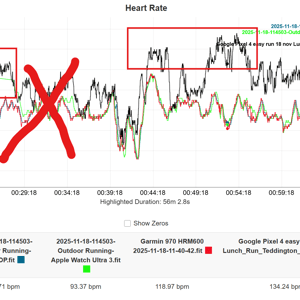
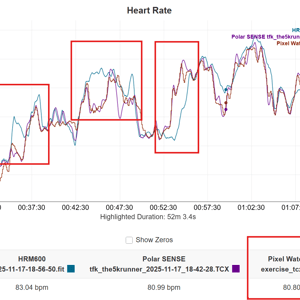
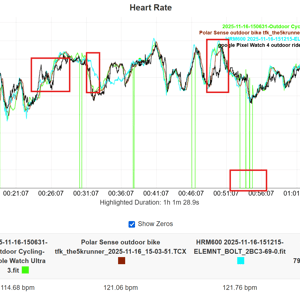
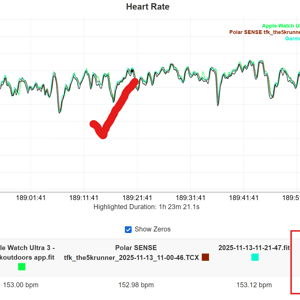
Several themes run through the tests.
- All devices on test experienced perfect and less-than-perfect results
- Apple Watch has dropouts. This affects the workout average and will impact exercise load calculations
- Pixel Watch mistakenly used cadence instead of HR (cadence lock) during one run. This old-school error needs fixing.
- Even my Garmin chest strap seemed to have several bad moments. This should not happen.
- Pixel Watch experiences several under- and over-reporting blips.
- The Pixel Watch generally got a good average HR for every workout.
Elevation Accuracy Test
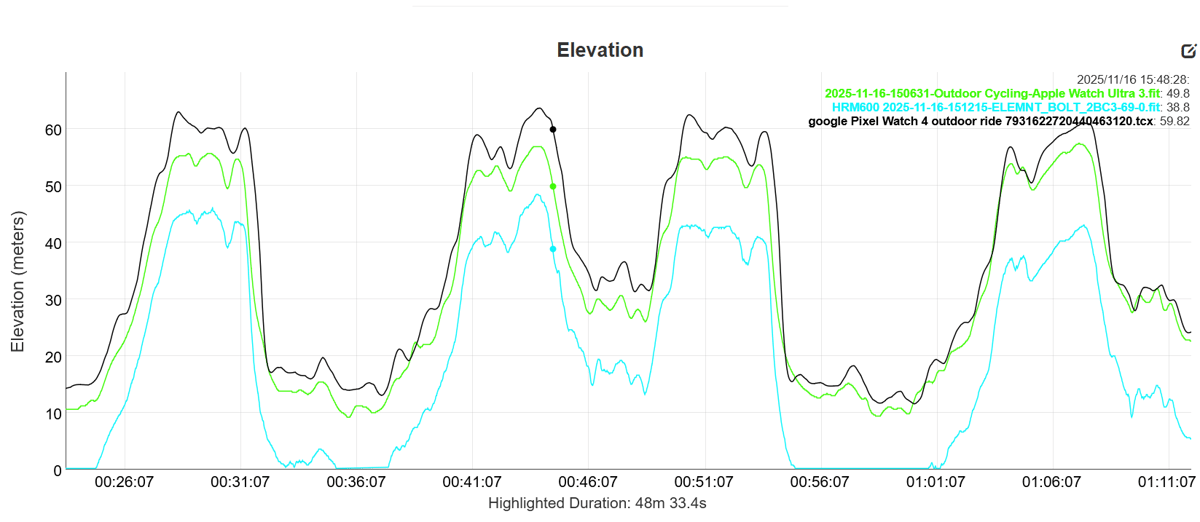
Google’s Pixel Watch 4 has a barometric altimeter, which autocalibrates based on GPS elevation, Barometric sensor data, Weather/pressure data, and Known location information. As you can see from this ride, my starting elevation is noted as 14m…which is spot on. The subsequent elevation gains/losses are broadly in line with those of the other two devices (Wahoo BOLT and Apple Watch Ultra 3).
The Pixel Watch is likely the most accurate of the three over an hour.
Sleep Tracker Accuracy Comparison
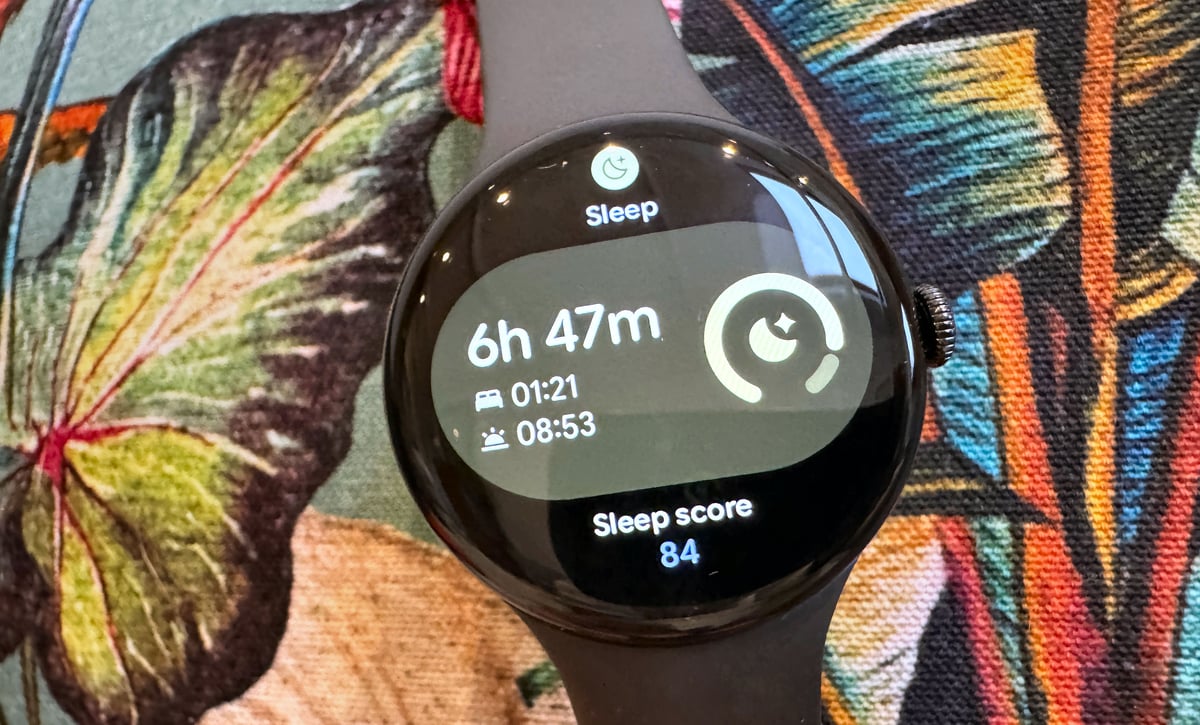
Over 25 nights, I compared the Google Pixel Watch 4, Apple Watch Ultra 3, and Eight Sleep Pod for total sleep time, awake time, REM, light sleep, deep sleep, and overall sleep score. Note: this is personal data only (n=1) — no polysomnography (PSG) gold standard was used.
Key Findings
1. All three devices agree extremely well
- Strong correlations between every pair (r > 0.85 for all metrics)
- Night-to-night differences are small: typically ±10–15 min for stages, ±3–5 points for score
2. Most accurate device per metric (lowest MAE vs. three-device consensus)
| Measure | Most Accurate Device |
|---|---|
| Sleep Score | Eight Sleep (MAE 2.4 pts) |
| Total Sleep | Apple Watch Ultra 3 (MAE 9 min) |
| Awake Time | Apple Watch Ultra 3 (MAE 8 min) |
| REM | Eight Sleep (MAE 12 min) |
| Light Sleep | Apple Watch Ultra 3 (MAE 18 min) |
| Deep Sleep | Google Pixel Watch 4 (MAE 11 min) |
3. If we treat Eight Sleep as the reference (ground truth)
- Apple Watch Ultra 3 is more accurate overall (average MAE ≈ 14 min across all stages + score)
- Google Pixel Watch 4 is slightly behind (average MAE ≈ 18 min)
4. Published validation studies (vs. lab PSG)
In short, all three trackers are broadly consistent with each other in real-world use. Apple Watch tends to match Eight Sleep the closest, while Pixel Watch edges out on deep sleep detection.
Pixel Watch 4 Battery Life – Real 40-Hour Test + Fast Charging
I found no evidence to doubt any of the battery claims for the 45mm model. If anything, the AOD battery life slightly exceeded 40 hours, although the battery performance will inevitably degrade over time.
| 41mm Model | 45mm Model | ||
|---|---|---|---|
| Battery Capacity | 325mAh | 455mAh | |
| Battery Life | Up to 30 hours | (always-on display, AOD) | Up to 40 hours (AOD) |
| Battery Saver Mode | Up to 48 hours | Up to 72 hours |
The stated charging time of 15 minutes to 50% was also correct, give or take a minute.
Pixel Watch 4 – What’s New vs Pixel Watch 3
Google started Wear OS as an open ecosystem, allowing many watch companies to easily access Google-designed software that works well with Android phones.
The company pivoted on May 18, 2021, when it effectively merged its efforts with Samsung (Galaxy Watch). Pixel and Galaxy soon became the dominant higher-end watch brands, and Google’s Fitbit will likely re-emerge in 2026 as a sports-focused sub-brand using the same software.
Many Wear OS watch companies, like Fossil, soon fell by the wayside. Still, OnePlus, Mobvoi (TicWatch), and Xiaomi (2023) remain committed to Wear OS, though they seem to always use older versions of Google’s software.
Pixel Watch 4 – All the New Features vs Pixel Watch 3
There are many changes compared to the earlier Pixel Watch 3, which, in total, make the Pixel 4 as good or better than its competitors. If you like lists…here you go, it’s time to fill your boots:
New Sensors
- Satellite SOS emergency assistance (off-grid)
- Dual-frequency GNSS (more accurate GPS)
- More accurate skin temperature sensor
- (Retains cEDA stress sensor, compass, barometric altimeter)
New display & components
- 50% brighter (3,000 nit)
- 10% larger display
- 16% smaller bezel
- 25% faster processor,
- 50% less power required
- Co-processor chip architecture added
- 15% stronger haptics
- Better spoken-sound quality
- Improved speaker volume
- Water ejection capability added for the speaker
Battery & Charging
- Battery life is 25% better
- Faster charging, 0-50% in 15 minutes
- New charging dock
- User-serviceable battery and display
Sports Features
- Updated Fitbit app, AI features in Fitbit Premium Personal Health Coach
- AI workout detection
- Real-time ‘screen share’ to a bike-mounted Phone
- (Retains offline maps)
Smart and wellness features
- 18% more accurate sleep stage detection
- Wear OS 6.0, including Material 3 UI
- Many Gemini features, including AI smart replies to texts
Pixel Watch 4 Build Quality and Core Specifications
The Snapdragon processor is specifically designed for optimum Wear OS performance, so the latest gen is an obvious inclusion. The watches are industry-standard ‘medium’ and ‘small’ sizes, and they are very light. The only negative aspect of the specs is the Gorilla Glass, which is not as good as sapphire (not offered – it is on the Apple LTE equivalents). Despite that, Gorilla Glass 5 is the highest rated of its kind.
| Feature | 41mm Model (GPS / LTE) | 45mm Model (GPS / LTE) |
| Dimensions | 41mm (Diameter) x 12.3mm (Height) | 45mm (Diameter) x 12.3mm (Height) |
| Weight (without band) | 31.0g | 36.7g |
| Case Material | 100% Recycled Aluminium | 100% Recycled Aluminium |
| Display Protection | Custom 3D Corning Gorilla Glass 5 | Custom 3D Corning Gorilla Glass 5 |
| Peak Brightness | Up to 3,000 nits | Up to 3,000 nits |
| Processor | Snapdragon W5 Gen 2 + Cortex-M55 Co-processor | Snapdragon W5 Gen 2 + Cortex-M55 Co-processor |
| Water Resistance | 5 ATM (up to 50m) | 5 ATM (up to 50m) |
| Durability Rating | IP68 | IP68 |
| Battery Capacity (AOD) | 325 mAh (Up to 30 hours) | 455 mAh (Up to 40 hours) |
| Fast Charging (0-80%) | ~25 minutes | ~30 minutes |
Pixel watch – A Potted History
Some more lists for you, in the form of a timeline, to help you understand the progress of Pixel’s capabilities over the years.
- Gen 1 October 13, 2022: Established the core design (round, domed glass), but was held back by large bezels, poor battery life (24 hours), and slower chargers.
- Gen 2: October 12, 2023
- Gen 3 September 10, 2024 (The Fitness Pivot): Introduced the essential 45mm size option and dramatically ramped up fitness tracking via Fitbit platform integration. Key additions included advanced training metrics such as Cardio Load, Target Load, Daily Readiness Score, and running-efficiency tracking (ground-contact time and vertical oscillation). Display brightness increased to 2,000 nits.
- Gen 4 August 2025 (Fine-tuning): New processor (Snapdragon W5 Gen 2), 3,000nits max brightness, and incorporates Dual-frequency GPS/GNSS accuracy. The 45mm battery capacity increased to 455mAh.
Wear OS – Decline and Rebirth
Android Wear languished until the Samsung partnership. That bedded down after a couple of years, but we have only seen a polished interface since Wear OS 5.0. The Pixel Gen 4 is the first proper Google hardware to use it.
- Android Wear 1.0 – March 18, 2014: Initial release; notifications, Siri-like voice, basic apps.
- Android Wear 1.3 – December 10, 2014: Watch face API.
- Android Wear 2.0 – February 9, 2017: Standalone apps, keyboard, Google Assistant.
- Rebranded to Wear OS – March 15, 2018
- Wear OS 3.0 – May 11, 2021: Tiles API, dynamic theming, 30% faster performance, Fitbit integration.
- Wear OS 3.5 – October 11, 2022: Gesture controls, improved battery, Samsung collaboration.
- Wear OS 4.0 – August 10, 2023: Watch Face Format, security enhancements, power optimisations.
- Wear OS 5.0 – August 13, 2024 (announced May 2024): Efficiency for battery, grid app launcher, running metrics, and Watch Face Format upgrades.
- Wear OS 6.0 – August 2025 (announced May 2025, Galaxy Watch8 July 29): Material 3 Expressive design, AI enhancements, media controls, kids mode.
- Boosts battery life using a secondary, low-powered processor for certain tasks
- Advanced Running Metrics: Ground Contact Time, Vertical Oscillation, and Stride Length.
- Improved alerts and notifications (incl. in sports)
- Gemini AI adds smarter text replies and all-around interaction.
Pixel Watch 4 – Design, Display & Replaceable Battery
The most striking design element is the Actua 360 domed display. When I first saw it in the marketing materials, I thought, “That looks nice enough,” but I didn’t think it would suit my personal style. I was wrong. It’s a beautiful-looking timepiece in the flesh. But you need decent watch faces to make the visuals pop, and, luckily, Google absolutely nails the watchfaces. I’ve got over 100 smart watches, and this looks as good as the very best of them.
Let’s Talk Battery Anxiety
Sports watches from Garmin, Coros, and Co. have impressive battery life, whereas smartwatches from Apple and Google lag significantly behind. Invariably, smartwatches need to be charged daily. A few years ago, smartwatches struggled to deliver day-long battery life, and if you had a long workout with GPS or used LTE/4G features too much, you could drop to below 24-hours and worry about it.
Pixel Watch 4 (and Apple Watch Ultra 3) have moved beyond that. The acute battery anxiety is no longer there. What’s really improved, though, is the often-overlooked fast charging. Google can now charge to 50% in 30 minutes, so if you’re organised enough to charge your watch whilst showering or getting ready for bed, that will be the only charging routine you need.
Eco Warrior or Greenwashing
I usually gloss over reviewing the eco aspects of smartwatches. Mainly because companies like Apple have tended to greenwash their credentials. Pieces of complex 21st-century tech just aren’t eco-friendly, no matter how many trees you plant.
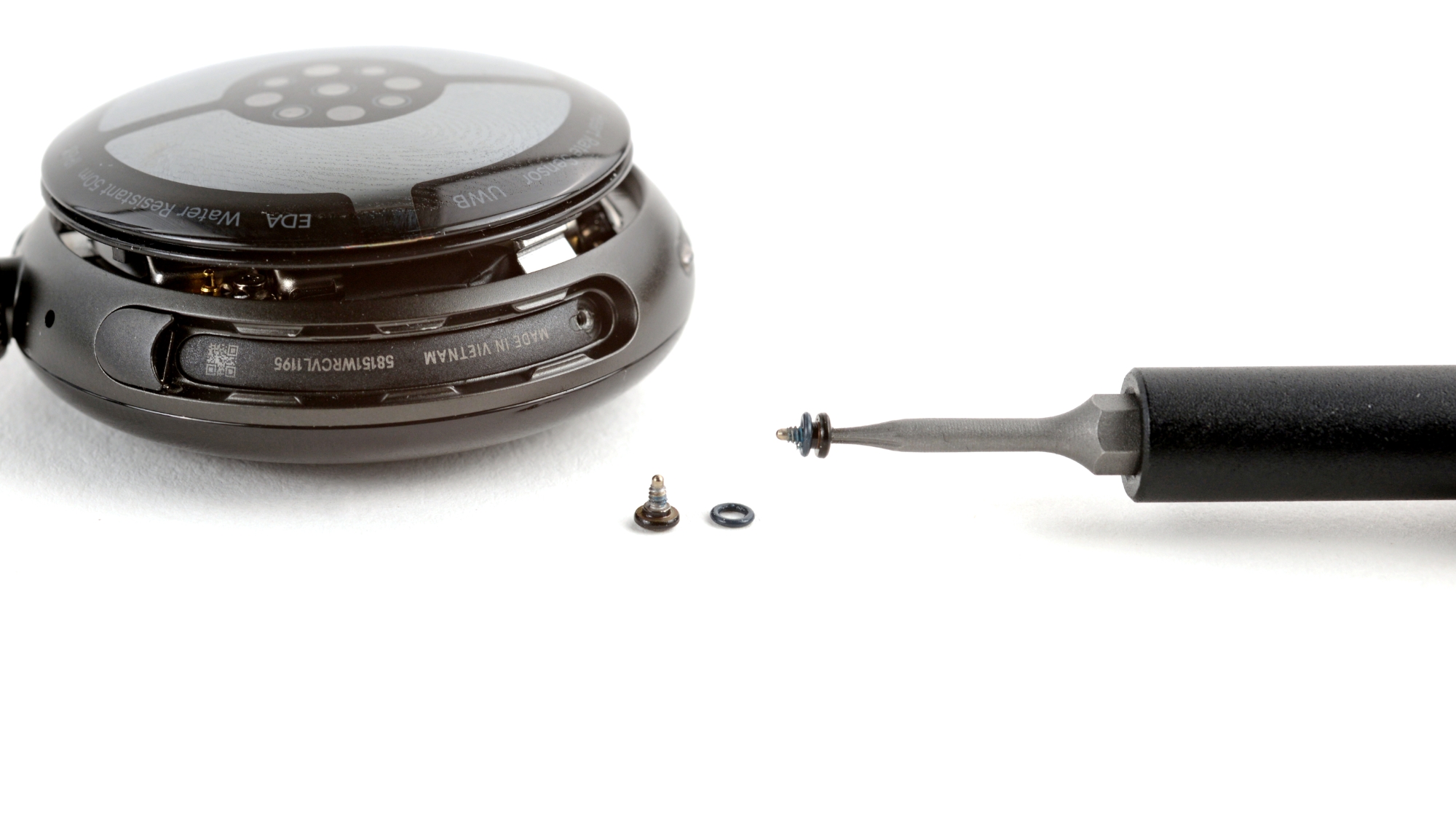
Like Apple, Google now uses recycled aluminium, which must be good for the environment. Google has gone further. I criticised Apple in a review a couple of years ago, stating that, regardless of how many solar panels they built, it would be far better to have interchangeable batteries to prolong how long we keep our tech for – of course, that makes less money, so Apple doesn’t do it. But now Google does. You can replace the battery and screen by yourself.
Gemini – Yet another ‘Powered by AI’ or the real deal
Google Digital Assistant, aka Gemini, is a first step replacement for the old one. I call it the ‘first step’ because it has pretty much replaced what was there before, but there is still a long way to go. The obvious next step is baking Gemini into the Fitbit app. At the time of writing, any question about your personal sports performance or physiology just opens the Fitbit app. Not good.
Ignoring the sports stuff, Gemini is a good, smart assistant. It provides excellent answers to a wide range of requests, with the required level of detail. I found the odd poorly presented response (e.g. with technical code included in the response) and some responses that were not suited to the small screen format (e.g. I asked for a detailed plan for visiting Japan – my bad…I did ask!)
Should You Upgrade to Pixel Watch 4 from Gen 3 / 2 / 1?
You have many choices of smart or sports watches to pair with your Android phone. Even though you can’t use an Apple Watch, I’ll contrast the market leader with the Pixel to help you appreciate how the technologies influence each other.
Pixel Watch 4 vs. Samsung Galaxy Watch 8
You can use either watch on your Android phone. If you’re on a Pixel or Galaxy phone, you will (and should) buy a watch of the same brand.
Despite a different aesthetic, the two watches are broadly similar under the hood. However, the Pixel Watch 4 is better: it uses the latest-generation processor and offers a shorter charging time (15-minute fast charge). Pixel Watch 4 is slim (12.3mm), but Galaxy Watch 8 is slimmer still (8.6mm).
Pixel Watch also edges out the competition in sports and wellness features. e.g., Samsung phones restrict ECG to their own-branded watches. Through its Fitbit ecosystem, Pixel offers quite decent sports tracking, sports coaching (160 plans), and advanced metrics covering running form and sports physiology, such as Cardio Load.
Pixel Watch 4 vs. Apple Watch
Apple Watch (non-ultra) can struggle to reach the one-day mark. Pixel Watch doubles it and matches what Watch Ultra offers (i.e. over two days). Other reviewers note the Pixel’s superior sports tracking performance for GPS and heart rate. I don’t buy that argument. My extensive tests in this review show that the Pixel Watch is good but not market-leading. That said, Apple Watch has a longstanding annoyance: it fails to record heart rate unless it is confident of signal quality, so what’s recorded is usually excellent, but there are gaps.
Apple Watch GPS accuracy (single frequency) is broadly the same as Pixel Watch (dual frequency), but Apple Watch Ultra 3 (dual frequency) is more accurate than both – market-leading. They are all good enough for almost everyone. Even me!
Pixel Watch 4 vs. Garmin
It depends on which Garmin you compare to. Pixel Watch is generally more accurate than Garmin’s previous generation, but not quite as good as the current generation of Synaptics GNSS dual frequency chipsets and Elevate 5 optical HR sensors. Compared to Garmin’s direct competitor, the Venu 4 ($550), the Venu 4 has better optical HR and comparable GPS accuracy.
But don’t get bogged down with the accuracy details. Neither the Venu 4 nor the Pixel Watch 4 are perfectly accurate, but they will likely be accurate enough for the job and face the same problem of wrist usage (the worst place to locate an optical sensor).
But you should get bogged down with the side sports ecosystem. Pixel Watch has some fledgling features in these areas, but Garmin is streets ahead with a broad, extensive set of sports features. Pixel Watch is years behind and, in reality, will never catch up – that might be the job for the Fitbit brand one day.
Do you plan to be a competitive age triathlete (like me), compete in extensive CrossFit training for a HYROX event (like me), and cycle a lot with advanced 3rd-party sensors such as power meters and indoor smart trainers (me again)? You simply have no choice but to use Garmin for those. That’s what I do (Garmin Forerunner 970 – the best sports watch)
We’ve talked about the Pixel Watch’s 2-day battery life, which is OK. With Garmin, it is hard to buy a watch with a battery life of only 2 days. Some Garmin watches can last 2 days on battery-hungry GPS and sports-tracking modes. Pixel Watch lasts two days as a plain old watch, doing a few smart things here and there. That’s a big difference.
But! (There’s always a but, sometimes a big one).
How often do you plan to use your watch? Every day, right? Garmin watches have a very steep learning curve and are not easy to use, even when you know them intimately.
Garmin’s watch software is notoriously buggy (Evidence: Active garmin forums and Reddit). There is always something wrong with one watch or feature somewhere in the ecosystem. Garmin’s software development is unnecessarily complex, with multiple versions and branches of code that are too complicated for it to keep a professional grip on. It’s really quite bad, but you’ll only notice the obscure problems if you’re doing obscure things with the watch.
Like Pixel, Garmin has a large watch app store that is heavily focused towards sports-related uses. That’s great if you are into your sports (super-great), but less so if you do one 5k parkrun a week. Pixel, like Apple, has a diverse range of apps and crucially also more and deeper smart capabilities – for example, Pixel Watch can interact visually with your video doorbell, Garmin will never do that.
The watchfaces on Garmin watches tend to be visually poor, and the watches themselves are designed to look rugged (Fenix) or sporty (Forerunner, plastic-like). Its looks are appropriate for the target demographic. However, where Garmin tries to compete with smart watches (Venu, vivoactive), its looks are hit-or-miss. You might want to contrast the beautiful domed lens of the Pixel Watch with a similar domed lens on Venu, but surrounded by a somewhat ugly bezel. Garmin struggles to do ‘pretty’ and ‘refined’.
Pixel Watch 4 vs Apple Watch
Apple Watch is the best-selling watch ever and is widely believed to be the best smart watch. You’ll never get to choose between Apple and Google on the same phone because of compatibility issues.
The apparent difference is the shape. Apple’s rectangular shape makes designing screen elements easier, enabling it to make excellent use of screen real estate. Pixel has a round format and a similar control/screen; however, unlike many other companies (Garmin) that work with a round face, Google Pixel has employed competent designers to deliver a generally excellent-looking interface (e.g. it handles the curved display well).
Google has better performing batteries, but Apple edges it with slightly more accurate sensors and a wider range of price points – its SE 3 version is excellent value.
Overall, in terms of capabilities, they’re close. Let’s leave it at that, since your phone will dictate which you buy, so you don’t really have a choice.
Pixel Watch 4 Review Conclusion – The Best Android Smartwatch, Finally?
Pixel Watch 4 is now ready to buy. It’s a significant marker in the sand and will signal a turning point in the fortunes of Google’s premier smartwatch.
The shock update was a world-first satellite connectivity option. Perhaps most of us will never need that, but we will all love and use the significantly improved 40-hour battery life and charging speed (50% in 15 minutes).
I was impressed by the overall aesthetics and the super-easy-to-use interface. Yet when it came to the sports and activity features, it was more of a good-but-meh. Don’t get me wrong, they’re perfectly fine, and in line with some smart watches and better than others, but I don’t see anything to justify the Fitbit app subscription other than the tailored training plans and workout videos, which only some of you will want. The accuracy was fine as well (better than most) and would benefit from a tweak or two.
Taking all this into account, Google will likely add a sportier Fitbit alternative (or two) next year and will undoubtedly double down on deeper AI integration for your sports and wellness metrics.
Google Pixel Watch 4 price: where to buy
Pixel Watch 4 comes in 2 sizes, each with an LTE/4G option for an additional $100. The LTE model is otherwise identical to the base model, although battery life shortens considerably with LTE usage.

Further Product Help and Information
- Product Page: Pixel Watch 4 – Google Store Overview
- Manual / Help: Set up Google Pixel Watch (Includes instructions and setup guide)
- Firmware Updates: Google Pixel Watch Help Community (Official update announcements)
- Firmware Update Instructions: Keep Pixel Watch software and apps updated (Instructions on how to check/force updates)
Full Google Pixel Watch 4 specifications (the5krunner)
For a cross-brand view of how Pixel Watch 4 compares against dedicated running watches, see the hub. For the full picture of the Google Fitbit and Wear OS ecosystem: Google Fitbit and Wear OS hub.
Key Health and Fitness Sensor Validation
- NIH Study: Validation of Fitbit/Pixel Watch Sleep Stages (vs. PSG) (Fitbit/Pixel Watch, Sleep Stages)
- Google Research: Loss of Pulse Detection on the Google Pixel Watch 3 (Google Pixel Watch 3/4, PPG & Accelerometer for HR/Cardiac Arrest)
- NIH Study: Accuracy of Smartwatch ECG for Atrial Fibrillation Detection (Smartwatch, ECG)
- ResearchGate: Heart Rate Variability Measurement through a Smart Wearable Device (Wearables, HRV derived from PPG)
- MDPI Study: Low-Cost Wearable Device to Estimate Body Temperature from Wrist (Wearable Device, Skin Temperature)
- PLOS Digital Health: Accuracy Study of SpO2 in Consumer Smartwatches (Smartwatches, SpO2)
- ResearchGate: Performance Analysis of Multi-GNSS cm-Level Positioning in Smartwatches (Smartwatch, GNSS/GPS)
- MDPI Study: Does Smartphone Accelerometer Technology Provide Accurate Data? (Smartphone, Accelerometer)
- ResearchGate: Comparative Evaluation of Wearable Devices for Measuring Elevation Gain (Wearable Devices, Altimeter/Barometer)
Last Updated on 3 October 2026 by tfk the5krunner
Small things I always use
- Garmin 90-degree charging adapter: Charges your Garmin from any USB-C cable. Essential when travelling. I use one.
- Body Glide: The blue anti-chafe stick swimmers and runners carry. I use it.
- Speedo earplugs: Fewer ear infections and no cold-water dizziness. I use them.
- Dryrobe Advance: My winter changing robe for open-water swims. I use one. A cheaper option is the AONYIYI changing robe.
- Maurten: Race fuel that stays easy on the stomach. I use them.
- Garmin charging puck: The quickest way to top up before a session. I use one.
- Injinji: Toe socks that stop rubbing, so you run more. I use them.
- Ultimate toe protectors: Stop black toenails on long runs. They work. I use them.
- Compressport R2 v2 calf sleeves: My calf sleeves of choice. I use them.
- Cellucor C4: My pre-workout before hard sessions.
- TPU tubes: Schwalbe Aerothan, Tubolito and Pirelli SmarTube. Light, tiny spares. I use all three.
- G8 insoles: Adjustable insoles that are good. I use them.
- Cycplus Cube: A 97g electric pump that gets a road tyre rideable in two minutes. I carry one. 5% off with code THE5KRUNNER.
Watches and sensors
- Polar H10: My daily driver for waking HRV.
- Polar Verity Sense: My backup arm-worn HR sensor.
- Nomad bedside charger: Charges my iPhone and Apple Watch overnight. I use it, and many of their bands.
- Train.Red: The best muscle oxygen sensor I’ve used.
- Tymewear: Accurate heart rate and reliable ventilatory zones. I use it to pace endurance rides over an hour.
- Garmin Forerunner 970: A pro-grade triathlon watch. I use this.
- Apple Watch Ultra 4: My daily smartwatch. No phone needed on rides.
- Garmin Fenix 9 Pro: I’ve just bought one.
On the bike
- Continental GP5000 for everyday riding, and Aero 111 on the front for special occasions.
- Helmets: Specialized S-Works Evade 3 for road riding, and Rudy Project Wing for TT-style races. I use both.
- Ravemen FR300: A front light that mounts under your Garmin or Wahoo. I use one.
- Wahoo TRACKR Radar: I use it on one bike and Varia on the other. They perform the same.
- Garmin Varia RTL515: Radar that warns you of cars from behind. I use this model.
- Wahoo ELEMNT Roam 3: The bike computer that’s easy to use. I use mine on most rides.
- Favero Assioma Pro RS2: Accurate power pedals that swap easily between bikes. I use this model.
Home and indoor training
- NPE Runn: Makes my basic treadmill smart, sending more accurate speed and distance to my watch and Zwift. I use it.
- Google Wifi: Keeps Zwift connected in my pain cave. I use it.
- Apple TV 4K: Zwift on the big screen. I use two.
- Google Nest Doorbell (wired, 2nd gen): My video doorbell, running in both Google Home and Apple Home. I use it.
Health, recovery and sleep
- FreeStyle Libre 3 Plus: Shows how my blood sugar responds to diet.
- hDrop: Measures my sweat loss in summer and indoors.
- Fourth Frontier Zone: Checks my heart under load in hard sessions.
- Oura Ring 5: My partner’s recovery tracker of choice.
- Kineon MOVE+: Red light therapy for niggles. It works.
- Eight Sleep: A cooling mattress cover my partner and I use nightly.
Reader-Powered Content

This content is not sponsored. It’s mostly me behind the labour of love, which is this site, and I appreciate everyone who supports it.
Support the site: Follow (free, fewer ads) · Subscribe (paid, ad-free) · Buy Me A Coffee ❤️
Written by real people, with AI assistance. Fact-checked and verified for originality. See the Editorial Policy. FTC: Affiliate Disclosure — some links pay commission. As an Amazon Associate, I earn from qualifying purchases.

tfk is the founder and author of the5krunner, an independent endurance sports technology publication. With 20 years of hands-on testing of GPS watches and wearables, and competing in triathlons at an international age-group level, tfk provides in-depth expert analysis of fitness technology for serious athletes and endurance sport competitors. ID

The pixel watches have background Irregular Rhythm Notifications. Google makes it difficult to find such info which is strange.
In this link under the which fitbit devices have background Irregular Rhythm Notifications it mentions the pixel watches.
https://support.google.com/fitbit/answer/14236719?hl=en#zippy=%2Cwhich-fitbit-products-support-irregular-rhythm-notifications
I wish garmin bring this feature soon but i am not sure if they need the new gen 6 sensor for this but its unlikely cause pixel, apple did not update their sensors for this in years. Come on garmin buck up.
Love my 965 but looking for one with ecg and Irregular Rhythm Notifications ( not sure how accurate these features are ) and the 970 would be ideal but it does not have Irregular Rhythm Notifications which is so disappointing.
!!!
thank you, excellent digging.
I really like the Oneplus watch 3. It has very good GPS and HR, the battery is superb and it has sapphire-glass and a titanium bezel. But there are only basic fitness features e.g. no training load, recovery time etc. And the update policy of oneplus is a little bit confusing. Maybe i give the pixel watch a try.
i dont really know much about oneplus. tat’s one brand i never invested much research time into
pixel is very good tho.