Type to Run: A Flexible Alternative to Garmin Daily Suggested Workouts
With the recent launch of Strava’s Instant Workouts and the continued evolution of Garmin’s Daily Suggested Workouts (DSW), runners have more automated options than ever. But a common frustration remains: the lack of control. DSW determines workouts based on algorithmically assessed recovery and training status, while Strava presents a menu of sessions organised around intent (maintain, build, explore, recover).
A new Garmin Connect IQ app, Type to Run, addresses this by offering on-demand, pace-based workouts defined by the runner rather than an algorithm.
How Instant Run Differs from Garmin Daily Suggested Workouts
The core idea behind Type to Run’s Instant Run feature is simple: let the runner define the basic parameters (duration and run type), while the app handles workout structure and pacing.
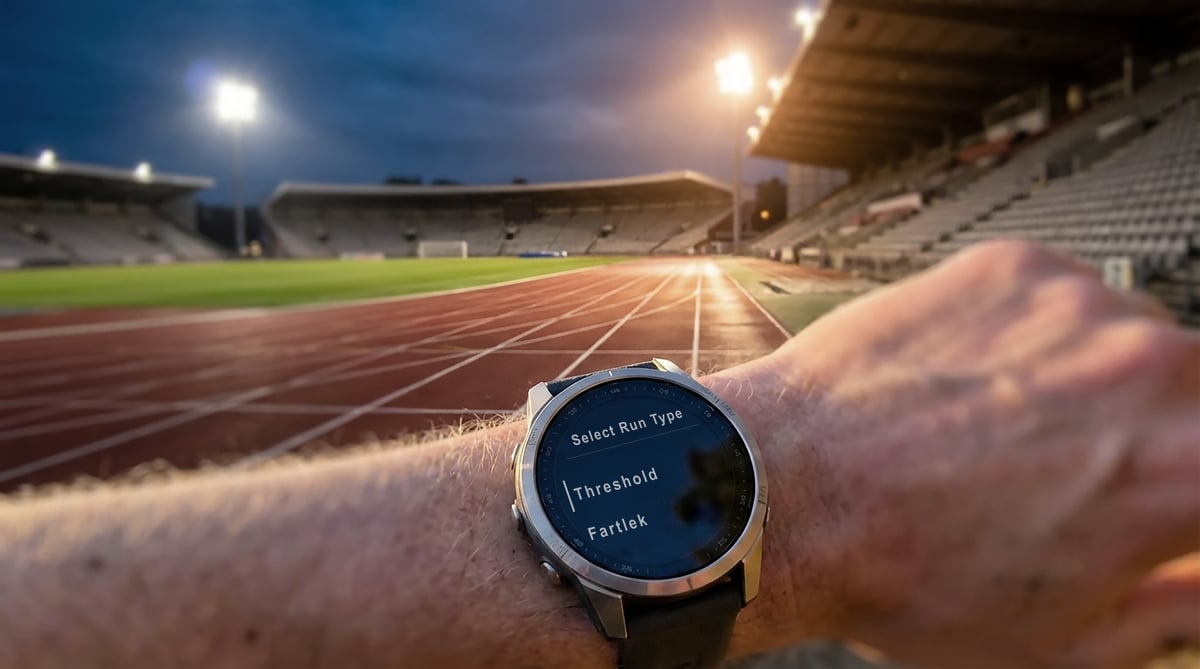
Unlike Garmin’s native suggestions — which may recommend a rest day when you feel ready to train, or a 40-minute base run when you have an hour available — Type to Run starts from the time you actually have. For example, if you have 30 minutes before lunch, you can select the duration and choose the intended intensity directly from the watch.
The workout is then generated from scratch rather than selected from a fixed template. Structures range from simple interval repeats to pyramids or classic “Mona” fartlek-style sessions.
Pacing and Intensity: VDOT Input vs Training History
Both Garmin’s Daily Suggested Workouts and Type to Run can guide sessions using pace, heart rate, or perceived effort. The difference lies in how those targets are derived and how much control the runner has over the inputs.
Garmin DSW determines intensity using recent training history and physiological signals. When data quality is high and training has been consistent, this can produce sensible recommendations. The resulting pace or effort targets are not directly user-defined, can feel misaligned, and cannot be adjusted.
Type to Run takes a more explicit approach. It does not analyse training load, recovery, or recent sessions. Instead, intensity is anchored to a single user-supplied reference: a recent race effort. On first use, the app asks for a 5 km result (optionally, other reference distances can be added through the web app) and applies Daniels VDOT-based formulas to calculate pace ranges for different effort levels.
Each workout step is assigned an RPE value from 0–10, which can then be presented as a descriptive effort label, a personalised pace range, or a mapped heart-rate zone (1–5).
The trade-off is deliberate. Type to Run will not prevent a runner from stacking hard sessions or adjusting workouts based on high load or poor sleep. It assumes the runner knows what they want to do, making it less adaptive than DSW but more predictable for those who prefer to stay in control of their sessions.
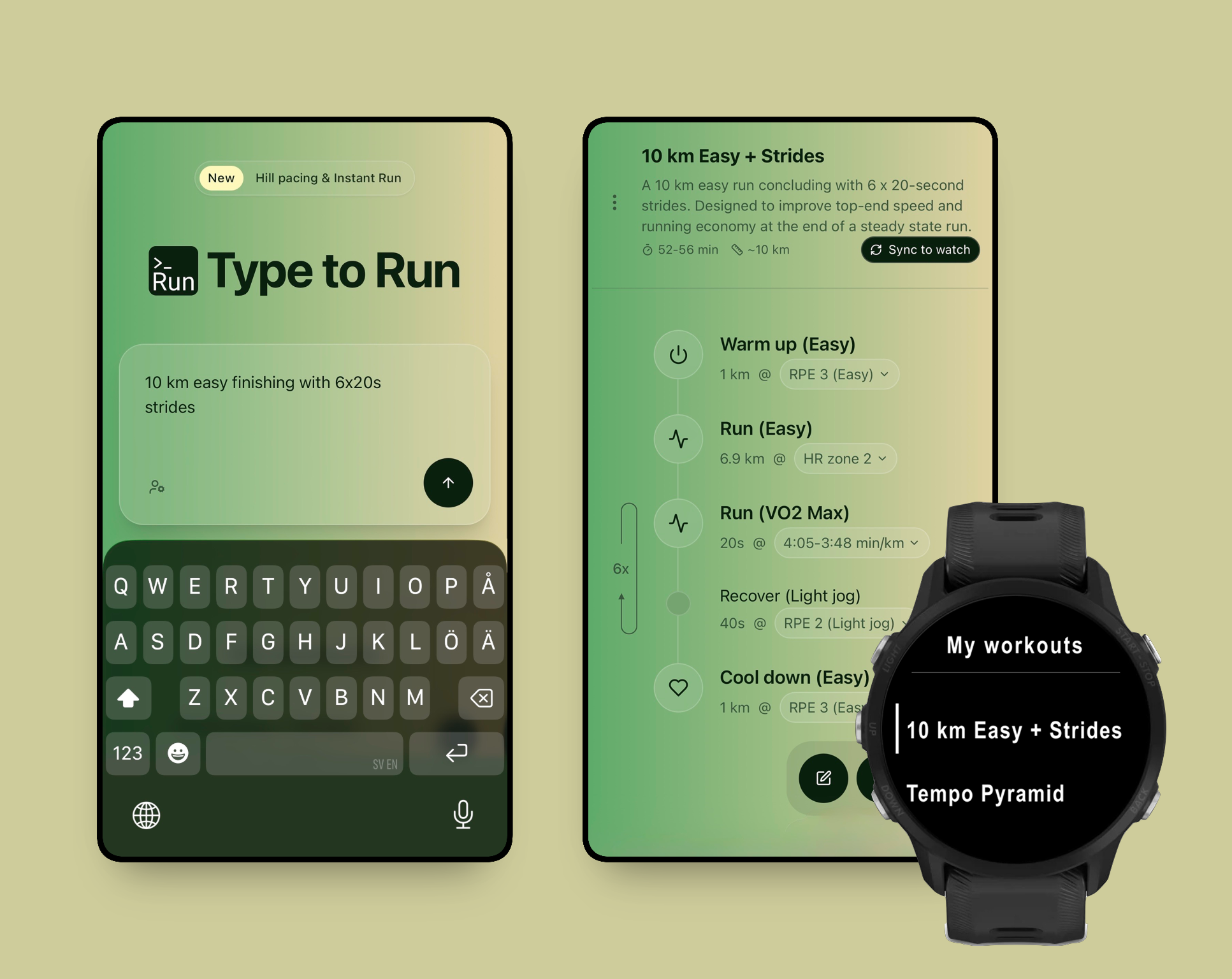
Text Interpretation to Structured Workouts
While the watch app handles the on-demand use case, the platform also includes a web-based builder for more targeted session design.
Using an LLM (Large Language Model), the web interface allows workouts to be described in plain English, for example:
- “Pyramid intervals 1-2-3-2-1 mins with equal recovery”
- “40 min hill sprint session”
- “10k steady run finishing with 5x20s strides”
The system interprets these descriptions and automatically handles much of the workout construction. It accounts for terrain by adjusting pace ranges for uphill efforts, fits interval blocks within the requested total duration/distance, and adds warmup and cooldown steps by default. Inputs can be vague or detailed, with the resulting workout structured into steps, with pace, heart rate, and RPE targets applied throughout.
The workout library is treated as dynamic. When a reference race time is updated on the web, existing workouts are recalculated to reflect the new fitness level.
Summary
For Garmin users who find the native workout builder cumbersome and DSW overly rigid, Type to Run sits between manual construction and fully automated suggestions. It combines flexible, on-demand workout generation with user-controlled pacing inputs, without attempting to manage overall training load.
At the time of writing, Type to Run is free on the Connect IQ Store, with the accompanying web app also available at no cost.
- Connect IQ link: https://apps.garmin.com/apps/ddc801d5-9bc7-4f3e-a48d-8c6b07a33489
- Web app link: https://typeto.run
Last Updated on 3 October 2026 by tfk the5krunner
Small things I always use
- Garmin 90-degree charging adapter: Charges your Garmin from any USB-C cable. Essential when travelling. I use one.
- Body Glide: The blue anti-chafe stick swimmers and runners carry. I use it.
- Speedo earplugs: Fewer ear infections and no cold-water dizziness. I use them.
- Dryrobe Advance: My winter changing robe for open-water swims. I use one. A cheaper option is the AONYIYI changing robe.
- Maurten: Race fuel that stays easy on the stomach. I use them.
- Beet It Sport nitrate shots: Beetroot shots I take in the days before a race. I use them.
- Garmin charging puck: The quickest way to top up before a session. I use one.
- Injinji: Toe socks that stop rubbing, so you run more. I use them.
- Ultimate toe protectors: Stop black toenails on long runs. They work. I use them.
- Compressport R2 v2 calf sleeves: My calf sleeves of choice. I use them.
- Cellucor C4: My pre-workout before hard sessions.
- TPU tubes: Schwalbe Aerothan, Tubolito and Pirelli SmarTube. Light, tiny spares. I use all three.
- G8 insoles: Adjustable insoles that are good. I use them.
- Cycplus Cube: A 97g electric pump that gets a road tyre rideable in two minutes. I carry one. 5% off with code THE5KRUNNER.
Watches and sensors
- Polar H10: My daily driver for waking HRV.
- Polar Verity Sense: My backup arm-worn HR sensor.
- Nomad bedside charger: Charges my iPhone and Apple Watch overnight. I use it, and many of their bands.
- Train.Red: The best muscle oxygen sensor I’ve used.
- Tymewear: Accurate heart rate and reliable ventilatory zones. I use it to pace endurance rides over an hour.
- Garmin Forerunner 970: A pro-grade triathlon watch. I use this.
- Apple Watch Ultra 4: My daily smartwatch. No phone needed on rides.
- Garmin Fenix 9 Pro: I’ve just bought one.
On the bike
- Continental GP5000 for everyday riding, and Aero 111 on the front for special occasions.
- Helmets: Specialized S-Works Evade 3 for road riding, and Rudy Project Wing for TT-style races. I use both.
- Ravemen FR300: A front light that mounts under your Garmin or Wahoo. I use one.
- Wahoo TRACKR Radar: I use it on one bike and Varia on the other. They perform the same.
- Garmin Varia RTL515: Radar that warns you of cars from behind. I use this model.
- Wahoo ELEMNT Roam 3: The bike computer that’s easy to use. I use mine on most rides.
- Favero Assioma Pro RS2: Accurate power pedals that swap easily between bikes. I use this model.
Home and indoor training
- NPE Runn: Makes my basic treadmill smart, sending more accurate speed and distance to my watch and Zwift. I use it.
- Google Wifi: Keeps Zwift connected in my pain cave. I use it.
- Apple TV 4K: Zwift on the big screen. I use two.
- Google Nest Doorbell (wired, 2nd gen): My video doorbell, running in both Google Home and Apple Home. I use it.
Health, recovery and sleep
- FreeStyle Libre 3 Plus: Shows how my blood sugar responds to diet.
- hDrop: Measures my sweat loss in summer and indoors.
- Fourth Frontier Zone: Checks my heart under load in hard sessions.
- Oura Ring 5: My partner’s recovery tracker of choice.
- Eight Sleep: A cooling mattress cover my partner and I use nightly.
Reader-Powered Content

This content is not sponsored. It’s mostly me behind the labour of love, which is this site, and I appreciate everyone who supports it.
Support the site: Follow (free, fewer ads) · Subscribe (paid, ad-free) · Buy Me A Coffee
Written by real people, with AI assistance. Fact-checked and verified for originality. See the Editorial Policy. FTC: Affiliate Disclosure — some links pay commission. As an Amazon Associate, I earn from qualifying purchases.

tfk is the founder and author of the5krunner, an independent endurance sports technology publication. With 20 years of hands-on testing of GPS watches and wearables, and competing in triathlons at an international age-group level, tfk provides in-depth expert analysis of fitness technology for serious athletes and endurance sport competitors. See the gear tfk uses. ID

Pretty neat. I tried it just now and it bombed on my 965, said I exceeded my maximum number of workouts on my watch. Assuming this is because of I have the Garmin workouts there plus all the others I’ve downloaded from other training plans (via Stryd and Sporttracks etc).
Shame you can’t create workouts by Power, although I fully understand why Stryd power is not an option.
Hey Brian – Staffan, the creator of Type to Run here! Glad to hear you like it, despite the “max workouts exceeded” issue, which is due to a Garmin limitation as you already guessed: https://support.garmin.com/en-US/?faq=aEyhNQKOCFAytMFnCvdAM7
And for Power targets, I’m happy to say that I’m actually working on adding support for this right now, along with more granularity for heart rate based training.
Don’t hesitate to reach out if you have questions or more feedback!
Wow, thanks for the reply. Awesome to hear Power derived workouts are coming.
Great app, thanks! is it possible to sync/save the workout from watch to garmin connect app on mobile device?
I think this is not necessarily a question to developers, but to garmin 🙂
Hi again Igor! You mean if you can get the workouts into the workout library on the Garmin Connect app, right?
My understanding is that the sync between watch and the GC app will always be app -> watch and never in the other direction.
For Type to Run, all your workouts (including Instant runs) are saved to your Type to Run workout library that can be accessed from the web app. From here you can edit, update and set which ones are currently synced to your watch. No need to put them in the GC app!
This is amazing. The only thing I wish Garmin would include is adjusting heart rate to conditions (heat, humidity, altitude). I tried doing it when asked to create a workout and consider high heat and humidity, but it didn’t factor in in this app. I wonder if it could be incorporated in somehow? An example: 25 minute 5K PR and easy base run is described at around 6:12-6:42 per km pace which is well aligned, but the HR target of 140-152 is impossible to hold when it’s hot and humid out there. So maybe a toggle in the targets for different conditions could be possible? Every +5°C above ~15°C: HR +3 to +5 bpm
High humidity (≥70%): add another +3 to +5 bpm
good question and I’m not sure I know the exact answer.
I owuld have thought a HR target in hotter conditions is fine as your HR will rise to give a cooling effect.
Yes the pace target should be lower (I don’t know if the workouts factor that in, I suspect not)
Hi Steven! Really great to hear you are enjoying and getting value from the app.
Factoring in external factors like this for the targets would be a great addition. I have been looking at some formulas specifically for heat, but altitude is equally interesting. I live at sea level and was hit by this recently when doing a run in the Swiss Alps 🙂
I can’t say exactly when I’ll get to this, but it’s on the list – I have some ideas on how to make it as seamless as possible.
If you have a minute to leave a rating/review in ConnectIQ store, it’s much appreciated to help reach more users at this early stage!