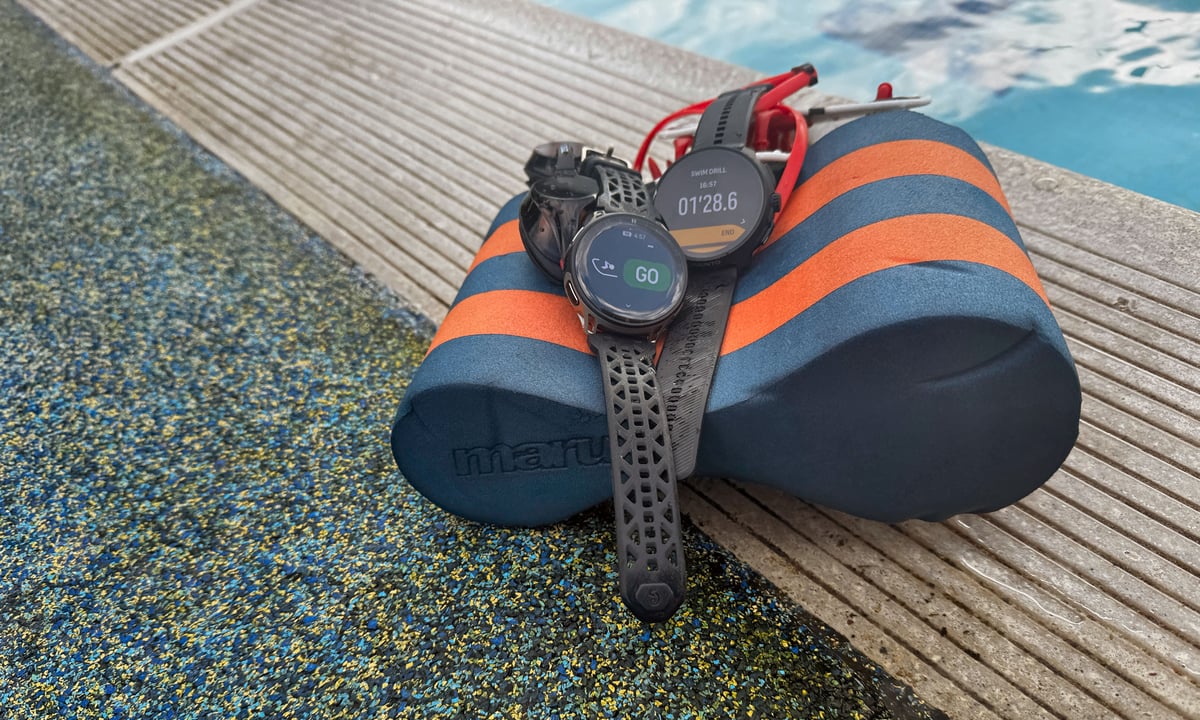
For the past few years, this site has argued that Suunto has not taken triathlon seriously enough, catering well to the tick-box triathlete but not addressing the needs of more technically advanced multisport athletes. Many of Suunto’s staff are excellent multisport athletes and must have been fully aware of the shortcomings.
The Race series had strong maps, capable navigation and genuine endurance credentials, but it was not a serious triathlon tech tool. Automatic transitions were absent. Multisport recording was clunky. A Suunto triathlete who knew the features Garmin had offered for almost a decade had to wait for the promise of what was to come.
The H1 2026 firmware updates look like an answer. Suunto added automatic transitions in the Triathlon and Swimrun sport modes, introduced default modes for duathlon, aquathlon, and swimrun, added heart rate broadcasting, and added support for swim drills. I tested some of these on my Suunto Race 2 review. The question was whether the implementation matched the announcement.
The short answer is that some of it does, and the headline feature does not.
What was added
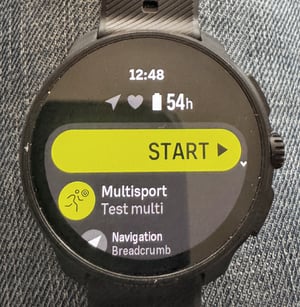
The triathlon-relevant additions from Suunto’s two updates in the first half of 2026 are the most significant the Race series has received. Automatic transitions were added to the predefined Triathlon and Swimrun modes in January. New default sport modes for duathlon, aquathlon and swimrun were added at the same time. “Repeating loops” were added to cover brick training workouts. April brought heart rate broadcast from the watch to an external device, pool swimming drill sets, and manual laps with lap-button interval control. A post-workout heart rate recovery test and per-sport-mode sensor management were added, alongside new data fields, including NGP, peak power, and peak pace. The SuuntoPlus open platform also saw significant expansion during the two quarters, adding community-built apps and opening to third-party developers. All good stuff.
On paper, the Race 2 now carries the in-race feature set a serious triathlete expects, and much of it works well.
Testing: what works
Heart rate broadcast works without issue.
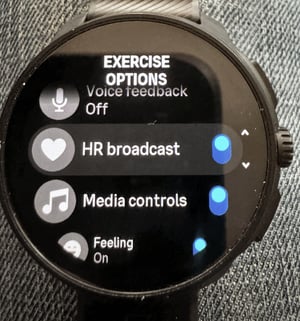
Race 2 appeared as a pairable device on a Wahoo ELEMNT. For a triathlete using a separate bike computer, the watch serves as the heart rate source during the bike leg without the complications of wearing an HRM.
Wrist HR broadcast is not really a ‘pro’ feature, as anyone taking sports data seriously would, of course, use a chest strap. Still, for those who do not want a chest strap, or who want a single source of heart rate data from the wrist (there are many people like this), then this feature is a great addition.
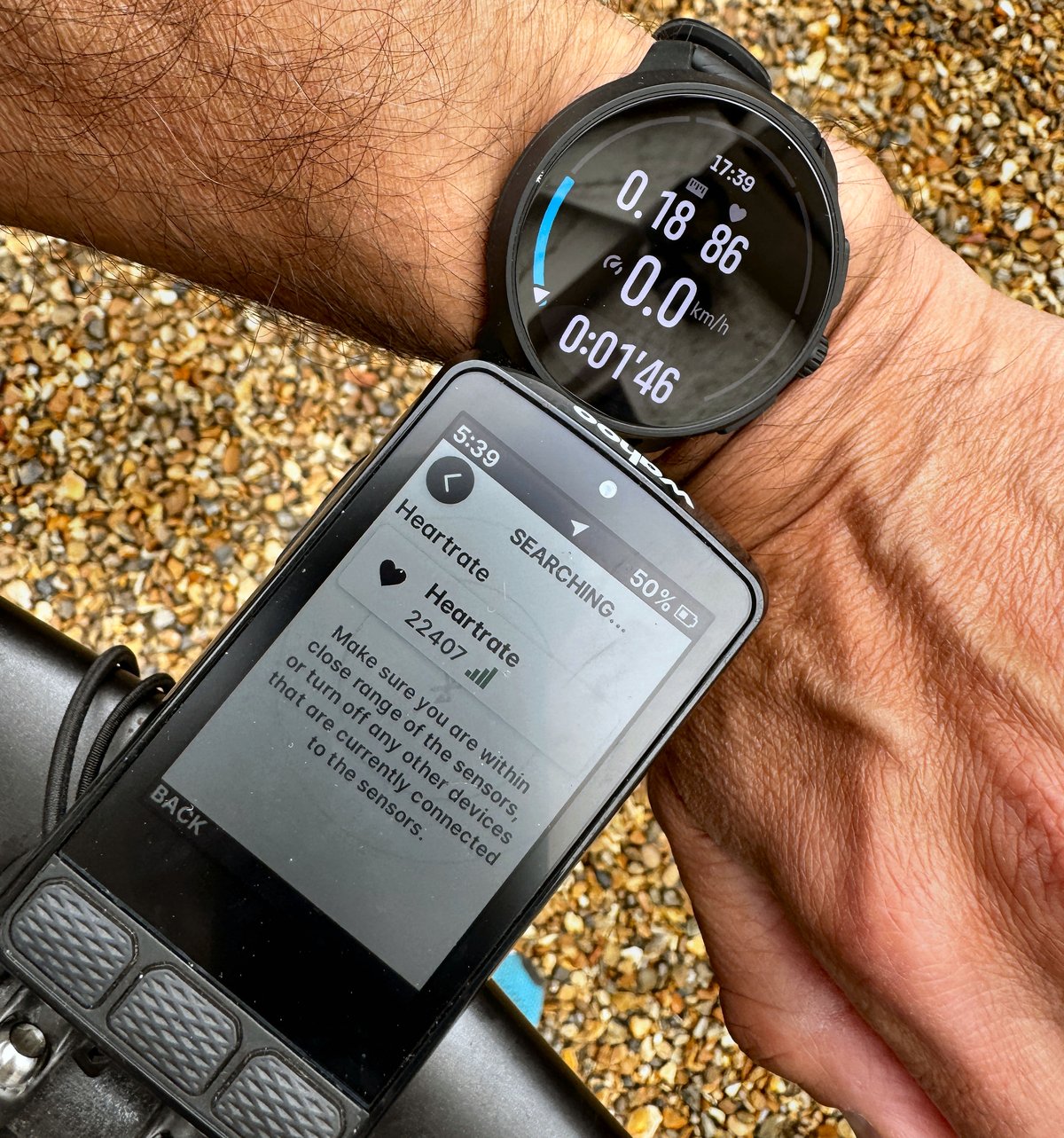
The pool swimming drill mode is well implemented. Not comprehensive, but more than good enough for me. On the watch during a swim, tabbing across to the drill screen and starting a drill set takes seconds. Multiple drill sets can be logged within a single session at any time. The watch does not distinguish between drill types (kick or pull), but a manual distance figure can be added easily. The session summary reflects drill work as a distinct block, and the function is clean on the app, where drills are broken out from the rest of the session (intervals/drills).
The post-workout heart rate recovery test showed a 40-beat-per-minute drop, with the 60-second countdown working as described.
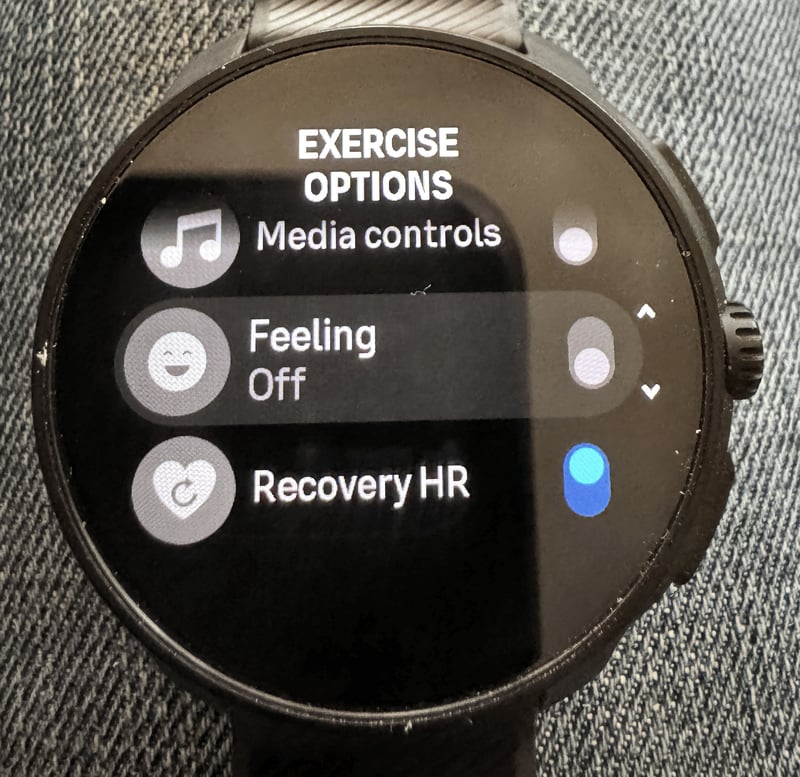
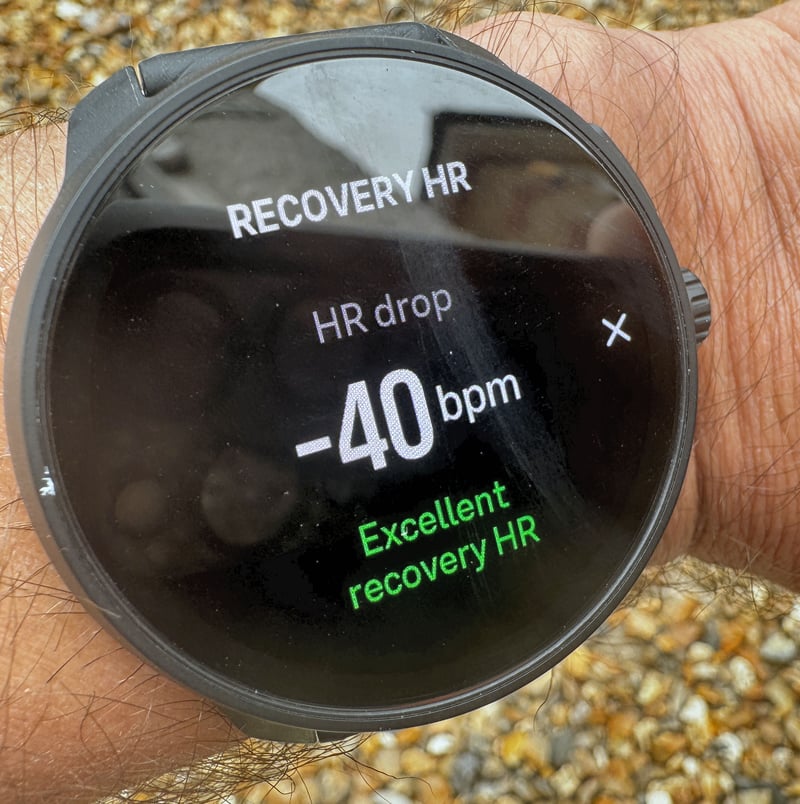
The limitations are practical and apply equally to any other brand with a similar feature: the post-workout HR recovery test is only meaningful if the watch is stopped at the point where the hard work stops. Jogging home or cooling down before stopping will yield a smaller drop because the heart rate has already partially recovered by the time the 60-second window opens. AFAIK, there is no solution to this practical issue from any vendor. Even if the point of maximum exertion were recorded automatically, a jog home recorded as part of the workout would affect the result compared to just standing still. The answer for you is to do the same thing each time (probably stopping the workout and waiting one minute before any cool-down or jog home).
Per-sport-mode sensor management, which allows connected sensors to be enabled or disabled by mode, shipped in January. In practice, the watch auto-selects from available paired sensors rather than allowing explicit per-sports profile assignment. The feature is more limited than the description implies. In reality, it works for any sane athlete who has only one power meter per bike. That, of course, excludes me! Fair enough!
Testing: auto transition in practice
Heads up: I devised a few tests based on certain expectations of what would happen. It didn’t, so if there are any errors here, please shout out in the comments.
When transitions in the Triathlon mode are initiated manually, pressing the transition button at each sport change, the Race 2 records the activity correctly. Swim, T1, bike, T2 and run appear as distinct segments with their own data. The file is properly structured and, in this case, Strava sees five separate workout files (normal).
When auto transition is left to handle the sport changes, the recording is a single continuous activity with no transitions separated out. The same result was observed across the Swimrun mode and a duathlon. For example, in the watch logbook, a run-bike-run activity was classified as a single run. On Strava, the swimrun synced as a single activity with no per-sport breakdown (that might make some people happy, but it’s not correct behaviour!).
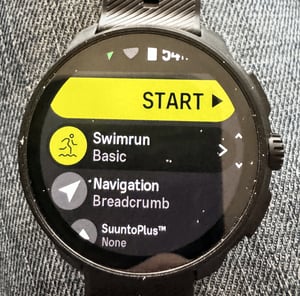
I’m pretty sure the display shifted to the correct sport and metrics during the recording, but I’m not sure exactly when it happened, and I was hoping to compare the recorded transition points. There weren’t any.
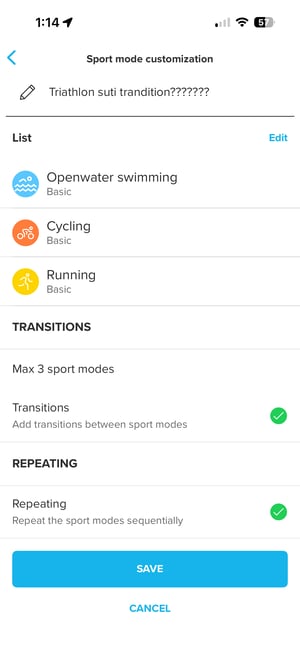
Note: the image above is different to the one that dcrainmaker shared several weeks ago, which included auto transitions. I tried to replicate this on the app but couldn’t. Maybe I did something wrong, or maybe the feature has been temporarily removed (the app is the latest one).
My slightly negative experience with the configuration compounded other issues.
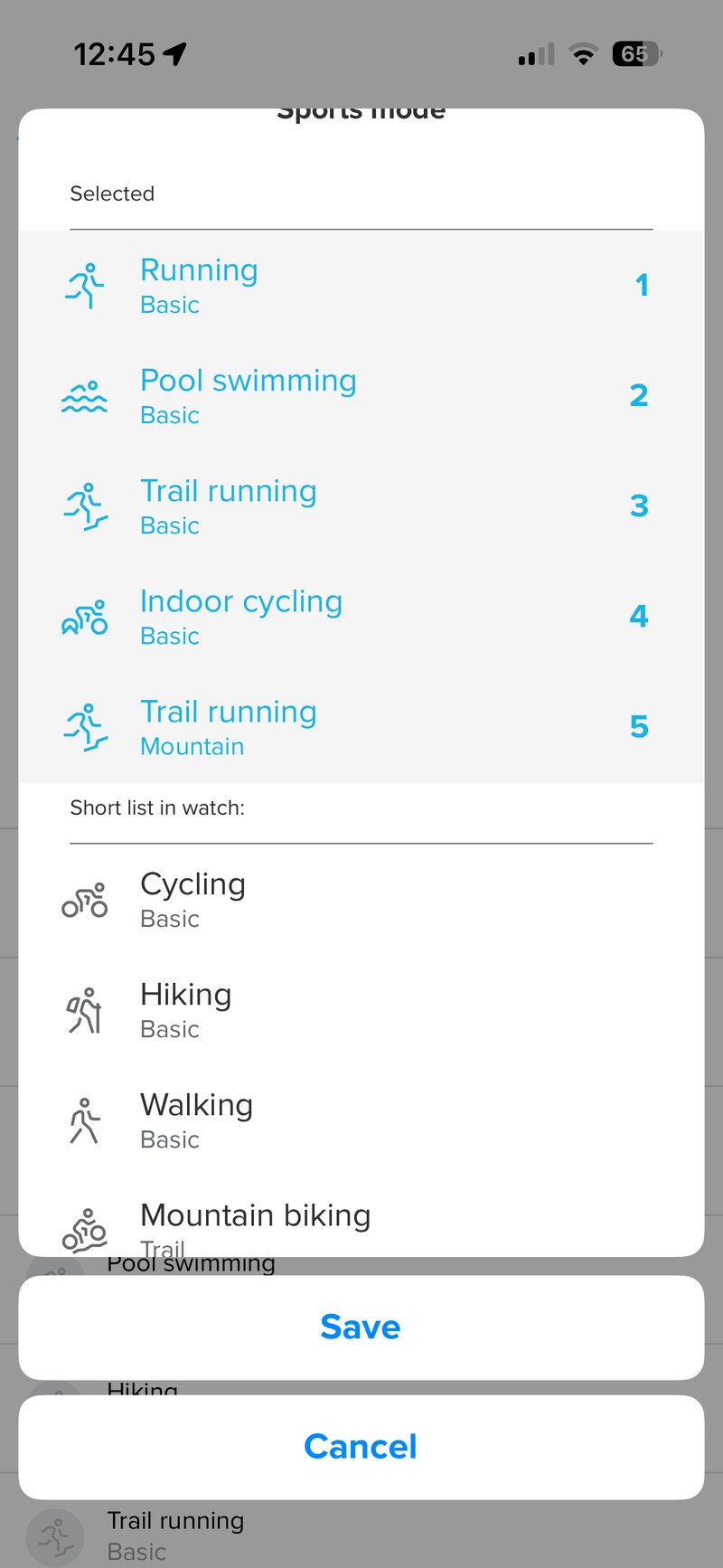
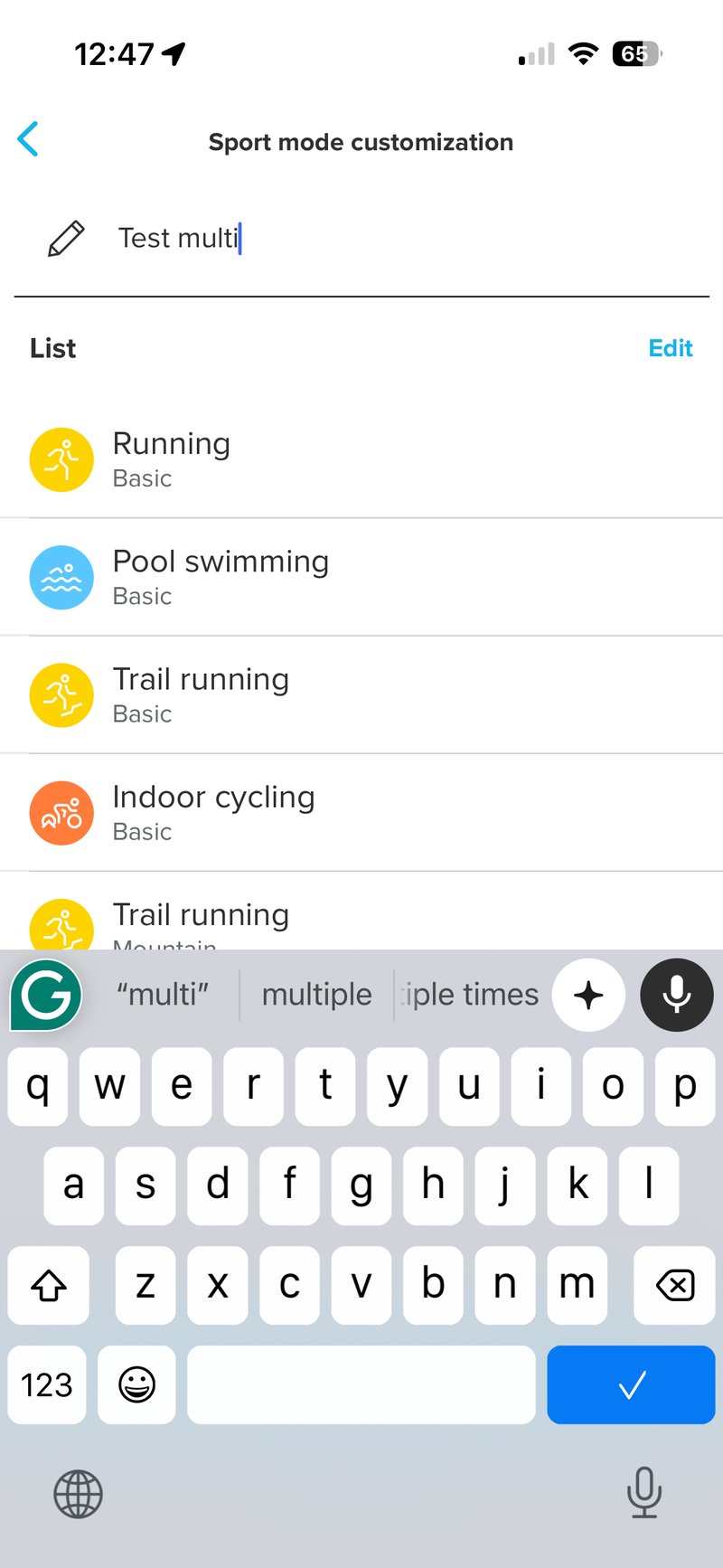
Building and editing custom multisport modes requires repeated syncs between the watch and the app, each taking ten seconds or more. The out-of-the-box Triathlon and Swimrun modes cannot be edited in the app, and only one custom multisport mode can be stored on the watch, with a limit of three sport legs (although, bizarrely, I once managed to add five – see below). Running cannot be added twice in a custom mode, so a second run leg must be entered as trail running. The manual transition controls are inconsistent: a long hold to enter a transition, a single press to exit.
Setting up my test conditions took over an hour; it should have taken 5 minutes.
The gap that remains
Garmin has offered automatic triathlon transitions on its top Forerunner model for years. The Forerunner 970 records multisport activities separately, regardless of whether transitions are automatic or manual. Structured multisport workouts can be built in Garmin Connect and sent to the watch; any kind of custom multisport profile can be created on the watch. Garmin Triathlon Coach generates an adaptive training plan across all three disciplines tied to a race date. Race-day tools include projected finish time and course-based pacing.
Note: Garmin’s auto-transition doesn’t properly record transition times. A manual press is the only way to get accurate times that match the times from race mats. It does not use the existence of power, to determine sport changes.
The gap between the two watches has narrowed in terms of the feature list.
Anyone serious about accurate data for analysis should use manual transitions. As the testing showed, the Race 2 handles these correctly.
One gap neither brand has closed is the automation of the indoor-to-outdoor case, or the indoor bike-to-treadmill case, both staples of winter training, at least for me. A triathlete finishing a turbo-trainer leg cannot rely on auto-transition because the detection is GPS-based. Power meter data provides a cleaner trigger: power drops to zero, the accelerometer detects running gait, and the transition fires. Neither Garmin nor Suunto uses it. I’ve no idea why.
The direction is right.
Suunto has added genuine triathlon capabilities, whereas before it had only the core elements. The HR broadcast, drill mode, new default sport modes, and NGP data fields are real additions that make the Race 2 a more complete multisport training watch, appealing to a wider audience beyond newbie triathletes. Suunto’s intent is clear, and the gap with Garmin has narrowed.
The Race 2 remains a strong option for a multisport athlete who trains across disciplines and values navigation, maps and long battery life. For race-day recording, manual transitions are essential. Auto transition, in its current form, should not be relied upon for race-day recording; the same caveat applies to Garmin.
Suunto has made a good start to the next stage of its triathlon features development.
Quick answers
Does Suunto Race 2 support automatic transitions for triathlon?
The Suunto Race 2 supports automatic transitions in its predefined Triathlon and Swimrun sport modes, added in the January 2026 firmware update. In the current firmware, however, auto transition records the entire activity as a single continuous file with no segment breaks between swim, T1, bike, T2 and run. Manual transitions record each segment correctly. Until the recording issue is addressed, manual transitions are the reliable option for anyone who needs clean per-sport data.
Does Suunto Race 2 record a triathlon as separate swim, bike and run files?
With manual transitions, the Race 2 records a triathlon as five separate parts, swim, T1, bike, T2 and run, which are passed to Strava and other platforms correctly. When auto transition is used, the entire activity is recorded as a single blended file with no segment breaks. For race-day recording, manual transitions are essential.
Can Suunto Race 2 broadcast heart rate to a Wahoo or Garmin bike computer?
Yes. Heart rate broadcast from the Race 2 to an external device was added in the April 2026 update. The watch appears as a compatible heart rate source on devices such as the Wahoo ELEMNT. This allows triathletes to use the watch as a wrist-based heart rate source on the bike without a separate chest strap.
What new triathlon features did Suunto add in the H1 2026 firmware update?
The H1 2026 updates added automatic transitions in the predefined Triathlon and Swimrun modes, new default sport modes for duathlon, aquathlon and swimrun, repeating loops for brick training, heart rate broadcast to external devices, pool swimming drill sets, manual laps with lap-button interval control, a post-workout heart rate recovery test, per-sport-mode sensor management, and new data fields including NGP, peak power and peak pace.
How does Suunto Race 2 compare to Garmin Forerunner 970 for triathlon?
The Garmin Forerunner 970 retains several advantages. It records multisport activities as separate per-sport segments whether transitions are automatic or manual, and it offers structured multisport workouts, an adaptive Garmin Triathlon Coach, and race-day tools including projected finish time. Race 2 has closed the feature-list gap significantly in H1 2026. It is worth noting that Garmin’s own auto transition also does not record transition times cleanly, and neither watch supports power-based indoor-to-outdoor transition detection.
Does the Suunto Race 2 auto-transition work for turbo trainer-to-treadmill sessions?
No. Auto transition in Race 2 relies on GPS and motion data to detect changes in sport. Indoor cycling on a turbo trainer has no GPS signal that cleanly distinguishes cycling from running. Power meter data could provide a clean trigger, but the Race 2 does not currently use power data for transition detection. The same limitation applies to the Garmin Forerunner 970.
What is the Suunto Race 2 heart rate recovery test, and how does it work?
The heart rate recovery test measures the drop in heart rate over 60 seconds immediately after a workout is stopped, with the watch displaying a countdown and recording the result. In testing, the Race 2 recorded a 40-beat-per-minute drop. The test is only meaningful if the watch is stopped at the point of peak exertion: jogging home or cooling down first will produce a smaller reading, because the heart rate has already partially recovered before the 60-second measurement window opens.
Does Suunto Race 2 support swim drill sets in pool mode?
Yes, pool swimming drill sets were added in the April 2026 update. From the pool swimming sport mode, switching to the drill screen and starting a drill set takes seconds. Multiple drill sets can be logged within a single session. The watch does not distinguish between drill types such as kick or pull, but a manual distance can be added, and the session summary shows drill work as a distinct block separate from normal swimming.
How many sport legs can a custom multisport profile have on the Suunto Race 2?
A custom multisport profile on the Race 2 supports up to 3 sport legs. The same sport cannot be added twice, so a run-bike-run profile requires trail running as a substitute for the second run leg. Only one custom multisport mode can be stored on the watch at a time, and the predefined Triathlon and Swimrun modes cannot be edited in the Suunto app.
Should I use automatic or manual transitions on the Suunto Race 2 for a triathlon?
Manual transitions. In the current firmware, auto-transition on the Race 2 records the activity as a single, blended file with no segment breaks. Manual transitions produce separate swim, T1, bike, T2 and run segments with individual pace and time data. Until Suunto updates auto transition to produce a properly segmented file, manual transitions are the reliable option for any triathlete who needs usable race data.
Can I customise data screens on the Suunto Race 2 Triathlon or Swimrun modes?
No. The predefined Triathlon and Swimrun sport modes are greyed out in the Suunto app and cannot be edited. Data field customisation is available for custom single-sport modes but not for the predefined multisport modes. This is a long-standing limitation of Suunto’s multisport implementation.
Is the Suunto Race 2 a good watch for triathletes?
The Race 2 is a strong option for a multisport athlete who trains across disciplines and values navigation, detailed maps and long battery life. The H1 2026 updates added genuine triathlon capability, including heart rate broadcast, pool drill sets and new default modes for duathlon, aquathlon and swimrun. The key limitation in the current firmware is auto transition, which does not produce a correctly segmented activity file, making manual transitions essential for race-day use. For athletes comfortable managing transitions manually, the Race 2 records them correctly and produces clean per-sport data.
Which Features Were Added to the Suunto ecosystem in Q1 and Q2 2026?
WATCH FIRMWARE
Sport and multisport
- Automatic transitions in triathlon and swimrun sport modes
- Circular and repeating transitions between sports in predefined multisport modes
- Default sport modes for swimrun, duathlon and aquathlon
- Pool swimming drill sets
- Manual laps in swim with auto intervals
- Lap button control for interval timing
- Enhanced swimming algorithm
- Improved pool swimming accuracy
- Enhanced barometric altitude algorithm
- Heart rate broadcast from the watch to external devices
- Custom data fields: NGP, peak power, peak pace, peak speed, ascent and descent to next waypoint
- Sensor management configurable per sport mode
- SuuntoPlus apps usable within sport mode, limit raised to three (Race 2 and Vertical 2 only)
Training and physiology
- ZoneSense in the workout gauge and summary
- Heart rate recovery test post-workout, also available as a data field
Navigation and outdoors
- Watch map with place names, contour lines, elevation labels and location icons (excludes Suunto Race)
- Navigation map and climb view, bottom row customisable
- Climb guidance with distance and zoom, including a zoomed view of the current section
- Smart turn-by-turn navigation with notifications and automatic zoom
- Off-route detection improved, showing distance and direction back to the route
- Track back function to retrace the outward path
- North and heading orientation setting
- Larger navigation icons
- Map data updated
User experience
- Mixed units support
- Touchscreen option during sport modes
- Notifications and sounds management for daily use and sport modes
- Easier data picker with looped numbers
- Autolap can be muted during an active interval
- Day-specific alarms
- Sunrise time in the morning report
- Sport mode settings are editable via the app, including zones, laps and auto pause
- Indonesian language support
- In-store demo mode
- Weather data sync via Wi-Fi (Vertical 2 only)
- Flashlight quick switch and persistent settings (Vertical 2 only)
- Improved wrist heart rate accuracy (Race S and Race only)
SUUNTO APP
Training and physiology
- Interval training with Suunto AI Coach
- Strength sessions with Suunto AI Coach
- Intensity zone setup via app
- Training plans in training and in-progress views
- Heart rate recovery data in workout view
- Feeling and fatigue graphs in the recovery tab
- Planned workout in the dashboard
- Workout data explanations
- Feeling graph in workout sharing
Sport
- Dive data in activity logs
Navigation
- Offline maps with route planning
- Elevation data updated
User experience
- Workout sharing
- Workout view updated
- 90th anniversary badges and watch faces
SUUNTOPLUS OPEN PLATFORM
New apps released H1 2026: Tennis Pro, Hexacon, Beer Mile, Erg Sync, Table Tennis, Notes, Manual Interval+, Live VKT, Varia Radar, Live KM, GAP Mate, Anchor Alarm, Climb Log
NEW ECOSYSTEM PARTNERS
Picturide, TrailSight, Trailmap, PlaniTeam, OpenTrailRaces, SwimTribe, Vertical, Train2GO
Related reading
Last Updated on 10 August 2026 by tfk the5krunner
Small things I always use
- Garmin 90-degree charging adapter: Charges your Garmin from any USB-C cable. Essential when travelling. I use one.
- Body Glide: The blue anti-chafe stick swimmers and runners carry. I use it.
- Speedo earplugs: Fewer ear infections and no cold-water dizziness. I use them.
- Dryrobe Advance: My winter changing robe for open-water swims. I use one. A cheaper option is the AONYIYI changing robe.
- Maurten: Race fuel that stays easy on the stomach. I use them.
- Garmin charging puck: The quickest way to top up before a session. I use one.
- Injinji: Toe socks that stop rubbing, so you run more. I use them.
- Ultimate toe protectors: Stop black toenails on long runs. They work. I use them.
- Compressport R2 v2 calf sleeves: My calf sleeves of choice. I use them.
- Cellucor C4: My pre-workout before hard sessions.
- TPU tubes: Schwalbe Aerothan, Tubolito and Pirelli SmarTube. Light, tiny spares. I use all three.
- G8 insoles: Adjustable insoles that are good. I use them.
- Cycplus Cube: A 97g electric pump that gets a road tyre rideable in two minutes. I carry one. 5% off with code THE5KRUNNER.
Watches and sensors
- Polar H10: My daily driver for waking HRV.
- Polar Verity Sense: My backup arm-worn HR sensor.
- Nomad bedside charger: Charges my iPhone and Apple Watch overnight. I use it, and many of their bands.
- Train.Red: The best muscle oxygen sensor I’ve used.
- Tymewear: Accurate heart rate and reliable ventilatory zones. I use it to pace endurance rides over an hour.
- Garmin Forerunner 970: A pro-grade triathlon watch. I use this.
- Apple Watch Ultra 4: My daily smartwatch. No phone needed on rides.
- Garmin Fenix 9 Pro: I’ve just bought one.
On the bike
- Continental GP5000 for everyday riding, and Aero 111 on the front for special occasions.
- Helmets: Specialized S-Works Evade 3 for road riding, and Rudy Project Wing for TT-style races. I use both.
- Ravemen FR300: A front light that mounts under your Garmin or Wahoo. I use one.
- Wahoo TRACKR Radar: I use it on one bike and Varia on the other. They perform the same.
- Garmin Varia RTL515: Radar that warns you of cars from behind. I use this model.
- Wahoo ELEMNT Roam 3: The bike computer that’s easy to use. I use mine on most rides.
- Favero Assioma Pro RS2: Accurate power pedals that swap easily between bikes. I use this model.
Home and indoor training
- NPE Runn: Makes my basic treadmill smart, sending more accurate speed and distance to my watch and Zwift. I use it.
- Google Wifi: Keeps Zwift connected in my pain cave. I use it.
- Apple TV 4K: Zwift on the big screen. I use two.
- Google Nest Doorbell (wired, 2nd gen): My video doorbell, running in both Google Home and Apple Home. I use it.
Health, recovery and sleep
- FreeStyle Libre 3 Plus: Shows how my blood sugar responds to diet.
- hDrop: Measures my sweat loss in summer and indoors.
- Fourth Frontier Zone: Checks my heart under load in hard sessions.
- Oura Ring 5: My partner’s recovery tracker of choice.
- Kineon MOVE+: Red light therapy for niggles. It works.
- Eight Sleep: A cooling mattress cover my partner and I use nightly.
Reader-Powered Content

This content is not sponsored. It’s mostly me behind the labour of love, which is this site, and I appreciate everyone who supports it.
Support the site: Follow (free, fewer ads) · Subscribe (paid, ad-free) · Buy Me A Coffee ❤️
Written by real people, with AI assistance. Fact-checked and verified for originality. See the Editorial Policy. FTC: Affiliate Disclosure — some links pay commission. As an Amazon Associate, I earn from qualifying purchases.

tfk is the founder and author of the5krunner, an independent endurance sports technology publication. With 20 years of hands-on testing of GPS watches and wearables, and competing in triathlons at an international age-group level, tfk provides in-depth expert analysis of fitness technology for serious athletes and endurance sport competitors. ID
