The reMarkable Paper Pure arrived at a useful time in June for nearly 2 months of proper testing. My daughter, 16, was finishing her term work and tests, and starting her summer revision with a bag full of paper notebooks and a phone that she checks far too often. She used the Paper Pure for note-taking, sketching, eight planned testing sessions and wrote down what she thought – no holds barred! I edited her thoughts into this review. The views and experience below are hers.
The main question is simple: is the reMarkable Paper Pure worth buying for students aged 16 to 21, from juniors/sixth formers through to undergraduates?
Review unit provided free of charge by reMarkable.
reMarkable Paper Pure
Student verdict
The reMarkable Paper Pure does one thing better than any tablet at this price: it feels like writing on paper. The distraction-free design is real and tested. It complements a laptop; it does not replace one.
Pros
- Writing feels closer to paper than any tablet tested
- Genuinely distraction-free: no apps, no notifications
- Lightweight and durable enough for daily bag carry
- Strong PDF annotation with clean export
- Battery lasts days, not hours
Cons
- No front light: limited in low-light conditions
- Monochrome only: no colour annotation
- Text conversion unreliable for maths and science notation
- Core features require Connect subscription (~£4/$4 per month)
- Does not replace a laptop or general-purpose tablet

Setup and first impressions
It took just over ten minutes to get the Paper Pure set up and write the first note, including connecting it to Wi-Fi. You need a reMarkable account to use cloud sync. Parents buying one as a gift should be aware that this means providing the usual account details, including an email address, device information and anything the student stores in the cloud. reMarkable has a privacy policy explaining how this information is handled. There are no adverts and the data is not used for targeted advertising.
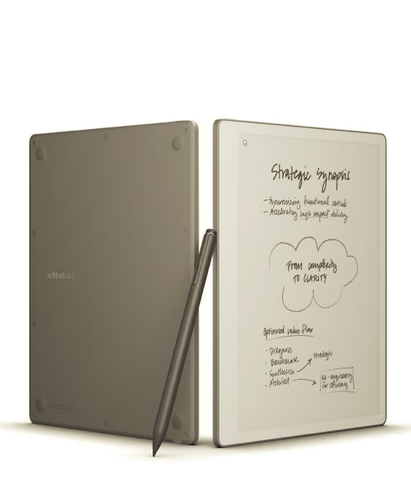
The home screen is very simple. It shows a list of notebooks on a light e-ink screen, with one toolbar. It looks nothing like an iPad, and that is a good thing here.
Writing feel
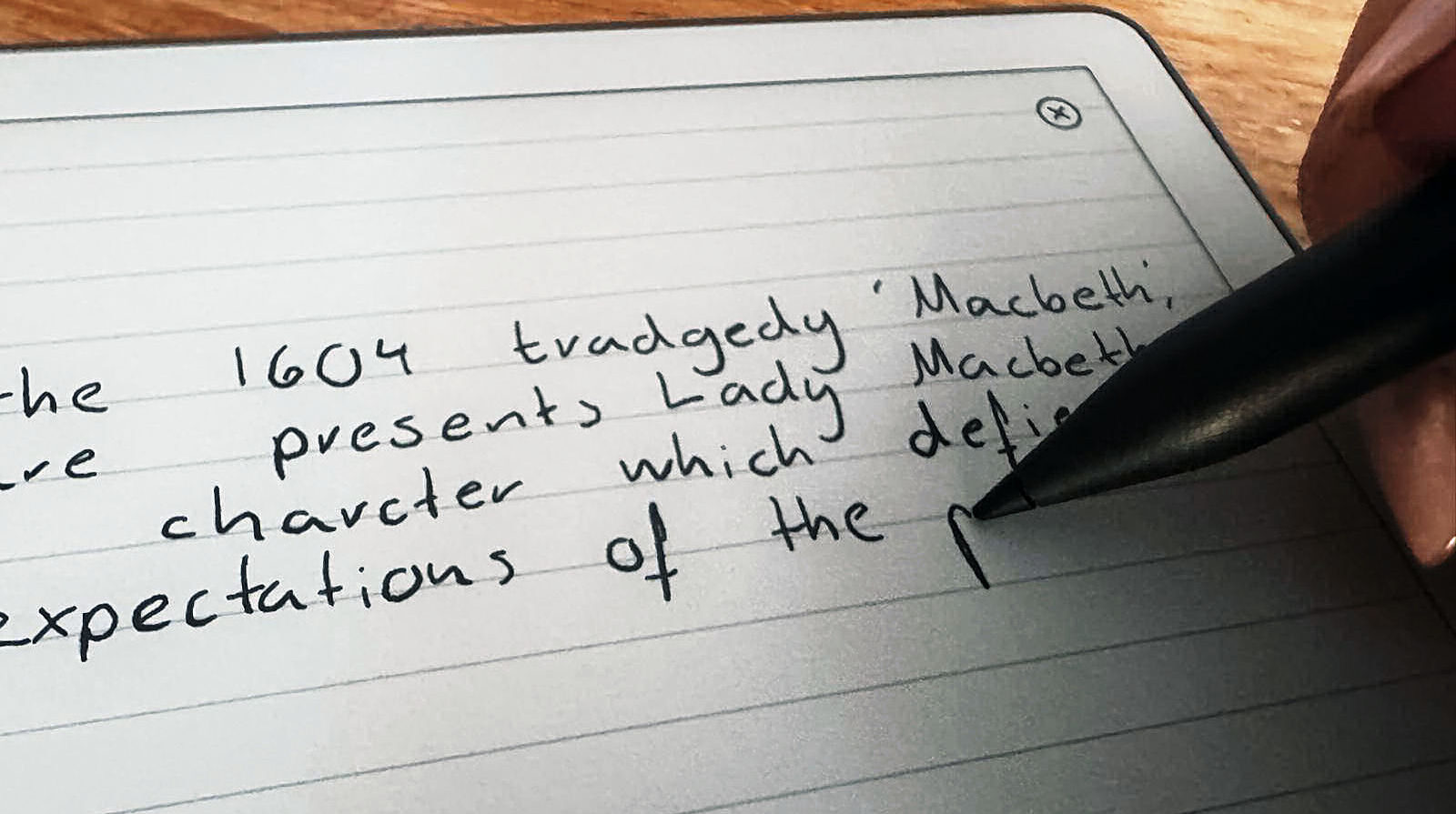
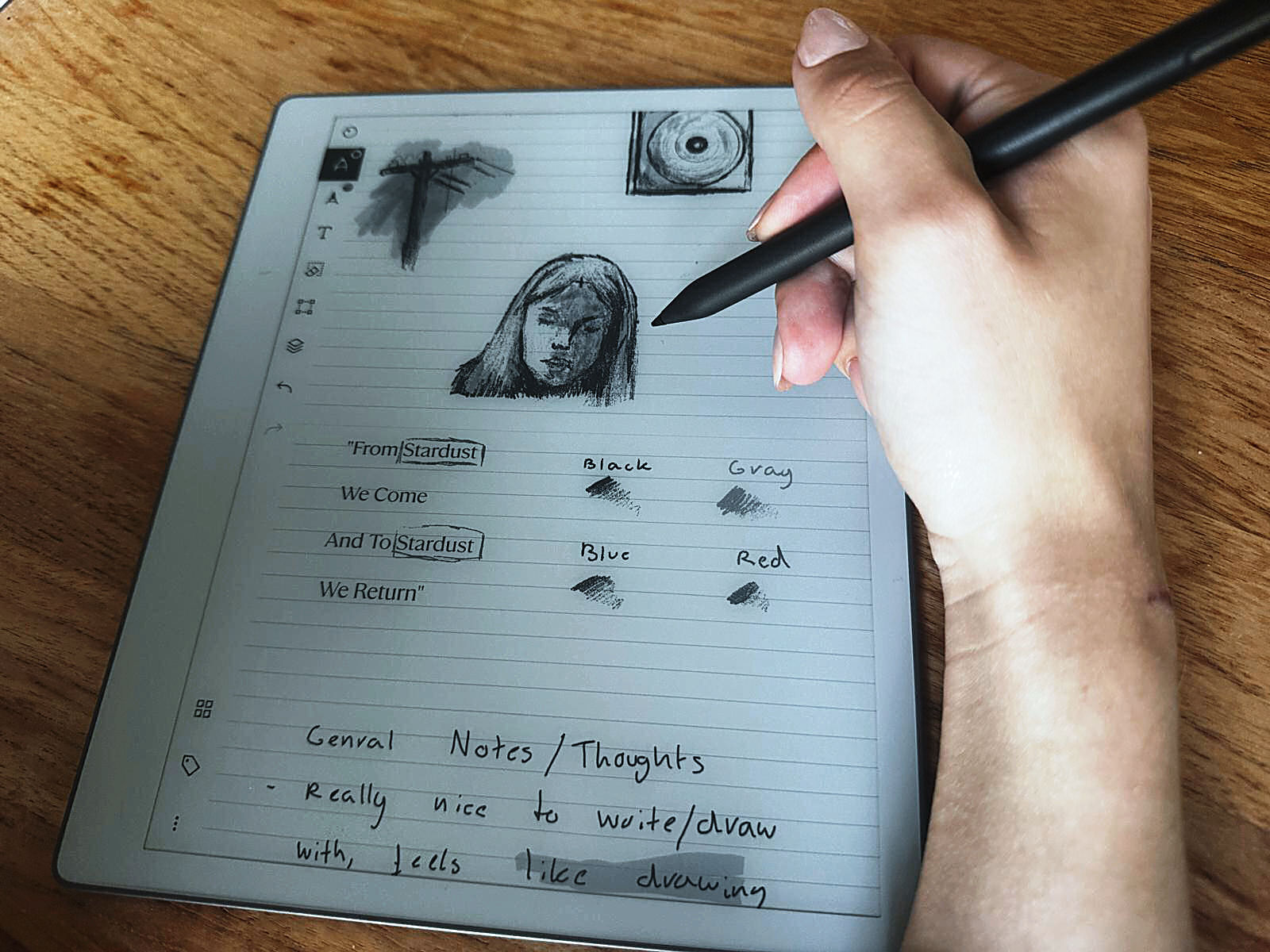
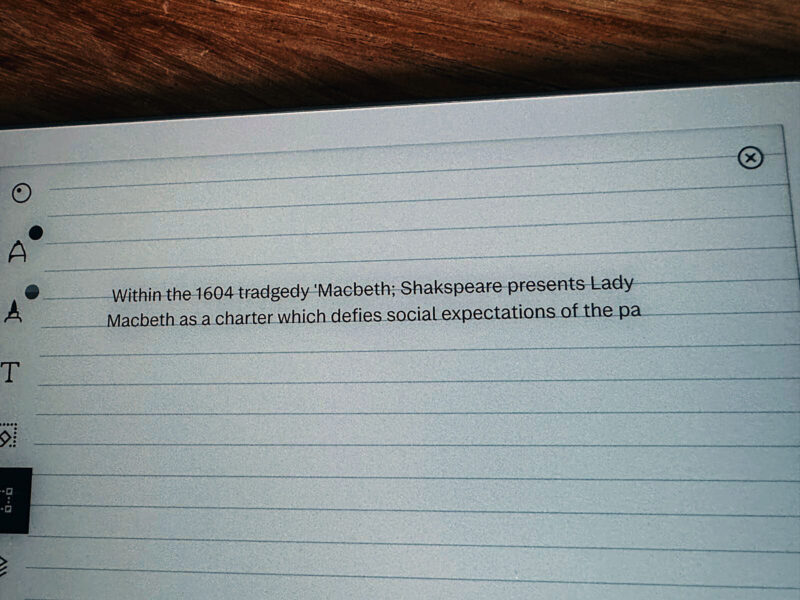
I wrote a full page of Biology notes about cell structure and specialised cells, including a labelled diagram of a root hair cell. At normal writing speed, the delay between moving the pen and seeing the line was almost impossible to notice. The screen has a slightly rough surface, so the stylus has some resistance rather than sliding across smooth glass.
Once I got used to the pressure needed, my handwriting looked normal. Underlining, circling and drawing were all easy, and the Marker eraser worked as expected.
The Paper Pure also lets you switch note formats: options include grid, lined, music sheets and storyboards, which makes it more adaptable across subjects than it first appears.
In one sentence: “It feels like proper paper, and my writing still looks like mine, just neater because I can erase properly.”
PDF annotation
I imported a Biology past paper as a PDF using the desktop app. Annotating it worked much like it would on paper. I added notes in the margins, circled question numbers, drew arrows between points and highlighted sections. The highlights appear grey because the screen is black and white.
The finished PDF exported properly and opened on my laptop with all the annotations still there. Importing took about two minutes once the account was connected, and exporting took another one or two minutes.
The biggest drawback is the monochrome screen. Grey highlighting works, but it is not the same as using a bright yellow marker.
Revision organisation
I created three notebooks for Biology, English and History. You can move pages between notebooks, although it takes a few steps: select the page, choose move, then confirm. It works, but it feels like it takes longer than it should.
I was able to recreate most of the way I normally organise revision, but I had to make some changes. There is no colour coding and no quick way to jump between subjects using tabs. You also cannot completely recreate the feel of a well-organised ring binder. That said, the ability to search individual notes and keep everything in folders is genuinely better than the inevitable pile-up of paper that comes with any serious amount of studying.
The distraction test
I used the Paper Pure for a full 45-minute Biology revision session and left my phone in another room. There were no notifications and no temptation to check Insta or quickly look something up. I stayed with my notes and past-paper annotations for the whole session and got through more work than I normally would.
The session also felt calmer than revising on a phone or iPad.
The most useful result from the whole test was simple: I did not spend the last ten minutes scrolling. The Paper Pure does not give you anything else to do. For students who know their phone is their biggest problem when revising, that may be the best reason to buy one.
Portability and durability
I carried the Paper Pure in my normal school bag for a week, along with books, a water bottle and a pencil case. It was so light I barely noticed it. The screen did not develop any permanent marks. E-ink ghosting can appear while using it, but it clears normally.
The stylus stayed attached throughout the week, apart from one occasion when I dropped the bag. After five days of normal use, there were no scratches or other damage worth mentioning.
Battery life
I started with a full charge on Sunday evening. By Tuesday morning, after two days of taking notes and working on past papers, the battery was still around 85 to 90 per cent. It never ran out during the test.
The parent test
My mum picked up the device, looked at its thin black-and-white screen and guessed that it cost about £250. When I told her the standard bundle with the basic Marker costs £359 (or $399), and that a second bundle adding the Marker Plus and a Sleeve Folio case costs £399 / $449, she was fairly surprised.
That reaction probably makes sense. To someone who has never used e-ink technology, the Paper Pure does not look like a £359 device. Parents buying one as a gift should also be aware that the student may have to explain to friends why their notebook costs more than some budget laptops.
The limitations: what students and parents need to know
The tests above show where the Paper Pure works well. There are also some important drawbacks to consider before making it a main study device.
- No front light. The Paper Pure has no front light, so you need enough light around you to use it. In a dark lecture theatre, on public transport at night or in a badly lit room, it has the same problem as a paper notebook. The reMarkable Paper Pro has a front light; the Paper Pure does not.
- Black and white only. Notes, diagrams and highlights are all shown in greyscale. This could be a problem for students who rely on colour, particularly for subjects such as biology, chemistry and geography. The Paper Pro has a colour screen.
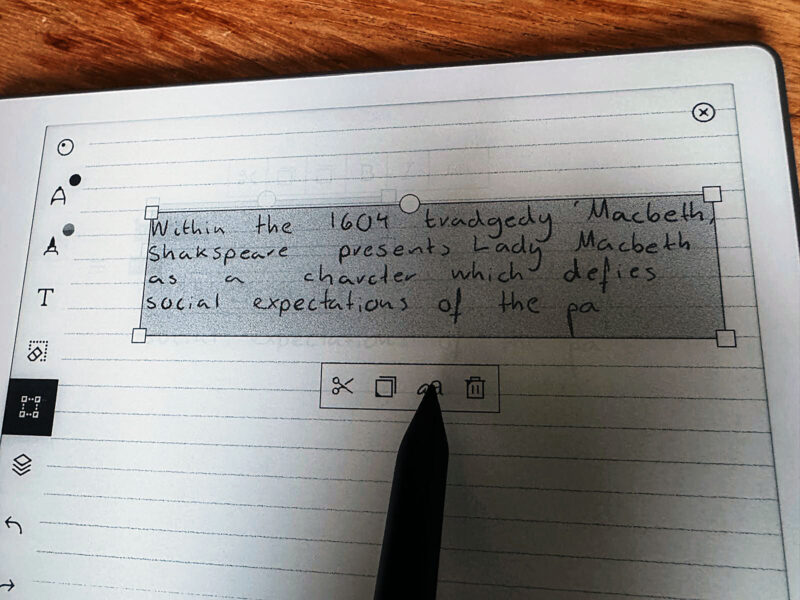
- Handwriting conversion struggles with scientific notation. The handwriting-to-text feature does not reliably recognise things such as subscripts, fractions and slash notation. That makes it much less useful for maths, chemistry, physics and similar subjects. In those cases, handwritten notes generally need to stay handwritten.
- The screen is smaller than A4. The display is 10.3 inches, so it is smaller than an A4 sheet of paper. Large lecture slides, detailed diagrams and A4 documents can feel cramped when viewed at their full size. You can zoom in, but that means taking extra steps.
- No apps, browser or specialist software. The Paper Pure only runs reMarkable’s own software. You cannot access university portals, research databases, citation managers, word processors, spreadsheets or other third-party apps. This is intentional: it is designed as a notebook, not as a tablet. But students who want one device that can do everything will find it too limited.
- The Connect subscription. You can use the Paper Pure without Connect, but cloud storage is limited to files used and synced within the last 50 days, and access through the reMarkable mobile and desktop apps requires Connect. The Connect subscription costs about £4 a month or £40 a year and adds unlimited cloud storage, handwriting search, integrations, and AI-powered features including Meeting Notes. The ability to search handwritten notes is particularly useful for revision and requires the subscription. That ongoing cost needs to be included when working out the total price.
- Limited textbook support. Paper Pure can open PDF and EPUB files, but it does not support DRM-protected commercial ebooks. That includes many textbooks bought through publishers and academic platforms. If your textbooks are tied to DRM, you will still need another way to read them.
- Getting notes off the device takes extra steps. Notes need to sync through the cloud or desktop app before you can export them as PDF, PNG or SVG. If you regularly share notes with a study group or copy them into another document, this is less convenient than using a normal tablet.
- Not suited to fast or highly precise writing. Students who write quickly or need to capture information at speed may find the Paper Pure less forgiving than paper. It rewards a slower, more deliberate writing style.
Who should buy the reMarkable Paper Pure?
The Paper Pure makes the most sense for students whose main problem is distraction and who prefer writing by hand. It is particularly well suited to handwritten notes, marking up past papers and reading longer documents.
Essay subjects, humanities, law and social sciences are a good fit. The distraction-free design made a noticeable difference during testing, and the writing experience is very good compared with tablets in this price range.
As a university gift, it could be a good choice for parents who want to give their student something that helps them concentrate rather than another device full of distractions.
It does not replace a laptop, though. Students will still need one for software, internet access, research and creating documents. The Paper Pure works best alongside a laptop as a dedicated writing and reading device.
Who should not buy the reMarkable Paper Pure?
Students studying maths, physics, chemistry or other subjects that rely on precise notation should think carefully before buying one. The writing experience is excellent, but the text conversion feature does not handle equations and formulae reliably. If you need searchable and editable scientific notes, another option would make more sense.
The same applies to students looking for one device that can do everything. The Paper Pure is good at writing and reading, but it is not designed for lectures, research, essay writing and entertainment all on one device.
At £359 / $399 before accessories and the optional subscription, that is a lot to pay for a device with a fairly specific purpose.
Students who often study in poor lighting should also think carefully about the lack of a front light.
Quick answers
Is the reMarkable Paper Pure good for annotating past papers?
Yes. You can import PDFs, add notes in the margins, circle questions and draw arrows. Annotated PDFs export properly and open on a laptop with the marks still in place. The main limitation is that highlights are grey rather than coloured because the screen is monochrome.
Can you use the reMarkable Paper Pure without a subscription?
Yes, although some features are limited. You can use the Paper Pure without Connect for writing, reading PDFs and EPUBs, and core note-taking. Without Connect, cloud storage is limited to files used and synced within the last 50 days, and mobile and desktop app access requires Connect. The subscription costs about £4 / $4 a month or £40 / $40 a year and adds unlimited cloud storage, handwriting search, integrations, and AI-powered features. If you want to search handwritten revision notes, you will need the subscription.
Does the reMarkable Paper Pure work for science and maths notes?
It works well for handwritten notes and diagrams. Writing feels natural, and drawing diagrams is easy. The problem is the text conversion feature, which does not reliably recognise subscripts, fractions or slash notation. Equations therefore cannot be converted neatly into editable text and usually remain as handwritten notes.
How long does the reMarkable Paper Pure battery last for students?
The battery lasts a long time compared with most tablets. During the test, two days of note-taking and past-paper work reduced the battery from full to around 85 to 90 per cent. reMarkable says the battery can last for several weeks with typical use, and the test results seem to support that.
Is the reMarkable Paper Pure worth it as a going-to-university gift?
It depends on the student. For essay subjects, humanities and law, where handwritten notes and document annotation are common, it can be a very useful gift. It should not be treated as a replacement for a laptop, though. Students will still need a laptop for software, internet access and other university work. The Paper Pure works best as a distraction-free companion to a laptop.
Is the reMarkable Paper Pure suitable for GCSE revision?
Yes, particularly for students who like handwritten notes and past-paper practice. The lack of apps and notifications can be useful for students who struggle to stay off their phones while revising. The price is the main issue. At around £359, it is a significant amount to spend on a device for a 14- to 16-year-old, and parents should also consider the optional Connect subscription.
Does the reMarkable Paper Pure have a front light or backlight?
No. The Paper Pure has no built-in light, so it requires ambient lighting to use, much like real paper. This is one of the most common points of comparison with the Paper Pro models, which do include a front light.
How long does the reMarkable Paper Pure battery last?
reMarkable rates the battery at up to three weeks with around one hour of use per day. In student testing, two full days of note-taking and past-paper work reduced the charge from full to approximately 85 to 90 percent. Battery life is noticeably longer than the Paper Pro colour models.
Do I need a Connect subscription to use the reMarkable Paper Pure?
No, for basic use. Writing, reading PDFs and EPUBs, and core note-taking all work without a subscription. Without Connect, cloud access is limited to the last 50 days of content. The Connect subscription (around $4 / £4 per month or $40 / £40 per year) adds unlimited cloud storage, handwriting search, integrations, and AI-powered features including Meeting Notes.
Are older reMarkable styluses or third-party pens compatible with the Paper Pure?
No. The Paper Pure requires the newer active Marker or Marker Plus, which charges magnetically on the side of the device. The older reMarkable 2 Marker and third-party styluses are not compatible.
What is included with the reMarkable Paper Pure and what does it cost?
The base bundle costs $399 / £359 and includes the Paper Pure and the basic Marker stylus. A second bundle at $449 / £399 adds the Marker Plus (which has a dedicated eraser end) and a Sleeve Folio case available in several colours. Both bundles include a 50-day satisfaction guarantee with free returns.
How does the reMarkable Paper Pure compare to the Paper Pro?
The Paper Pure is lighter (360 g), smaller (10.3 inch screen), cheaper, and has a longer battery life. It is monochrome only, has no front light, and does not support a keyboard folio. The Paper Pro has a colour screen, a front light, a larger 11.8 inch display, and more storage, but is heavier and more expensive. For students who do not need colour annotation, the Paper Pure is the stronger value.
Last Updated on 11 August 2026 by the5krunner
My favourite kit and nutrition
- Garmin Fenix 9 Pro — I’ve just bought one.
- Injinji – Runners protect your toes. Avoid discomfort and minor injury. Run more. Run faster. I use them.
- Garmin 90-degree charging adapter — A small keyring adapter you can use anywhere. Essential when away. I use one.
- Garmin charging puck — the fastest and most reliable way to top up your Garmin before a session. I use one.
- Ravemen FR300 — Front light that mounts directly under your Garmin or Wahoo head unit. Keeps your bars clean and your beam pointed where it matters. I use one.
- Body Glide – The blue anti-chafe stick that all swimmers and many runners use. I use it.
- Maurten — The race nutrition trusted by elite athletes. Gels and drink mixes engineered to be easy on the stomach. I use them.
- Garmin Varia RTL515 — A radar rear light that alerts you to vehicles approaching from behind. Pairs with your Edge or Wahoo. I use this model.
- Favero Assioma Pro RS2 — The power-meter pedals most serious cyclists choose. Accurate, easy to move between bikes. I use this model.
- Garmin Forerunner 970 — A serious choice for a pro-grade triathlon watch. I use this.
- Polar H10 — My daily driver for accurate, waking HRV readings.
- Wahoo ELEMNT Roam 3 — The bike computer that has the feature Garmin lacks: usability. I use mine on most rides.
Reader-Powered Content

This content is not sponsored. It’s mostly me behind the labour of love, which is this site, and I appreciate everyone who supports it.
Support the site: Follow (free, fewer ads) · Subscribe (paid, ad-free) · Buy Me A Coffee ❤️
All articles are written by real people, fact-checked, and verified for originality. See the Editorial Policy. FTC: Affiliate Disclosure — some links pay commission. As an Amazon Associate, I earn from qualifying purchases.

tfk is the founder and author of the5krunner, an independent endurance sports technology publication. With 20 years of hands-on testing of GPS watches and wearables, and competing in triathlons at an international age-group level, tfk provides in-depth expert analysis of fitness technology for serious athletes and endurance sport competitors. ID
