Last updated: 12 October 2026.
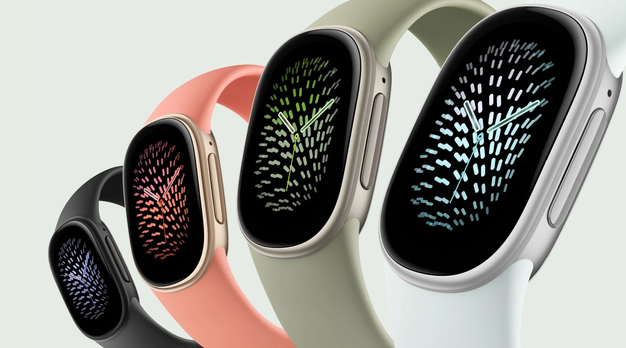
The current Fitbit tracker with a screen is the Google Fitbit Edge, launched on 12 October 2026 at $179, £159.99 or €179.99. This guide explains whether it is worth upgrading from a Charge 6, Charge 5 or Charge 4, and what you gain and lose in each case.

Is there a Fitbit Charge 7?
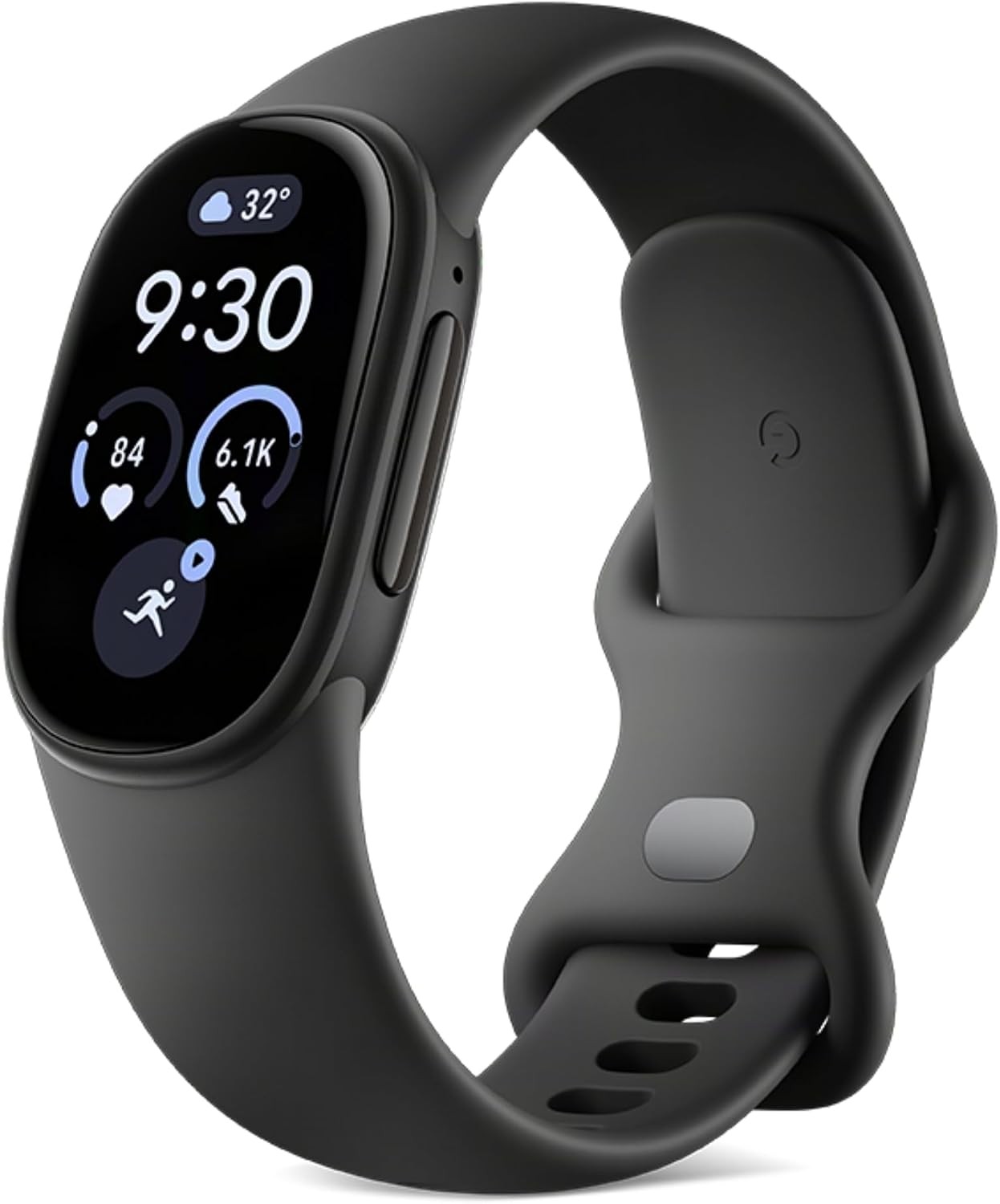
No. The Fitbit Edge is the Charge 6’s successor and fills the place a Charge 7 would have taken. Google has dropped the Charge name, so if you were waiting for a Charge 7, look at the Edge instead. Read how it emerged in our Fitbit Edge leak coverage.
The short answer
- From a Charge 6: upgrade if you want to leave your phone at home on walks, runs and rides, see your stats at a glance and track hills. Stay put if you pay with your wrist.
- From a Charge 5: upgrade. It is easier to use with sweaty hands, tracks hills and stairs, maps your routes more reliably and should last longer. You lose wrist payments.
- From a Charge 4: upgrade. Almost everything is better, from a bright colour screen to heart health checks and personal coaching. You lose wrist payments.
Charge 6 to Edge
What you gain
- Stats you can actually read. The screen is 46% bigger, so pace, heart rate and messages are easier to read mid-workout, and the always-on option means no wrist flick to check the time.
- Leave the phone at home. GPS should finally be usable on its own. Google claims a new GPS chip makes it 40% more accurate than the Charge 6, and it uses more satellite systems outside the US.
- Hills and stairs count. An altimeter tracks the climbing on your walks, runs and rides and counts floors through the day, which the Charge 6 could not.
- Workouts log themselves. The Edge recognises 40+ workout types automatically, so a forgotten start button no longer means a lost session, and structured workouts guide you through a planned session.
- A coach on your wrist. Live guidance tells you when to push, ease off or hold pace, and the Google Health Coach builds a plan around you. Coaching needs Google Health Premium at $9.99 or £7.99 a month after three free months.
- Easier to use when it matters. A real clicking button works with sweaty or gloved fingers, and you can fire off quick replies to messages on Android (iOS restrictions block this on iPhone).
- A tracker that lasts. You can replace the battery yourself, so the Edge should keep going long after a sealed tracker would be binned. Five minutes on the charger gives a full day.
- One account, several wearables. Switch between the Edge, a Pixel Watch and a Fitbit Air without losing your data. The Pixel Watch works only with Android, and the Apple Watch has only just begun to work with a non-Apple phone, so the Edge and Air are the switching option for iPhone owners.
What you lose
- Wrist payments. There is no NFC, so Google Wallet is gone.
- On-demand stress scans. The EDA Scan app has gone, although stress is still tracked in the background.
- Your old bands. The band attachment has changed, so Charge 6 bands will not fit.
- Some heart rate detail. The Edge records heart rate every 2 seconds rather than every second during exercise, which can blur fast changes in effort during intervals.
- Google Maps directions, for now. They return with an update later in autumn 2026.
Verdict: worth it if you walk, run or ride outdoors and want to leave the phone behind and track your hills. If you pay with your wrist every day, keep the Charge 6.
Charge 5 to Edge
What you gain
- Control without fumbling. The Charge 5 is touch-only, which is awkward with wet or gloved hands. The Edge has a real button and a bigger screen.
- Leave the phone at home. GPS on the Charge 5 was unreliable. Google claims the Edge’s new GPS chip is 40% more accurate than the Charge 6’s.
- Hills and stairs count. The altimeter tracks climbing and floors, which the Charge 5 cannot.
- Workouts log themselves. 40+ workout types are recognised automatically, with coaching and structured workouts on the wrist.
- Use it with gym kit. The Edge sends your heart rate to compatible treadmills, bikes and rowers.
- A tracker that lasts. The battery is user-replaceable, and IP68 dust resistance helps it survive outdoors.
What you lose
- Wrist payments. There is no NFC.
- On-demand stress scans. The EDA Scan app has gone, although stress is still tracked in the background.
Verdict: a clear upgrade. The Charge 5 is now five years old, and the Edge is better for everyday fitness in every way that counts.
Charge 4 to Edge
What you gain
- A screen you will want to look at. A bright colour AMOLED display replaces the Charge 4’s small monochrome screen.
- Heart health checks. ECG checks for signs of atrial fibrillation, and SpO2 and skin temperature tracking flag changes in your health and recovery.
- Leave the phone at home. GPS uses more satellite systems than the Charge 4’s GPS-only chip, which should help in towns and under trees.
- Modern coaching and smarts. The Google Health Coach, 40+ automatically recognised workout types, and quick replies on Android.
- A tracker that lasts. The battery is user-replaceable, and the Edge is dust-tight as well as waterproof.
What you keep
- Hill and floor tracking, a physical button and up to 7 days of battery life.
What you lose
- Wrist payments. There is no NFC.
Verdict: upgrade. The Edge is the first Charge successor since the Charge 4 to bring back the altimeter, so you lose nothing you use for exercise.
Charge 3, Charge 2 or Charge HR to Edge
What you gain
- Leave the phone at home. None of these older Charges has GPS of its own. The Edge records walks, runs and rides on its own.
- A screen you will want to look at. A bright colour AMOLED display replaces the small monochrome screen.
- Heart health checks. ECG, SpO2 and skin temperature tracking, none of which these Charges offer.
- Swim with it. The Charge 2 and Charge HR are only splash-proof. The Edge is water resistant to 50 metres and tracks swims.
- Modern coaching. Automatic workout recognition, the Google Health Coach and quick replies on Android.
What you keep
- Hill and floor tracking, which every one of these Charges had.
Verdict: upgrade. A tracker this old will also have a worn battery, and the Edge’s can be replaced when it wears out.
Side by side
| Edge | Charge 6 | Charge 5 | Charge 4 | |
|---|---|---|---|---|
| Display | 1.34in AMOLED | Colour AMOLED | Colour AMOLED | Monochrome PMOLED |
| GPS | GPS, Galileo, GLONASS, BeiDou and QZSS (GPS and Galileo in the US) | GPS and GLONASS | GPS and GLONASS | GPS |
| Altimeter | Yes | No | No | Yes |
| Button | Yes | Yes | No | Yes |
| NFC payments | No | Yes | Yes | Yes |
| EDA | No | Yes | Yes | No |
| ECG | Yes | Yes | Yes | No |
| Battery | Up to 7 days, user-replaceable | Up to 7 days | Up to 7 days | Up to 7 days |
Should you buy the Fitbit Air instead?
The Fitbit Air costs $99.99 (£84.99) and has no screen and no built-in GPS. It suits sleep and recovery tracking rather than workouts. If you want to see your stats during a walk, run or ride, or leave your phone at home, the Edge is the better choice. Read Fitbit Edge vs Fitbit Air for the full comparison.
Quick answers
Is there a Fitbit Charge 7?
No. The Fitbit Edge replaces the Charge 6 and is the tracker a Charge 7 would have been.
Should I upgrade from the Charge 6 to the Fitbit Edge?
Yes, if you want to leave your phone at home, read your stats more easily and track hills. No, if you pay with your wrist every day.
Does the Fitbit Edge have contactless payments?
No. It has no NFC, unlike the Charge 4, 5 and 6.
Which Fitbit Charge models track hills and stairs?
The Charge 4 and the Fitbit Edge have an altimeter. The Charge 5 and Charge 6 do not.
