Updated: December 25, 2025
How to get a parkrun barcode on a Garmin watch, an Apple Watch, or your smartphone
The main theme for this article is ‘How to get your parkrun barcode onto your Garmin watch or Apple Watch‘. It is a straightforward process to turn your Apple Watch and most Garmin watches, including Fenix 8, Forerunner 970, Forerunner 165 and Instinct 3, into a convenient place to store your parkrun ID.
TL;DR: Apple – Primary: use dfyb.run for Apple Wallet (QR code). Alternatives: Parcode app (watch face complication, multiple IDs, QR/linear/rotated) or ParkRunnings app (native Watch app, barcode + event finder).
TL;DR: Garmin – get the parkrun barcode Widget from Gasteropod (supports up to 7 IDs, including non-parkrun barcodes).
TL;DR: At the end of this article are some more advanced parkrun-related resources for your watches
Full details, images and steps on how to do each of those are shown below. Difficulty Level? Fairly easy.
Digital barcodes on phones/watches are fully accepted at parkrun events using the Virtual Volunteer app.
Apple: How to get your parkrun barcode onto your Apple Watch or Apple iPhone
The primary solution is dfyb.run for Apple Wallet (QR code, syncs to Watch). Newer native alternatives: Parcode (watch face complication, multiple family barcodes, QR/traditional/rotated options) and ParkRunnings (standalone Watch app with barcode display, event finder, and maps).
The classic dfyb.run method (super reliable) is detailed below…
OK, the solution for getting your parkrun on your Apple Watch is super cool and super clever, and it’s the same steps as for your iPhone. I was seriously impressed by this, and in both cases, the result is your Barcode in Apple Wallet.
You will be familiar with your parkrun barcode, but might not know that the parkrun scanning machines will also correctly scan a QR code. Remember that.
So what we will end up with is a parkrun barcode and QR code in your Apple Wallet on your iPhone, and because your wallet syncs with your Apple Watch, the QR code will be there as well.
Once you have your race finish token/barcode, you can use either your iPhone or Apple Watch to complete the scanning process with the volunteer. Here’s what you do in detail… it’s straightforward, so have your iPhone ready, and you’ll need to know your parkrun athlete number too.
Step 1.
This is best done on the Safari web browser on your iPhone – go to this site https://dfyb.run and fill in your details, like this…
![[for 2026] Add Parkrun Barcode To Apple Watch Or Garmin Forerunner/fenix](https://the5krunner.com/wp-content/uploads/2022/04/how-get-parkrun-barcode-on-iphone-apple-watch-1.png)
Step 2 – if you used Safari on your iPhone
Your athlete code is generated in seconds, and all you have to do is tap the ‘Add to Apple Wallet’ button shown below.
Suppose you decide to go to the dfyb.run site in some other way, you will now have to scan the QR code shown below, but the eventual destination remains your Apple Wallet.
![[for 2026] Add Parkrun Barcode To Apple Watch Or Garmin Forerunner/fenix](https://imagedelivery.net/_jGo7Cp8DLHLbI9FzBn6-Q/the5krunner.com/2022/04/how-get-parkrun-barcode-on-iphone-apple-watch-step-2.png/w=9999)
Step 3 – *OR* For those of you who can’t use Safari on an iPhone
You will now need to use the camera on your iPhone to scan the QR code. This takes you to the dfyb.run site where you are prompted to add your details and barcode/QR code directly to your Apple Wallet. Just click the Add button shown below.
![[for 2026] Add Parkrun Barcode To Apple Watch Or Garmin Forerunner/fenix](https://the5krunner.com/wp-content/uploads/2022/04/IMG_0608-1.png)
Step 4 – You’re Done! – Check it works
Check the parkrun Pass and Correct parkrun ID is in your wallet by double-tapping the iPhone’s on/off button. Scroll between your cards and pass with your finger. Cool
![[for 2026] Add Parkrun Barcode To Apple Watch Or Garmin Forerunner/fenix](https://imagedelivery.net/_jGo7Cp8DLHLbI9FzBn6-Q/the5krunner.com/2022/04/IMG_0609-1.png/w=800,h=1731)
![[for 2026] Add Parkrun Barcode To Apple Watch Or Garmin Forerunner/fenix](https://imagedelivery.net/_jGo7Cp8DLHLbI9FzBn6-Q/the5krunner.com/2022/04/IMG_0607.png/w=800,h=1731)
Note: Sometimes that method for opening the Wallet does not work. Instead, search for the Wallet ‘app’ on your iPhone.
Step 5 – Show the parkrun QR code on the Watch
For those of you with an Apple Watch, your parkrun pass will be automatically copied from the iPhone Wallet. There is normally nothing else to do. If you’ve never used the wallet on your watch, you might need to add a credit/debit card and set a PIN. You only have to enter the PIN once after putting on the watch, so it is not a huge inconvenience, and it’s for security in any case.
To show your pass to the parkrun Volunteer, simply double-press the large side button on the Apple Watch. Scroll to your blue parkrun pass on the Watch’s digital crown, as shown below, then tap to display the QR code to the Volunteer. Simple!
![[for 2026] Add Parkrun Barcode To Apple Watch Or Garmin Forerunner/fenix](https://imagedelivery.net/_jGo7Cp8DLHLbI9FzBn6-Q/the5krunner.com/2022/04/IMG_3914.jpg/w=800,h=407)
![[for 2026] Add Parkrun Barcode To Apple Watch Or Garmin Forerunner/fenix](https://imagedelivery.net/_jGo7Cp8DLHLbI9FzBn6-Q/the5krunner.com/2022/04/IMG_3915.jpg/w=800,h=525)
How to get your parkrun barcode onto your Garmin Watch
Your watch must support Garmin CIQ Widgets.
All recently purchased Garmin watches should work for this, and most that are up to about 5 years old should also work.
Not to be outdone by your fellow parkrunners who happen to have an Apple Watch, you can match what they do and go a step or two further. We will use Garmin’s Connect IQ ‘app store’ to download the parkrun barcode app by Gasteropod.
Go ahead and click that link if you are on a desktop computer and use Garmin Express; otherwise, use the alternative route via Garmin’s Connect IQ Store App on your smartphone. Go ahead and download the Garmin Connect CIQ App if you haven’t already. Search for, find, and install the ‘parkrun barcode’ app (widget), making sure you install the one by Gasteropod, which already has 100,000+ downloads. You should see screens on your phone that look similar to these…
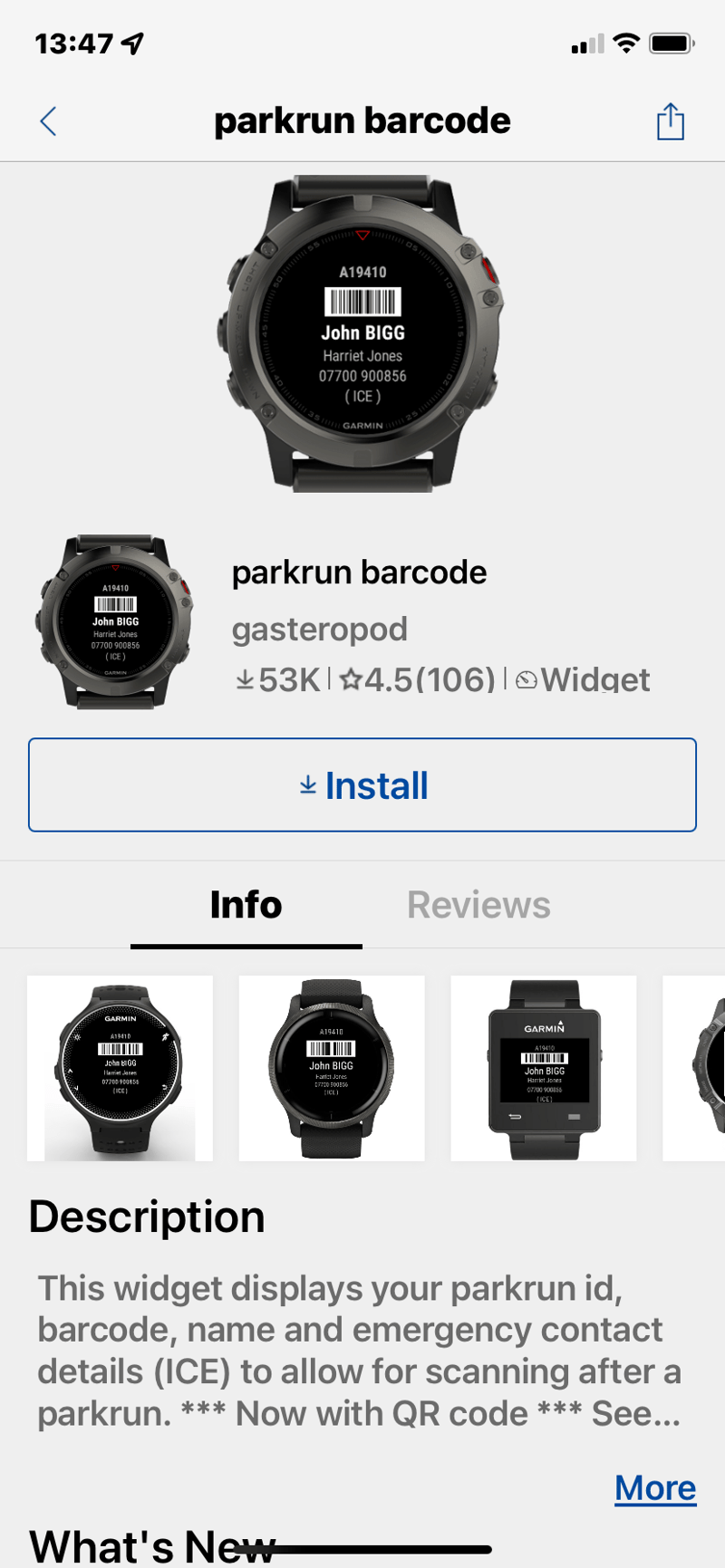
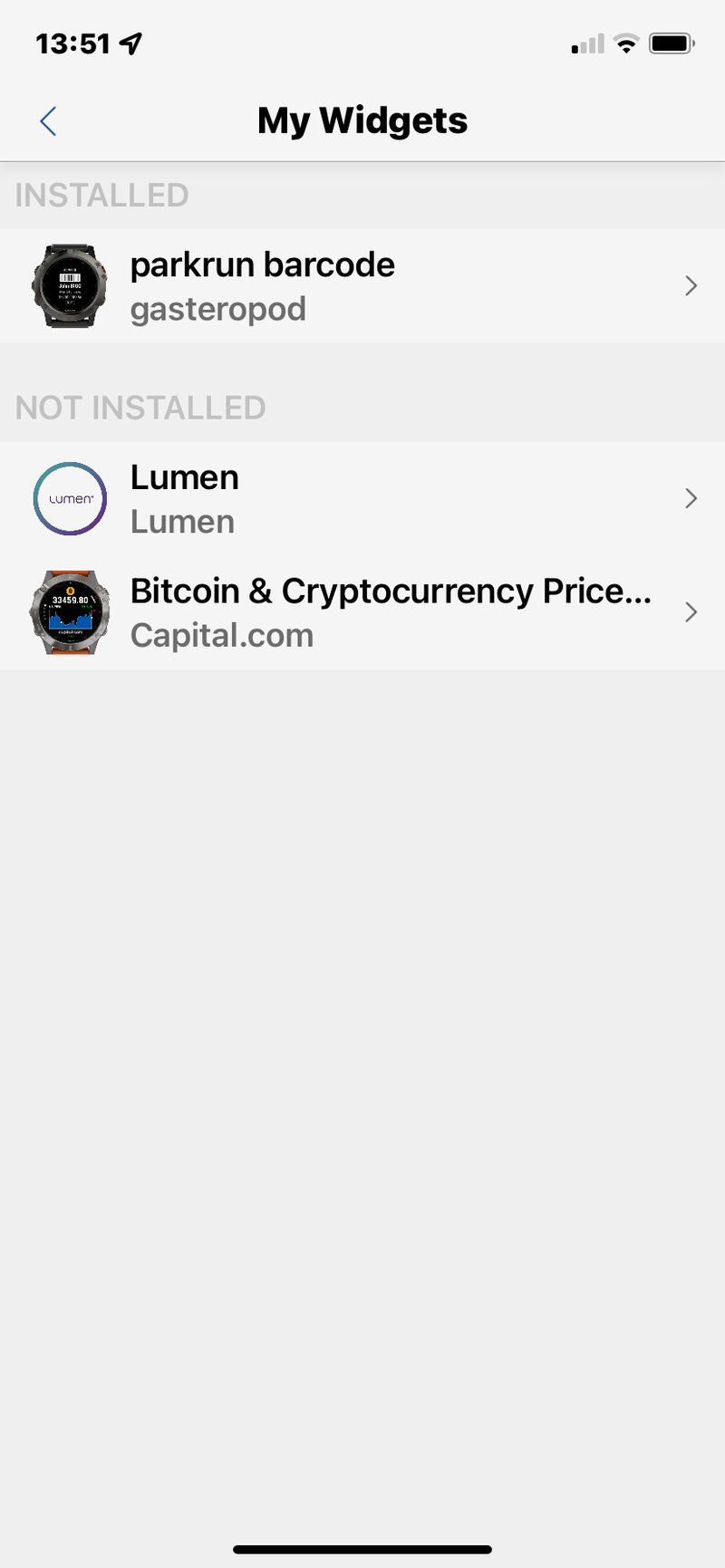
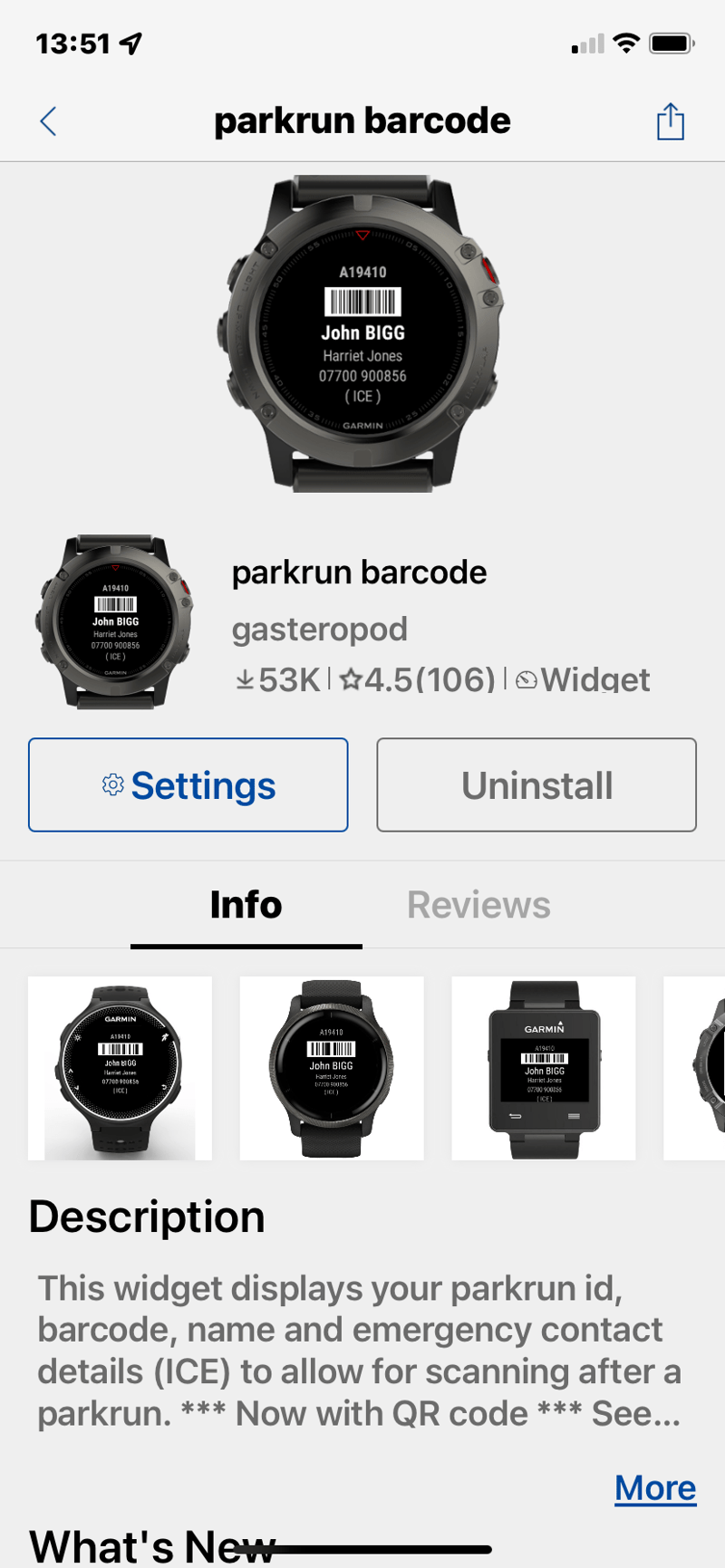
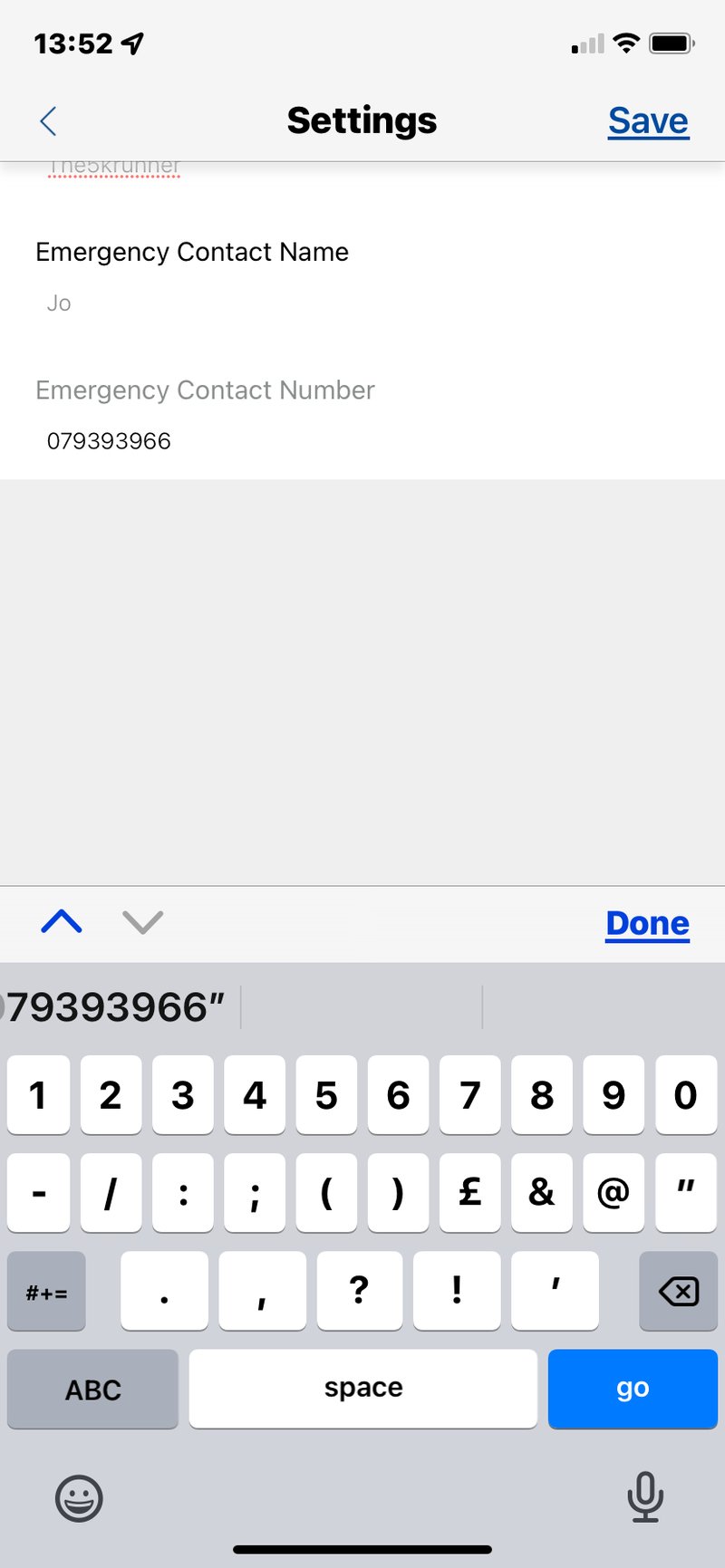
Enter your parkrun personal details, and you are done!
Use the bottom two left-side buttons on your watch to scroll through all your widgets until you find the one for the parkrun barcode (the method for scrolling through widgets depends on the watch you have; Forerunners work the way described). Press the ‘start’ button to display a full-screen barcode, and you are fully sorted. Well, if the scanner scans your shiny glass, you’re sorted. Maybe bring a paper copy the first few times…just in case!
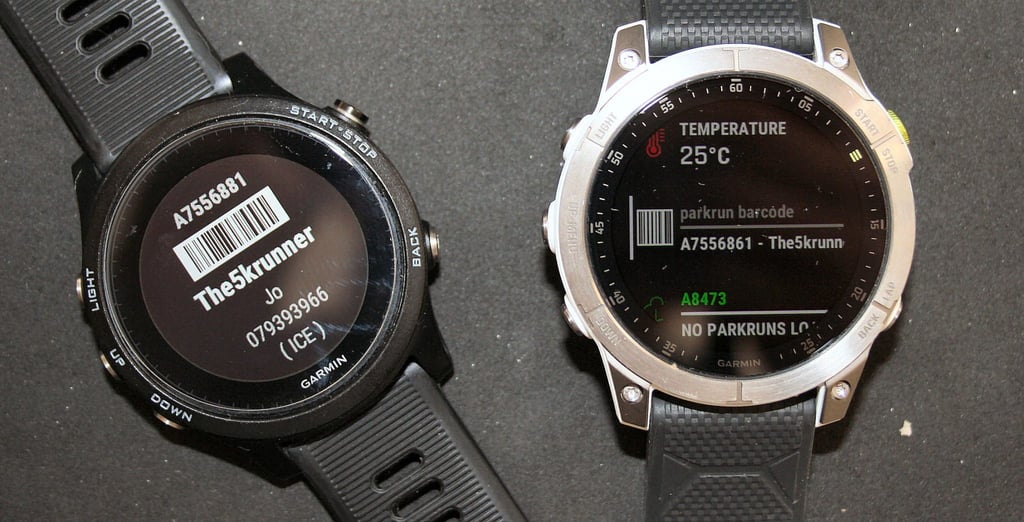
Advanced parkrun tricks on your Garmin Watch
![[for 2026] Add Parkrun Barcode To Apple Watch Or Garmin Forerunner/fenix](https://imagedelivery.net/_jGo7Cp8DLHLbI9FzBn6-Q/the5krunner.com/2022/04/IMG_0614.png/w=139) If you’ve got this far, you are in the parkrun A-Team. Welcome on board.
If you’ve got this far, you are in the parkrun A-Team. Welcome on board.
A simple barcode is not good enough for you, nor is a 5k run in the park. You want racing bragging rights. When you’re having that post-run coffee and cake, no one who beat you today believes you have an age-graded score of over 80%. Mostly, they don’t believe you because a) they’re young and beat you by over 3 minutes, and b) they just don’t think they’ll ever have to rely on age-graded results to get any kind of self-imagined glory. Maybe, just maybe,e their age-graded score is quite a bit lower than yours.
You know who I’m talking about? Yep, me too.
Well, YOU need the “parkrun Results” widget, also by Gasteropod. By now, you know how to find, download and configure it. You’ll also find that the widget doubles as a way to display your traditional barcode.
Here I’ve used the athlete ID of Mike Trees – see parkrun Masterclass – check out this article on how to run 5K faster and some of Mike’s parkrun tips & achievements, he is an Age Group Triathlon World Champion too – yes, annoying!
![[for 2026] Add Parkrun Barcode To Apple Watch Or Garmin Forerunner/fenix](https://imagedelivery.net/_jGo7Cp8DLHLbI9FzBn6-Q/the5krunner.com/2022/04/IMG_3919.jpg/w=800,h=718)
![[for 2026] Add Parkrun Barcode To Apple Watch Or Garmin Forerunner/fenix](https://imagedelivery.net/_jGo7Cp8DLHLbI9FzBn6-Q/the5krunner.com/2022/04/IMG_3922.jpg/w=800,h=810)
![[for 2026] Add Parkrun Barcode To Apple Watch Or Garmin Forerunner/fenix](https://imagedelivery.net/_jGo7Cp8DLHLbI9FzBn6-Q/the5krunner.com/2022/04/IMG_3921.jpg/w=800,h=686)
Uber-advanced parkrun apps on your Garmin Watch
I can sense that’s still not quite good enough for you. Fear not, Gasteropod has yet another widget. This is a neat ‘parkrun finder’ which lists nearby parkruns in descending distance order from your current or recent location.
If you have one of the newer, snazzier Garmins like this Garmin Epix 2, you can click a course to see a fully detailed route map for that course. With older watches, you will either get no course or a simple breadcrumb/line course.
![[for 2026] Add Parkrun Barcode To Apple Watch Or Garmin Forerunner/fenix](https://imagedelivery.net/_jGo7Cp8DLHLbI9FzBn6-Q/the5krunner.com/2022/04/IMG_3926.jpg/w=800,h=793)
![[for 2026] Add Parkrun Barcode To Apple Watch Or Garmin Forerunner/fenix](https://imagedelivery.net/_jGo7Cp8DLHLbI9FzBn6-Q/the5krunner.com/2022/04/IMG_3924.jpg/w=800,h=762)
![[for 2026] Add Parkrun Barcode To Apple Watch Or Garmin Forerunner/fenix](https://imagedelivery.net/_jGo7Cp8DLHLbI9FzBn6-Q/the5krunner.com/2022/04/IMG_3925.jpg/w=800,h=779)
Q: What is the Hardest parkrun and the Easiest parkrun?
You have mastered parkrun tech. Now, you just need to master parkrun courses and training. This post looks at the difficulty of UK parkruns and ranks most of them by ascent difficulty.
Some will say that the sandy Great Yarmouth North Beach is the hardest parkrun, but these stats suggest Lanhydrock is harder due to the ascent. Either way, both are much harder than normal!
Fastest parkrun, Hardest parkrun & Easiest Courses in UK | difficulty ratings
parkrun Course Insights & Videos
Here is a quick overview of many UK parkruns, with where to park and a sped-up video of the course. Enjoy
Links all here: the5krunner.com
A parkrun PB – How to run a parkrun PB
*100* Tips to Run a Faster Parkrun PB – How to Get Your 5K PR This Weekend
It soon becomes difficult to get a parkrun PB.
There are over 100 tips in this link; some are silly, some are fun, and some are based on deep sports science. Many of them will make you faster.
How to run a Sub-20-minute parkrun
The strategy to run a sub-20-minute parkrun is easy. Just do 4x 3:59 kilometres and speed up just a tad for the last km. After that statement of the obvious, it’s even more obvious that the secret lies in the training and how to apply it on race day.
If you would like a personalised 6-week or 12-week 5k plan that is specifically geared towards your parkrun Saturday, then try this.
Free plan: here
Detailed, personalised plan: here
Enjoy!
Last Updated on 26 January 2026 by the5krunner
Reader-Powered Content

This content is not sponsored. It’s mostly me behind the labour of love, which is this site, and I appreciate everyone who supports it.
Support the site: Follow (free, fewer ads) · Subscribe (paid, ad-free) · Buy Me A Coffee ❤️
All articles are written by real people, fact-checked, and verified for originality. See the Editorial Policy. FTC: Affiliate Disclosure — some links pay commission. As an Amazon Associate, I earn from qualifying purchases.

tfk is the founder and author of the5krunner, an independent endurance sports technology publication. With 20 years of hands-on testing of GPS watches and wearables, and competing in triathlons at an international age-group level, tfk provides in-depth expert analysis of fitness technology for serious athletes and endurance sport competitors.
