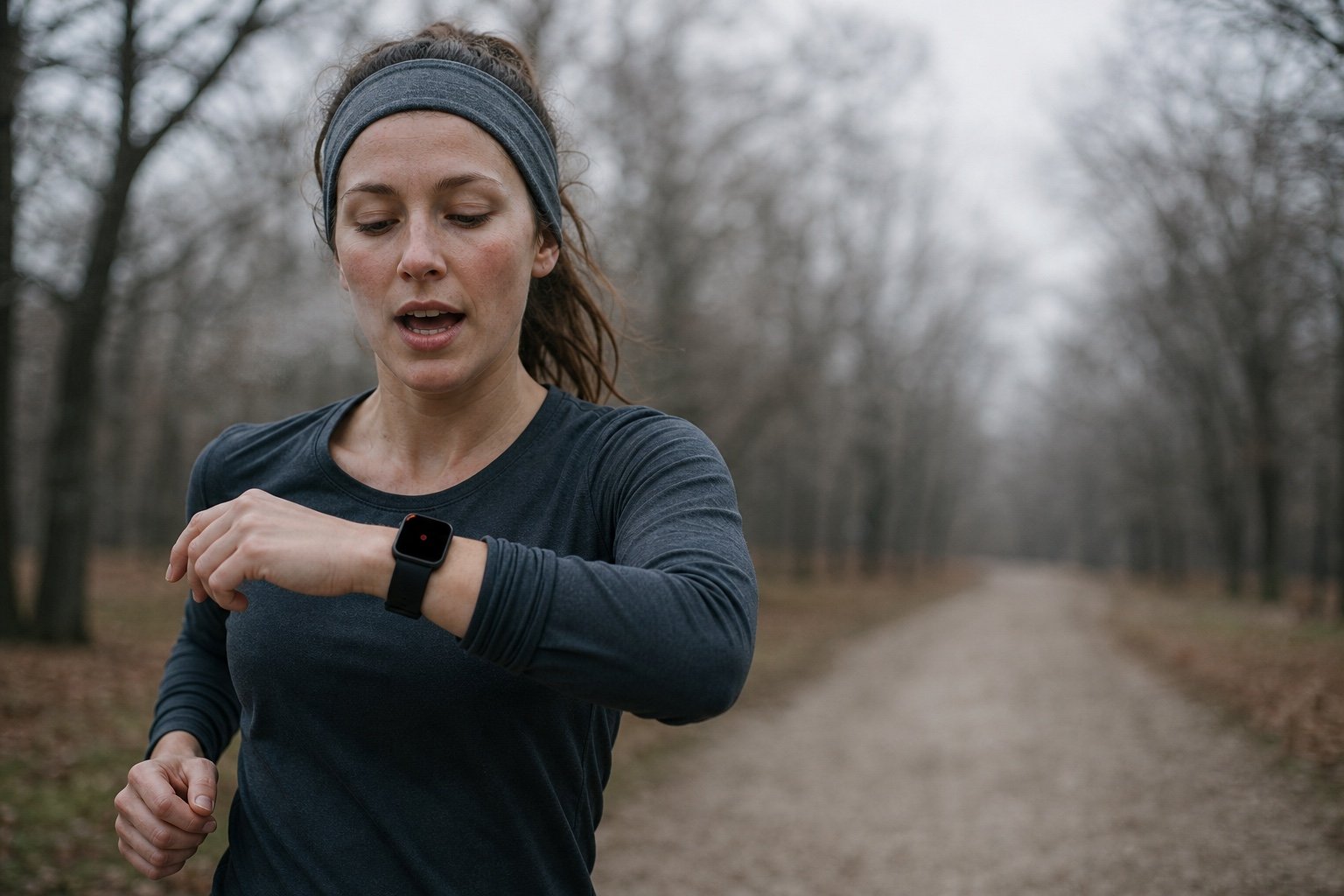
Around kilometre six, a runner works out how to fix the second half of the training block. By the time they are home and showered, the idea has gone. Typing on a phone mid-run is not an option, and stopping to type breaks the run.
Murmo Notes is an iPhone and Apple Watch app for that gap. Raise your wrist, say the thought and keep running. The watch records it, and the text is on the iPhone when you get back. Independent developer Robin built it, and the iPhone does the transcription, so nothing you say goes to a server.
What Murmo Notes does
- Records on the watch: one screen with one big button. Launching the app, or tapping its complication, starts a recording, and tapping the red block stops it.
- Transcribes on the iPhone: usually in the background with the phone locked. If iOS cuts that short, it finishes the next time you open the app.
- Keeps the recording: each note keeps the recording and the first transcript as it came out. The list shows a tidied copy that you can edit.
- Has no account: there is nothing to sign in to, and no server for recordings.
- Records on the iPhone too: you can also record directly on the phone.
Murmo Notes does not summarise notes yet, and it does not chat with them either.
How Murmo Notes works
TL;DR: Start a recording on the watch, talk and stop. The watch sends the recording to the iPhone, which transcribes it on the device and adds a searchable note. Only what you ask for becomes a reminder.
Starting a recording
There are four ways to start:
- Open the app: on a fresh launch it starts recording straight away. If the app was already open in the background, it shows the record button and waits for a tap.
- Use the complication: put the Start Recording complication on the watch face or in the Smart Stack, and one tap opens the app and records. The Control Center button does the same.
- Ask Siri: say “Record with Murmo Notes” or “Start recording with Murmo Notes”.
- Use Shortcuts: run the same action from the Shortcuts app.
While you talk
Under the stop block are two buttons. Highlight marks that part of the recording, so the sentence shows highlighted after transcription. Remind turns it into a reminder in Apple Reminders. Tapping the red block stops the recording. On Robin’s two test runs he stopped every note this way. The watch also has rules for stopping a recording you forget about, but none of them kicked in while he was running.
Getting the recording to the iPhone
The watch keeps each recording until the iPhone confirms it has it. If the phone is at home, the recording waits on the watch and goes across once the two are in range again. If a transfer has not been confirmed, the watch sends it again the next time you open the watch app, and it deletes its copy only after the iPhone confirms.
On the iPhone
You can play the recording, or tap Show Original for the first transcript. The text can be edited and copied, or you can tap Transcribe Again. A word you correct can go into Custom Words, and the app then fixes that word in later notes. Search finds a word in any note.
Reminders, only when you ask
A reminder is created automatically in two cases:
- You said “remind me”, or something like it, in the recording.
- You tapped Remind on the watch.
Anything else with a time in it, such as “team meeting tomorrow at 3”, is listed under the note, and it becomes a reminder only when you tap Add. Once a reminder with a date or time is in, it gets an Add to Calendar button. The reminder stays, the calendar event has its own Undo, and every reminder and calendar event the app has written can be undone.
Repeats work the same way. “Remind me every Monday” creates a repeating reminder, while a repeating reminder you only mention is listed until you tap Add. Murmo Notes recognises reminders that repeat daily, weekly on a given weekday, monthly on a given date or every weekday. Anything else is listed and not written, and repeating reminders do not get Add to Calendar.
The app works out which sentence a Highlight or Remind tap belongs to from how far into the recording you were. It does not find the exact word, so in a long recording it can land one sentence off, and Undo fixes it.
Worked example: two test runs
Robin has taken Murmo Notes on two test runs in Markham, Ontario, with an Apple Watch Series 10. He speaks Mandarin and English, and some notes mix the two. Mandarin notes are given here in translation.
Run 1, 6 November: App Store version 1.1.2, with an Outdoor Run workout going
- The run covered 1.86 km in about 16 minutes at 12°C.
- Robin started eight notes over eight minutes, from 10 seconds to just over 3 minutes long.
- “Remind me to turn off notifications this afternoon”, said in Mandarin, became a reminder, but it was set for 9 a.m. the next day rather than that afternoon.
- A note about a birthday next Monday and “Reply to emails this afternoon”, both in Mandarin, were listed under their notes, waiting for Add. Neither said “remind me”, so that is what should happen.
- Two short English notes came back as German and Japanese text, and one more came back as “Nothing heard”. In a Mandarin note, the word for “running” was misheard.
Run 2, 9 November: version 1.1.3, watch only
For the second run Robin used version 1.1.3, the same build now on the App Store, and left the iPhone behind.
- He recorded five notes in ten minutes, lasting 1:46, 1:49, 0:28, 0:14 and 0:07.
- The recordings waited on the watch. Nine minutes after the last one, Robin opened the app on the iPhone and all five arrived together. Text for all five was on the screen 44 seconds later: 16 of those seconds went on loading the speech model, and each note then took between 2 and 9 seconds.
- “I need to pick up the new phone this afternoon, remind me”, in Mandarin, became a reminder set for 3 p.m. that day.
- A Mandarin note about going to the bank tomorrow was given the next day’s date, with no time.
- The same phone note was also said in English. It came back as “Little pick up a new iPhone this afternoon. Remind me.” and became a second, duplicate reminder, set for 9 a.m. the next day.
- One note came back as “Reminding me to call James tomorrow.” The app did not create a reminder from it, and listed it under the note waiting for Add.
- Every English part came back as English text, and notes that mixed the two languages were split correctly, although some English words were misheard, as in “Little pick up” above.
When Robin got back and opened Murmo Notes, the reminder to pick up the phone was there for 3 p.m., next to the English copy set for the following morning.
Wind and heavy breathing
Murmo Notes has been tested two ways: on synthetic sound in the lab, and on real runs. The real runs show a problem. On Robin’s first run, two short English recordings made in wind and heavy breathing came back as German and Japanese text, because Murmo Notes picks the language itself and a short, noisy recording can be misjudged. Robin is working on it. On the second run every English recording came back as English, but it was not very windy that day, and one run without the problem does not show it has gone.
The lab test used 624 short recordings of synthetic, computer-generated voices with computer-generated wind and breathing added at different loudness levels. Nothing was recorded outdoors, and the watch’s microphone was not part of it.
| Condition | Word error rate |
|---|---|
| No added noise | 5.1% |
| Low-frequency wind 3 dB louder than the voice | 5.4% |
| Breathing as loud as the voice | 7.1% |
| Voice 10 dB louder than wind in the speech frequencies | 6.1% |
| Voice 3 dB louder than wind in the speech frequencies | 17.6% |
| Voice and wind in the speech frequencies equally loud | 28.4% |
Wind can also hide a spoken “remind me”. With wind and voice equally loud, 20 of 24 spoken reminders were created, and with the wind 3 dB louder, only 9 of 24. In the other direction, none of 312 ordinary notes across 13 noise conditions was turned into a reminder by mistake. In a strong headwind, tapping Remind on the watch is more reliable than saying it.
Which Apple Watch models work, and do you need the iPhone?
Murmo Notes needs watchOS 26 or later on the watch and iOS 26 or later on the iPhone. The watch app comes with the iPhone app, so install Murmo Notes on the paired iPhone first. Apple’s Apple Watch user guide lists these watches as able to run watchOS 26 or watchOS 27:
- Series: Series 6, 7, 8, 9, 10, 11 and 12.
- SE: SE (2nd generation) and SE 3.
- Ultra: Ultra, Ultra 2, Ultra 3 and Ultra 4.
Series 12 and Ultra 4 come with watchOS 27. Series 6, 7 and 8, SE (2nd generation) and the first Ultra stay on watchOS 26, which is enough for Murmo Notes.
The iPhone does not need to come on the run, because the watch records on its own. It is needed to read the text, though, because the iPhone does the transcription. Without the phone nearby, the recording waits on the watch and goes across when the two are close again. The first note after the app has been closed takes longer, because the iPhone loads its speech model first, which took 16 seconds on Robin’s second run. For runners who want spoken messages played to them during a race rather than notes recorded, Back My Run is an earlier Indie Spotlight app that does the reverse.
Where your recordings go
- On-device transcription: it runs on the iPhone with the open-source WhisperKit and a Whisper speech model that installs with the app.
- No account: there is no login.
- Local recordings: recordings stay on the watch and the iPhone. The privacy policy lists the few times data leaves the app, such as a reminder written to Apple’s Reminders.
- Lock with Face ID: this is optional. Reading your notes then needs Face ID, but starting a recording does not.
- Save Place: this is off by default. Turned on, the app notes where each recording started, and the place stays on the iPhone with the coordinates rounded to about 110 metres. To show a place name, the coordinates go to Apple’s geocoding service. There is no map.
- Polish with Apple Intelligence: this is optional and off until you turn it on. It runs on the device, keeps the original, and needs an iPhone that supports Apple Intelligence.
- Export Everything: this gives you every note’s text and the original recordings in one file.
What Murmo Notes costs
Recording and transcription are free, while tags and threads need Standard or Lifetime. A new install starts with 7 days of Standard, with no payment method and nothing charged, and after that you are on Basic unless you pick a paid plan. Prices are in US dollars, and the App Store shows the price for your country.
| Feature | Basic | Standard | Lifetime |
|---|---|---|---|
| Price | Free | $9.99 a year | $24.99 once |
| Record on Apple Watch or iPhone | Yes | Yes | Yes |
| Transcribe on the iPhone | Yes | Yes | Yes |
| Playback, search, edit and copy | Yes | Yes | Yes |
| Reminders | Yes | Yes | Yes |
| Polish with Apple Intelligence | Yes | Yes | Yes |
| Export Everything | Yes | Yes | Yes |
| Automatic tags | No | Yes | Yes |
| Create and edit tags | No | Yes | Yes |
| Threads (continue an earlier note) | No | Yes | Yes |
| Tag cloud and Related | No | Yes | Yes |
| Subscription | No | Yes | No |
On Basic, the tags and threads you already have stay readable, but you cannot change them or make new ones. Recordings and text are never locked or removed. People who downloaded Murmo Notes before version 1.1 came out on 26 October 2026 keep every feature free.
More information: murmonotes.com and the App Store.
Author: Robin, developer of Murmo Notes, edited by the5krunner.
Quick answers
Will recording a voice note interrupt a workout on the Apple Watch?
Not on Robin’s first run, which had an Outdoor Run workout going on an Apple Watch Series 10. He recorded eight notes during the 16-minute run, the workout was not paused, and the heart rate trace and route had no gaps. That is one run, on one watch model and one workout type.
How does Murmo Notes cope with wind and heavy breathing?
Breathing and low-frequency wind barely affected it in lab tests, but wind in the speech frequencies raised the word error rate sharply, and on one real run two short, noisy English notes came back in the wrong language. In a strong headwind, tap Remind on the watch rather than saying it.
Does Murmo Notes work if the iPhone stays at home?
Recording does. The notes wait on the watch, and on Robin’s second run all five arrived together when he opened the app on the iPhone, with the text on screen 44 seconds later. The watch does not transcribe on its own.
If you enjoyed reading this, here is another in the Indie Spotlight series: Indie App Spotlight: Stash Digitale draws Garmin watch faces in code.
Last Updated on 19 November 2026 by tfk the5krunner
Small things I always use
- Garmin 90-degree charging adapter: Charges your Garmin with any USB-C cable. Essential when travelling. I use one.
- Body Glide: The blue anti-chafing stick swimmers and runners carry. I use it.
- Speedo earplugs: Fewer ear infections and no cold-water dizziness. I use them.
- Dryrobe Advance: My winter changing robe for open-water swims. I use one. A cheaper option is the AONYIYI changing robe.
- Maurten: Race fuel that stays easy on the stomach. I use them.
- Beet It Sport nitrate shots: Beetroot shots I take in the days before a race. I use them.
- Garmin charging puck: The quickest way to top up before a session. I use one.
- Injinji: Toe socks that stop rubbing, so you run more. I use them.
- Ultimate toe protectors: Stop black toenails on long runs. They work. I use them.
- Compressport R2 v2 calf sleeves: My calf sleeves of choice. I use them.
- Cellucor C4: My pre-workout before hard sessions.
- TPU tubes: Schwalbe Aerothan, Tubolito and Pirelli SmarTube. Light, tiny spares. I use all three.
- G8 insoles: Adjustable arches, perfect position. I use them.
- Cycplus Cube: A 97g electric pump that gets a road tyre rideable in two minutes. I carry one. 5% off with code THE5KRUNNER.
Health, recovery and sleep
- Kineon MOVE+: Red and infrared light for sore knees, Achilles and other joints after hard training. I use it.
- FreeStyle Libre 3 Plus: Shows how my blood sugar responds to diet. Occasional use.
- hDrop: Measures my sweat loss in summer and indoors. I use it.
- Fourth Frontier Zone: Checks my heart under load in hard sessions.
- Oura Ring 5: My partner’s recovery tracker of choice.
- Eight Sleep: A cooling mattress cover my partner and I use nightly.
Watches and sensors
- Polar H10: My daily driver for waking HRV.
- Polar Verity Sense: My backup arm-worn HR sensor.
- Nomad bedside charger: Charges my iPhone and Apple Watch overnight. I use it, and many of their bands.
- Train.Red: The best muscle oxygen sensor I’ve used. Occasional use.
- Tymewear: Accurate heart rate and reliable ventilatory zones. I use it to pace endurance rides over an hour.
- Garmin Forerunner 970: A pro-grade triathlon watch. I use this.
- Apple Watch Ultra 4: My daily smartwatch. No phone needed on rides.
On the bike
- Continental GP5000 for everyday riding, and Aero 111 on the front for special occasions. I use both.
- Helmets: Specialized S-Works Evade 3 for road riding, and Rudy Project Wing for TT-style races. I use both.
- Ravemen FR300: A front light that mounts under your Garmin or Wahoo. I use one.
- Ravemen FR1000: The light and the computer mount in one unit, so nothing else goes on the bars. Better than mine.
- Ravemen FR1500SE: 1,500 lumens hanging under your Garmin, for proper night rides.
- Ravemen FR1100SE: 1,100 lumens under your Garmin, and up to 46 hours on slow flash.
- Ravemen FR500: A brighter FR300 with the same mount.
- Wahoo TRACKR Radar: I use it on one bike and Varia on the other. They perform the same.
- Garmin Varia RTL515: Radar that warns you of cars from behind. I use this model.
- Wahoo ELEMNT Roam 3: The bike computer that’s easy to use. I use mine on most rides.
- Favero Assioma Pro RS2: Accurate power pedals that swap easily between bikes. I use this model.
Home and indoor training
- NPE Runn: Makes my basic treadmill smart, sending more accurate speed and distance to my watch and Zwift. I use it.
- Google Wifi: Keeps Zwift connected in my pain cave. I use it.
- Apple TV 4K: Zwift on the big screen. I use two.
- Google Nest Doorbell (wired, 2nd gen): My video doorbell, running in both Google Home and Apple Home via Starling. I use it.
Reader-Powered Content
This content is not sponsored. It’s mostly me behind the labour of love, which is this site, and I appreciate everyone who supports it.
Support the site: Follow (free, fewer ads) · Subscribe (paid, ad-free) · Buy Me A Coffee
Written by real people, with AI assistance. Fact-checked and verified for originality. See the Editorial Policy. FTC: Affiliate Disclosure — some links pay commission. As an Amazon Associate, I earn from qualifying purchases.
tfk is the founder and author of the5krunner, an independent endurance sports technology publication. With 20 years of hands-on testing of GPS watches and wearables, and competing in triathlons at an international age-group level, tfk provides in-depth expert analysis of fitness technology for serious athletes and endurance sport competitors. See the gear tfk uses. ID
