Huawei Watch GT 6 Pro Review: Garmin-Grade Battery, Premium Build
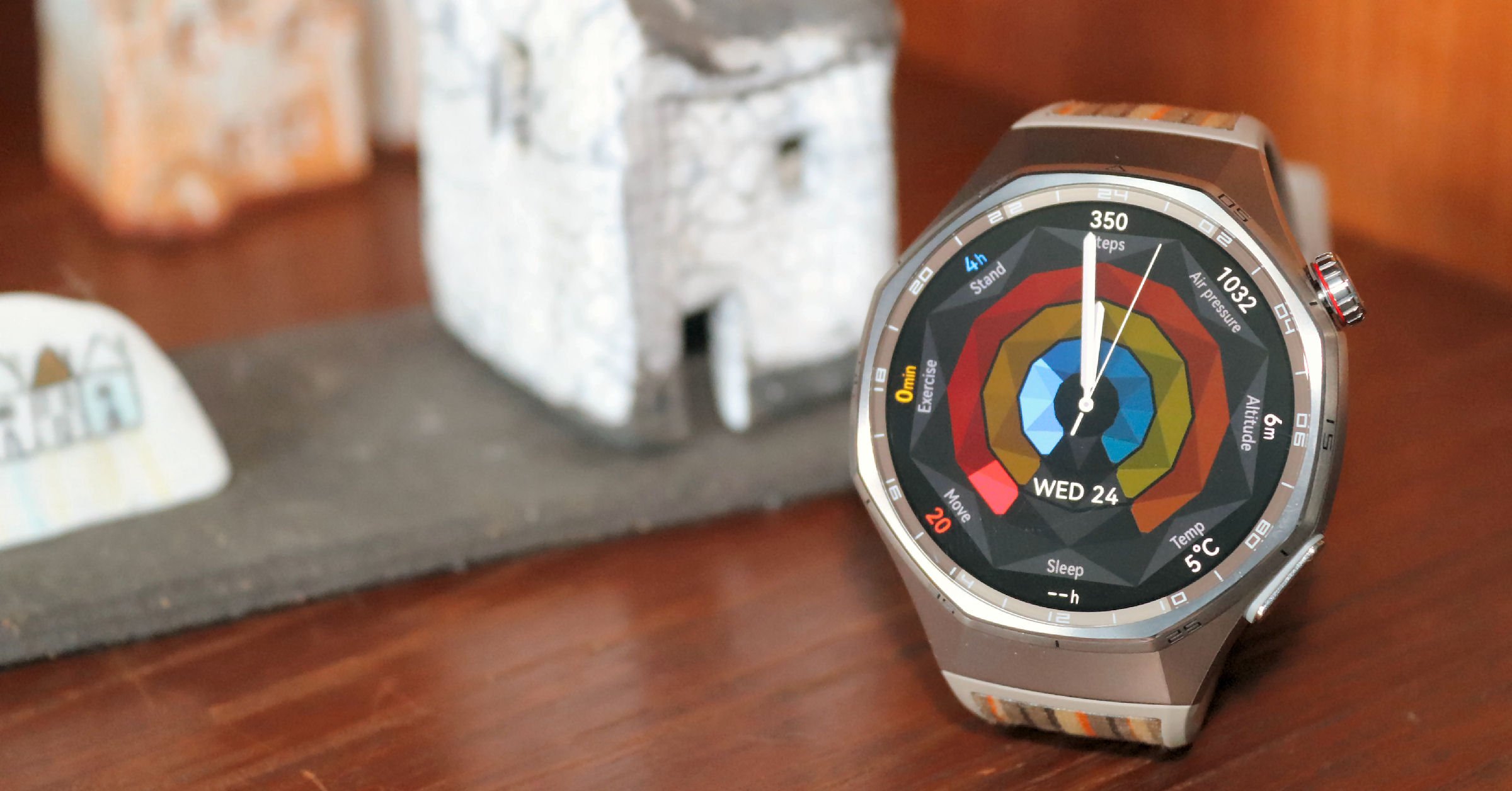
Fantastic but flawed. Good, core fitness choice. Less good ecosystem.
Good Fitness Tracker | Luxury Design | Great Battery Life
If you are looking for a high-quality watch packed with smart and sport features, the Huawei Watch GT 6 Pro is worth a look. It’s a good value watch based on those criteria.
The materials, looks and design would not be out of place on watches at twice the price but… There’s always a but. Smart feature limitations in the ecosystem and limited availability in some regions mean you should do a little more research than you planned to make sure it’s right for your needs.
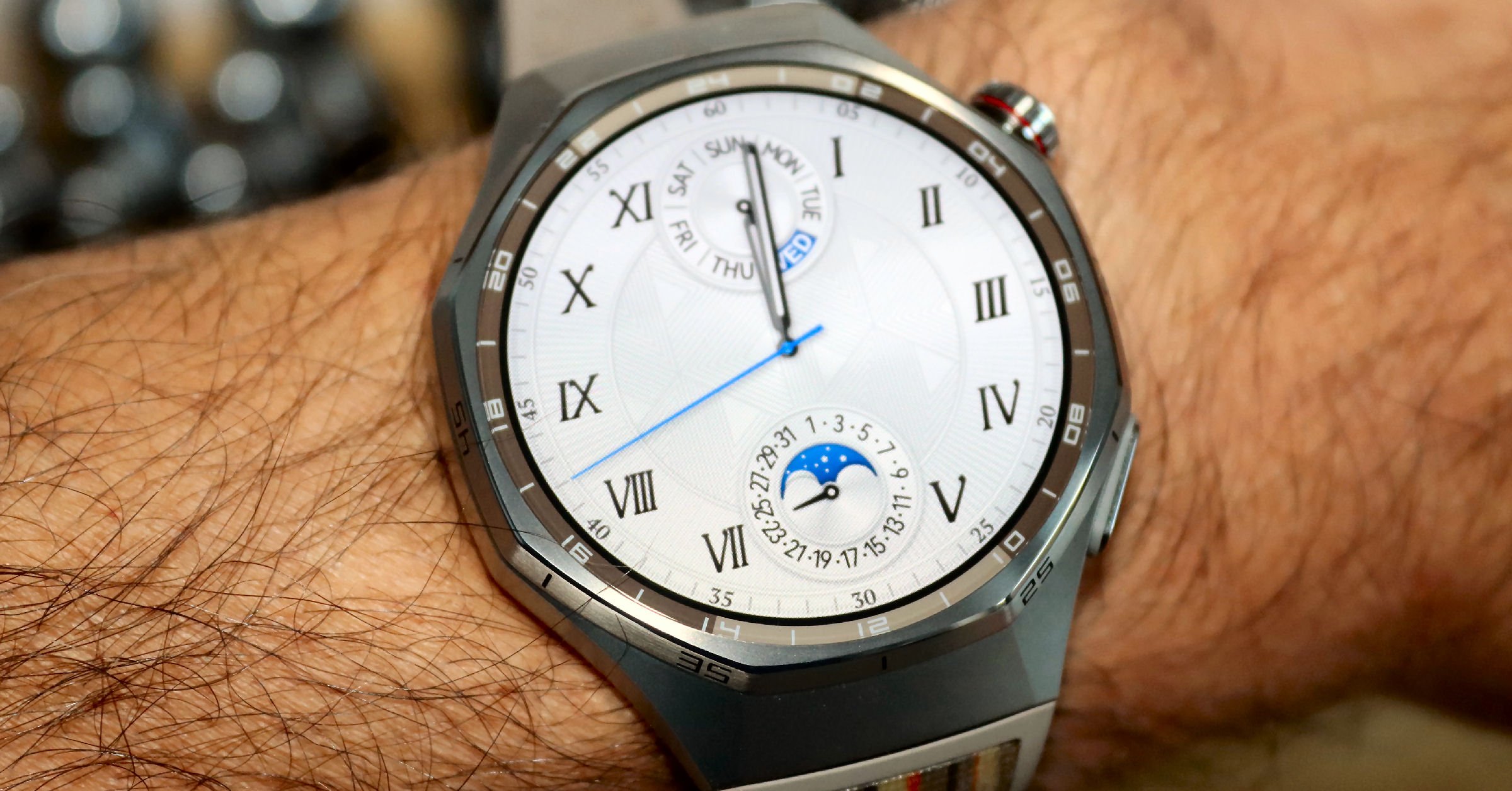
Pros
- Good Battery Life – Up to 21 days (real-world: 7-14 days with active use) – superior to Apple/Pixel Watches
- Premium Build Quality – Titanium case, sapphire glass, and ceramic back at a mid-range price – Apple Watch Ultra is twice as much.
- Excellent Display – 1.47″ AMOLED, 3,000 nits brightness, readable in sunlight
- Accurate Tracking – GPS and heart rate monitoring on par with the competition
- Comprehensive Health – Sleep tracking, ECG, SpO2, stress, fall detection, emotional wellbeing
- Good Value – £330/$379 (generally discounted lower)
Cons
- Limited App Ecosystem – No third-party apps from major publishers, limited community apps, limited data sharing
- Restricted Smart Features – Can’t reply to messages, no Apple/Google integration (Maps, Wallet, Pay)
- Cluttered App – Huawei Health app needs an improved experience
- Regional Limitations – Unavailable in USA
- Not a True Smartwatch – See it as a fitness tracker in premium clothing
Heads Up: This is a media loaner device from Huawei. The review is not paid for or influenced in any way. Please support the work here by buying through one of the affiliated links, where I get a commission or Buy Me A Coffee (espresso) if you enjoy these kinds of reads, but never buy the watches.
Listen to the discussion
How It Compares: GT 6 Pro vs Top Competitors
| Feature | GT 6 Pro | Apple Ultra 2 | Samsung Watch 8 | Pixel Watch 4 |
|---|---|---|---|---|
| Price | £299.99 | £799 | £399 | £349 |
| Battery | 14 days | 2 days | 2 days | 2 days |
| HR Accuracy | Very Good | Very Good | Good | Very Good |
| App Ecosystem | BelowAverage | Very Good | Very Good | Very Good |
| Build Quality | Very Good | Very Good | Good | Good |
Best for:
- Fitness enthusiasts seeking accurate tracking
- Anyone prioritising core battery life and health metrics over a broad app ecosystem
- Athletes interested in detailed workout analytics and GPS accuracy
- Anyone wanting a premium-looking watch at a mid-range price
Not for:
- Those deeply invested in Google / Apple ecosystems
- Anyone requiring extensive third-party app support
- People who need full smartwatch functionality (payments, app richness)
- Regions without full feature availability (i.e. USA)

Design & Build Quality
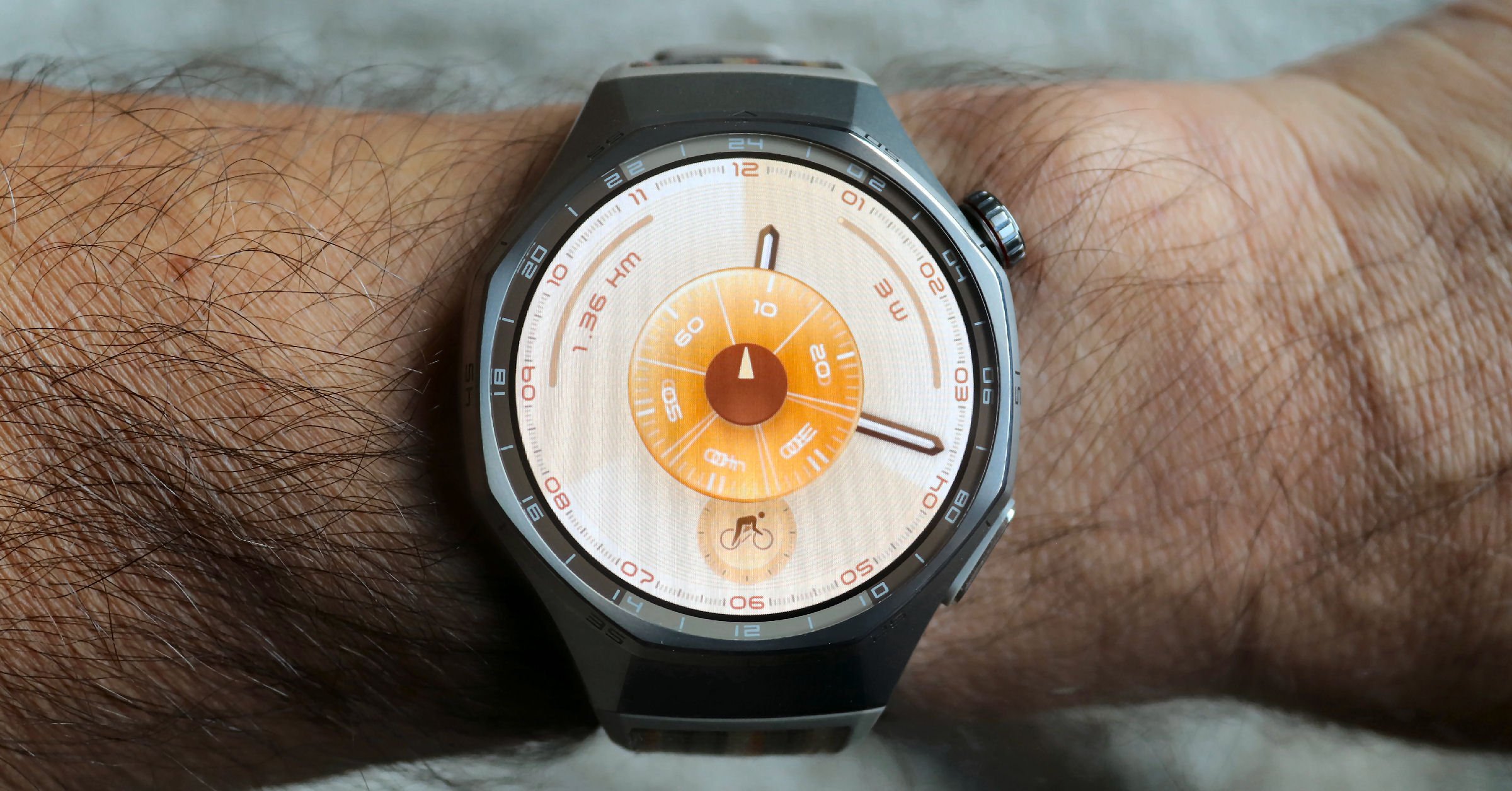
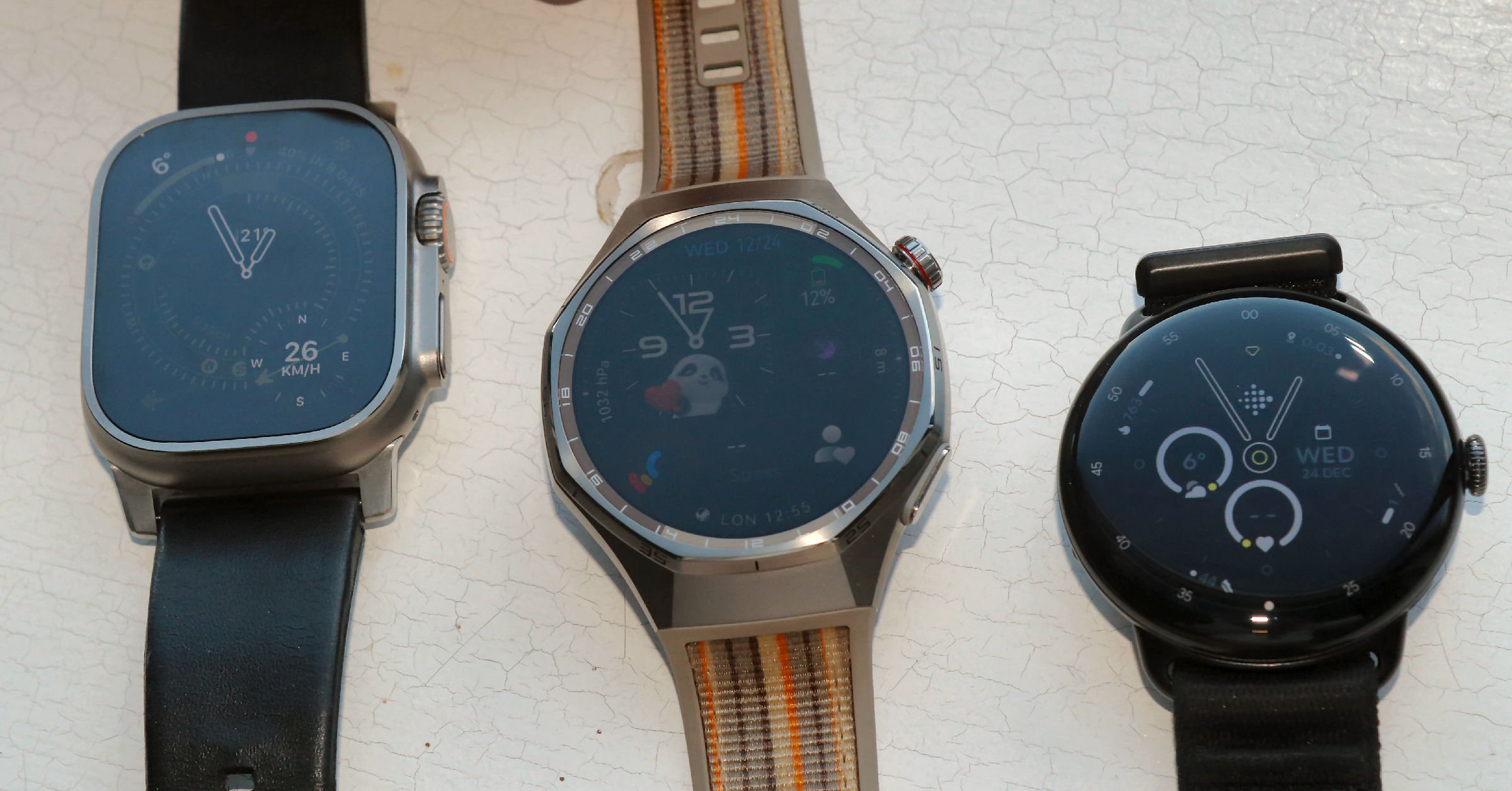
It’s a solid watch. It feels a tad heavy on my skinny wrists and maybe a bit too big. See what you think based on this image.
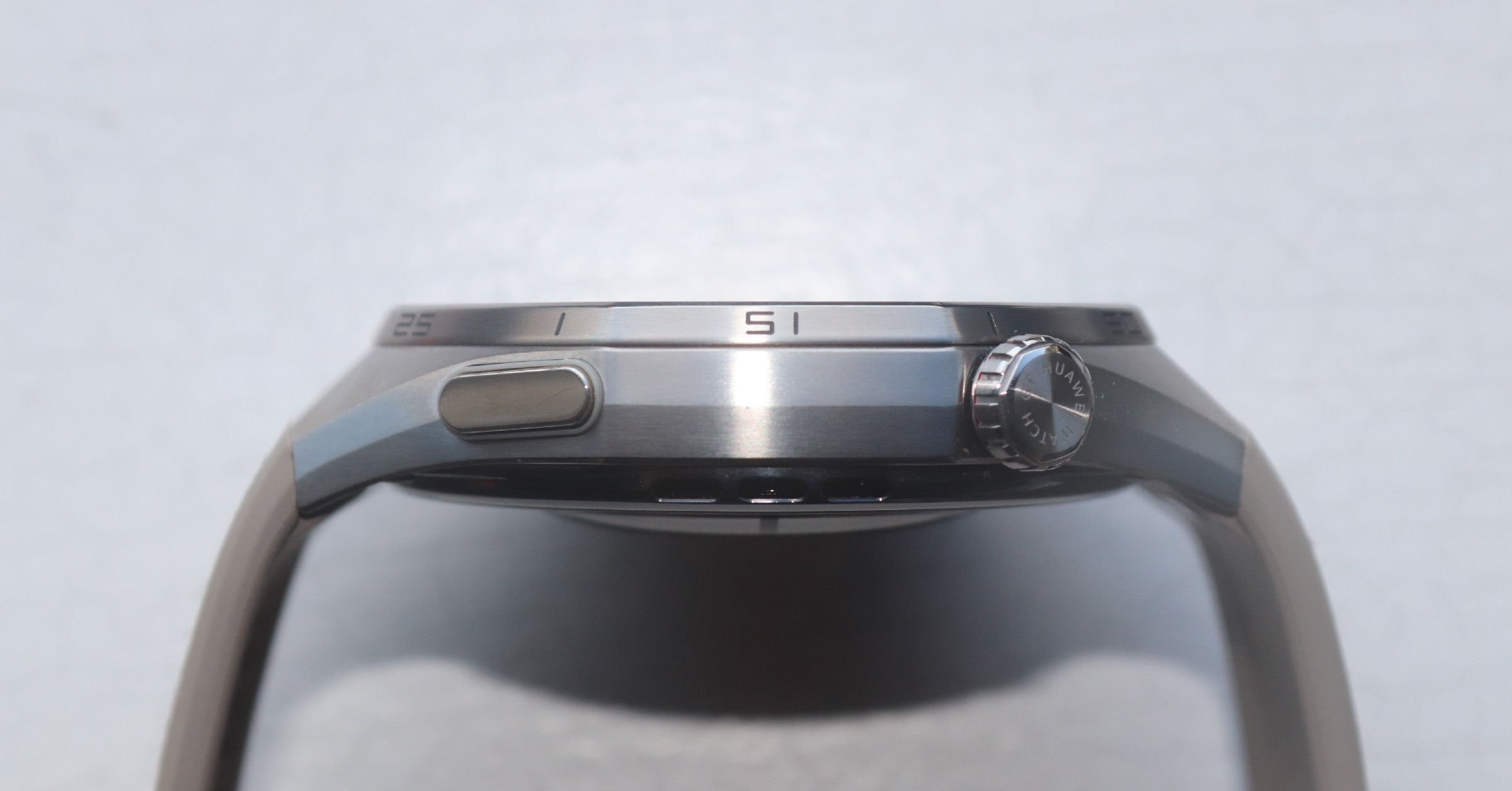
But just take a look at those materials – a titanium case, a sapphire crystal and a nano crystal cover on the underside.
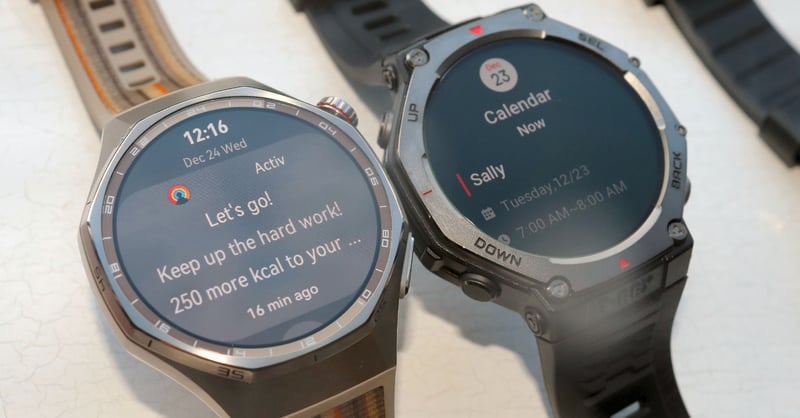
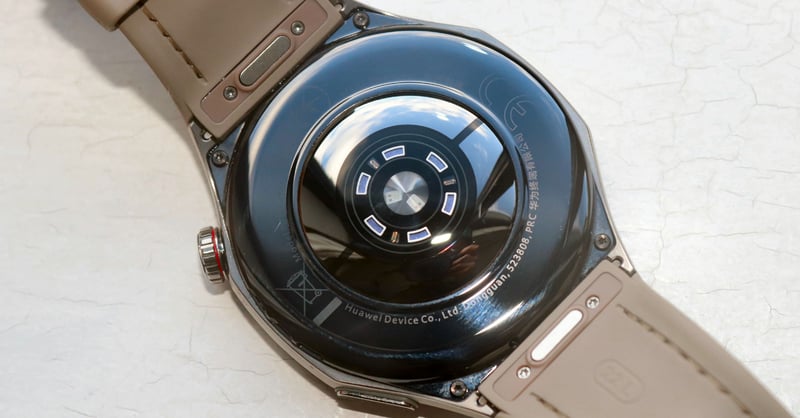
An octagonal design can look odd unless properly executed, and Huawei has done just that, giving it a refined look. It looks great, perhaps even better than the similarly shaped Amazfit T-Rex 3. That said, the strap is sturdy but lacks the watch body’s premium aesthetic, and the watch is only available in one size – 46mm (the larger side of medium)
The scratch-resistant AMOLED display is excellent (1.47″, 466 x 466px, excellent 3000 nits). It’s definitely bright enough to be visible in direct sunlight, and the colours pop with vibrancy and crispness. Even better. The touchscreen is superb and responds perfectly to your every swipe and tap.
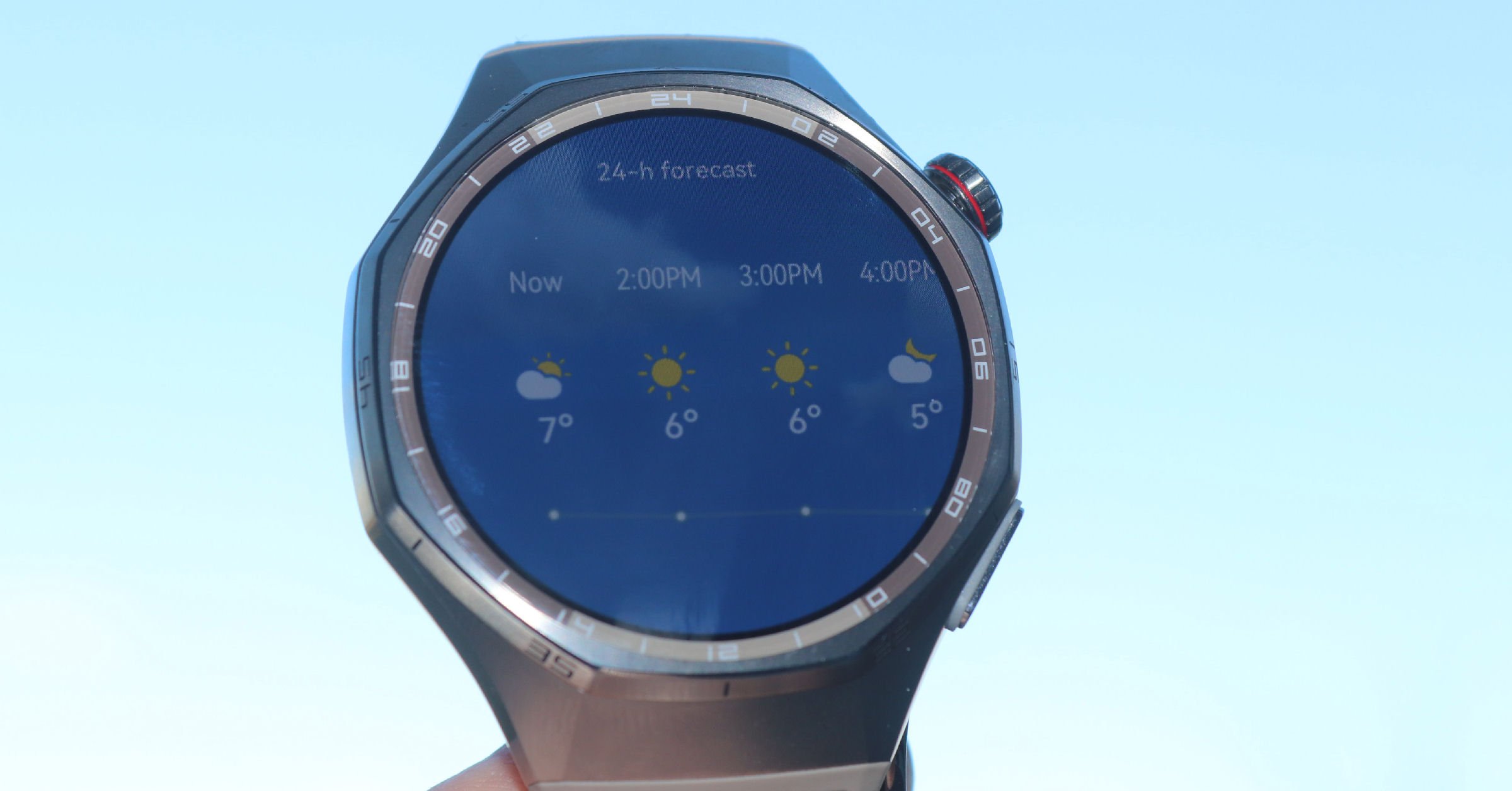
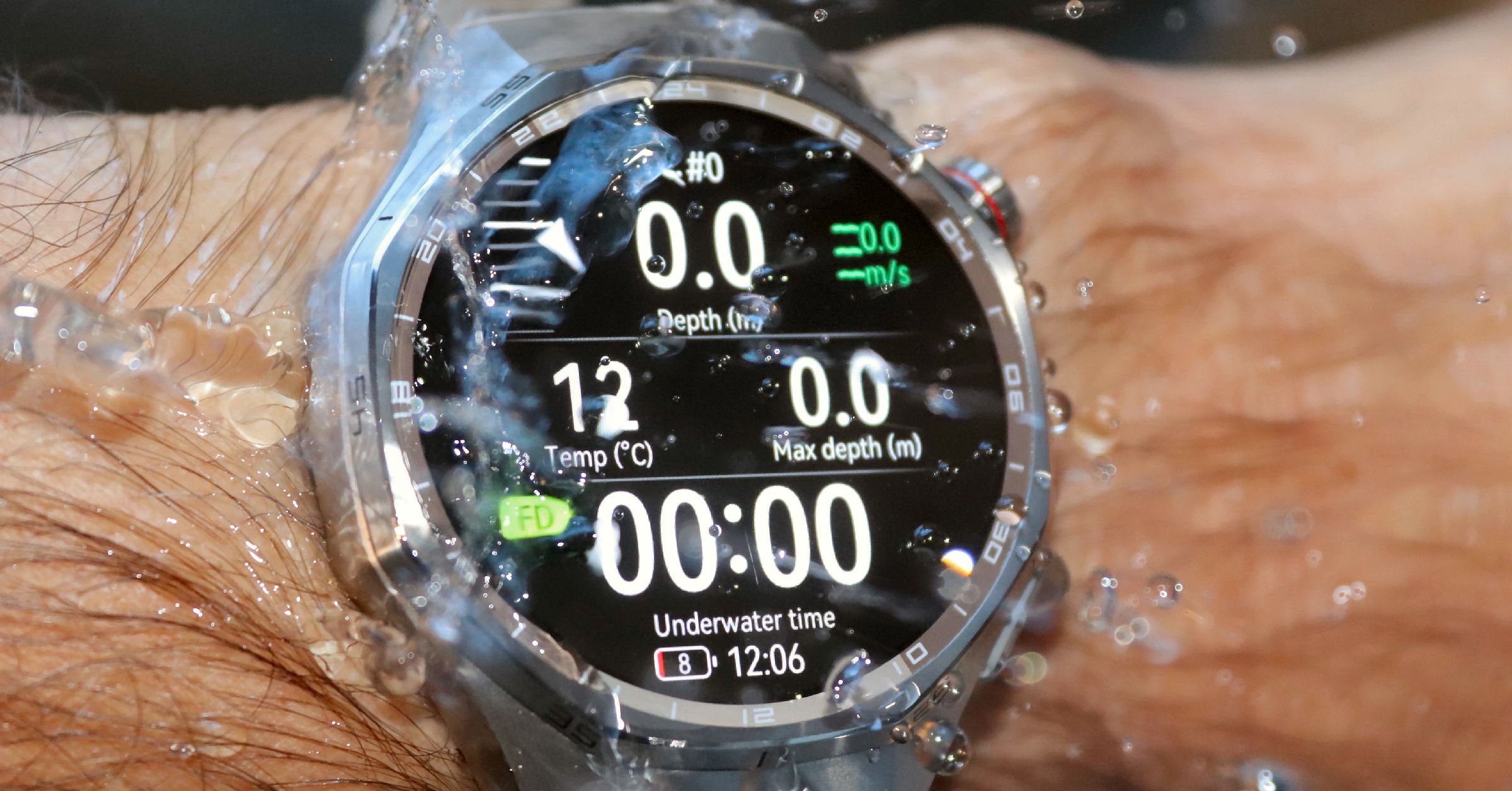
A durable package: Scratch-resistant. IP69 dust resistant. 5 ATM water resistance with a 40m dive rating.
I found the watch surprisingly comfortable to wear all day, given its size. This is important, as the watch is intended to be worn all day, with sports use being important but incidental to that.
Ecosystem Limitations
While the two-button touchscreen interface on the watch was straightforward and intuitive to use, the smartphone app needs a good tidy-up.
Important context: Huawei’s US ban means this watch lacks the seamless integration you’d get with Apple Watch or Galaxy Watch. While functional, expect workarounds.
I found a similar level of clutter when testing the superb Google Pixel 4 Watch a few weeks ago. There are repeated requests for authorisation in the Huawei Health app – it’s excellent that privacy appears to be heavily respected, but the taps became too onerous. On the positive side, once you’ve done them, they’re gone forever.
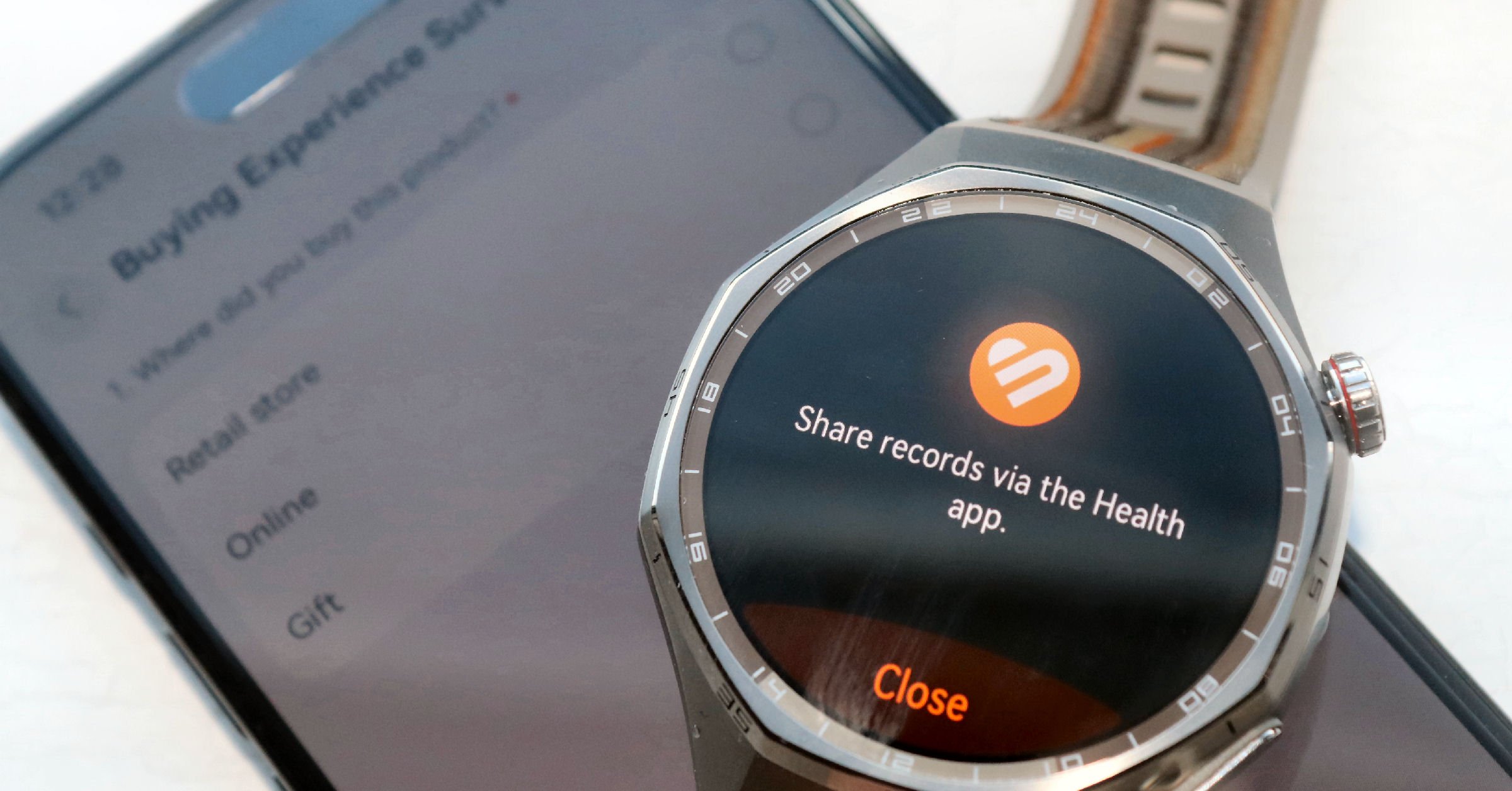
The smartphone app will doubtless further evolve. For now, there are too many interruptions and offers. It’s fine to offer new services, but give me a little while to get to like the app first.
Linking to external services like Apple Health and Strava was possible but not straightforward; once connected, not all workouts were reliably synced. I found other issues with linking to other services like Apple email and replying to notifications (not possible), but WhatsApp notifications came through.
Battery Life
The battery issues that plagued smart watches 5 years ago are solved.
The GT6 PRO has Garmin-like battery life rather than Apple Watch-like (sub-2-day) levels. At one extreme, you should just about get the claimed 21-day battery life as a ‘watch’ and from my testing, the 40-hour GPS battery life also seems right. For a more balanced use with battery-sapping daily GPS workouts, you should still get highly creditable periods of over a week without needing a charge. Talking of which, the USB-A charging puck seems dated, but was great for me as it fits all my ageing charging ports without needing an adapter.
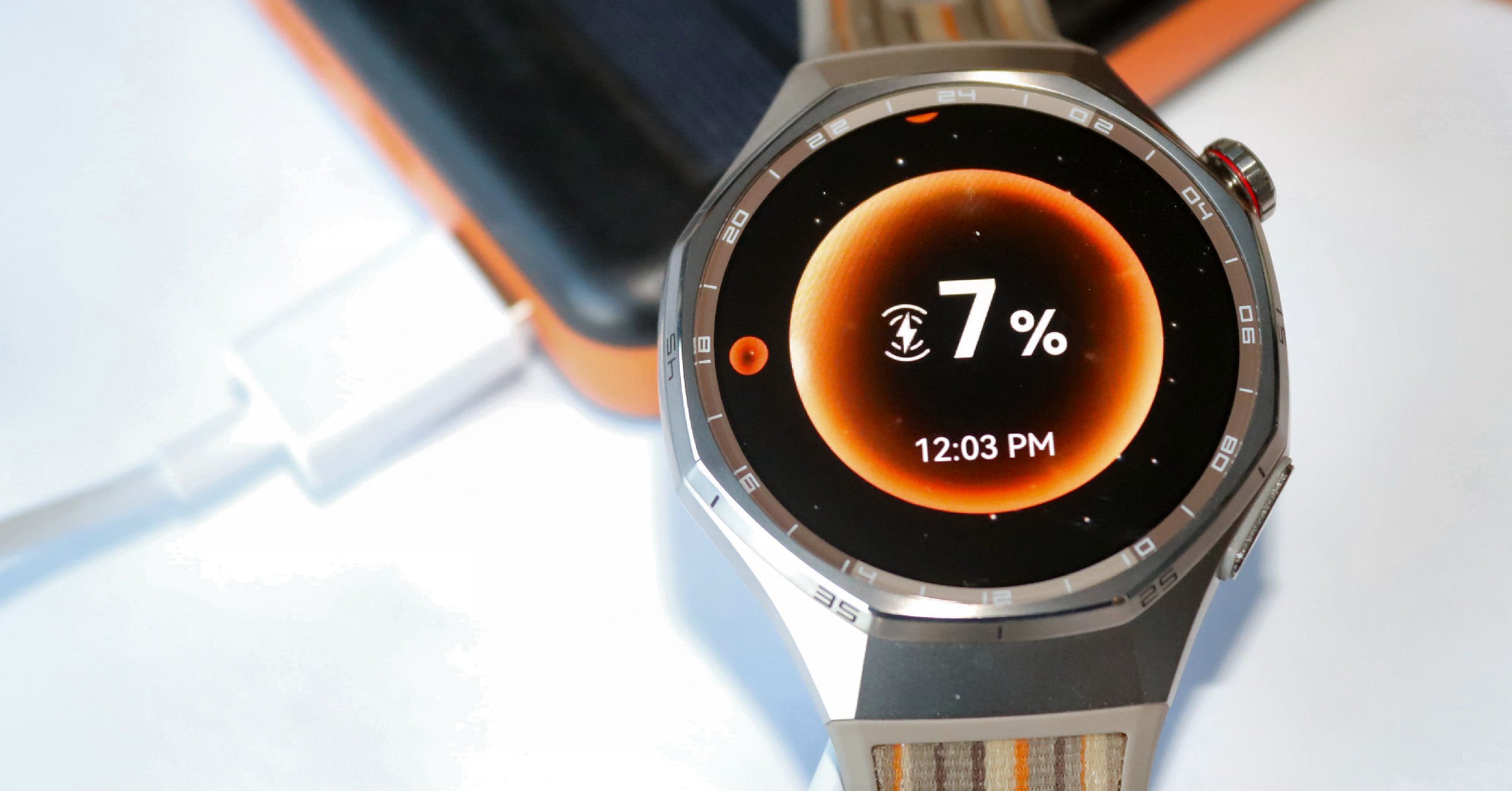
Battery Comparison at a Glance: The 2025 Flagships
| Feature | Huawei Watch GT 6 Pro | Apple Watch Ultra 2 | Garmin Fenix 8 (47mm) |
|---|---|---|---|
| Typical Battery Life | up to 14 Days (Mixed Use) | 36–48 Hours | 10–16 Days |
| Max Battery (Mode) | 21 Days (Watch Mode) | 72 Hours (Low Power) | 23 Days (Saver Mode) |
| GPS Battery Life | Up to 40 Hours | Up to 12 Hours | Up to 47 Hours |
| RRP (Price) | £299.99 | £799 / €899 | £869 / €999 |
| Ecosystem Strength | Basic / Restricted | Industry-Leading | Strong / Specialist |
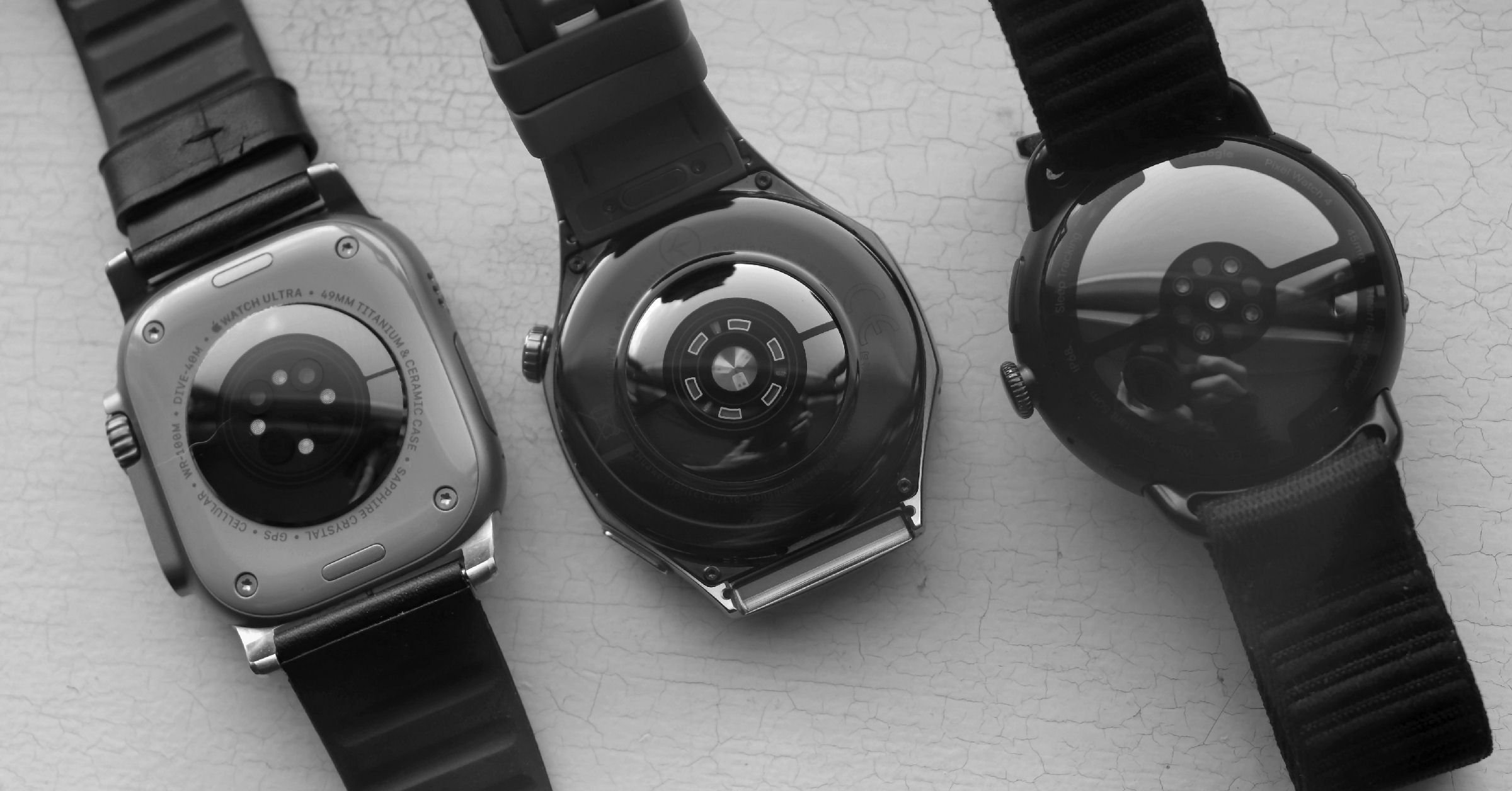
For how battery life compares across all brands, see the watch battery life hub.
Health & Fitness Tracking
It’s got the whole bag of health and fitness tracking, as good as almost anything else out there. It lacks stress-tracking for sweat (available only on the Google Pixel) and blood pressure trend info, which is increasingly available on wearables like Whoop. But it has the rest (I’ll just give you a list)
- Comprehensive 24/7 health monitoring (heart rate, SpO2, stress, skin temperature)
- Advanced sleep tracking with phase detection and breathing quality analysis
- CE-certified ECG functionality
- Atrial fibrillation (aFib) detection and arterial stiffness monitoring
- Fall detection with emergency contact features
- HRV (Heart Rate Variability) tracking
- Emotional well-being monitoring with AI-driven insights
Over 100 sports modes cover more than just the most popular: running, cycling, swimming, trail running, skiing, and golf.
GPS & Navigation
A combination of market-leading and market-trailing features
Huawei uses unique, new-generation GPS technologies it calls “Sunflower Positioning” (see test results further below) to improve accuracy, along with a hardware-switching system that selects the optimal signal path in real time. At least, that’s the theory.
- Dual-Antenna Switching: Competitors have one antenna near the bezel; Huawei adds a second one to the bottom of the case. This is claimed to increase the time when one or both have a clear view of the sky. Software then determines the best positional information from either or both.
- Signal Direct Injection Feeding (SDIF): This eliminates signal loss from internal cabling between the antenna and the circuit board by integrating the two.
Maps
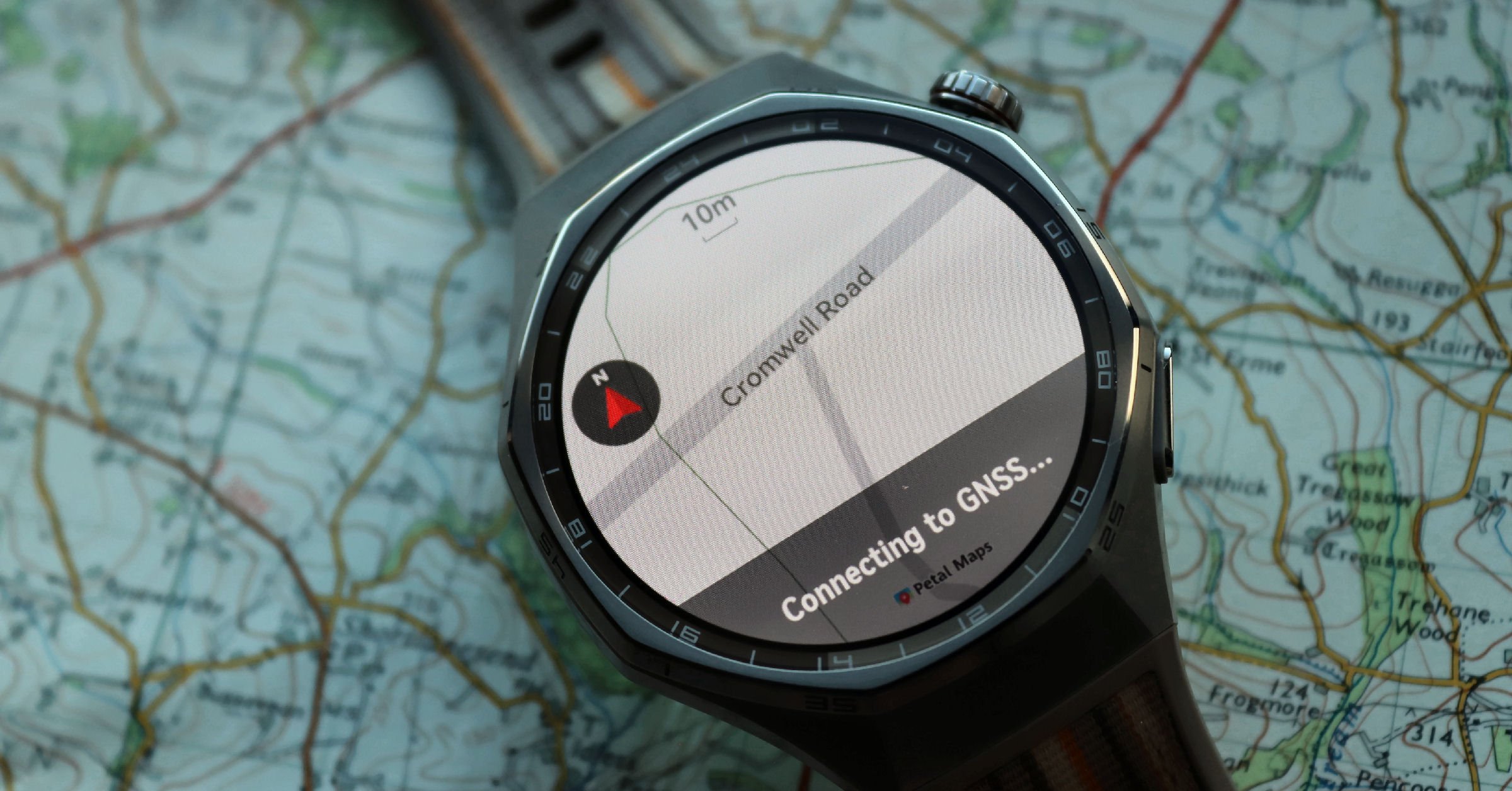
Out of the box, the watch has no maps. However, you can super-easily download your region’s maps for free from the app. It takes 5-10 minutes, depending on your area, because the map files are large and reasonably detailed, for example, including street names. 15,000 Golf course maps are also included for free.
Getting a Route
The Huawei watch is designed for casual navigators.
As far as I could tell, there is only one fully automated link to a route platform – Komoot. Although there are Strava syncs that only upload completed workouts, they do not download any routes you have there. That said, you can manually copy and follow route files (e.g. GPX/TXL/KML), which takes about a minute.
The Sporting Experience
I’ll continue with the cycling themes to illustrate some of the advanced and unusual features found in the sports profiles.
A few years ago, Apple introduced the ability to mount your phone on the handlebars and mirror your watch’s metrics on the phone. Huawei has now added a similar feature that works well.
The main benefits here are avoiding the need to buy a dedicated bike computer, keeping everything recorded in one place, and getting access to a much larger screen than putting a watch on your handlebars, which isn’t great for navigation. On the downside, you drain the battery and put your expensive phone at greater risk of damage.
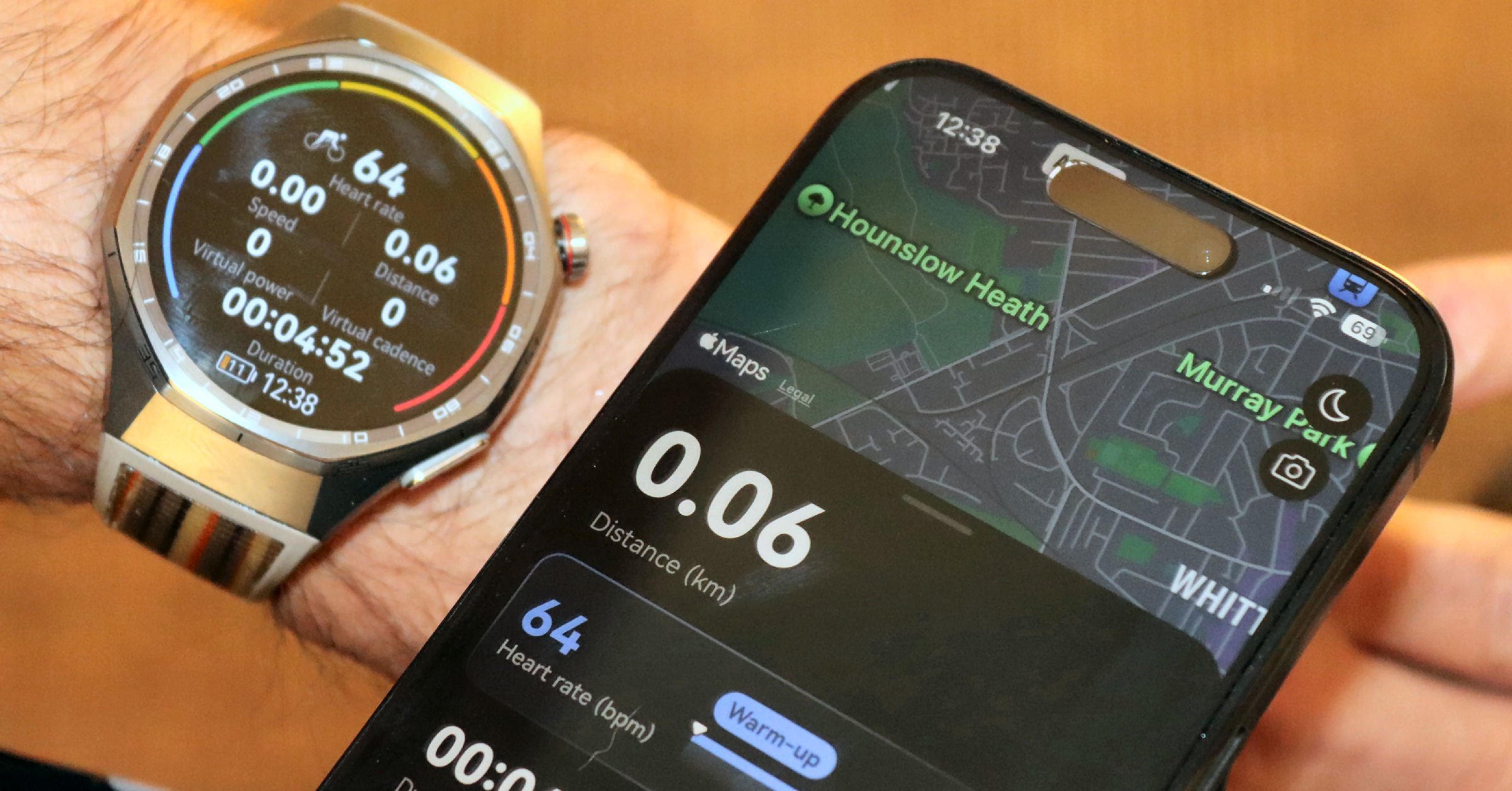
Power Meter on the watch.
There are two ways to determine power when cycling. One is with a direct force power meter on your pedals (4iiii starts at $250), the other is through opposing forces. Huawei does the latter, translating your speed, weight, and gradient into power. Q: Is this Virtual Power accurate? A: No. The opposing force calculations omit sensing wind and wind resistance (position). You might find this an interesting metric to play with over short periods if you can keep some of the unknowns constant.
Another neat feature is to broadcast your heart rate from the watch. This saves the need to buy a more accurate chest strap that some find uncomfortable to wear, and is helpful for cycling and gym equipment.
Re-Navigation
The on-watch maps are multilayered images with no smart routing intelligence. The maps do not understand nodes/junctions and cannot route you on their own. However, it can route you back home in a straight line or retrace your steps. These are useful features for the occasional navigator
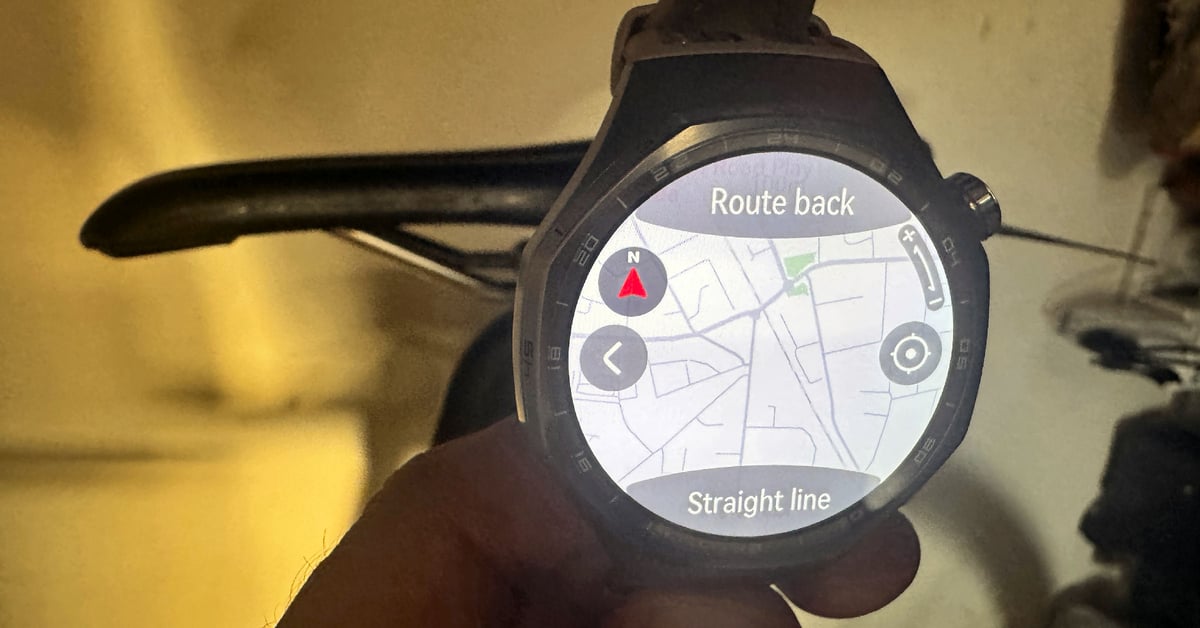
Other cycling features include the ability to have different bike profiles, different bike sports profiles, compatibility with 3rd party sensors (e.g. power meters, indoor trainer – not controllable), and when navigating, you can get turn-by-turn audio prompts into paired earbuds. One downside here is that you can’t create an impromptu route or re-navigate if lost – all you can do is retrace your steps or navigate to the start via a compass bearing; these are both handy features but with obvious limitations.
Over 100 sports modes are included, covering running, cycling, swimming, trail running, skiing, and golf.
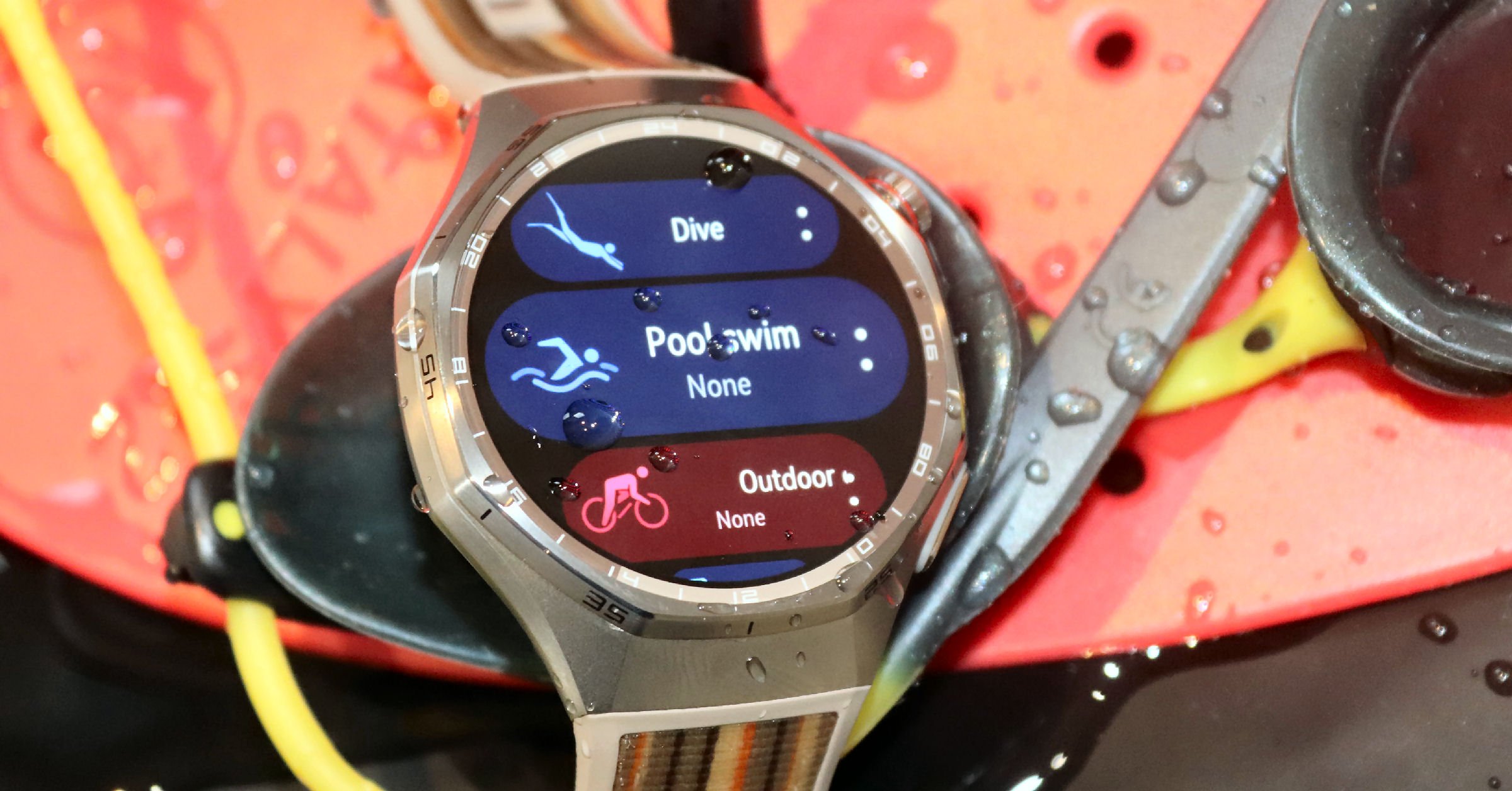
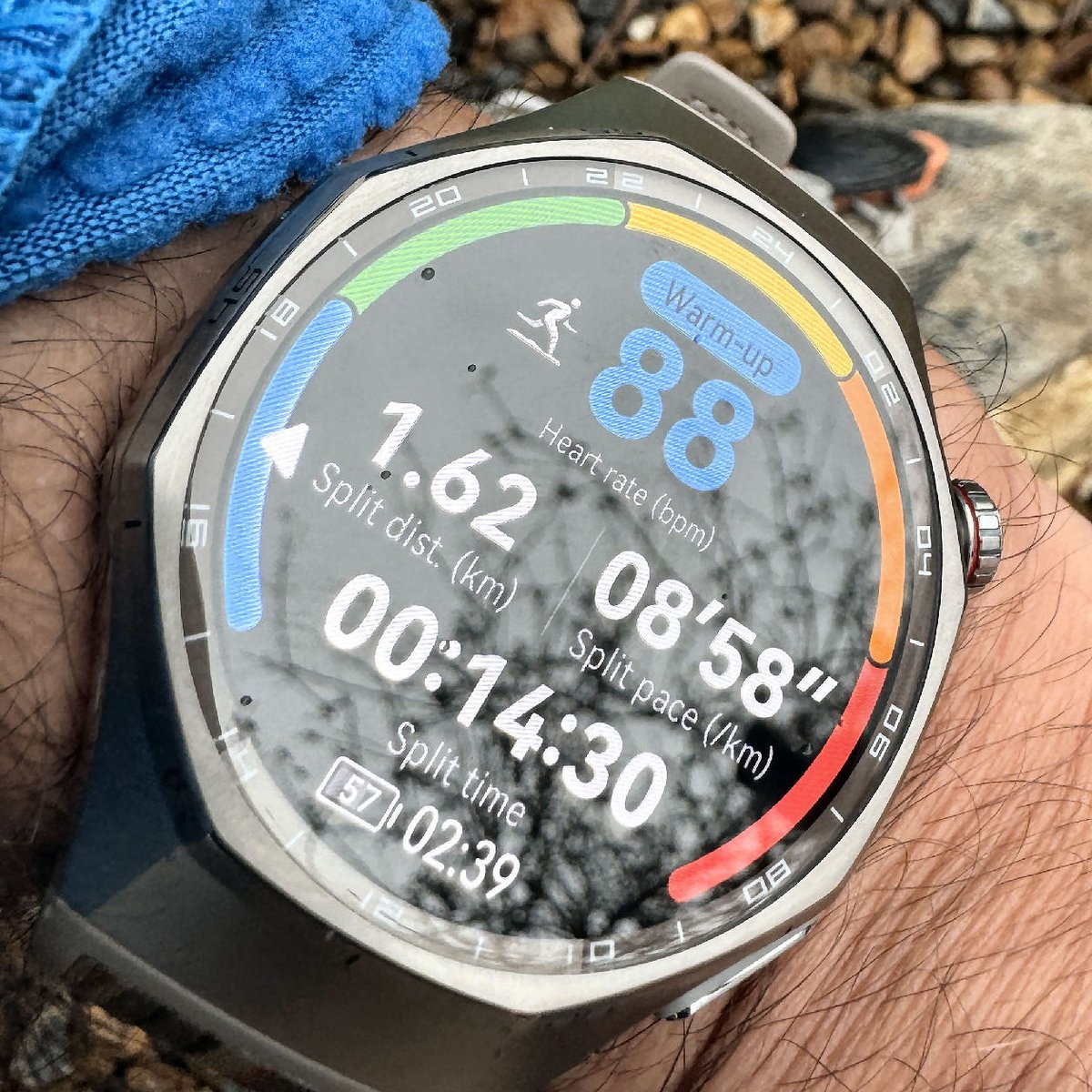
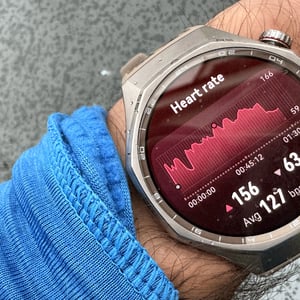
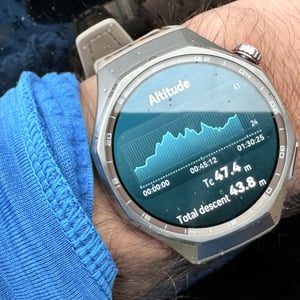
Here is an example customisable screen layout with 6 metrics, including the bar around the perimeter. It’s a nicely sized screen, making the sport metric easy to read. A minor criticism is that the units of measure (UOM) are too prominent, and other brands give the option to hide UOM entirely.
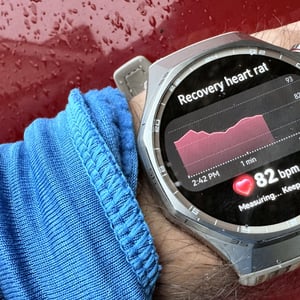
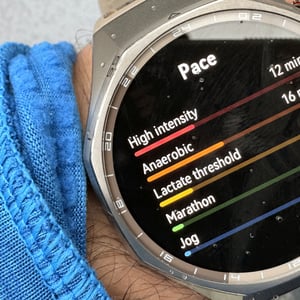
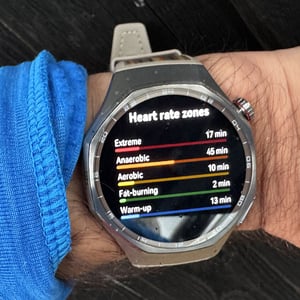
The metrics provided at the end of completed workouts are comprehensive and well-presented, offering a quick, clear overview of your key efforts and achievements. The zones are presented in a subtly different way from other brands. Whilst the zone structures are identical to others, the labelling is less sports-techy and easier to understand, e.g. ‘Fat burning HR Zone’.
Sports Physiology
Huawei adds a training load feature based on the same principle as Garmin – i.e. EPOC. This uses post-exercise heart rate to determine the physiological effect of the workout. Another Garmin-like feature is Recovery time, which determines how long you need to wait before another hard workout based on the intensity and duration of the exercise you’ve just completed. Recovery time is considered differently in Training Status/Training Index to determine your ongoing state of fitness and fatigue.
Huawei also produces VO2max, which matches the exact figure Garmin determined for me.
Huawei’s Sports Physiology Features are comprehensive enough for most recreational fitness devotees
Smart Features & Ecosystem Limitations
I was surprised that Huawei doesn’t quite match the smart features of the Google Pixel Watch 4 or Apple Watch Ultra 3. While the hardware is top-tier, the software experience varies significantly depending on your smartphone.
Heads Up: The iPhone Experience
On Google Android, you can respond to messages using “Quick Replies.” On Apple’s iOS, notifications are for viewing only; you cannot reply to texts or WhatsApp messages from your wrist. Furthermore, iPhone users cannot sync local music files to the watch or use the remote camera shutter feature.
The Huawei app has clunky and limited connections to other apps. The most important apps that can be linked are Strava, Komoot, Health Fit, and Health Sync (iOS).
- Strava – not all GPS workouts are synced; workouts lacking GPS are not synced
- Komoot – routes are synced
- Health Fit – no GPS in workouts is synced, HR is synced.
- Health sync – I couldn’t get this to work.
Payments & Connectivity
NFC Payment support is region-specific. In the UK, there is no native support for major banks. I found a reliable workaround: Curve Card. This acts as a piece of “financial glue” between your watch and your existing bank account. It is supported by Huawei throughout the EU and UK, allowing you to bypass the lack of Google or Apple Pay for about £10.
Audio & Customisation
The watch features a built-in microphone and speaker, but the implementation feels slightly dated:
- Voice Notes: You can record voice memos on the watch, but they do not automatically sync to the phone app.
- Calls: You can make and take calls via Bluetooth, provided your phone is connected.
- Music: Playback is excellent, but you are limited to either physically copied music files on the watch (Android only) or using the watch as a remote for music on your phone.
- Watch Faces: There are several high-quality free options, with more tucked behind a paywall in the Huawei AppGallery.
A Fledgling App Store
Huawei’s proprietary AppGallery is growing but remains sparse compared to Apple or Google. You won’t find Spotify, Strava, or Google Maps here. Instead, you get niche utilities like Navitel Navigator for more detailed mapping and London Bus Live Countdown.
Huawei GT 6 PRO Test Results
Here’s a summary of over 30 hours of testing over 3 weeks.
- Heart Rate: Exceptional – matched Polar SENSE chest strap within 1-2bpm
- GPS Accuracy: Very Good (based on limited comparisons due to technical issues) – occasional smoothing in urban areas
- Battery Life: Outstanding – over a week with heavy use
- Virtual Power: Poor – >10% error vs real power meter (unusable)
- SpO2: Accurate – matched Apple Watch Ultra 3 (96.7% avg)
- Sleep Tracking: Mixed – deep sleep similar to EightSleep, REM/light varied
- Display: Excellent – 3000 nits clearly visible in direct sun
- Water Resistance: Confirmed – no issues after 2 weeks of testing
Here are the detailed results from each set of tests
ECG Test Accuracy
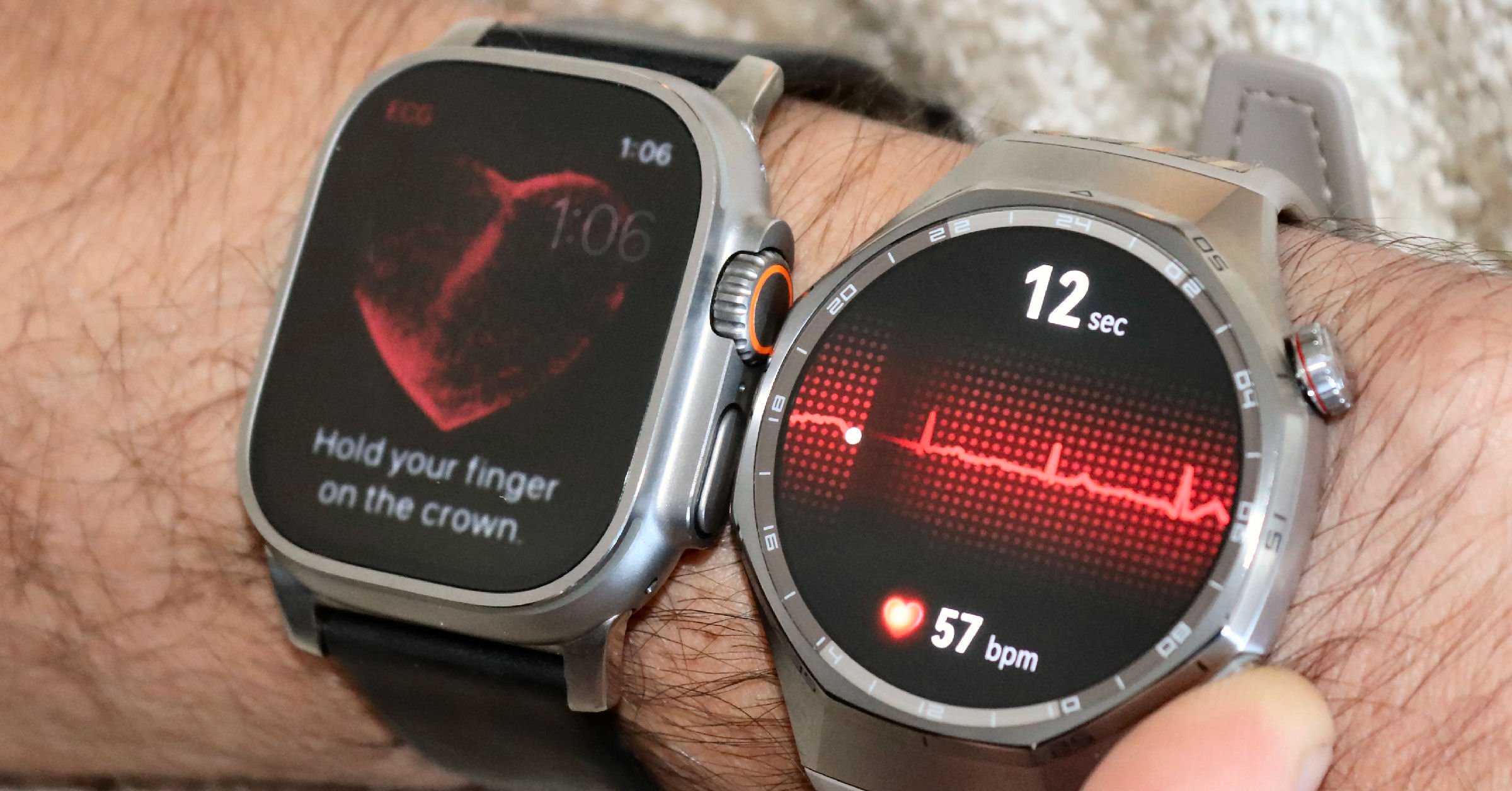
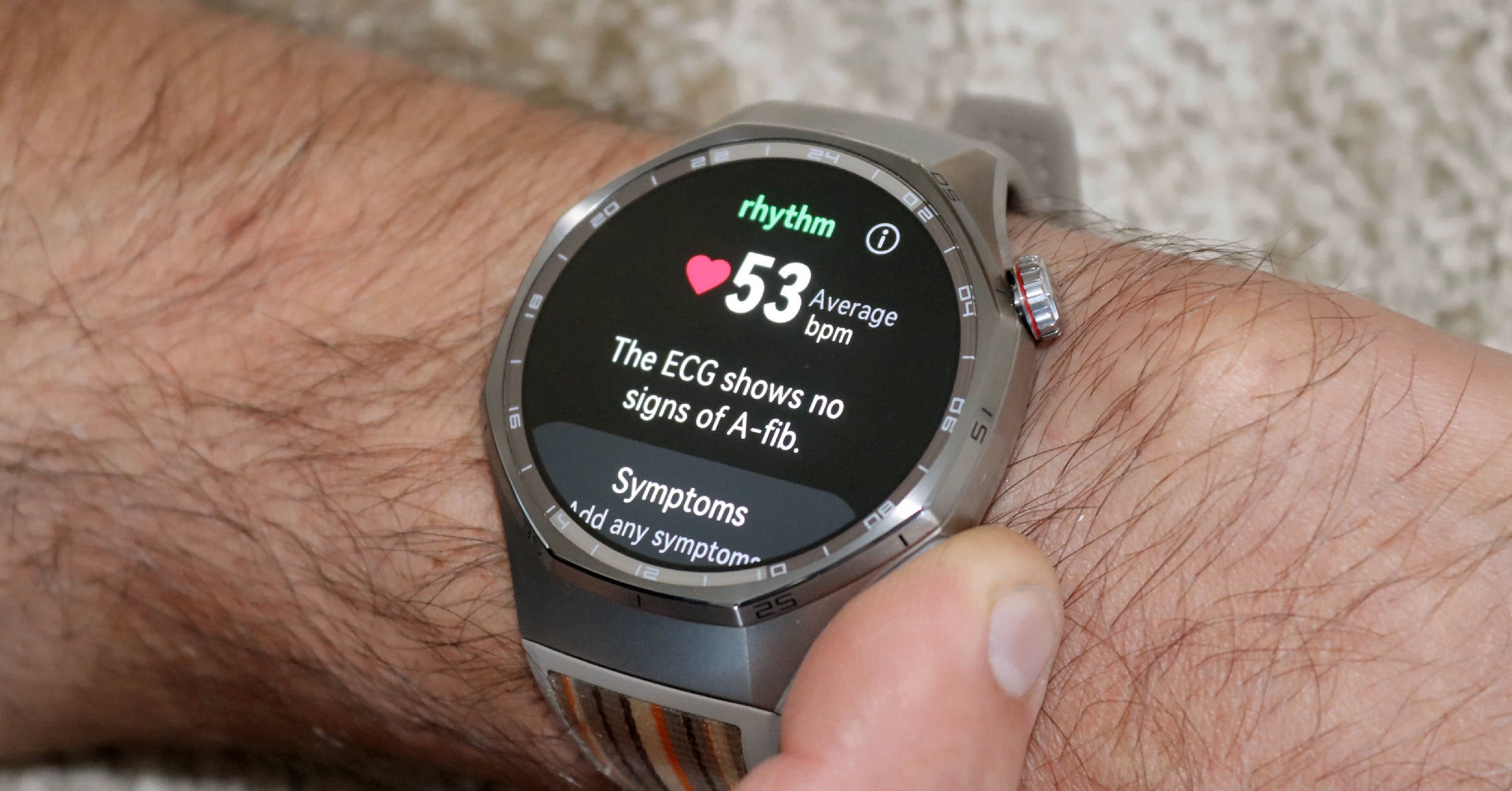
The test results from both the Huawei and Apple Watch Ultra correctly show that I have a normal sinus rhythm.
Heart Rate Accuracy (TruSense System)
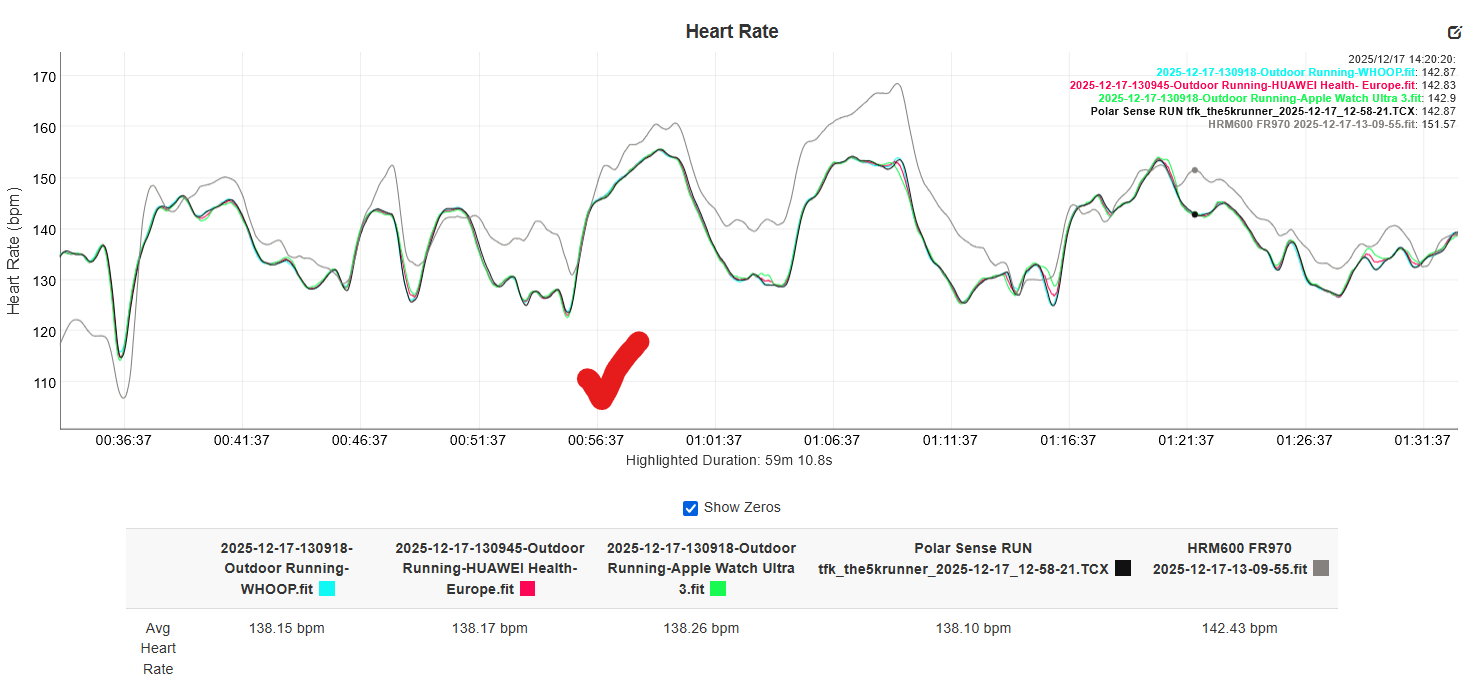
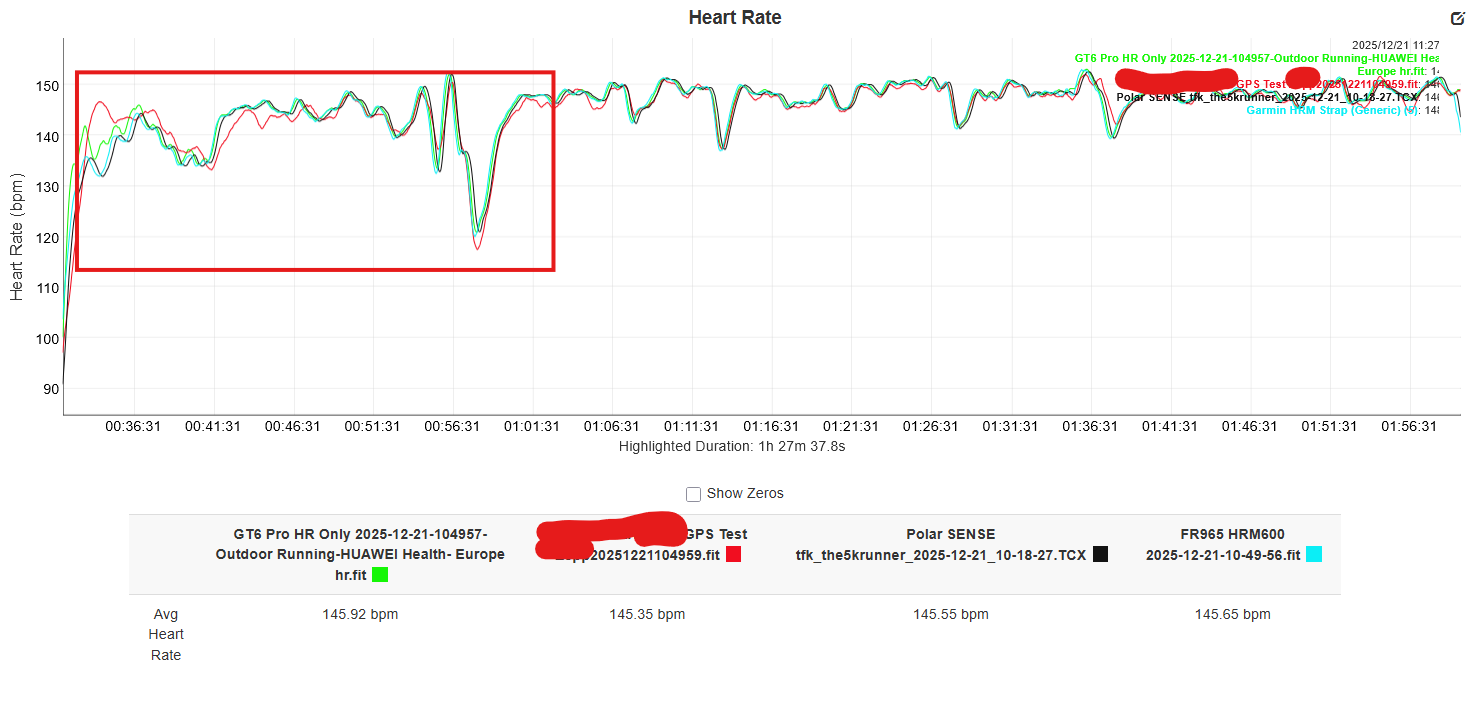
Here is a selection from my first 90-minute outdoor running test, where the GT6 Pro performed superbly against Polar, Garmin and Whoop. Better than a Garmin chest strap, which over-recorded several times. This was on trail and pavement, going under/over my aerobic threshold for extended periods. The results were so good that I spent quite a while investigating if I’d made a mistake. I hadn’t!
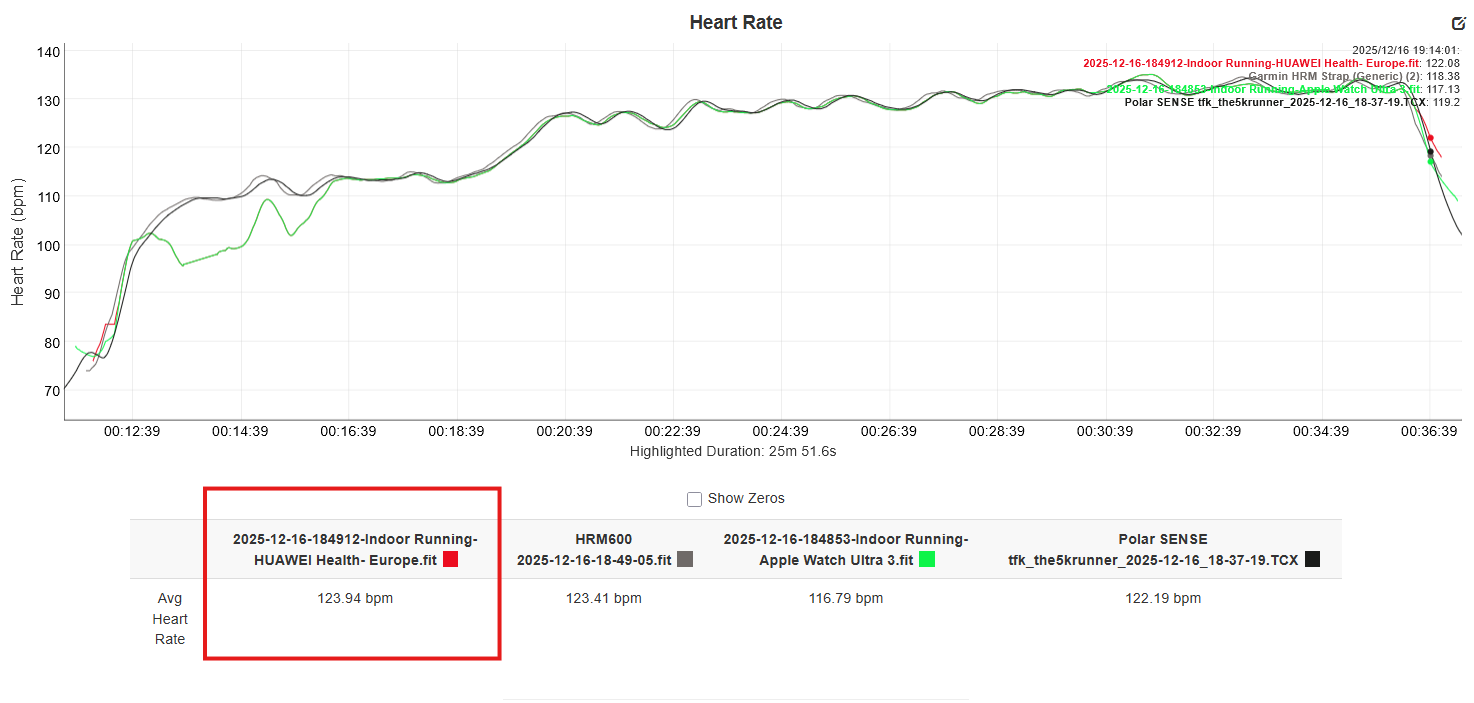
The next day, turning to the indoor treadmill and an easy Z1/Z2 run, the results were once again near-perfect for Trusense on the Huawei GT6 Pro. Better than the Apple Watch Ultra 3, which underreported at the start.
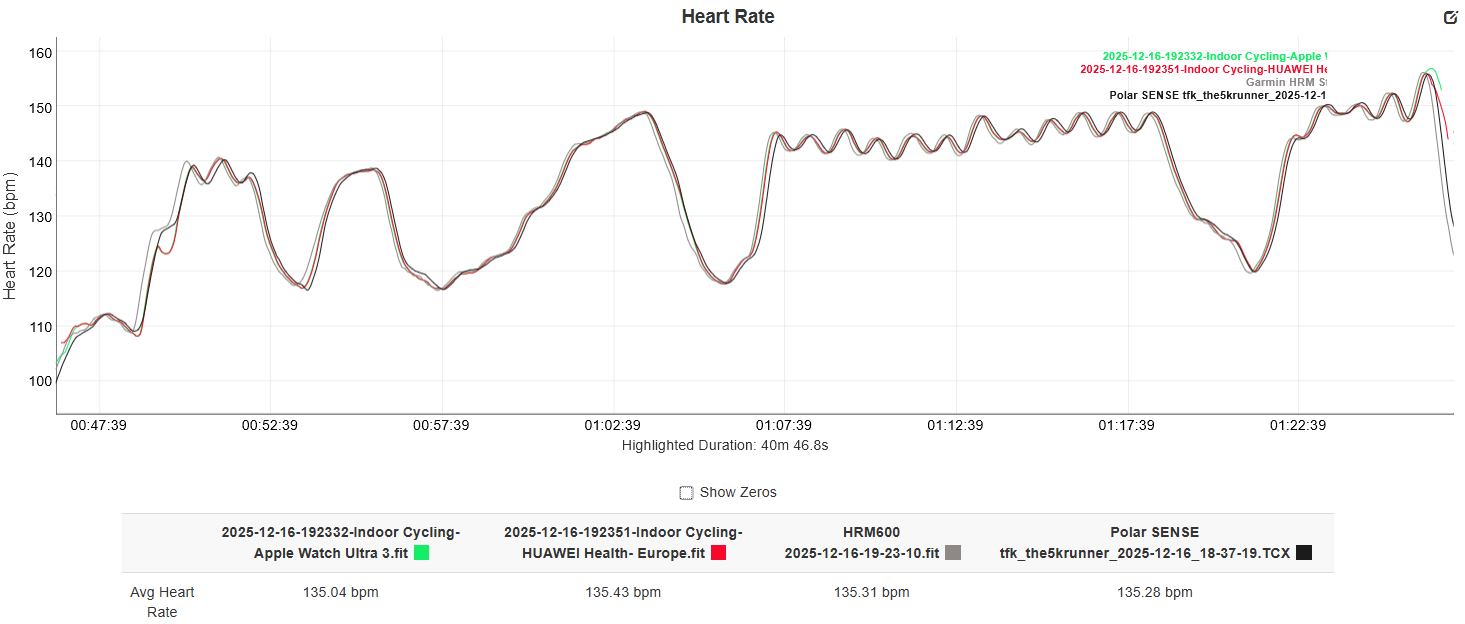
Next came some short indoor bike intervals (data smoothed), and once again the Huawei performed excellently against Polar, Garmin, and Apple, except for a tiny dropout near the start.
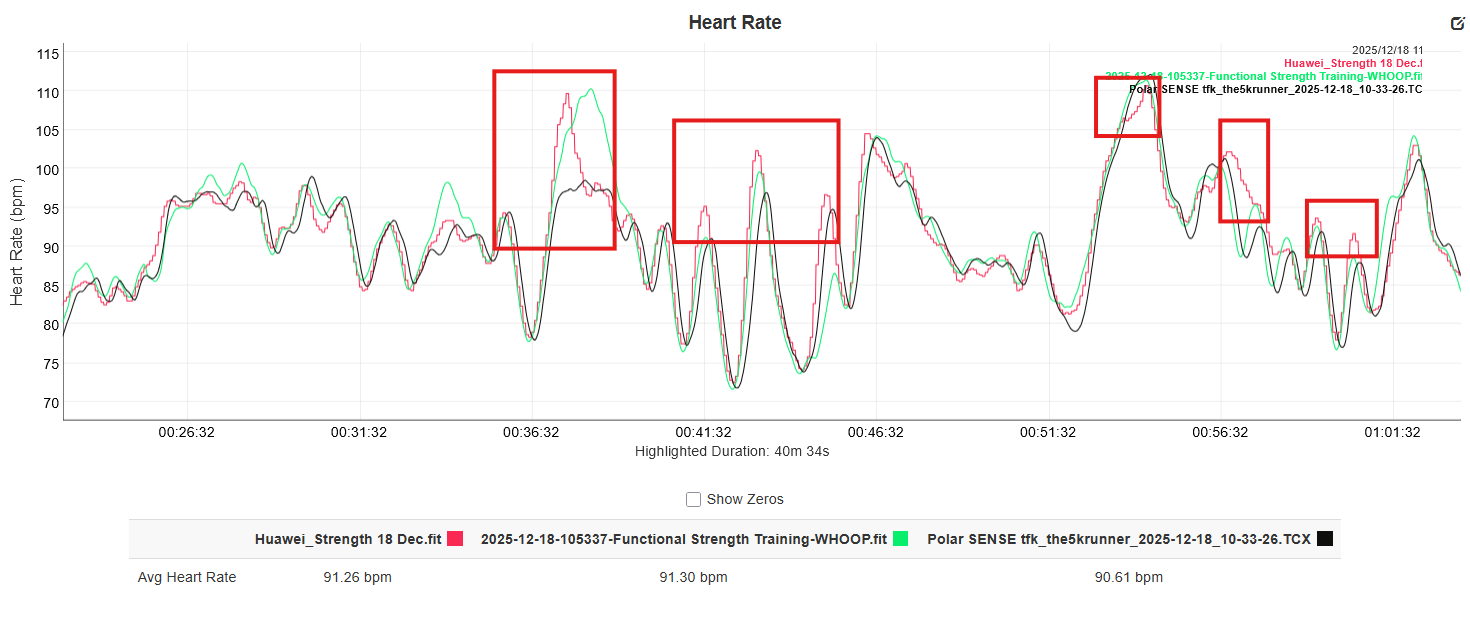
OK. So I had to try harder to break it! In the gym, this is easier because there is a lot of wrist flexion, which makes heart rate readings from a watch very difficult to interpret. That said, the Huawei Watch managed an excellent showing here. Indeed, it is an acceptable performance.
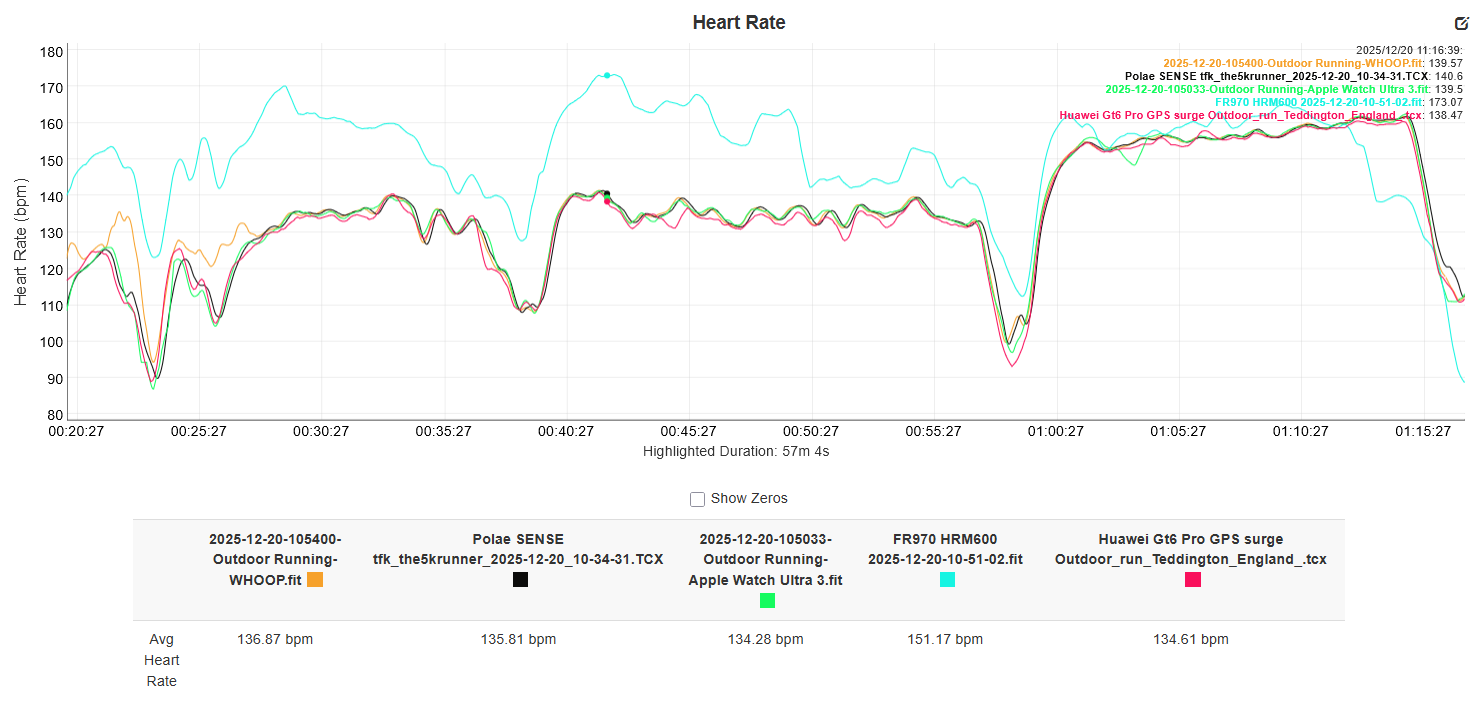
Next is an outdoor trail run with a threshold effort component. The Garmin is clearly wrong, whereas the Polar SENSE, Whoop, Apple and Huawei all track correctly. The Trusense on the GT6 Pro does slightly under-report throughout.
On a much longer endurance run, Huawei’s GT 6 Pro holds up well throughout. However, there is a small amount of continuous under-reporting.
GPS Accuracy Testing
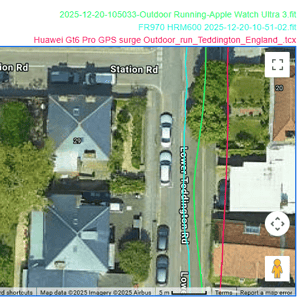
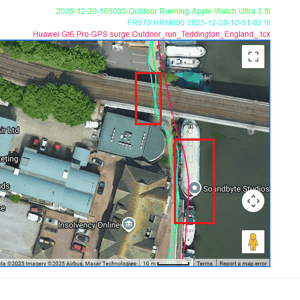
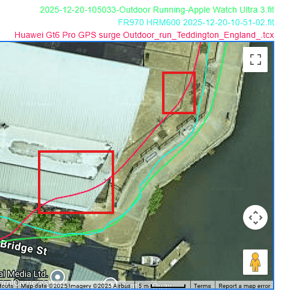
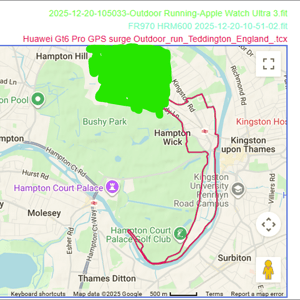
I performed over 15 hours of GNSS/GPS tests with Huawei’s “Sunflower” antenna system. This included suburban/rural bike rides, trail runs and my standard 10-mile GPS test run in challenging conditions (methodology here).
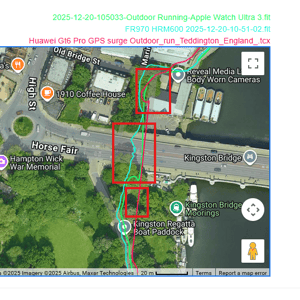
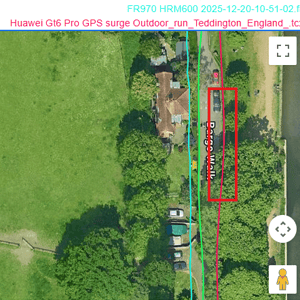
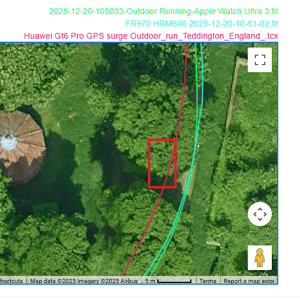
However, I had difficulty extracting comparative GPS data from the Huawei ecosystem; neither the Strava link nor Health sync (iOS) worked reliably. I’ve spent way too much time troubleshooting this and had to stop, having only extracted one full GPS test file to compare against other devices. Huawei needs to urgently address workout sharing.
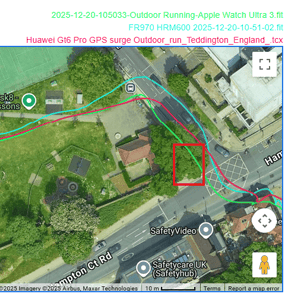
GPS/GNSS Accuracy – Take Out
Huawei’s Sunflower antenna feels like a modest technological step forward, offering the potential to boost the accuracy of the currently highly accurate crop of GNSS chips from other brands (notably Garmin).
Looking at all my other tests with the Huawei (where I can’t compare/overlay), it is clear that under high GPS difficulty, the system performs well, perhaps even better than some of the well-known competition. However, as you can see from the example, it performs less well in many instances, even in conditions of modest difficulty. It seems to me that Huawei is onto a good thing but needs to tweak its algorithms further.
Battery Life Performance
Starting with a 70% battery charge and no other charging, I was able to easily average 2 hours of sports/GPS activity per day and full-day wear.
Sleep Stage Tracking Analysis
With 10 nights of data across 14 total days, I found the Deep sleep stage tracking to be reasonably close to EightSleep‘s scores (within 10 minutes). However, REM and LIGHT sleep were noticeably different between EightSleep and my Apple Watch Ultra 3, sometimes by over an hour.
Virtual Cycling Power Validation
In a 5-mile bike test on flat roads, the reported power levels were frequently >10% off a reference-grade power meter (Assioma Pro RS). I didn’t delve deeper because I consider this level of inaccuracy unusable; the data cannot be correct in other conditions without all the correct inputs (e.g., air resistance).
SpO2 Monitoring
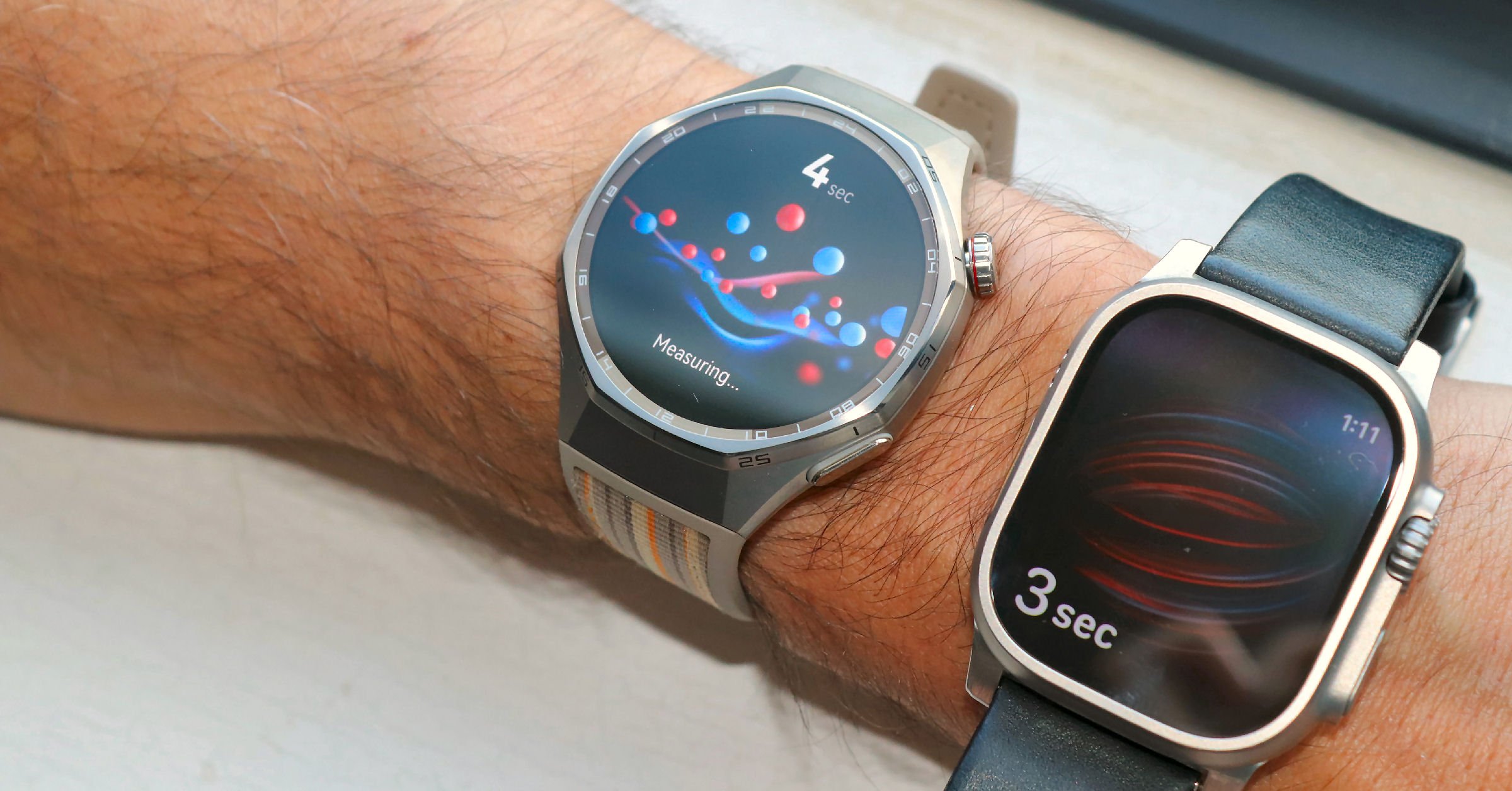
In casual use, the SpO2 readings felt low. However, over a series of ten 15-second tests against Apple Watch Ultra 3, the average was identical, with both devices showing considerably more variation than I expected.
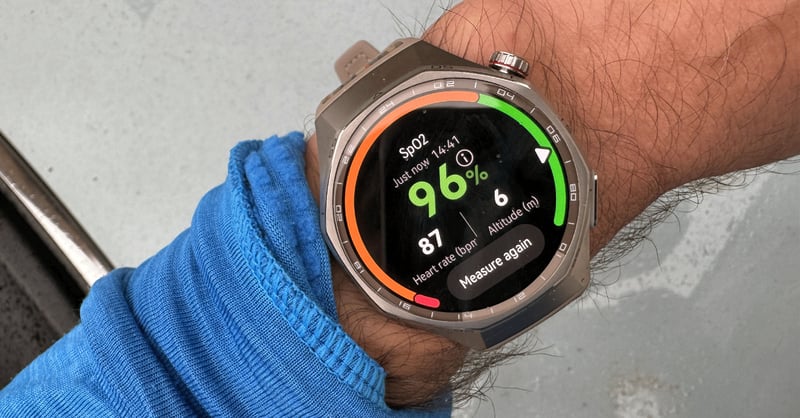
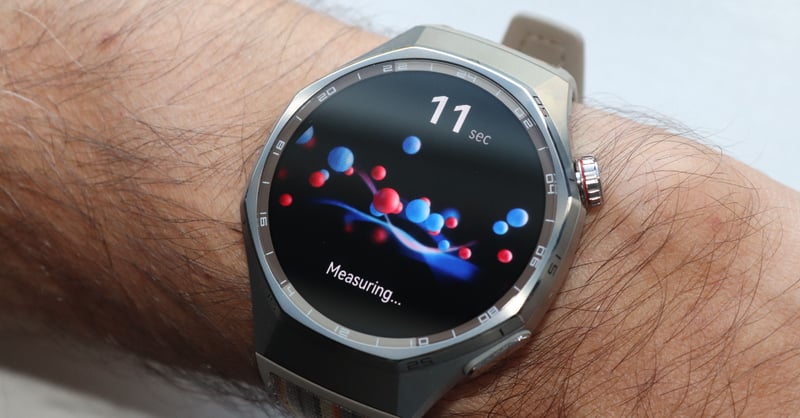
Here are the ten SpO2 test results for the GT6 vs Apple
| Test | Huawei Watch GT 6 Pro | Apple Watch Ultra 3 |
| 1 | 98 | 99 |
| 2 | 98 | 99 |
| 3 | 94 | 99 |
| 4 | 96 | 98 |
| 5 | 96 | 96 |
| 6 | 97 | 95 |
| 7 | 97 | 95 |
| 8 | 97 | 98 |
| 9 | 97 | 95 |
| 10 | 97 | 93 |
| Avg | 96.7 | 96.7 |
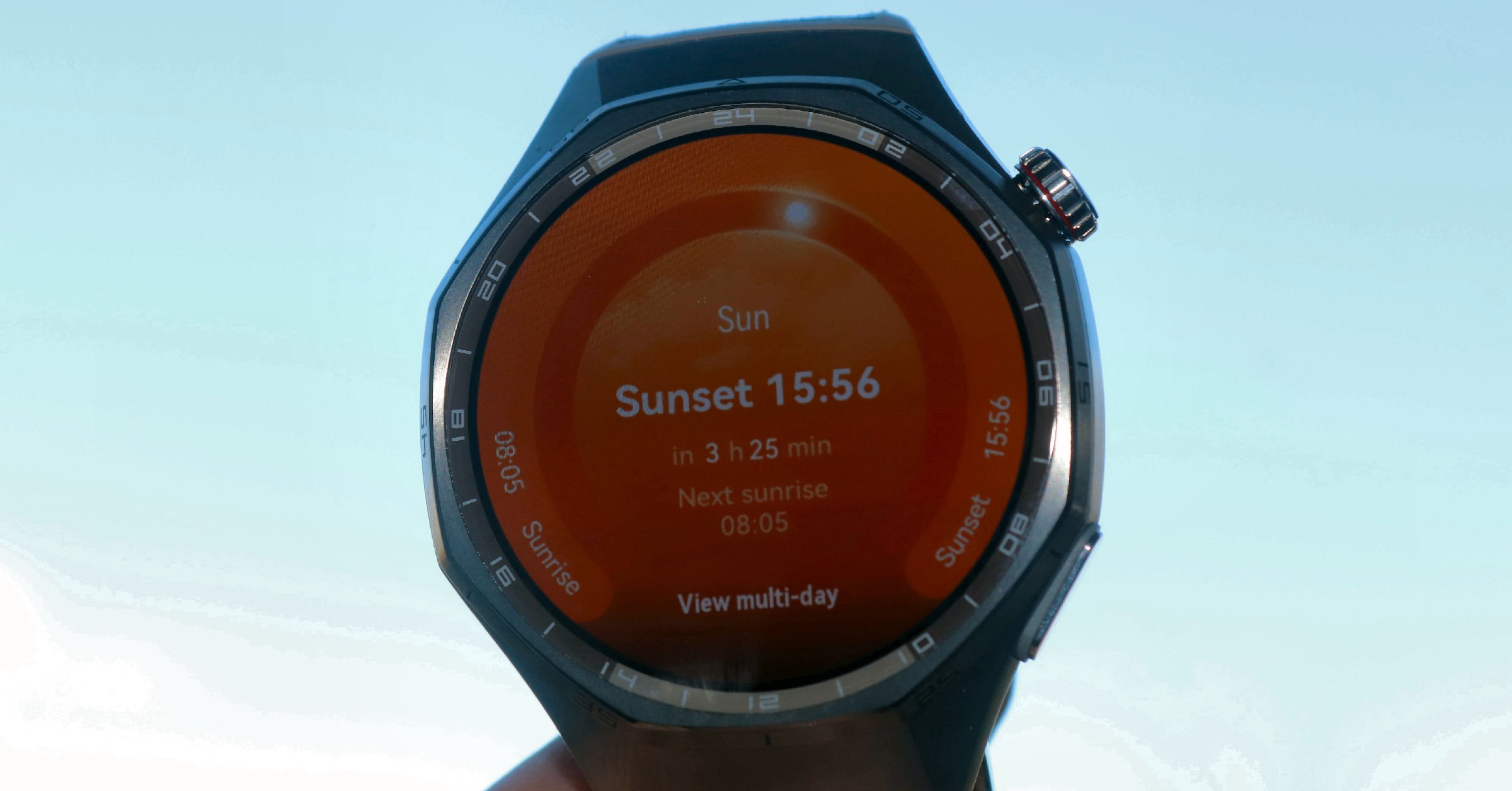
Display Brightness & Visibility
The display is clearly visible under all light conditions I tested, including a bright, sunny winter’s day.
Water Resistance Testing
Over the course of two weeks with limited exposure to swimming and showering, the watch showed no issues.
App Ecosystem Experience
Notifications and sync to the smartphone were broadly very reliable.
However, there was difficulty establishing fast download connections (the watch and smartphone app seem to connect to their own proprietary Wi-Fi network rather than Bluetooth).
Direct synchronisation to Strava did not always work.
Synchronisations to Apple Health worked, but did not send GPS information.
The 3rd-party app. Health Sync (£3.99) did not solve the issue.
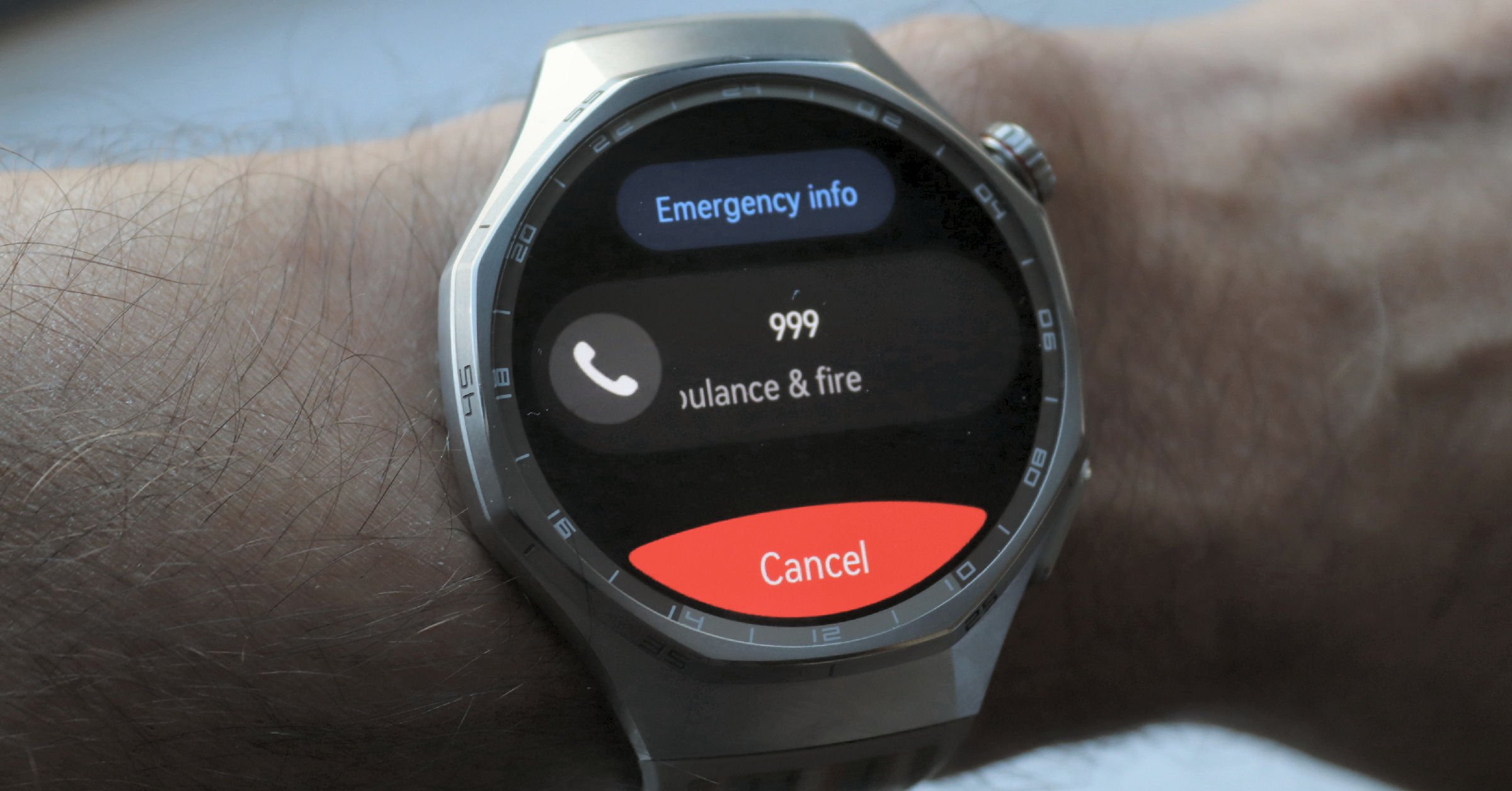
Fall Detection & Safety Features
The emergency call requires 5 rapid button (crown) presses. This usually works, but sometimes other options are chosen during the pressing process.
Subscription Features
The HUAWEI Health+ subscription costs around €7.99/month (€59.99/year). Given the price of the watch, it is reasonable for Huawei to charge for these non-essential features.
- Personalised Training Plans: For various fitness goals and intensity levels.
- Advanced Workouts & Training Courses: A range of beginner to advanced level guided workouts.
- Guided Meditations & Breathing Exercises: A library of guided breathing and meditation exercises.
- Sleep Music: Designed to aid relaxation and improve sleep quality.
- Weight Management & Diet Analysis: AI fitness plans, diet analysis tools, and custom meal suggestions.
- Exclusive Watch Faces
Subscription: For once, it’s reasonable a brand charges for these
Models and Variations
The Watch GT6 Pro reviewed here is 45mm and available in Black, Brown, and Silver colourways. The black version has a sportier strap than the one shown in this review, whereas the silver version has an all-metal strap. All are available as a bundle with a pair of Huawei FreeBuds.
Non-Pro: The regular GT6 model is smaller, has a more feminine aesthetic, and comes with a 41mm case.
Differences to earlier models are becoming less significant as some new features are added to older watches – e.g. Watch GT 5 gets a major upgrade wtih additional health and workout features (March 2026)
Quick answers
How accurate is the Huawei Watch GT 6 Pro heart rate monitor?
In our testing against Polar SENSE, Apple Watch Ultra 3, and other leading watches, the GT 6 Pro usually matched within 1-2 bpm across 6 different workout types, outperforming both Garmin and Apple Watch in some tests.
Does the Huawei Watch GT 6 Pro work with an iPhone?
Yes, but with limitations. You cannot reply to messages on iOS, sync music files, or use remote camera features.
How long does the battery really last on the Huawei Watch GT 6 Pro?
Averaging 2 hours of daily GPS activity, we achieved over 2 weeks of use from a single charge. In lighter use, the 21-day claim is achievable.
Is the Huawei Watch GT 6 Pro worth buying over the Apple Watch Ultra?
If you prioritise battery life and don’t need Apple’s ecosystem integration, yes. The GT 6 Pro costs £299.99, vs £799 for similar-quality hardware.
Can I use the Huawei Watch GT 6 Pro in the USA?
The watch works, but the Huawei Health app must be sideloaded, and some features may not function. Official support is unavailable.
Huawei Watch GT 6 Pro price: where to buy
The Watch GT6 Pro is widely available outside of the USA.
The RRP is £299.99 in the UK. Check the price in your market for euro and dollar prices. At that price, you are getting a lot of watch quality for your money. That represents good value. However, what you gain in workmanship quality, you lose in some of the more advanced smartwatch features.
It’s good value
Conclusion
Huawei is a leading Chinese smartphone brand. I expected to get Apple or Google-level features and usability. What I got was something different.
The construction quality of the GT 6 Pro is excellent, and there are way more features than I could ever imagine using to the max, more than Apple. I was also impressed and surprised with one of the best sets of heart rate results I’ve had from a smartwatch.
But the app experience falls short. Huawei have bundled in every possible feature and the ability to add even more features and watch faces through payment, but without considering how easy and enjoyable the app is to use. Two specific gripes were too frequent confirmations/reminders and the inability to properly link health and activity data to third parties.
On the wrist, the watch is largely impressive. The app experience…less so.
However, once you factor in the price (£299.99 in the UK), the GT 6 Pro becomes attractive for anyone seeking a highly featured tracker
Final Verdict: Who Should Buy the Huawei Watch GT 6 Pro?
Buy if you:
- Want 2+ weeks of battery life
- Need accurate heart rate tracking
- Prioritise fitness over smartwatch features
- Want premium build quality at £299.99 (vs £799 Apple Watch Ultra)
- Can work around ecosystem limitations
Skip if you:
- Need Apple/Google ecosystem integration (no reply to messages on iOS)
- Live in the USA (limited support)
- Want extensive third-party apps
- Want to sync to a variety of external sports and wellness platforms
The Bottom Line
At £299.99, the GT 6 Pro delivers exceptional value for fitness-focused users. Our heart rate tests show it matches watches costing 2-3x more, and the 14-day battery life genuinely changes how you use a smartwatch. Yes, the app ecosystem is frustrating, and iOS integration is limited—but if you can accept those trade-offs, this is the best value premium fitness watch of 2025.
Rating: 8/10 – Great hardware held back by software limitations.

Last Updated on 8 October 2026 by tfk the5krunner
Small things I always use
- Garmin 90-degree charging adapter: Charges your Garmin from any USB-C cable. Essential when travelling. I use one.
- Body Glide: The blue anti-chafe stick swimmers and runners carry. I use it.
- Speedo earplugs: Fewer ear infections and no cold-water dizziness. I use them.
- Dryrobe Advance: My winter changing robe for open-water swims. I use one. A cheaper option is the AONYIYI changing robe.
- Maurten: Race fuel that stays easy on the stomach. I use them.
- Garmin charging puck: The quickest way to top up before a session. I use one.
- Injinji: Toe socks that stop rubbing, so you run more. I use them.
- Ultimate toe protectors: Stop black toenails on long runs. They work. I use them.
- Compressport R2 v2 calf sleeves: My calf sleeves of choice. I use them.
- Cellucor C4: My pre-workout before hard sessions.
- TPU tubes: Schwalbe Aerothan, Tubolito and Pirelli SmarTube. Light, tiny spares. I use all three.
- G8 insoles: Adjustable insoles that are good. I use them.
- Cycplus Cube: A 97g electric pump that gets a road tyre rideable in two minutes. I carry one. 5% off with code THE5KRUNNER.
Watches and sensors
- Polar H10: My daily driver for waking HRV.
- Polar Verity Sense: My backup arm-worn HR sensor.
- Nomad bedside charger: Charges my iPhone and Apple Watch overnight. I use it, and many of their bands.
- Train.Red: The best muscle oxygen sensor I’ve used.
- Tymewear: Accurate heart rate and reliable ventilatory zones. I use it to pace endurance rides over an hour.
- Garmin Forerunner 970: A pro-grade triathlon watch. I use this.
- Apple Watch Ultra 4: My daily smartwatch. No phone needed on rides.
- Garmin Fenix 9 Pro: I’ve just bought one.
On the bike
- Continental GP5000 for everyday riding, and Aero 111 on the front for special occasions.
- Helmets: Specialized S-Works Evade 3 for road riding, and Rudy Project Wing for TT-style races. I use both.
- Ravemen FR300: A front light that mounts under your Garmin or Wahoo. I use one.
- Wahoo TRACKR Radar: I use it on one bike and Varia on the other. They perform the same.
- Garmin Varia RTL515: Radar that warns you of cars from behind. I use this model.
- Wahoo ELEMNT Roam 3: The bike computer that’s easy to use. I use mine on most rides.
- Favero Assioma Pro RS2: Accurate power pedals that swap easily between bikes. I use this model.
Home and indoor training
- NPE Runn: Makes my basic treadmill smart, sending more accurate speed and distance to my watch and Zwift. I use it.
- Google Wifi: Keeps Zwift connected in my pain cave. I use it.
- Apple TV 4K: Zwift on the big screen. I use two.
- Google Nest Doorbell (wired, 2nd gen): My video doorbell, running in both Google Home and Apple Home. I use it.
Health, recovery and sleep
- FreeStyle Libre 3 Plus: Shows how my blood sugar responds to diet.
- hDrop: Measures my sweat loss in summer and indoors.
- Fourth Frontier Zone: Checks my heart under load in hard sessions.
- Oura Ring 5: My partner’s recovery tracker of choice.
- Kineon MOVE+: Red light therapy for niggles. It works.
- Eight Sleep: A cooling mattress cover my partner and I use nightly.
Reader-Powered Content

This content is not sponsored. It’s mostly me behind the labour of love, which is this site, and I appreciate everyone who supports it.
Support the site: Follow (free, fewer ads) · Subscribe (paid, ad-free) · Buy Me A Coffee ❤️
Written by real people, with AI assistance. Fact-checked and verified for originality. See the Editorial Policy. FTC: Affiliate Disclosure — some links pay commission. As an Amazon Associate, I earn from qualifying purchases.

tfk is the founder and author of the5krunner, an independent endurance sports technology publication. With 20 years of hands-on testing of GPS watches and wearables, and competing in triathlons at an international age-group level, tfk provides in-depth expert analysis of fitness technology for serious athletes and endurance sport competitors. ID

The heart rate test seems strange.
If you used the Garmin HRM600, the Garmin is fine, and the rest is wrong.
I bought the HRM600 on May 24th and have been using it every day during my marathon training, and it hasn’t malfunctioned once.
It has been accurately monitoring my heart rate based on my workout intensity.
All the marathoners around me (Apple and Garmin users) wear ECG chest belt heart rate monitors in the cold winter due to the inaccuracy of optical sensor heart rate monitors.
hi,ty
no the hrm600 is wrong in this instance.
I am now in a support conversation with garmin. I susepct what has happened in that 40 or so occasions of removing the pod (which fits tightly to the strap) has damaged the integrity of the STRAP.
this sort of thing has happened to me previosuly with garmin straps but only after very long periods of use. i suspect this issue is essentially caused by the excessive tightness of the pod on the electrodes
Hi, I have tested on my own the Garmin 970 vs the Huawei Fit 4 which has the same HR sensor. I do agree the HR is very good, specifically with people with small wrist like me. Now, I have a question: My Polar Sense was stolen/lost during a trip and I need to buy a new one or the Helio Band. Which one do you advise?I do have two HR chest strap but running with them is very uncomfortable for me. Reading your blog from 2019 when I bought the 945, the best watch I have ever had after getting mad for two years with Polar M600 …
general: Polar SENSE.
for me: provided polar keeps polar flowsync working on my PC
Hi, could you please inspect whether you can export a proper workout track from Huawei Health with HR data?
My experience with Huawei watches (Honor Band 5, Huawei Band 6/7/10, Huawei Watch GT 2e/3/Runner) is that you cannot do this even today.
I found a workaround using the Hitrava Python script, but the results are unsatisfactory.
On the one hand, it requires raw data. Unless you have a rooted Android phone to export files, you should request your health data from Huawei via the app or website. It takes them a couple of days to “collect” it before you can download it.
On the other hand, the script’s output revealed that Huawei collected HR data every 5 seconds. It could be the reason why GPX or TCX files exported from Huawei Health do not contain HR data.
I haven’t come across any footpod support either. That’s why I stick with Polar for sports, even though I wear my Huawei watch 24/7.
i cant export anything manually. all the manual options i see are essentialyl to export pictures of the workout stats
i ahev to rely on one of the underlying syncs eg to strava or apple health
rounding: hmm ok interesting. i only had super levels of rounding when doing comparisons (eg 20-30 secs). if i have no rouding the data seems to change every 3 seconds (at least on the one workout i just looked at)
huawei clealry has stict rules it follows eg it wont save an indoor workout i perform (but record in outdoor mode) . even if its for an hour it sees i havent travelled far enough and once i went for a drive afterwards so i didn’t lose the data!!! I thought i was being clever by recording an indoor workout as an outdoor one as some gps would be saved. my theory at the time was that this might override any limiations of strava needing gps.
anyway. as you might guess i’m fed up with trying all these time consuming workarounds. I’m not the sort of person that gives up easily!! this time the watch got the better of me.
Try this in Huawei Health app (iOS): Health tab / tap on Exercise records widget / tap on one of the workouts. When the map appears (Route tab), there are five round icons on the right side of the screen, one below the other. The fifth one is Route, which can be used for exporting workout data.
on ios i dont get this: ” there are five round icons on the right side of the screen”. I’m guessing you have android.
i think i tried the app on android to see if data was copied down from teh cloud (ie in case an y different options appeared as you describe).
I’ve just run out of time!
Hi,
I have GT 6 PRO, most of your cons are not problem for me in Europe. I dont use Apple so its fine. As per 21 day battery, i can confirm using for incoming calls just notifications, 30 emails per day cca, using the watch 12 hours daily, one 5h hike, around 3 to 6k of walking daily average I managed to extract 29 days with 5% battery left. So, I can go beyond 21 days (second time so far I have it)
excellent. ty for that info. good to hear
i suspect that comapnies often understate performance. they realise that the battery will degrade over time.
I tried Huawei instead of Garmin a couple of times in the past and all of these attemptions ended up with a precise disappointment. First of all, Huawei’s UI is stolen from Apple which i find quite useless. Yes, you heard right, Garmin’s UI is better than Apple&Huawei and others.
On Garmin, you can see all of your stats at a glance. But on others, you have to open and go into every single app to see your data. For instance, you have to click on the heart rate app to see your current HR, and then jump to another app to check a different stat. I don’t estimate watch face here. On Garmin, you just scroll down and see everything without opening separate apps.
For example, on my Venu 3, when I swipe down once, I can already see two stats at the same time: My current steps and current heart rate. With the second swipe, I see Body Battery. With the third, I see Stress and HRV. So, without the need of opening every single app, i can see all of my stats.
Well, let’s talk about HR data. Having the best heart rate accuracy during short activities doesn’t automatically make that device the best heart rate tracker. If you can’t process or benefit from that HR data — or use it to generate other meaningful health metrics — then its accuracy doesn’t really matter. For workouts, you can easily use an external HR sensor and get even better results than with an Apple Watch or Huawei.
Huawei and even Apple have serious problems with getting benefit from raw HR information and it makes their accurate readings meaningless. Huawei measures stress, really ? So what does it do with that stress data ? Use it for body battery ? Does it warn me as an early sign of possible illness or insufficient recovery like Garmin does ? And what is the frequency off stress measuring at Huawei’s side ? Let me tell you, just 1 stress sample per 30 min. However Garmin measures it second by second if it’s possible (i mean if you don’t move too much). And also if i’m not wrong the HR sample recording frequency of my Huawei Watch GT 3 was not second by second. It should have been per 5 second.
Let’s talk about widgets… You can add unlimited widgets on a Garmin; Heart Rate, Steps, Body Battery, Stress, HRV, Recovery, Sleep, Calories, SPO2, Intensity Minutes, Weather, Music bla bla bla… Unlimited… How about on Huawei ? You swipe the screen just 4 or 5 times and that’s it, you come to the end of the watch. What the hell ? But i want to see all my widgets like Garmin ? Steps, HR, Calories, Moon Phases, Weather, Sun Times… But no, you can only add a couple of cards to the screen.
Noooo, thank you. I even prefer FR245 to any high end Huawei. Thank you so much sir !
I’ve just got the Huawei GT6 Pro for Christmas and I love it. I wanted a more stylish replacement for my Garmin Forerunner 265. I find that the GPS is very good so far..I’d say as good as the Garmin, but the one thing I’ve found disappointing is the heart rate tracking so I’m surprised to see your results. I have found that the first 10 minutes or so are all over the place until it gets a proper lock, then it’s fine. Did you do a good warm up first before starting your activities? I think that would fix it for me maybe- I generally only walk for a few minutes before starting my run.
I’ve got a replacement Huawei strap which is silicone, as it’s more elastic I’ll be able to get a tighter fit than the original (same as the one you have), so I’ll try that one tomorrow to see if things improve. Huawei actually state in their info about the watch that heart rates could be off initially in cold weather (under 15C) until you get warm, as the capillaries on the wrist narrow when you’re cold. The watch is stunning though so I’ll be keeping it regardless!
I was wearing the watch 24/7, warm up is not needed.
HR accuracy varies by person and by use case.
I wear mine 24/7 too and I think it wasn’t tight enough tbh. Tried 2 runs since with the silicone strap so the watch fits nice and snug…also moved it another 1/2” up the wrist so it sits as Huawei recommends, one finger width above the wrist bone. Both runs after this have been perfect for Herat rate so I’m putting it down to user error! It’s a superb watch!
ty
Those positional recommendations are generically correct.
However, some skinny-armed people (me) who wear watches farther from the wrist bone sweat, and then the watch slips down to a loose fit on the wrist during workouts. This then gives very poor performance.