Fitbit Users: You’ve Got a Few More Months to Save Your Data
Google pushed back the deadline again, best to act now.
If you’ve been ignoring those emails from Fitbit about switching to a Google account, you’re not alone. Google knows it and have just bought everyone a bit more time.
The mandatory migration deadline has been pushed from February 2 to May 19, 2026. That’s the good news. The bad news? After that date, your Fitbit account simply won’t work. No syncing, no app access, nothing.
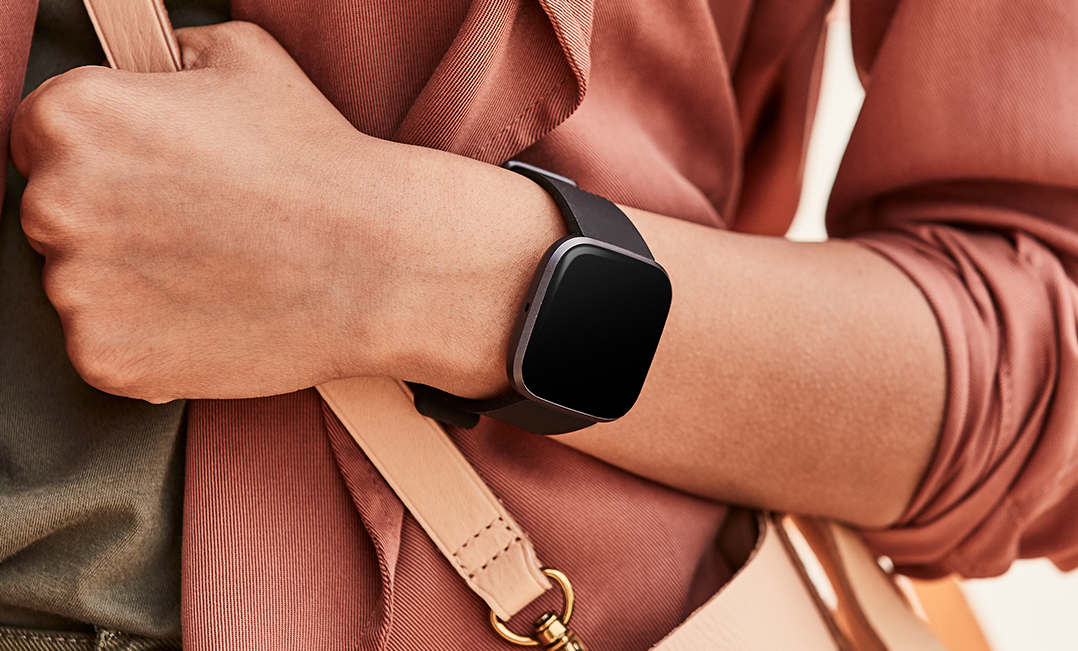
Your fitness history is on the line
if you’ve owned a Fitbit for many years think, about all those steps counted, sleep patterns tracked, HRV recoveries, workouts logged—for some people, that’s nearly a decade of personal health data just sitting there.
If you miss the May deadline, you’ve got until July 15, 2026 to download your data. After that Google starts deleting it and it will be gone for good.
So why is this happening?
Google bought Fitbit back in January 2021 for $2.1 billion, and they’ve been slowly herding everyone toward Google accounts ever since. The original plan was to wrap this up in 2025, but the deadline keeps sliding. Whether that’s because of technical hiccups or just millions of procrastinators, who knows.
If you bought a new Fitbit recently, you’re probably already using a Google account without realising – you’re probably fine. It’s the longtime users—the loyalists who’ve stuck with the platform through thick and thin—who are now being asked to make the jump.
Google says the switch brings better security, unified privacy controls, and the convenience of one login across all their services. Fair enough. But not everyone’s thrilled about it.
The pushback
Some Fitbit customers are genuinely annoyed at being forced into an ecosystem they specifically chose to avoid. There’s something uncomfortable about a company buying your favourite fitness tracker and then telling you that you need to hand over your health data to use it.
A fair number of people have voted with their feet and jumped ship to competitors like Garmin, which has been quietly positioning itself as the “we won’t make you link everything to Big Tech” alternative.
Others have made peace with it. Integration with Google services, better features, one less password to remember—there are genuine upsides if you’re already living in the Google ecosystem anyway.
What you should do
Open your Fitbit app, go to Settings, tap “Move Account,” and just get it over with. Your historical data transfers with you, and honestly, the process takes about five minutes.
If you really don’t want Google having your health data, you can export everything and delete your account instead. That’s a valid choice. But sitting around hoping the deadline moves again might be wishful thinking.
May 19 will be here before you know it. For the full picture of the Google Fitbit ecosystem including the Google Health app and Pixel Watch: Google Fitbit and Wear OS hub.
Last Updated on 3 October 2026 by tfk the5krunner
Small things I always use
- Garmin 90-degree charging adapter: Charges your Garmin with any USB-C cable. Essential when travelling. I use one.
- Body Glide: The blue anti-chafing stick swimmers and runners carry. I use it.
- Speedo earplugs: Fewer ear infections and no cold-water dizziness. I use them.
- Dryrobe Advance: My winter changing robe for open-water swims. I use one. A cheaper option is the AONYIYI changing robe.
- Maurten: Race fuel that stays easy on the stomach. I use them.
- Beet It Sport nitrate shots: Beetroot shots I take in the days before a race. I use them.
- Garmin charging puck: The quickest way to top up before a session. I use one.
- Injinji: Toe socks that stop rubbing, so you run more. I use them.
- Ultimate toe protectors: Stop black toenails on long runs. They work. I use them.
- Compressport R2 v2 calf sleeves: My calf sleeves of choice. I use them.
- Cellucor C4: My pre-workout before hard sessions.
- TPU tubes: Schwalbe Aerothan, Tubolito and Pirelli SmarTube. Light, tiny spares. I use all three.
- G8 insoles: Adjustable arches, perfect position. I use them.
- Cycplus Cube: A 97g electric pump that gets a road tyre rideable in two minutes. I carry one. 5% off with code THE5KRUNNER.
Health, recovery and sleep
- Kineon MOVE+: Red and infrared light for sore knees, Achilles and other joints after hard training. I use it.
- FreeStyle Libre 3 Plus: Shows how my blood sugar responds to diet. Occasional use.
- hDrop: Measures my sweat loss in summer and indoors. I use it.
- Fourth Frontier Zone: Checks my heart under load in hard sessions.
- Oura Ring 5: My partner’s recovery tracker of choice.
- Eight Sleep: A cooling mattress cover my partner and I use nightly.
Watches and sensors
- Polar H10: My daily driver for waking HRV.
- Polar Verity Sense: My backup arm-worn HR sensor.
- Nomad bedside charger: Charges my iPhone and Apple Watch overnight. I use it, and many of their bands.
- Train.Red: The best muscle oxygen sensor I’ve used. Occasional use.
- Tymewear: Accurate heart rate and reliable ventilatory zones. I use it to pace endurance rides over an hour.
- Garmin Forerunner 970: A pro-grade triathlon watch. I use this.
- Apple Watch Ultra 4: My daily smartwatch. No phone needed on rides.
On the bike
- Continental GP5000 for everyday riding, and Aero 111 on the front for special occasions. I use both.
- Helmets: Specialized S-Works Evade 3 for road riding, and Rudy Project Wing for TT-style races. I use both.
- Ravemen FR300: A front light that mounts under your Garmin or Wahoo. I use one.
- Ravemen FR1000: The light and the computer mount in one unit, so nothing else goes on the bars. Better than mine.
- Ravemen FR1500SE: 1,500 lumens hanging under your Garmin, for proper night rides.
- Ravemen FR1100SE: 1,100 lumens under your Garmin, and up to 46 hours on slow flash.
- Ravemen FR500: A brighter FR300 with the same mount.
- Wahoo TRACKR Radar: I use it on one bike and Varia on the other. They perform the same.
- Garmin Varia RTL515: Radar that warns you of cars from behind. I use this model.
- Wahoo ELEMNT Roam 3: The bike computer that’s easy to use. I use mine on most rides.
- Favero Assioma Pro RS2: Accurate power pedals that swap easily between bikes. I use this model.
Home and indoor training
- NPE Runn: Makes my basic treadmill smart, sending more accurate speed and distance to my watch and Zwift. I use it.
- Google Wifi: Keeps Zwift connected in my pain cave. I use it.
- Apple TV 4K: Zwift on the big screen. I use two.
- Google Nest Doorbell (wired, 2nd gen): My video doorbell, running in both Google Home and Apple Home via Starling. I use it.
Reader-Powered Content

This content is not sponsored. It’s mostly me behind the labour of love, which is this site, and I appreciate everyone who supports it.
Support the site: Follow (free, fewer ads) · Subscribe (paid, ad-free) · Buy Me A Coffee
Written by real people, with AI assistance. Fact-checked and verified for originality. See the Editorial Policy. FTC: Affiliate Disclosure — some links pay commission. As an Amazon Associate, I earn from qualifying purchases.
tfk is the founder and author of the5krunner, an independent endurance sports technology publication. With 20 years of hands-on testing of GPS watches and wearables, and competing in triathlons at an international age-group level, tfk provides in-depth expert analysis of fitness technology for serious athletes and endurance sport competitors. See the gear tfk uses. ID
