Garmin CIRQA Smart Band Button and LED: What Each Does
The CIRQA Smart Band has one button and one multi-colour LED. There is no display, no touchscreen, and no secondary controls. Every on-device interaction runs through those two simple components. The full specification is on the Garmin CIRQA specs page.
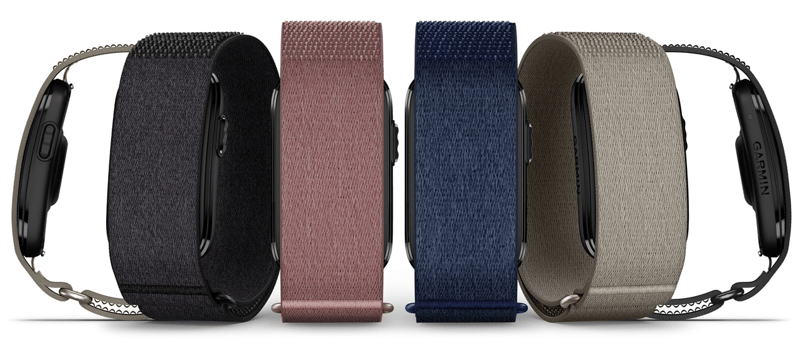
The button
The textured button sits on one side of the module. A single press starts the favourite activity you have defined in Garmin Connect. A green LED flash and a vibration confirm it’s started. A single press during an activity stops it, at which point the LED flashes red until the activity is saved, resumed, or discarded from the Garmin Connect app. Activities cannot be paused from the button. Pausing is available only in Garmin Connect on the phone.
Thoughts: For me, this is a great feature and one that Polar LOOP needed for me to use it. When I stop for a coffee during a ride, I do not want the recording to stop. You might; I don’t! And I certainly don’t want to faff around editing the workout in Connect afterwards. It’s slightly odd that pausing is not possible via the button; that won’t affect me, but others will want that.
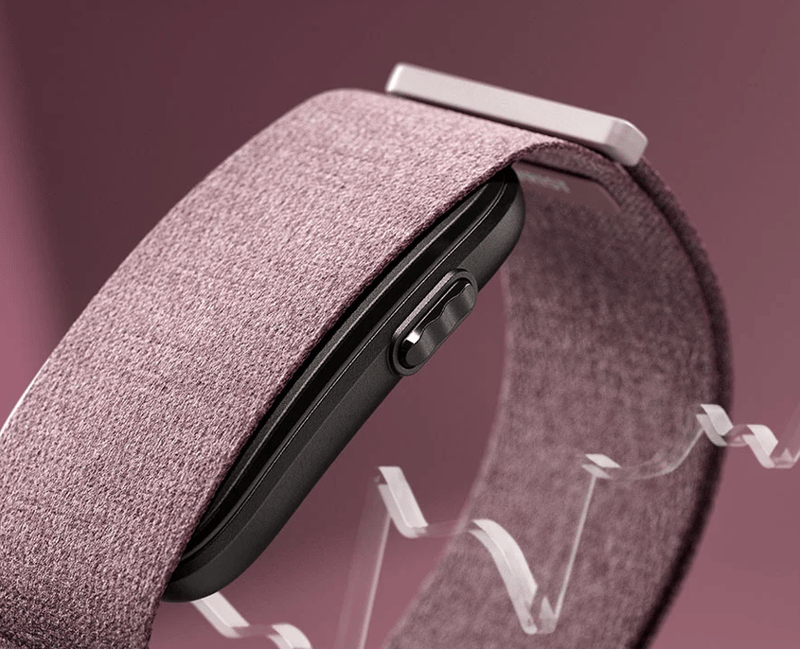
Garmin advises wearing the band with the button facing toward the hand during strength activities for accurate automatic rep counting.
| Press when idle | Starts the favourite activity. LED flashes green and band vibrates. |
|---|---|
| Press during an activity | Stops the activity. LED flashes red until saved, resumed or discarded in Garmin Connect. |
| Press three times, or hold six seconds | Enters pairing mode. |
| Hold three seconds | Toggles heart rate broadcasting, where Device Control is enabled in Garmin Connect. This must first be switched on under Settings, Health and Wellness, Broadcast Heart Rate, using the Device Control and Status toggles. Until that is done the button hold does nothing. |
| Press during an alarm | Snoozes the alarm. |
| Hold during an alarm | Stops the alarm. |
| Press during Find My Band | Stops the locate vibration. |
The status LED
The LED sits alongside the button on the module face. It uses colour and flash pattern to communicate device state. The table below covers every documented state from the Garmin CIRQA specifications.
| Flashing purple | Pairing mode. Lasts approximately 15 minutes on a previously paired device, or indefinitely on a device that has never been paired. |
|---|---|
| Flashing green during an activity | Recording. |
| Solid green during an activity | Paused. |
| Flashing red during an activity | Stopped, awaiting save, resume or discard in Garmin Connect. |
| Flashing orange | Broadcasting heart rate over ANT+ or BLE. |
| Flashing white | Paired module starting or rebooting. |
| Flashing all colours | Unpaired module starting. |
| Alternating green and orange | Software update in progress. |
| Flashing red (outside an activity) | Pairing failed, or an error requiring a reset. |
| Alternating green, yellow and red | Factory reset in progress. |
Thoughts: the button actions and LED colours seem relatively standard for Garmin and generally sensible. As a reviewer, I personally find remembering how the different brands behave, but you’ll only have one product to remember, so you’ll be fine once you get used to it.
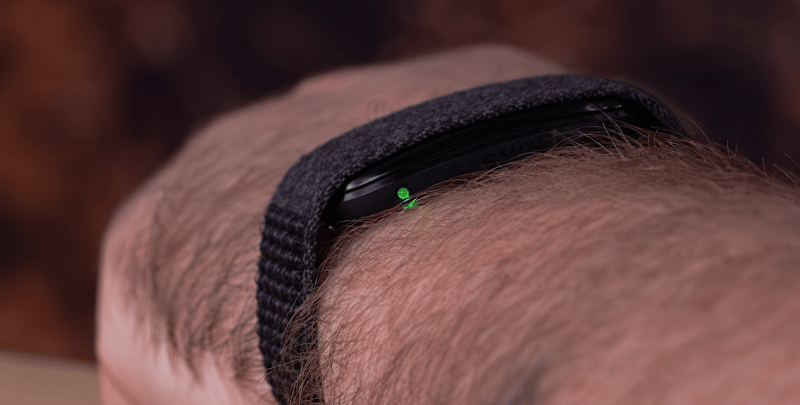
Battery status
With Battery Status enabled in Garmin Connect, a double tap on the module reports charge level by LED colour. The band vibrates once to confirm the tap was registered before showing the colour.
| Solid green | Full charge. |
|---|---|
| Flashing green | Charging in progress. |
| Solid orange | Low battery. |
| Solid red | Critically low battery. |
Vibration alerts
The band vibrates for several events that do not involve a button press. Goal alerts, hourly movement reminders, bedtime notifications, sleep score ready alerts, Smart Wake alarms, and Find My Band location pulses all trigger vibration only. The Smart Wake alarm vibrates and never delays past the wake time set in Garmin Connect. For a full list of health and fitness features, see the Garmin CIRQA master hub, and for the button’s real-world behaviour across six accuracy tests, the full review.
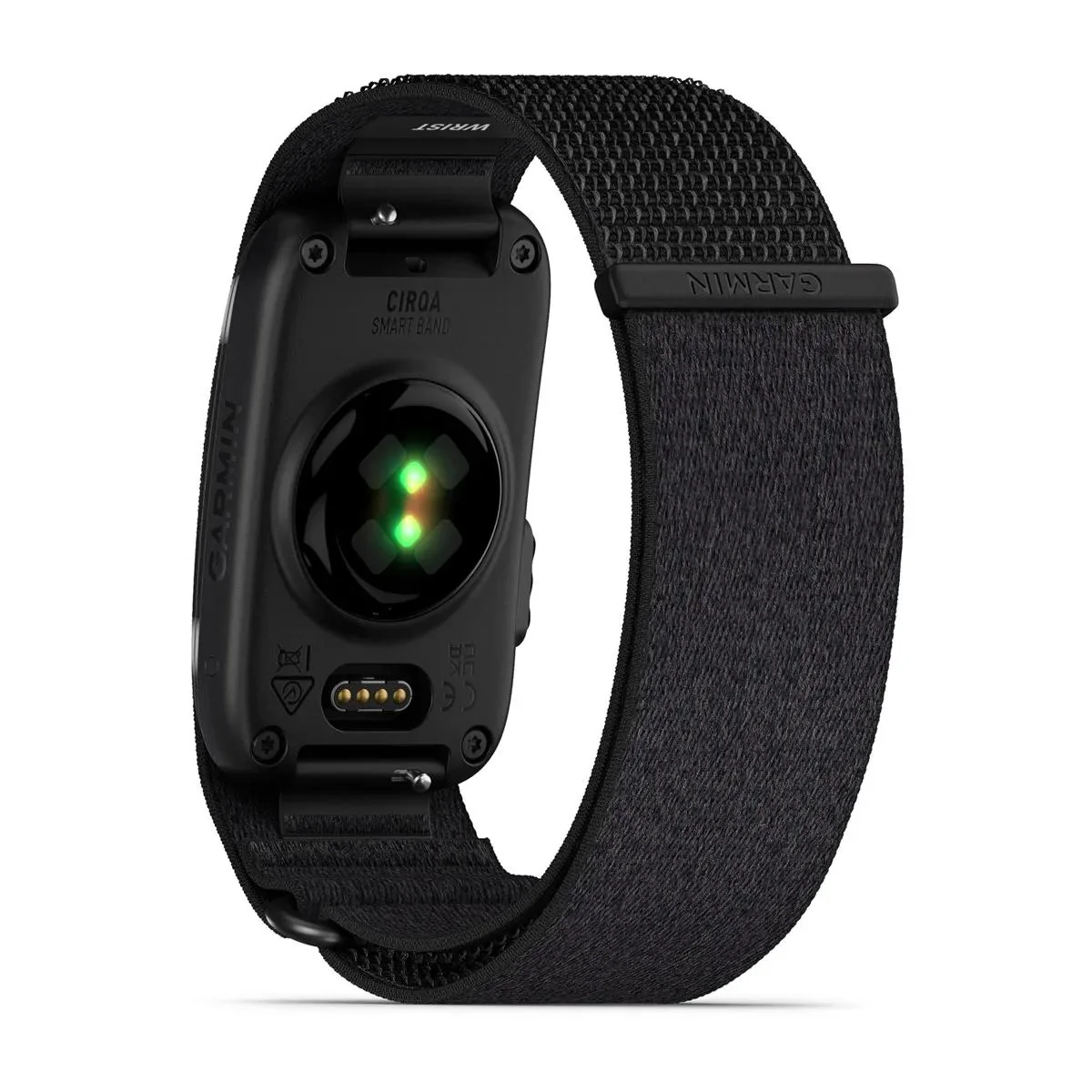
Garmin CIRQA Smart Band
Screenless health and fitness band (no subscription required)
 +other retailers
Quick answers
What does the button on the Garmin CIRQA do?
The button starts and stops activities, enters pairing mode (three presses or a six-second hold), toggles heart rate broadcasting (three-second hold), snoozes or stops alarms, and stops the Find My Band vibration. Activities cannot be paused from the button, which requires the Garmin Connect app.
How do I put the Garmin CIRQA into pairing mode?
Press the button three times, or hold it for six seconds. The LED flashes purple to confirm pairing mode is active.
What do the LED colours mean on the Garmin CIRQA?
Purple flashing means pairing mode. Green flashing during an activity means recording, solid green means paused, and red flashing means stopped awaiting action. Orange flashing means heart rate broadcasting is active. White flashing means the module is starting or rebooting. Alternating green and orange means a software update is in progress. Alternating green, yellow and red means a factory reset is in progress.
How do I check the battery level on the Garmin CIRQA?
Enable Battery Status in Garmin Connect, then double tap the module. The LED shows solid green for full, flashing green for charging, solid orange for low, and solid red for critically low.
Can I pause an activity from the CIRQA button?
No. The button stops an activity but cannot pause it. Pausing is available only in the Garmin Connect app on a paired phone.
Does the CIRQA button orientation affect accuracy?
For strength training, Garmin advises wearing the band with the button facing toward the hand. This positions the sensor array for more accurate automatic rep counting.
Last Updated on 3 October 2026 by tfk the5krunner
Small things I always use
- Garmin 90-degree charging adapter: Charges your Garmin from any USB-C cable. Essential when travelling. I use one.
- Body Glide: The blue anti-chafe stick swimmers and runners carry. I use it.
- Speedo earplugs: Fewer ear infections and no cold-water dizziness. I use them.
- Dryrobe Advance: My winter changing robe for open-water swims. I use one. A cheaper option is the AONYIYI changing robe.
- Maurten: Race fuel that stays easy on the stomach. I use them.
- Beet It Sport nitrate shots: Beetroot shots I take in the days before a race. I use them.
- Garmin charging puck: The quickest way to top up before a session. I use one.
- Injinji: Toe socks that stop rubbing, so you run more. I use them.
- Ultimate toe protectors: Stop black toenails on long runs. They work. I use them.
- Compressport R2 v2 calf sleeves: My calf sleeves of choice. I use them.
- Cellucor C4: My pre-workout before hard sessions.
- TPU tubes: Schwalbe Aerothan, Tubolito and Pirelli SmarTube. Light, tiny spares. I use all three.
- G8 insoles: Adjustable insoles that are good. I use them.
- Cycplus Cube: A 97g electric pump that gets a road tyre rideable in two minutes. I carry one. 5% off with code THE5KRUNNER.
Watches and sensors
- Polar H10: My daily driver for waking HRV.
- Polar Verity Sense: My backup arm-worn HR sensor.
- Nomad bedside charger: Charges my iPhone and Apple Watch overnight. I use it, and many of their bands.
- Train.Red: The best muscle oxygen sensor I’ve used.
- Tymewear: Accurate heart rate and reliable ventilatory zones. I use it to pace endurance rides over an hour.
- Garmin Forerunner 970: A pro-grade triathlon watch. I use this.
- Apple Watch Ultra 4: My daily smartwatch. No phone needed on rides.
- Garmin Fenix 9 Pro: I’ve just bought one.
On the bike
- Continental GP5000 for everyday riding, and Aero 111 on the front for special occasions.
- Helmets: Specialized S-Works Evade 3 for road riding, and Rudy Project Wing for TT-style races. I use both.
- Ravemen FR300: A front light that mounts under your Garmin or Wahoo. I use one.
- Wahoo TRACKR Radar: I use it on one bike and Varia on the other. They perform the same.
- Garmin Varia RTL515: Radar that warns you of cars from behind. I use this model.
- Wahoo ELEMNT Roam 3: The bike computer that’s easy to use. I use mine on most rides.
- Favero Assioma Pro RS2: Accurate power pedals that swap easily between bikes. I use this model.
Home and indoor training
- NPE Runn: Makes my basic treadmill smart, sending more accurate speed and distance to my watch and Zwift. I use it.
- Google Wifi: Keeps Zwift connected in my pain cave. I use it.
- Apple TV 4K: Zwift on the big screen. I use two.
- Google Nest Doorbell (wired, 2nd gen): My video doorbell, running in both Google Home and Apple Home. I use it.
Health, recovery and sleep
- FreeStyle Libre 3 Plus: Shows how my blood sugar responds to diet.
- hDrop: Measures my sweat loss in summer and indoors.
- Fourth Frontier Zone: Checks my heart under load in hard sessions.
- Oura Ring 5: My partner’s recovery tracker of choice.
- Eight Sleep: A cooling mattress cover my partner and I use nightly.
Reader-Powered Content

This content is not sponsored. It’s mostly me behind the labour of love, which is this site, and I appreciate everyone who supports it.
Support the site: Follow (free, fewer ads) · Subscribe (paid, ad-free) · Buy Me A Coffee
Written by real people, with AI assistance. Fact-checked and verified for originality. See the Editorial Policy. FTC: Affiliate Disclosure — some links pay commission. As an Amazon Associate, I earn from qualifying purchases.

tfk is the founder and author of the5krunner, an independent endurance sports technology publication. With 20 years of hands-on testing of GPS watches and wearables, and competing in triathlons at an international age-group level, tfk provides in-depth expert analysis of fitness technology for serious athletes and endurance sport competitors. See the gear tfk uses. ID

Thanks for the info👍 Seems to be a good solution with the button/lec-very useful for the users.
i think so. its the feature for me.
Should I wear both, a watch and cirqa at the same time?
Could this lead to problems?
What Idiot came up with the name cirqa? For a target audience that want precision, you call your gadget cirqa…
yeah we discussed the stupid name months ago. but, hey, marketing. what do we know?
garmin has a primary device concept. so generally it wont lead to problems but there are edge cases which no doubt dcrainmaker is testing right now.
Just out of curiosity: does a Fenix 8 + Cirqa combination offer more than a Cheetah 2 Ultra + Helio strap? Does the Garmin Connect app utilize the Cirqa data similarly to the Zepp app and transfer it to a Garmin watch that isn’t worn at night (for metrics like Body Battery)? What does Garmin Connect do with the data if, for some reason, you wore both a Fenix 8 and the Cirqa at night? Does Garmin Connect calculate an average based on both datasets?
yes, Garmin always offers more (in general)
the helio pro offers something that garmin does not but only for hyrox/hybrid training
garmin has a priority device setting (it might get a priority for sleep/general activity and for sport)
Does this also mean i could turn off bluetooth with this button?
i doubt it, how would you re-pair?