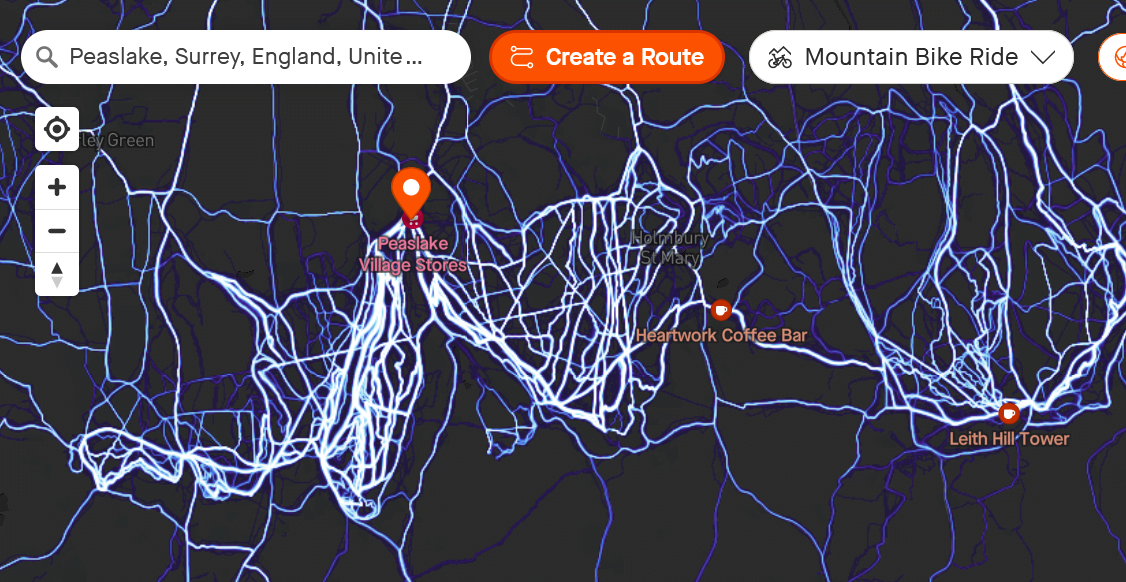
Strava Heatmaps – All You Need to Know
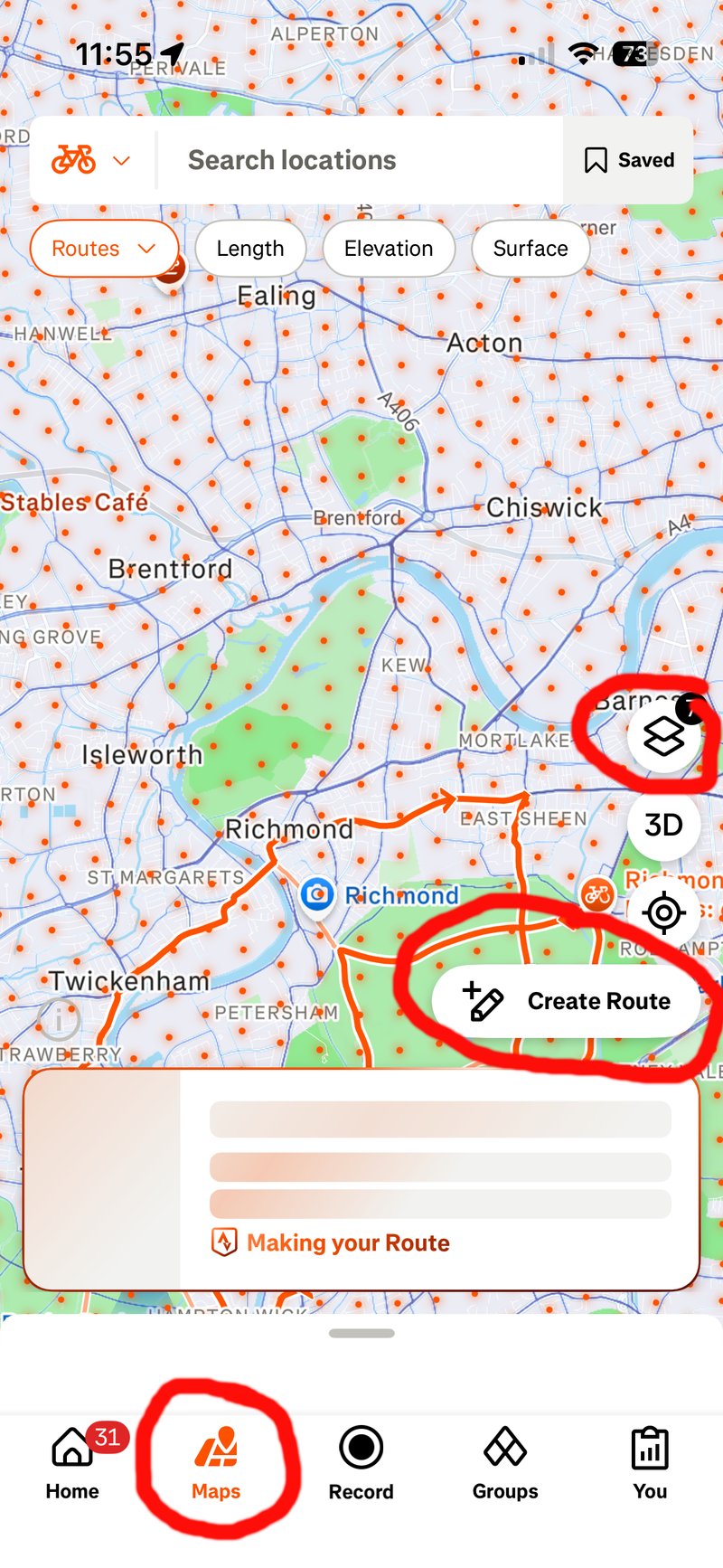
Strava Heatmaps exist in exactly two places: strava.com and the Strava mobile app. Not on your Garmin, Wahoo, or any other watch/bike computer. The web interface (under Explore > Maps) is best for route planning, offering more screen space and greater precision. Mobile app access via the Maps menu is ideal for quick checks on the go.
The Global Heatmap is completely free for all users, whereas your Personal Heatmap requires a subscription. Subscription also adds time filtering (seasonal patterns, weekly vs. all-time) and better auto Route Builder integration that favours popular routes.
Heatmap Alternatives: What Else Exists?
This quick table indicates the strengths of the various alternatives to Strava; some initially appear better for certain sports in specific regions.
| Company | Best For (Terrain/Sport) | specialism | Viewable Heatmap? | Shares Heatmap With |
|---|---|---|---|---|
| Strava | Urban & Multi-Sport | Largest community of cyclists/runners | Yes (free on web/app) | Strava Metro |
| Garmin | Remote & Global Versatility | Deepest GPS hardware penetration, more diverse sports | Routing algorithm for Connect and devices.
Some devices have a Populariy Map layer |
– |
| Suunto | Mountain & Backcountry | Trail running, mountaineering, and skiing | Yes (Suunto app/watch) | Hammerhead, Sports Tracker |
| Komoot | Trail & Adventure Touring (Europe) | Europe-focussed, outdoor enthusiasts and gravel | Yes (Subscription) | – |
| Ride with GPS | Cycling (Road & Gravel) | Bike paths. | Yes (planning requires subscription) | – |
| TrailForks | Mountain Biking | MTB-specific + difficulty + conditions | Yes (Subscription) | – |
| AllTrails | Hiking & Off-Road Trails | Trail-specific data, avoiding paved roads | Yes (Subscription) | – |
| Outdooractive | Alpine & European Peaks | High-altitude topography and Alps mountaineering routes | Yes (Subscription) | – |
What Is The Best Heatmap?
However, on a practical level, Garmin also has a large dataset. So even Garmin’s cycling heatmaps are as useful as Strava’s. Then you have to consider how the Heatmaps can be used in real-world scenarios. Both Garmin and Strava have automated route creation that favours heatmap paths, and there will be subtleties in how each routing algorithm works in different locations. You will find the odd poor suggestion, but generally, both offer sensible routes.
One area where Garmin wins is in its high-end devices, where ‘Popularity’ can be toggled on the map display in some instances – great for impromptu route selection and viewing popular paths without the app. Those who use the Stava app to record and the activity have a similar experience, but if you send a heat-optimised route to a Wahoo, you have no popularity intelligence on the Wahoo.
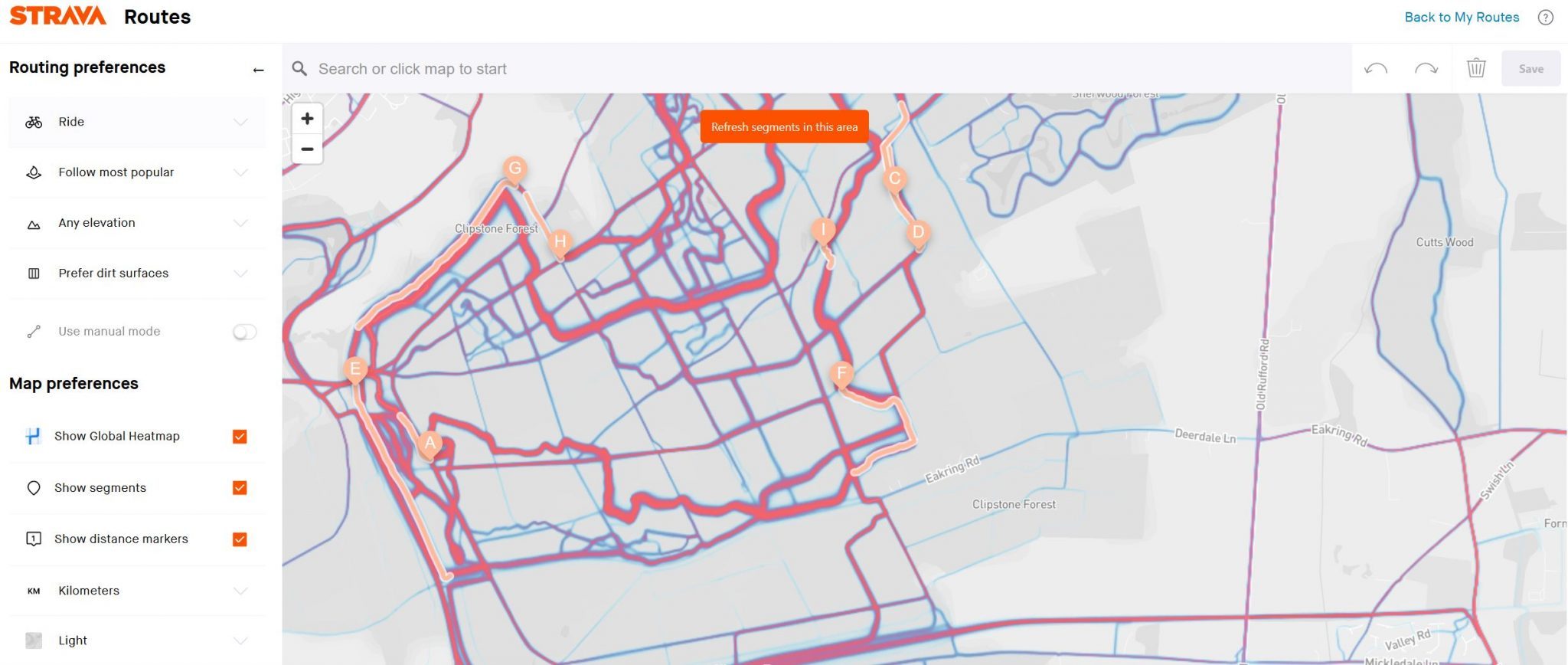
Why Popular Routes Are Better Routes
Frequency implies quality.
When thousands of athletes repeatedly choose the same route, they’re collectively voting for the best pavement, safest crossings, interesting scenery, and proper infrastructure. Better bike lanes, lighting, sight lines, smoother surfaces, or drivers accustomed to cyclists on the bright one. For trail running, popular trails are better maintained and more enjoyable.
The Heatmap aggregates humanity’s choices, and in only a tiny fraction of cases will that be wrong.
Making the Heatmap More Specific: Filtering
If you want to cycle on trails in the day where people normally run in the evening, the default heatmap will not be the best for you. There are several filters that narrow down the heatmap shown to those activities similar to exactly what you are planning
- Global Heatmap (FREE) – all rolling 12-13 months activities, updated monthly, with filters: Run, Ride, Water Sports, Winter Sports, Other
- Night Heatmap (SUBSCRIPTION) – a filter based on sunrise/sunset times. Ideal for evening and morning workouts.
- Weekly Heatmap (SUBSCRIPTION – a filter for the last 7 days). Ideal to see what’s open and in use right now.
- Personal Heatmap (SUBSCRIPTION) – just your stuff. I used mine last night to recall where exactly I stayed and ran in Corfu several years ago.
A minimum of 5 unique athletes is required before the heat shows to preserve individual privacy.
These types of filters are only useful when the number of underlying workouts is large, clearly favouring Strava and Garmin at this more granular level of detail and specific usefulness. Even in my testing and route planning over the years both Garmin and Strava can filter down to what appears to be only a very small number of athletes contributing to the popularity shown.
What Heatmaps Don’t Show
The route was blocked yesterday for roadworks or when it takes you over the mountain col that the good cyclists love
While Google Maps, Waze, and Apple Maps have real-time popularity layers that show average speeds (and hence closures) to help when driving, your bike routes don’t have that.
- No real-time data — recent construction or closures won’t appear (the 7-day filter helps detect this)
- No surface quality info — can’t tell smooth pavement from chunky gravel (choose as a routing preference instead)
- No elevation integration — check profiles separately in Route Builder (chose to minimise/maximise elevation gain as a routing preference)
- Demographic bias — rich data in wealthy areas (San Francisco, Amsterdam, London), sparse in rural and lower-income neighbourhoods
Data decay: Uses a rolling 12-month window; older activities carry less weight. Low-pass filtering: Heatmap smooths sharp corners and switchbacks—expect heat offset from the actual trail apex. Ghost heat: Impossible heat in lakes or buildings from GPS drift in urban canyons.
How to Use Strava Heatmaps: Practical Examples
Get ready for creating your heatmap-power route on the app by choosing the kind of heatmap you want and the activity type, as shown on these images where I’ve circled the key buttons you need to press or be aware of:
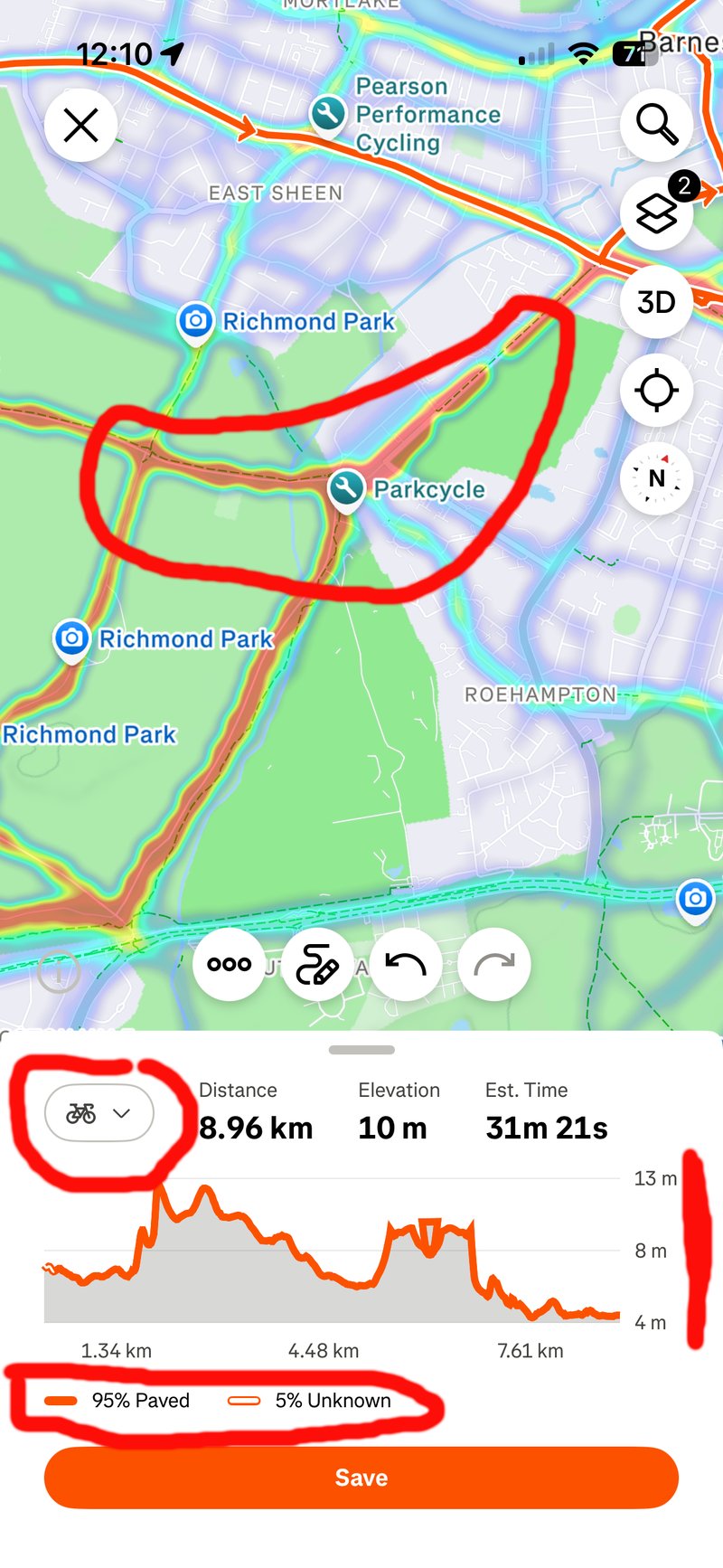
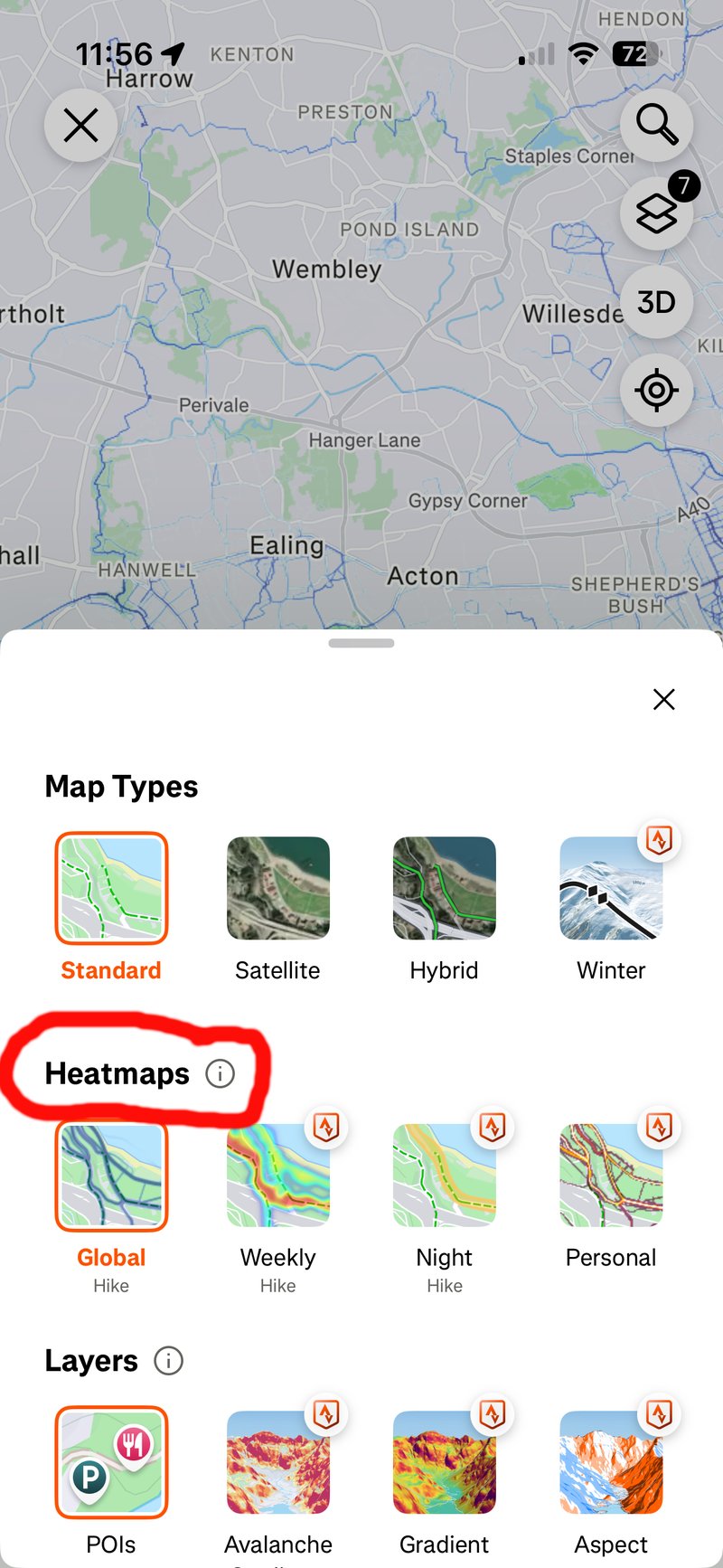
Heamaps can then be used in one of two ways to create the route. Whether you create the route on the web dashboard or the app, the options are the same, but the dashboard is bigger, and the options are more easily accessible.
Simply choose two points, and the Strava app will automatically route between them, taking the heatmap into account. Alternatively, once you have displayed the heatmap, you can manually trace a route along it if you like.
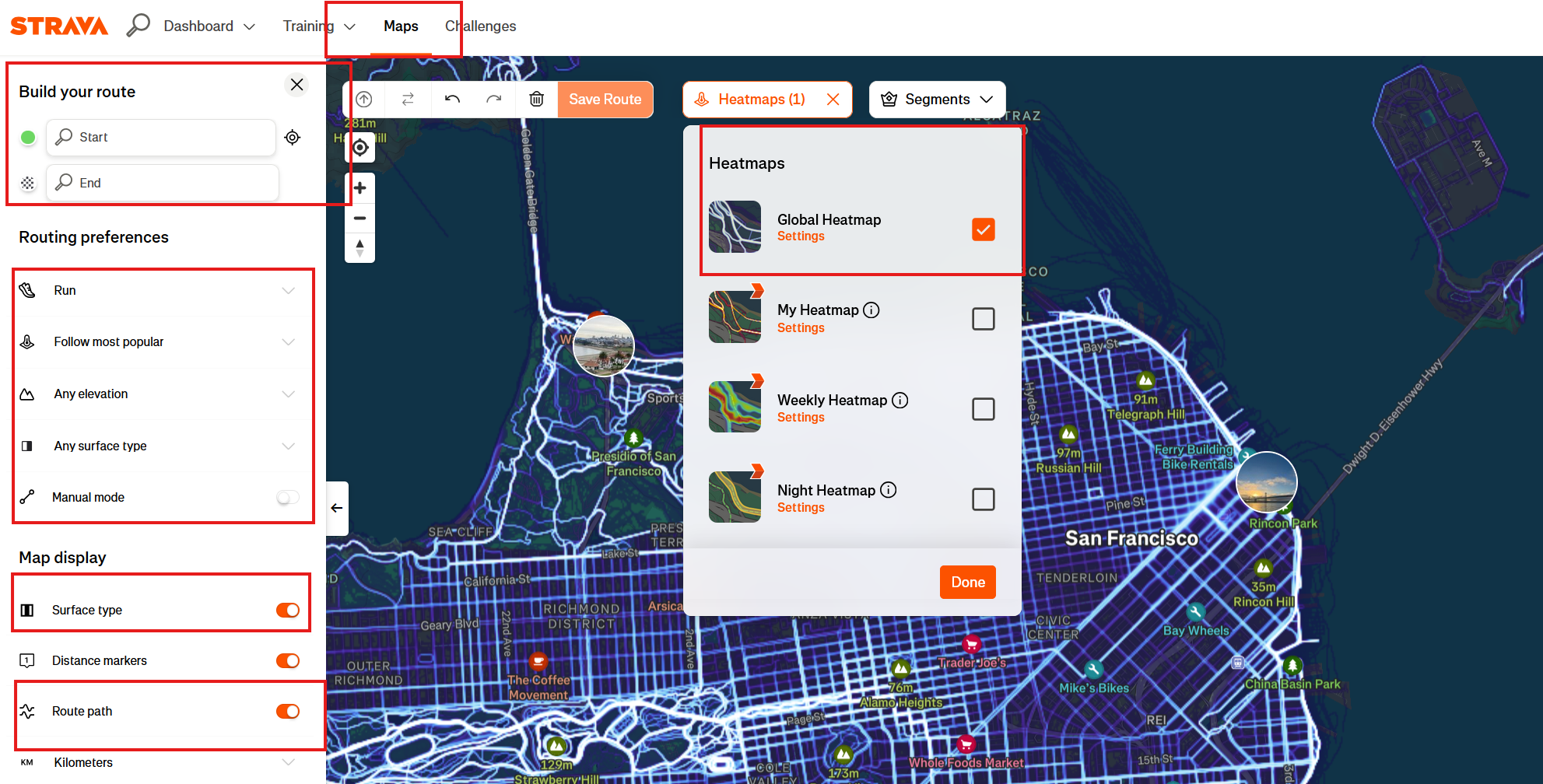
More: Creating routes on mobile (Strava)
Privacy Settings
Your activities contribute to Heatmaps, and you can’t entirely stop them.
If that bothers you, set privacy zones (200-400 meter radius) around home and workplace in your Strava settings to stop people guessing where you live and work. Make specific (or all) activities private if needed.
If you work in sensitive areas, privacy zones are essential and mandated in certain government properties.
Strava Heatmap Stories – Some Fun Ones, Some Less So
These summaries are of heatmap-related stories that gained various degrees of global notoriety.
- The most famous unintended consequence of heatmap use occurred in 2018, when analysts realised that the heatmaps revealed the exact layouts of US military bases in war zones like Syria and Afghanistan. In a sea of heatmap darkness, the bright, repetitive loops of soldiers jogging around bases created glowing blueprints of classified locations.
- In 2024, journalists used the heatmap to track the movements of French nuclear submarine crews and the security details of world leaders, including US President Joe Biden and French President Emmanuel Macron. By identifying users who frequently started runs near high-security locations, such as the Élysée Palace, and cross-referencing their profiles with other data, investigators pinpointed the identities of elite bodyguards.
- Ghost Islands and Polar Anomalies: Jarvis Island. This uninhabited island in the Pacific shows a ghost-like pattern of activity. Although only visited by the US Coast Guard and occasional scientists, their infrequent movements left a permanent mark.
- Greenland and Antarctica: Bright, perfectly straight lines appear in these remote areas. These are often caused by researchers or travellers leaving their GPS on while in a plane or on a skidoo, which Strava sometimes fails to filter out.
- Indoor Spin Class Squares In dense cities like New York, users noticed strange, perfect squares on the map. These were traced to indoor spin classes; because stationary bikes lack GPS but sync via gym locations, the software sometimes generated a default square of activity centred on the coordinates.
- The border between North and South Korea is one of the most visible edges on the map. South Korea is brightly lit, while North Korea is almost pitch-black. However, zooming in on Pyongyang reveals tiny flickers of heat, likely from expats, diplomats, or high-ranking officials using Western fitness trackers.
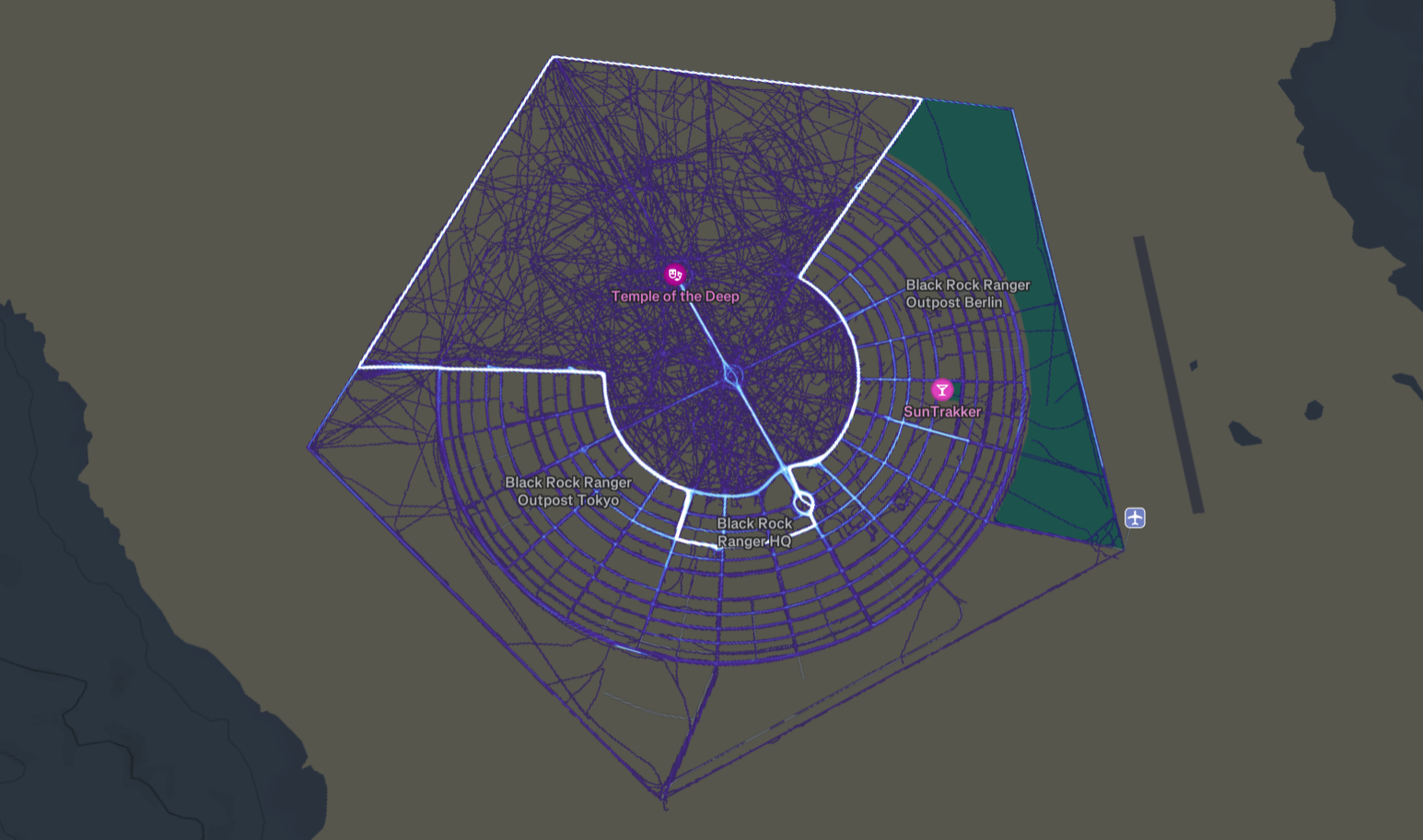
- Burning Man Every summer, the Black Rock Desert in Nevada lights up with an intricate, temporary city layout. Because many participants use bicycles to navigate the massive site, the heatmap creates a detailed, glowing imprint of a city that exists for only one week a year.
The Bottom Line
Most heatmaps I’ve used from the various brands all seem useful whenever I head off away from my usual haunts. I tend to use them in two ways, reflecting the degree of thought I give at the time. On holiday, I will actively use heatmaps to find general cycling and running areas and head off to them. When planning routes (anywhere), I tend to let the app do its thing behind the scenes, which invariably means it uses the heatmp to silently create the best A to B route for me.
Heatmaps are one of those ‘must have’ features in route planning, and the key players in sports tech realised that long ago and either have their own heatmaps or piggyback on routes created in Strava or Ride with GPS.
The only real remaining differentiator is whether your device shows a heatmap whilst you are navigating. You might want to use such a heatmap for impromptu exploration or amending your route. Fair enough. Garmin seems to have that mostly covered, and Strava works well too so long as you are actively using the app at the time – for any of the other brands, having to head off back to the Strava app, reroute based on the heatmap and then resync to the device, stop the current route and start the new one…that’s a faff.
Last Updated on 28 January 2026 by the5krunner
Reader-Powered Content

This content is not sponsored. It’s mostly me behind the labour of love, which is this site, and I appreciate everyone who supports it.
Support the site: Follow (free, fewer ads) · Subscribe (paid, ad-free) · Buy Me A Coffee ❤️
All articles are written by real people, fact-checked, and verified for originality. See the Editorial Policy. FTC: Affiliate Disclosure — some links pay commission. As an Amazon Associate, I earn from qualifying purchases.

tfk is the founder and author of the5krunner, an independent endurance sports technology publication. With 20 years of hands-on testing of GPS watches and wearables, and competing in triathlons at an international age-group level, tfk provides in-depth expert analysis of fitness technology for serious athletes and endurance sport competitors.

Hello for my own heatmap i prefer “statshunters” based on Strava inputs.
I like it better than the Strava one.
Regards, Pascal