Apple Watch Ultra 3 Review: 100+ Hours Tested for Running, Cycling, Swimming & Triathlon
This is a highly detailed review of the Apple Watch Ultra 3. A minute’s read will take you through the summary. Please use the table of contents to find the detailed tests, best apps, sports suitability ratings, and more.
Rugged and perfectly crafted to partner with your iPhone, the Apple Watch ULTRA 3 lags behind the Garmin Fenix 8 for serious adventures and wannabe pro athletes. Worse, at $799, it’s twice the price of Watch 11, yet it has essentially the same onboard features. It’s a near-pointless upgrade from either of the two previous Ultra models. However, the modestly improved screen, battery life, and connectivity capabilities might sensibly push one or two of you into buying territory—IF you’re buying your first Watch Ultra.
For first-time buyers—weekend warriors and occasional triathletes—it’s highly competent, and I recommend it. The latest Apple Watch sits atop Apple’s watch range for a reason: it’s the fastest and brightest ever, with genuine multi-day battery life compared to Apple’s lesser watches.
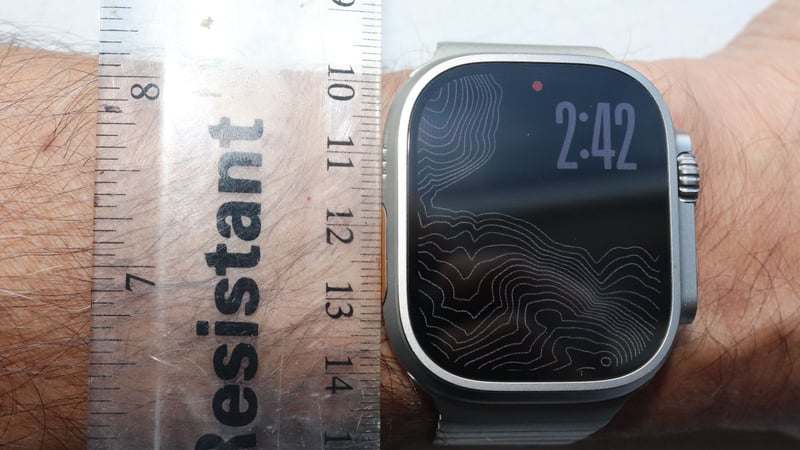
ULTRA’s digital crown is chunky and glove-friendly, and the side button is well-protected. Combine crafted design details like that with the customisable action button, and the whole package works well and adds a touch of sporting finesse to the overall Apple smartwatch vibe. Better still, the eco-titanium case and scratch-resistant Sapphire glass are market-leading, rugged enough for even the most arduous expeditions. The display has been modestly tweaked for ULTRA 3 and is now fractionally larger than before – don’t forget it can be viewed when glancing down from shallow angles when doing your sporty stuff, and adds a special refresh rate that lets a ticking second hand mimic an analogue hand.
Listen to the discussion
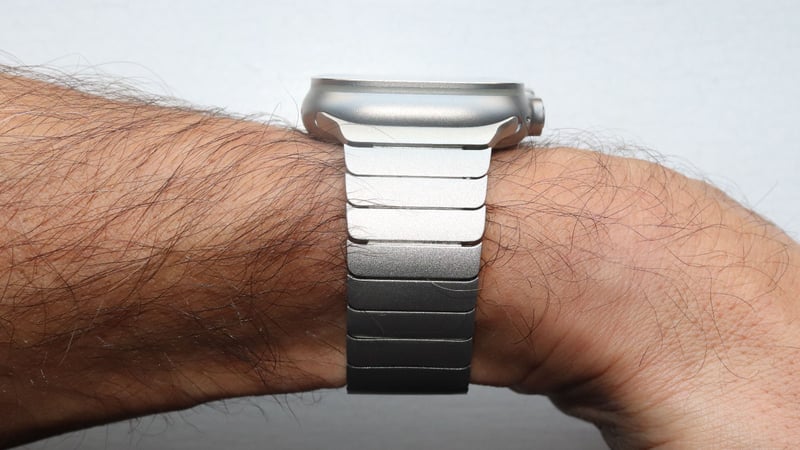
Tip: Not for small wrists; it’s approximately 50% bulkier in volume than the 46mm Watch 11 and 43% heavier at 61.8g.
Ultra 3 is reassuringly expensive and only works with iPhone 11 or newer. It costs $799/£799—initially puzzling, given that Series 11 starts at just $399/£369. However, were you to max out Watch Series 11 with the same titanium case, scratch-resistant sapphire screen, and 5G, you’d pay a similar amount to ULTRA 3 (actually £/$50 less). What you wouldn’t get on Watch 11: off-grid satellite connectivity or dual-frequency GNSS for accurate GPS.
Buy: Apple Watch Ultra 3 from $799, Eu899, GBP799
Buy: Apple Watch Series 11 from $399, Eu449, GBP369
Direct Alternative: Garmin Fenix 8 Sapphire at $1147/£899
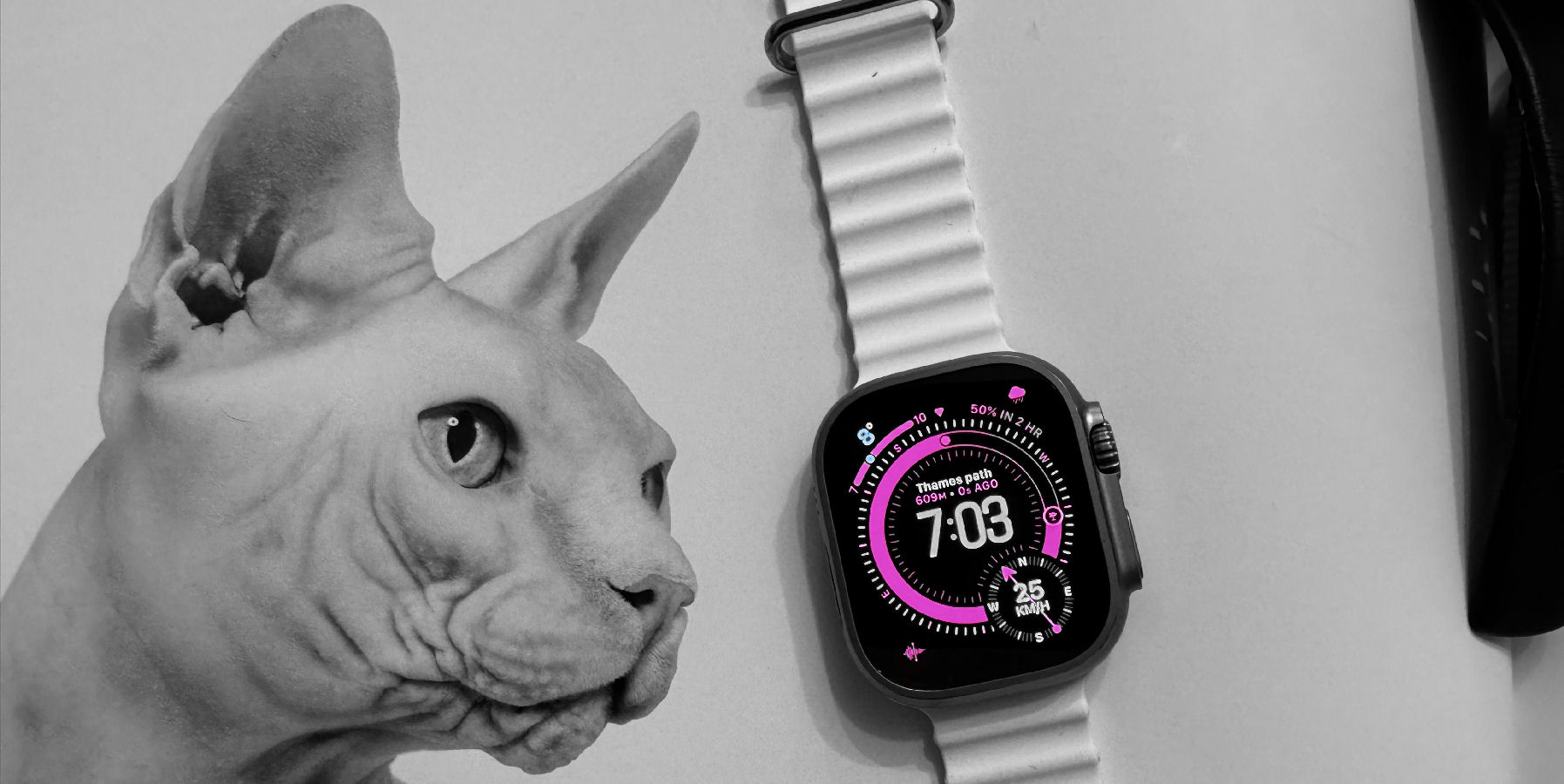
Apple Watch Ultra 3 - *BUY* if you want better smart features than on any Garmin. *SKIP* if you plan to do an Ironman.
-
Price - 85%
85%
-
Apparent Accuracy - 90%
90%
-
Build Quality & Design - 95%
95%
-
Features, Including App - 95%
95%
-
Openness & Compatability - 95%
95%
-
Battery Life, Management & Charge Speed - 70%
70%
Put another way: A wannabe pro smart watch and undoubtedly the best partner to your iPhone
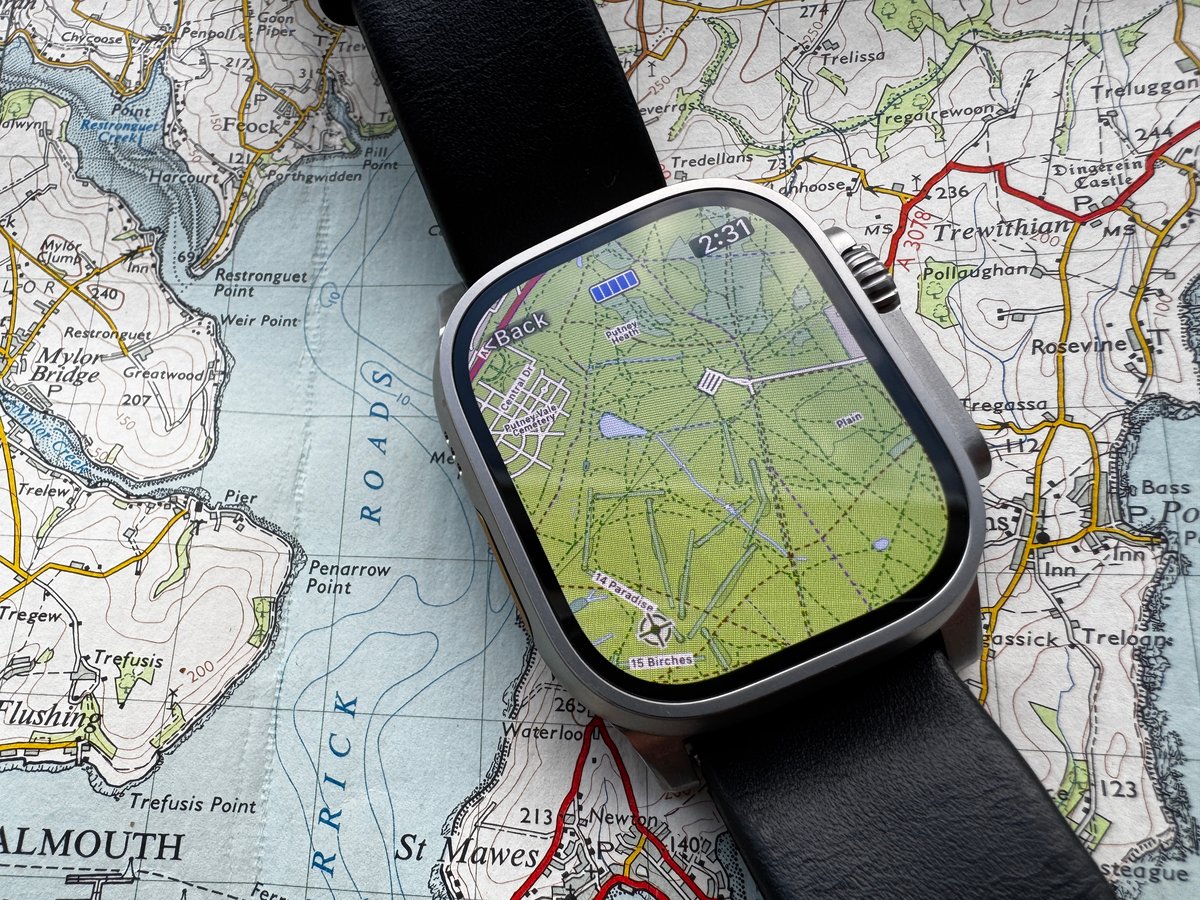
Watch Ultra 3 is a pointless, incremental upgrade to its predecessor, an unnecessary but nice upgrade from the original Watch Ultra, but a more substantial improvement on a regular Watch 8 or older.
As well as appealing to Apple Watch owners who want to change their watch format and grab some extra battery juice, Ultra appeals to any iPhone owner who has tried other sporting brands and found their smart features lacking and sports features unnecessarily complex. Garmin’s Fenix 8 may well be the best watch for a month-long Amazon expedition, but for an off-grid weekend adventure hike or even your first Half Ironman triathlon, Ultra 3 has you covered. Ultra 3 also has you covered for all the smart things – Apple Pay, Apple Home, A remote for TV 4K, FindMy, and more.
It’s for weekend warriors and serious athletes, but not for tech-savvy athletes or true adventurers who need to link and sync with every conceivable sports gadget.
- 4G/5G – calling and voice-texting (iPhone-free in sports)
- Apple Pay
- Find My iPhone, Find My family
- A durable shell that’s unlikely to be damaged when I trade it in
- Apple Home features – doorbell, speakers, TV
- A battery life well over a day
- Apple’s sleep and wellness monitoring
- It is one of my accurate sensor reference sources for sports reviews like this
- Some of my fave apps – Spotify, Stryd, Tides, Training Today, Yr, Roxfit, Workoutdoors, and Bevel.
Pros
- Awesome smart features
- most accurate wellness features of any watch
- very decent sports features and apps
- very well-made hardware
- entry-level sports sensor support (native power, cadence, speed, HR)
- 3rd-party workout support
- Satellite connectivity for off-grid SOS/messaging
- Longer battery life (42+ hours, 1-2 days real-world)
- Fast battery charging
- Excellent touchscreen display with great visibility
- Good GPS/heart rate accuracy
- Action button
- 5G cellular as standard
Cons
- Expensive ($799)
- requires an iPhone
- GPS battery life is inadequate for real Ultra events and expeditions
- most sports features are good but lack detailed elements
- limited mapping and navigation
- no third party watchfaces
- Bulky/heavy (49mm, 61g). Not for the thin-wristed
- Shorter battery than rivals (e.g., Garmin)
What’s New in Apple Watch Ultra 3 – All the Details
The reality check here is that most “new” features are software updates that also work on older models. The only hardware-exclusive upgrades that matter are 5G, satellite connectivity, and the extra 6 hours of battery life (+2 hours GPS battery). If you came for a list, here are all the detailed changes.
Hardware Changes
Compared to Ultra 2, here’s what’s genuinely new and exclusive to Ultra 3:
- 5G cellular connectivity (vs 4G LTE) – Faster data, better coverage
- Satellite Emergency SOS – Two-way messaging via Globalstar satellites when off-grid
- 80% charge in 45 minutes (vs 60 minutes) – Noticeable real-world improvement
- 42-hour battery life (vs 36 hours) – Six more hours matters for multi-day trips
- 24% thinner display bezels – Screen feels marginally larger at 1245 sq mm (up from 1185 sq mm)
- 3D-printed titanium case – Uses 50% less material (eco win, same durability)
- LTPO3 wide-angle OLED display – Better viewing angles
- Always-On seconds hand ticking (vs 1-minute refresh) – Mimics analogue watch
- S10 SiP processor (vs S9 SiP) – Faster, but you won’t notice in daily use
Software Updates in watchOS 26.0 – 26.3
Software features shared across Ultra 3, Ultra 2, and Watch 11:
- Hypertension Notifications – Pattern/trend detection for chronic high BP
- Sleep Score consolidation – Single number vs fragmented metrics
- Workout Buddy motivation – A motivational digital training partner
- Liquid Glass Design – Translucent appearance of screen elements
- Wrist Flick Gesture
- New watch faces – Exactograph, Flow, Waypoint (Ultra only)
- Ambient Volume Adjustment
- Notes app
- iOS Connected Features – Live Translation, Call screening, Hold assist
- Workout app redesign
- Smart stack hints
Apple Watch History – Brief Timeline
There are over 250 million Apple Watches in use today (per IDC.com), and even back in 2020, Apple Watch sales exceeded those of the rest of the watch industry.
Apple Watch has gone from a novelty wannabe fitness companion on the iPhone 6 (2014) to being one of the very best smartwatches and a genuinely good, sportswatch (2026). Here are the highlights of that journey
- 2016 Apple Watch 2 – introduces better GPS tracking, waterproofing for swimming and Siri
- 2017 Apple Watch 3 – adds eSIM option
- 2018 Apple Watch 4 – gets next-gen oHR with ECG, Bluetooth 5, a 64-bit processor, an improved gyroscope and an improved altimeter
- 2019 Apple Watch 5 & SE – now gets a compass and always-on screen
- 2020 Apple Watch 6- adds UWB finding capabilities, new optical HR sensor and blood oxygen sensing (SpO2)
- 2021 Apple Watch 7 – gets dust resistance and increased case size
- 2022 Apple Watch 8, Ultra, SE 2 – Gets Bluetooth 5.3, 100m swimming/diving, Gen 3 optical HR, next-gen dual frequency GNSS/GPS, fast charging battery, new gyroscope, temperature sensor and altimeter
- 2023 Apple Watch 9, Ultra 2 – Gets UWB2, faster S9 chipset with gesture control and Siri processing
- 2024 Apple Watch 10 – gets a newly sized case and a redesign of minor internal components
- 2025 Apple Watch 11, Ultra 3 – Adds satellite, 5G and chronic hypertension capabilities (via software). Minor performance, display, and battery improvements.
- Future support is likely to extend to watchOS 30 (released in 2029).
2025 saw another modest evolution to the Ultra model for most buyers. Off-grid SOS and messaging will be a significant boost for a small minority.
Apple Watch Ultra 3 Design & Build Quality: Faultless Execution
Real-World Durability
After 3 months of intensive use—trail running, indoor climbing, open water swimming, daily abuse—there is not a single mark on the case or display. I contrast that to cheaper Apple Watch models I’ve owned in the past, where small scuffs appeared within weeks.
The sapphire lens is one reason. Once you experience one, you won’t go back to Ion-X glass on the much cheaper models. But there lies the rub: it’s a big price bump to get Ultra 3’s quality hardware.
Ergonomics & Comfort
Wearing Ultra 3 all day was no problem for me whatsoever; it’s comfortable for sleep tracking.
The ergonomics are very positive and offer a pleasing all-around experience. However, if I had to pick fault, it would be here; the digital crown was slightly sticky for the first few weeks, but it’s now smooth. Despite the crown looking chunky, the converse is that it works really well – definitely glove-friendly.
I’m still never 100% happy with the customizable action button and have to press and swipe more than I’d like, no matter how I configure it. My pro tip workaround is to configure the action button only for what matters (e.g., starting a race), and the rest of the time, rely on “Siri, start a running workout,” which takes you straight to the workout with zero presses.
A minor negative is the case colours. Although I like the look of the titanium/black cases, my older watch bands in different metal colours don’t match either finish.
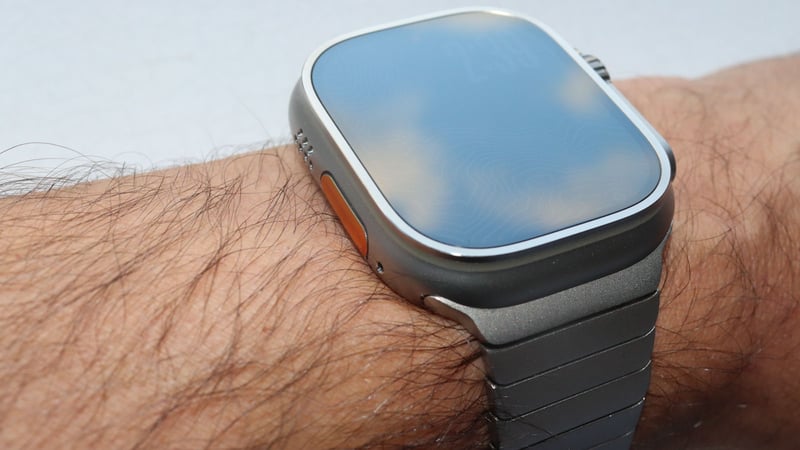
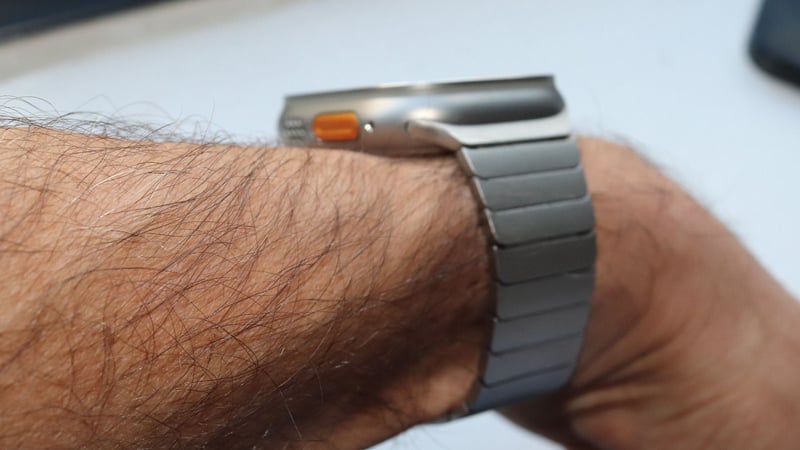
Display: Marginally Better, Still Big, Still Bright
The touchscreen display has gone from excellent to…excellent (plus a little bit). I’ve documented the specs further on, but it’s all marketing fluff; visibility, size, screen refresh and other tech aspects are all just a bit better.
One thing I notice as a watch reviewer is that quite a few other brands light up my bed at night, which can get a tad embarrassing. That never happens with the Apple Watch, and even if it did, the 1 nit minimum brightness is super discreet.
I will be slightly negative about touch usage. There are rare occasions when the top-left corner doesn’t register taps. When that happens, it’s at the end of the workout, and I have either cold or wet fingers, so I’m assuming it’s my fault for not having a normal-feeling finger!
Sensors & Connectivity: Near Market-Leading
Apple Watch Ultra 3 has several market-leading sensors and capabilities for sports, wellness, and safety. My extensive testing (further below) shows that many achieve good to excellent accuracy compared to the competition.
Satellite connectivity for SOS and messaging gives the Apple Watch Ultra a near-unique point of difference for the off-grid weekend warrior, offering an extra touch of reassurance and a reason not to be tempted away by an expensive Garmin inReach subscription. For most of us, satellite connections are features we will never use.
For most potential buyers, there is nothing to worry about at all with connectivity. That said, tech athletes should note that there are some serious potential omissions for their niche use cases. The glaring omission is the inability to natively broadcast heart rate to gym equipment. Other notable omissions (deal-breakers for some) include ANT+ protocol, Native HR broadcasting (workaround: HeartBeatz app, $5), FTMS trainer control (ERG mode), and a lack of Polar GymLink support.
Sports sensor support:
These are supported.
- Bluetooth HR straps (HR zones)
- Power meters (cycling watts, power zones, FTP estimation)
- Foot pods (Stryd, Running Dynamics give cadence, vertical oscillation, ground contact time, stride length, and running power.)
- Heads Up Display (e.g. ActiveLook)
- TEMPO sensors (FORM Swim Goggles give live pace, stroke rate, SWOLF)
Apple’s onboard wellness sensors cover SpO2, Afib, skin temperature, and ECG/EKG. For athletes, there are more useful sensors, such as optical HR, dual-frequency (dual band) GNSS/GPS for position and speed, a barometric altimeter, and a magnetic compass.
Apple also touts its support for crash detection, fall detection, sleep stage tracking, menstruation tracking, HRV, and diving with EN13319 certification. Every Apple Watch ULTRA 3 has an always-on 5G/4G LTE connection for internet access without a phone. Those features are also available on other serious smartwatches and, rarely, on sports watches.
Sport Suitability: Who Is the Watch Ultra 3 Best For?
Running: Highly Suitable for 95% of Runners (casual to serious). Ultra runners should buy a Garmin with 50+ hours of battery life, or compromise using a low-accuracy/low-power mode.
The Watch Ultra 3 is suitable for training and racing up to marathon distance, but you might find it a little bulky for an ultra-distance event. The longer your event, the more battery range anxiety you’ll have.
Apple has ticked off almost all the mainstream running features, plus some of the esoteric ones, such as track mode, Running Power, and running gait metrics.
Heart rate zones and other zones are fully supported and can be used to pace your efforts or set targets for calories, distance, pace, power, and time. You are alerted if you leave your chosen zone. Even starting workouts with the customisable action button lets you press a single button to start a race after you’ve ensured your GPS is locked on.
Feeling in need of company? Workout Buddy gives lots of positive, vocal encouragement. What you can’t do is send your GPX race routes to either Apple Maps or the Workout app on the Watch.
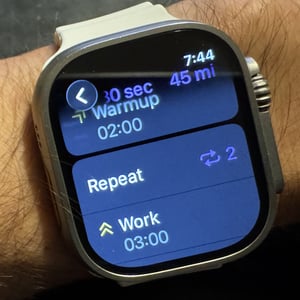
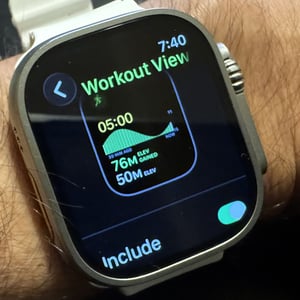
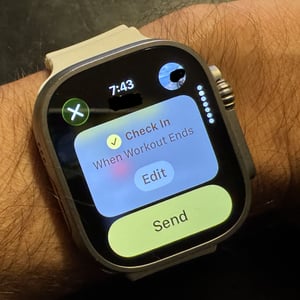
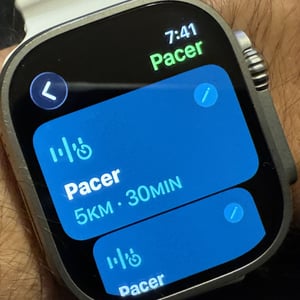
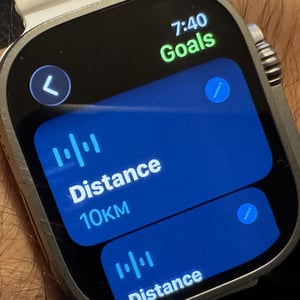
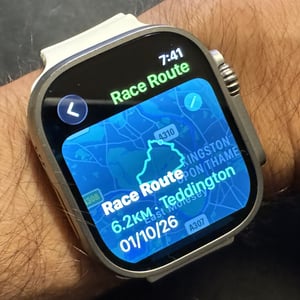
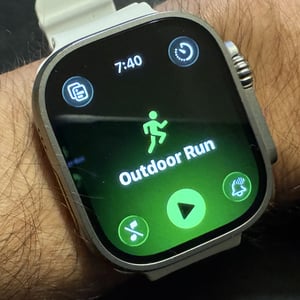
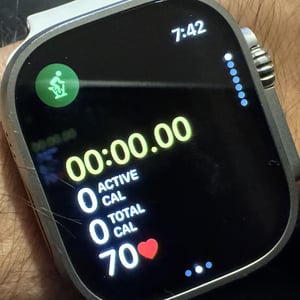
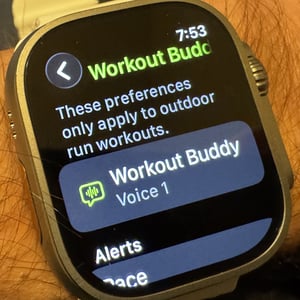
Serious athletes can build and follow complex workouts and have the same kinds of workouts available from 3rd party digital training plans to drop into calendars. As an example of what’s possible to create on the Watch, you could create and follow this workout:
15-minute warmup with a power alert range of 150-200w: 5 repeats of 1km with a pace target of 4:00/km each followed by 3 minutes recovery; and then all followed by an open cool down.
Q: What Major Running Feature Will Apple Add Next?
A: The core running features of Watch Ultra 3 are complete in Apple’s eyes. Expect further tweaks to the interface’s flow and Workout Buddy.
What works for runners:
|
What’s missing for runners:
|
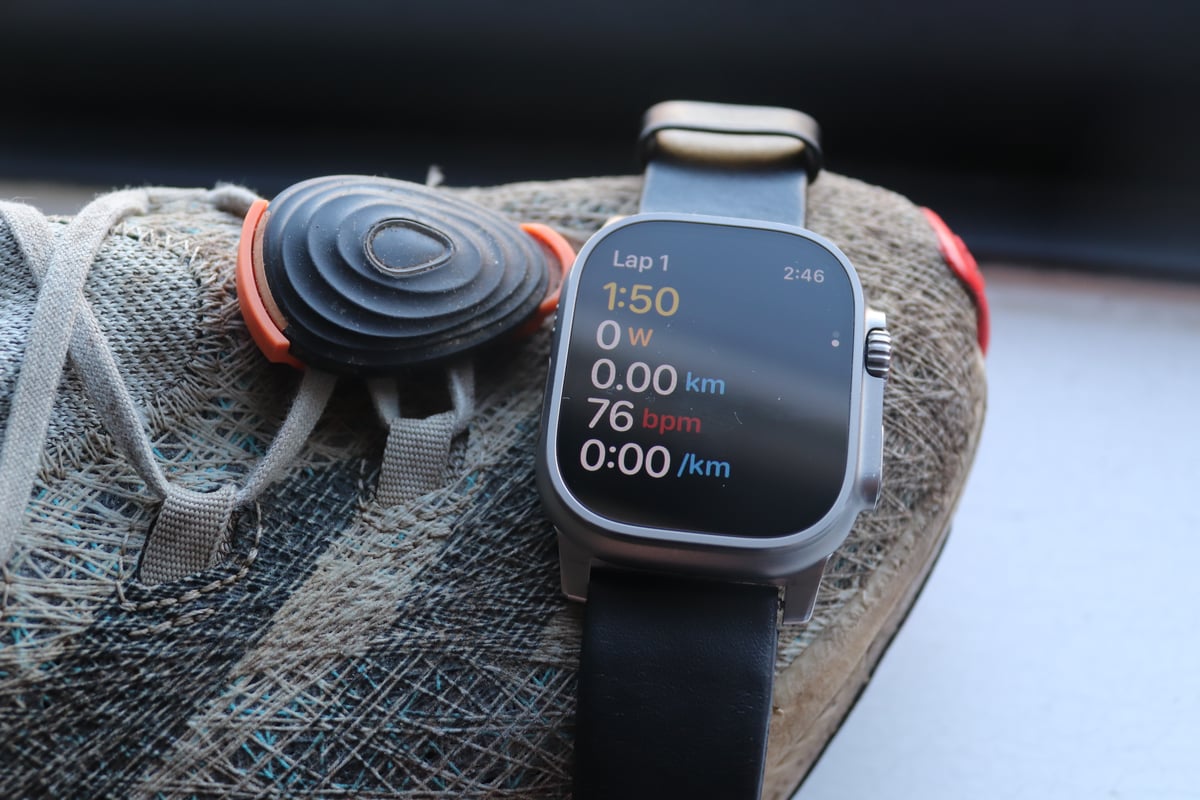
Cycling: Good Data Logger, Not a Bike Computer Replacement. It’s just too small for regular cycling use.
The core issue is the choice between a screen that’s too small on your handlebars or a dangerous/inconvenient use on your wrist. iPhone mirroring is a decent, partial workaround, but it drains the iPhone battery and puts the expensive phone at risk. That said, of all the sports watches out there, the Apple Watch Ultra 3 is probably the best cycling watch, mostly because of the screen mirroring option, but also because the Apple Watch has these surprisingly competent specialist cycling features.
What works:
|
What’s missing:
|
Watch Ultra lets you race your favourite nearby routes, but the mapping and navigation part of that seems pointless, as you already know the route.
Q: What Major Cycling Feature Will Apple Add Next?
A: Safety radar/lights are a huge omission and most likely to be added. Controlling resistance levels/inclines of smart trainers may be added. Routes need to be added, but that’s a big ask for Apple.
Swimming & Diving: Excellent Hardware for watersports, Good Software
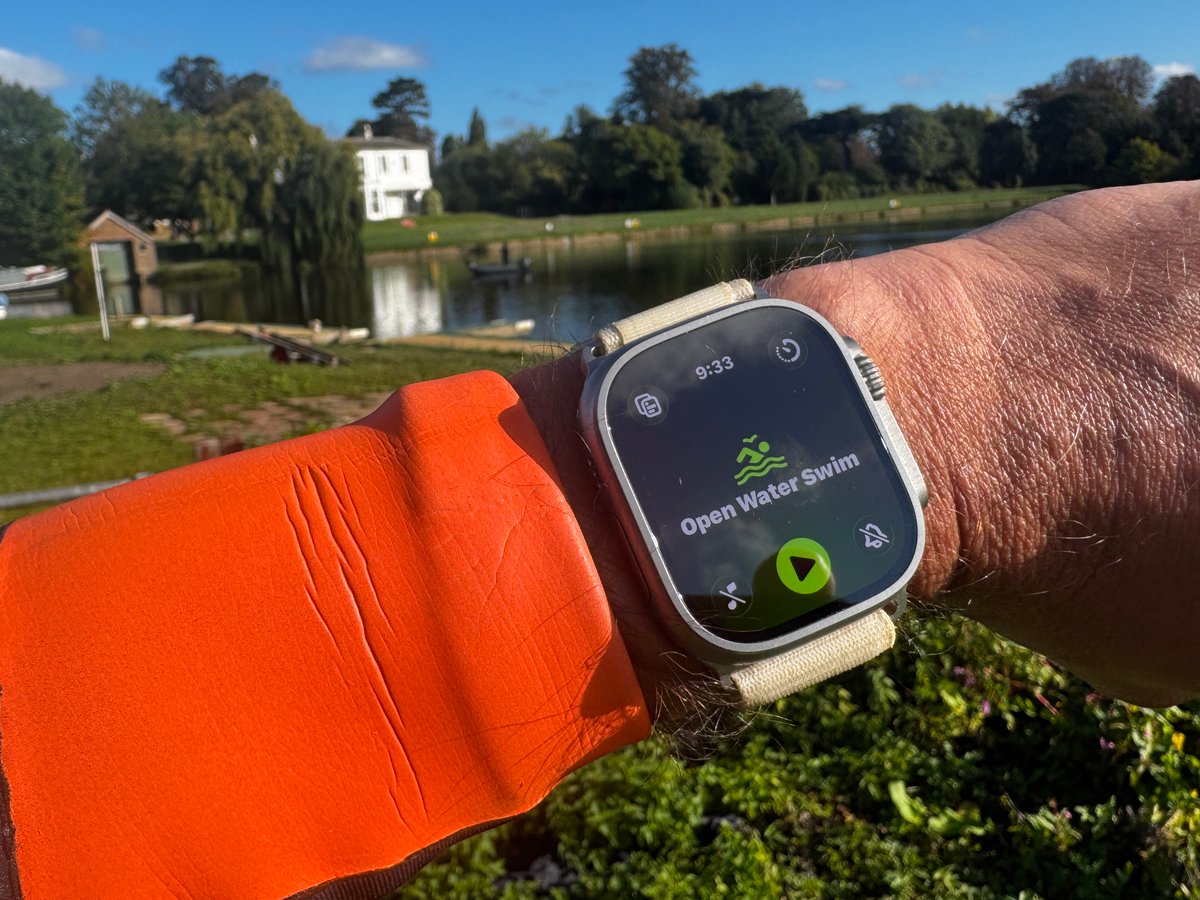
The problem here is faced by all watches: properly recording swimming metrics. Apple Watch is great for stroke and length detection in my experience, but only if swimming uninterrupted. Heart rate tracks suffer from inevitable dropouts, and GPS positioning in open-water swimming is among the best available. Add to that, you have all the certifications needed for water use, including diving to 40m.
What works for swimmers:
|
Limitations of Ultra 3 for swimmers:
|
Triathlon: Unexpectedly Good for Occasional Triathletes up to HIM.
It’s odd and confusing that Apple use the ‘Ultra’ name. It’s inevitable that your battery will run out when doing a full Ironman on a sunny day unless you tweak some settings beforehand. Even then, are you sure it will be OK? AWU3 won’t cure battery anxiety in some Ultra events. You will likely have trained for at least 3 months for an Ironman and won’t want to take the risk that this piece of tech lets you down on the run when you most need it for pacing. For occasional triathlons at Sprint, Olympic, and Half Ironman distances, all will be good.
Battery reality: Half Ironman (5-8 hours) is comfortable. Olympic distance is a breeze. Ironman (10-17 hours) requires Low Power Mode. (Workaround: start in low power mode and switch to full power on the run)
What works for triathletes:
|
What’s missing for triathletes:
|
Other multisport – HYROX, Crossfit and strength training: Fragile, Fragmented, and Lacking Depth
While Apple markets the Ultra 3 as the ultimate athlete’s tool, it still falls short for anyone whose training revolves around a barbell or a HYROX arena floor.
For serious strength and functional athletes, the Ultra 3 is a frustrating experience. The native “Strength Training” and “HIIT” modes remain glorified stopwatches that log heart rate and time but offer no insight into reps, sets, or muscle-group fatigue. There are always excellent 3rd party alternatives like ROXFIT and BEVEL.
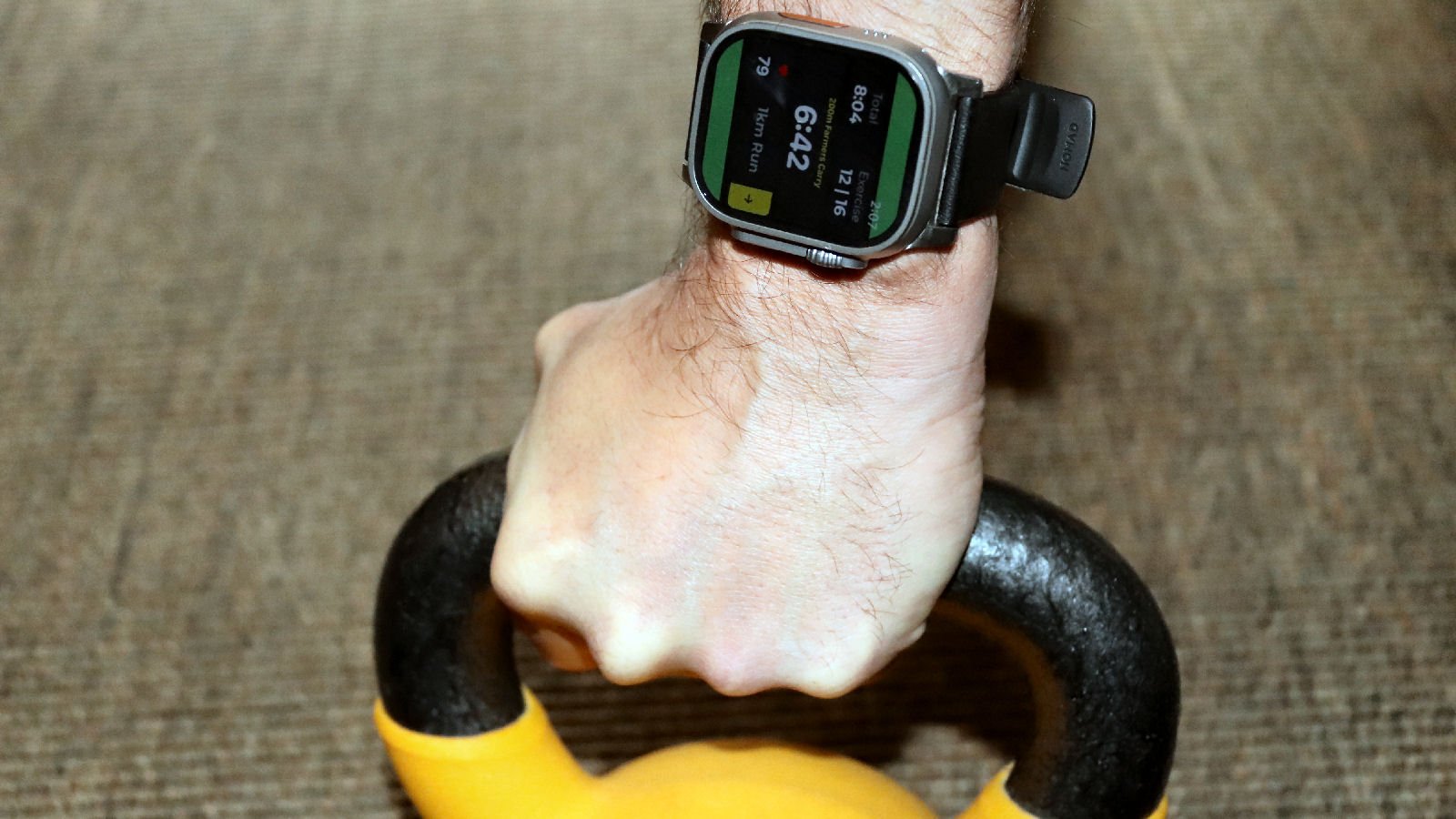
The 49mm chassis is a “handcuff” during front squats, cleans, or any overhead movement where a bent wrist or a set of grips can trigger the Digital Crown or Action Button, pausing your workout mid-set. Serious CrossFitters often find themselves forced to wear the watch on their bicep or ankle just to avoid accidental inputs or screen damage from kettlebells. Then there is the data silo problem. HYROX is a “sport of transition,” moving from 1km runs to functional stations. Apple’s native workout app still treats these as separate buckets of data; it cannot seamlessly transition from a run to a sled push while maintaining a coherent view of your pacing and fatigue. You are left with a fragmented list of activities rather than a performance profile. You can fix these gaps by curating a list of apps (e.g. RoxFit) and paying monthly fees for them.
That is a core issue: out of the box, the Apple Watch Ultra 3 is a lifestyle device playing at being an elite training partner. It lacks deep Training Physiology Insights and the sport-specific depth that comes standard with a Garmin.
Adventure Hiking: Good overall, Not Great at times, but with some excellence thrown in
Weekend warriors and occasional hikers are well-served. Serious backcountry explorers need Garmin’s superior mapping, longer battery, and topo maps.
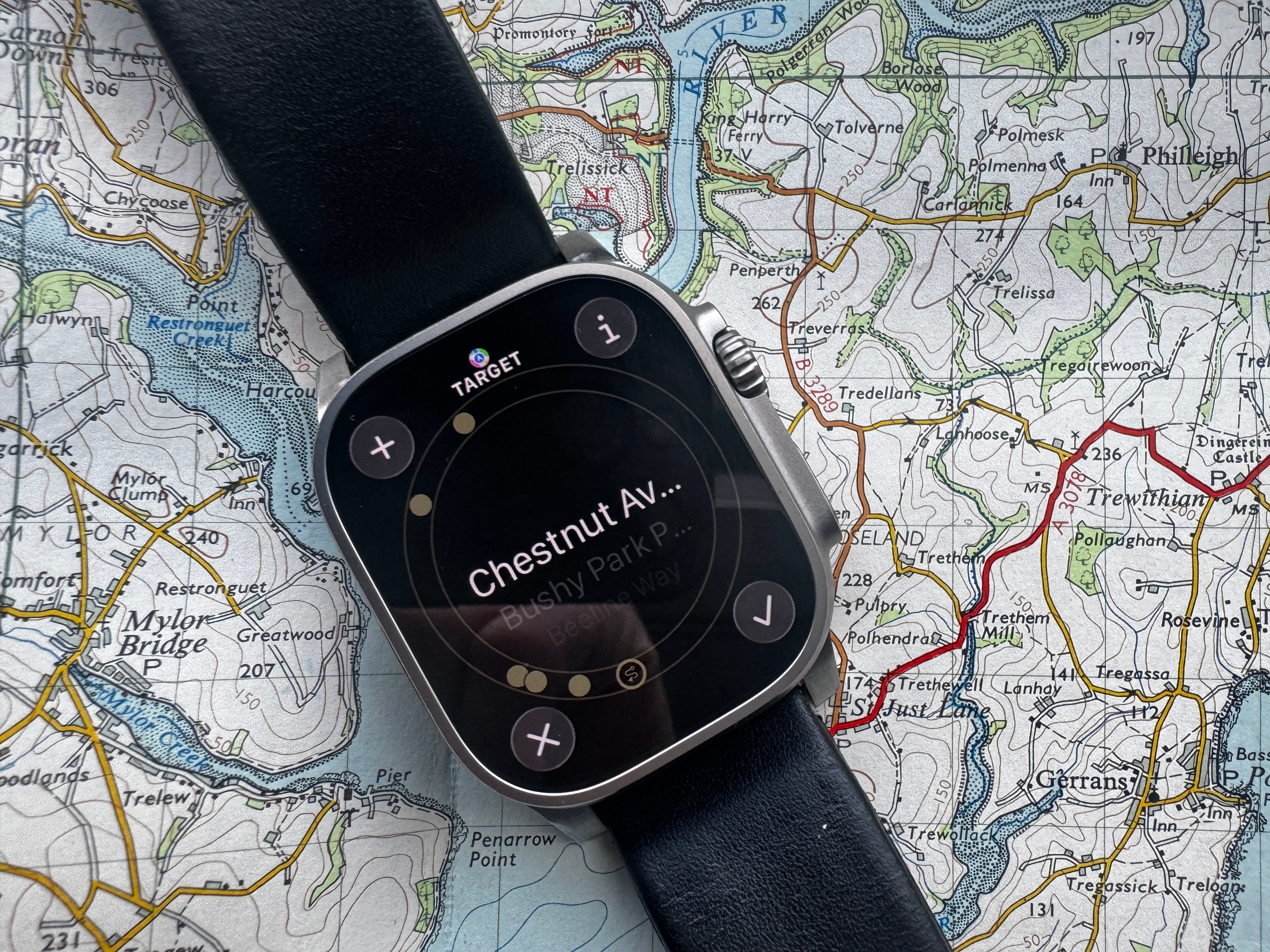
For simple logging, you can use a battery-saving setting when hiking to go well beyond the 14-hour-per-second GPS recording limit. Unlike other active sports, infrequent GPS recording will still accurately capture your metrics (e.g., GPS track).
Let’s put that to one side because the main win with AWU3 is the off-grid satellite messaging and emergency SOS (free for the moment). Simply knowing where you are is one thing; having useful context and direction is another. The Apple Watch Ultra 3 lets you down a bit here; maps are available independently of the phone but are not part of the Hiking sports profile. Most people will prefer richer maps with, for example, topographic features (contours). That’s not a huge problem, as there are 3rd party apps like Workoutdoors which have excellent maps, but that illustrates one of the issues with Apple Watch: you can get similar excellent sports and activity features to Garmin from the app store, but you have to curate that list of apps and pay for some of it. Much of that comes out of the box with a Garmin, with Apple it doesn’t.
Rant over. You get these great hiking features
Safety features for hikers:
|
Navigation limitations for hikers:
|
Satellite Connectivity: The great emergency backup
The Apple Watch Ultra 3’s satellite connectivity is a useful feature for off-grid emergencies, messaging, and location sharing.
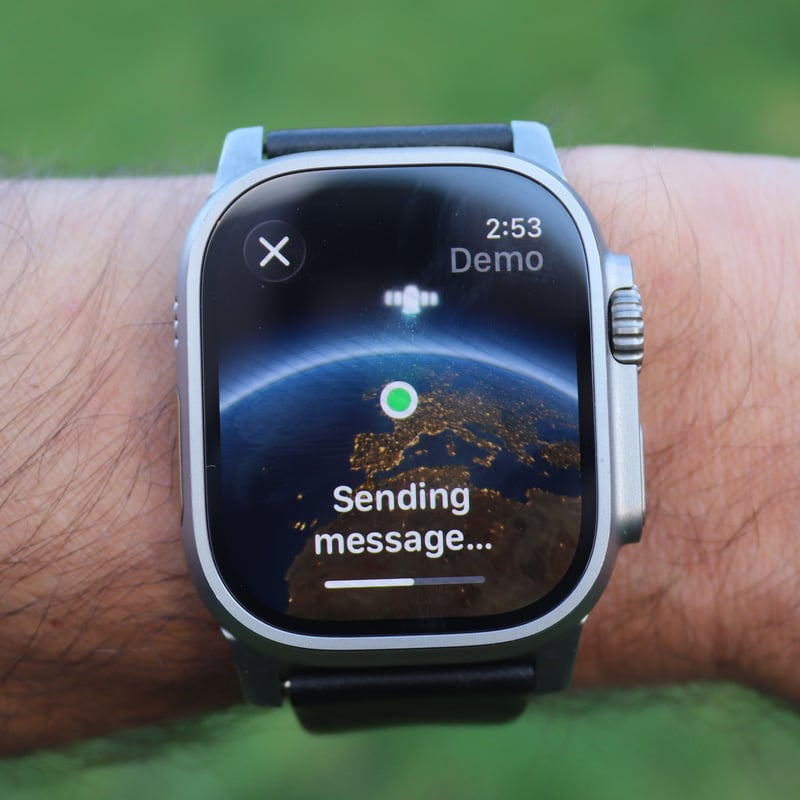
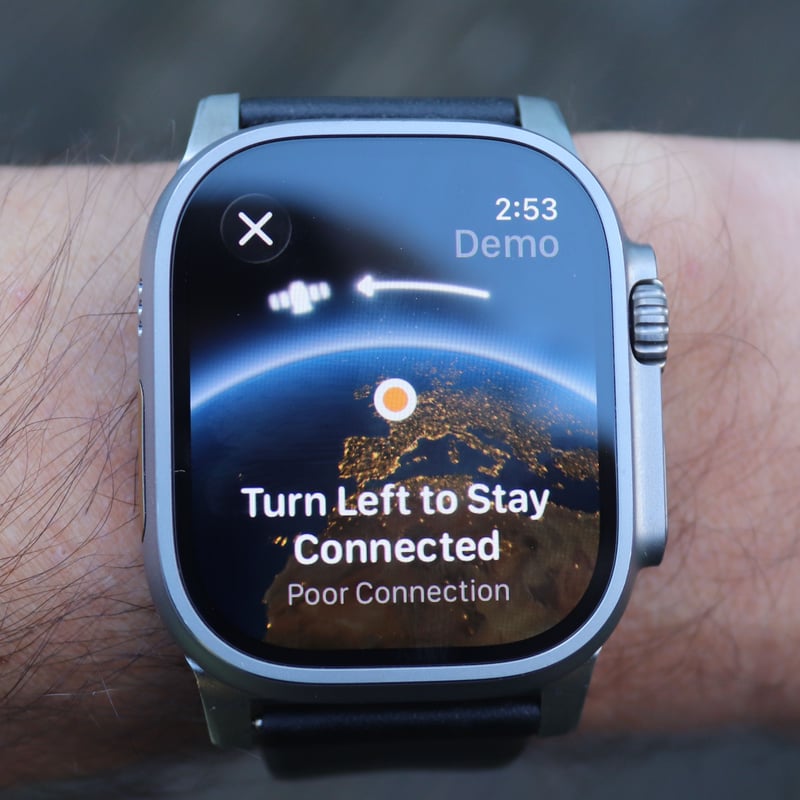
I tested this in demo mode, which sends a real message via satellite but not to the emergency services. Connections take about 30 seconds, and I found the whole process surprisingly easy. The watch effectively told me to get away from the nearby building and into a space with a clear view of the sky (fair enough!). Messages are limited to around 160 characters, take 15-60 seconds to send, and require a clear view of the sky. Both features are free for two years after activation (pricing TBA). For backcountry hikers, trail runners, skiers, and mountaineers who regularly venture off-grid, this feature alone justifies upgrading from Ultra 2 — especially considering Garmin charges $15-65/month for similar capability.
Deep Dive Apple Watch Recovery, Sleep & Stress Metrics
Apple Watch Ultra 3 collects core metrics for sleep, stress, and recovery, including HR, HRV (all you need to know link), SpO2 (not in the USA), breath rate, and temperature. However, it provides only rich insights into sleep through its sleep score and sleep stages. In my limited sleep testing and in long-term testing by YouTuber @thequantifiedscientist, it’s clear that Apple is a good sleep stage tracker, as good or better than most watches at sleep stage identification and similar to Eight Sleep, despite some issues with deep sleep that were only recently resolved.
You will need a 3rd party app like Athlytic or Training Today to show all-day stress and recovery insight once you’ve enabled AFIB History (explanation).
Athletes should note that these recovery and readiness indicators are not strictly correct. All the tools mentioned here, including Whoop, determine readiness from overnight average HRV, and that is a measure of your resting physiology, not your exercise readiness – you’ll need to do tests like Polar’s orthostatic test or waking tests as specified by HRV4training to get the very best info to support your training.
Deep Dive: How does Apple make Watch Ultra 3 a true competitor in sports tech?
With caveats, the Apple Watch Ultra 2 is already a true competitor in sports tech.
It only lacks out-of-the-box niche sports features, which its app store largely resolves. Your issue is researching and curating a collection of apps to support your training and adventure needs. Here are ten of the best
The best Map App for Apple Watch Ultra
If you want to find a better map app than WorkOutdoors or Footpath, good luck. I just can’t see how you can get better maps than those two.
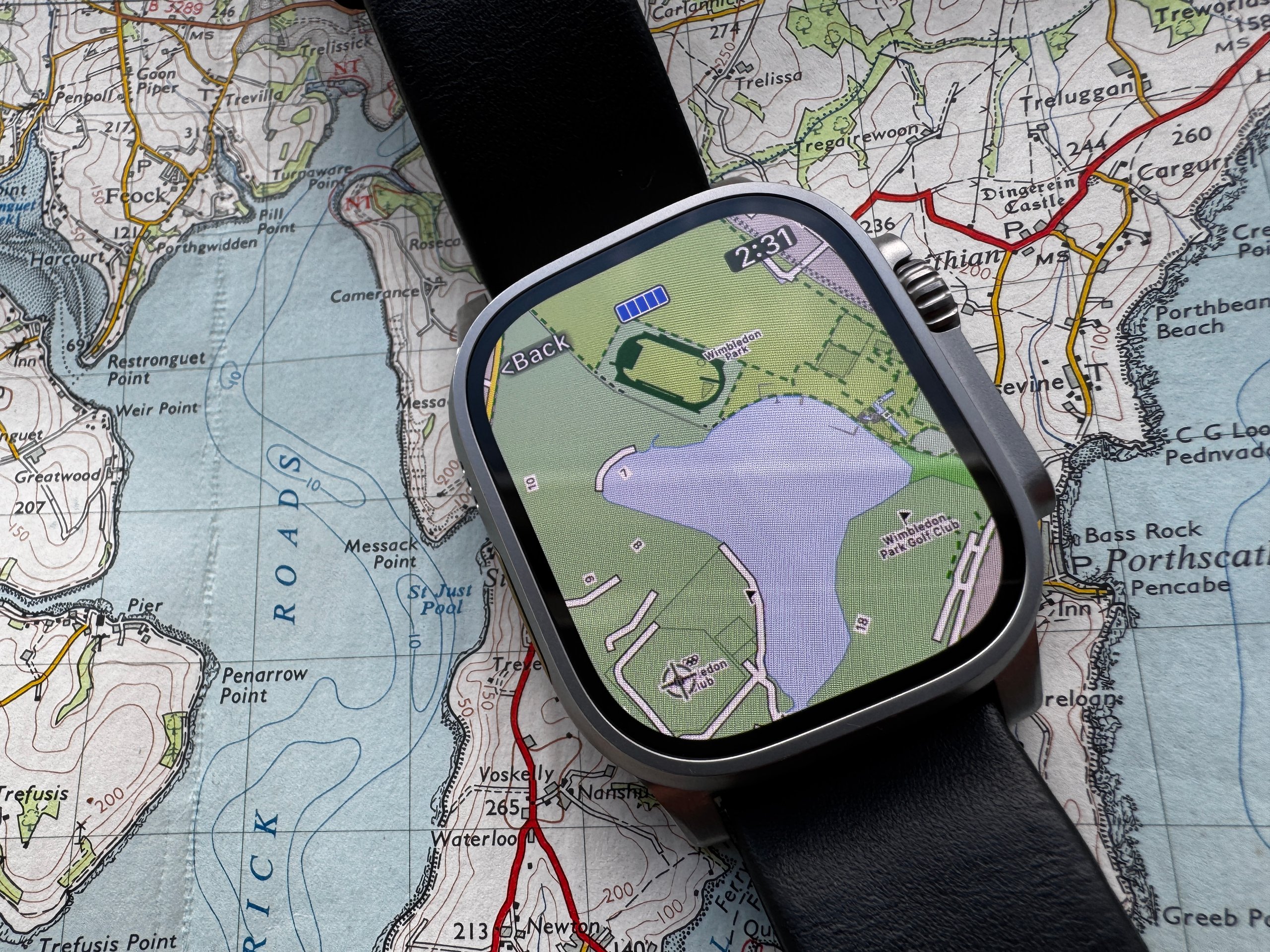
WorkOutDoors is one of the go-to sports apps with many other features. Just download it now. The app can run in display-a-map-only mode, and you can easily toggle it from, say, Apple’s workout app or a complication on the Compass Watchface.
The best Tides App for Apple Watch
Tides is the best free high/low tide app, in my opinion. Even Apple’s built-in Tidal app can’t always find a super-close measuring station for me. Tides does.
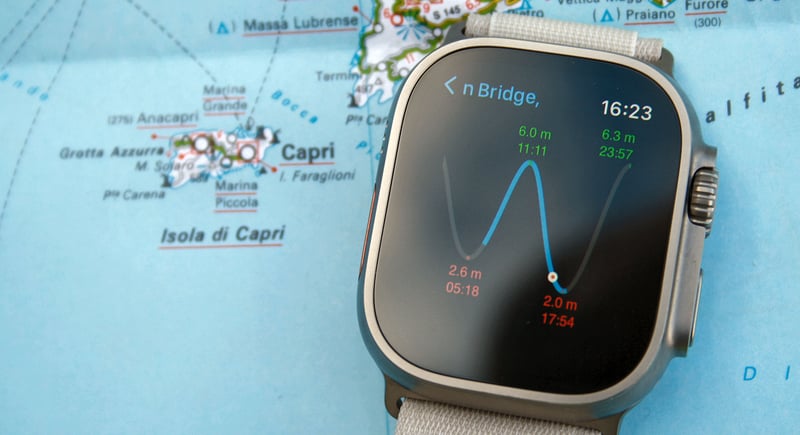
Its handy tide chart (a sine wave) can be displayed as a complication on some watch faces.
The best sunset/sunrise/phase app
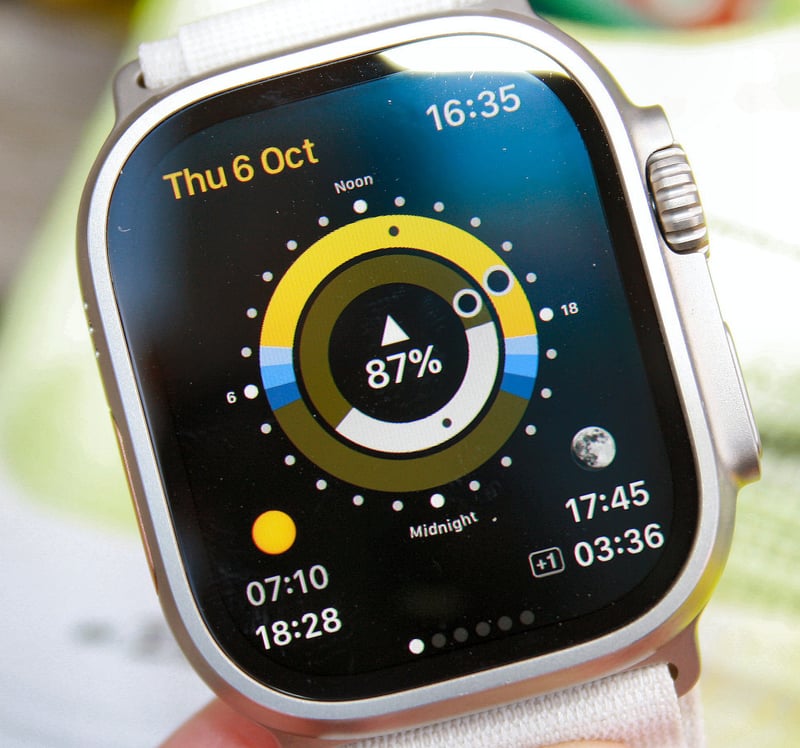
Sundial is a comprehensive app that shows most things related to solar and lunar phases, slightly superior to Apple’s complications, giving similar info
.
A Good Barometer App in the free version
I like the Barometer & Altimeter app, which offers a simple, free one-pager for atmospheric pressure. I couldn’t find any watch apps that included a free barometric pressure complication, although many were available in paid-for versions of apps (such as MyRadar and AltiBarometer)
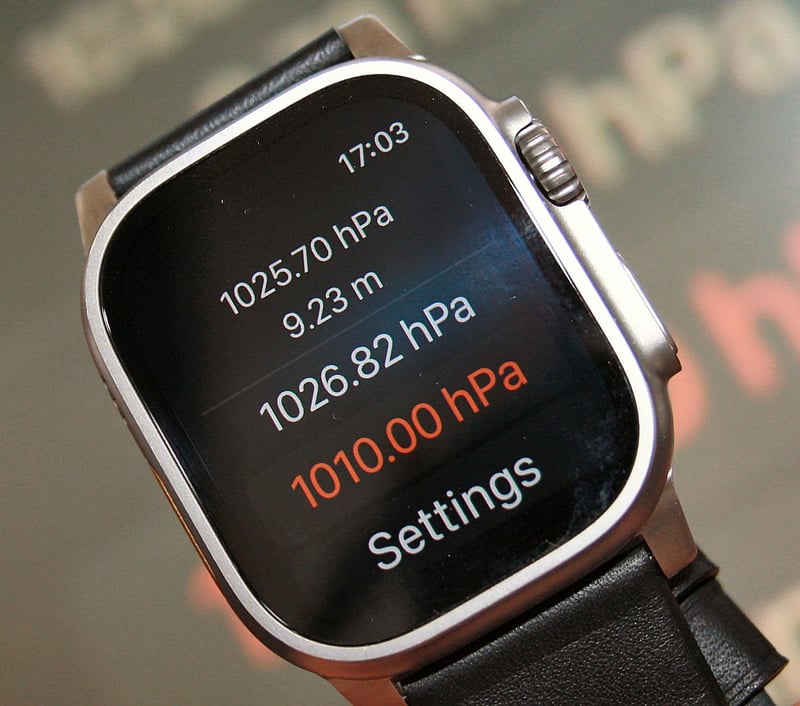
This particular app also includes altitude information. However, my tests show that Apple provides good elevation data natively, so you might as well use that. You can easily add elevation as an extra screen to the hiking or cycling profiles within Apple’s Workout app.
What’s missing here is storm alerting. You can get that in some forecasting apps, but my favourite is Storm Alert for Watch (Orion), which works even when out of cell range to alert you to sharp pressure drops that could signal an inbound storm.
A Great Wind App
I love the Windy app. As well as giving a nice weather watch face and free wind complications, Windy also gives a great 2-day, full-screen wind forecast for free on your wrist. It combines several wind forecasts in an interesting circular chart format, showing each forecast’s direction and strength. In the last 2 years, I’ve tended to trust Apple’s own weather complications to give me the wind info I need before setting off on a ride.
A great Weather Radar Map
I’ve used the free weather map view from the MyRadar app for quite a few years, and there’s no reason to stop using it on Ultra 3. Sometimes, a visual of approaching an intense storm brings home the reality of your situation more than a digit on a weather forecast.
Best sports & Adventure Apps for Apple Watch ULTRA 3
Apple’s workout app and other features, such as the compass, are basic but good enough for most of us. These apps are all highly impressive in their own right, and the best apps for your sports and adventures on any Apple Watch
- iSmoothRun (app, workouts)
- Workoutdoors (web, workouts and maps)
- Footpath (web, route planning)
- Roxfit – (app, Hyrox training and racing)
- Bevel – (app, Best for strength training, recovery)
- Runna (Strava-owned app, run training)
- Swim.com (app, swimming)
- Athlytic (app, recovery/readiness, like WHOOP)
- Great: Lumen tracks your carb burn (device, Lumen review)
- Swim Guru (SwimSmooth) (app, swimming and best for swim technique)
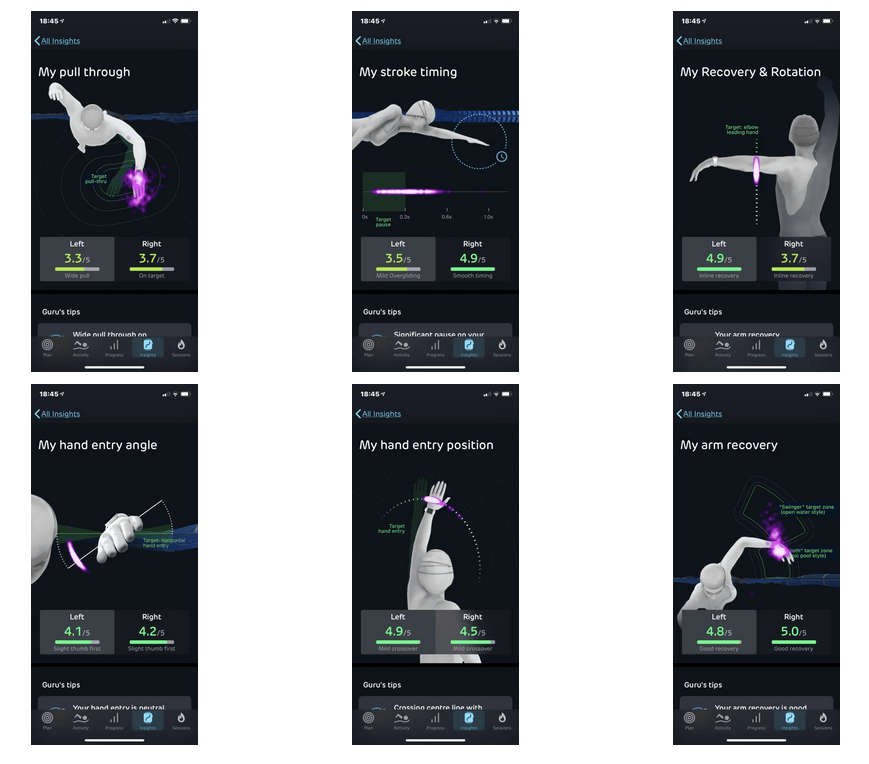
Apple Watch Ultra 3: Sensors And Capabilities Tested vs Competition
I’ve put off writing my Apple Watch Ultra 3 review for several months. The unintended positive consequence was that it was used in nearly all my tests against other watches during the same period. I’ve lost count, but I’ve easily done way over 100 hours of sports testing with AWU3, so I’m confident that most of my findings are accurate – the only exception is for heart rate, where results vary from person-to-person and between sports. So here are lots of detailed activity tests, but I’ve also mixed things up a bit and performed comparative testing on other aspects of the watch, starting with Siri…
On-Watch Siri – The Smarter Assistant – Tested
Apple’s voice assistant, Siri, is much maligned. Perhaps justifiably so, as these tests demonstrate
How Siri Works – On test
- Instant Access: Siri is accessed via a long press of the digital crown or by saying “Hey Siri” or “Siri”.
- Limited Contextual Awareness: It uses the watch’s data to provide smarter answers, such as showing your step count.
- Offloads: More complex questions are passed to ChatGPT on compatible iPhones.
The table below compares the real-world performance of Google Pixel Watch’s Gemini with Apple’s Siri. Overall, Gemini wins. Siri is just about OK to use, but its good responses are severely let down by the numerous useless ones.
| Question | Gemini Answer | Siri Answer |
| Start my run | opens the Fitbit app | opens the Workout app |
| What’s my heart rate? | 59bpm | 59bpm |
| What’s my step count today? | 690 | 850 |
| Compare the weather for a weekend barbecue | highly detailed, with formatting errors | Simple but Ok |
| Add recipe ingredients to my shopping list | Google Workspace nonsense, then asked which ingredients | Created a list, then added “recipe ingredients” as an item |
| Turn off the lights, and turn off the heater | lights off, and it correctly asked which heater | You got it |
| Remind me to grocery shop after work | Verbose but correct answer | “Done” (It didn’t remind me, though!) |
| How does Gemini work in Google Maps? | Detailed answer | “Here’s what I found”…useless link (typical of other similar linked responses) |
| What is quantum computing? | Correct, spoken | wiki answer, written |
| Set a timer for 10 minutes | Good, flicked through the steps | Good, just did it |
| What’s the weather today? | light rain and temperature given | rain |
| Play my workout playlist | played on the phone | option to play on watch |
| Find directions to the nearest coffee shop | Did it, but I didn’t know which shop I was directed to until I went to the map screen. | Replied: Which one? |
| How do I make a Caesar salad | Good, asked if I wanted the ingredient list | Gave a link to BBC Food, not useful on Watch |
| Translate this live conversation with my Spanish taxi driver right now | I need the conversation text | Which language!! |
| What’s the cheapest way to get from here to Paris tomorrow morning before 10 AM? | …like a last-minute flight, gave details | Gave driving directions starting now on Apple Maps. |
| Plan a 3-day trip to Tokyo next April for 2 adults and 1 child, under £3,000 total, including flights from London. | Detailed answer, feedback on low budget and high season | “I found this on the web” (holidays from £699). Mostly useless. |
Apple Watch Ultra 3 Accuracy – GPS & Heart Rate Real-World Tests
I performed highly detailed testing on various aspects of the sporty side of the watch. Typically, I compared against the very best and most accurate devices available, like Garmin Forerunner 970 (for GPS) and HRMs like Polar SENSE and Garmin HRM-600. Let’s dive straight into the heart rate and GPS tests.
Scored Running GNSS/GPS Test
For the last decade, I’ve run with most sports watches over my standard 10-mile course following a proven methodology. It presents difficult-to-impossible GPS challenges in places. The biggest longitudinal takeaway for me is that the latest dual-frequency chpsets (i.e. Garmin, Coros & Apple) are noticeably more accurate than previous generations. Accuracy has generally improved, but we are now at a point where further improvements will be hard to achieve.
Another takeaway for me is that two tiers of dual-frequency accuracy have emerged over the last couple of years. Google Pixel Watch 4 definitely falls into the accurate-but-less-so camp along with the likes of Suunto, Amazfit and Garmin’s prior gen. The slightly less accuracy will make no real-world difference to you.
Watch Ultra 3 scored 90% in the test (full methodology, detailed scores, and links to source files), demonstrating market-leading excellence. It did very well on the test’s sections with low difficulty and performed well on those with medium or hard difficulty. Several years ago, I never expected to get results as accurate as this from any watch.
| Watch | GPS Accuracy Score |
| Coros Pace 3 | 92% |
| Garmin Forerunner 970 | 92% |
| Apple Watch Ultra 3 | 90% |
| Garmin Fenix 8 | 88% |
| Coros Pace 4 | 88% |
| Apple Watch Ultra 3 (raw) | 87% |
More GPS Tests
I have performed numerous other GPS tests across different sports, terrains, and conditions. Normally, I use devices I know are accurate rather than similar watches that a buyer might sensibly choose between – there are pros and cons either way.
Easy Run GPS Test
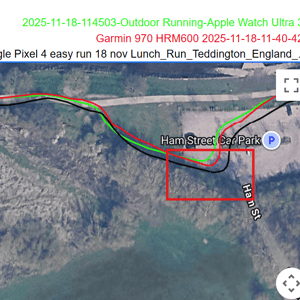
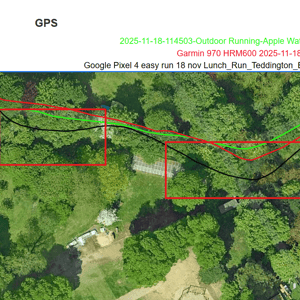
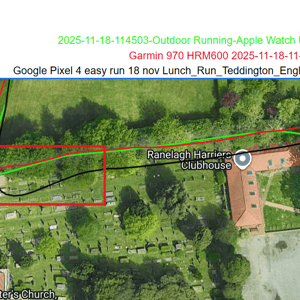
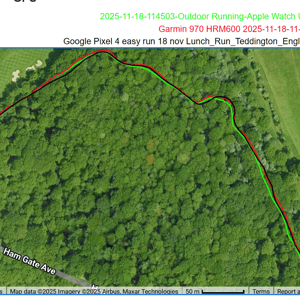
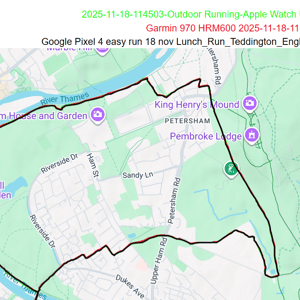
From the overview, Pixel (black) is the top route trace, and where there is a difference, the green from Watch Ultra 3 clearly shows through. From a high level (the one reviewers normally would show you), everything looks perfect. There are differences when zoomed in. Google and Apple both have similar algorithms that smooth the corners. Still, there are some unnecessary deviations from the Pixel that Apple gets right, especially near the Ranelagh Harriers Clubhouse.
Easy bike Test
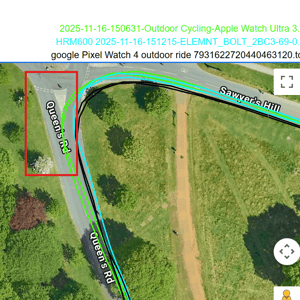
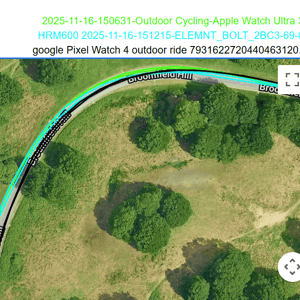
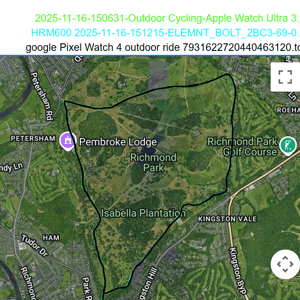
Repeated 11km laps of my local park make GPS error patterns easy to spot. You can see here that Apple is the one struggling this time, being about 3m from where it should be. That’s not too bad and reflects the reality of most road cycling GPS tracks – you rarely get close to buildings to drastically affect the GPS signal.
Run Test – Hard GPS Reception conditions In Places
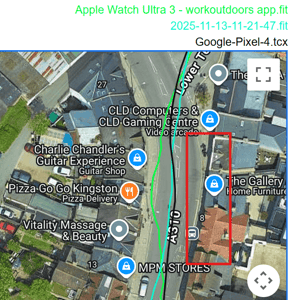
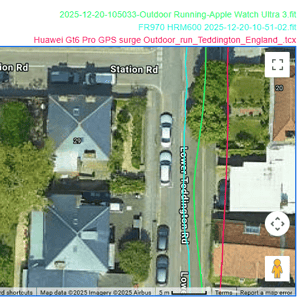
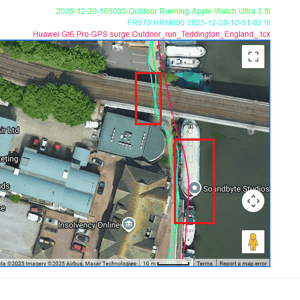
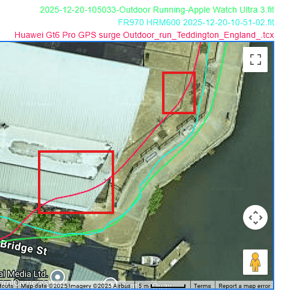
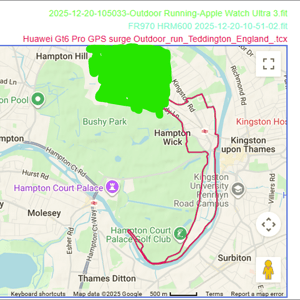
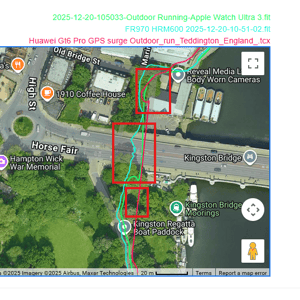
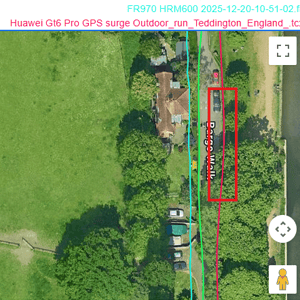
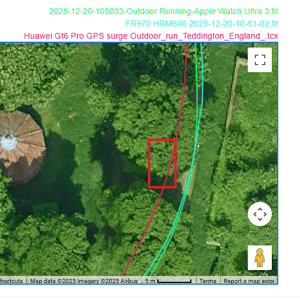
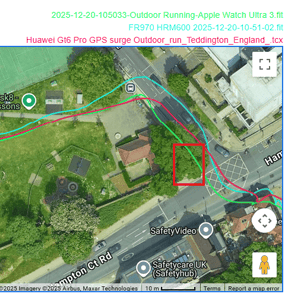
Here is an overview of a hard GPS run test, followed by five images showing performance through challenging sections. The track is the raw data recorded by the workoutdoors app, it’s not quite as good as it otherwise would be in each of the images – it’s too close to a wall, too erratic in a tunnel (when the accelerometer kciks in) and skips through a building on a tight turn.
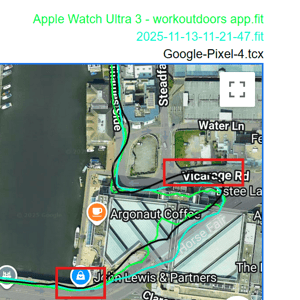
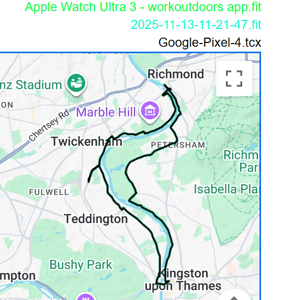
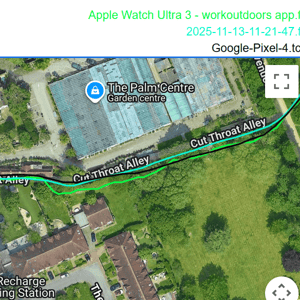
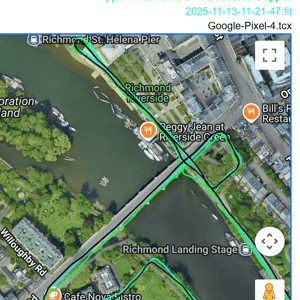
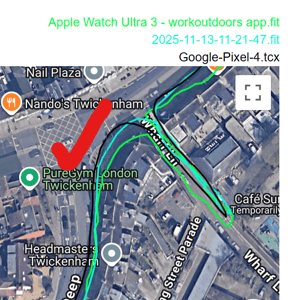
This next run added in the Huawei Watch GT 6 Pro and the results clearly show the difference of an A-grade watch (Apple Watch) compared to a less accurate one (Huawei), which deviates by more than 5m in places and even the FR970 is thrown off track by walls and nearby building more so than the Apple Watch.
The dual-frequency (multi-band) conundrum – a definitive explanation
In all GPS watches, dual-frequency (multi-band) performance is not as good as the marketing literature implies. Tracks still deviate near large buildings because the watch accepts reflected (multipath) signals from them. The primary purpose of dual-frequency is ionospheric correction, not multipath rejection. While the two frequencies experience slightly different multipath delays, reliable multipath mitigation only works when the extra path length is 20m or more. A fellow sports-GNSS expert (MIKEG, speed sailor) correctly pointed out that shorter reflections cannot be separated — hence the remaining errors in urban environments, as I found! Now you know.
Edit: 17 Feb 2026 – Apple Watch Ultra 3 delivered the most accurate pure GPS tracking in controlled track testing (0.50% error), but its track mode completely failed with identical incorrect 1580m readings across multiple tests, suggesting broken lap detection or lane geometry assumptions for Lane 2 running.
Optical HR Accuracy Tests
In my tests, I compared a Garmin chest strap (HRM 600 or HRM PRO PLUS) and a biceps-based PPG (optical) sensor, both of which are accurate.
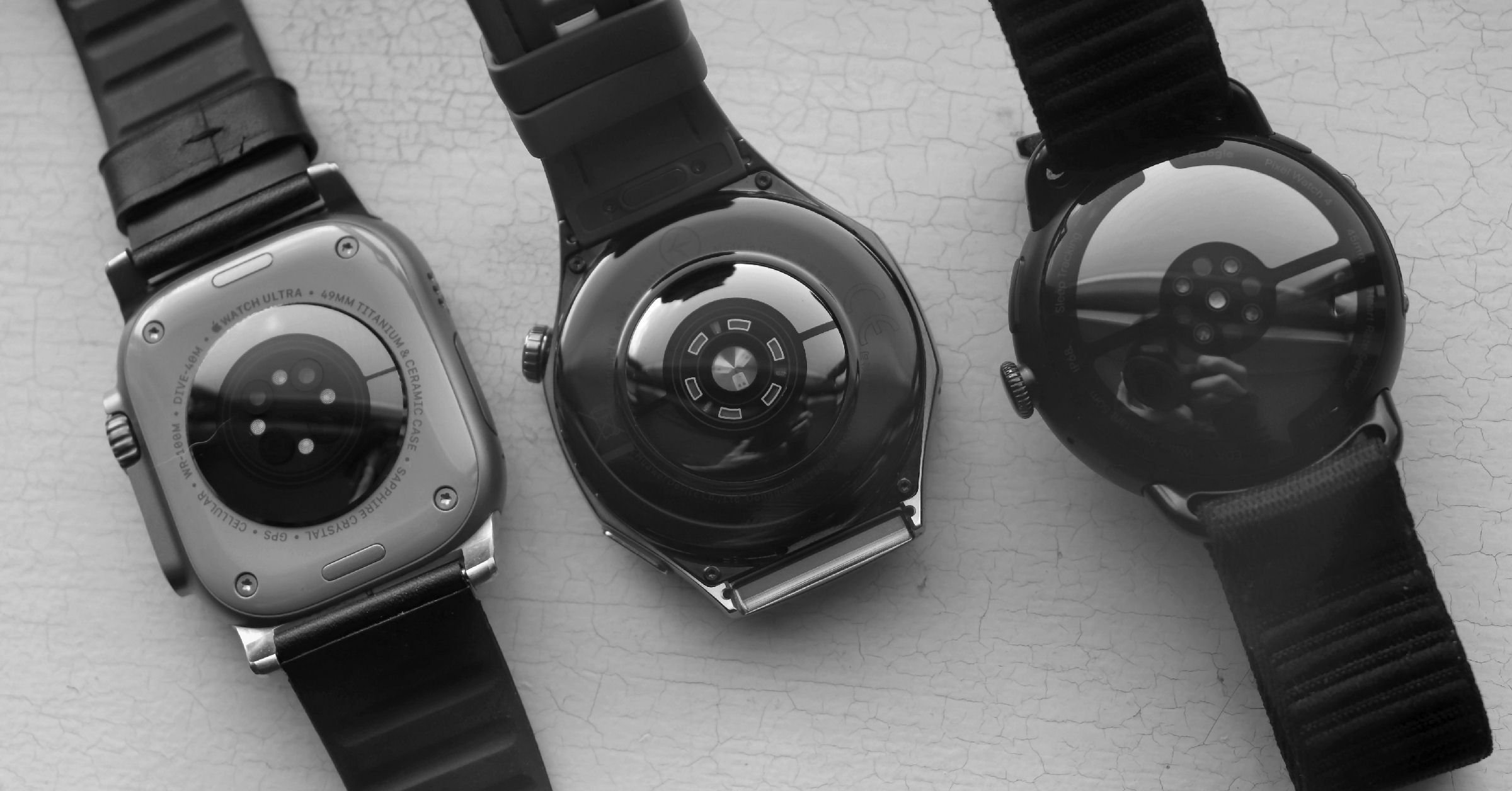
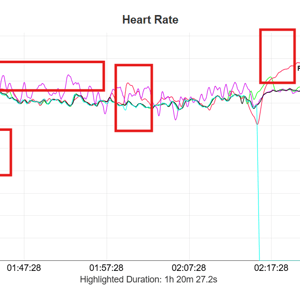
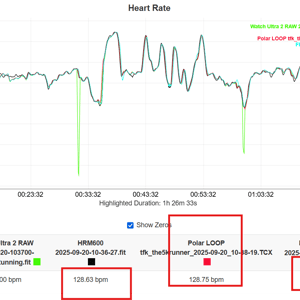
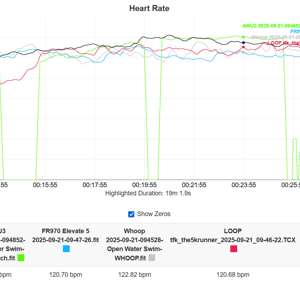
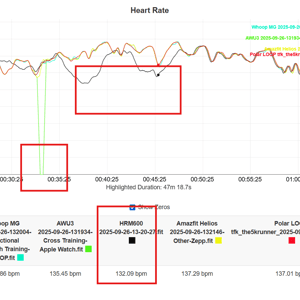
My testing has been mostly in cool or cold conditions, which can affect blood flow near the skin’s surface, making it even harder for watches to accurately measure HR. To make matters even worse, Apple has decided to record blanks in the HR track when it doesn’t receive a reliable signal. This means the recorded data is more accurate, but the HR tracks can look ugly at times with numerous dropouts.
Hopefully, that’s set your expectations sufficiently low! Here are the heart rate charts from 15 selected tests covering triathlon sports, HYROX, and yoga!
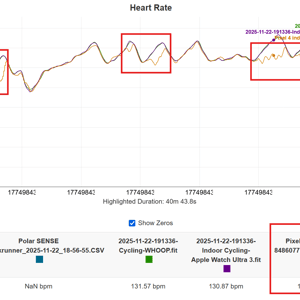
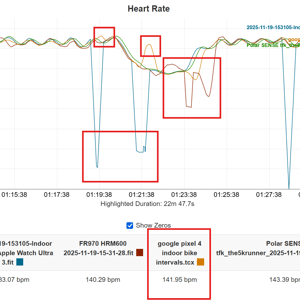
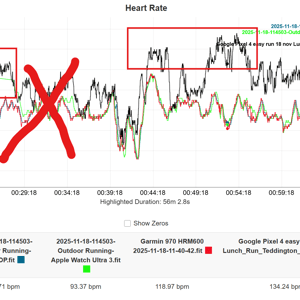
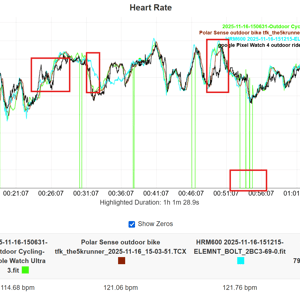
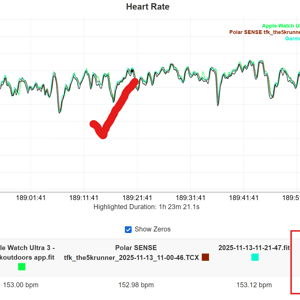
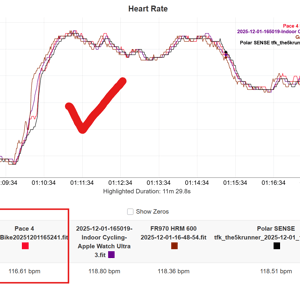
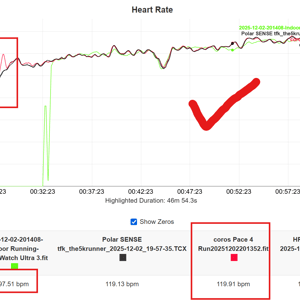
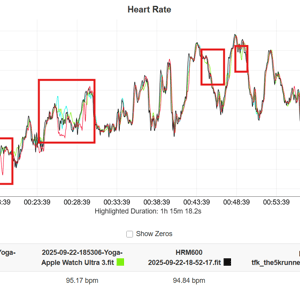
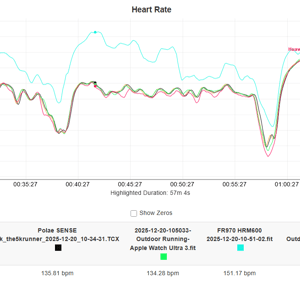
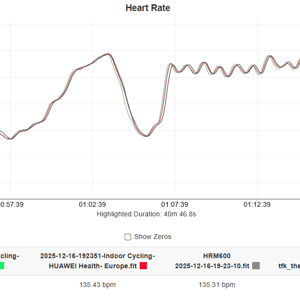
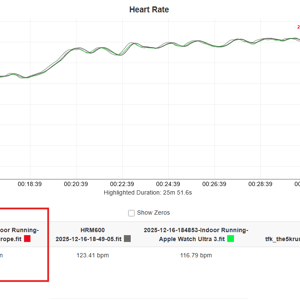
Several themes run through the tests.
- All watches on test experienced perfect and less-than-perfect results, including the Apple Watch Ultra 3
- Apple Watch has dropouts. This affects workout averages and has knock-on effects, negatively impacting exercise load calculations
- Putting the dropouts to one side, AWU3 was generally accurate with short and acceptable periods of overreporting.
Elevation Accuracy Test Results
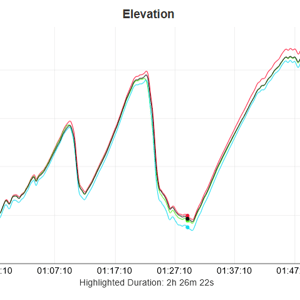
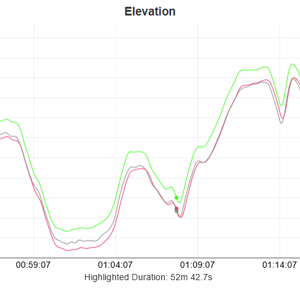
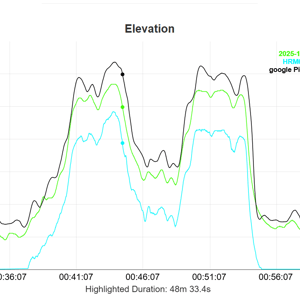
Apple Watch Ultra 3 has a barometric altimeter, which autocalibrates based on GPS elevation, Barometric sensor data, Weather/pressure data, and known location information.
Looking at the three test result charts below, you have to mentally offset the elevation curves for those devices that did not correctly autocalibrate at the start of the workout. Then the elevation plots from every device generally match, to what seems to me to be an acceptable level. I determined my exact starting elevation (approx 14m asl) from WhatIsMyElevation.com.
Apple Watch Ultra 3 starts out as the most accurate and stays that way throughout each workout.
ECG Test, Irregular Rhythms, and Hypertension
Apple Watch Ultra 3, Garmin Forerunner 970 and Pixel Watch 4 each performed two 30-second ECG tests. All detected a normal sinus rhythm. This is the expected result. A few years ago, I had a proper 5-Lead hospital ECG, which confirmed the same.
Apple’s irregular rhythm notification is not an electrical ECG feature; it looks for patterns in the optical sensor’s pulse wave that may suggest atrial fibrillation (AFib). I have not been alerted to an AFib event by Apple, which I believe is correct.
Hypertension alerts – I periodically take manual blood pressure reading which have been on the high side of ‘medium’; these should not trigger a hypertension notification, and Apple has not notified me. I believe this is the correct action.
Steps Test Result
I went for a ‘normal’ walk. At least it was normal if wearing three watches and taking a dog (mostly off-lead) counts as normal. There’s considerable variation in the number of steps recorded here.
- Pixel Watch 4 – 6231
- Garmin Forerunner 970 – 6146
- Apple Watch Ultra 3 – 5654
The devices showed a step count variation of 577 steps (9.2% spread), with Pixel Watch 4 the highest (+577 vs lowest)
Sleep Tracker Accuracy Comparison
Over 25 nights, I compared the Google Pixel Watch 4, Apple Watch Ultra 3, and Eight Sleep Pod for total sleep time, awake time, REM, light sleep, deep sleep, and overall sleep score. Note: this is personal data only (n=1) — no polysomnography (PSG) gold standard was used.
Key Findings
1. All three devices agree extremely well
- Strong correlations between every pair (r > 0.85 for all metrics)
- Night-to-night differences are small: typically ±10–15 min for stages, ±3–5 points for score
2. Most accurate device per metric (lowest MAE vs. three-device consensus)
| Measure | Most Accurate Device |
|---|---|
| Sleep Score | Eight Sleep (MAE 2.4 pts) |
| Total Sleep | Apple Watch Ultra 3 (MAE 9 min) |
| Awake Time | Apple Watch Ultra 3 (MAE 8 min) |
| REM | Eight Sleep (MAE 12 min) |
| Light Sleep | Apple Watch Ultra 3 (MAE 18 min) |
| Deep Sleep | Google Pixel Watch 4 (MAE 11 min) |
3. If we treat Eight Sleep as the reference (ground truth)
- Apple Watch Ultra 3 is more accurate overall (average MAE ≈ 14 min across all stages + score)
- Google Pixel Watch 4 is slightly behind (average MAE ≈ 18 min)
In short, all three trackers are broadly consistent with each other in real-world use. Apple Watch tends to match Eight Sleep the closest, while Pixel Watch edges out on deep sleep detection. There is a known Deep Sleep Stage estimation error with Apple’s sleep algorithm that was addressed after these tests were completed.
Battery Life: Better, But Still Not “Ultra”
Sports watches like Coros and Garmin have significantly longer battery life than the Apple Watch. However, there is no magical battery tech that has passed Apple by.
Apple Watch Ultra 3 operates a complex, preemptive multitasking OS that maintains high-bandwidth data links and frequent GPU-accelerated UI rendering to function as a seamless smartphone extension. Conversely, watches like the Garmin Fenix 8 utilise a lean, event-driven RTOS and specialized low-power coprocessors that prioritise deep CPU sleep states and asynchronous data polling for maximum endurance.
Apple’s battery life claims are precisely justified by the company based on very specific usage patterns. When new, you will get slightly better performance, but every battery gradually deteriorates with each charge. With previous Apple watches, I’ve noticed that the Watches don’t meet the claims after a year or so, before the Battery Health drops to 80%, at which point Apple recommends a new battery.
Official Claims vs Reality
After 3 months of use, I have no reason to doubt AWU3’s official battery life claims so far, which are:
- Normal use (Smartwatch mode): Up to 42 hours (multiday battery life, including typical daily activities + sleep tracking).
- Continuous GPS (outdoor workout with full GPS + heart rate): Up to 14 hours
- Low Power Workout Mode (with reduced GPS/HR sampling): Up to 35 hours of outdoor workouts (some sources note ~20 hours with full GPS/HR in Low Power, but the standard Low Power smartwatch is 72 hours).
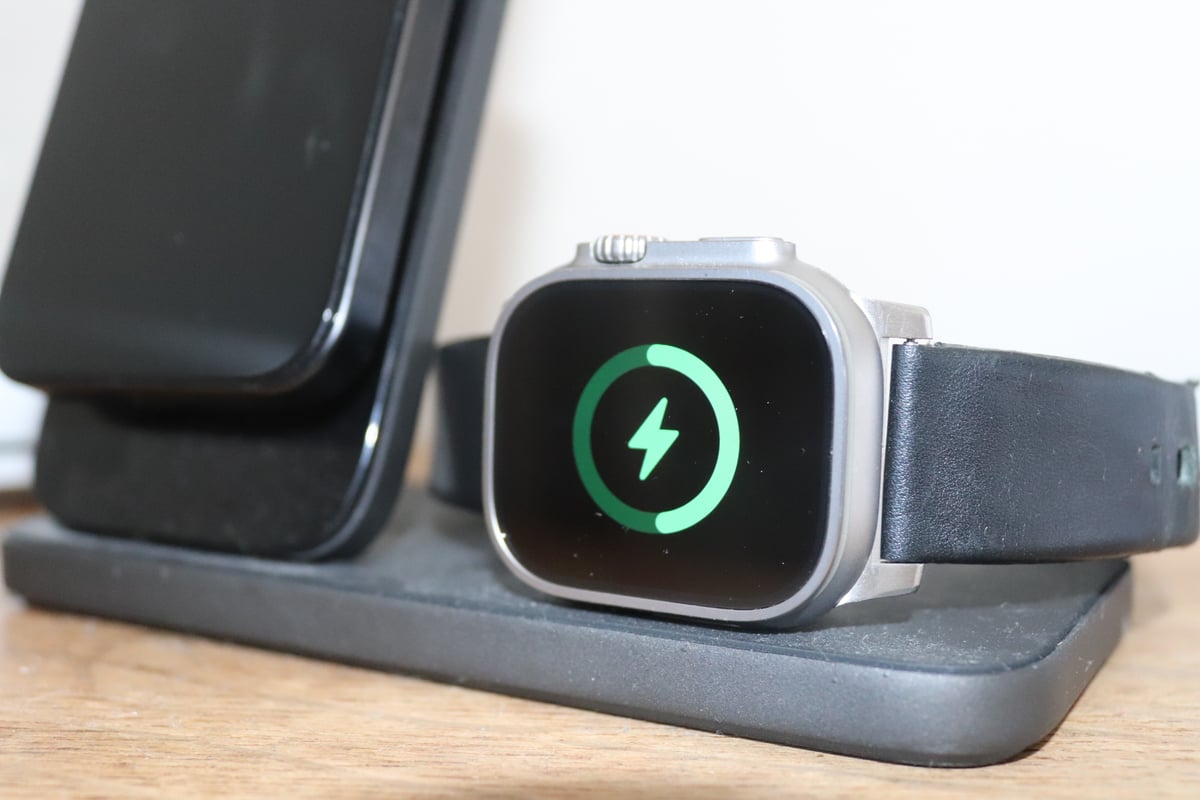
- Fast charging (use 20W USB-C adapter)
- 15 minutes: Up to 12 hours of normal use (equivalent to ~25–30% added from low %).
- 5 minutes: Up to 8 hours of sleep tracking.
- ~45 minutes: Up to 80% charge (0–80%).
- ~75 minutes: 0–100%.
As part of my on-and-off battery testing, I’ve been reasonably good at consistently keeping the battery between 10% and 80% charge. I recommend using this automated setting:
Watch> Settings> Battery> Battery Health> Optimised Battery Charging (enable)
My battery health is at 100% after 3 months of daily use, and I always keep the always-on display at minimum brightness during the day and off when in bed.
Normal Daily Use (Battery Test Result)
My battery starts the day at 80%. I make a couple of calls a day and send several texts. I have 4G LTE (5G not working yet by my provider) enabled, but am usually roughly within Bluetooth range of the phone, except when exercising. I complete 1-2 hours of exercise. Without a charge, the battery life is around 15 hours at 30-40%, i.e., fallen by 40-50%. Overnight usage takes another 15-20% off (2-3% per hour)
- Longest Activity with GPS: 5 hours – started at 66%, finished at 32% (just under 7% discharge per hour).
However, my charging strategy is to charge for 15-30 minutes (adds about 40% charge) whenever I shower and change and sometimes for 15 minutes when I’m in bed reading if it needs a bit more juice. This works for me. The fast charge is the game changer for me, meaning I’m never waiting around for the Watch to charge; it’s charging while I’m doing other things that don’t need a watch.
Battery Longevity – Lifespan
If you don’t fry the battery by leaving it permanently on charge at 100%, you will get a good 3 years from it.
Q: What is the lifespan of the Apple Watch Ultra 3 battery?
A: Apple rates batteries for 1,000 charge cycles before dropping to 80% capacity. With daily charging, that’s ~2.75 years. Real-world experience reported by Ultra 1 users suggests 2-3 years before noticeable degradation. Battery replacement costs $99 from Apple.
Reality checks – the competition
- Garmin Fenix 8 (47mm): 29-day smartwatch, 48-hour GPS
- COROS Apex 2 Pro: 30-day smartwatch, 75-hour GPS
- Polar Vantage V3: 8-day smartwatch, 61-hour GPS
Take out: Battery is good by historic Apple standards, but inadequate for ultra-endurance. 42 hours in smartwatch mode is a genuine multi-day capability. 14 hours GPS is marathon-friendly but not Ultra-event friendly, i.e., you’ll get range anxiety with Ironman or a 100-miler Ultra marathon
Apple Watch Ultra 3 Specifications
| Category | Detail |
|---|---|
| Physical | |
| Case Size | 49mm |
| Thickness | 12mm |
| Weight | 61.8g (black), 61.6g (natural) |
| Materials | Aerospace-grade titanium, Sapphire crystal |
| Water Resistance | 100m (ISO 22810:2010), EN13319 dive certified to 40m |
| Display | |
| Size | ~49mm diagonal, 1245 sq mm area |
| Resolution | 422 x 514px |
| Brightness | 3000 nits max, 1 nit min |
| Type | LTPO3 OLED, always-on |
| Battery | |
| Smartwatch Mode | 42 hours |
| GPS Workout | 14 hours |
| Low Power Mode | 72 hours |
| Charging | 80% in 45 minutes |
| Sensors | |
| Heart Rate | Optical (3rd gen) + Electrical (ECG) |
| GPS | Dual-frequency L1+L5 (GPS, GLONASS, Galileo, QZSS, BeiDou) |
| Altimeter | Barometric (always-on) |
| Compass | Magnetic with gyroscope fusion |
| Other | SpO2, temperature, depth (40m), water temp, accelerometer, gyroscope |
| Connectivity | |
| Cellular | 5G RedCap + 4G LTE |
| Satellite | Globalstar (Emergency SOS + messaging) |
| Wireless | Wi-Fi 4, Bluetooth 5.3, UWB, NFC |
| Price | |
| Apple Watch Ultra 3 | $799 / £799 / €899 |
| Apple Watch Series 11 | $399 / £369 / €449 |
| Garmin Fenix 8 Sapphire | $1,147 / £899 |
Frequently Asked Questions
How long does the Apple Watch Ultra 3 battery last in real-world use?
42 hours normal use, up to 14 hours continuous GPS. With daily 1-2 hour workouts and sleep tracking, expect a full 24 hours with 30-40% of the time remaining. Fast charging adds 40% in 15 minutes.
Is Apple Watch Ultra 3 GPS accurate for running and cycling?
Yes, among the best available. Scored 90% on my standardised accuracy test using dual-frequency L1+L5 GPS. Matches Garmin Fenix 8 in most conditions.
Can I use Apple Watch Ultra 3 for Ironman or ultra-distance events?
It depends on the duration — Half Ironman is fine, but Full Ironman requires Low Power Mode, and Ultra runners needing 20+ hours should buy a Garmin.
How do I send a text message via satellite on Apple Watch Ultra 3?
Go outside with a clear sky, tap the satellite icon on your watch face, select Messages, and follow the pointing guide. Messages limited to 160 characters, take 15-60 seconds to send. Free for two years.
Does Apple Watch Ultra 3 work with Strava, TrainingPeaks, and other training apps?
Yes. Strava, TrainingPeaks, Final Surge, iSmoothrun, and Watchletic all sync workouts. Structured workouts from TrainingPeaks push to the watch. Strava multisport sync has issues.
Is the heart rate sensor accurate during swimming?
Generally good, but expect dropouts. Apple records blanks rather than guessing, so the data is accurate, but the tracks look patchy.
Can I use a chest strap or power meter with Apple Watch Ultra 3?
Yes, via Bluetooth. Supports HR straps, cycling power meters, and footpods like Stryd. No ANT+ support. No native HR broadcasting to gym equipment.
Does the Apple Watch Ultra 3 have blood pressure monitoring?
No direct blood pressure measurement. It detects patterns suggesting chronic hypertension over time and notifies you to see a doctor. Not a replacement for a blood pressure cuff.
How fast does the Apple Watch Ultra 3 charge?
It’s fast — 80% in approximately 45 minutes, 0-100% in 75 minutes. 15 minutes gives roughly 12 hours of use. Requires a 20W USB-C adapter.
What are the actual differences between Apple Watch Ultra 2 and Ultra 3?
Hardware upgrades: 5G cellular, satellite messaging, 42-hour battery (vs 36), faster charging (45 min to 80%), thinner bezels, LTPO3 display. Not worth upgrading from Ultra 2 unless you need satellite messaging.
Apple Watch Ultra 3 is Excellent For These Athletes and Sports
Unless you are at the very extremes of your sport or have niche needs, the Apple Watch Ultra 3 is a great choice.
Apple Watch Ultra 3 is Excellent For:
|
Apple Watch Ultra 3 is NOT For:
|
Apple Watch Ultra 3 – Key Thoughts going Forward
Apple Watch Ultra 3 is a great watch, and it’s my go-to smartwatch for daily use alongside my Garmin Forerunner 970 for sports. My personal trade-off was a slightly larger watch than I would like for my thin wrists, in exchange for an extra battery boost over the Watch 11, which made me happy to leave the iPhone at home and rely on the Watch Ultra for calls on the go. It’s great to be able to send a simple text whilst cycling, dictating it by voice without stopping.
However, that’s me, and you will have different priorities, which the details in the review will have covered.
Apple still hasn’t addressed the real needs of ultra-athletes; the battery isn’t good enough for Ironman, ultra-marathoners, and multiday explorers. Instead, Apple targets a much larger market, which is fine, but the Ultra name doesn’t sit well with me.
The company appears to have completed its intended sports and adventure features. Recent updates brought modest new recreational sports features (e.g. Workout Buddy), a tidied-up Workout app layout, and a market-leading emergency satellite and messaging service. The sports ecosystem is pretty advanced — it can execute structured workouts and follow routes (kinda, via Maps app), yet can’t broadcast heart rate or show map contours on-watch. As always with Apple, there are third-party apps for the job (HeartBeatz and WorkOutDoors in those two examples), but the onus is on you, the buyer, to research and curate your own collection. Sporty alternatives like Garmin Fenix 8 have almost everything out of the box.
Where is Apple heading with Watch Ultra?
Let’s start with where it’s not heading. Apple Watch is not trying to be Garmin Fenix 8. Sure, it’s trying to beat it in selective areas (e.g. satellite), but Apple knows that its current sports and adventure scope is about right — traditional features just need tweaking and the odd omission rectified, like smart radar taillight support for safety.
No, the future of Apple Watch lies in ever-deeper integration with Apple’s subscription services and hardware ecosystem. The news at publication (January 2026) is that Apple is to move on from its OpenAI partnership to one with Google (Gemini) to finally make Siri work properly. That’s going to be a significant change under the hood, as there is no AI engine on Watch Ultra at the moment — all AI responses come from your connected iPhone.
Here’s where I see Watch, Watch Ultra and Watch OS heading in the near future. With the exception of an AI engine, all the short-term improvements should be from software and services, meaning that Watch Ultra 3 will be good to work with these, at least to some degree.
Short-term (1–2 years):
- Apple Intelligence / Siri — on-device AI for notifications and summaries
- Health+ subscription — AI-powered virtual health coach and Workout Buddy sports coaching
- Spatial computing — Vision Pro and future glasses integration
- Deeper integration with Apple Home (HomePod, Mesh WiFi, TV 4K Gen 4)
Medium-term (2–4 years):
- Touch ID — standalone biometric authentication
- Real blood pressure monitoring
- Camera integration — Visual Intelligence on the wrist
Long-term (4+ years):
Of course, that still leaves the most-requested feature missing: uber battery life. This just isn’t going to change materially in the foreseeable future. There is no magic battery technology that has passed Apple by — the trade-off for a full smartwatch OS is its power consumption. If you need 50+ hours of GPS, buy a Garmin. But if you buy that Garmin, there is no way it will keep up with Apple in the smartwatch stakes. No way.
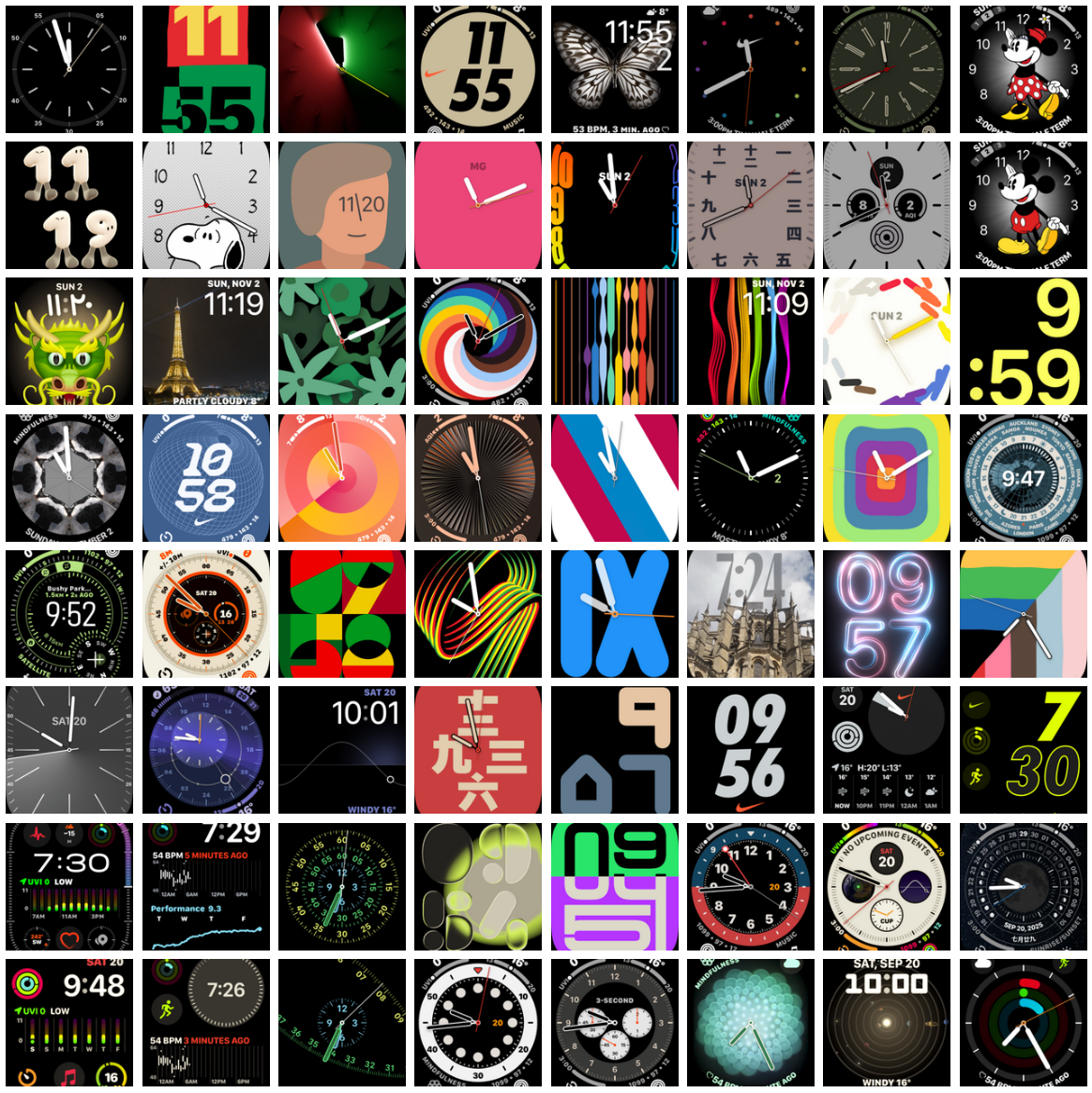
I’ll end on a practical note. I’ve not mentioned them so far in the review, but perhaps the best daily feature is Apple’s watchfaces (image, below). Unlike almost all of the competition, I’m not embarrassed to show many of them off in public.
Where to Buy
Watch Ultra 3 and the 5G Sapphire version of Watch 11 are similarly priced and featured. The cheaper Apple Watches either have inferior hardware (Watch 11) or inferior capabilities (Watch SE 3). The comparable Garmin model to Ultra 3 is the Fenix 8 Sapphire, which comes at a 40% premium for features you will never need.
- Buy: Apple Watch Ultra 3 from $799, Eu899, GBP799
- Buy: Apple Watch Series 11 from $399, Eu449, GBP369
- Those prices pitch directly to the Garmin Fenix 8 Sapphire at $1147/£899
Last Updated on 23 February 2026 by the5krunner
Reader-Powered Content

This content is not sponsored. It’s mostly me behind the labour of love, which is this site, and I appreciate everyone who supports it.
Support the site: Follow (free, fewer ads) · Subscribe (paid, ad-free) · Buy Me A Coffee ❤️
All articles are written by real people, fact-checked, and verified for originality. See the Editorial Policy. FTC: Affiliate Disclosure — some links pay commission. As an Amazon Associate, I earn from qualifying purchases.

tfk is the founder and author of the5krunner, an independent endurance sports technology publication. With 20 years of hands-on testing of GPS watches and wearables, and competing in triathlons at an international age-group level, tfk provides in-depth expert analysis of fitness technology for serious athletes and endurance sport competitors.

Hello,
Thank you for your review. If you train with Stryd, how works the Stryd app? I use coros, will I miss something if I switch to the Ultra with Stryd app?
the stryd app for garmin and apple is advanced and links well to the ecosystem e.g. syncing training plans
coros just supports running power (and gair metrics) from the pod into its ecosystem, iirc
so you will gain by moving to garmin or apple with stryd.
Thank you for your reply! Racing with Apple Watch is also ok? Can the Stryd app be considered reliable?
I think it is time to make switch to Apple Watch and get the benefits from all the smartwatch feature
the smartwatch features are definitely really good now. when i first got an apple watch there werent so many apps and intergations. more are coming.
i dont use apple watch for racing. i use garmin fr970, its the best for multisport.
i cant see any obvious downside for the vast majority of runners racing with apple watch and using stryd except the buttons.
Congratulations, this is an incredible review, one of the best pieces of sport/tech articles in recent years.
Having gone back and forth with AW and Garmin watches over the years (most recently, from Enduro 3 -great watch- to AWU 3) I couldn t agree more with your analysis. In my view, Apple has really closed the gap in the sport metrics side (running power and dynamics, power meters support, good triathlon activity, structured workouts, etc) but Garmin massively failed to achieve something similar on the smartwatch aspect. Battery life difference is still a big W for Garmin, but coming from the Enduro it really does not make that much of a difference to me to charge your watch every 2/3 days or every 14. Once you achieve more than 2 days of charge (i.e., not having to charge every night), differences start to blur (ultrarunning and full Ironman aside). Things I miss from my Garmin: suggested workouts, training readiness and health and training metrics (hrv, vo2 max, etc) presented within the watch ecosystem and made part of its training structure. This is a low hanging fruit for apple watch from my view: a big overhaul of its health app and integration within the watch. Just wanted to share some thoughts.
Using WorkOutDoors , a workout with continuous gps and hr using a paired optical sensor (polar verity sense) and watch in airplane mode + raise to wake screen mode, delivers 18-20 hrs (after which most all but elite runners need a rest anyway)
Can charge from an iPhone at ~ 1% per minute. So theoretically it can easily deliver on a 30h ultra.
If using the Apple Watch stock workout app with same settings excluding the hr sensor, can get nearer 50 hrs. No maps though.