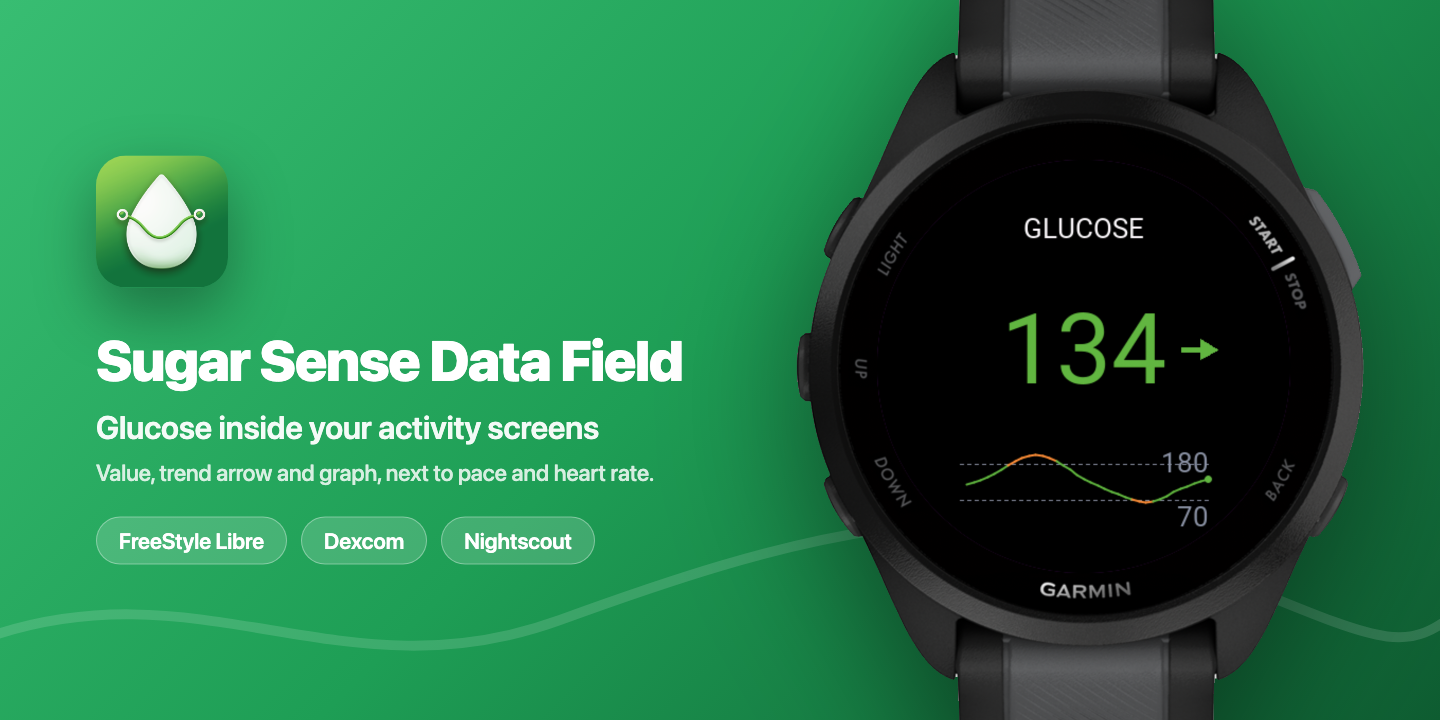
When Supersapiens closed, the glucose number vanished from many Garmin screens overnight. Athletes who had built their sessions around a live reading on the wrist were left with a sensor on the arm and a watch that could no longer show it. The Connect IQ alternatives that remained were mostly tied to one sensor brand, which does nothing for a runner on a FreeStyle Libre or for anyone whose data lives in a Nightscout site.
A CGM for athletes is only as useful as the screen it can be read on mid-session, and Sugar Sense puts that screen back on the Garmin: current reading, trend arrow, zone colour and a 3-hour graph on the wrist, plus an activity data field that puts glucose next to pace and heart rate during a run or ride. It is built for athletes with type 1 or type 2 diabetes who wear a CGM and want to see it while training or racing, and for the partners, parents and coaches who follow them. Sugar Sense is a cross-platform diabetes companion from Sugar Sense OÜ, an Estonian health-tech company, and in August 2026 it shipped two Garmin Connect IQ apps, a widget and an activity data field, that read from FreeStyle Libre 2 and 3 via LibreLinkUp, Dexcom G6 and G7 via Dexcom Share, or any Nightscout site, refresh about every 5 minutes, and run on more than 140 Garmin smartwatches and Edge computers. This piece covers that Garmin setup: supported sensors, what the watch shows, how the phone’s alerts fit in, compatibility, setup and pricing. Founder Irakli Kurtanidze has lived with type 1 diabetes for more than a decade and wears a sensor every day, which shows in the details: zone colours, a trend arrow, and a hard rule that a reading older than 15 minutes is never allowed to look current.
The problem: a sensor on the arm, nothing on the wrist
Supersapiens was built around Abbott’s Libre Sense sports biosensor, and its Garmin data field let many endurance athletes watch glucose mid-session. When the company shut down, the sensor, the app and the Connect IQ field went with it. The official Dexcom Connect IQ app covers Dexcom sensors only. Everything else has meant DIY tools, a phone strapped to the arm, or giving up on the wrist entirely.
For an athlete with type 1 diabetes, the gap is not cosmetic. A steady fall through the second half of a long run, or a spike in the first ten minutes of a race, is easy to see on a watch and easy to miss on a phone in a running belt. The questions a Supersapiens refugee asks are practical ones: does it work with my sensor, does it work with my watch, and does it show me what I used to see at kilometre 10? Sugar Sense answers all three, with one honest caveat covered below: the live Garmin display is part of the paid Premium tier of the phone app.
How Sugar Sense works on Garmin Connect IQ
TL;DR: Sugar Sense’s servers read the glucose feed the user already has (LibreLinkUp, Dexcom Share or Nightscout), and two free Connect IQ apps pull that reading to the Garmin about every 5 minutes, with the trend arrow, zone colour and a 3-hour graph.
The Sugar Sense account lives in the iPhone or Android app, where the user connects their sensor once. From then on, the servers check the source around the clock. The Garmin apps are thin displays on top of that feed. Both are read-only: the watch never issues an alarm, never writes data and shows no treatment guidance. Alerts stay on the phone, where the Sugar Sense app delivers low, high, urgent low, urgent high, rapid rise and fall, missed-reading and predictive low warnings, and those alerts are free.
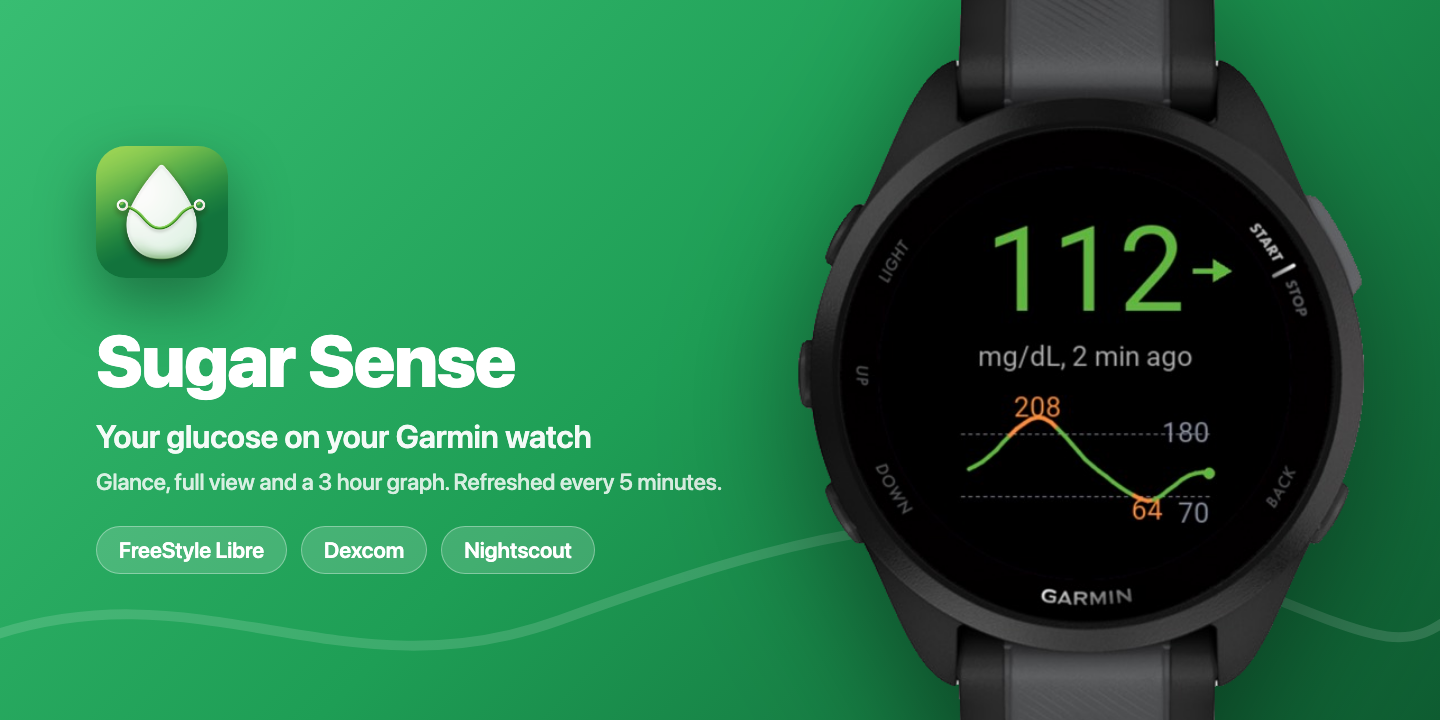
The widget lives in the glance carousel. The glance row shows the value, the trend arrow, how old the reading is and a small sparkline. Open it, and the full view shows a large zone-coloured reading, the arrow, an “updated N min ago” line and a 3-hour graph with dotted lines at the user’s high and low thresholds and value labels wherever the curve leaves the range. It refreshes in the background every 5 minutes, which matches the sensor feed cadence, so nothing is lost.
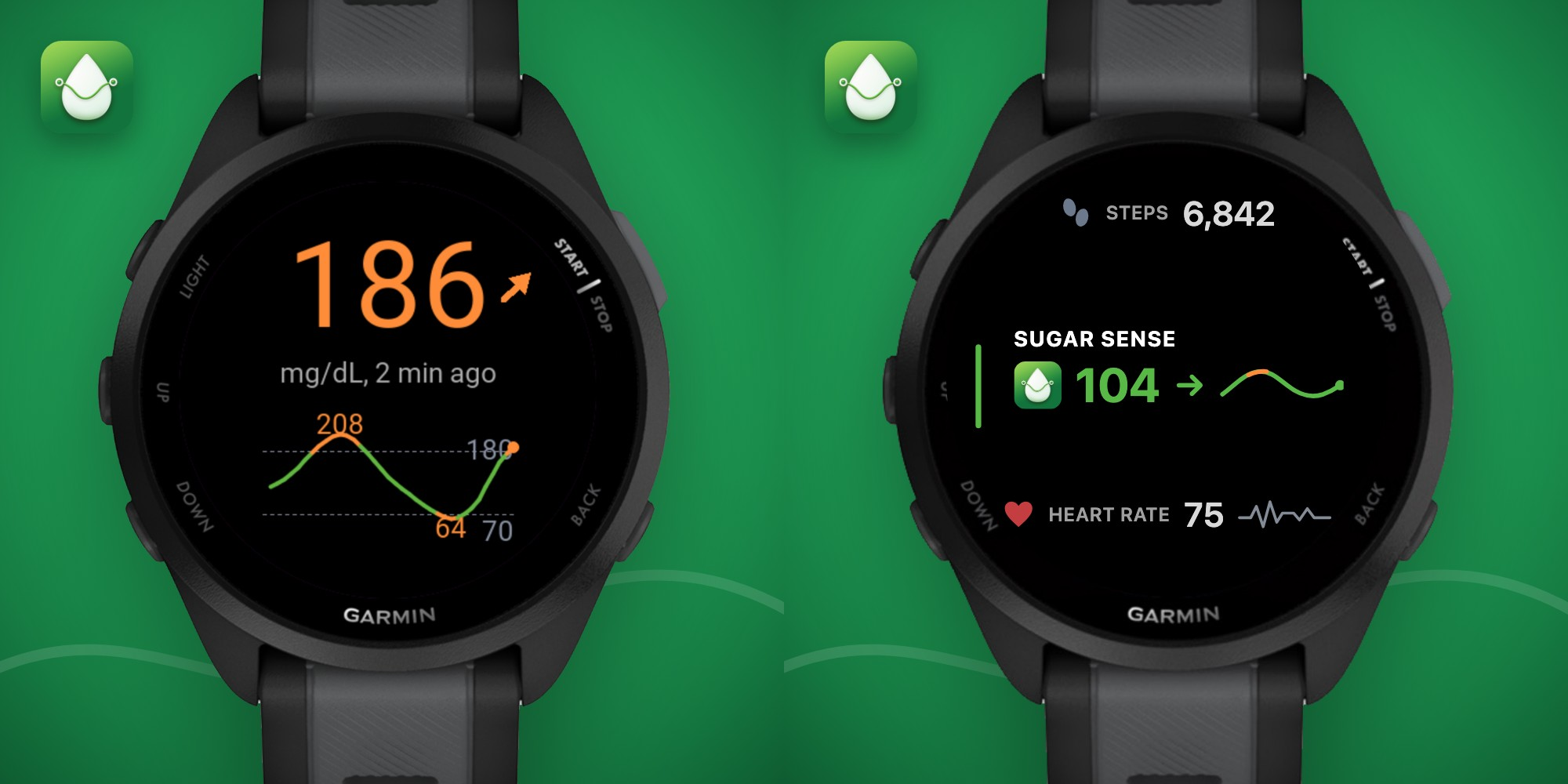
The data field is what an athlete looks at mid-session. It drops into any activity data screen like any other Garmin field, so glucose sits next to pace, distance, time and heart rate. It shows the zone-coloured value and the arrow on small fields and adds the 3-hour graph on larger ones, adapts to light and dark screens, and refreshes every 5 minutes for as long as the activity runs. Pairing happens inside the field itself, so it works on a watch that has never opened the widget.
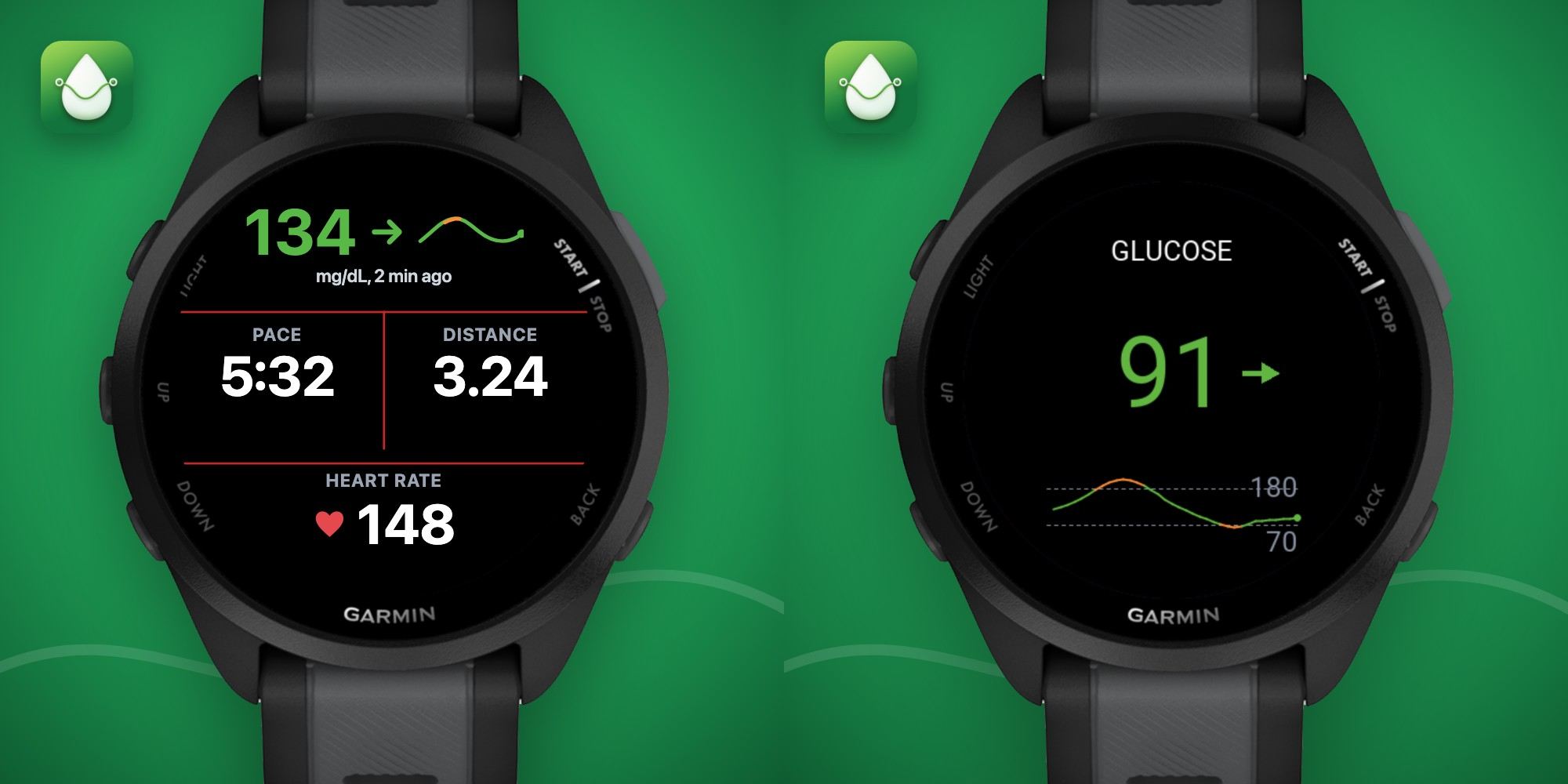
A few rules are the same on every Sugar Sense surface, and the display logic behind them is published as open source on npm and RubyGems:
- Colours: green in range, amber warning, red alert. Thresholds follow the user’s own settings; the defaults are 3.9 and 10.0 mmol/L (70 and 180 mg/dL), with urgent lines at 3.1 and 13.9 mmol/L (55 and 250 mg/dL).
- Trend arrows: five states, from falling fast to rising fast.
- Units: mg/dL or mmol/L, following the account setting, so a UK user sees 7.9 on the watch and 7.9 on the phone.
- Staleness: after 15 minutes without a fresh reading, the value greys out. Nothing on the watch poses as live when it is not.
- Two-colour MIP watches such as the Instinct 2 show the value and arrow without zone colour; the greying rule still applies.
One physical constraint is worth stating up front. A Garmin has no regular internet connection of its own, so Connect IQ requests ride through the Garmin Connect app on the phone over Bluetooth. The phone has to be within range, in a pocket or a running belt, as it does for any Connect IQ field that needs live data.
Setup in about a minute
- Install the Sugar Sense widget and, for training, the Sugar Sense Data Field from the Connect IQ Store, then let Garmin Connect on the phone sync them to the watch.
- Open Sugar Sense on the watch. A short pairing code appears in the widget, or inside the data field once it is on an activity screen.
- Go to app.sugarsense.io/garmin in any browser, sign in with the Sugar Sense account and enter the code. The watch picks the account up on its next refresh, and the first reading lands within one 5-minute cycle.
Requirements include a Sugar Sense account on iPhone or Android with a glucose source connected, plus Sugar Sense Premium purchased in the phone app. Adding the data field to a run or ride profile works like any other field, through the activity’s data screens menu on the watch or in Garmin Connect. The full walkthrough, including the “No source” and “Premium is required” screens, is in the Garmin watch setup guide.
A worked example: 22 minutes on the glucose data field
The numbers below are Irakli’s own, from a FreeStyle Libre 3 Plus on 26 August 2026, an afternoon session in Tbilisi that his watch workout logged straight into the Sugar Sense logbook. His thresholds are the defaults, and the values are exactly what the data field renders for that feed: reading, arrow and zone colour, in mmol/L with mg/dL in brackets. For a runner at 5 minutes per kilometre, the clock marks are 1 km apart.
- Start: 10.2 mmol/L (184), flat arrow, amber. Just above the 10.0 high line, a comfortable place to begin a short session, and no reason to take anything on board first.
- 5 minutes: 9.9 (178), flat arrow, green.
- 10 minutes: 9.0 (163), arrow angled down, green.
- 15 minutes: 8.6 (155), arrow angled down, green.
- 20 minutes: 7.9 (142), arrow angled down, green. A drop of 2.3 mmol/L (42 mg/dL) in 20 minutes.
- Cool-down: 7.9 (142) at 25 minutes, then 8.2 (147) with a flat arrow at 30 minutes, 7.5 (136) flat at 45 minutes and still 7.5 an hour after the start.
The reading that matters is the one at 20 minutes. The value is fine, but the arrow has pointed down for three consecutive refreshes, and that combination is what a runner acts on before the number gets interesting: fast carbohydrate goes in now if the session is going to continue, and nothing goes in if it is about to end. This one was ending. The trend flattened at 8.2 mmol/L by the 30-minute mark and stayed between 7.5 and 8.2 for the next hour, so no carbohydrate was needed, and nothing on the phone had a reason to fire. Had the arrow still been pointing down at 30 minutes, Sugar Sense’s predictive low alert, which forecasts a crossing of the urgent low line about 20 minutes ahead, would have sounded on the phone well before the watch showed a red number.
The colours cover the whole range. A 21-minute session on 31 August started at 15.7 mmol/L (282) in the red zone with a flat arrow, showed 14.7 (265) with a straight-down arrow at 6 minutes, and 12.3 (222) still falling at 21 minutes, now amber. Every glance at the field gave the direction as well as the number, and the widget’s 3-hour graph showed the whole descent afterwards.
None of this is treatment advice, and Sugar Sense gives none. The watch shows the reading, the direction and the colour; what to do with them is between the athlete and their diabetes team.
Integrations and compatibility
Glucose sources
- FreeStyle Libre 2, Libre 2 Plus, Libre 3 and Libre 3 Plus, through LibreLinkUp. The Libre Sense biosensor that Supersapiens used is discontinued and is not supported.
- Dexcom G6 and G7, including the 15-day G7, through Dexcom Share, as a secondary display of the Dexcom continuous glucose monitoring system’s data. Dexcom ONE and ONE+ are not supported directly.
- Nightscout: any site, which brings in whatever the community uploaders can feed into it.
- Apple Health, Health Connect and manual entries also work as sources in the phone app. They are logging sources rather than live feeds, so they never trigger alerts.
Garmin smartwatches and Edge computers
- The widget runs on more than 140 Garmin smartwatch models across the Forerunner, Fenix, Epix, Enduro, MARQ, Venu, vivoactive, Instinct, Descent, D2 and Approach lines, plus Edge bike computers.
- The data field needs Connect IQ System 7 (API 5.0 and up), which is where Garmin gave data fields network access. That is about 70 current models: Forerunner 165, 170, 255, 265, 570, 70, 955, 965 and 970; Fenix 7, 7 Pro, 8, 8 Pro, 8 Solar and Fenix E; Epix 2 and Epix Pro; Enduro 3; MARQ 2; Venu 2, 2 Plus, 2S, 3, 3S, 4, X1 and Sq 2; vivoactive 5 and 6; Instinct 3 AMOLED and Crossover AMOLED; Edge 540, 550, 840, 850, 1040, 1050, Explore 2 and MTB; Descent G2 and Mk3; D2 Mach 1, Mach 2 and Air X10; Approach S50 and S70.
- Both apps are free to install and appear as separate listings in the Connect IQ store.
The rest of the platform, same account
- iPhone app with home and lock screen widgets, a Live Activity on the lock screen and Dynamic Island, and Siri.
- Android app with widgets and an ongoing notification, plus a Wear OS app.
- Apple Watch app with complications and Ask Siri on the wrist.
- Web dashboard at app.sugarsense.io, a Windows system tray app, a Mac menu bar app and a browser extension for Chrome, Edge, Firefox and Safari.
- Amazon Alexa: “Alexa, ask Sugar Sense what’s my glucose.”
- Care Circle: a partner, parent or coach can follow the live number and receive the same alerts, free.
- Six languages: English, German, French, Spanish, Dutch and Georgian.
What it costs and what stays free
The Garmin apps are free to install. The live Garmin display is part of Sugar Sense Premium, bought in the phone app: about $9.99 a month or $39.99 a year at US pricing, with a 7-day free trial for first-time subscribers, and local store pricing varies by country. Premium also unlocks the Apple Watch and Wear OS apps, the Live Activity, the AI food scanner, AI insights, an automated Call for Low, calendar sync and PDF reports.
The safety net is deliberately free and stays free: live monitoring, every glucose alert including the predictive low, Care Circle following, widgets, the logbook, statistics, CSV export, the web dashboard, the browser extension, the Windows tray, the Mac menu bar and Alexa. Sensors are bought separately from Abbott or Dexcom, and a Nightscout site is the user’s own.
Background
Sugar Sense OÜ is based in Tallinn, Estonia. Irakli Kurtanidze was diagnosed with type 1 diabetes in 2014, has worn a continuous glucose monitor since the original FreeStyle Libre, and today wears a Libre 3 Plus daily with a Dexcom G7 in rotation, so both ecosystems are first-hand. He and his team have built Sugar Sense over the past two years. It began as a monitoring app whose servers read the sensor feed so that alerts arrive even while the phone sleeps, and grew into a logbook, statistics, a food scanner, pattern insights and family following. It is independent, owned by no sensor vendor, which is why competing sensors sit side by side in one app.
Two principles run through everything. The product is dose-free: nothing in it, including the AI features, ever suggests an insulin dose or any other medication dose. And it is transparent about freshness: the same 15-minute staleness rule applies on the watch, the phone, the desktop and the browser, and that logic is published as open source so anyone can check it. Sugar Sense is live on the App Store, Google Play, the Microsoft Store, the Amazon skill store, all four browser extension stores and now the Connect IQ store, and keeps a public status page for sensor vendor outages.
Sugar Sense for Garmin is a secondary display for passive monitoring, based on data from the connected source. It is not a medical device and is not intended to diagnose, treat, cure or prevent any disease, and it does not replace the self-monitoring practices advised by a healthcare professional. Confirm readings with the sensor’s own app or a blood glucose meter before acting on them, and the watch is never a substitute for the sensor’s own alarms. Users should not make therapeutic decisions, including anything to do with insulin or other medication, based on data displayed on the watch alone. Sugar Sense is not affiliated with Abbott, Dexcom or Garmin.
Summary
Sugar Sense puts a live CGM reading, trend arrow, zone colour and 3-hour graph on more than 140 Garmin watches and Edge computers, with a data field that sits next to pace and heart rate during a session. It works with FreeStyle Libre, Dexcom and Nightscout rather than one sensor brand, refreshes about every 5 minutes, greys out anything older than 15 minutes, and never alarms from the wrist. The Garmin apps are free; the live display needs Sugar Sense Premium in the phone app, where all the alerts remain free. For athletes who lost their glucose screen with Supersapiens, it is the closest thing to what they had, and it is built by someone who wears the sensor.
Quick answers
Does Sugar Sense work with Garmin watches?
Yes. Two Connect IQ apps, a widget with a glance and a 3-hour graph and an activity data field, show the current glucose reading, trend arrow and zone colour on more than 140 Garmin smartwatches and Edge cycling computers, refreshed about every 5 minutes from a Sugar Sense account.
Which sensors does Sugar Sense support on Garmin?
FreeStyle Libre 2 and 3 through LibreLinkUp, the Dexcom G6 and G7 continuous glucose monitors through Dexcom Share, and any Nightscout site. The same account also puts the reading on iPhone, Android, Apple Watch, Wear OS, the web, Windows, Mac, the browser and Alexa.
Is Sugar Sense a Supersapiens replacement?
For the Garmin part, yes: with a CGM and a Garmin smartwatch, athletes can see their glucose during a session again. It restores the value, arrow, and colour on the wrist and inside activity screens, with a graph, and it isn’t limited to one sensor brand. What it does not do is Supersapiens’ fuelling analytics or performance scoring. Sugar Sense is built for people living with diabetes first, so the alerts, the family following and the logbook sit on the phone, and the watch is a display.
Does Sugar Sense need my phone during a run?
Yes. The Connect IQ apps refresh over Bluetooth via Garmin Connect on the phone, so the phone needs to be in Bluetooth range. This is a Connect IQ constraint for any data field reading live data.
Related reading on the5krunner
- BulkForged: A Lifting Coach That Shows Its Working: closest Garmin Connect IQ sibling, another indie developer building substantive third-party functionality that syncs to the watch.
- RunSync: Structured Running Workout Builder with Garmin Sync and AI Input: another recent Garmin third-party tool from an indie developer, sitting on the workout-builder side.
- Beatpace: Garmin Running Music That Plays Your Workout Structure: another indie Garmin Connect IQ app on the running side of the platform.
Author: Irakli Kurtanidze, founder of Sugar Sense, edited by the5krunner.
If you enjoyed reading this, here is another in the Indie Spotlight series: RunSync: Structured Running Workout Builder with Garmin Sync and AI Input.
Last Updated on 12 October 2026 by tfk the5krunner
Small things I always use
- Garmin 90-degree charging adapter: Charges your Garmin from any USB-C cable. Essential when travelling. I use one.
- Body Glide: The blue anti-chafe stick swimmers and runners carry. I use it.
- Speedo earplugs: Fewer ear infections and no cold-water dizziness. I use them.
- Dryrobe Advance: My winter changing robe for open-water swims. I use one. A cheaper option is the AONYIYI changing robe.
- Maurten: Race fuel that stays easy on the stomach. I use them.
- Beet It Sport nitrate shots: Beetroot shots I take in the days before a race. I use them.
- Garmin charging puck: The quickest way to top up before a session. I use one.
- Injinji: Toe socks that stop rubbing, so you run more. I use them.
- Ultimate toe protectors: Stop black toenails on long runs. They work. I use them.
- Compressport R2 v2 calf sleeves: My calf sleeves of choice. I use them.
- Cellucor C4: My pre-workout before hard sessions.
- TPU tubes: Schwalbe Aerothan, Tubolito and Pirelli SmarTube. Light, tiny spares. I use all three.
- G8 insoles: Adjustable insoles that are good. I use them.
- Cycplus Cube: A 97g electric pump that gets a road tyre rideable in two minutes. I carry one. 5% off with code THE5KRUNNER.
Watches and sensors
- Polar H10: My daily driver for waking HRV.
- Polar Verity Sense: My backup arm-worn HR sensor.
- Nomad bedside charger: Charges my iPhone and Apple Watch overnight. I use it, and many of their bands.
- Train.Red: The best muscle oxygen sensor I’ve used.
- Tymewear: Accurate heart rate and reliable ventilatory zones. I use it to pace endurance rides over an hour.
- Garmin Forerunner 970: A pro-grade triathlon watch. I use this.
- Apple Watch Ultra 4: My daily smartwatch. No phone needed on rides.
- Garmin Fenix 9 Pro: I’ve just bought one.
On the bike
- Continental GP5000 for everyday riding, and Aero 111 on the front for special occasions.
- Helmets: Specialized S-Works Evade 3 for road riding, and Rudy Project Wing for TT-style races. I use both.
- Ravemen FR300: A front light that mounts under your Garmin or Wahoo. I use one.
- Wahoo TRACKR Radar: I use it on one bike and Varia on the other. They perform the same.
- Garmin Varia RTL515: Radar that warns you of cars from behind. I use this model.
- Wahoo ELEMNT Roam 3: The bike computer that’s easy to use. I use mine on most rides.
- Favero Assioma Pro RS2: Accurate power pedals that swap easily between bikes. I use this model.
Home and indoor training
- NPE Runn: Makes my basic treadmill smart, sending more accurate speed and distance to my watch and Zwift. I use it.
- Google Wifi: Keeps Zwift connected in my pain cave. I use it.
- Apple TV 4K: Zwift on the big screen. I use two.
- Google Nest Doorbell (wired, 2nd gen): My video doorbell, running in both Google Home and Apple Home. I use it.
Health, recovery and sleep
- FreeStyle Libre 3 Plus: Shows how my blood sugar responds to diet.
- hDrop: Measures my sweat loss in summer and indoors.
- Fourth Frontier Zone: Checks my heart under load in hard sessions.
- Oura Ring 5: My partner’s recovery tracker of choice.
- Eight Sleep: A cooling mattress cover my partner and I use nightly.
Reader-Powered Content

This content is not sponsored. It’s mostly me behind the labour of love, which is this site, and I appreciate everyone who supports it.
Support the site: Follow (free, fewer ads) · Subscribe (paid, ad-free) · Buy Me A Coffee ❤️
Written by real people, with AI assistance. Fact-checked and verified for originality. See the Editorial Policy. FTC: Affiliate Disclosure — some links pay commission. As an Amazon Associate, I earn from qualifying purchases.

tfk is the founder and author of the5krunner, an independent endurance sports technology publication. With 20 years of hands-on testing of GPS watches and wearables, and competing in triathlons at an international age-group level, tfk provides in-depth expert analysis of fitness technology for serious athletes and endurance sport competitors. ID

Something I couldn’t find in your article: does it work with the phone offline?
Would love to have this work with the Abbott Lingo
No need to subscribe for Garmin connection.
An Amazon guy who you can find on connect IQ by searching for bruder_jakob made this same thing years ago and it works perfectly. I sent him a donation after I had been using his data fields for a few months as they are amazingly good.
An to that other question, your phone has to have data connection as it is not direct from CGM