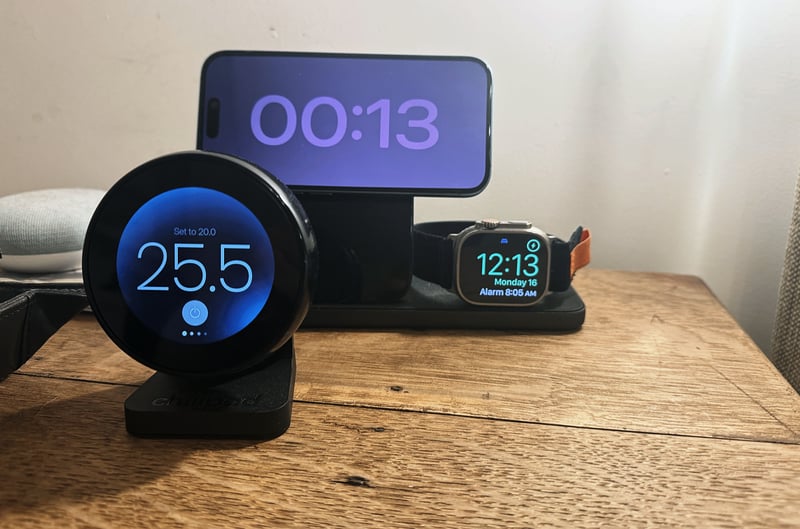
Chilipad 2.0 cools or heats your side of the bed, and your partner’s, to your individual preferences, runs on a schedule you set, and has no subscription. That last point is a significant benefit over Eight Sleep. Over five years at list prices, one sleeper saves about $1,400 and a couple about $700, and you keep every feature forever.
There is always a BUT. What you give up is sleep tracking. If you already wear a watch, ring, or WHOOP to bed, you’re covered, and Chilipad does the key part that improves sleep: keeping the bed at the right temperature all night. Chilipad 2.0 does that effectively for a fair price.
Heads up: Sponsored by Chilipad, and Sleepme supplied the review unit. I am also an Eight Sleep affiliate and have slept on Eight Sleep for more than three years.
Chilipad 2.0
Quick, quiet bed heating and cooling that you pay for once
It reached temperature in minutes and held it all night in my testing, and simple schedules shape the night to suit you. It suits anyone who already tracks sleep with a watch or ring. The bedside Remote is the one disappointment.
Pros
- No subscription, so every feature is included for life
- Costs less than Eight Sleep over five years
- Bedside Remote changes the temperature without a phone
- Schedules can cool and warm the bed through the night
- Washable cover, separate from the water pad, with a built-in mattress protector
- Hose runs under the zip, so the sheet goes straight over it
- Low Dock fits under many beds and vents into the room
- Heats to 46°C, warmer than Eight Sleep
- Works with Google Home and has an open API
Cons
- No sleep tracking
- Temperature follows your schedule, not your sleep stage
- Needs distilled water, with a top-up every 10 to 14 days
- The Remote looks better than it feels
- Sold only in the US
- Fiddly brackets hold the water pad in place
Who should buy Chilipad 2.0, and who shouldn’t
Who should buy it
- Hot sleepers who wake up too warm in the early hours.
- Couples who want different temperatures, with one system on each side of the bed.
- Women going through menopause, and anyone with hot flashes or night sweats, who want to cool the bed at night with a turn of a dial.
- Athletes who want a cooler bed after hard training to help recovery, and who already track sleep with a watch, ring or WHOOP.
- Anyone tired of subscriptions and looking to improve sleep quality.
Who should look elsewhere?
- Anyone who wants the bed itself to track sleep and match temperature changes to sleep stages throughout the night. That is Eight Sleep Pod 6.
- Buyers in the UK and Europe, because Sleepme’s Chilipad ships only within the US. Somnus Lab and Qimora sell there, and both are compared in our “Eight Sleep Alternatives“.
- Light sleepers who need total silence. The Dock hums quietly, slightly quieter than my white noise machine.
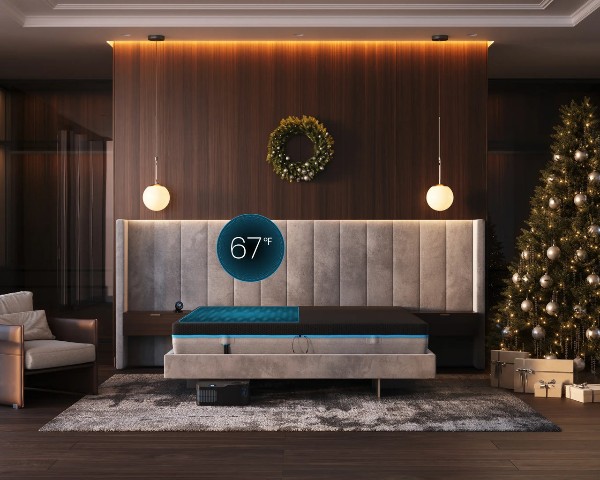
Chilipad 2.0
Water-cooled and heated mattress topper with a bedside remote and no subscription.
RRP $1,599 $1,399
US only, not sold in the UK or EU
- use code:
Get it nowOrder now – Chilipad 2.0 Also sold direct byWhat Chilipad 2.0 costs against Eight Sleep
Chilipad 2.0 costs $1,599 for one side of the bed at list price, and Sleepme’s sales regularly discount further. A couple needs a second, duplicate system (excluding cover), for the other side but controlled by the same app. There is no membership, so the checkout price is the full cost.
| Five-year cost at US list prices | Chilipad 2.0 | Eight Sleep Pod 6 |
|---|---|---|
| One sleeper, hardware | $1,599 | $1,999 (Solo) |
| One sleeper, five-year total | $1,599 | $2,994 |
| Couple (Queen), hardware | $2,998 | $2,699 |
| Couple, five-year total | $2,998 | $3,694 |
| Membership | None | Autopilot, from $199 a year |
| Warranty | 2 years | 2 years, or 5 years on the Enhanced and Elite plans |
| © the5krunner. Link required. | ||
Eight Sleep’s totals use the cheapest Autopilot plan. Its five-year warranty needs the Enhanced plan at $299 a year, which lifts a couple’s five-year total to $4,194. The current offer is on the Chilipad discount page.
Chilipad 2.0 vs Eight Sleep Pod 6: features
| Feature | Chilipad 2.0 | Eight Sleep Pod 6 |
|---|---|---|
| Membership | None | Autopilot required |
| Overnight temperature changes | Schedules you set | Automatic, from your sleep data or manual |
| Sleep tracking | None; use your watch or ring | Heart rate, HRV, breathing, sleep stages and snoring |
| Control in the night | Bedside Remote with a dial, or app | Tap sensors on the Cover, or app |
| Hot flash cooling | Turn the dial | Rapid cooling mode |
| Wake-up | Warm Awake | Vibration and thermal alarm |
| Starts when you get into bed | Yes, presence sensing or earlier by a schedule | Pre-cools or pre-warms before bedtime |
| Two zones | A second Companion system | One Hub runs both sides |
| Washable cover | Yes, separates from the water layer | No |
| Smart home and data | Google Home, Apple Home via a bridge, open API | Apple Health and Health Connect |
| Range | 13 to 46°C (55 to 115°F) | 12 to 43°C (55 to 110°F) |
| Where sold | US only | US, UK and Europe |
| © the5krunner. Link required. | ||
The detailed comparison of both systems, along with Somnus Lab, Orion and Qimora, is in Eight Sleep alternatives, and everything I know about Pod 6 is in my Eight Sleep Pod 6 review.
What you get
Chilipad 2.0 has three parts.
- The Dock looks like a computer and sits beside or under the bed. It heats or cools distilled water and pumps it through the bed.
- The Hydrolayer is a thin water layer that slides into a breathable, machine-washable cover with a built-in waterproof mattress protector. The cover fits mattresses 10 to 16 inches deep, including adjustable beds.
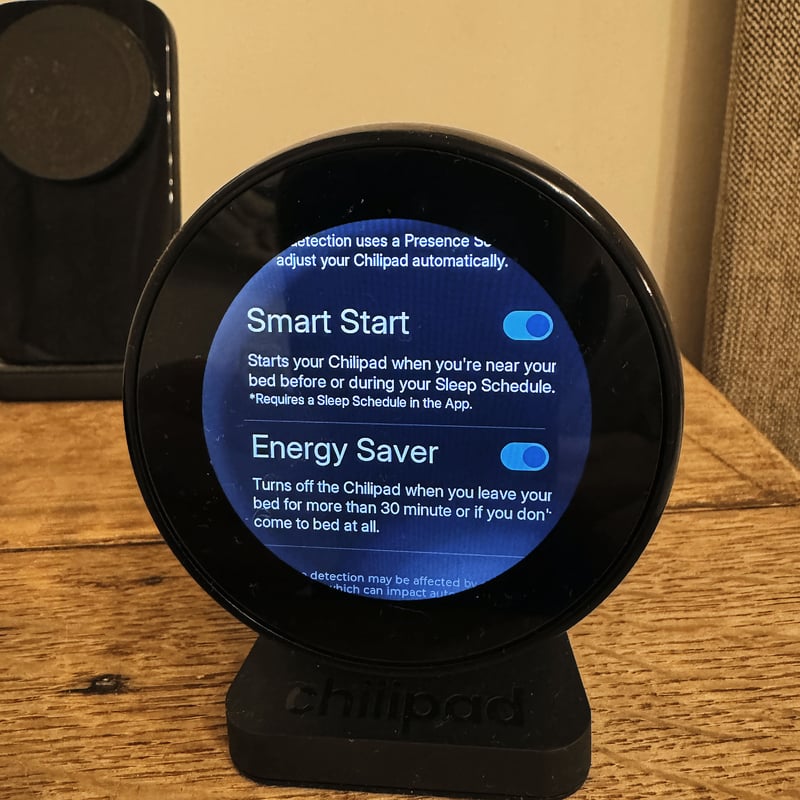
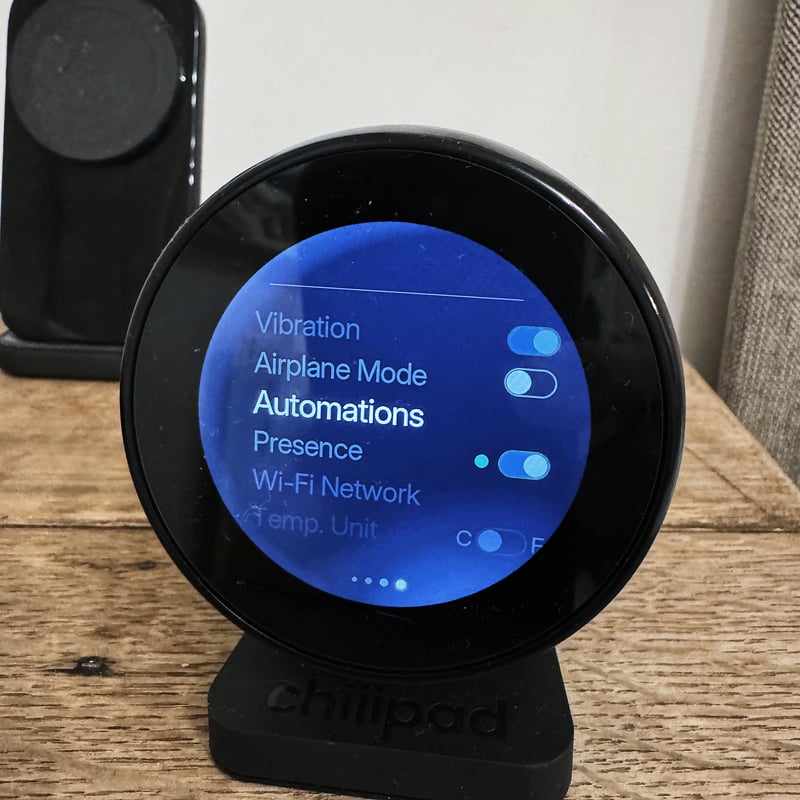
- The Remote sits on your bedside table. Turn its dial to change the temperature, and its screen shows the current and target temperatures, room temperature and humidity, and a clock.
In the box are the Dock, the cover and Hydrolayer, an anchor band and S-hooks, the water hose, the Remote, a power cord and a packet of system cleaner. Full details are on the Chilipad 2.0 specifications page, and what changed from the old Dock Pro is in Chilipad 2.0 vs 1.0.
The features that improve sleep
Your core temperature falls as you fall asleep and stays low through deep sleep, then rises before you wake. A bed that is comfortable at bedtime, cooler during deep sleep, and warmer before your alarm follows that pattern. Everyone’s ideal temperatures differ, so mine are in the testing section below, and Chilipad 2.0 has the features to set your own. Our bed cooling hub covers the research.
- Sleep Schedules. Set a bedtime and a wake time, each with its own temperature, then add more changes at set times through the night. Schedules run on the days you choose, so weekdays and weekends can differ.
- Presence sensing. The Remote senses when you get into bed and starts the schedule, then powers the system down if you don’t turn up.
- Warm Awake. The bed warms gradually at your wake time, as an alternative to an alarm.
- The dial. During a hot flash or night sweat, a turn of the Remote’s dial cools the bed in a few minutes without reaching for a phone.
- Two zones. With a Companion system, each side of the bed runs its own temperature and schedule, and a partner controls their side from their own app.
- Away mode. Schedules pause while you travel.
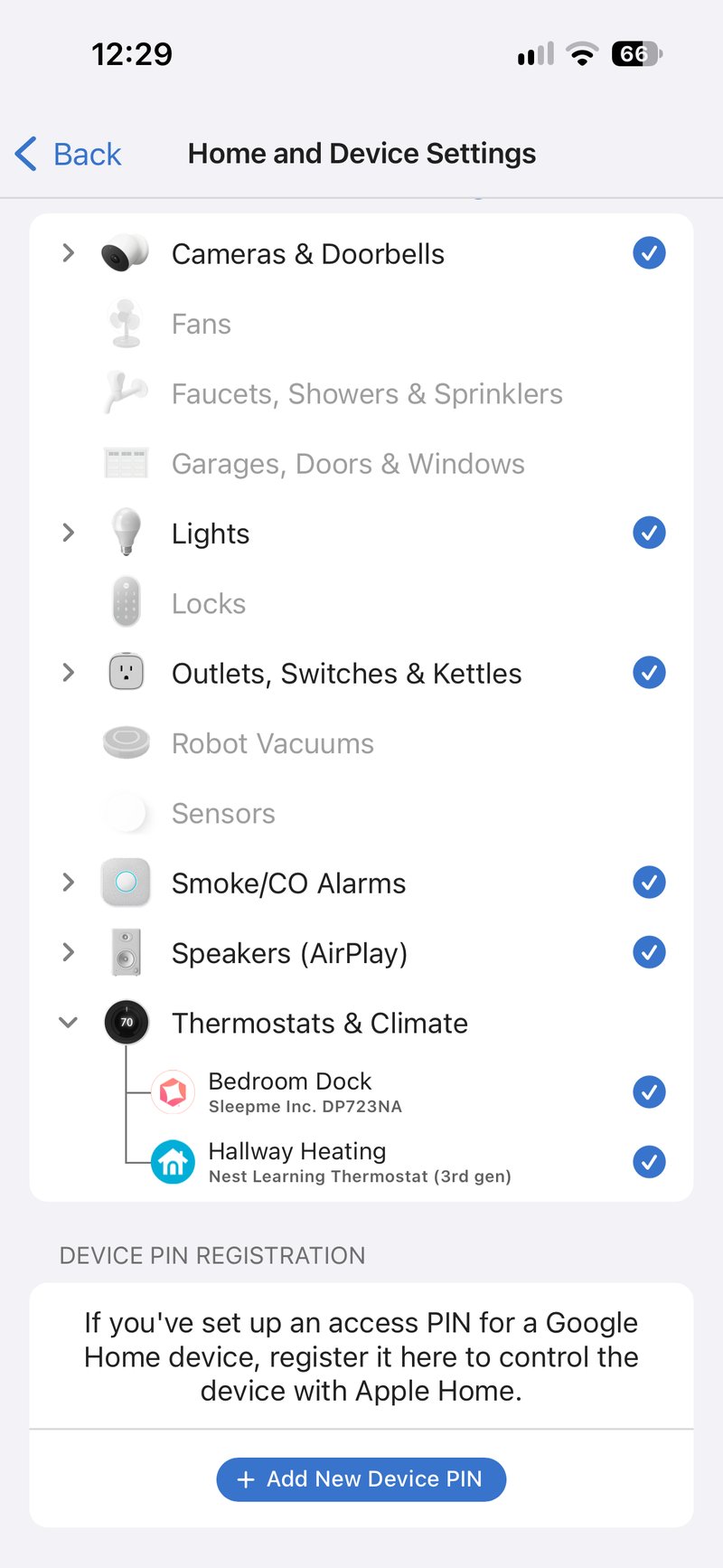
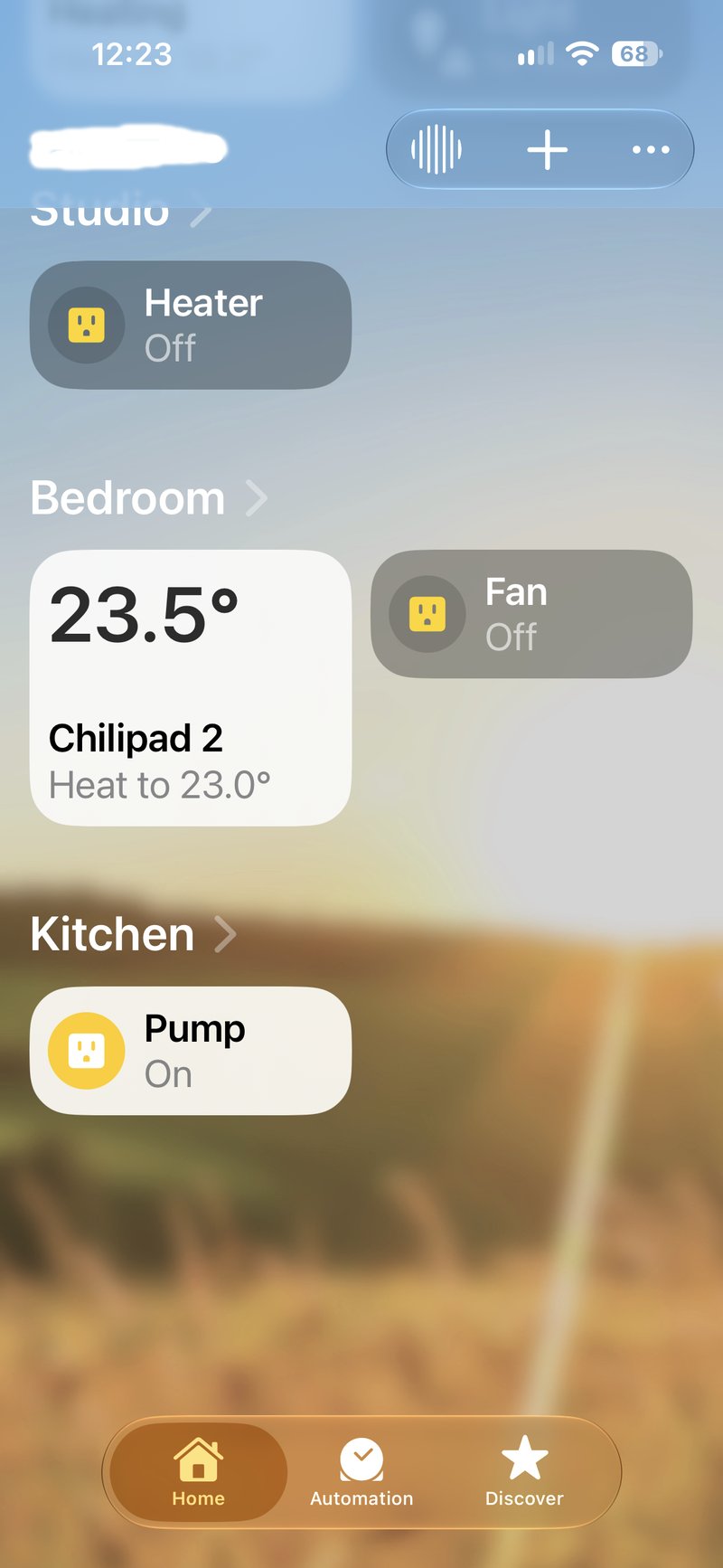
- Smart home. It works with Google Home and Google Assistant, and Sleepme’s open API connects it to other home automations. I added mine to Apple Home through a Starling Home Hub. This requires some technical knowledge or a willingness to let an AI tool guide you through the steps, which take a few minutes.
- No internet needed. Schedules and the Remote keep working without Wi-Fi.
I used schedules, presence sensing and the dial every night, and presence sensing worked as it should. I didn’t use Warm Awake.
Sleep tracking comes from your watch or ring.
Chilipad 2.0 controls temperature, but it doesn’t record heart rate, HRV, or sleep stages, and its temperature follows a schedule rather than a sleep stage.
If you wear a Garmin, Apple Watch, Oura ring or WHOOP to bed, you already have the sleep data, and the best recovery tracker guide covers the options. If you want the bed itself to track you and adjust overnight, Eight Sleep Pod 6 does that for a yearly fee.
I’ll write separately about how to take your usual sleep-stage pattern from an Apple Watch or another sleep wearable and enter it into a Chilipad schedule.
How I tested Chilipad 2.0
I slept on Chilipad 2.0 for a week before writing this review, and I’m keeping it on the bed for at least a month, then updating the review when that month is up. My review unit is a dual-zone setup, but I used only one side, so my testing is effectively single-zone. It sits on my Simba Hybrid mattress, in a bedroom that runs at about 19°C (66°F) at night in November.
I usually wear an Apple Watch to bed, but its sleep data is of little use for comparing Chilipad, which doesn’t measure sleep stages. I have slept on Eight Sleep for more than three years, so that’s my point of comparison. I obviously can’t sleep on two mattresses on the same nights, but the cooling effectiveness feels highly similar. Temperature is temperature after all!
Setup
Setup took me 50 minutes, including unpacking and tidying up. You could probably do it in 15 minutes, but plan on 30 to 60. Creating my Sleepme account took a day because the email verification wouldn’t go through.
A few steps are fiddlier than they should be. Four brackets at the top and bottom hold the water pad in place, and they need to be tight to stop it moving sideways. The fabric loops for the brackets are closed, though, so tightening the water pad to the cover is tricky.
When I tilted the Dock to slide it under a bedside table, some water came out, and when I dragged it across the carpet, one of its rubber feet came off. I also had a slight leak because I hadn’t fully clipped the pad’s hose in, so make sure it is pushed fully home and you hear a firm click. My Eight Sleep never leaked.
Some details are better than Eight Sleep’s. The fill and drain hose leaves at the headboard end, as on Eight Sleep, but the hose runs under the cover’s zip, so the sheet goes straight over it every time you make the bed. That sounds trivial, but you notice it every week when changing the bed. The water pad and the cover are also separate pieces. Again, a small detail, but it means that the cover can go in the washing machine, which is far more hygienic than Eight Sleep’s one-piece Cover.
Cooling and heating in use
I run two schedules, one for winter and one for summer. In winter I like to get into a warm bed, and in summer a cool one, because the right bed temperature depends on how warm the room is and how warm my body is. My winter schedule, in a 19°C (66°F) bedroom, is:
- 23°C (73°F) before I get into bed
- 24°C (75°F) from my usual sleep time until 1 a.m.
- 26°C (79°F) until 2 a.m.
- 23°C (73°F) for 45 minutes, when deep sleep usually comes
- 26°C (79°F) until 7 a.m.
- 27°C (81°F) until I wake
At this time of year (fall), that’s mostly heating, with a cooler spell for deep sleep and a warmer finish before I get up. I also used the cooling for tests.
Eight Sleep chooses temperatures automatically, with manual tweaks, but I found it didn’t handle seasonal changes well.
It reaches temperature quickly. Getting into a cold bed, I felt it change within two or three minutes, and it held the temperature all night. Sleepme says there is no exact figure because the speed of heat change depends on the room, the starting and target temperatures, and the person in bed, and heating is quicker than cooling. A rule of thumb is a minute or less to move one degree Celsius.
Noise and the Dock
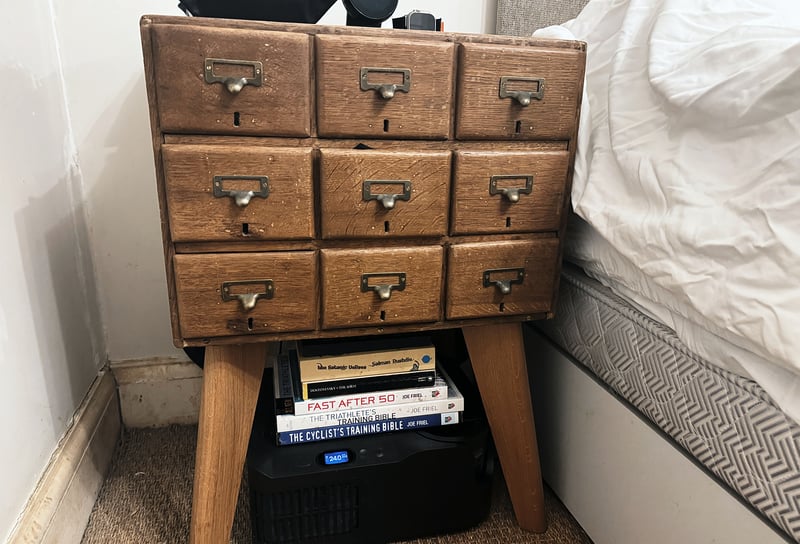
The Dock suits my bedroom better than the upright Eight Sleep Hubs I used before, because its vents blow forward into the room rather than back at the wall. I measured it at about 38 x 32 x 16 cm (15 x 12.6 x 6.3 in), so it fits under many beds. Mine sits under a bedside cabinet on legs, where my Eight Sleep Hub wouldn’t fit – as you can see in the images below.
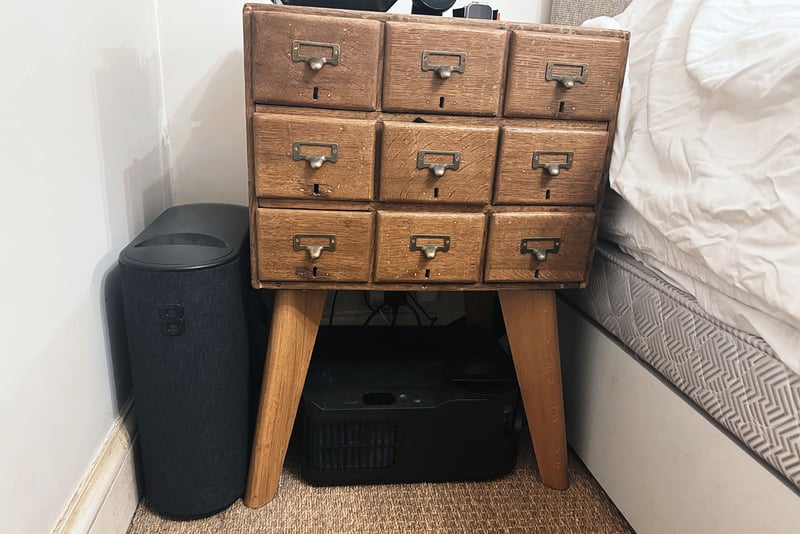
The Dock isn’t silent.
On the rare occasions it fills, it’s fairly noisy, but in normal operation it makes a slight hum. I usually sleep with a white noise machine, and the Chilipad is quieter than the volume I set that to, so I can’t hear it at all. Without the machine, it would probably sound much like one.
I tested with a sound meter app on my phone after calibrating it. The quiet bedroom read 28.5 dB. With the phone 1 m from the Dock and the Chilipad heating at its maximum setting, it read 29.4 dB, and at its minimum, 29.8 dB, barely above the room.
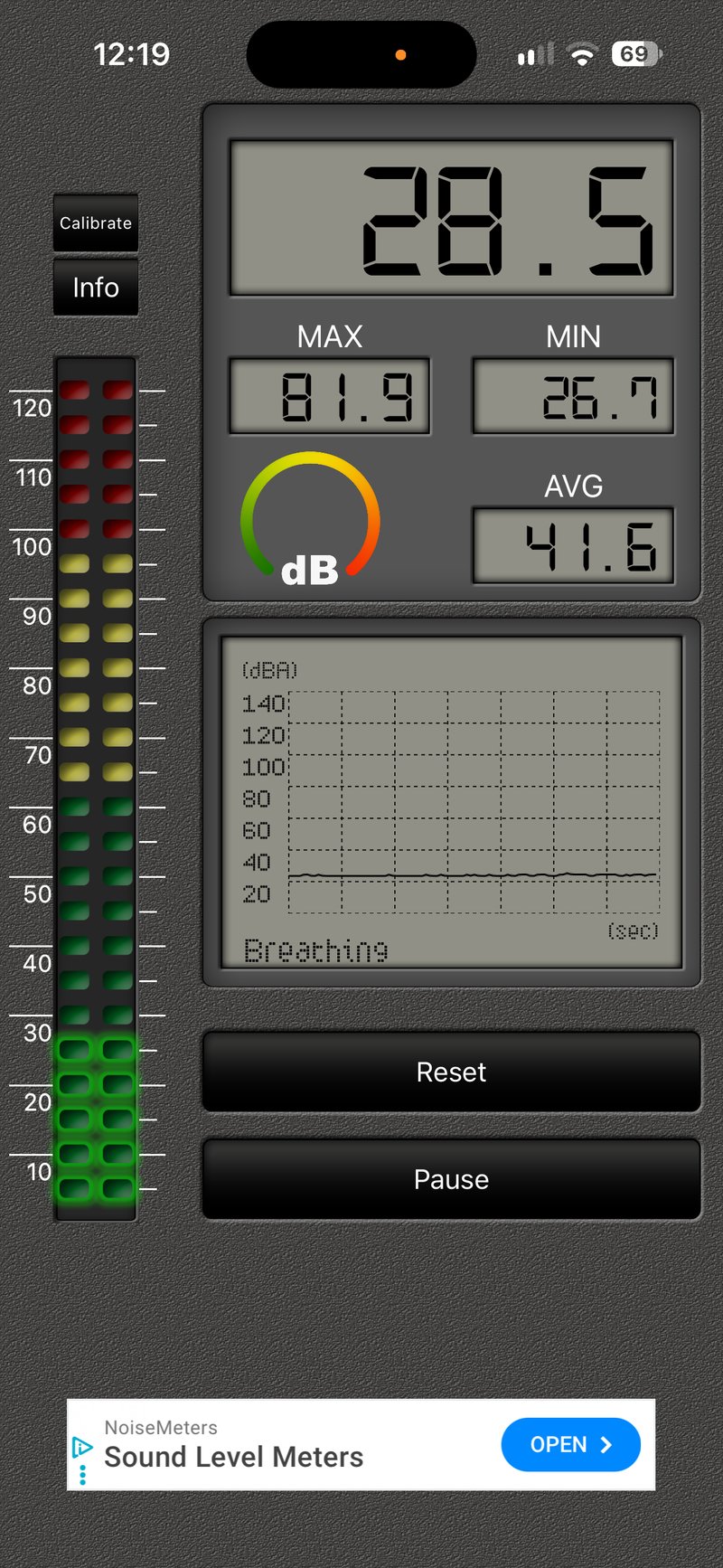
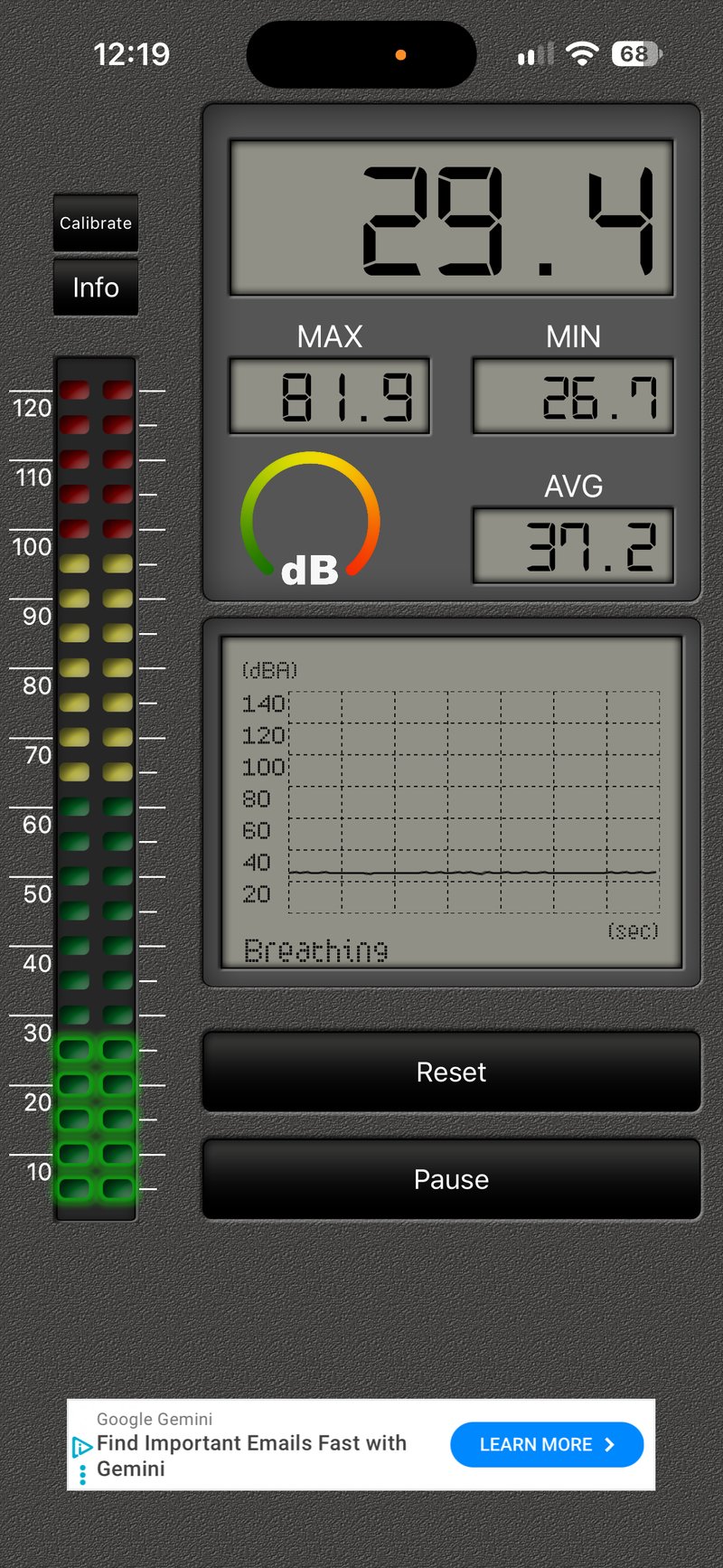
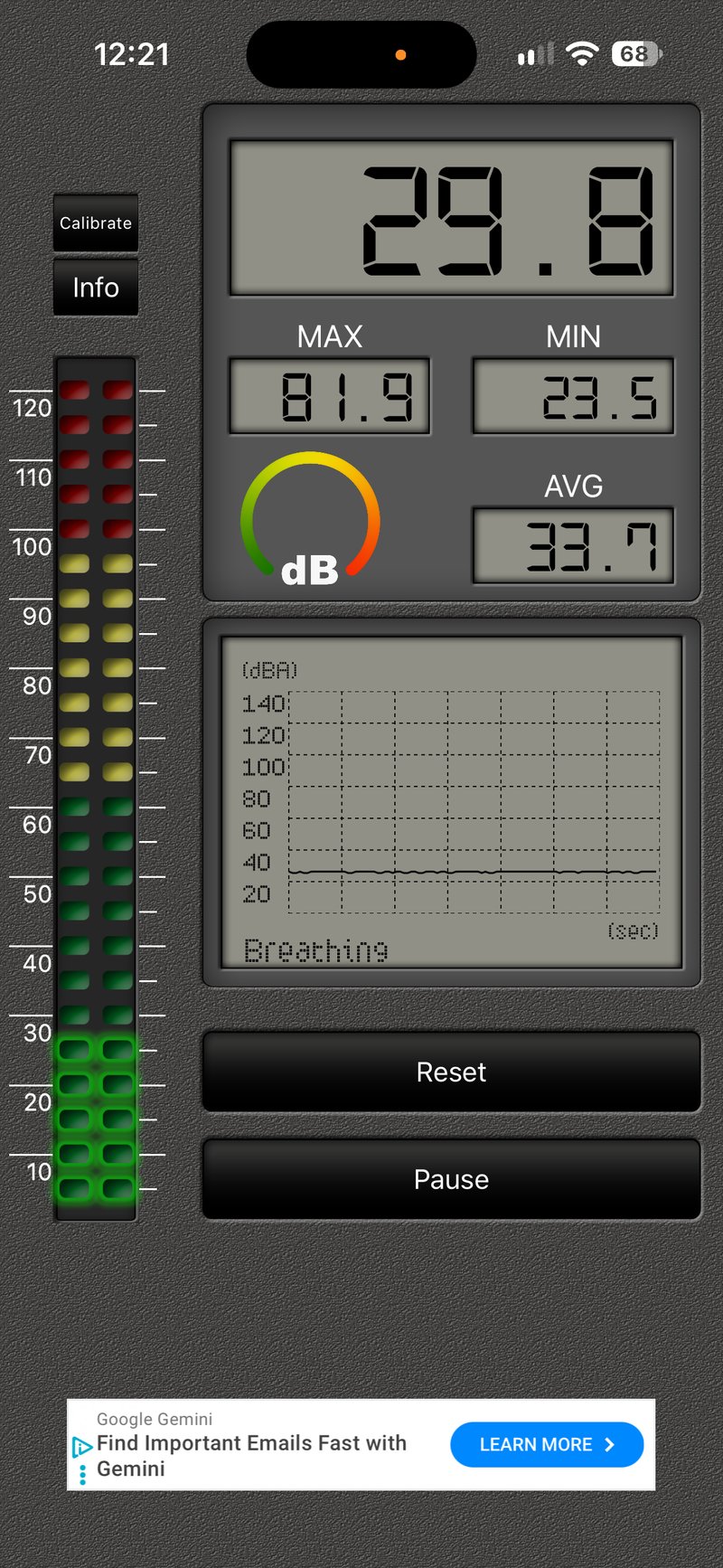
I’m not convinced those sound levels are accurate, but it’s all I have.
It hasn’t warmed the bedroom in November. In summer, I expect it will, because the heat exchanger will need to work hard to cool the bed and, as a result, push that heat into an already hot room, as my Eight Sleep did.
Comfort
The Hydrolayer is about 3 mm (1/8 inch) thick, and I can’t feel it. The cover doesn’t move either. My only doubt about the physical setup is that the Hydrolayer could shift, though it hasn’t so far, as the brackets are tight.
The Remote and the app
The Remote looks good on the bedside table, rather like my Nest thermostat. Pick it up and use it, though, and it doesn’t feel like a quality item. The touchscreen is too sensitive, for example. Turning the dial to warm the bed is simple, but setting an exact temperature in the middle of the night when you wake takes some focus. It’s still easier than opening an app, though.
The screen turns off at night, so it doesn’t light the room.
The app is rudimentary, and its schedules are easy to set up. If you know roughly when your sleep stages fall, you can set the temperature to follow them.
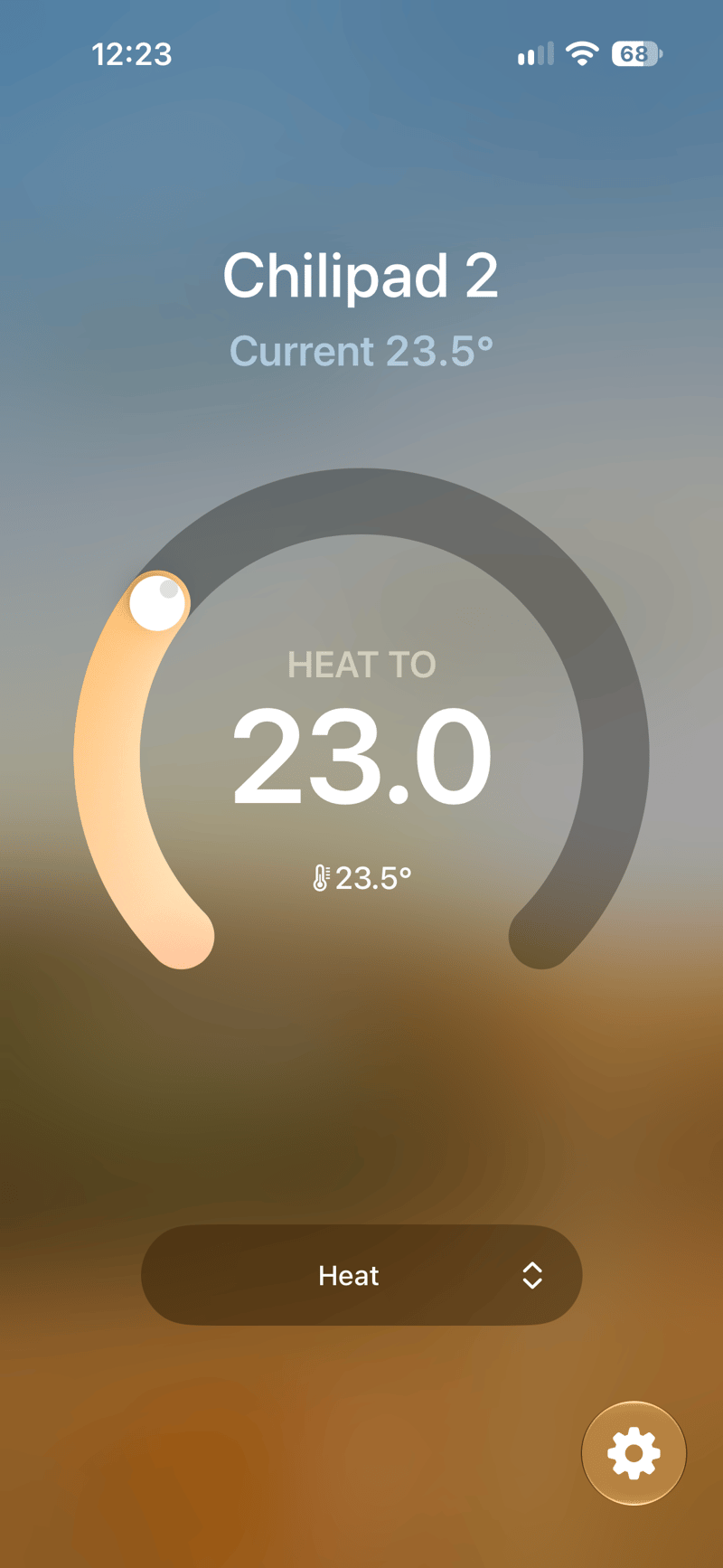
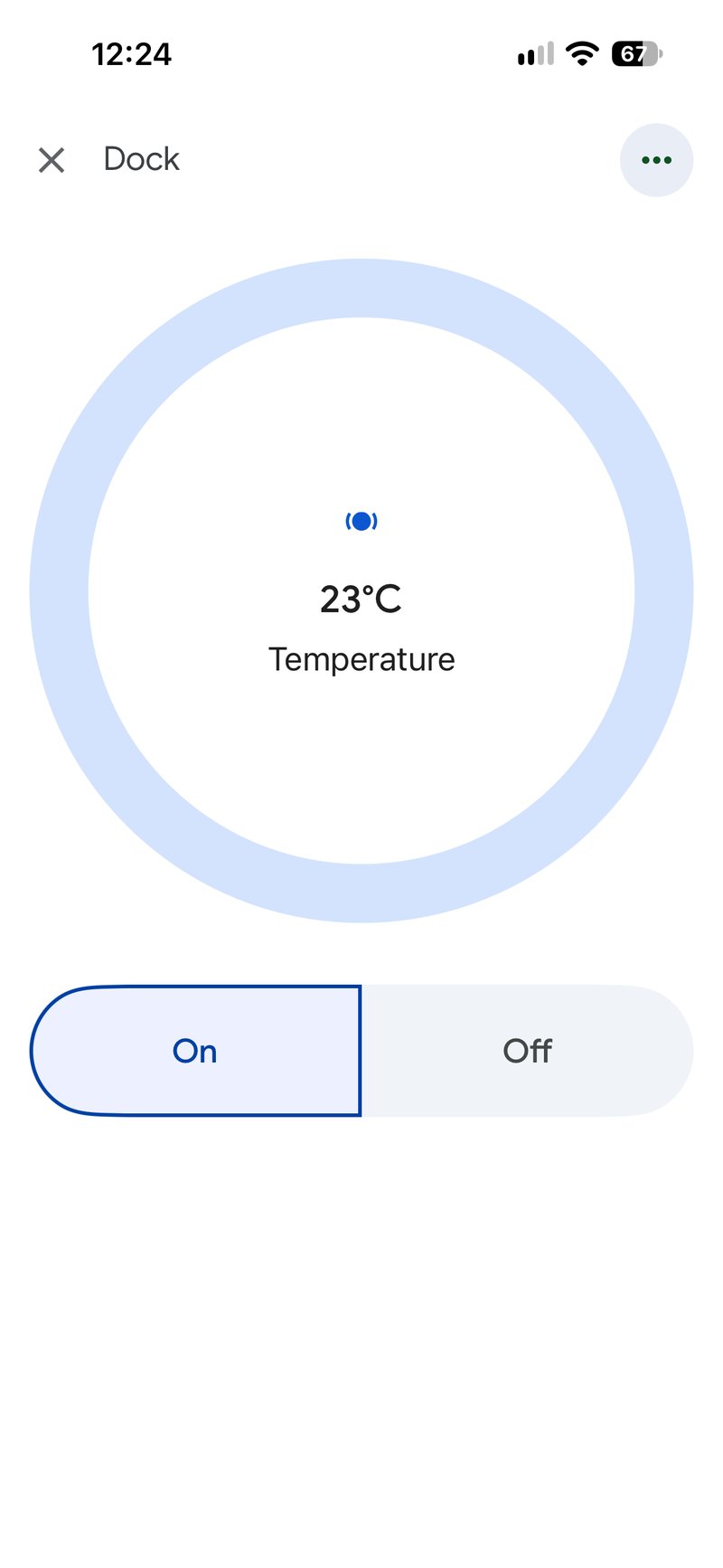
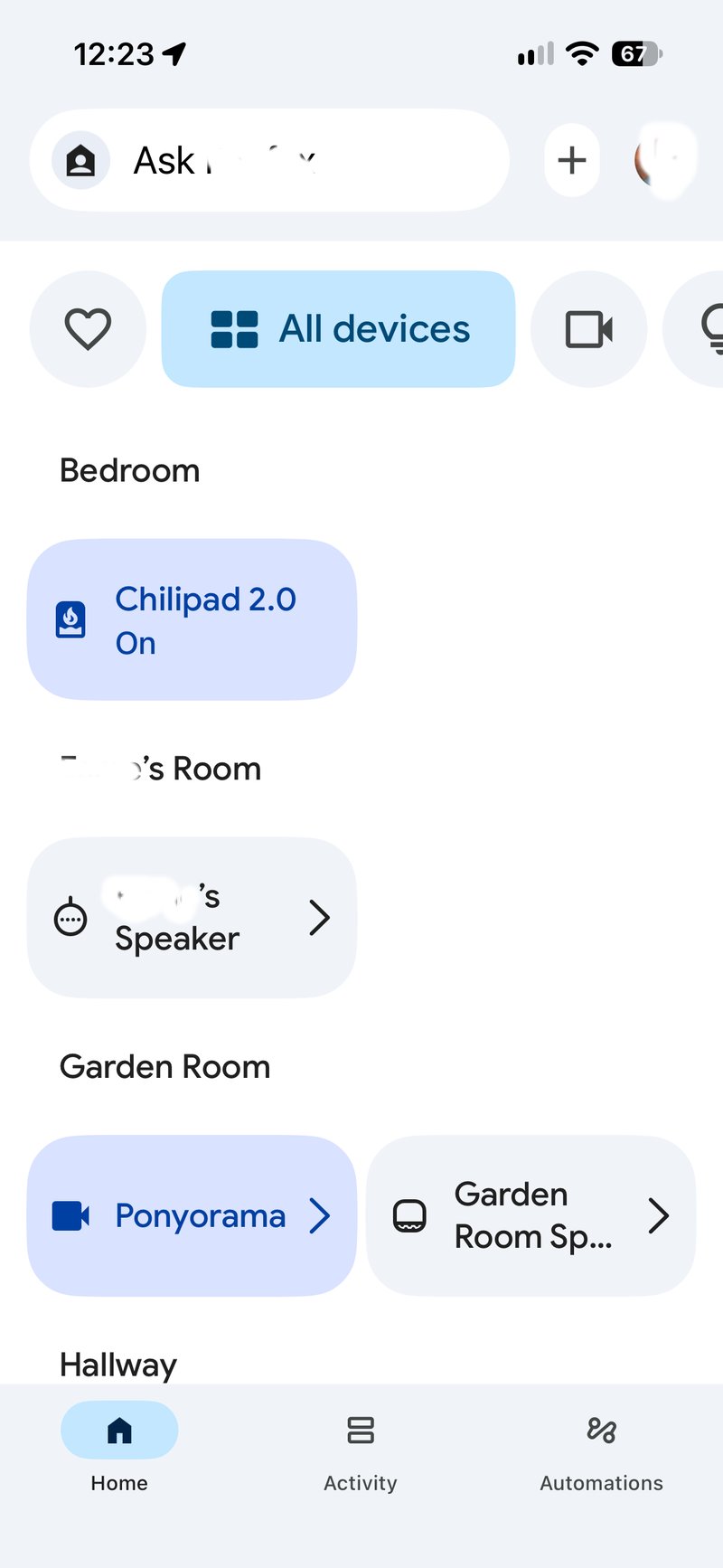
Through Google Home, and through a Starling Home Hub into Apple Home, it shows up as a thermostat you can set like any other.
Did it improve my sleep?
Not for me, and I didn’t expect it to. I have slept on a similar system every night for more than three years, so my sleep has already had that boost. Eight Sleep definitely improved my sleep when I first started using it, and I fully expect Chilipad 2.0 to do the same for anyone new to bed cooling.
Maintenance
The Dock takes distilled water, and Sleepme includes a system cleaner packet for setup. The reservoir is smaller than Eight Sleep’s, so expect to top it up every 10 to 14 days, more often than my Eight Sleep needed.
Chilipad 2.0 against the alternatives
| Model | Price at list | When to choose it over Chilipad 2.0 |
|---|---|---|
| Chilipad 1.0 (Dock Pro) | Discounted while stocks last | You want a low-cost option. It cools and heats just as well, but has no Remote or washable cover. |
| Eight Sleep Pod 6 | Solo $1,999, Standard from $2,699, plus Autopilot from $199 a year | You want the bed to track your sleep and automatically sync temperature changes in real time. |
| Orion | $2,395 (Queen) | You want a hot flash mode and the option of sleep tracking for $250 a year. US only. |
| Somnus Lab | £2,399 (UK King) | You live in the UK or Europe and want sleep tracking with no yearly fee. |
| Qimora | £1,199 (King) | You live in the UK or Europe and want the cheapest cooler bed, with no app. |
| © the5krunner. Link required. | ||
Price, sizes and where to buy
Chilipad 2.0 went on sale on 19 May 2026. List prices for one side of the bed run from $1,599 for a Twin XL, Half Full or Half Split King to $1,799 for a Half King or Half Cal King, and the Chilipad discount page shows the current offer. Sleepme sells it from its own website in the US only, with free shipping, a 30-night trial, a two-year warranty and HSA and FSA eligibility for qualifying buyers.
Verdict
Controlling bed temperature is one of the best ways to sleep better, and Chilipad 2.0 does it effectively for a fair price, with no subscription. It reaches temperature in minutes, holds it all night, and lets you shape the night with simple schedules.
I’d recommend it to anyone who wants to improve their sleep, to athletes who want a cooler bed for recovery after hard training, and to women going through menopause or anyone with hot flashes and night sweats. If you already track sleep with a watch or ring, there’s little reason to pay Eight Sleep every year for the bed to do it too.
The bedside Remote was a slight disappointment, because it looks better than it feels, and setup is fiddlier than it should be. Neither matters once it’s running.
Chilipad 2.0
Water-cooled and heated mattress topper with a bedside remote and no subscription.
RRP $1,599 $1,399
US only, not sold in the UK or EU
- use code:
Get it nowOrder now – Chilipad 2.0 Also sold direct byQuick answers
Does Chilipad 2.0 need a subscription?
No. Every feature works without a membership, and the Chilipad app is free.
Is Chilipad 2.0 cheaper than Eight Sleep?
Over time, yes. Chilipad 2.0 has no yearly membership, while Eight Sleep needs Autopilot every year, so the gap grows the longer you keep it.
Does Chilipad 2.0 track sleep?
No. It controls temperature only, so pair it with a watch, ring or WHOOP for sleep and HRV data.
Is Chilipad 2.0 noisy?
It isn’t silent. In normal use, the Dock makes a slight hum, quieter than a white noise machine, and it’s louder only while it fills with water, which is rare.
How long does Chilipad 2.0 take to cool the bed?
A few minutes. In my testing, the bed changed temperature within two or three minutes, and Sleepme says a one-degree Celsius change takes a minute or less.
Does Chilipad 2.0 work on an adjustable bed?
Yes. The cover fits mattresses 10 to 16 inches deep, including adjustable and split beds.
Can I buy Chilipad 2.0 in the UK?
No. Sleepme ships only within the US. Somnus Lab and Qimora sell no-subscription bed cooling systems in the UK and Europe.
Is Chilipad 2.0 worth it?
Yes, if heat or cold disturbs your sleep. It controls bed temperature effectively for a fair price with no subscription, and a watch or ring covers the sleep tracking it lacks.
Explore the full resource library
This site covers endurance sport technology across a range of dedicated reference sections. Each one collects the most relevant articles, tests, and analysis on its topic in one place.
Buyer guides
- Best sports watch: tested recommendations by sport and athlete type (triathlon, running, marathon, cycling, hiking, and women)
- Best Garmin watch: Forerunner versus Fenix by series, sport, and budget
- Best wearables: fitness trackers, recovery trackers, heart rate monitors, running power meters, and female athlete tech
- Best cycling products: computers, smart trainers, indoor cycling apps, power meters, and cycling heart rate monitors
- Buying guides: every upgrade guide and product comparison in one place, by brand, for owners deciding whether to move to the newest model
- Gear I use: the watches, bikes, sensors, fuel and sleep kit tfk actually trains and races with, and what his partner uses
Brand and product guides
- Amazfit: the full Amazfit range from Balance to Cheetah to T-Rex, accuracy tests, HYROX partnership, and Zepp Health analysis
- Apple Watch: athlete-first coverage of Apple Watch across running, cycling, and triathlon
- COROS: watches, features, and firmware across the full COROS range
- Garmin: the company, the platform and the full range, and the starting point for choosing across every Garmin product line
- Garmin Edge: bike computers from entry-level navigation to flagship endurance and mountain biking
- Bike computers: Garmin, Wahoo, Hammerhead, COROS and the value brands compared
- Bryton: the Rider range compared, from basic GPS units to the S810 with maps
- Garmin Fenix: every model, feature, and firmware development for Garmin's flagship outdoor watch
- Garmin Fenix 8 Series: which variant to buy, upgrade advice, accuracy data, and the full Fenix 8 review and firmware coverage
- Garmin Forerunner: the full Forerunner line covered from entry level to triathlon flagship
- Garmin Instinct: rugged GPS watches for endurance and adventure athletes
- Garmin Features Explained: how Garmin's metrics work, from Training Load and Body Battery to Race Predictor and HRV Status
- Garmin Connect IQ charts: the most popular watch faces, apps, data fields and music services on the Connect IQ Store, updated monthly
- Google Fitbit: Fitbit Edge, Fitbit Air, Google Health, Pixel Watch and the Wear OS platform
- Magene: which Magene bike computer to buy, from the C506 to the C706, with tested verdicts
- Polar: watches, sensors, Polar Flow and training science across the full Polar range
- Runna: coach-written running plans that adapt as you train
- Suunto: Race, Vertical, Run and the SuuntoPlus ecosystem
- Strava: features, privacy, segments, and how Strava fits into a serious training setup
- Ride with GPS: route planning, navigation and how it works alongside Strava
- Wahoo: KICKR trainers, ELEMNT bike computers, and the Wahoo ecosystem
- WHOOP: strain, recovery, sleep and the full WHOOP ecosystem
Specifications database
- Full Specifications Database: detailed spec sheets, battery life, sensor lists and generation-on-generation comparisons for current Garmin, COROS, Amazfit, Samsung, Google Fitbit, Huawei, Polar, Suunto, Wahoo and Apple Watch models
Glossary
- Sports Technology Glossary: non-branded terminology across running, cycling, swimming, triathlon, hiking, strength training, HYROX, sensors, ecosystems, and brands
Sport and topic guides
- Running Watches: how to choose by discipline (road racing, trail, track, beginner, and multisport)
- Triathlon and Multisport Technology: watches, sensors, and race-day tools for swimmers, cyclists, and runners
- HYROX: training science, race analysis, and technology for the functional fitness race format
- parkrun: technology, training, and performance for the weekly 5K
- Hiking Technology: navigation, safety, and trail tech for walkers and hikers
- Heart Rate Monitoring: optical sensors, chest straps, accuracy comparisons, and how to set training zones
- Optical Sensors (PPG): the 40 things a wrist optical sensor could measure, from heart rate to glucose, ranked by evidence
- GPS Accuracy: how satellite systems perform across brands, terrains, and conditions
- Sports Watch Battery Life: battery claims, real-world tests, and how to manage battery life across Garmin, Apple, Amazfit and COROS
- Recovery Trackers: WHOOP, Oura, and the science of readiness scoring
- Bed Cooling Systems: Eight Sleep, Chilipad, Somnus Lab, Orion and Qimora compared, with reviews, specs and current discounts
- Muscle Oxygen Sensors: SmO2 and NIRS explained, Train Red and Moxy compared, and the category from BSX and Humon to Garmin and WHOOP
- Female Athlete Tech: wearables, physiology, and performance for female endurance athletes, covering cycle-synced training, RED-S, HR accuracy, and VO2max
- Sports Science: peer-reviewed research on HRV, VO2max, lactate threshold, running power, wearable accuracy, and supplementation
- Testing Methodology: how this site tests GPS accuracy, heart rate, battery life, and other performance claims
Content series
- Release Radar: confirmed launches, leaks, and rumours across Garmin, Apple, COROS, Polar, Suunto, and Wahoo
- Deep Dive Feature Files: weekly firmware feature updates across all brands (bug fixes excluded)
- Fix Files: weekly firmware bug fix tracking across all brands
Last Updated on 18 November 2026 by tfk the5krunner
Small things I always use
- Garmin 90-degree charging adapter: Charges your Garmin with any USB-C cable. Essential when travelling. I use one.
- Body Glide: The blue anti-chafing stick swimmers and runners carry. I use it.
- Speedo earplugs: Fewer ear infections and no cold-water dizziness. I use them.
- Dryrobe Advance: My winter changing robe for open-water swims. I use one. A cheaper option is the AONYIYI changing robe.
- Maurten: Race fuel that stays easy on the stomach. I use them.
- Beet It Sport nitrate shots: Beetroot shots I take in the days before a race. I use them.
- Garmin charging puck: The quickest way to top up before a session. I use one.
- Injinji: Toe socks that stop rubbing, so you run more. I use them.
- Ultimate toe protectors: Stop black toenails on long runs. They work. I use them.
- Compressport R2 v2 calf sleeves: My calf sleeves of choice. I use them.
- Cellucor C4: My pre-workout before hard sessions.
- TPU tubes: Schwalbe Aerothan, Tubolito and Pirelli SmarTube. Light, tiny spares. I use all three.
- G8 insoles: Adjustable arches, perfect position. I use them.
- Cycplus Cube: A 97g electric pump that gets a road tyre rideable in two minutes. I carry one. 5% off with code THE5KRUNNER.
Health, recovery and sleep
- Kineon MOVE+: Red and infrared light for sore knees, Achilles and other joints after hard training. I use it.
- FreeStyle Libre 3 Plus: Shows how my blood sugar responds to diet. Occasional use.
- hDrop: Measures my sweat loss in summer and indoors. I use it.
- Fourth Frontier Zone: Checks my heart under load in hard sessions.
- Oura Ring 5: My partner’s recovery tracker of choice.
- Eight Sleep: A cooling mattress cover my partner and I use nightly.
Watches and sensors
- Polar H10: My daily driver for waking HRV.
- Polar Verity Sense: My backup arm-worn HR sensor.
- Nomad bedside charger: Charges my iPhone and Apple Watch overnight. I use it, and many of their bands.
- Train.Red: The best muscle oxygen sensor I’ve used. Occasional use.
- Tymewear: Accurate heart rate and reliable ventilatory zones. I use it to pace endurance rides over an hour.
- Garmin Forerunner 970: A pro-grade triathlon watch. I use this.
- Apple Watch Ultra 4: My daily smartwatch. No phone needed on rides.
On the bike
- Continental GP5000 for everyday riding, and Aero 111 on the front for special occasions. I use both.
- Helmets: Specialized S-Works Evade 3 for road riding, and Rudy Project Wing for TT-style races. I use both.
- Ravemen FR300: A front light that mounts under your Garmin or Wahoo. I use one.
- Ravemen FR1000: The light and the computer mount in one unit, so nothing else goes on the bars. Better than mine.
- Ravemen FR1500SE: 1,500 lumens hanging under your Garmin, for proper night rides.
- Ravemen FR1100SE: 1,100 lumens under your Garmin, and up to 46 hours on slow flash.
- Ravemen FR500: A brighter FR300 with the same mount.
- Wahoo TRACKR Radar: I use it on one bike and Varia on the other. They perform the same.
- Garmin Varia RTL515: Radar that warns you of cars from behind. I use this model.
- Wahoo ELEMNT Roam 3: The bike computer that’s easy to use. I use mine on most rides.
- Favero Assioma Pro RS2: Accurate power pedals that swap easily between bikes. I use this model.
Home and indoor training
- NPE Runn: Makes my basic treadmill smart, sending more accurate speed and distance to my watch and Zwift. I use it.
- Google Wifi: Keeps Zwift connected in my pain cave. I use it.
- Apple TV 4K: Zwift on the big screen. I use two.
- Google Nest Doorbell (wired, 2nd gen): My video doorbell, running in both Google Home and Apple Home via Starling. I use it.
Reader-Powered Content

This content is not sponsored. It’s mostly me behind the labour of love, which is this site, and I appreciate everyone who supports it.
Support the site: Follow (free, fewer ads) · Subscribe (paid, ad-free) · Buy Me A Coffee
Written by real people, with AI assistance. Fact-checked and verified for originality. See the Editorial Policy. FTC: Affiliate Disclosure — some links pay commission. As an Amazon Associate, I earn from qualifying purchases.
tfk is the founder and author of the5krunner, an independent endurance sports technology publication. With 20 years of hands-on testing of GPS watches and wearables, and competing in triathlons at an international age-group level, tfk provides in-depth expert analysis of fitness technology for serious athletes and endurance sport competitors. See the gear tfk uses. ID
