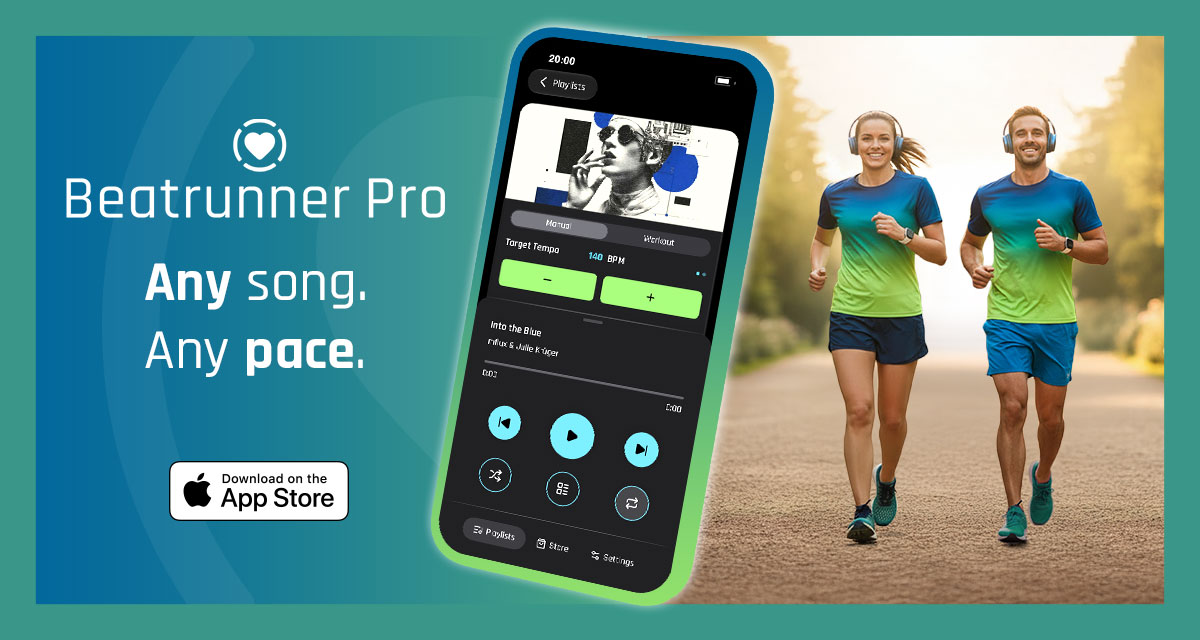
When your music doesn’t match your run
For many runners, music is part of the experience of running. The problem is that a song has a tempo of its own, while running pace and cadence can change throughout a session.
That is particularly noticeable during structured workouts. A runner might warm up at one cadence, increase it for an interval, reduce it during recovery and then increase it again. The music does not naturally know that the workout has changed.
One way to deal with this is to choose different songs at different tempos. Another is simply to ignore the relationship between the beat and running cadence.
Beatrunner Pro takes a different approach. Instead of requiring the runner to find another track when the target cadence changes, it changes the tempo of the selected music in real time. The idea is simple: let the music follow the run.
How Beatrunner Pro works
TL;DR: Beatrunner Pro analyses locally available music and uses real-time time-stretching to adjust its tempo to a runner’s chosen cadence or workout phase while preserving the track’s pitch.
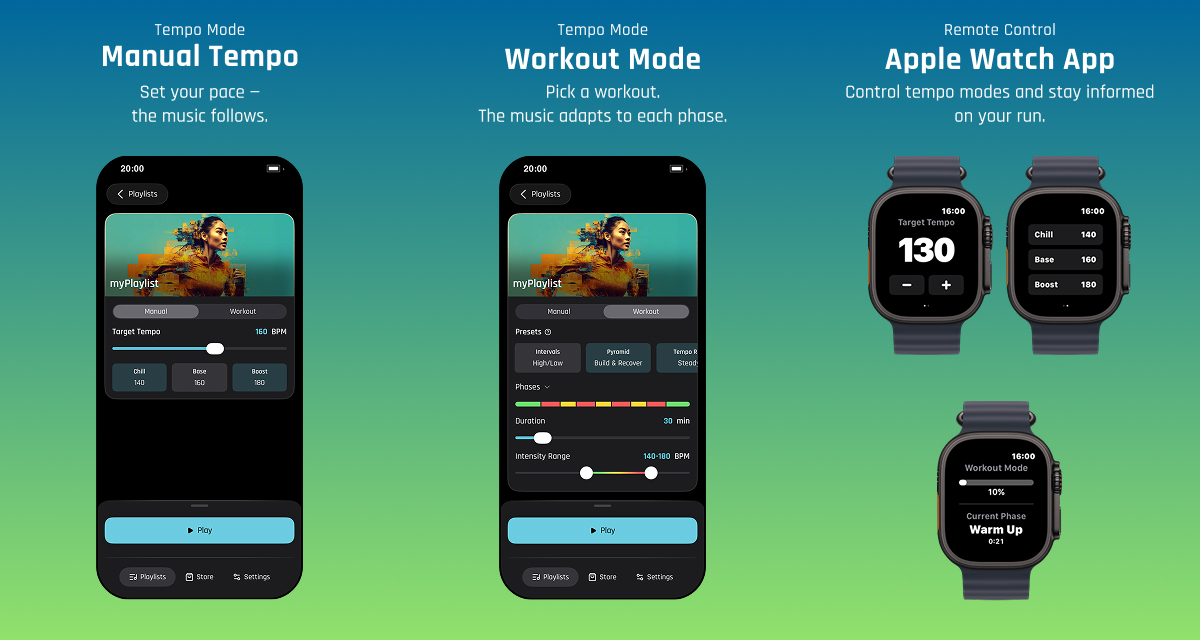
The app has two main tempo modes.
- Manual Tempo is for runners who want to choose their own target cadence. The target can be adjusted using a slider or the plus and minus buttons. Frequently used tempos can be saved as personalised presets, so the preset buttons are not restricted to fixed values.
- Workout Mode is designed for structured sessions. The runner defines a minimum and maximum cadence and selects a workout type. Available workout types are Interval, Pyramid, Tempo Run, Progressive and Fartlek.
As the workout moves between phases, the music changes tempo automatically. The adjustment takes place in real time. There is no requirement to wait for a separately processed version of the track before the new tempo can be heard.
Time-stretching: changing tempo without the Mickey Mouse effect
Changing the speed of recorded audio is easy. Changing its tempo while keeping the music sounding natural is a different problem. If a recording is simply played faster, its pitch rises. Played slower, its pitch falls. That can produce the familiar exaggerated Mickey Mouse effect.
Beatrunner Pro uses a state-of-the-art time-stretching algorithm for its music adjustment. The aim is to change the tempo while keeping the pitch of the music intact, so a song can become faster or slower without simply becoming higher- or lower-pitched.
The difference becomes particularly relevant when the target cadence changes during a workout. For example, consider a session with these targets:
| Phase | Target cadence |
|---|---|
| Warm-up | 135 steps/min |
| Interval | 150 steps/min |
| Recovery | 140 steps/min |
| Interval | 155 steps/min |
| Cool-down | 130 steps/min |
The principle is that with Beatrunner Pro, the current track can continue playing while its tempo changes from one target to the next. The runner does not have to change songs simply because the workout has entered a faster or slower phase.
There is also a practical limitation worth understanding. Time-stretching does not change the underlying character of a song. A slow 90 BPM ballad will not necessarily become convincing 180 BPM running music simply because its tempo can be changed.
A playlist containing tracks with broadly suitable tempos and energy levels is therefore likely to produce a better running experience than an eclectic collection spanning very different musical styles and tempos.
Running with your own music
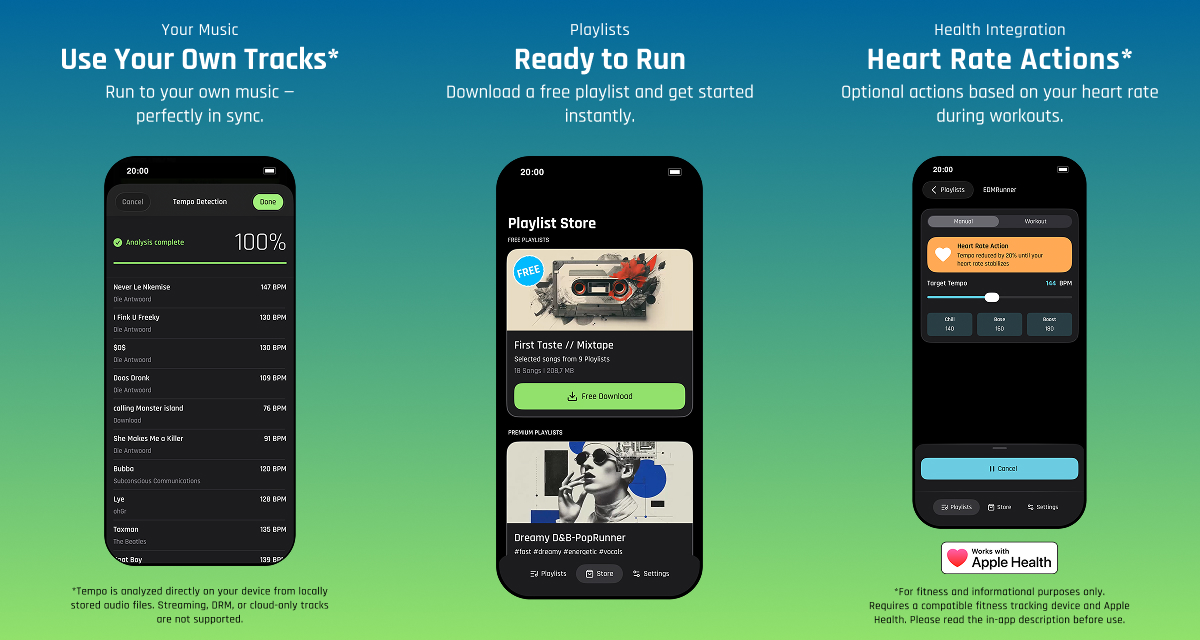
Beatrunner Pro is designed around music that is available locally on the iPhone. A runner can use tracks from an Apple Music playlist that has been synced to the iPhone, or audio files available through the Files app.
Before playback, the tracks are analysed on the device using state-of-the-art BPM detection. Beatrunner Pro can then use that information when adjusting the music to the selected running cadence.
Streaming tracks, DRM-protected tracks and tracks that are only available in the cloud are not supported.
For runners who prefer not to build their own playlists, the subscription also includes one curated ready-to-run playlist. Additional curated playlists are available as in-app purchases.
The emphasis is therefore on taking music that is actually available on the runner’s device and making it responsive to the desired running cadence.
Workout mode and real-time feedback
Workout Mode is where the tempo system becomes more than manual music control.
A runner can choose between Interval, Pyramid, Tempo Run, Progressive and Fartlek workouts and define a minimum and maximum cadence. The music then changes automatically as the workout progresses through its phases.
The runner can choose how changes are communicated. Workout transitions can use voice announcements, operate without voice announcements, or use rising and falling tones. This gives the runner several ways of knowing that the workout has moved to a different phase without having to constantly look at the phone.
The concept is deliberately straightforward: the workout changes the target, and the music responds to that change.
Apple Watch and Heart Rate Actions
Beatrunner Pro also includes an Apple Watch app.
In Manual Mode, the runner can change the tempo directly from the watch using the plus and minus controls or by turning the Digital Crown. In Workout Mode, the watch provides a status display showing the current workout phase and tempo.
Apple Watch can also provide optional heart-rate data through Apple Health when permission has been granted. That data can be used with Heart Rate Actions. The runner can configure what should happen when reaching heart-rate Zone 4 and/or Zone 5.
For example, an action can be configured to immediately slow the music by 20 per cent. Another possible action is to stop the music. This makes heart rate an optional input into the music experience rather than simply another number displayed during the workout.
Beatrunner Pro requires iOS 26 or later, and Apple Watch support requires watchOS 11 or later.
Beatrunner Pro and Spotify Running Mode
Spotify has also entered the running-focused music space with Running Mode for Premium subscribers on iOS. Spotify’s Running Mode allows runners to create running sessions using parameters such as workout type, duration, music preferences and BPM. The feature therefore provides another way of connecting music and running.
Beatrunner Pro starts from a different point. Rather than building a running session from a streaming music catalogue, it works with locally available music on the runner’s iPhone and changes the tempo of the selected track in real time.
That distinction is important when considering what each product is designed to do. Spotify brings the scale and convenience of a streaming music service to running. Beatrunner Pro focuses specifically on adapting the runner’s available music to a chosen cadence and to structured workout phases.
Neither approach needs to be presented as universally better. They are different ways of connecting music with running. For Beatrunner Pro, the technical focus remains the same throughout: the runner chooses the music, the target cadence or workout, and the app adjusts the tempo of the selected track in real time.
Who is Beatrunner Pro for?
Beatrunner Pro is aimed at runners who want their music to respond to the way they run.
For a straightforward run, Manual Tempo lets the runner select a target cadence and adjust it whenever required. Personalised presets make frequently used targets accessible without having to select them from scratch.
For structured training, Workout Mode automates the cadence changes through Interval, Pyramid, Tempo Run, Progressive and Fartlek workouts.
The Apple Watch adds direct Manual Mode controls and Workout Mode status information, while Apple Health integration can optionally provide heart-rate data for Heart Rate Actions.
The app requires an active subscription, priced at $0.99 per month.
Summary
Beatrunner Pro approaches running music from a simple premise. The runner determines the cadence, and the music follows.
Its Manual Tempo mode provides direct control, while Workout Mode makes tempo changes part of structured sessions. Underneath both modes is real-time time-stretching designed to change the tempo without producing the pitch changes associated with simply speeding up or slowing down playback.
The app works with locally available music, includes one curated playlist with its subscription, supports Apple Watch and can optionally use heart-rate data for user-defined actions.
For runners who want to keep listening to their own music while making that music responsive to their running cadence, Beatrunner Pro offers a focused approach to the relationship between running, music and pace.
Quick answers
What does Beatrunner Pro do?
Beatrunner Pro adjusts the tempo of locally available music to match a runner’s selected cadence or the current phase of a structured workout. It uses real-time time-stretching so the tempo can change without simply changing the pitch of the music.
What music can Beatrunner Pro use?
Beatrunner Pro supports locally available audio, including tracks from Apple Music playlists synced to the iPhone and audio files available through the Files app. Streaming, DRM-protected and cloud-only tracks are not supported.
Does Beatrunner Pro work with Apple Watch?
Yes. Apple Watch support requires watchOS 11 or later. Manual Mode can be controlled from the watch using plus and minus controls or the Digital Crown. Workout Mode displays the current phase and tempo. With Apple Health permission, compatible heart-rate data can also be used for Heart Rate Actions.
Related reading on the5krunner
- Beatpace: Garmin Running Music That Plays Your Workout Structure: the closest sibling, tackling the running-music problem on Garmin CIQ with a structured-tracks approach rather than iOS time-stretching.
- Pace It: Running Analytics That Show Whether Your Training Is Actually Working: another indie Apple Watch app focused on running analytics.
- Vitara: Apple Health Tells You What Happened, Vitara Shows What Changed: an indie iPhone app operating on Apple Health data locally on the device.
Author: Moritz, developer of Beatrunner Pro, edited by the5krunner.
Last Updated on 8 August 2026 by the5krunner
My favourite kit and nutrition
- Garmin Fenix 9 Pro — I’ve just bought one.
- Injinji – Runners protect your toes. Avoid discomfort and minor injury. Run more. Run faster. I use them.
- Garmin 90-degree charging adapter — A small keyring adapter you can use anywhere. Essential when away. I use one.
- Garmin charging puck — the fastest and most reliable way to top up your Garmin before a session. I use one.
- Ravemen FR300 — Front light that mounts directly under your Garmin or Wahoo head unit. Keeps your bars clean and your beam pointed where it matters. I use one.
- Body Glide – The blue anti-chafe stick that all swimmers and many runners use. I use it.
- Maurten — The race nutrition trusted by elite athletes. Gels and drink mixes engineered to be easy on the stomach. I use them.
- Garmin Varia RTL515 — A radar rear light that alerts you to vehicles approaching from behind. Pairs with your Edge or Wahoo. I use this model.
- Favero Assioma Pro RS2 — The power-meter pedals most serious cyclists choose. Accurate, easy to move between bikes. I use this model.
- Garmin Forerunner 970 — A serious choice for a pro-grade triathlon watch. I use this.
- Polar H10 — My daily driver for accurate, waking HRV readings.
- Wahoo ELEMNT Roam 3 — The bike computer that has the feature Garmin lacks: usability. I use mine on most rides.
Reader-Powered Content

This content is not sponsored. It’s mostly me behind the labour of love, which is this site, and I appreciate everyone who supports it.
Support the site: Follow (free, fewer ads) · Subscribe (paid, ad-free) · Buy Me A Coffee ❤️
All articles are written by real people, fact-checked, and verified for originality. See the Editorial Policy. FTC: Affiliate Disclosure — some links pay commission. As an Amazon Associate, I earn from qualifying purchases.

tfk is the founder and author of the5krunner, an independent endurance sports technology publication. With 20 years of hands-on testing of GPS watches and wearables, and competing in triathlons at an international age-group level, tfk provides in-depth expert analysis of fitness technology for serious athletes and endurance sport competitors. ID
