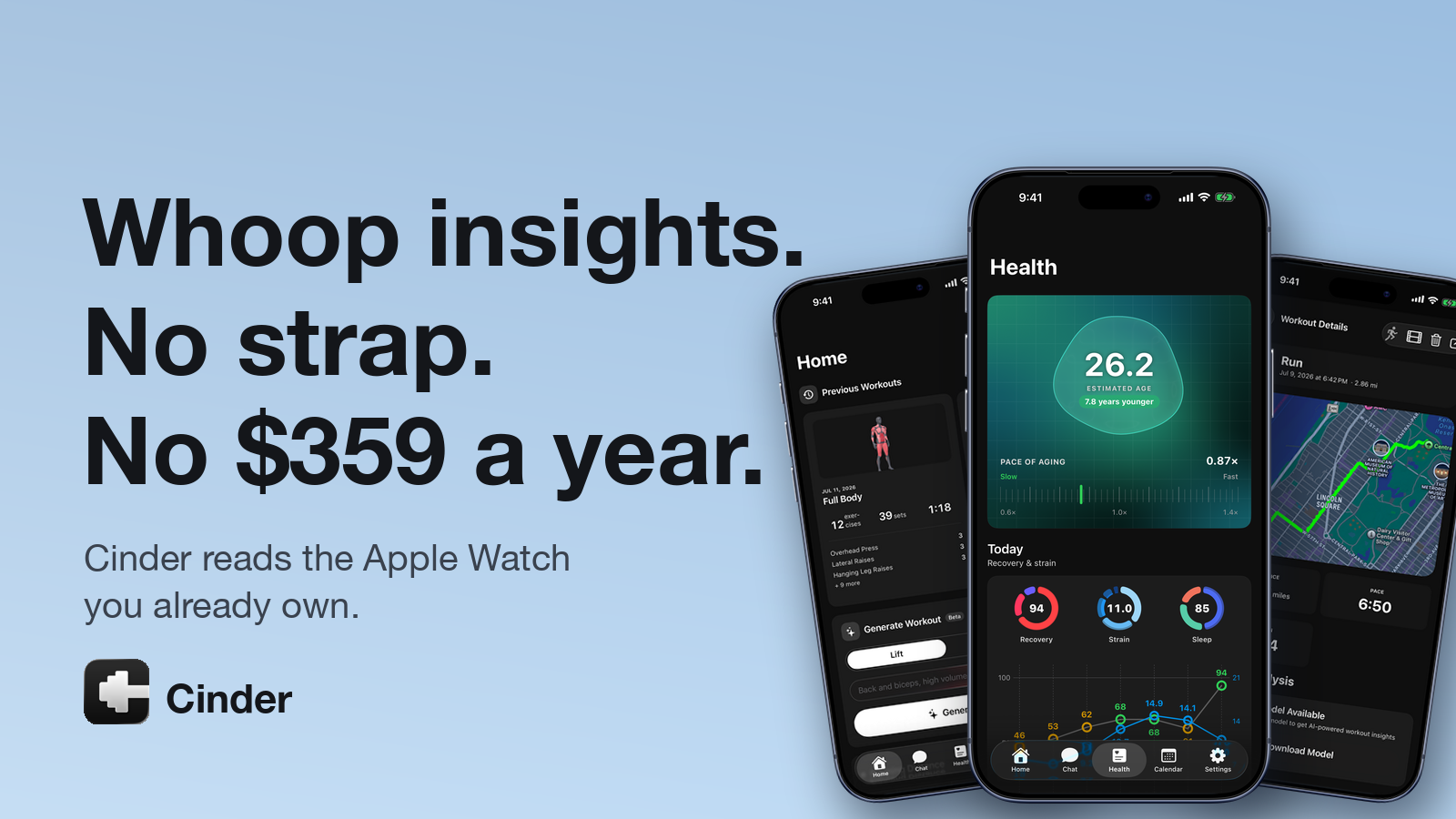
The watch on your wrist already measures heart-rate variability every night. It logs your resting heart rate, your sleep stages, your VO2 max, and every beat of every workout. And yet the moment you want someone to interpret all that data, the standard answer is: buy a second wearable, wear it 24/7, charge it separately, and pay $199 to $359 a year for the privilege. A subscription strap, to analyse signals your existing watch is already collecting.
It gets worse. The training data itself usually lives in a pile of other apps: one for runs, one for lifting, maybe a third for planning, plus whatever the watch does on its own. Each app understands its little slice brilliantly and has no idea the others exist.
Cinder, an iPhone and Apple Watch app from independent developer Jared Cassoutt, argues the whole pile is unnecessary. The hardware you already own collects more than enough data for genuinely useful recovery, strain, and sleep insight, and one app can hold the lifting, the running, and the interpretation together. Unlike most recovery products on the market, Cinder publishes the full math behind its scores. Every weight, every threshold, every fallback.
What Cinder does, and who it is for
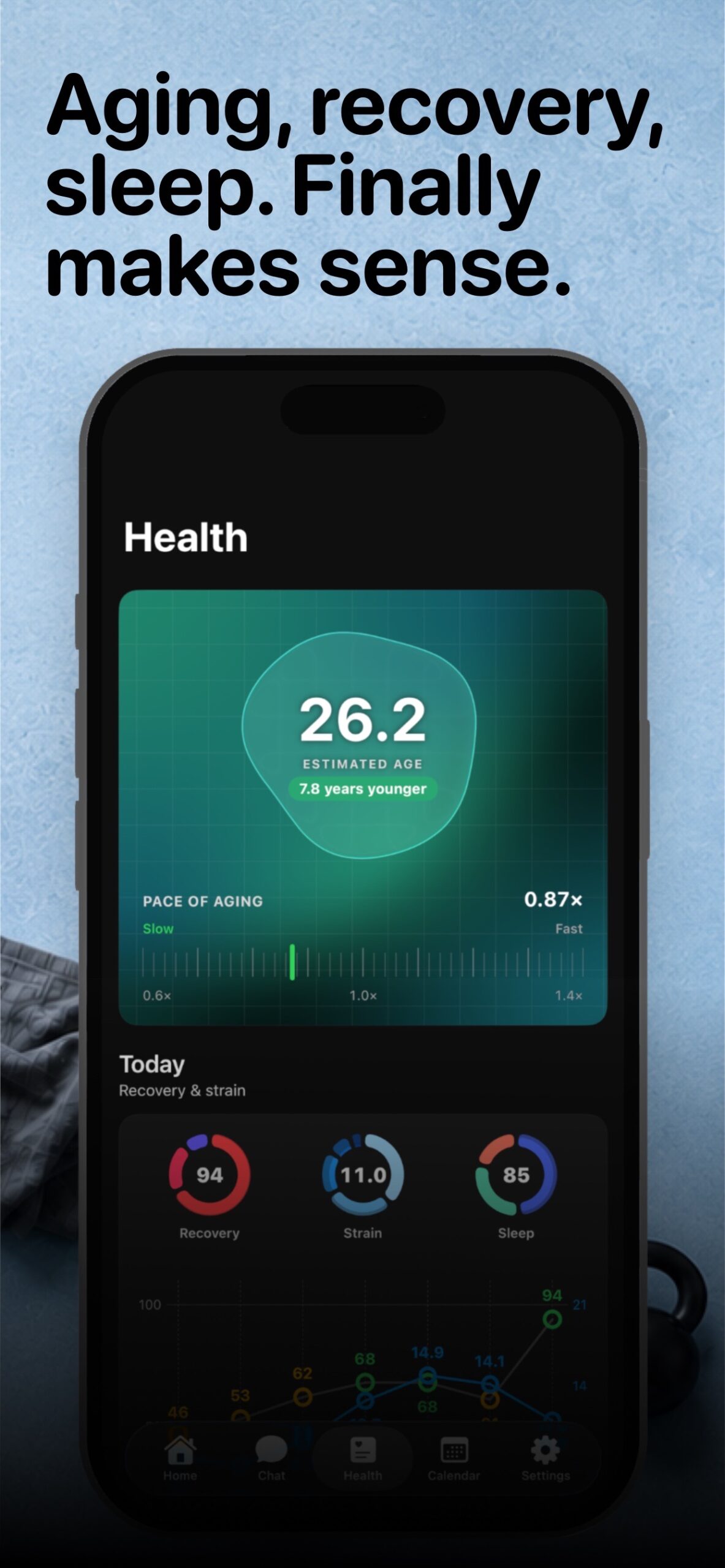
Cinder is a workout tracker and a health dashboard living in the same app. On the training side it logs strength workouts (exercises, sets, reps, weights), tracks GPS runs and rides with routes and mile splits, generates workouts on request, and answers questions about your own numbers in a built-in chat coach. On the health side it reads Apple Health data (heart-rate variability, resting heart rate, sleep stages, respiratory rate, VO2 max, workout heart-rate streams) and turns it into three daily scores: Recovery on a 0 to 100 scale, Strain on the familiar 0 to 21 scale, and Sleep on 0 to 100. There is also an estimated biological age.
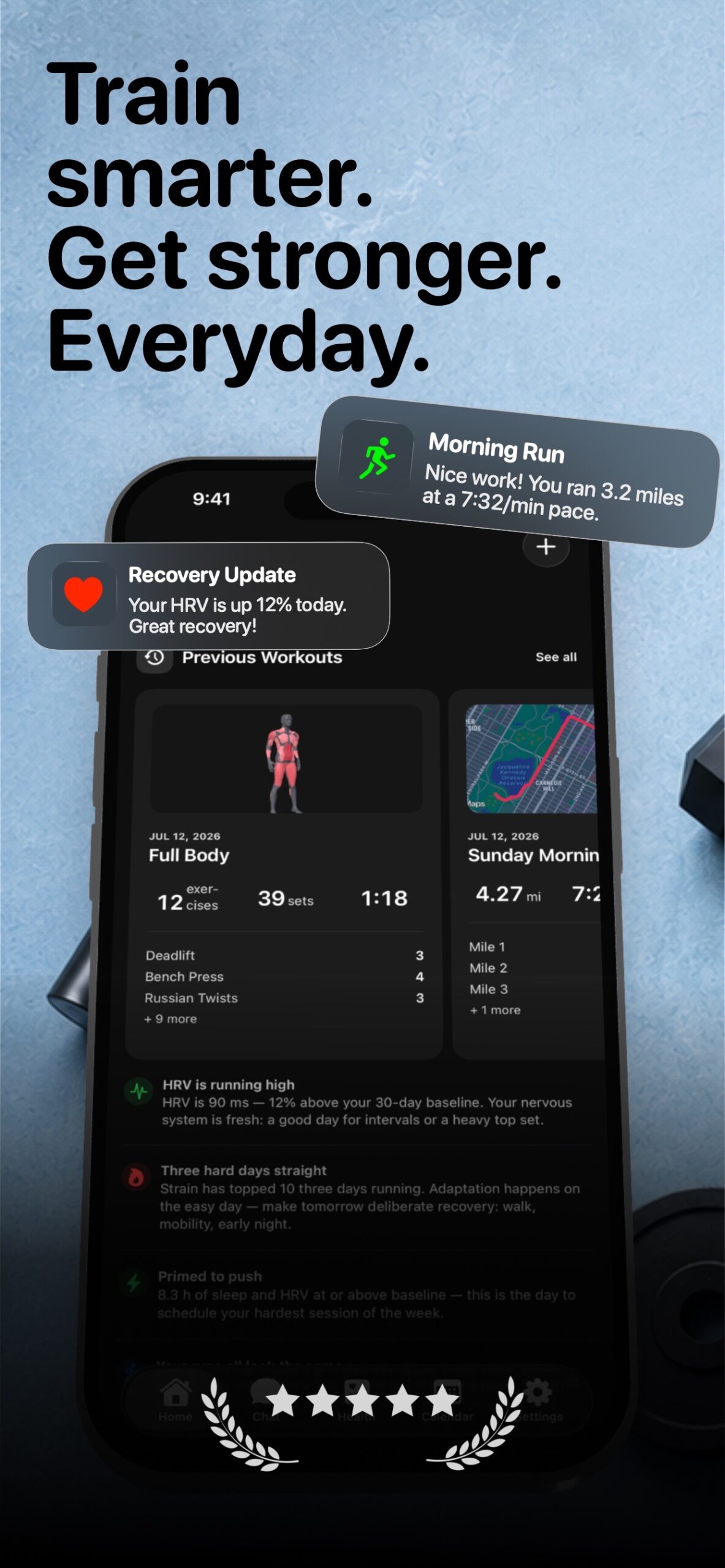
The app exists because three people in Cassoutt’s life had three different problems. A friend who lifts wanted more than a logbook. He wanted enough history to see which parts of his training were actually moving his numbers, and which parts were just making him tired. Cassoutt’s wife, a serious runner whose first marathon met the Boston Marathon qualifying standard in place at the time, wanted a proper way to track her running and her training load. And Cassoutt himself, a software engineer who runs, lifts, and plays hockey, had been wearing a Whoop. He liked the recovery insight. He did not like that a second device was charging on his nightstand to interpret data his Apple Watch was already collecting. Cinder is where those three problems collided: one system for the lifting analysis, the run tracking, and the recovery picture, built on hardware the household already owned.
If you own an Apple Watch, train across more than one sport, and are curious about recovery but reluctant to pay a hardware subscription to have it explained to you, you are the target audience.
How the recovery score works
TL;DR: Cinder’s recovery score is a personal-baseline z-score blend. 70% heart-rate variability, 20% resting heart rate, 10% sleep duration, with a respiratory-rate penalty on top. It is computed on your iPhone, from Apple Health data, against your own trailing 30-day baseline. No cloud, no population averages, no unexplained numbers.
Most recovery products treat their scoring model like the Coca-Cola recipe. Cinder’s developer takes the opposite view: if a number is going to talk you out of your interval session, you deserve to know where it came from. So here is the actual calculation, as implemented in the current version of the app.
The inputs. Four daily series from Apple Health: heart-rate variability (SDNN), resting heart rate, sleep duration, and respiratory rate. Everything is compared against your own trailing baseline, up to the most recent 30 days of data before today. Your recovery is never judged against some database of other people’s nervous systems.
HRV (70%). Daily HRV values get log-transformed first, because HRV is right-skewed: an 80 ms sleeper jumping to 110 ms is not the same event as a 40 ms sleeper jumping to 70 ms. Today’s ln(HRV) becomes a z-score against the trailing baseline’s mean and standard deviation (the SD is floored at 0.05 so one unusually stable week cannot destabilise the score), then gets squashed through a logistic curve into a 0 to 100 sub-score. A perfectly average day lands at 50. Two standard deviations up or down lands near 88 or 12.
Resting heart rate (20%). Same trick, inverted, since a lower resting HR than your baseline is good news. The SD is floored at 1.5 bpm. If there is not enough resting-HR history yet, this sub-score just sits at a neutral 50 instead of overstating its confidence.
Sleep duration (10%). Last night versus a 7.5-hour target, scaled 0 to 100. Missing sleep data also defaults to a neutral 50.
The blend, and the one time it changes. Normally: 0.70 x HRV + 0.20 x RHR + 0.10 x sleep. There is one deliberate exception. When HRV has genuinely crashed (z-score below negative 1.5) while resting HR stays calm (absolute z under 0.5), the weights shift to 85/10/5 and HRV takes over. The logic: that exact pattern is the one an athlete should never have averaged away into a moderate yellow.
The illness tripwire. Respiratory rate only ever hurts the score, never helps it. If today’s breathing rate is more than one standard deviation above your baseline, points come off: 8 per standard deviation beyond the first, capped at 25. And if it is more than two standard deviations elevated, the entire score gets hard-capped at 40 no matter how good your HRV looks. If your body is fighting something, Cinder refuses to hand you a green ring for it.
Calibration and missing data. Cinder shows “Calibrating” instead of a number until at least 4 days of baseline exist, and the baselines keep sharpening up to their 30-day window. A day with no HRV reading produces no recovery score at all. The app would rather say nothing than make something up. Scores of 67 and up show green (High), 34 to 66 yellow (Moderate), 33 and below red (Low).
A worked example: two mornings, two different numbers
Formulas are easy to nod along to, so here is the arithmetic for one athlete across two mornings. The baseline: HRV averaging around 58 ms (ln-mean 4.06, SD 0.16), resting HR 52 bpm (SD 2.0), respiratory rate 14.2 breaths per minute (SD 0.5).
Tuesday. HRV 66 ms, resting HR 50, sleep 7 h 48 m, respiratory rate 14.0. The ln-HRV z-score is +0.81, which the logistic curve turns into an HRV sub-score of 69. Resting HR is a full standard deviation better than baseline: 73. Sleep at 7.8 hours clears the target: 100. Blend: 0.70 x 69 + 0.20 x 73 + 0.10 x 100 = 73. Breathing is below baseline, no penalty. Recovery: 73, green.
Friday, after two hard days and a poor night. HRV 44 ms (z of negative 1.72, sub-score 15), resting HR 57 (z of negative 2.5, sub-score 8), sleep 6 h 12 m (sub-score 83). Note that the weights do not shift to HRV-dominant here: HRV crashed, but resting HR crashed with it, so the standard 70/20/10 blend applies and lands at 20.4. Then the tripwire: respiratory rate came in at 15.3, which is 2.2 standard deviations above baseline. That subtracts 9.6 points, and because it clears two standard deviations it also caps the score at 40, not that the cap matters at this point. Final arithmetic: 20.4 minus 9.6, which lands at 11. Recovery: 11, red, with the breathing check doing exactly the job it was built for.
Same athlete, same formula, and you can trace every point of the difference with a pencil.
Strain and sleep get the same treatment
The other two daily scores are just as documented.
Strain (0 to 21) is an Edwards TRIMP computation. Every workout heart-rate sample lands in one of five zones using the Karvonen heart-rate-reserve method (50 to 60% of HRR is zone 1, up through 90%+ as zone 5). Minutes in each zone get multiplied by the zone number and summed, and the total is compressed logarithmically onto the 0 to 21 scale: 21 x ln(TRIMP + 1) / ln(7201). A 45-minute run with 5 minutes in zone 1, 10 in zone 2, 20 in zone 3, 8 in zone 4, and 2 in zone 5 works out to a TRIMP of 127 and a strain of 11.5, a solid Moderate. Days with no usable heart-rate stream fall back to an estimate from active energy, and max heart rate uses the Tanaka formula (208 minus 0.7 x age) unless real data says otherwise.
Sleep (0 to 100) blends duration (50 points, including small bonuses for hitting REM and deep-sleep targets of roughly 20% and 13% of the night), bedtime consistency against your own recent bedtimes (30 points, with a 15-minute grace window to allow for normal variation), and interruptions (20 points, docked for awake time and wake events). One honest detail worth calling out: when a night lands in Apple Health without stage data, say from a third-party tracker that only writes “asleep”, Cinder awards full duration credit instead of silently docking the missing stage bonuses. A perfectly good eight-hour night should not score ten points low because the tracker did not record stage data.
The training side: logging, generation, and a coach that knows your numbers
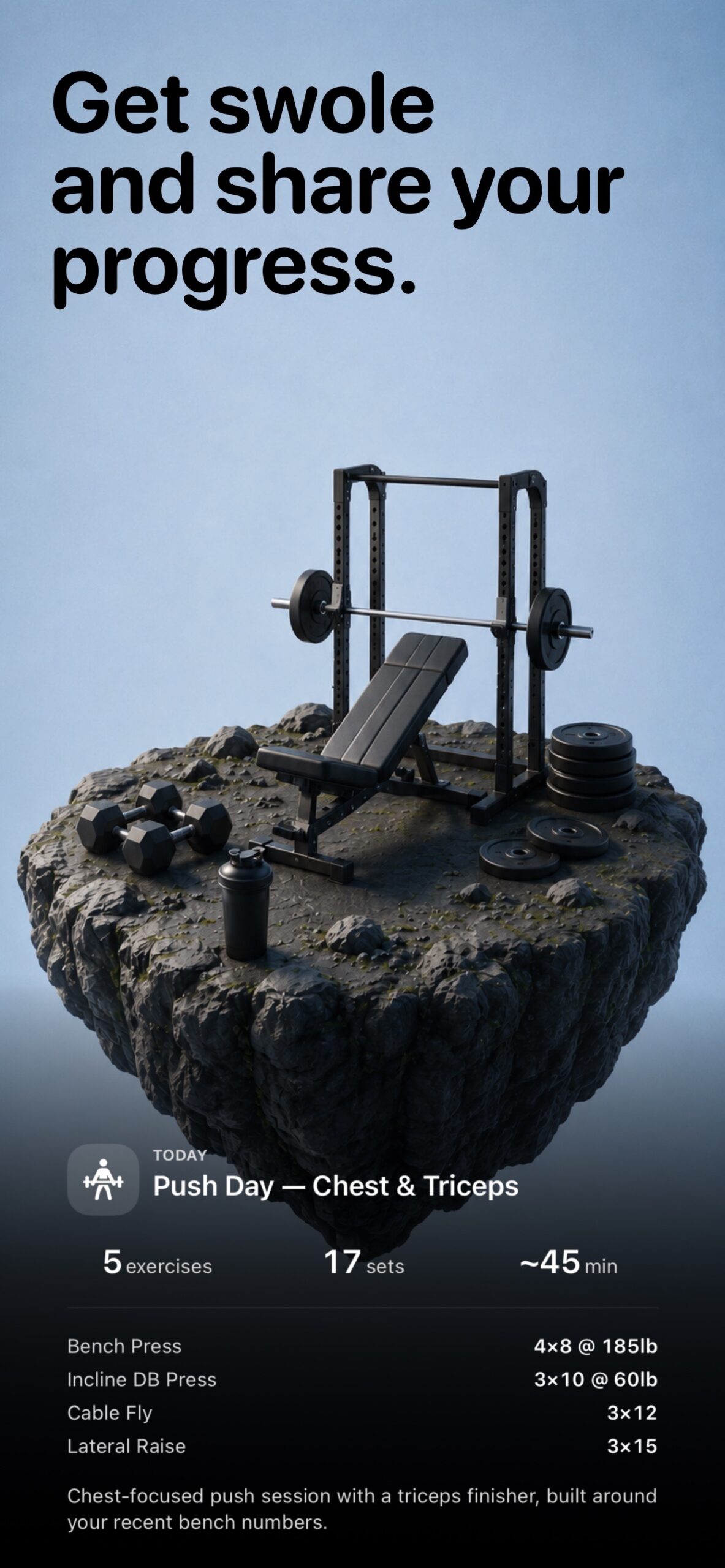
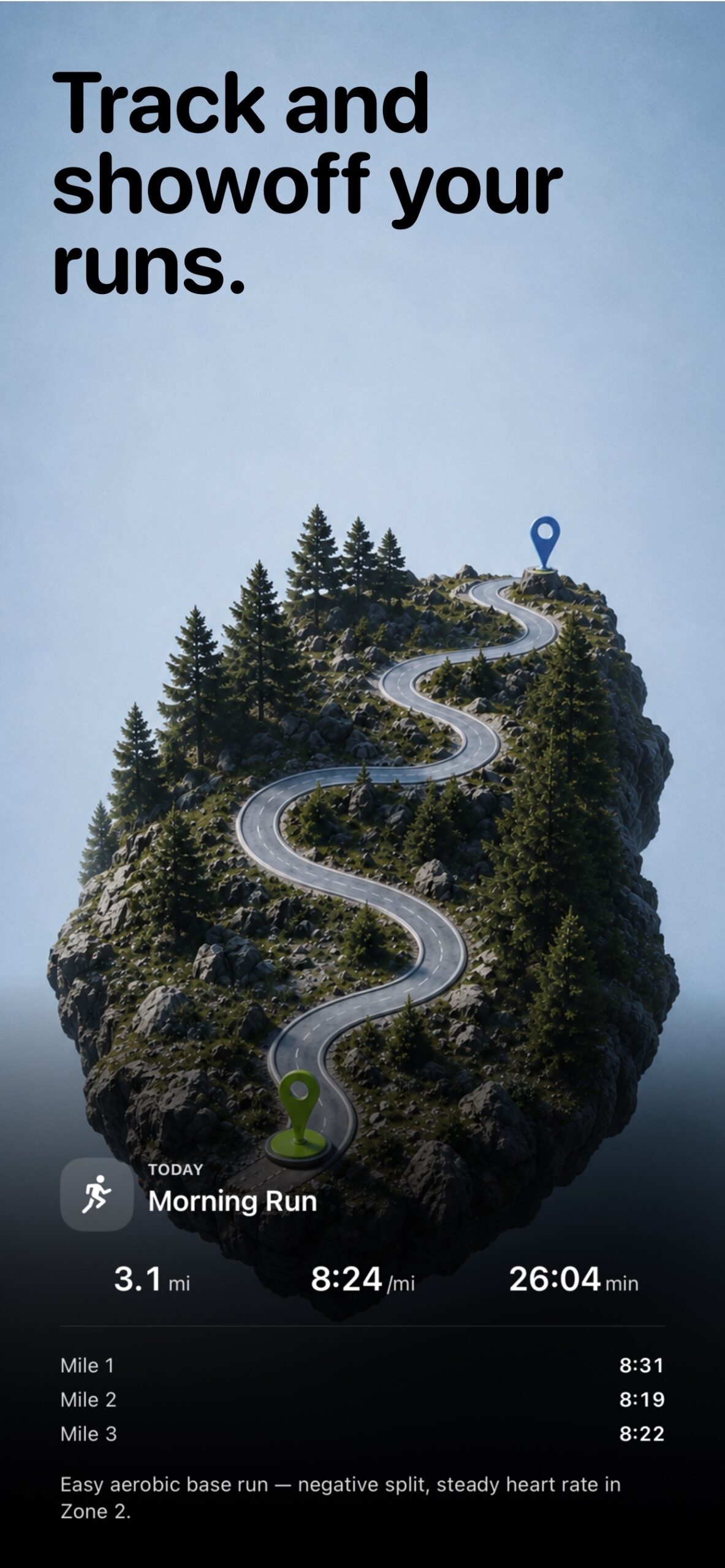
The scores inform training that also lives in the app, avoiding the switch between four separate apps. Strength sessions are logged set by set with an exercise library and per-muscle history. Runs and rides get GPS routes, splits, and live metrics, with an Apple Watch app for logging from the wrist and Live Activities on the phone while you are out there.
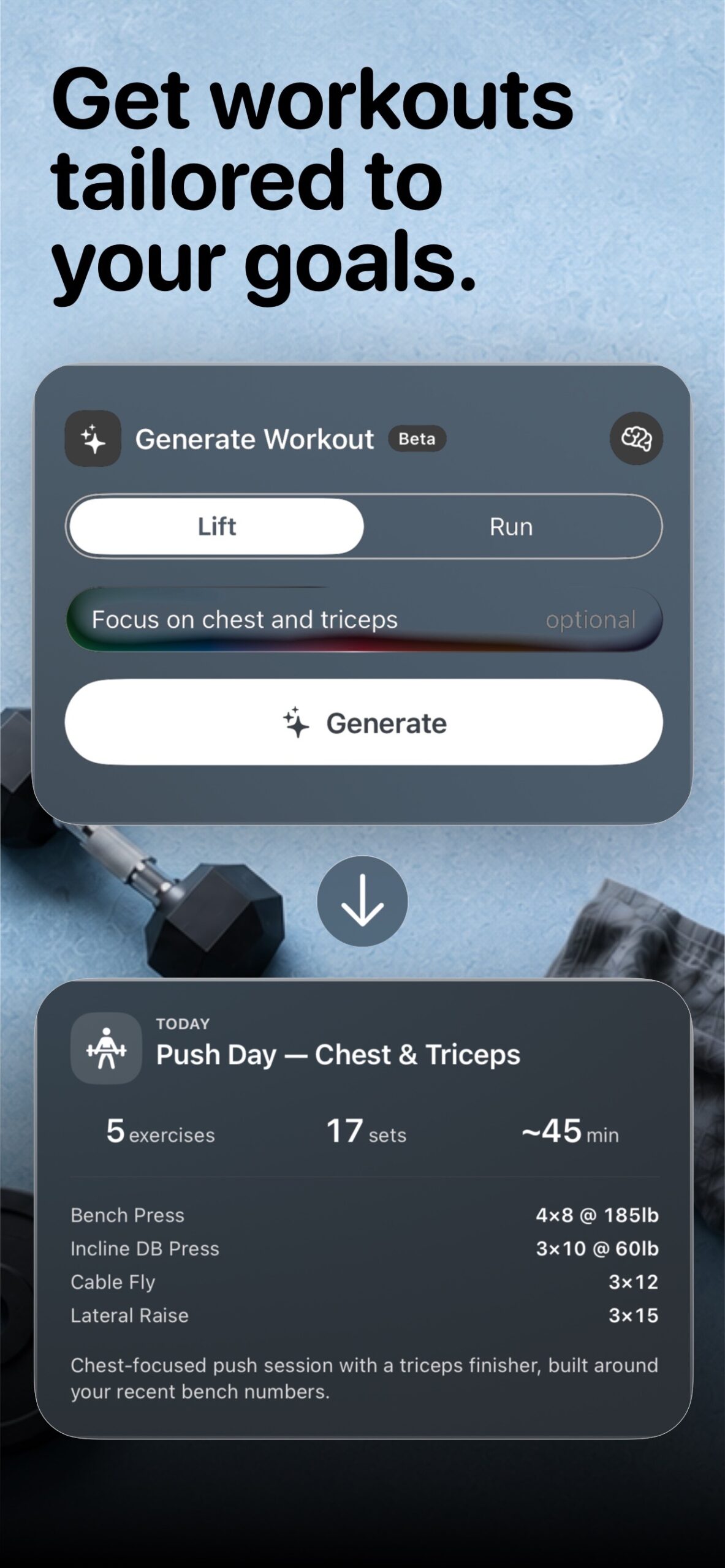
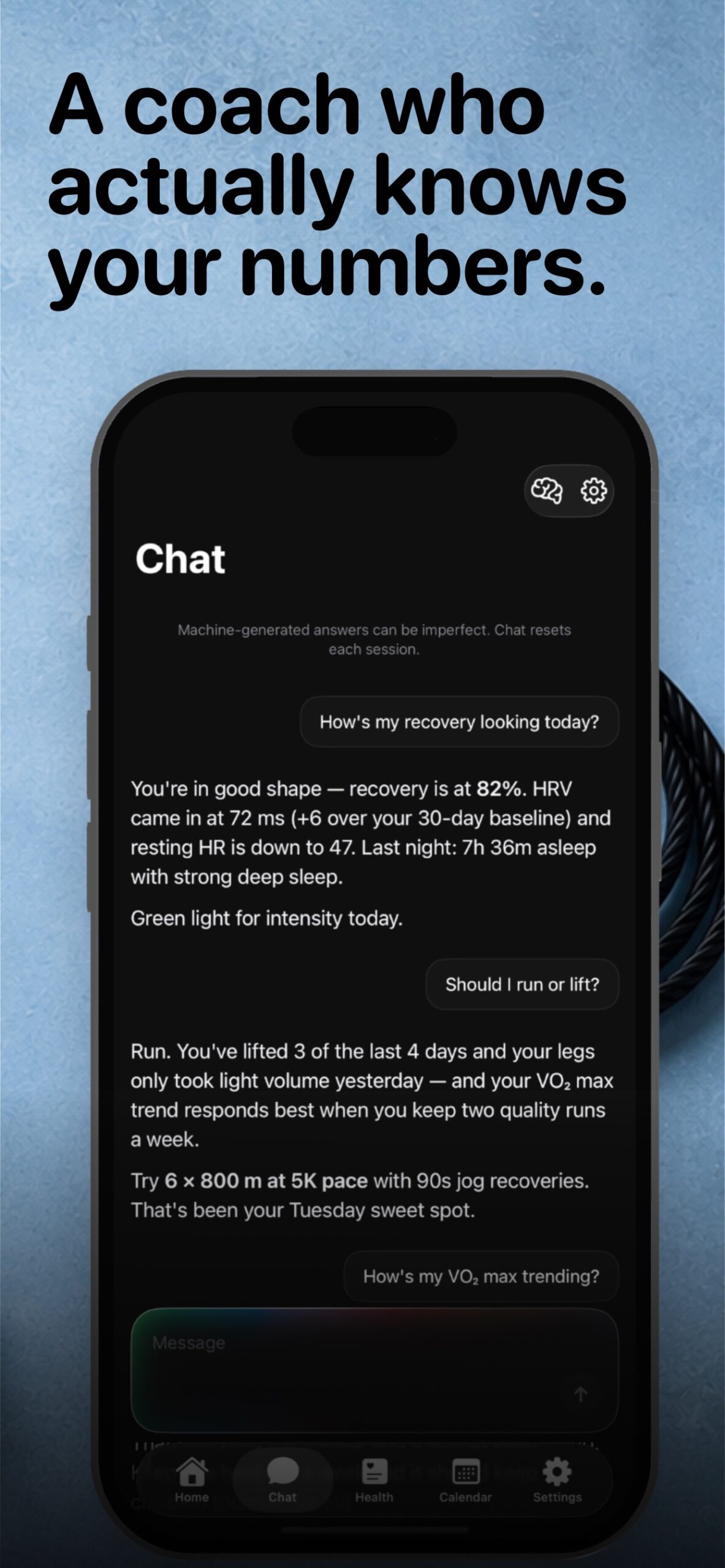
Two newer features lean on the data the app already holds. Generate Workout (currently wearing a beta badge) builds a lift or run session around your goals and recent training, like a chest-focused push day built around your actual recent bench numbers. And the chat coach answers questions in plain language with your data in context: ask it “should I run or lift?” and it reasons from your recent lifting volume, VO2 max trend, and today’s recovery before giving you an answer, like a coach who has actually read your training log, which it has done.
Integrations and compatibility
- Platforms: iPhone (iOS 17 or later) with an Apple Watch companion app.
- Reads from Apple Health: HRV (SDNN), resting heart rate, sleep analysis including stages, respiratory rate, heart rate, VO2 max, active energy, body metrics, and workouts.
- Writes to Apple Health: workouts and routes recorded in Cinder.
- Wearable-agnostic recovery: the recovery math reads whatever HRV, resting-HR, and sleep data reaches Apple Health. An Apple Watch is the usual source, but data from other HealthKit-writing devices participates the same way.
- Strava: optional one-way sync, with runs uploading to a connected Strava account as GPX. No Strava account required.
- Export: GPX export of tracked routes.
- Home screen: customisable widget canvas and chart widgets, plus Live Activities during runs.
On privacy: the recovery, strain, and sleep computations described above run on the iPhone against Apple Health data. Workouts and health data stay on the device and in Apple Health, and the app’s App Store privacy label lists no data collection. Your HRV is between you and your phone.
What Cinder costs
Cinder is free to download, with the full feature set unlocked by a premium tier: $2.99 a month or $17.99 a year, both with a 3-day free trial, or a one-time $30 lifetime purchase. For scale: Whoop currently runs $199 to $359 a year with hardware attached, and Strava’s premium tier is about $80 a year. There is no extra hardware to buy, because not buying extra hardware is the entire idea.
Summary
Cinder’s pitch fits in one sentence: your Apple Watch already collects the data, so interpretation shouldn’t cost a second wearable and a second subscription. Its recovery score is a transparent, personal-baseline blend of HRV (70%), resting heart rate (20%), and sleep (10%) with a respiratory-rate illness check. Its strain score is a documented Edwards TRIMP. Both live in the same app as the strength log, the GPS run tracking, and an AI coach that reasons from your own numbers. For a multi-sport Apple Watch owner tired of the patchwork, it is a serious, honestly priced attempt at consolidation, from a developer confident enough to publish his math.
Note: The Apple Watch Series 12 introduces a native Readiness app with continuous HRV measurement and a 0-10 daily score. For Series 12 owners this partially covers the ground Cinder occupies. Cinder remains the better option for strength tracking integration, for older Apple Watch models without the new Health Sensing System, and for athletes who want the full transparent scoring detail.
More: Haploapp
Quick answers
Does Cinder work without an Apple Watch?
Partly. Workout logging and GPS run tracking work with just an iPhone. The recovery score needs HRV, resting-heart-rate, and sleep data in Apple Health, which in practice means sleeping with an Apple Watch, or any other device that writes those metrics to HealthKit. With no HRV data for a given day, Cinder shows no score rather than guessing.
How is this different from Whoop?
Whoop pairs its analysis with proprietary hardware worn around the clock and a $199 to $359 yearly subscription, and its scoring model is closed. Cinder computes comparable recovery and strain signals from the Apple Health data your watch already collects, costs $17.99 a year or $30 once, and publishes exactly how its numbers are calculated. What it does not offer is Whoop’s dedicated strap-grade continuous measurement. Cinder’s ceiling is the data your existing devices produce.
What happens before Cinder has enough data about me?
The app shows “Calibrating” until it has at least 4 days of baseline history, and its baselines keep refining up to a trailing 30-day window. Sub-scores with insufficient history, like resting HR in week one, default to neutral rather than skewing the result.
Related reading on the5krunner
- Reps: A Recovery Score That Rewrites Today’s Workout: closest sibling. Another Apple Health recovery score product with a fully published weighted composite behind it.
- Vertical AI Coach: Build Your Training Partner: another indie training tool that publishes its own science, citing the peer-reviewed paper behind every coaching call it makes.
- Vitara: Apple Health Tells You What Happened, Vitara Shows What Changed: another privacy-first iPhone app operating on Apple Health data locally on the device.
Author: Jared Cassoutt, developer of Cinder, edited by the5krunner.
Last Updated on 9 September 2026 by tfk the5krunner
Small things I always use
- Garmin 90-degree charging adapter: Charges your Garmin from any USB-C cable. Essential when travelling. I use one.
- Body Glide: The blue anti-chafe stick swimmers and runners carry. I use it.
- Speedo earplugs: Fewer ear infections and no cold-water dizziness. I use them.
- Dryrobe Advance: My winter changing robe for open-water swims. I use one. A cheaper option is the AONYIYI changing robe.
- Maurten: Race fuel that stays easy on the stomach. I use them.
- Garmin charging puck: The quickest way to top up before a session. I use one.
- Injinji: Toe socks that stop rubbing, so you run more. I use them.
- Ultimate toe protectors: Stop black toenails on long runs. They work. I use them.
- Compressport R2 v2 calf sleeves: My calf sleeves of choice. I use them.
- Cellucor C4: My pre-workout before hard sessions.
- TPU tubes: Schwalbe Aerothan, Tubolito and Pirelli SmarTube. Light, tiny spares. I use all three.
- G8 insoles: Adjustable insoles that are good. I use them.
- Cycplus Cube: A 97g electric pump that gets a road tyre rideable in two minutes. I carry one. 5% off with code THE5KRUNNER.
Watches and sensors
- Polar H10: My daily driver for waking HRV.
- Polar Verity Sense: My backup arm-worn HR sensor.
- Nomad bedside charger: Charges my iPhone and Apple Watch overnight. I use it, and many of their bands.
- Train.Red: The best muscle oxygen sensor I’ve used.
- Tymewear: Accurate heart rate and reliable ventilatory zones. I use it to pace endurance rides over an hour.
- Garmin Forerunner 970: A pro-grade triathlon watch. I use this.
- Apple Watch Ultra 4: My daily smartwatch. No phone needed on rides.
- Garmin Fenix 9 Pro: I’ve just bought one.
On the bike
- Continental GP5000 for everyday riding, and Aero 111 on the front for special occasions.
- Helmets: Specialized S-Works Evade 3 for road riding, and Rudy Project Wing for TT-style races. I use both.
- Ravemen FR300: A front light that mounts under your Garmin or Wahoo. I use one.
- Wahoo TRACKR Radar: I use it on one bike and Varia on the other. They perform the same.
- Garmin Varia RTL515: Radar that warns you of cars from behind. I use this model.
- Wahoo ELEMNT Roam 3: The bike computer that’s easy to use. I use mine on most rides.
- Favero Assioma Pro RS2: Accurate power pedals that swap easily between bikes. I use this model.
Home and indoor training
- NPE Runn: Makes my basic treadmill smart, sending more accurate speed and distance to my watch and Zwift. I use it.
- Google Wifi: Keeps Zwift connected in my pain cave. I use it.
- Apple TV 4K: Zwift on the big screen. I use two.
- Google Nest Doorbell (wired, 2nd gen): My video doorbell, running in both Google Home and Apple Home. I use it.
Health, recovery and sleep
- FreeStyle Libre 3 Plus: Shows how my blood sugar responds to diet.
- hDrop: Measures my sweat loss in summer and indoors.
- Fourth Frontier Zone: Checks my heart under load in hard sessions.
- Oura Ring 5: My partner’s recovery tracker of choice.
- Kineon MOVE+: Red light therapy for niggles. It works.
- Eight Sleep: A cooling mattress cover my partner and I use nightly.
Reader-Powered Content

This content is not sponsored. It’s mostly me behind the labour of love, which is this site, and I appreciate everyone who supports it.
Support the site: Follow (free, fewer ads) · Subscribe (paid, ad-free) · Buy Me A Coffee ❤️
Written by real people, with AI assistance. Fact-checked and verified for originality. See the Editorial Policy. FTC: Affiliate Disclosure — some links pay commission. As an Amazon Associate, I earn from qualifying purchases.

tfk is the founder and author of the5krunner, an independent endurance sports technology publication. With 20 years of hands-on testing of GPS watches and wearables, and competing in triathlons at an international age-group level, tfk provides in-depth expert analysis of fitness technology for serious athletes and endurance sport competitors. ID

Looks promising. Do you have a link?
I don’t see the app in the US App Store, though lots of other “Cinder” apps.
https://haploapp.com/ Has links to his apps in the App Store, including Cinder.
ty forgot to add that !
Download it through the link but get stuck after the onboarding info. It keeps trying to fecth the plans gets stuck with a loading icon.
The app info in the store doesn’t show the subscription cost, so probably something related to that.
Has anyone been able to pass the onboarding in the latest version? For me it gets stuck loading the plans…