Garmin iOS Background Sync: Why Apple Finally Opened the Door
Garmin watches in the EU now sync to iPhones in the background without opening the Garmin Connect app.
From today, Garmin watch owners in the EU get improved background syncing on iPhones, with steps and other metrics transferring to Garmin Connect even when the smartphone app is not open. This is one of those “makes life a lot easier” updates and brings Garmin further in line with similar smart abilities Apple had reserved in the past for Apple Watch. The timing aligns closely with Apple’s ongoing compliance work for the EU Digital Markets Act (DMA).
At this stage, the improvement appears to be a combination of recent Garmin Connect bug fixes and Apple’s iOS platform changes required under DMA rules. All evidence so far remains anecdotal, but reports are consistent across multiple devices and regions within the EU.
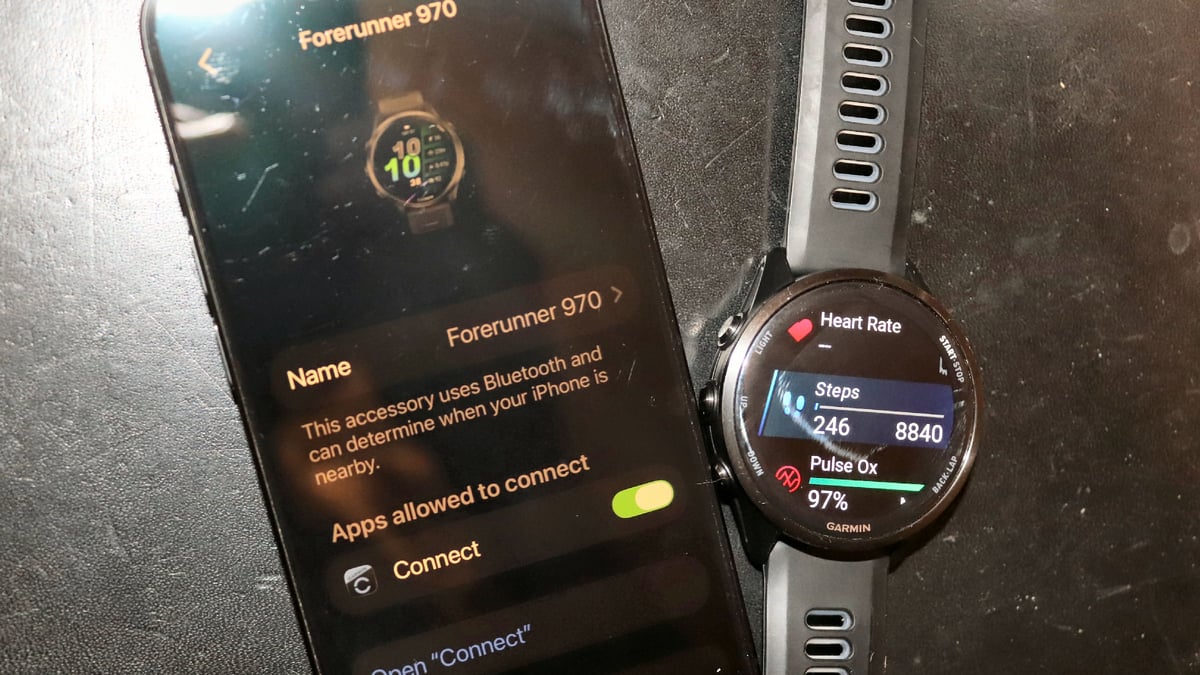
How to get the update
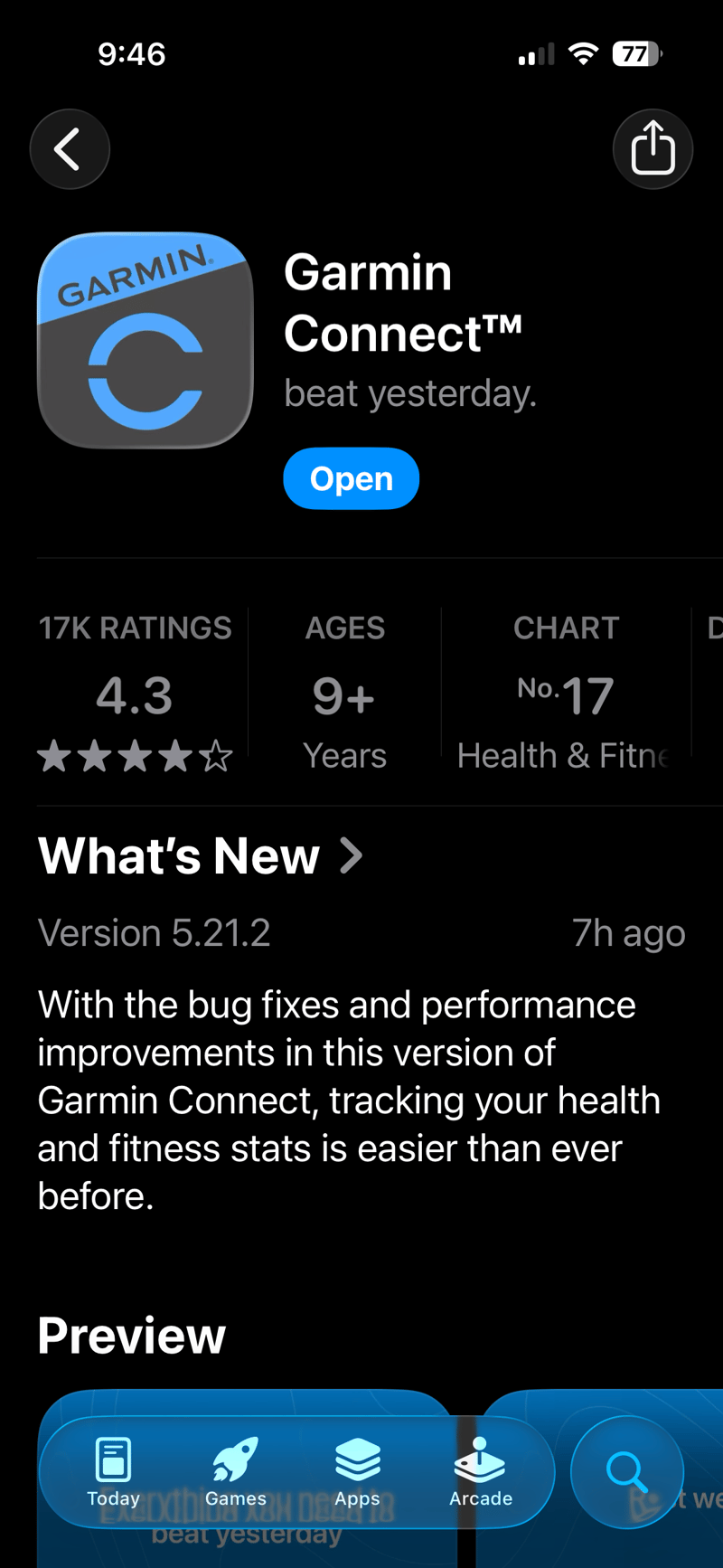
You already have the Connect app installed. Even so, search for Garmin Connect in the Apple app store. If you don’t see 5.21.2 or newer shown, then drag and refresh the screen or go into the app details and refresh. You should now have the option to update Connect.
What You Have to Check
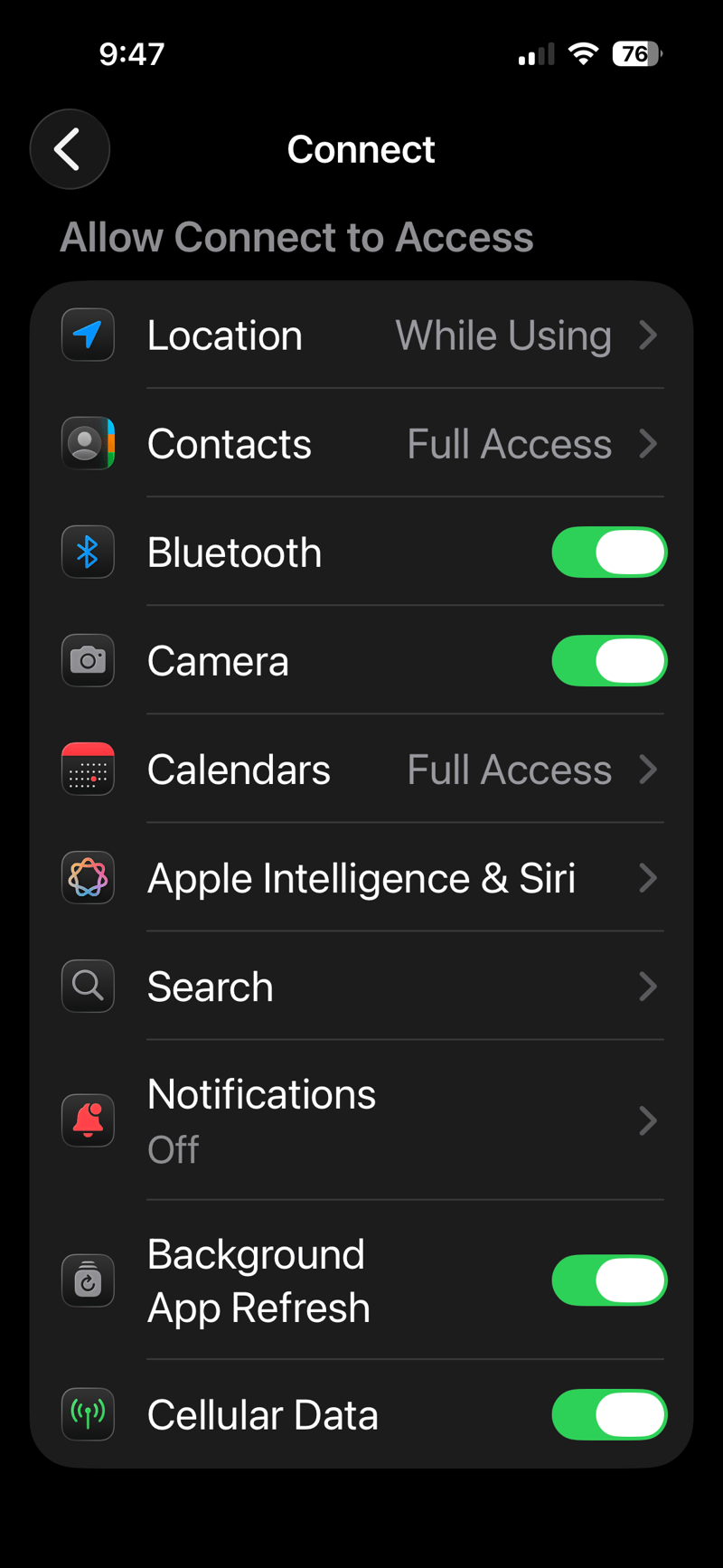
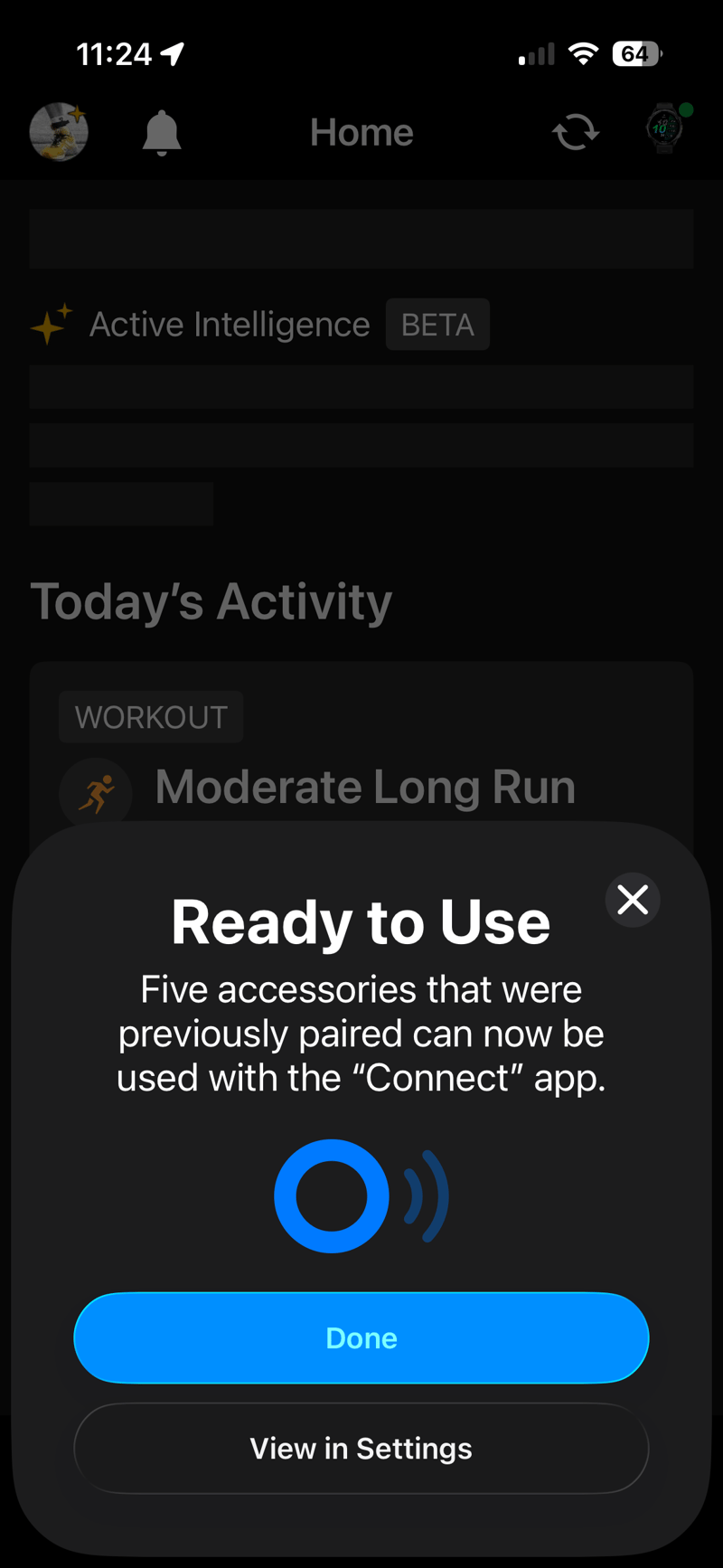
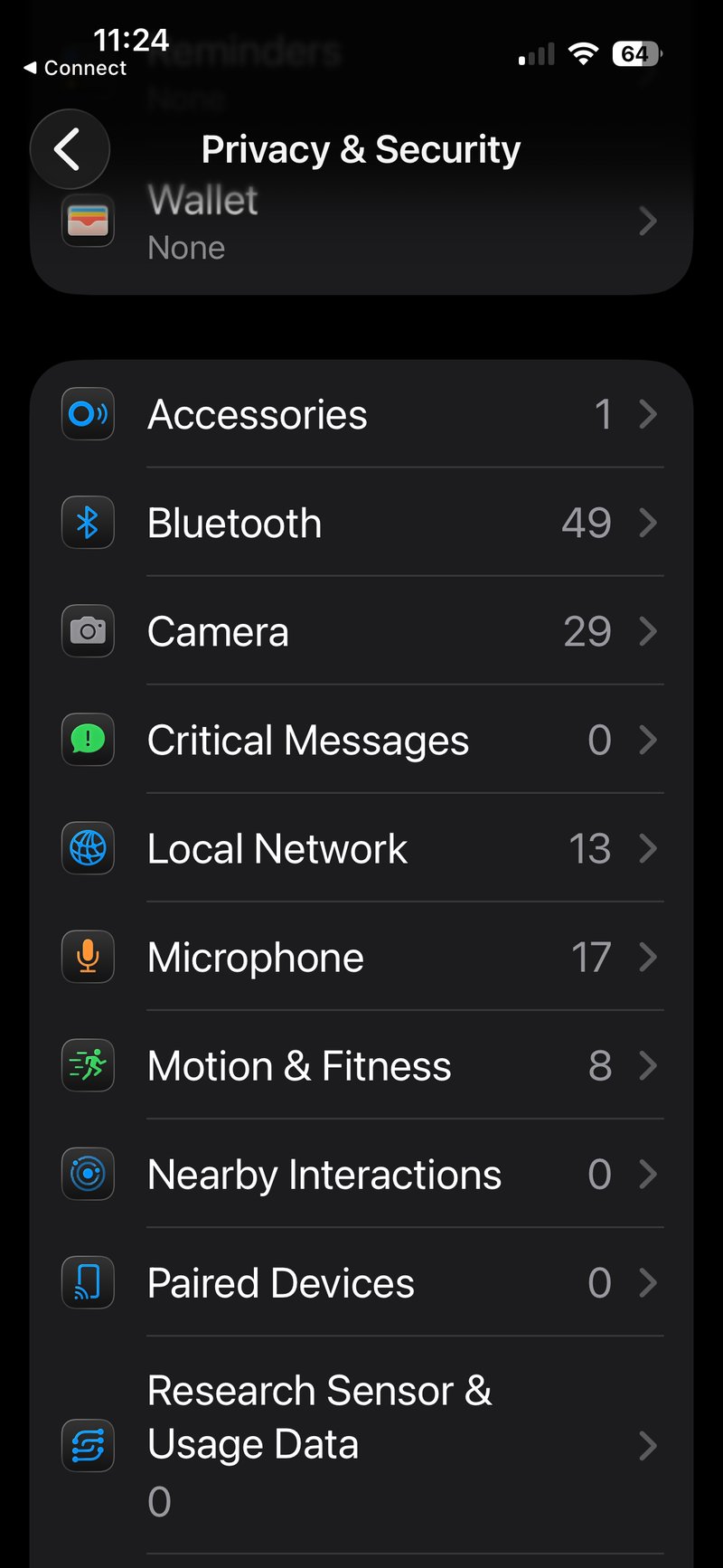
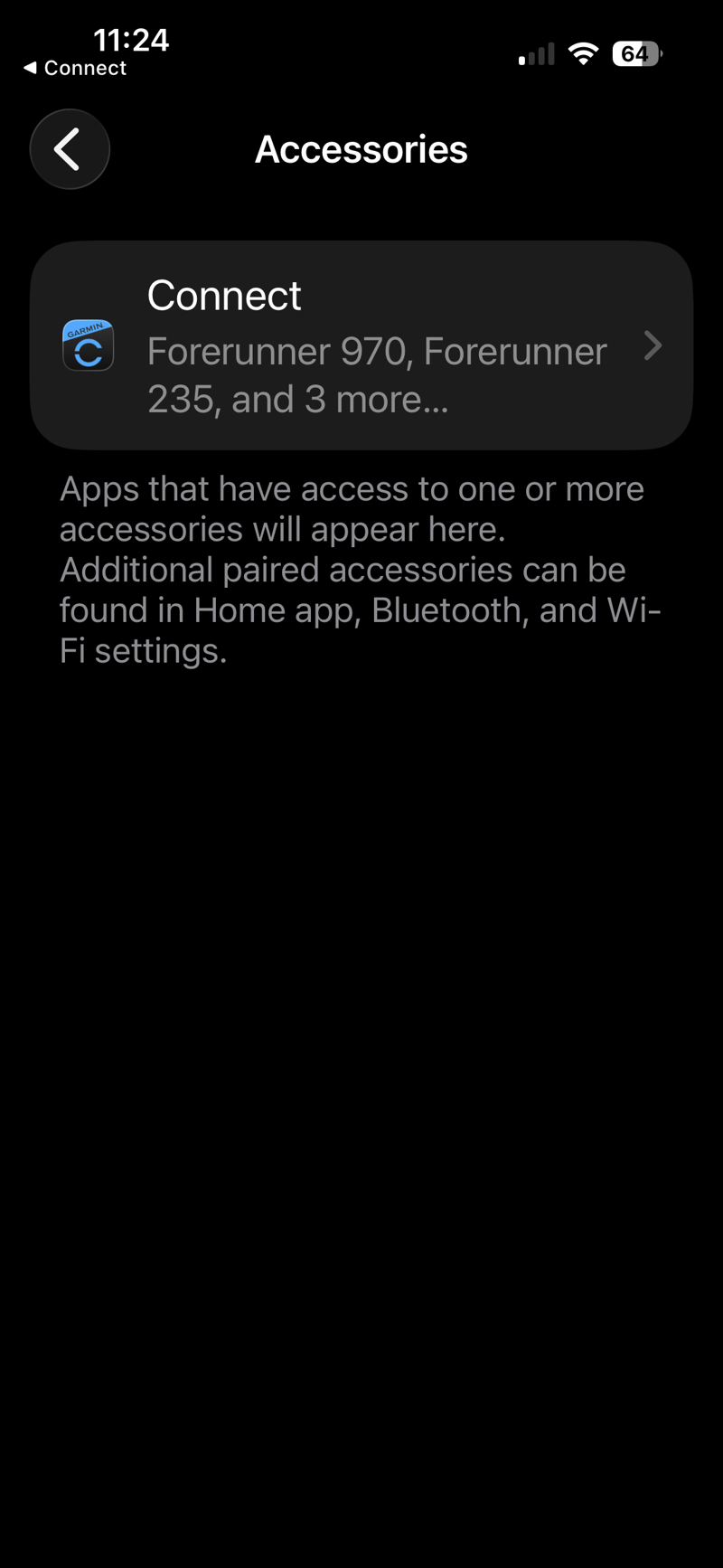
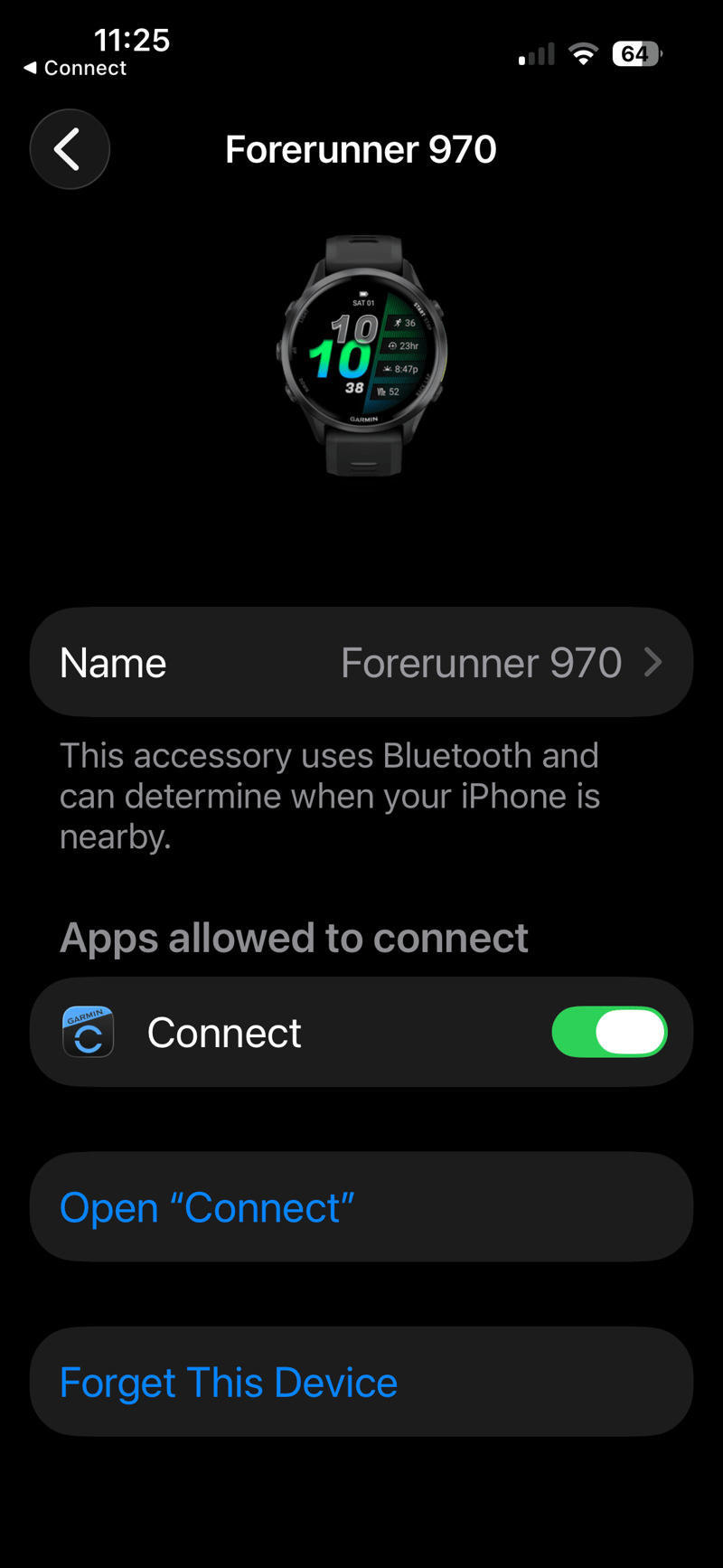
Check that the Garmin Connect app has background sync enabled (iOS> Settings> Apps> Connect). Then go into the Connect app and you will see new prompts for background syncing for each of your devices: it should be enabled at this point by default, or at least mine was.
You should see screens similar to these.
Required Versions (as of 1st February 2026)
- Garmin Connect (iOS): Version 5.21.2 or newer. This release follows widespread and serious pairing and sync problems introduced in versions 5.21 and 5.21.1, which Garmin has acknowledged and addressed (Garmin support advisory).
- Apple iOS: I have the latest iOS 26.3, and this or 26.2 seems to be required. (MacRumors coverage).
What Has Improved
We’re only talking about Bluetooth syncing of core metrics from the watch to the smartphone.
- One-way Bluetooth syncing from watch to phone — including steps, sleep, heart rate, and completed activities.
- The change appears initially limited to the EU and will inevitably be available worldwide soon.
- There has been syncing from my Forerunner 970 today, with several others of my Garmin devices indicated to also share the same behaviour. (Others report the same in this Reddit discussion).
What Has Not Changed
- Phone-to-watch data pushes — such as AccuWeather updates, sports scores, and calendar items — still rely on Background App Refresh, persistent Bluetooth access, and location permissions. Issues here are typically linked to app settings or recent bugs rather than DMA-related changes.
- Wi-Fi sync behaviour is unchanged if your Watch already supported that.
- iOS still does not offer full Android-style always-on background syncing. Any broader rollout outside the EU hasn’t yet been officially confirmed by Garmin. Further enhancements to Garmin’s smart features on iOS (DMA interoperability) will continue through mid-2026.
- Notification handling remains largely unchanged. While iOS 26.3 introduces expanded notification forwarding for third-party wearables in the EU, this is not yet a confirmed Garmin-specific enhancement (Mashable overview).
Bottom Line
This is great news for Garmin, great news for us, their customers, and…less so for Apple. This was one area where Apple wanted to keep its ‘special’ smart features to its Watch. It remains to be seen if Apple will let this happen globally. I’m in the UK which is not in the EU and see this feature. So let’s hope Apple makes this happens for everyone, you can bet Garmin will make it happen if possible.
What next? From a personal perspective, it’s far more annoying that Garmin can’t receive information in the background from Connect on iOS: weather is the most obvious and most useful omission, but the recent sports scores features would also be a useful addition. However, it’s Apple stopping this, not Garmin
Last Updated on 3 October 2026 by tfk the5krunner
Small things I always use
- Garmin 90-degree charging adapter: Charges your Garmin from any USB-C cable. Essential when travelling. I use one.
- Body Glide: The blue anti-chafe stick swimmers and runners carry. I use it.
- Speedo earplugs: Fewer ear infections and no cold-water dizziness. I use them.
- Dryrobe Advance: My winter changing robe for open-water swims. I use one. A cheaper option is the AONYIYI changing robe.
- Maurten: Race fuel that stays easy on the stomach. I use them.
- Garmin charging puck: The quickest way to top up before a session. I use one.
- Injinji: Toe socks that stop rubbing, so you run more. I use them.
- Ultimate toe protectors: Stop black toenails on long runs. They work. I use them.
- Compressport R2 v2 calf sleeves: My calf sleeves of choice. I use them.
- Cellucor C4: My pre-workout before hard sessions.
- TPU tubes: Schwalbe Aerothan, Tubolito and Pirelli SmarTube. Light, tiny spares. I use all three.
- G8 insoles: Adjustable insoles that are good. I use them.
- Cycplus Cube: A 97g electric pump that gets a road tyre rideable in two minutes. I carry one. 5% off with code THE5KRUNNER.
Watches and sensors
- Polar H10: My daily driver for waking HRV.
- Polar Verity Sense: My backup arm-worn HR sensor.
- Nomad bedside charger: Charges my iPhone and Apple Watch overnight. I use it, and many of their bands.
- Train.Red: The best muscle oxygen sensor I’ve used.
- Tymewear: Accurate heart rate and reliable ventilatory zones. I use it to pace endurance rides over an hour.
- Garmin Forerunner 970: A pro-grade triathlon watch. I use this.
- Apple Watch Ultra 4: My daily smartwatch. No phone needed on rides.
- Garmin Fenix 9 Pro: I’ve just bought one.
On the bike
- Continental GP5000 for everyday riding, and Aero 111 on the front for special occasions.
- Helmets: Specialized S-Works Evade 3 for road riding, and Rudy Project Wing for TT-style races. I use both.
- Ravemen FR300: A front light that mounts under your Garmin or Wahoo. I use one.
- Wahoo TRACKR Radar: I use it on one bike and Varia on the other. They perform the same.
- Garmin Varia RTL515: Radar that warns you of cars from behind. I use this model.
- Wahoo ELEMNT Roam 3: The bike computer that’s easy to use. I use mine on most rides.
- Favero Assioma Pro RS2: Accurate power pedals that swap easily between bikes. I use this model.
Home and indoor training
- NPE Runn: Makes my basic treadmill smart, sending more accurate speed and distance to my watch and Zwift. I use it.
- Google Wifi: Keeps Zwift connected in my pain cave. I use it.
- Apple TV 4K: Zwift on the big screen. I use two.
- Google Nest Doorbell (wired, 2nd gen): My video doorbell, running in both Google Home and Apple Home. I use it.
Health, recovery and sleep
- FreeStyle Libre 3 Plus: Shows how my blood sugar responds to diet.
- hDrop: Measures my sweat loss in summer and indoors.
- Fourth Frontier Zone: Checks my heart under load in hard sessions.
- Oura Ring 5: My partner’s recovery tracker of choice.
- Kineon MOVE+: Red light therapy for niggles. It works.
- Eight Sleep: A cooling mattress cover my partner and I use nightly.
Reader-Powered Content

This content is not sponsored. It’s mostly me behind the labour of love, which is this site, and I appreciate everyone who supports it.
Support the site: Follow (free, fewer ads) · Subscribe (paid, ad-free) · Buy Me A Coffee ❤️
Written by real people, with AI assistance. Fact-checked and verified for originality. See the Editorial Policy. FTC: Affiliate Disclosure — some links pay commission. As an Amazon Associate, I earn from qualifying purchases.

tfk is the founder and author of the5krunner, an independent endurance sports technology publication. With 20 years of hands-on testing of GPS watches and wearables, and competing in triathlons at an international age-group level, tfk provides in-depth expert analysis of fitness technology for serious athletes and endurance sport competitors. ID

But what if I don’t want this? If affects battery life, and I have no control over when my data and activities are uploaded…
Changing that setting above will prevent the Connect app to access the watch all together, even when active, so that’s not the solution.
I you revoke the access to background sync on iOS, why should foreground sync be affected? I tried it and it works for me like it did before.
Well, for me it broke the connection to the watch even with the app open.
Exactly where did you change it?
It’s shown in the fourth picture, „Privacy & Security“.
I didn’t change anything in Connect itself or in the iOS Settings – Apps – Connect. Only disable background sync in Privacy.
Japan is enforcing similar rules I read somewhere. I really like the Apple hardware, using Macs, iPads and iPhones for years. But I like the EU even more for tearing down some of the garden walls.
Huh. I thought steps, HR, etc were already syncing in the background. In the US. So they only sync when Connect is open?
I thought my activities from the watch were already automatically synced to the phone app after an activity (as long as the phone was in bluetooth range at the time). Anyway, it all seems to be working fine.
Hi, thanks for this info. Do you know if there’s a way to turn it off? If I turn off the “Apps allowed to connect”, the phone doesn’t communicate with watches. If I allow this option, it’s constantly turned on.
I liked to sync my watch & app manually. I especially don’t like the fact that my run is synced immediately after I finish it. It’s synced faster than I took my shoes off. I don’t want to turn the Bluetooth off every time before I start some sports activity.
Ondrej
I don’t fully understand the benefits here. So the sync seems to be a bit more stable/faster? I rarely have issues except for very big/long activities which sometimes take a bit longer to sync successfully. Otherwise it usually takes seconds after saving / when i am in reach of my phone.
What is far more annoying for me and probably not resolved with this change:
1. “Fabricated” sync progress indicator. So on the app you click on sync, the icon rotates and shows “done”, still nothing synced. The real sync might happen a minute later. Sometimes the same when initiating the sync from watch (or Edge). Probably some UX engineer decided that humans like to get the feeling that something happens even if it doesn’t. I hate this behavior, to be honest.
2. The annoying-as-hell “maximum number of workouts exceeded” which has no solution except praying (watch cleans up eventually) or manually deleting workouts